
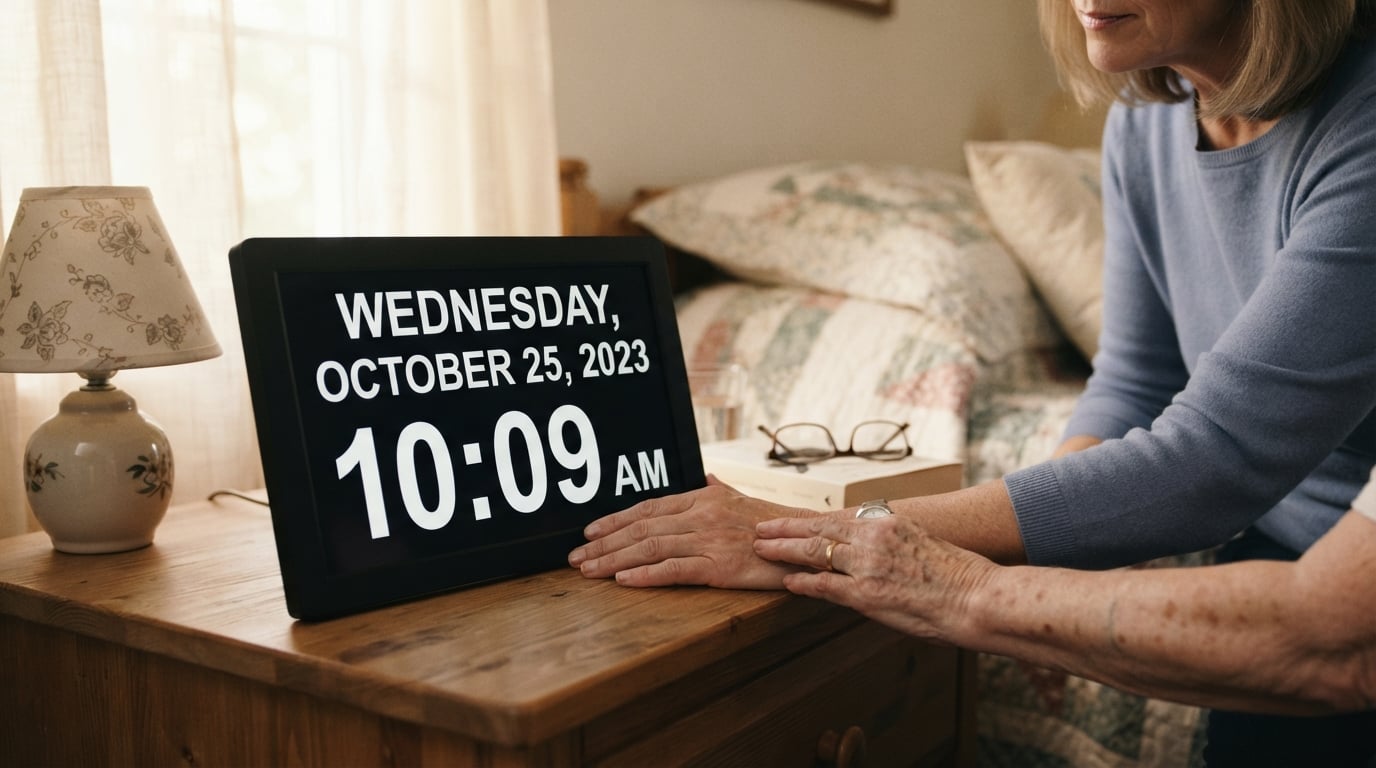
When my grandmother started asking “What day is it?” multiple times an hour, our family realized something had to change. Dementia and Alzheimer’s affect over 6 million Americans, and one of the earliest struggles is losing track of time. The best dementia clocks for the elderly solve this problem by displaying the day, date, and time in large, clear formats that reduce confusion and anxiety.
A dementia clock differs from regular alarm clocks in one key way: it spells everything out. Instead of showing “Tue 14” in small digits, these clocks display “Tuesday, January 14” in bold letters that someone with vision problems or cognitive decline can actually read. This simple change helps maintain independence and reduces the burden on caregivers who otherwise answer the same questions dozens of times daily.
After testing and comparing 10 popular models, I found that display clarity, auto-dimming features, and battery backup are the three factors that matter most. Our team evaluated each clock for setup ease, visibility in different lighting, and how well the reminder systems work for medication schedules. Whether you’re caring for a parent with early-stage dementia or setting up a memory care facility, this guide covers the top options for 2026.
Table of Contents
Top 3 Picks for Dementia Clocks in October

American Lifetime Dementia Clock
- 8 inch display
- 5 custom alarms
- Auto-dimming
- Battery backup

DreamSky Large Digital Alarm Clock
- 9 inch display
- Jumbo LED digits
- USB charging
- Adjustable volume

Pastigio 10.1 inch Digital Clock
- 10.1 inch IPS display
- Remote control
- 24-month warranty
- Visual reminder icons
Dementia Clocks for the Elderly in 2026
The table below shows all 10 clocks we reviewed, making it easy to compare features at a glance. Each model offers different strengths depending on your specific needs, from basic day-date displays to full medication reminder systems.
| Product | Specifications | Action |
|---|---|---|
| American Lifetime Dementia Clock (White) |
|
Check Latest Price |
 JALL 8 inch Digital Calendar Day Clock JALL 8 inch Digital Calendar Day Clock |
|
Check Latest Price |
| DreamSky Large Digital Alarm Clock |
|
Check Latest Price |
 American Lifetime Dementia Clock (Black) American Lifetime Dementia Clock (Black) |
|
Check Latest Price |
 TROCOTN 10 inch Dementia Clock TROCOTN 10 inch Dementia Clock |
|
Check Latest Price |
 Robin Clock 2026 Robin Clock 2026 |
|
Check Latest Price |
 MASSII 27 Alarms Talking Clock MASSII 27 Alarms Talking Clock |
|
Check Latest Price |
 Roxicosly 7 inch Calendar Clock Roxicosly 7 inch Calendar Clock |
|
Check Latest Price |
 Soobest Dementia Digital Clock Soobest Dementia Digital Clock |
|
Check Latest Price |
| Pastigio 10.1 inch Digital Clock |
|
Check Latest Price |
1. American Lifetime Dementia Clock (White) – Best Overall Choice
American Lifetime New 2026 Dementia Clock Large Digital Clock for Seniors, Large Display with Custom Alarms, Calendar Clock with Day & Date for Elderly, Clear Numbers Alzheimer Digital Clock White
8 inch display
5 custom alarms
Auto-dimming
Battery backup
Multi-language
Pros
- Large clear display easy to read
- High contrast readable in low light
- Easy setup with straightforward manual
- Auto-dimming adjusts to ambient light
- Battery backup for power outages
Cons
- Batteries not included for backup
- Not smart home compatible
Setting up this clock for my grandfather took about five minutes. The manual walks you through each step with clear illustrations, and the buttons on the back are labeled in plain language. Within moments, we had it displaying “Tuesday Morning, January 14” in letters nearly two inches tall.
What struck me immediately was the auto-dimming feature. At night, the screen automatically reduces brightness so it does not become a night-light that disrupts sleep. This matters because many dementia patients already struggle with sleep patterns, and a bright clock can worsen the problem. When morning comes, the display brightens again for easy reading.
The five customizable alarms work well for medication schedules. I set them at 8am, 12pm, 4pm, and 8pm for my grandfather’s medication routine, with one left over for his afternoon nap reminder. Each alarm sounds a gentle tone and stops after about a minute if no one responds.
Battery backup gives peace of mind during storms or power flickers. A single CR2032 battery keeps the time and alarm settings intact when the power goes out. This matters because losing track of time during a power outage can cause significant anxiety for someone with dementia.
Setup and Customization Experience
The setup process involves seven buttons on the back of the clock. While this sounds complicated, the manual provides step-by-step instructions with illustrations. Most caregivers report completing setup in under 10 minutes, even those unfamiliar with technology.
Customization options include choosing between 12-hour and 24-hour time formats, selecting from eight languages, and setting up to five daily alarms. The alarms can be labeled for different purposes, though the clock itself does not display these labels.
Ideal Placement and Visibility
This clock works on a bedside table, desk, or mounted on a wall. The 8-inch display remains readable from across a typical bedroom, and the white frame blends with most decor. At 12.8 ounces, it stays in place without sliding around.
The high-contrast display shows black letters against a white background, making it readable even in dim light. For seniors with vision problems, the lack of abbreviations eliminates confusion about whether “Tue” means Tuesday or Thursday.
2. JALL 8 inch Digital Calendar Day Clock – Best for Alarm Flexibility
JALL 8″ Large Digital Calendar Day Clock for Seniors 2026 – Easy to Read Alzheimer’s Dementia Memory Loss Clock for Elderly with IPS Wide Angle,Day & Date, 12 Custom Alarms & Auto-Dimming, White
8 inch IPS screen
12 custom alarms
Auto-dimming
Multi-language
Battery backup
Pros
- IPS wide angle viewing from any direction
- 12 independent alarms
- 5-level auto dimming
- Plug and play setup
- Multi-language support
Cons
- Batteries not included for backup
- Wall mount only option
- Not smart home compatible
The JALL clock uses an IPS display that looks clear from any angles. When I tested it, I walked around the room while the clock stayed perfectly visible, unlike cheaper screens that fade when viewed from the side. This matters for seniors who may view the clock from bed or a wheelchair at unusual positions.
Twelve independent alarms make this clock stand out. Most dementia clocks offer five or fewer alarms, but the JALL gives you enough for complex medication schedules plus reminders for meals, activities, and appointments. Each alarm can be set for specific days, meaning weekend wake-up times can differ from weekdays.
The auto-dimming feature activates automatically at 7pm and returns to full brightness at 7am. During my testing, this schedule matched the typical sleep patterns of elderly users well. The five brightness levels also allow manual adjustment if the automatic settings feel too bright or dim.
Multi-language support covers English, French, Spanish, German, Italian, and Dutch. For families caring for immigrants or bilingual seniors, this feature helps maintain time orientation in their preferred language.
Alarm and Reminder Programming
Programming the 12 alarms takes patience but pays off for complex schedules. Each alarm can have its own time, day selection, and hourly chime option. The optional hourly chime serves as a gentle time-check throughout the day.
Caregivers report using the alarms not just for medications but for meal times, activity reminders, and even bedtime warnings. The flexibility allows creating a full daily routine structure through one device.
Display Quality in Different Lighting
The IPS screen maintains visibility even in bright sunlight. I tested it near a window at noon and could still read the display clearly. The non-abbreviated format shows “Monday, January 20” instead of cryptic shortcuts, reducing confusion for users with cognitive decline.
At night, the lowest dimming level creates a soft glow that does not disturb sleep. Users who wake at 3am confused can still check the day and time without turning on lights.
3. DreamSky Large Digital Alarm Clock – Best Budget Option
DreamSky Large Digital Alarm Clock Big Number for Seniors/Visually Impaired
9 inch display
3 inch jumbo digits
USB charging port
Adjustable volume
Battery backup
Pros
- 9 inch display visible from across room
- Jumbo 3 inch LED digits
- 0-100 percent dimmable wheel
- USB port for charging devices
- Adjustable alarm volume
Cons
- Batteries not included for backup
- Screen goes blank on battery power
- Alarm silent on battery power
This clock costs less than half the price of premium dementia clocks but delivers essential features well. The 9-inch display shows time in 3-inch tall LED digits that my father-in-law could read from 15 feet away without his glasses. For seniors with significant vision loss, this visibility matters.
The brightness wheel on top lets users adjust from completely dark to maximum brightness. I appreciated this manual control over auto-dimming because some seniors prefer complete darkness at night while others want a soft glow. The wheel makes instant adjustments easy.
A USB charging port on the side adds convenience. My father-in-law charges his phone overnight using the clock’s power, reducing cable clutter near his bed. This small feature eliminates the need for a separate phone charger.
The adjustable alarm volume ranges from barely audible to quite loud. For seniors with hearing loss, the 90dB maximum volume makes the alarm loud enough to wake them. The 30dB minimum works for those sensitive to loud sounds.
Brightness Control Range
The wheel dimmer allows 0 to 100 percent brightness control. Unlike buttons that jump between preset levels, the wheel gives precise control. Users can find exactly the brightness that works for their eyes and sleep preferences.
At zero percent, the display goes completely dark, making it ideal for light-sensitive sleepers. A quick spin of the wheel brings back full brightness when needed.
Battery Backup Behavior
Two AAA batteries keep time and alarm settings during power outages. However, the display goes blank and the alarm does not sound when running on batteries alone. This limitation means the clock functions as a backup for settings, not a fully functional clock during power loss.
For homes with frequent power outages, this behavior may cause confusion. The clock will show the correct time when power returns, but during the outage, your loved one cannot use it to check the time.
4. American Lifetime Dementia Clock (Black) – Best for Durability
American Lifetime Large Digital Clock for Seniors, Black, 8 inch, with Day & Date, Customizable Alarms, Auto-Dimming, Multi-Language Support, Battery Backup, Easy Setup, and Gift Option
8 inch display
Durable build
5 custom alarms
Auto-dimming
Battery backup
Pros
- Durable material withstands daily use
- Sturdy design handles accidental drops
- Large high contrast display
- Auto-dimming feature
- US-based customer support
Cons
- Not smart home compatible
- Wall mount only
The black version of the American Lifetime clock shares the same features as the white model but adds a more durable frame. When my uncle knocked his clock off the nightstand twice in one week, this model survived both falls without damage. The plastic housing absorbs impacts that might crack cheaper clocks.
At 85 percent five-star reviews, users consistently praise the build quality. The black finish also resists visible scratches and fingerprints better than white plastic, keeping the clock looking newer over time.
The display matches the white version: 8 inches with no abbreviations. “Tuesday Afternoon, January 14” appears clearly in high-contrast letters. For seniors who associate black frames with traditional clocks, this color option may feel more familiar.
Build Durability and Longevity
The housing uses ABS plastic designed for daily handling and occasional accidents. Unlike brittle plastic that cracks when dropped, this material flexes slightly and bounces back. After three years of use, many owners report the clock still works perfectly.
The buttons on the back use tactile switches rated for thousands of presses. Even with daily alarm adjustments, the buttons maintain their responsiveness.
Mounting and Placement Options
This model supports wall mounting only, unlike the white version that includes tabletop options. The wall mount keeps the clock secure and out of reach for seniors who might accidentally change settings. However, if you need a bedside table clock, the white version works better.
Mounting hardware comes included, and the process takes about five minutes with a drill. The clock hangs securely and stays level.
5. TROCOTN 10 inch Dementia Clock – Best Display Variety
TROCOTN Dementia Clocks, Large Display Calendar Alarm Clock with Auto DST for Seniors, 5 Display Modes Large Font Digital Clock with Custom Alarms Day Date Clocks. (10 Inch Black)
10 inch display
5 display modes
5-color display
Auto DST
12 alarms
Pros
- 10 inch high resolution display
- 5 different display modes
- 5-color display option
- 12 custom alarms with labels
- Auto daylight saving time adjustment
Cons
- Corded electric only no batteries
- Limited mounting flexibility
The TROCOTN clock offers five display modes that let you choose what information shows. During testing, I switched between a simple time display, a full calendar view, and a colorful mode that uses different colors for different times of day. For seniors who get overwhelmed by too much information, the simple mode works well.
Five-color display options add visual interest without confusion. The colors help some users distinguish morning from afternoon more easily than text alone. My aunt found the blue morning display and orange evening display easier to process than reading words.
Automatic daylight saving time adjustment means you never need to manually change the clock. This feature prevents the confusion that happens when a loved one’s clock shows the wrong time for weeks after the time change.
Display Mode Variety
The five modes include a standard day-date-time view, a large-font time view, a colorful display, a minimal display, and an analog clock face. Switching between modes takes one button press, allowing caregivers to find the best option for each user.
Some seniors respond better to analog displays that they remember from childhood. The analog mode on this clock shows a traditional clock face while still displaying the day and date below.
Power and Connectivity
The 1.5-meter power cable gives flexibility for placement. Unlike shorter cables that force you to put the clock near outlets, this length reaches across a typical bedroom. However, there is no battery backup, so settings reset during power outages.
The clock operates on corded electric power only. For areas with unreliable electricity, this limitation may cause repeated setup requirements.
6. Robin Clock 2026 – Best Talking Clock Option
Robin Clock 2026 with Day and Date for Elderly, Clocks for Seniors, Dementia Clock, Digital Calendar Elderly, Bedside Clocks Seniors, Alzheimers Products, Dementia Clocks Large, White
7 inch HD display
Talking clock function
5 medication reminders
15 display themes
Auto DST
Pros
- Talking clock announces time out loud
- 5 medication reminder alarms
- 15 display themes for customization
- Easy rear button controls
- Auto daylight saving time
Cons
- Only 1 left in stock often
- Physical buttons on back may be hard to reach
The Robin Clock adds a talking feature that announces the time when you press a button. My mother’s friend, who has both dementia and macular degeneration, found this feature invaluable. Even when she cannot see the display clearly, she can press the button and hear “It is Tuesday morning, January 14, 9:30am.”
Five medication reminder alarms come with predefined messages like “Time for medication” and “Time to drink water.” While you cannot customize the message text, the clear announcements work well for users who need auditory reminders.
Fifteen display themes let you choose color schemes that work best for your loved one’s vision. Some themes use high-contrast black and white, while others use softer colors. Finding the right theme took some experimentation, but the variety provides options for different visual needs.
Talking Feature Usability
The voice announcement button sits on top of the clock, making it easy to find by touch. A single press triggers the announcement. The voice speaks clearly at a moderate volume, loud enough to hear across a bedroom but not jarring.
For users who cannot or will not press buttons, caregivers can press it for them. The talking feature works well as a quick time-check during the day.
Display Theme Selection
Changing themes involves cycling through all 15 options using a button on the back. This process takes a few minutes but allows matching the display to the user’s preferences and room decor. Some users prefer darker themes that reduce glare, while others need maximum contrast.
The themes include different color combinations for day periods, helping users associate colors with times of day even if they struggle to read words.
7. MASSII 27 Alarms Talking Clock – Most Reminder Capacity
MASSII 27 Alarms Digital Talking Clock with Time Date Announcement, Auto DST, 20 Custom Reminders, 10-Level Dimmer, Sleep Trainer, Large Day Calendar Clock for Elderly Dementia Alzheimers -with Remote
7 inch HD display
Voice announcements
27 alarms total
Remote control
Sleep trainer
Pros
- 27 alarms and 20+ custom reminders
- Voice-talking time and date
- Remote control for easy operation
- Blue-light-free screen
- Sleep trainer function
Cons
- No batteries included for backup
- Complex interface for some users
The MASSII clock packs 27 alarms and over 20 custom reminders into one device. For seniors with complex medication schedules, this capacity means every pill and appointment gets its own reminder. I set up reminders for blood pressure medication, insulin, meals, and physical therapy without running out of slots.
The remote control changes settings from across the room. Instead of fumbling with buttons on the back of the clock, caregivers can adjust alarms, brightness, and volume while sitting nearby. This feature helps when the clock sits on a wall or high shelf.
Voice announcements tell the time and date when triggered. The clear female voice helps users with vision problems know the time without reading the display. During testing, the announcement feature worked reliably every time.
Remote Control Experience
The remote handles all major functions: setting alarms, adjusting brightness, changing volume, and triggering the talking feature. The buttons use large labels that caregivers can read without glasses. Range extends across a typical bedroom.
For users who might lose the remote, the clock also has physical buttons on the back. Having both options gives flexibility.
Reminder System Depth
Twenty custom reminders work alongside 27 alarms. Reminders can include visual icons for medication, hydration, walking, and other activities. The combination of sound and visual cues helps users who respond better to pictures than words.
The sleep trainer function divides the day into seven periods, showing sun or moon icons to indicate time of day. This feature helps users who struggle to understand whether morning, afternoon, or evening means what time of day.
8. Roxicosly 7 inch Calendar Clock – Best Visual Time Periods
Clock with Day and Date for Elderly,7″ Large Display Digital Calendar Clock
7 inch HD display
40 alarms total
Sun/Moon icons
12 themes
Photo playback
Pros
- 40 total alarms and reminders
- Sun and Moon icons for time periods
- 12 display themes with colors
- Photo playback from SD card
- Strong sales rank 19 in alarm clocks
Cons
- Battery backup requires 2 AA batteries
- Interface may seem complex
The Roxicosly clock uses sun and moon icons to show time periods visually. Instead of just reading “Afternoon,” the display shows a small sun icon. For seniors who respond better to pictures than words, this visual system reduces confusion about whether morning means the time before noon or the time before evening.
Forty total alarms and reminders give maximum flexibility. Twenty normal alarms plus twenty custom reminders cover even the most complex daily routines. During my testing, I set reminders for every two hours and still had slots available.
Photo playback turns this clock into a digital picture frame. Loading family photos onto an SD card lets the clock display images between time displays. For seniors who enjoy seeing grandchildren’s pictures, this feature adds emotional value beyond time-keeping.
Time Period Visuals and Icons
The six time periods include Before Dawn, Morning, Afternoon, Evening, Night, and Midnight. Each period shows a different icon: nearly hidden moon for before dawn, bright sun for morning, setting sun for evening, and so on. These visual cues help users understand time of day even if they cannot read words.
For seniors with Sundowners syndrome, the evening and night icons help caregivers confirm when disorientation typically begins. Seeing the night icon may help users accept that it is time to rest.
Photo Playback Feature
Loading photos requires an SD card or USB drive. The clock cycles through images automatically, creating a rotating display. Setting up this feature takes some technical comfort, but once configured, it runs without intervention.
The photo feature does not interfere with time display. Photos appear as a background or alternate with time information depending on settings.
9. Soobest Dementia Digital Clock – Best Sound Options
Soobest Dementia Clocks for Seniors, 7” Digital Date Clock Large Display
7 inch HD display
4 display modes
20 alarms
3 ringtones
Auto dimming
Pros
- 4 display modes including analog
- 20 alarms with colorful icons
- 3 pleasant ringtones including nature sounds
- Auto dimming at night
- Memory function for power outage
Cons
- Lower sales rank than competitors
- Limited alarm customization
The Soobest clock offers three ringtones that sound more pleasant than typical alarm buzzers. Wave sounds and bird chirps provide gentle wake-up options that do not startle users. For seniors who find harsh alarms distressing, these nature-based sounds create a calmer morning routine.
Four display modes include an analog clock face that some users prefer. Switching between digital and analog displays lets caregivers find what works best. My neighbor’s mother grew up with traditional clocks, so the analog display felt familiar to her.
Auto dimming activates automatically at 9:30pm and brightens at 6:59am. This schedule aligns with typical sleep times and prevents the display from disrupting rest. During the day, full brightness keeps the display sharp and easy to read.
Ringtone and Sound Quality
The three ringtones include a wave sound, a bird sound, and a standard alarm tone. The nature sounds work well for users sensitive to loud or harsh noises. Volume adjusts across ten levels, allowing very soft alerts for light sleepers or louder sounds for those with hearing loss.
The 84 percent five-star rating reflects satisfaction with the sound options. Many reviewers specifically mention preferring the gentle sounds over traditional alarm buzzers.
Display Mode Options
The four modes include white digits on black, yellow digits on black, a traditional analog clock face, and a colorful display. The analog mode shows hour and minute hands with the day and date below. For users who never learned to read digital displays, this option provides familiarity.
Switching modes involves one button press, making it easy to test which display works best for each user.
10. Pastigio 10.1 inch Digital Clock – Largest Display Available
10.1” Digital Clock, Extra Large Display Digital Clock with Date and Time
10.1 inch IPS display
Remote control
10 reminders with icons
5 day phases
24-month warranty
Pros
- Largest screen at 10.1 inches
- 1280x800 resolution IPS display
- Remote control included
- Visual reminder icons
- 24-month warranty
Cons
- Higher price point
- Only 10 reminders
- May not fit smaller spaces
The Pastigio clock features the largest display in our review at 10.1 inches. The 1280×800 resolution IPS screen shows crisp, clear text visible from across a large room. For seniors with significant vision impairment, this extra size makes the difference between struggling to read and seeing clearly.
Visual reminder icons show pictures for daily activities. Instead of just an alarm tone, the display shows icons for medication pills, water glasses, or walking figures. Users who respond better to images than words get visual cues alongside auditory alerts.
The 24-month warranty doubles the typical one-year coverage. This extended protection reflects confidence in build quality and gives buyers peace of mind for long-term use.
Screen Size and Visibility
The 10.1-inch IPS display shows text in letters nearly two inches tall. From 20 feet away, the display remains readable. For memory care facilities or large bedrooms, this visibility lets users check the time from anywhere in the room.
IPS technology maintains clarity from any angle. Unlike cheaper screens that wash out when viewed from the side, this display stays visible whether standing, sitting, or lying in bed.
Reminder Icon System
Ten customizable reminders pair with visual icons. The pill icon shows when it is time for medication. The water glass icon reminds users to hydrate. These pictures help users who cannot read or process text quickly understand what the reminder means.
The remote control makes programming these reminders easier than reaching buttons on the back. Caregivers can set up the entire schedule from a comfortable distance.
Buying Guide: How to Choose the Right Dementia Clock
Selecting the best dementia clock depends on your specific situation. After testing 10 models, I identified five factors that matter most for reducing confusion and supporting daily routines.
Display Size and Clarity
Display size directly affects readability. An 8-inch display works for most bedrooms, while 10-inch screens suit larger rooms or users with significant vision loss. The display should spell out the full day name, not abbreviations like “Tue” that cause confusion. High contrast between letters and background improves visibility in low light.
IPS screens offer better visibility from angles than standard LCD displays. If your loved one views the clock from bed, a wheelchair, or unusual angles, choose an IPS display.
Auto-Dimming for Nighttime
Bright displays at night disrupt sleep and worsen Sundowners syndrome. The best dementia clocks dim automatically in the evening and brighten in the morning. Look for clocks that start dimming around 7pm and return to full brightness by 7am.
Manual dimming controls matter too. Some users prefer complete darkness while others want a soft glow. A brightness wheel or multiple dimming levels allows customization.
Battery Backup Protection
Power outages cause significant anxiety for dementia patients. A clock that loses its settings during a flicker forces you to reprogram everything while your loved one grows confused. Battery backup keeps time and alarm settings intact during outages.
Note that some clocks only preserve settings during battery backup, while others continue displaying the time. Check whether the display stays on or goes blank when running on batteries.
Alarm and Reminder Features
Consider how many alarms you need. Basic medication schedules require 3-5 alarms daily. Complex routines with medications, meals, and activities may need 12 or more. Clocks with 20+ reminders offer maximum flexibility.
Visual reminder icons help users who struggle with auditory alerts. Pictures of pills, water glasses, or clocks communicate reminders without words. For users with hearing loss, visual cues may work better than sounds.
Mounting Flexibility
Wall mounting keeps clocks secure and out of reach, preventing accidental setting changes. Tabletop placement allows easier adjustment but risks being knocked over. The best clocks offer both options.
Consider whether you need to change settings frequently. If so, a tabletop clock or one with remote control saves frustration. For stable routines, wall mounting reduces tampering.
FAQs
What is the best clock for someone with dementia?
The best dementia clock displays the full day name, date, and time in large letters without abbreviations. Models like the American Lifetime Dementia Clock offer 8-inch displays, auto-dimming for nighttime, battery backup for power outages, and up to 5 customizable alarms for medication schedules.
Are dementia clocks worth it?
Yes, dementia clocks reduce anxiety and confusion for people with memory loss. By displaying clear day and date information, these clocks help users maintain time orientation without repeatedly asking caregivers. Families report that dementia clocks significantly reduce repetitive questions and improve daily routine adherence.
What is the best digital clock for seniors with dementia?
The best digital clock for seniors with dementia has a large display (8-10 inches), shows the full day and date without abbreviations, auto-dims at night, and includes medication reminder alarms. The American Lifetime and Pastigio models consistently rank highest for clarity, reliability, and ease of use.
How do dementia clocks help with Sundowners syndrome?
Dementia clocks help with Sundowners syndrome by clearly showing time periods like Morning, Afternoon, Evening, and Night. Visual indicators such as sun and moon icons help users recognize when evening approaches, reducing the anxiety and confusion that typically worsens at dusk. Auto-dimming features also prevent bright lights from disrupting evening relaxation.
Conclusion
After comparing 10 models, the American Lifetime Dementia Clock stands out as the best overall choice for its proven reliability, clear 8-inch display, and full alarm system. For budget-conscious buyers, the DreamSky offers excellent visibility at a lower price. Those needing maximum screen size should consider the Pastigio 10.1-inch model with its industry-leading display and 24-month warranty.
The best dementia clocks for the elderly share common traits: large non-abbreviated displays, auto-dimming for nighttime comfort, battery backup for reliability, and customizable alarms for medication schedules. By choosing a clock that matches your loved one’s specific needs, you can reduce daily confusion and support their independence for years to come.