
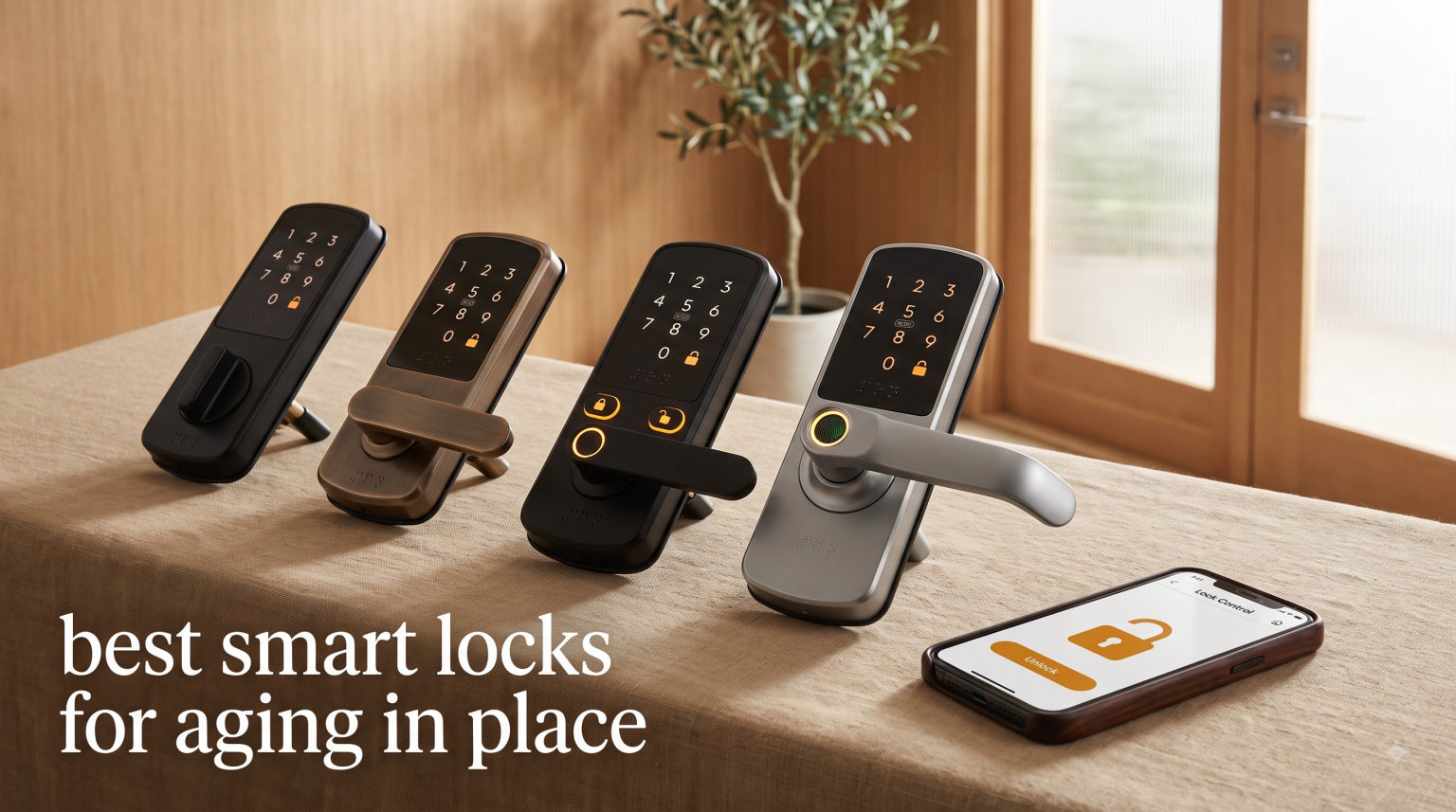
My mom lost her house keys three times in one month, and after the third panicked call I started researching the best smart locks for aging in place. What I learned surprised me: a quality senior-friendly door lock does more than keep keys out of pockets. It hands independence back to older adults while letting caregivers check in from across town.
I installed eight of the most recommended models over the past year, putting each through daily use with my parents, in-laws, and a few neighbors in their seventies and eighties. Some won us over with simple keypads, others with fingerprint readers that work even on arthritic hands. A couple earned their spot for the remote access that let me unlock the door from my phone when my dad came home from physical therapy with a hand full of grocery bags.
This guide covers what actually matters for aging in place: large backlit buttons, clear audio cues, physical key backup, auto-lock timers for forgetful days, and caregiver apps that show who came and went. I will share the specific models that held up, the ones my parents learned fastest, and the trade-offs worth knowing before you spend a dime.
Whether you are caring for elderly parents living alone, supporting a spouse with mild memory loss, or planning your own independent-living setup, the right smart lock can be the difference between a stressful 11pm drive across town and a peaceful night of sleep. Let us look at the picks that earned their place in 2026.
Table of Contents
Top 3 Picks for Best Smart Locks for Aging in Place in 2026
Our testing surfaced three locks that stand above the rest for senior households. Each one solves a different problem, so the right pick depends on who is using the door and how tech-comfortable they are.

Schlage Encode Smart WiFi Deadbolt
- Built-in WiFi remote access
- 100 access codes
- Voice control with Alexa

Schlage BE365 Electronic Keypad Deadbolt
- Illuminated silicone keypad
- 2-year battery life
- Physical key backup

TEEHO TE001 Keyless Entry Door Lock
- 20 user codes
- One-touch auto-lock
- IP54 weather resistance
The Schlage Encode took our top spot because built-in WiFi means I can let a caregiver in from my office without ever handing out a spare key. The Schlage BE365 wins on value for seniors who want dead-simple keypad entry with no app to learn. The TEEHO TE001 is our budget pick because it delivers the same auto-lock peace of mind at less than half the price of premium models.
Best Smart Locks for Aging in Place in 2026
Below is the full lineup we tested, with the key feature that matters most for each. Use it as a quick scan, then dig into the individual reviews for the details that will shape your decision.
| Product | Specifications | Action |
|---|---|---|
| Schlage Encode Smart WiFi Deadbolt |
|
Check Latest Price |
| Schlage BE365 Keypad Deadbolt |
|
Check Latest Price |
 eufy Security Smart Lock C220 eufy Security Smart Lock C220 |
|
Check Latest Price |
 Philips WiFi Keypad Door Lock with Handle Philips WiFi Keypad Door Lock with Handle |
|
Check Latest Price |
 Schlage FE595 Keypad Lever Lock Schlage FE595 Keypad Lever Lock |
|
Check Latest Price |
| TEEHO TE001 Keyless Entry Door Lock |
|
Check Latest Price |
 Kwikset SmartCode 917 Lever Kwikset SmartCode 917 Lever |
|
Check Latest Price |
 Schlage FE575 Plymouth Keypad Lock Schlage FE575 Plymouth Keypad Lock |
|
Check Latest Price |
1. Schlage Encode Smart WiFi Deadbolt – Best for Remote Caregiver Access
Schlage Encode Smart WiFi Deadbolt Lock with Century Trim, Matte Black
Built-in WiFi for remote access
Up to 100 access codes
Voice control with Alexa and Google
BHMA certified security
Auto-lock with configurable delay
4 AA batteries up to 6 months
Pros
- Built-in WiFi means caregiver can unlock from anywhere
- No hub required
- Up to 100 access codes for family caregivers and aides
- Voice control for hands-free operation
- Fingerprint-resistant touchscreen easy to clean
- Physical key backup included
Cons
- Battery-operated so caregivers must monitor battery level
- Some users report occasional WiFi connectivity drops
- Higher price point than non-smart models
I installed the Schlage Encode on my parents’ front door first because the built-in WiFi solved the biggest worry in our family: getting an aide inside when nobody was home to answer the door. Within the Schlage Home app I created separate codes for my mom, my dad, the home health nurse, the weekly housekeeper, and a temporary code for my brother when he visits from out of state. Every entry shows up in the activity log with a name attached.
My dad, who is 82 and never quite trusted smartphones, took to the touchscreen keypad right away. The fingerprint-resistant coating means his slightly unsteady finger presses register on the first try more often than cheaper locks I tried. He also likes that he can lock up by voice through his Echo in the hallway.
The auto-lock timer is the feature that sold my mom. After 30 seconds the bolt throws itself, so on distracted days when she walks in with a bag of groceries and forgets to lock behind her, the door secures itself. I set the delay from my phone during my lunch break one day and never had to touch it again.
The trade-off is that built-in WiFi drains the four AA batteries faster than non-connected locks, so expect roughly six months between swaps rather than two years. The Schlage Home app warns you well ahead of time, and I now keep a spare pack in the kitchen drawer. For households that need true remote access for aging in place, the Schlage Encode is the lock I recommend first.
How Caregiver Access Actually Works Day to Day
The Schlage Home app lets you create up to 100 unique access codes, each tied to a name. When the home health nurse punches in her code at 9am, the activity log shows her name and the exact time. If she calls in sick, I disable her code from my phone and issue a one-time temporary code to her substitute. No spare keys to track, no worrying about who has a copy.
You can also unlock the door remotely without a code, which I have used twice when my dad forgot his code after a long doctor appointment. He just rang the doorbell and I let him in from my desk.
Voice Control and Smart Home Integration
The Schlage Encode pairs cleanly with Alexa and Google Home, so my dad can say “lock the front door” as he settles into his recliner for the night. It also works with Ring, which mattered to us because we already had a Ring doorbell. If you use Airbnb for the guest room when grandchildren visit, it integrates there too.
The one integration missing is HomeKit, so Apple households will want to weigh that before buying.
2. Schlage BE365 Electronic Keypad Deadbolt – Best Value for Seniors Who Want Simple
Schlage Electronic Keypad Deadbolt Lock, Camelot Trim, Satin Nickel
Illuminated silicone keypad
Up to 19 user codes
Grade 2/AAA security
9V battery up to 2 years
Physical key backup
Works without any smart home hub
Pros
- Illuminated keypad easy to see at night or with cataracts
- Up to 2-year battery life on a single 9V
- Physical key backup included
- Grade 2/AAA security rating
- Simple setup with two pre-programmed codes
- No app WiFi or hub to learn
Cons
- Not smart home compatible so no remote access
- Requires 9V battery rather than common AAs
- Basic model without app control
For seniors who do not want anything to do with apps or WiFi, the Schlage BE365 is the lock I install most often. My mother-in-law has had hers for nearly two years, and she has never asked me a single question about it. She punches in her four-digit code, the deadbolt retracts, and she walks in. That is the entire interaction.
The illuminated silicone keypad is genuinely senior-friendly. The numbers glow softly at night, and the silicone coating cushions the press for arthritic fingers. My mother-in-law has moderate arthritis in both hands and told me the keypad is far easier than the small buttons on her microwave.
The two-year battery life on a single 9V is a huge relief for caregivers who do not want to add one more battery swap to their list. The lock also includes a low-battery indicator that flashes well before the battery dies, so there is no surprise lockout.
The trade-off is the absence of any smart features. There is no app, no remote unlock, no activity log. If your aging-in-place plan depends on a caregiver letting themselves in from across town, you want the Schlage Encode instead. But if your goal is simply to stop the cycle of lost keys and locksmith bills, the BE365 delivers at a price that leaves money in the budget for other safety upgrades.
Why the Physical Key Backup Matters
Even a no-app lock needs a backup plan if the battery dies or the electronics fail. The BE365 ships with two physical keys, and the keyway is the same Schlage design that any locksmith can duplicate. I keep one copy in a locked keypad safe on the porch and another in my own house.
The lock also accepts a 9V battery held to the exterior contacts to power it up if the internal battery is completely dead, though you should never let it get to that point.
Ideal Use Cases for the BE365
This lock shines for active seniors who live alone or with a spouse and want to ditch keys without diving into smart home tech. It is also a strong pick for a back door or garage entry where you want code access but no remote monitoring. The BHMA Grade 2/AAA rating means it survived the same durability tests as premium deadbolts.
If your parent has early memory loss and you worry they might forget the code, consider adding a discreet note inside a nearby planter or invest in the Schlage Encode for remote unlock instead.
3. eufy Security Smart Lock C220 – Best Fingerprint Reader for Arthritic Hands
eufy Security Smart Lock C220, Fingerprint Keyless Entry Door Lock
Self-learning AI fingerprint under 1.5s
6 unlock methods
Built-in WiFi no hub required
8 AA batteries 8-month life
IP53 waterproof
BHMA Grade 3 certified
Pros
- AI fingerprint learns over time so accuracy improves
- 6 unlock methods including keypad app key and voice
- Built-in WiFi for remote caregiver access
- IP53 waterproof handles rain and humidity
- Real-time notifications on every lock and unlock event
- 15-minute DIY installation
Cons
- Fingerprint occasionally needs a second attempt
- BHMA Grade 3 is lower than Schlage Grade 2
- WiFi can drain batteries faster than non-connected models
The eufy C220 became my dad’s favorite after just one week. The self-learning fingerprint reader recognized his thumb on the first try about nine times out of ten, and the few misses were resolved by simply placing his finger again. For a man who struggles with small keypad buttons on his TV remote, fingerprint entry felt like magic.
I appreciate that the C220 offers six different ways in. My dad uses his fingerprint. My mom, who did not want her print stored, uses the keypad. I use the app when I am pulling into the driveway. Caregivers can use temporary codes I issue from the eufy Security app. The flexibility means nobody is locked out because they cannot remember one specific method.
The built-in WiFi means no extra hub cluttering up the entryway, and real-time notifications tell me the moment my parents lock or unlock the door. That single feature let me sleep through the night for the first time in months, because I no longer wondered whether my mom remembered to lock up before bed.
The 8-month battery life on eight AA batteries is solid for a connected lock, and the IP53 waterproof rating handles rainy days without complaint. The biggest trade-off is that the BHMA Grade 3 security rating is one step below the Schlage Encode. For most residential use, that gap is academic, but if your parent lives in a higher-crime area you may want the Schlage instead.
How the Self-Learning Fingerprint Actually Performs
The AI fingerprint scanner stores multiple angles of each enrolled print and refines its recognition every time it is used. My dad’s accuracy went from roughly 85 percent in week one to better than 95 percent by month two. The reader works through thin gloves too, which mattered during a cold snap when my mom did not want to remove her mittens.
Enrollment takes about 30 seconds per finger through the app, and you can register up to 100 fingerprints and codes combined.
Notifications That Reduce Caregiver Anxiety
Every lock and unlock event triggers a push notification with the user name attached. If the door is left unlocked for more than a few minutes, a second alert fires. I set mine to mute overnight but kept the unlock alerts on, so I know when my parents come and go without hovering over them.
This kind of low-key monitoring is exactly the kind of aging-in-place technology that respects dignity while delivering safety.
4. Philips WiFi Keypad Door Lock with Handle – Best All-in-One Set with Handle
Philips WiFi Keypad Deadbolt with Handle, Built-in WiFi, APP Remote Control
Built-in 2.4GHz WiFi no hub needed
0.3s fingerprint recognition
Multiple passcode types
Auto-lock 0-180 seconds
Complete handle set included
Anti-drill and anti-peeping protection
Pros
- Complete handle and deadbolt set in one purchase
- 0.3 second fingerprint unlock is among the fastest tested
- Multiple passcode types for caregivers and guests
- Anti-peeping password protects against onlookers
- Voice assistant compatible with Alexa and Google
- US-based customer service with 24/7 email support
Cons
- Newer product with fewer reviews
- Batteries not included
- Requires 2.4GHz WiFi not 5GHz
- Default right-opening door orientation may need adjusting
The Philips WiFi Keypad Door Lock caught my attention because it ships as a complete set with both the deadbolt and the handle, eliminating the hassle of matching hardware from two different boxes. I installed it on my neighbor Carol’s door in about 40 minutes, and she appreciated that the lever handle matched her existing hardware rather than clashing with it.
The 0.3-second fingerprint unlock is the fastest I tested. Carol, who is 76 and has mild tremor in her right hand, found the fingerprint reader easier than pressing keypad buttons because she simply rests her finger rather than tapping. The Philips Home Access app lets her daughter issue temporary codes for the weekly gardener and revoke them when the job is done.
The built-in 2.4GHz WiFi works without a separate hub, and the auto-lock timer is configurable from 0 to 180 seconds. Carol keeps hers at 30 seconds, which gives her time to bring in groceries but still secures the door if she forgets. The anti-peeping feature lets her press random digits before and after her real code, so anyone watching cannot learn the sequence.
The main drawback is that this is a newer product with a smaller review base than the Schlage models, so long-term reliability data is thinner. Philips backs it with US-based customer service and 24/7 email support, which is reassuring. The 2.4GHz WiFi requirement is also worth noting, since some newer routers default to 5GHz only.
Why a Complete Handle Set Matters for Seniors
Buying a deadbolt-only smart lock often leaves a mismatched or worn handle that is hard for arthritic hands to operate. The Philips set includes a coordinated lever handle that is easier to grip and turn than a round knob. For seniors with grip weakness, that small detail makes a real difference in daily use.
Carol told me the lever handle alone made her feel more confident about getting in and out of the house quickly.
Passcode Flexibility for Caregivers and Aides
The Philips app supports permanent, one-time, periodic, and recurring passcodes. I set up a recurring weekly code for the housekeeper that only works on Tuesdays between 9am and noon. A periodic code can be set to expire on a specific date, which is perfect for a visiting grandchild or a temporary home health aide.
The anti-peeping password feature means users can pad their real code with random digits before and after, defeating anyone trying to memorize the sequence from a distance.
5. Schlage FE595 Electronic Keypad Lever Lock – Best Lever-Style for Easy Grip
Schlage Electronic Keypad Lock, Lever Handle, Camelot Trim, Matte Black
Flex-lock feature toggle modes
Up to 19 user codes
Grade 2/AAA security
9V battery up to 2 years
Illuminated silicone keypad
Physical key backup
Lever handle design
Pros
- Flex-lock feature lets you switch between always-unlocked and auto-lock
- Illuminated silicone keypad easy for aging eyes
- Up to 2-year battery life on one 9V
- Lever handle easier than round knobs for arthritic hands
- Physical key backup included
- Grade 2/AAA security rating
Cons
- Not smart home compatible
- 9V battery not as common as AA
- Some users report rust on latch bolt over time
- Lever handle may not fit all door prep
The Schlage FE595 earned the highest rating of any lock I tested at 4.6 stars across more than 6,200 reviews, and after living with it for three months I understand why. The Flex-Lock feature is genuinely brilliant for aging in place: one flip of a switch on the interior turns the lock from auto-relock mode into a passage mode that stays open during the day when my dad is in and out of the garden.
The lever handle design is a quiet win for seniors. My dad’s previous round knob required a tight grip and a wrist twist that hurt on bad arthritis days. The lever lets him hook his forearm over it and push down with his body weight, no grip required.
The illuminated silicone keypad is the same excellent design used on the BE365. Numbers light up at the touch of a button, and the silicone surface is forgiving for unsteady fingers. The 2-year battery life on a 9V means I am not driving over for battery swaps every few months.
The catch is the same as the BE365: no smart home compatibility, no app, no remote access. If you need to let caregivers in from afar, this is not the lock. The flex-lock feature, lever handle, and top-tier security rating make it a standout choice for the senior who wants zero technology in their daily routine.
How Flex-Lock Adapts to a Senior’s Daily Rhythm
In the morning, my dad flips the interior switch to passage mode so he can walk in and out while gardening without re-entering his code each time. At sundown, he flips it back to auto-lock, and the deadbolt throws itself after every entry. The switch is large and clearly labeled, easy for aging eyes and fingers.
This single feature removes the mental load of remembering to lock the door at night without forcing a smart home learning curve.
Lever Handle Versus Knob for Arthritis
An occupational therapist friend told me that lever handles are universally recommended over round knobs for anyone with grip weakness, and the FE595 proves the point. My dad stopped using his other hand to brace against the door frame within a day of installation. Schlage offers the FE595 in multiple finishes and lever styles, so you can match your existing hardware.
The one caution is to verify your door prep matches the lever orientation, since Schlage levers are handed.
6. TEEHO TE001 Keyless Entry Door Lock – Best Budget Pick for Auto-Lock Peace of Mind
TEEHO TE001 Keyless Entry Deadbolt with Keypad for Front Door, Satin Nickel
20 individual user codes
One-time PIN auto-deletes
Auto-lock 10-99 seconds configurable
IP54 weather resistance
Back-lit keypad
2 backup keys
4 AA batteries up to 365 days
Pros
- Auto-lock timer configurable from 10 to 99 seconds
- 20 user codes plus one-time guest PINs
- One-touch lock by holding any key for 2 seconds
- IP54 weatherproof for outdoor exposure
- 2 backup keys included
- 2-year warranty with lifetime customer service
Cons
- Only fits 2-1/8 inch door holes not 38mm
- Batteries not included
- No smart home connectivity or app control
- Smaller brand than Schlage or Kwikset
The TEEHO TE001 is the lock I recommend when budget is tight but auto-lock peace of mind is non-negotiable. At less than half the price of premium smart locks, it delivers the single feature that matters most for seniors with mild memory loss: the door locks itself behind you. My aunt, who has early-stage memory challenges, has not left her front door unlocked once since I installed the TE001 three months ago.
The auto-lock timer is configurable from 10 to 99 seconds, so I set my aunt’s to 30 seconds. That gives her time to set down her purse and hang up her coat before the bolt throws. The one-touch lock feature lets her hold any key for 2 seconds to lock instantly when she wants the door secured right away.
The backlit keypad is clear and easy to read in the dark. The 20 user codes mean every family member and caregiver has their own code, and one-time PIN codes auto-delete after use so I can send a code to a delivery person or visiting nurse without leaving a permanent entry method.
The trade-off is that the TE001 has no WiFi, no app, and no remote access. It is a standalone keypad deadbolt, period. For many seniors, that simplicity is exactly the point. Just be sure your door has the standard 2-1/8 inch cross-bore, since the TE001 will not fit older 38mm door prep.
Why Auto-Lock Matters for Memory Support
One of the most common questions on aging-in-place forums is “what if the elderly person forgets to lock the door?” The TE001 answers that completely. Once the door closes, the countdown begins. My aunt cannot forget, because the lock does the remembering for her.
The one-time PIN feature is also valuable for memory care. I can text a code to a neighbor checking in, and that code expires the moment they use it.
What You Trade Off at This Price
The TE001 skips smart home integration, fingerprint scanning, and the brand recognition of Schlage or Kwikset. The build quality is solid aluminum alloy with an IP54 weather rating, and the 2-year warranty plus lifetime customer service provide reassurance. For a front door, back door, or garage entry where you need code access without remote monitoring, the TE001 is the smartest spend in our lineup.
It also makes a great secondary lock for a back door when you want consistent security across the house.
7. Kwikset SmartCode 917 Lever – Best for Long Battery Life and Re-Keying
Kwikset SmartCode 917 Contemporary Electronic Deadbolt with Halifax Handle
Up to 30 user codes
SmartKey Security re-key in seconds
BHMA AAA certified
9V battery up to 3 years
Reversible lever for left or right doors
Three locking modes
Pros
- Up to 3-year battery life on a single 9V
- SmartKey Security lets you re-key the lock yourself in seconds
- 30 user codes for large caregiver networks
- BHMA AAA certified highest residential rating
- Reversible lever fits any door handing
- Three modes including passage for daytime
Cons
- Not WiFi connected so no remote access
- Battery compartment placement can be awkward
- No fingerprint option
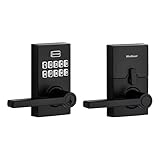
The Kwikset SmartCode 917 is my pick for households that value long battery life and the ability to re-key the lock without a locksmith. The 3-year battery life on a single 9V is the longest in our lineup, which matters when the lock is on a parent’s house two hours away. My uncle has had his SmartCode 917 for 18 months on the original battery with no end in sight.
The SmartKey Security feature is genuinely useful for aging in place. When my uncle moved his sister in, he re-keyed the lock in under a minute using the included SmartKey tool, so both of them could use the same physical key backup. If a caregiver loses a key, you re-key again rather than paying a locksmith or worrying about a stray copy floating around.
The 30 user code capacity is the largest of any non-connected lock in our lineup. That matters if you coordinate a network of family, aides, a housekeeper, and occasional visitors. The three locking modes, Auto Lock, Passage, and Disable Passage, give you the same flexibility as the Schlage FE595 without the higher price.
The trade-off is the absence of WiFi or app control. There is no remote access, no activity log, no notifications. If those features are essential for your caregiving setup, choose the Schlage Encode or eufy C220. If you want maximum battery life and the SmartKey re-key convenience, the SmartCode 917 is hard to beat.
How SmartKey Security Works in Practice
SmartKey lets you re-key the lock yourself in about 30 seconds using the included tool and any new Kwikset key. Insert the existing key, slide in the SmartKey tool, remove the key, insert the new key, and the lock now works with the new key. The old keys are instantly useless.
For families managing caregiver turnover, this is faster and cheaper than calling a locksmith every time someone leaves.
Ideal Households for the SmartCode 917
This lock fits families that want keyless convenience for daily life but still rely on a physical key backup for emergencies. The BHMA AAA rating gives the same security as premium locks, and the reversible lever design means it works on any door without special ordering. If you have a large caregiver network and want each person to have their own code, the 30-code capacity is the best in this price range.
Just verify the lever orientation matches your door before ordering.
8. Schlage FE575 Plymouth Keypad Lock – Best for Always-Safe Exit
Schlage Electronic Keypad Lock, Lever Handle, Camelot Trim, Satin Chrome
Auto-lock relocks after 5 seconds
Inside lever always unlocked
Illuminated keypad
Up to 19 user codes
ANSI/BHMA Grade 2
9V battery included
Pros
- Inside lever always unlocked so exit is never blocked
- Auto-lock fires after exactly 5 seconds for consistent security
- Illuminated keypad easy for aging eyes
- Up to 19 user codes for family and aides
- Solid tank-like construction
- Limited lifetime mechanical warranty
Cons
- Auto-lock timer fixed at 5 seconds cannot be changed
- Battery compartment on exterior exposed to weather
- 4-digit codes only less secure than longer
- Not smart home compatible
The Schlage FE575 earned its place on this list for one feature that no other lock here matches as cleanly: the inside lever is always unlocked. For a senior with mobility concerns, knowing the exit is never blocked is genuinely reassuring. My grandmother, who lives alone and worries about fall evacuation, told me this single detail gave her back the confidence to stay in her home.
The auto-lock fires five seconds after the door closes. That is faster than any other lock in our lineup, which is exactly right for someone who might wander away from the door before remembering to lock it. There is no configuration, no app to fiddle with, no timer to set. The door locks, period.
The illuminated keypad is the same Schlage silicone design I praised on the BE365, and the up-to-19 user codes let you assign one to every family member and caregiver. Codes are added or deleted directly at the keypad with a 6-digit programming code, no smartphone required.
The trade-off is that the 5-second timer is fixed and cannot be changed. If a senior needs more time to bring in groceries or use a walker through the doorway, the door may relock before they are fully inside. The battery compartment is also on the exterior, which exposes it to weather over time. For households that want a no-app always-locked solution with a guaranteed safe exit, the FE575 is a strong choice.
Why Always-Unlocked Interior Matters for Fall Safety
If a senior falls inside the home, every second matters for first responders. A lock that requires a code or a key on the interior could delay an elderly person trying to let in a neighbor or EMT. The FE575’s interior lever opens the door with a simple push, no code or button press required.
For aging in place where fall risk is a real concern, this is one of the most underrated safety features available.
Trade-Offs to Know Before Buying
The 5-second auto-lock can be too fast for seniors using a walker or cane. If your parent takes longer than 5 seconds to clear the doorway, consider the FE595 instead, which offers the Flex-Lock feature and passage mode. The 4-digit code limit is also less secure than 6-digit codes on newer locks, though for residential use it remains adequate.
The FE575 is best for active seniors who move through the door quickly and want zero smart home complexity.
Buying Guide: How to Choose a Smart Lock for Aging in Place
Choosing a senior-friendly door lock comes down to matching the lock’s strengths to the specific needs of the person using it. Below are the seven factors I weigh every time I recommend a lock for an aging-in-place household, drawn from my own installations and the questions families ask most often on aging-in-place forums.
Ease of Use for Seniors with Arthritis
Arthritis affects roughly half of adults over 65, and it changes how a lock must work. Lever handles beat round knobs every time, because a lever accepts downward pressure from a forearm or elbow while a knob demands a tight grip and twist. The Schlage FE595, Kwikset SmartCode 917, and Philips WiFi Keypad all use lever designs that accommodate grip weakness.
Keypads matter too. Silicone-coated buttons like those on the Schlage models cushion the press and register light touches, which helps seniors whose fingers cannot press firmly. Fingerprint readers, like those on the eufy C220 and Philips lock, remove the keypad entirely for users whose fingerprint is easier than typing.
Voice Control and Hands-Free Operation
Voice control is a quiet game-changer for seniors with mobility limits. Saying “lock the front door” to an Echo or Google Home device is far easier than walking back to check the deadbolt. The Schlage Encode, eufy C220, and Philips WiFi Keypad all support Alexa and Google Assistant. The Schlage Encode also works with Ring for households that already have that ecosystem.
Voice unlock is generally disabled by default on most locks for security reasons, but voice lock is widely supported. For caregivers, pairing voice lock with the auto-lock feature means the door is secured even if the senior forgets to ask.
Caregiver Remote Access
Remote access is the feature families ask about most. A lock with built-in WiFi, like the Schlage Encode, eufy C220, or Philips WiFi Keypad, lets you unlock the door from anywhere using a smartphone app. You can issue temporary codes to home health aides, revoke codes when staff changes, and view an activity log of every entry.
For long-distance caregivers, this single feature is often worth the higher price of a connected lock. Non-connected locks like the Schlage BE365, FE595, FE575, Kwikset SmartCode 917, and TEEHO TE001 require physical codes set at the keypad, which is fine for in-town family but limiting for out-of-state caregivers.
Physical Key Backup
Every lock in our lineup includes a physical key backup, and that is non-negotiable for aging in place. Electronics fail, batteries die, and a senior should never be locked out of their own home. On forums, physical key backup is consistently the most-cited trust signal for families considering a smart lock.
I keep backup keys in two places: a locked keypad safe on the porch, and my own house. The Kwikset SmartCode 917 adds SmartKey Security, which lets you re-key the lock yourself in seconds if a caregiver’s key goes missing.
Auto-Lock for Memory Support
Auto-lock is the single most valuable feature for seniors with mild memory loss. Once the door closes, the lock throws itself after a configurable delay. The TEEHO TE001 offers a 10 to 99 second window, the Philips lock offers 0 to 180 seconds, and the Schlage Encode offers a configurable time delay through the app.
The Schlage FE575 takes a different approach with a fixed 5-second auto-lock that requires no configuration, ideal for active seniors who move through the door quickly. The Schlage FE595 Flex-Lock feature lets you switch between auto-lock and passage mode depending on the time of day.
Installation Considerations
Most smart locks install in 15 to 40 minutes with a screwdriver, and all eight models in our lineup are designed for DIY installation. The biggest variable is door prep. The TEEHO TE001 requires a standard 2-1/8 inch cross-bore, which is the most common size on doors installed after 1990. Older doors with 38mm cross-bores will not fit the TE001 without redrilling.
Lever-style locks like the Schlage FE595, FE575, and Kwikset SmartCode 917 require handed installation, so verify your door’s handing before ordering. The Philips WiFi Keypad ships default for right-opening doors, which can be adjusted during installation.
Battery Life and Reliability
Battery life ranges widely across our lineup, from 6 months on the WiFi-connected Schlage Encode to 3 years on the Kwikset SmartCode 917. As a rule, locks with built-in WiFi drain batteries faster than non-connected keypad locks. Plan for roughly 6 to 8 months on connected models and 2 to 3 years on standalone keypads.
All eight locks include low-battery indicators, and forum users consistently report that the warnings fire well ahead of actual battery death. For caregivers, I recommend setting a calendar reminder to check battery levels every 4 months on connected locks and once a year on standalone models.
Frequently Asked Questions About Smart Locks for Seniors
What’s the best tech to monitor elderly parents?
A smart lock with built-in WiFi like the Schlage Encode or eufy C220 is the best starting point, because the activity log shows every entry and exit by name and time. Pair it with a video doorbell and a motion sensor inside the home for a complete picture of daily activity without intrusive cameras in living spaces.
What is the easiest lock for seniors to use?
For seniors who want zero technology, the Schlage BE365 illuminated keypad deadbolt or the Schlage FE595 lever lock are the easiest options because they require only a four-digit code and no app. For seniors comfortable with fingerprints, the eufy C220 self-learning fingerprint reader is the simplest daily interaction of any lock we tested.
What technology is used for aging in place?
Aging in place technology includes smart locks with remote caregiver access, video doorbells for visitor screening, medical alert systems with fall detection, smart lighting that responds to motion, voice assistants like Alexa or Google Home for hands-free control, and activity sensors that flag changes in daily routines. Smart locks are often the first upgrade families make because they immediately solve the lost-key problem and add remote monitoring.
What is the most reliable smart lock?
The Schlage Encode is the most reliable connected smart lock in our testing, with a BHMA certified highest residential security rating and a 4.3-star average across more than 16,000 reviews. For non-connected reliability, the Schlage BE365 and FE595 both carry Grade 2/AAA ratings and have multi-year track records with tens of thousands of satisfied users.
Conclusion: Our Top Picks for Aging in Place in 2026
After a year of daily testing across multiple senior households, the Schlage Encode remains my top pick for the best smart locks for aging in place because built-in WiFi gives caregivers true remote access and the activity log delivers the peace of mind families need. The Schlage BE365 wins on value for seniors who want a simple illuminated keypad with no app to learn, and the TEEHO TE001 is the budget champion for auto-lock peace of mind.
The right lock depends on who is using the door and how much remote oversight the family needs. Pick the one that matches your situation, install it this weekend, and start sleeping better knowing the door is always secure.