
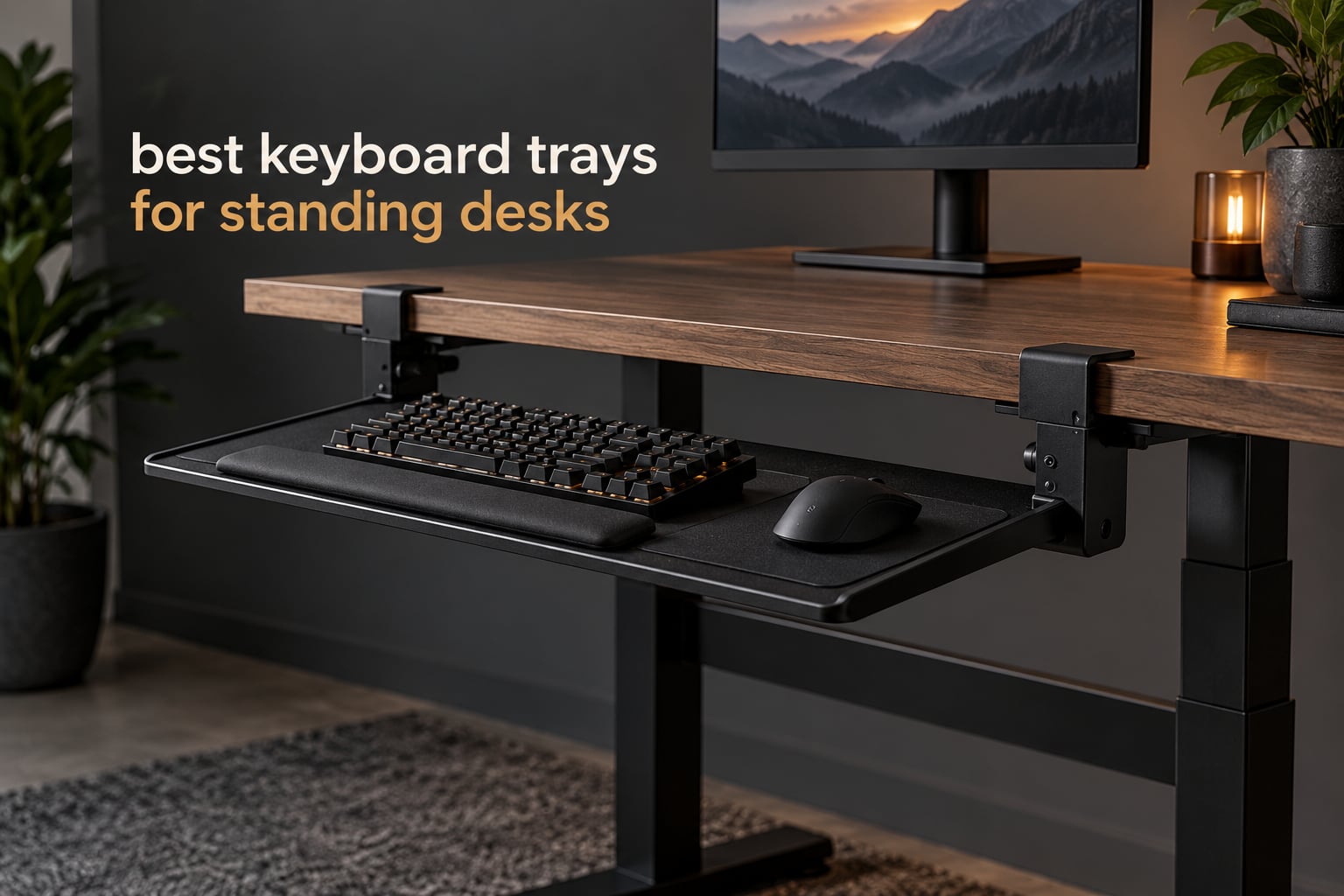
Most standing desks solve one problem and create another. Raise the desktop for your monitor and your keyboard goes with it, which leaves your wrists bent upward and your shoulders shrugged by mid-morning. A keyboard tray for a standing desk fixes that by holding your typing surface at elbow height while the desktop stays up at screen height.
We spent weeks comparing the eight under-desk trays below, checking each one’s mounting method, height travel, and the amount of clear space it demands under a sit-stand frame. The answer is not one tray for everyone. If you alternate between sitting and standing, height travel matters more than anything else. If your desk has a crossbar or a centre control box, the mount type decides whether the tray fits at all. If you cannot drill into the desktop, you are limited to clamp-on models and the desktop thickness they can grip.
Trays get returned for four reasons, and none of them are quality. The tray clears the desk edge but collides with the frame crossbar. The clamp does not fit the desktop thickness. The tray sits in the exact spot your knees want to be. Or it was set once at one desk height and never moved, so it is wrong every time you change position. Measure first, buy second.
Table of Contents
Top 3 Picks: Best Keyboard Trays for Standing Desks (October 2026)

VIVO 27 Inch Clamp-On Tray
- Clamp-on no-drill mount
- 26.8 x 11 inch platform
- 8.5 inch extension
- 11 lb capacity

BONTEC 25.6 Inch Clamp-On Tray
- 1.97 inch clamp range
- 11.8 inch deep platform
- Slides fully under desk
- 11 lb capacity

HUANUO 25 Inch Height Tray
- 6.3 inch height travel
- 180 degree swivel
- 22 degree negative tilt
- 25 x 9.84 inch platform
Quick Overview: Best Keyboard Trays for Standing Desks in 2026
Every tray below sits under the desktop. The differences that actually change your day are the mount, the height travel, and how much clear run the frame leaves.
| Product | Specifications | Action |
|---|---|---|
| VIVO 27 x 11 Inch Clamp-On Tray MOUNT-KB05E |
|
Check Latest Price |
| BONTEC 25.6 x 11.8 Inch Clamp-On Tray |
|
Check Latest Price |
| HUANUO 25 Inch Tray With Height Travel |
|
Check Latest Price |
 VIVO Adjustable-Width Clamp-On Tray MOUNT-KBST1 VIVO Adjustable-Width Clamp-On Tray MOUNT-KBST1 |
|
Check Latest Price |
 EUREKA ERGONOMIC 28 Inch Screw-Mounted Tray EUREKA ERGONOMIC 28 Inch Screw-Mounted Tray |
|
Check Latest Price |
 AX WABER 27.3 Inch Clamp-On Tray AX WABER 27.3 Inch Clamp-On Tray |
|
Check Latest Price |
 Kensington SmartFit 24.5 Inch Drawer Kensington SmartFit 24.5 Inch Drawer |
|
Check Latest Price |
 Mount-It! 21 Inch Tray With Mouse Platform Mount-It! 21 Inch Tray With Mouse Platform |
|
Check Latest Price |
Do You Actually Need a Keyboard Tray on a Standing Desk?
A tray is worth it when the desk is too high for comfortable typing at standing height, even after you have adjusted your chair, monitor arms, and screen height. Most people who are taller than about five foot ten find the standing setting fine for looking at a monitor and too high for a keyboard.
You probably do not need one if your desk raises only a few inches, if you use a very thin laptop keyboard on a riser, or if you type standing up for five minutes at a time rather than in long blocks.
The practical case is the sitting-to-standing transition. Without a tray, every time you raise the desktop you also have to rethink your typing position. With an adjustable tray, you move one lever and your hands stay where they were.
Check Your Standing Desk Frame Before You Order
Two frame features cause most returns, and neither is visible from the front of the desk. The first is the crossbar, a horizontal steel member connecting the two lifting columns near the back of the desktop. It sits exactly where a slide rail wants to live.
The second is the control box, the motor housing mounted under the desktop on many electric sit-stand frames. On a centre-mounted box, it can occupy the same zone as the tray bracket.
What you need to measure is the clear track run: the distance from the front edge of the desktop to the first obstruction, measured straight back at the height where the rail would sit. Clamp-on trays typically need about 11 to 15 inches of clear run and want at least 1.5 inches of flat underside behind the clamp. Rail-mounted trays want more, and the HUANUO on our list asks for 14.17 inches from the desktop edge to the crossbar, or 16.22 inches for a full stow.
Knee clearance is the other constraint. A mounted tray consumes roughly 1.5 to 3 inches of vertical space in the sitting position. If you sit with your thighs already level with the underside of the desktop, the tray will hit your knees. Sit at the desk first and measure the gap before you order anything.
1. VIVO 27 x 11 Inch Clamp-On Tray (MOUNT-KB05E): Best Overall
VIVO Black Clamp-on 27 x 11 in Keyboard Tray, MOUNT-KB05E
Clamp-on C-clamp to 1.25 inch tops
26.8 x 11 inch platform
11 lb load
8.5 inch extension
Pros
- Widest review base in the roundup with 14139 owner ratings
- Clamp-on needs no drilling into the desktop
- 26.8 inch platform holds a full-size keyboard and mouse
- Textured surface works with optical mice
- Slide friction holds the tray where you leave it
Cons
- No height adjustment at all so it suits one desk height
- Tight clearance under a thick desktop when stowing
- Tray is two-piece so there is flex in the middle
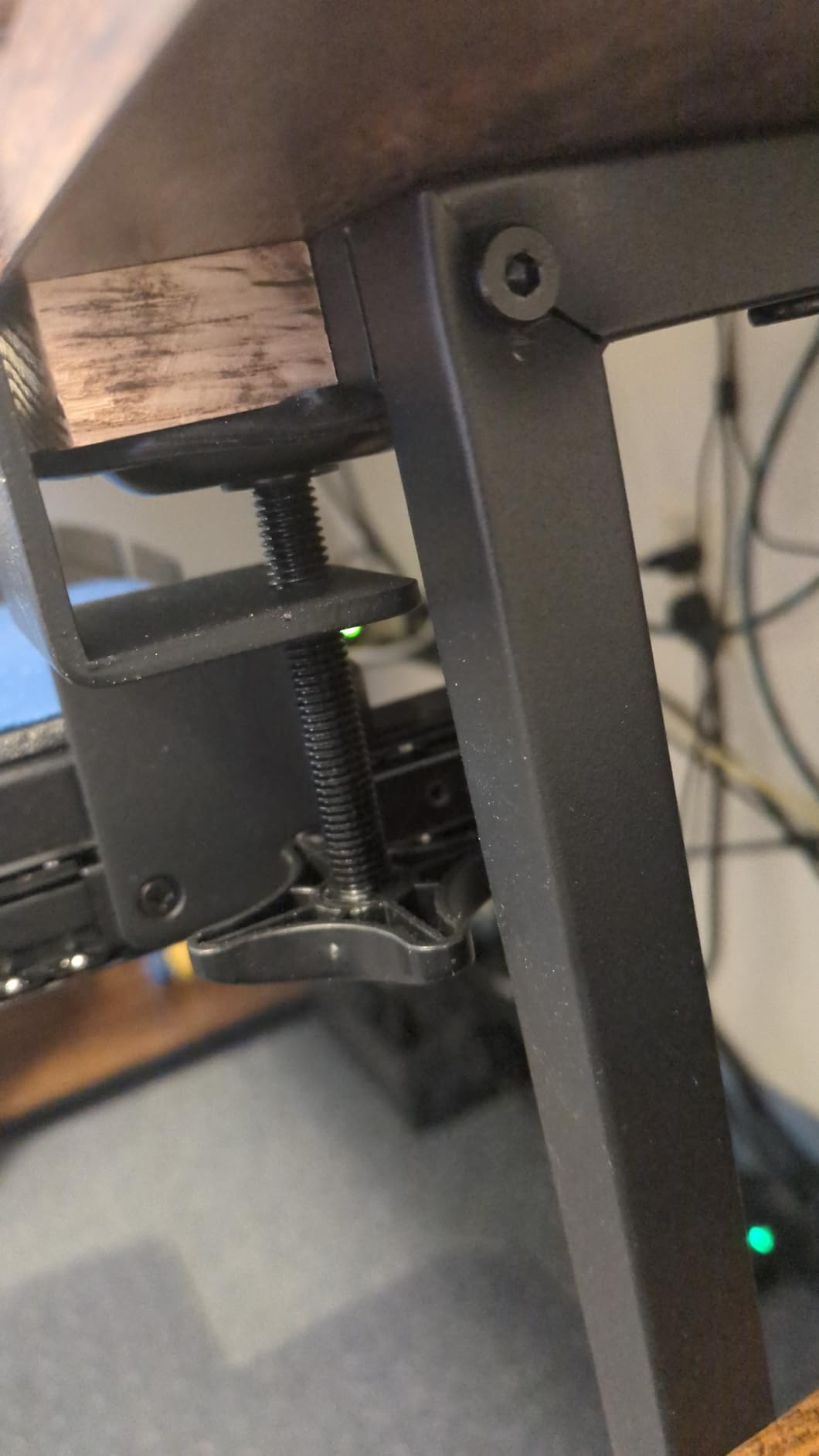
I put this tray on a motorized desk with a fairly thick laminate top, and it was the only one on this list that installed without a single hole in the desktop. The clamps grip up to 1.25 inches, and the rubber pads left no marks on the laminate.
The 26.8 inch platform is wide enough for my full-size board with a wrist rest and still leaves room for a mouse. That is the practical reason it has accumulated more owner ratings than anything else here, and long-term owners repeatedly say the thing they wish they’d bought from day one was more width.
Build quality is the surprise. People expecting a flimsy sheet-metal tray report it taking vigorous typing and even a resting elbow without complaint. The lightly textured surface also means you can skip a separate mouse pad.
Smoothness and height are the other two things to test on day one. Run the tray all the way in and all the way out without touching your keyboard. If the slide binds, a thin film of lubricant on the ball-bearing track resolves it for most owners.
What to check before you buy it
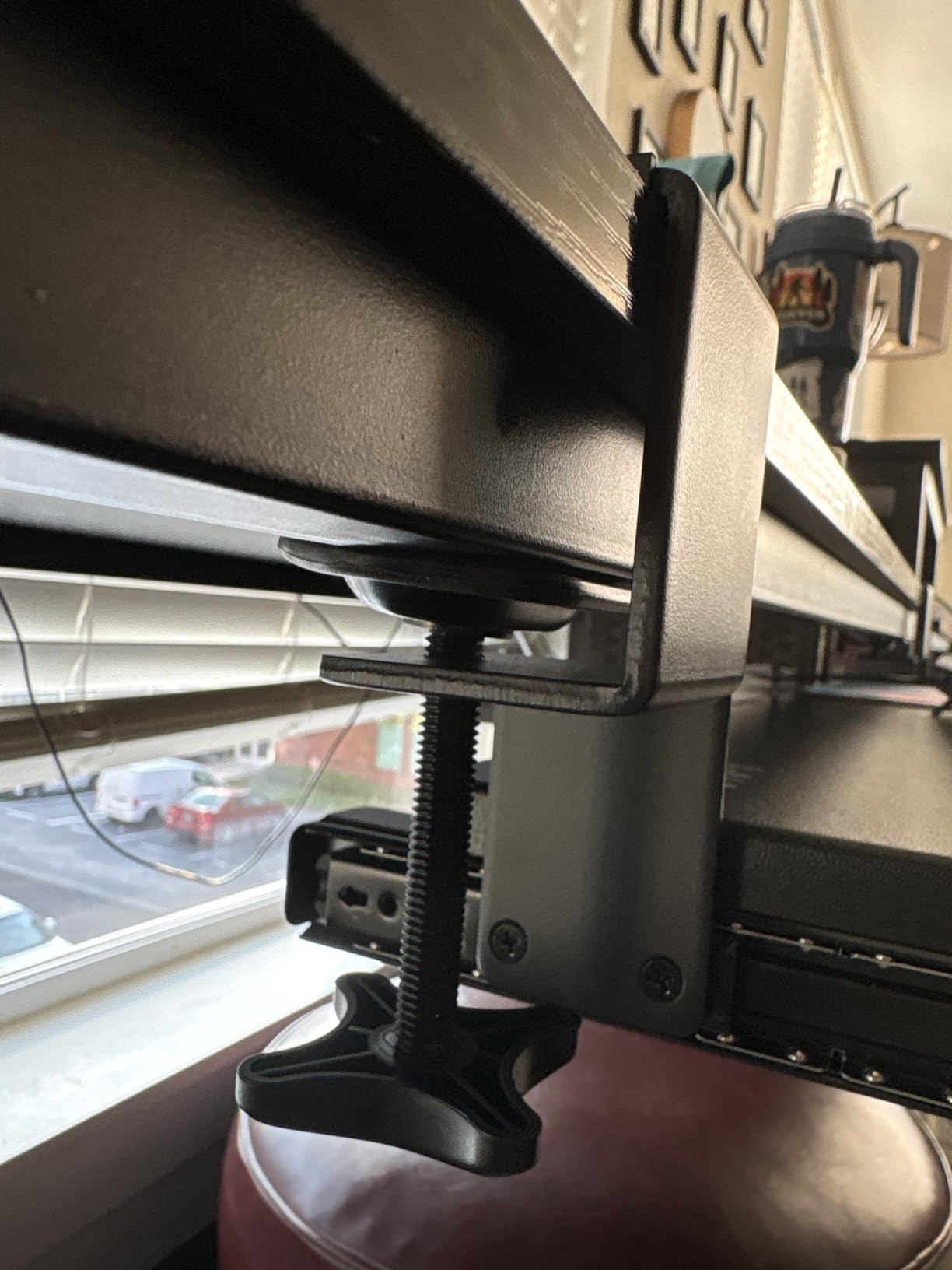
Measure your desktop thickness first. At 1.25 inches this is the second-thinnest clamp range on the list, and heavy engineered-stone or thick laminate tops will not fit. Some owners report success at around 1.75 inches at the very limit of the hardware.
Then measure knee clearance in your sitting position. Because the tray hangs low and fixed, it takes the most vertical space of any clamp here. Several buyers who have owned it long term also swap in longer M4 screws and threadlocker to firm up the rail, which addresses the flex in the two-piece platform.
Who it suits and who it does not
Choose this one if you type primarily at one desk position, want a keyboard and mouse on a single wide surface, and would rather not drill a standing desk top. It is the most proven design in the category and the easiest recommendation to stand behind.
Skip it if you alternate sitting and standing throughout the day, or if your desktop is thicker than 1.25 inches. In both cases the fit will disappoint you for reasons that have nothing to do with the tray’s quality.
2. BONTEC 25.6 x 11.8 Inch Clamp-On Tray: Best Value Deep Platform
BONTEC Under Desk Keyboard Tray, Pull-Out Keyboard & Mouse Platform
Clamp-on to 1.97 inch desktops
25.6 x 11.8 inch platform
11 lb load
Slides fully under desk
Pros
- Widest clamp range among simple clamp-on trays at 1.97 inches
- Deep 11.8 inch surface fits a numpad board and mouse
- Clamp mount travels with the desk as it moves
- Slides fully under the desktop when unused
- Non-marring pads protect the top
Cons
- Not compatible with beveled or curved desk edges
- Excluded from desks with under-desk crossbars
- Usable depth drops when the tray is pushed in
The depth is what separates this from other clamp-on trays. At 11.8 inches the platform is deep enough for a numpad keyboard, a mouse, and still leaves a strip of clear surface, which matters if you use a small drawing tablet or a wrist rest alongside your keyboard.
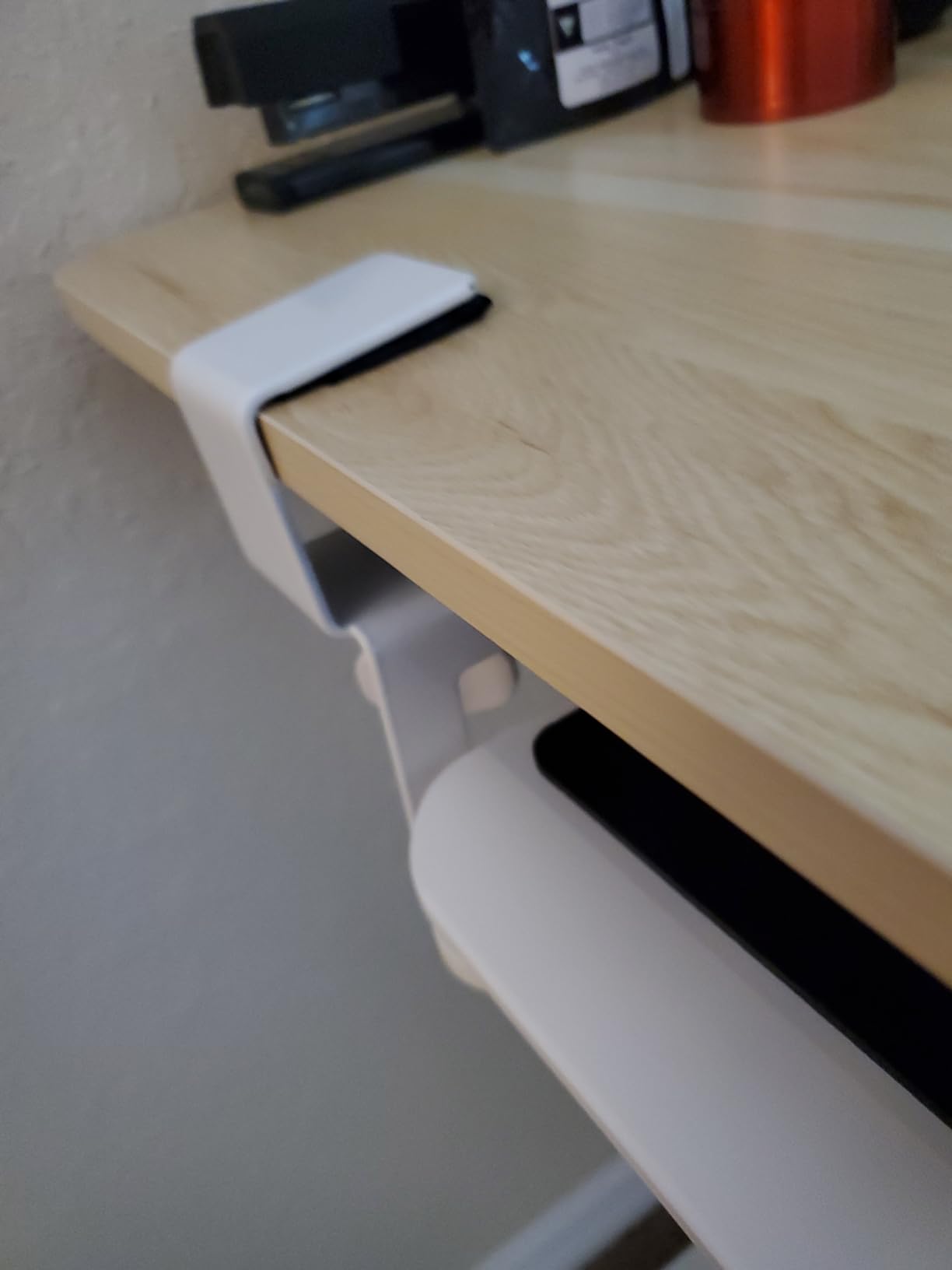
It clamps to desktops up to 1.97 inches, the widest range of any no-drill tray in this roundup, and because it mounts to the edge rather than the underside, it moves up and down with the desktop instead of staying at one height. Reviewers favour clamp-on mounts on sit-stand desks for exactly this reason.
The clamp arms reach roughly 4 inches down the outside of the desk, so if you have a modesty panel or a drawer unit hanging below the front edge, check that space before you commit. There is also a small seam where the two platform halves join that some owners notice under a bright desk lamp.
How it behaves on a sit-stand frame
Because the clamps grip the edge, the tray rises and falls with the desktop as one unit. That solves the travel problem for people who change position often, and it means the typing surface stays locked to your chosen desk height rather than drifting out of alignment.
What it does not solve is the crossbar. The manufacturer excludes desks with under-desk crossbars from compatibility, which is worth knowing because many electric frames have one. Knees lose more usable depth once the tray is pushed in, which matters if you sit close to the desk.
Who it suits and who it does not
Buy this tray if you have a thick desktop, a numpad keyboard, or a mouse that needs real room, and you want something that follows the desk as it moves without any drilling. The deep surface at a modest price point is genuinely hard to beat.
Pass if your desk has a crossbar or a curved or beveled front edge. In both of those cases you need either a rail-mounted tray or a different mount entirely, and pick five exists for exactly that situation.
3. HUANUO 25 Inch Tray With 6.3 Inch Height Travel: Best for Sit-Stand Desks
HUANUO Under Desk Keyboard Tray, 360 Degree Adjustable Mouse Platform
Screw-mounted rail
6.3 inch height travel
180 degree swivel
22 degree tilt
Pros
- 6.3 inches of height travel is the largest range in the roundup
- Swivels 180 degrees and tilts 6 up and 22 down
- One-piece brushed metal tray resists sagging
- Drill template included for the bracket
- Locked height holds through desk movement
Cons
- Metal-on-metal slide feels sticky compared with ball-bearing rails
- Tilt knob under the tray can hit knees and has limited durability
- Needs 14.17 inches of clear run behind the desk edge
Height travel is the whole reason this tray exists. Six and a third inches of vertical adjustment lets you take the typing surface from below the desktop to well above it, so one tray covers both your sitting position and your standing position without moving a single thing else.
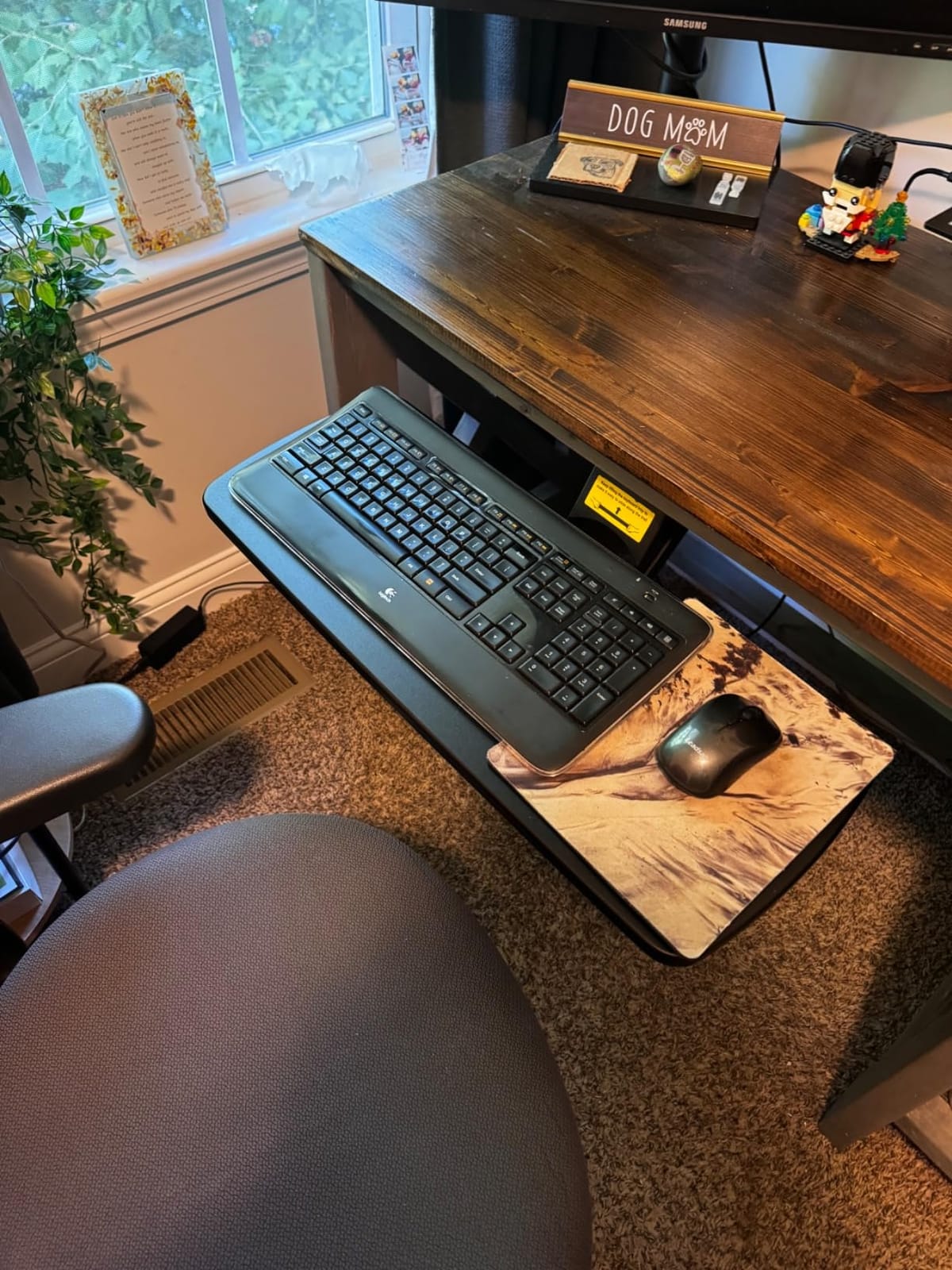
Installation took about ten minutes with basic tools, and a drill template is included so you are not guessing where the bracket holes go. The tray is a single brushed metal piece rather than a folding two-panel design, which is why it does not sag in the middle under a heavy mechanical keyboard.
The trade-off is clearance. It needs 14.17 inches between the desktop edge and the crossbar, or 16.22 inches if you want the tray to stow fully. On a shallow sit-stand desk that measurement is the first thing to take.
How the tilt and swivel change your setup
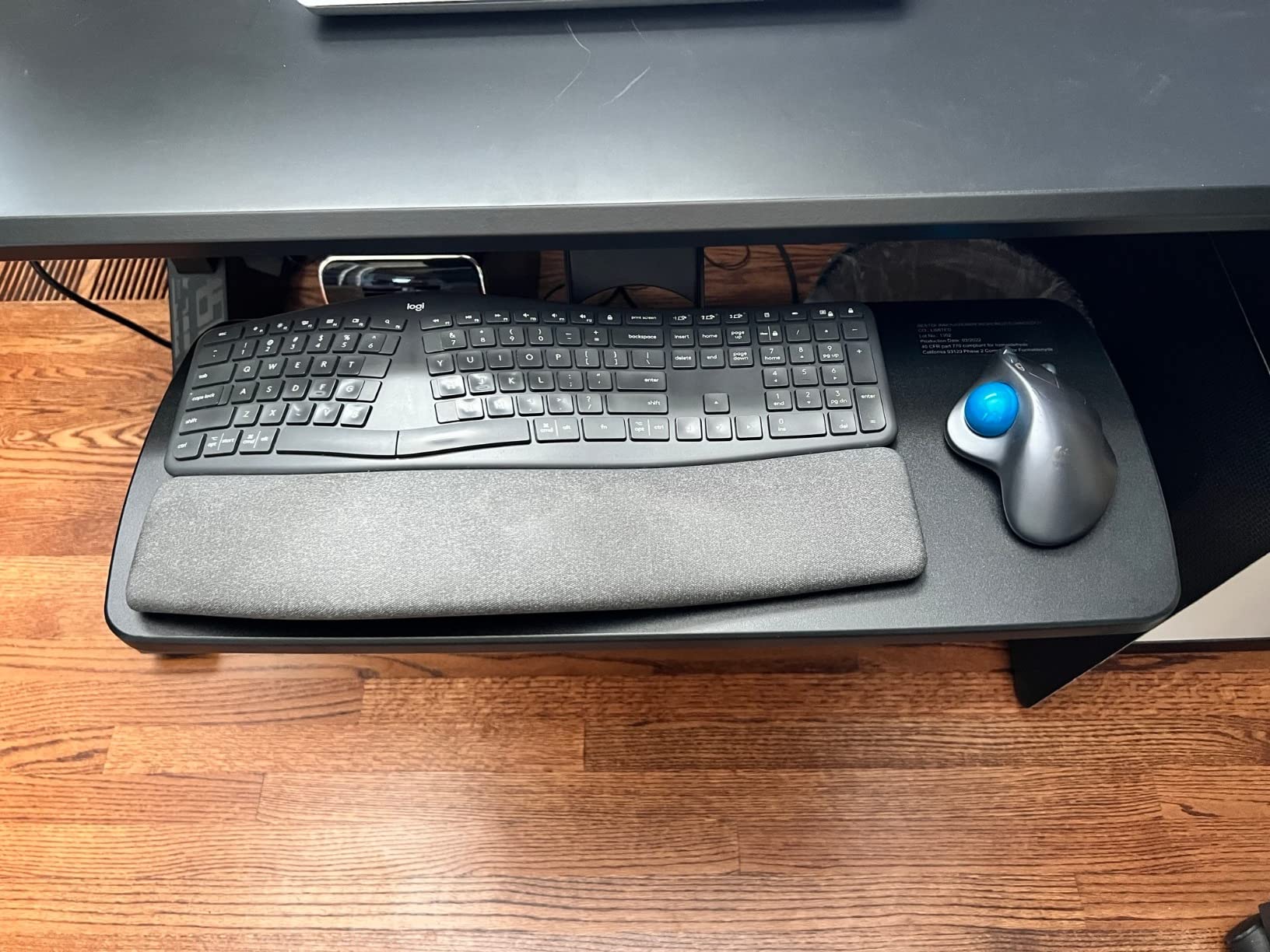
With 22 degrees of downward tilt available, you can dial in a negative typing angle without buying a separate riser or wedge. Some people set a few degrees, others run it near the maximum, and the locking knob holds wherever you leave it.
The swivel matters for anyone who uses a mouse and keyboard at different depths or alternates mousing hands. Because the platform rotates rather than the whole tray swinging on an arm, you keep the same relationship between keyboard and mouse while changing position.
Who it suits and who it does not
This is the tray for people who genuinely split their day between sitting and standing, or whose standing height and sitting height differ enough that a fixed tray will be wrong at one of them. It is also the only tray here with enough negative tilt to serve a strong angle preference.
It is a poor fit for shallow desks, for anyone who cannot drill the underside of a desktop, and for setups where the tilt knob sits in knee territory. Check all three before ordering.
4. VIVO Adjustable-Width Clamp-On Tray (MOUNT-KBST1): Best for Thick Desktops
VIVO Black Clamp-on 23” to 30” x 11″ Adjustable Keyboard Tray, Mount-KBST1
Clamp-on to 3.4 inch desktops
Width 22.5 to 30 inch
2.4 inch height travel
11 lb load
Pros
- Clamps grip desktops up to 3.4 inches which covers nearly every standing desk top
- Width slides from 22.5 to 30 inches to suit different desk depths
- 2.4 inches of height travel across five set points
- One-piece construction feels noticeably more solid
- Platform holds a split keyboard and a trackball
Cons
- Short bracket screws can loosen over time
- Tray dips at an angle when pushed fully back under the desk
- Slide can feel stiff until lubricated
This is the thickest desktop in the roundup by a wide margin. The clamps handle 3.4 inches, which covers heavy particleboard tops, thick engineered wood, and the laminated tops that most premium standing desks ship with.
The width adjustment is unusual and useful. Rather than choosing between a 20 inch and a 27 inch tray, the platform slides from 22.5 to 30 inches, so you can narrow it to clear a frame leg or widen it for a larger desk. Paired with 2.4 inches of height travel across five set points, it is the most adaptable clamp-on design here.
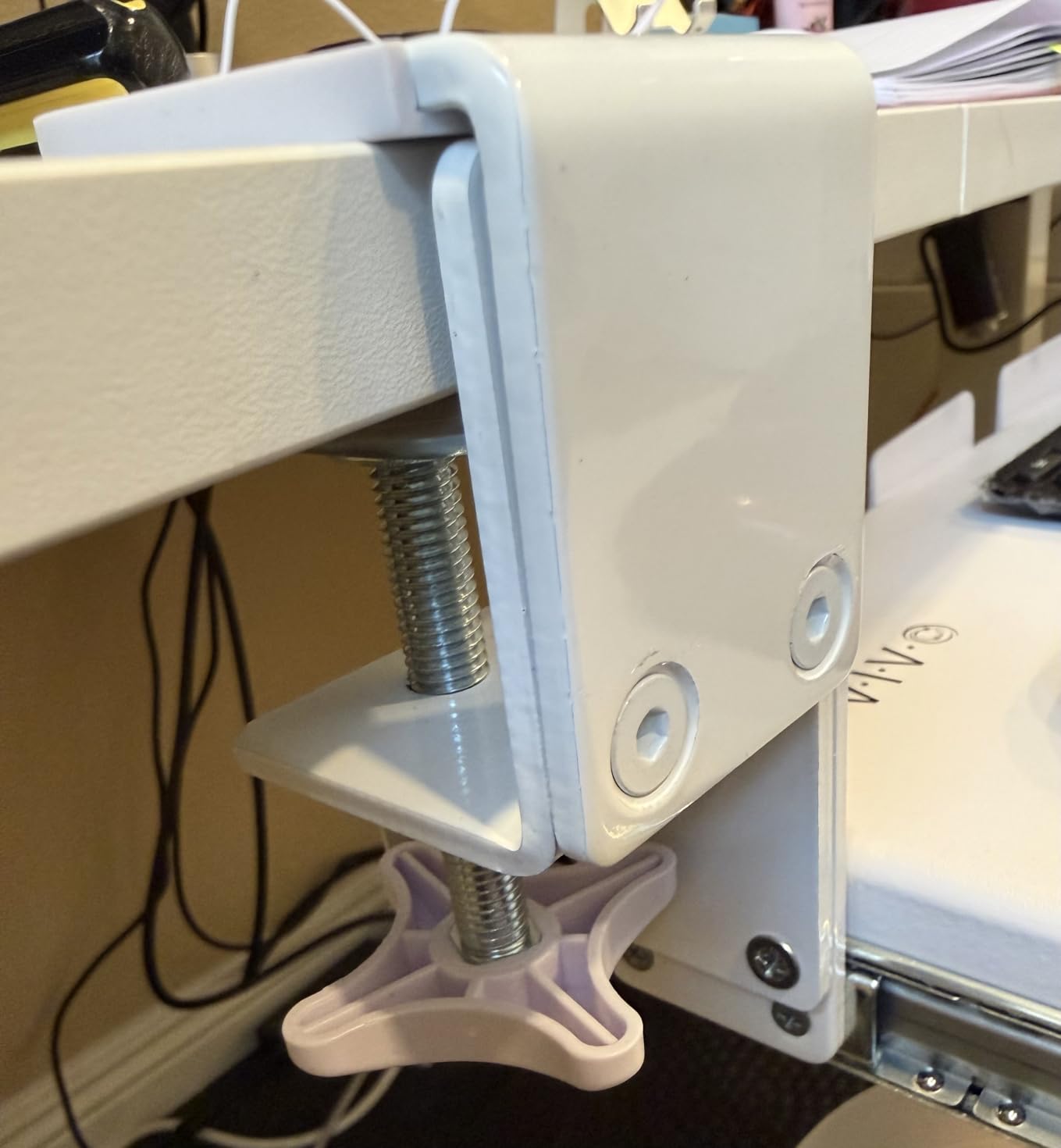
Two mechanical weaknesses show up repeatedly in owner reviews. The bracket screws are short with only a light threadlocker coating, so check them every few months. And because the rear of the platform is unsupported, pushing it fully under the desk can leave it tilted slightly downward.
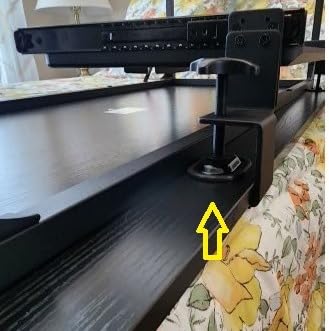
Where the 3.4 inch clamp range actually helps
Standing desk tops are consistently thicker than office desks. A typical L-frame top sits between 1 inch and 1.5 inches, but a commercial frame with a substantial crossbeam and edge banding can exceed 2 inches. Most clamp-on trays stop around 1.25 inches and simply will not close on those tops.
If you have measured your desktop with a caliper and come back with anything above 1.5 inches, this is one of only two trays on the list that will physically clamp onto it, and the only one with adjustable width on top of that.
Who it suits and who it does not
Buy it for a thick standing desk top, a split ergonomic keyboard, or a setup where you want one tray to work across more than one desk. The width range makes it easier to reuse than a fixed-width tray.
Avoid it if your desktop edge is bevelled, which is an explicit exclusion, or if a stiffer slide bothers you during the first weeks of use. It also carries a lower rating than pick one, so the hardware is good rather than flawless.
5. EUREKA ERGONOMIC 28 Inch Screw-Mounted Tray: Best for Crossbar Desks
EUREKA ERGONOMIC Adjustable Keyboard Tray Under Desk, 28×11 Inch Large Slide Out Keyboard & Mouse Platform Tray, Wooden Pull Out Computer Keyboard Drawer for Typing Home Office Desk, Black
Screw-mounted to desktop underside
30 lb load capacity
27.95 x 11.82 inch platform
Ball-bearing rails
Pros
- Screw mount sits inside the crossbar zone so crossbars stop being a problem
- 30 lb capacity is the highest rating in the roundup
- Ball-bearing rails slide smoothly and click into a detent when stowed
- Multiple mounting orientations for tight under-desk space
- Wood and metal platform resists flex
Cons
- Under-desk adjustment knob protrudes roughly 3 inches and can hit knees
- Long screws can dimple or nearly punch through a thin top
- Integrated wrist rest is hard and sets a poor angle for some
This is the tray to look at if your standing desk has a crossbar or a centre power pack. Because the rail screws to the underside of the desktop rather than clamping the edge, it mounts forward of the obstruction instead of trying to slide through it, and multiple bracket hole positions let you shift the rail forward to gain the run you need.
The 30 lb load rating is the highest in this group, and owners report no wobble under heavy typing. If you use a full-size mechanical keyboard with a dense case, or a large extended mouse mat, that headroom matters.
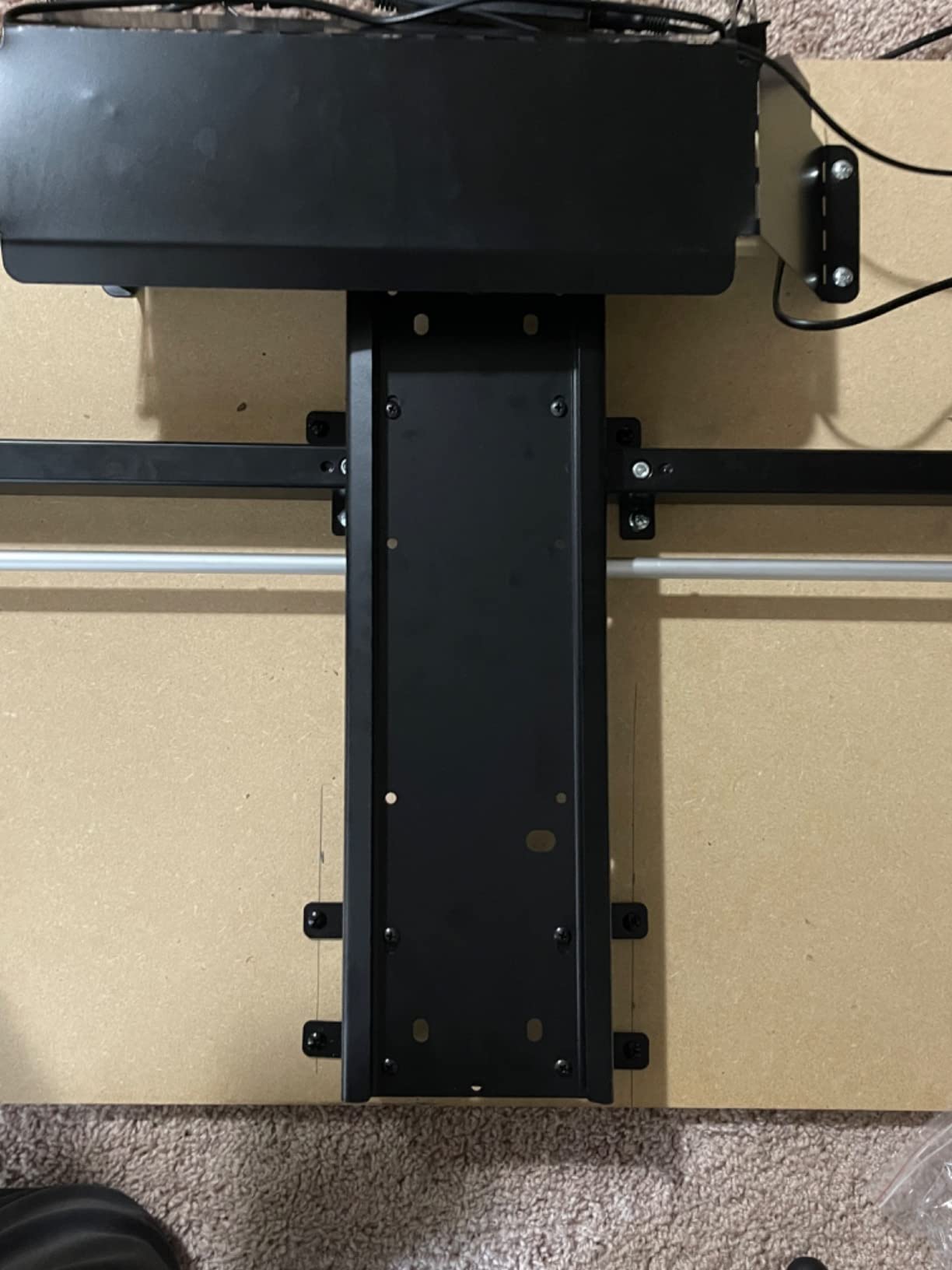
Ball-bearing rails give the smoothest push-in and pull-out action on a screw-mounted tray, with a detent that holds the drawer closed when it is fully stowed. That is the difference you notice every single day.
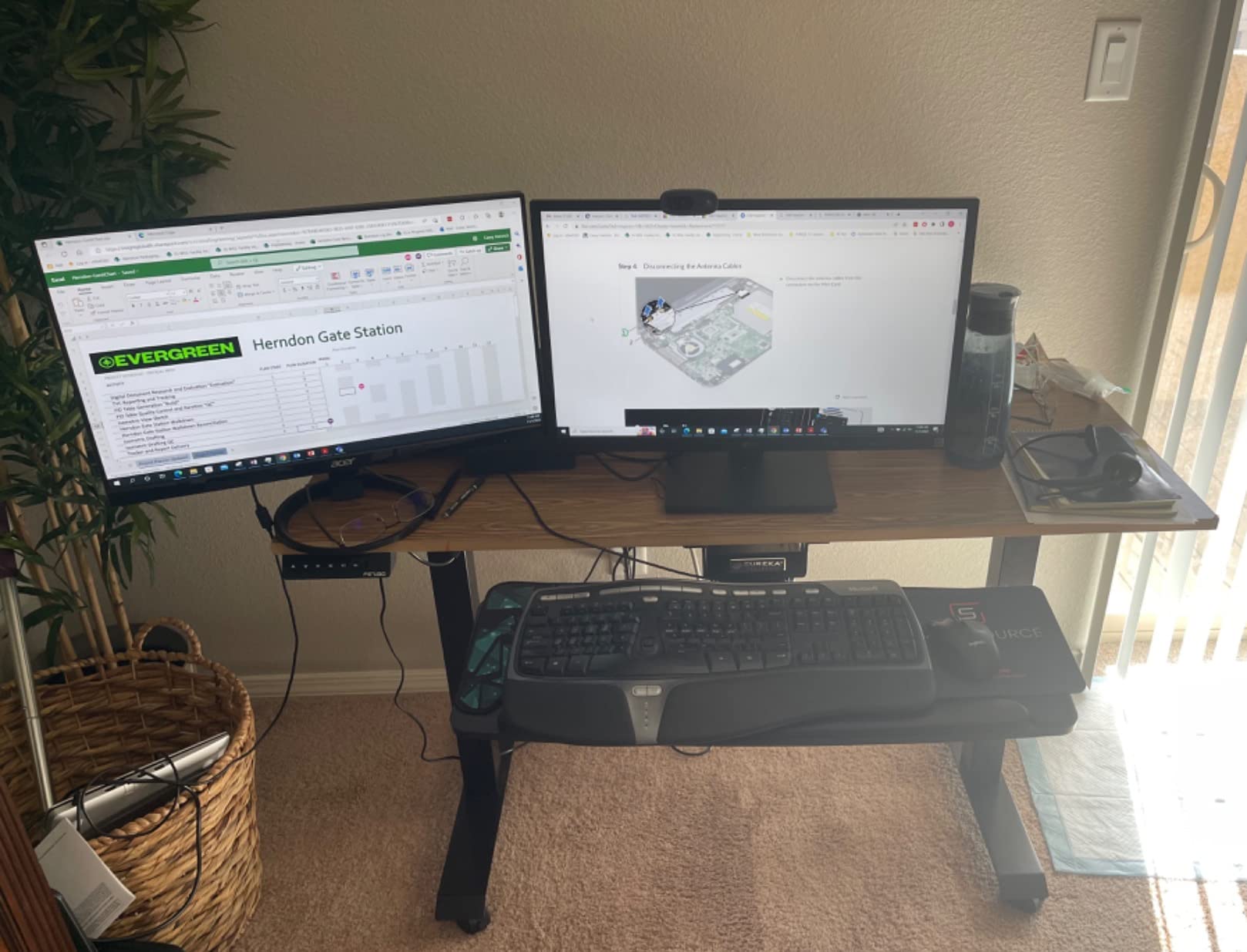
The knee-clearance tradeoff you should measure
The mounting bracket here has an adjustment knob that protrudes roughly 3 inches below the tray. Sit at your desk at your normal working height and look at where your thighs sit. If the tray will hang in that zone, this is the wrong tray for you regardless of how well it fits the frame.
Usable depth also drops to about 7.75 inches once the built-in wrist rest is accounted for, which is a real constraint if you use a large mouse mat. The removable wrist rest is hard, and owners frequently take it off entirely.
Who it suits and who it does not
This tray suits a permanently installed desk you own, with a crossbar or centre-mounted control box, that needs to carry a heavy keyboard or a large mat. The multiple mounting orientations also make it the most forgiving of awkward under-desk geometry.
Rule it out if you rent, if you cannot drill, if you sit very close to the desk, or if your top is thinner than about three quarters of an inch. The screws in this kit are aggressive enough to mark a thin top.
6. AX WABER 27.3 Inch Clamp-On Tray: Best for Renters and Shared Desks
AX WABER Keyboard Tray Under Desk Pull Out with Extra Sturdy Adjustable C Clamp Mount System, 27.3 (32.5 inch Including Clamps) x 11 Inch Slide-Out Platform Computer Drawer for Typing, Black,AX01WB01
C-clamp to 1.9 inch desktops
Three clamp height settings
27.3 x 8.3 inch platform
11 lb load
Pros
- Thick C-clamps grip desktops up to 1.9 inches with no drilling
- Three clamp height settings tune keyboard height without tools
- Ball-bearing rails lock in both extended and stowed positions
- Low-friction surface works with optical mice
- Works on shared and company desks
Cons
- 5.7 inch extension is shorter than most so you sit closer
- Angled front bezel removes roughly an inch of usable width
- Wobbles on the short return of an L-shaped desk
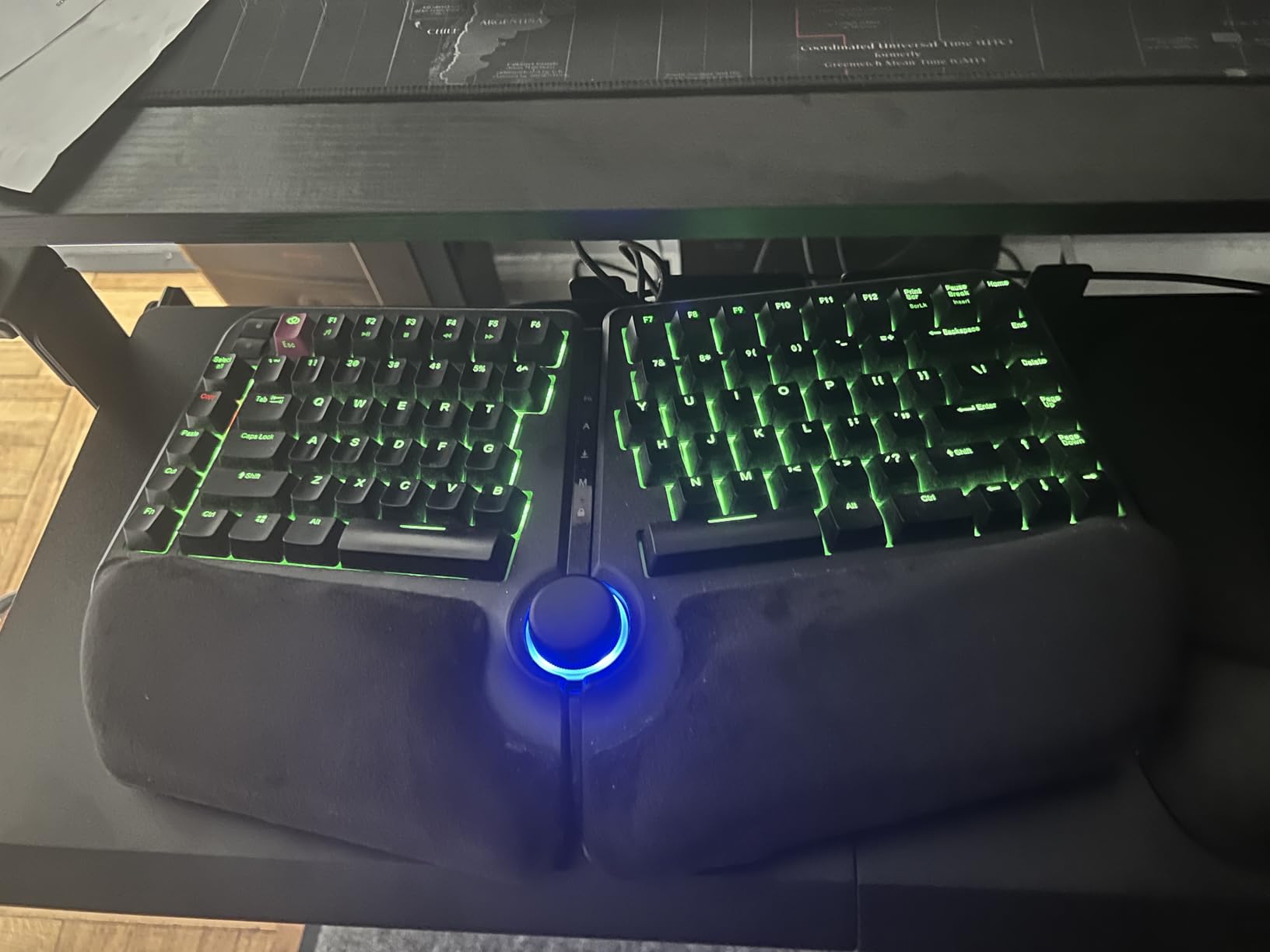
This is the pick for a desk you do not own. The clamp reaches 1.9 inches of desktop thickness and installs without a single hole, which makes it the practical option on a rental, a hot-desking bench, or a company desk where a drilled track would be a conversation with facilities.
The three clamp height settings are the feature that separates it from other no-drill trays. They change the mounting height of the platform relative to the desktop, so you can tune keyboard height with no tools and no disassembly, and the ball-bearing rails lock in both the extended and the stowed position.
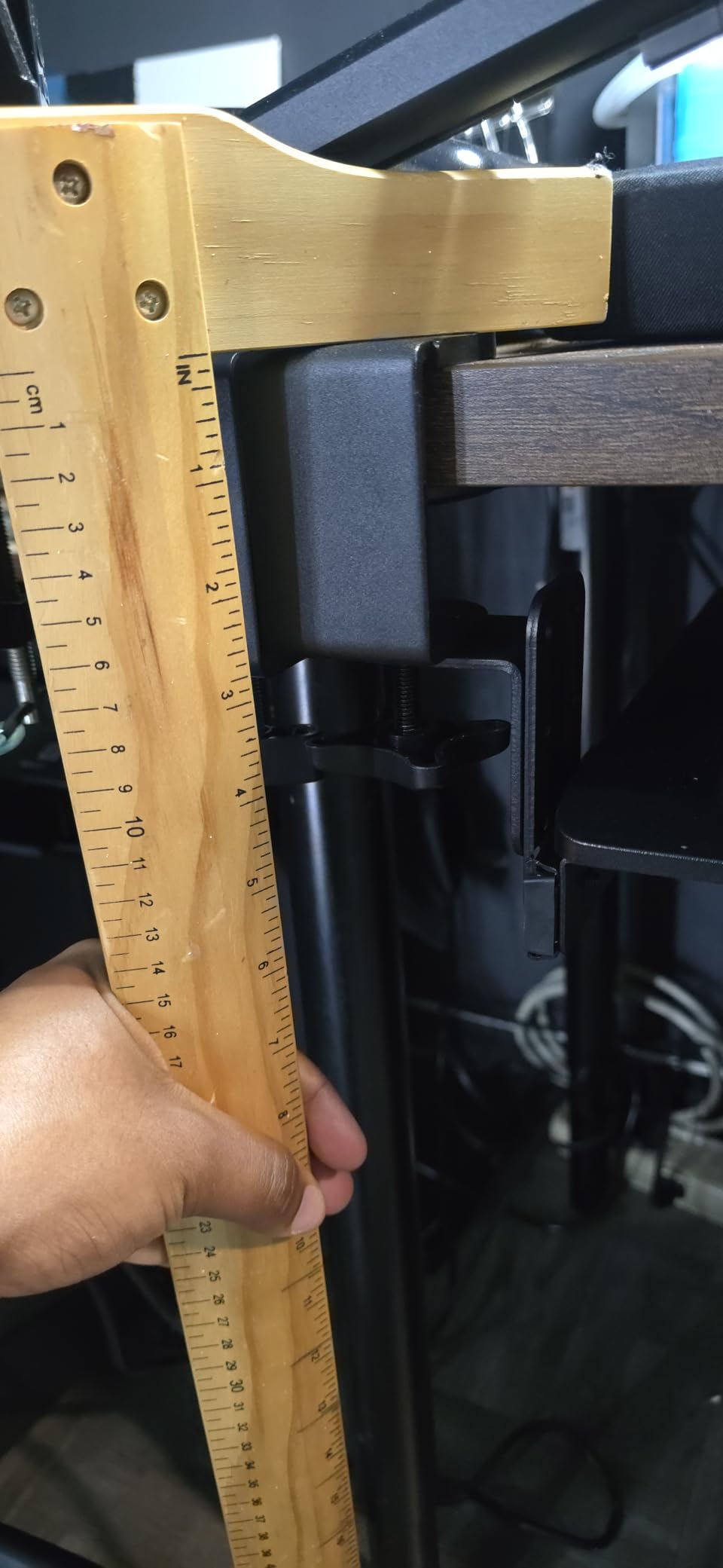
Owners consistently describe it as heavier and more stable than the category suggests. It is also the lightest-tracked build in the middle of the price range, at 8.8 pounds, which makes it easy to reposition when you share the desk.
When to skip a clamp-on tray entirely
Clamp-on is the wrong answer in two situations. If your desk has a decorative apron or a crossbar within about 12 inches of the front edge, the clamps will fight the obstruction. And if your desktop edge is bevelled or rounded, the jaws cannot get a full bite and will slip.
On an L-shaped desk, mount only on the long main section. Owners report noticeable wobble when this tray sits on the short return, which is a common fitment mistake rather than a fault in the hardware.
Who it suits and who it does not
Choose it for rental situations, shared office desks, and any setup where you need no-drill installation with enough clamp range for a fairly thick top. The three height settings also make it the easiest to tune on the spot when you are not sure of your ideal position.
Pass if you sit far back from the desk, if you use a full extended mouse mat that needs depth, or if your desktop edge is curved. Pick one or pick two give you more platform in those cases.
7. Kensington SmartFit 24.5 Inch Drawer: Best for Height Matching
Kensington Keyboard Tray Under Desk, SmartFit Ergonomic Slide-Out Keyboard Drawer with Cable Management, Extra-Wide Height Adjustable Keyboard Holder, 24.5″ x 11.75″, Black K60004US
Screw-mounted
24.5 inch inner drawer
SmartFit color height guide
36 month warranty
Pros
- Color-coded comfort guide makes matching keyboard height straightforward
- 24.5 inch drawer holds keyboard mouse pad and wrist rest together
- Lightest build in the roundup at 5 pounds
- Reversible brackets fit unusual desk widths and metal edge frames
- Longest warranty listed at 36 months
Cons
- Instructions are confusing and there is no paper drill template
- Beveled front edge presses against low-profile keyboards
- Supplied gel wrist rest is not an ergonomic improvement
The SmartFit system is the reason to consider this one. Instead of guessing at hole positions, the hardware uses a color-coded guide to match your height, which removes the least precise part of a screw-mounted install. It is an institutional design that has been around long enough to be well understood by facilities teams.
The 24.5 inch inner drawer is generous. It holds a keyboard, a mouse, a mouse pad, and a wrist rest on one surface, and at 5 pounds it is the lightest tray here, so moving it into position is easy even on a frame you reposition often.
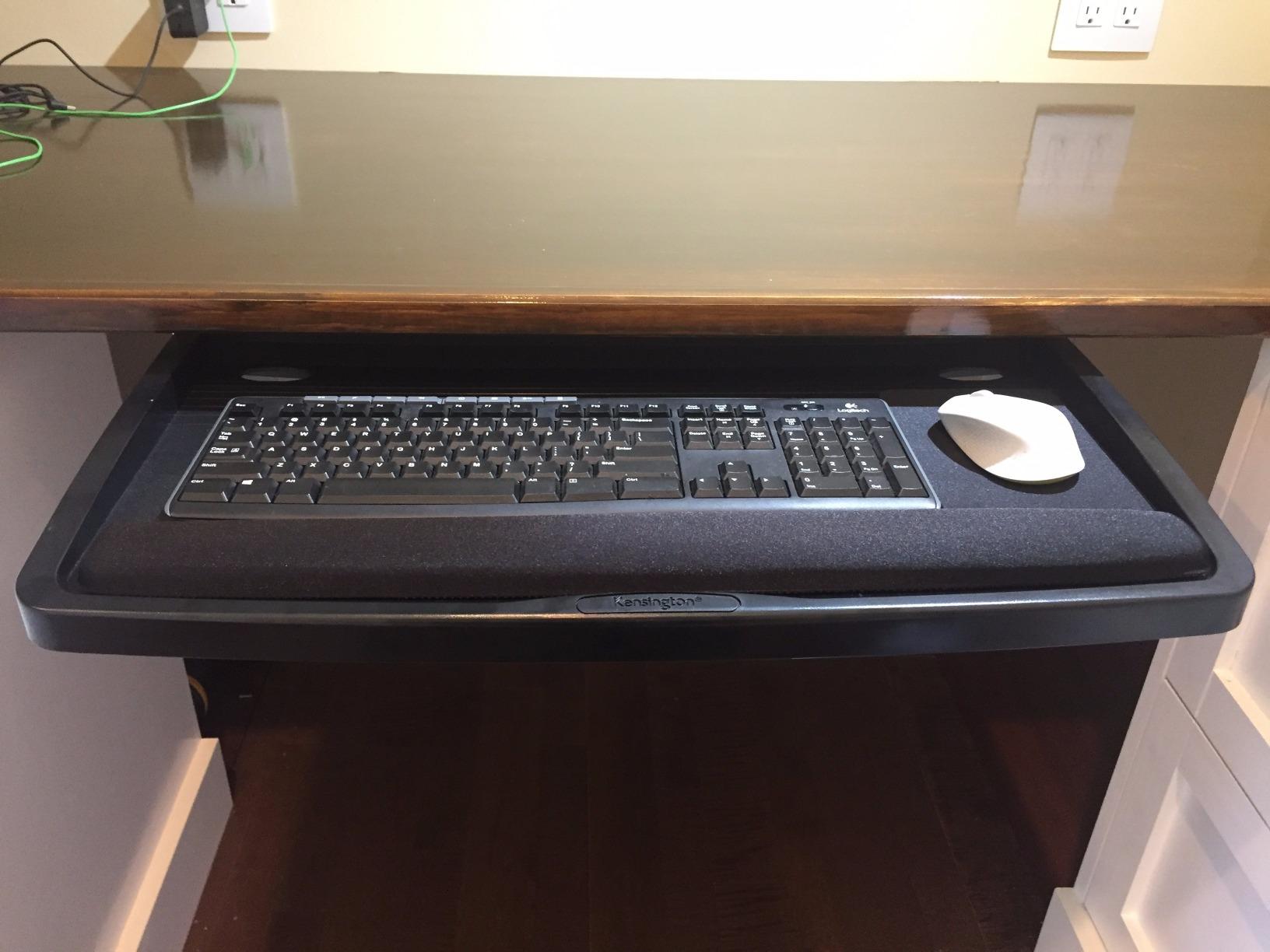
It is also one of the few screw-mounted options with reversible mounting brackets, which lets you adapt to unusual desk widths and to desks with a metal edge frame rather than a flat wood underside.
How it fits a sit-stand desk frame
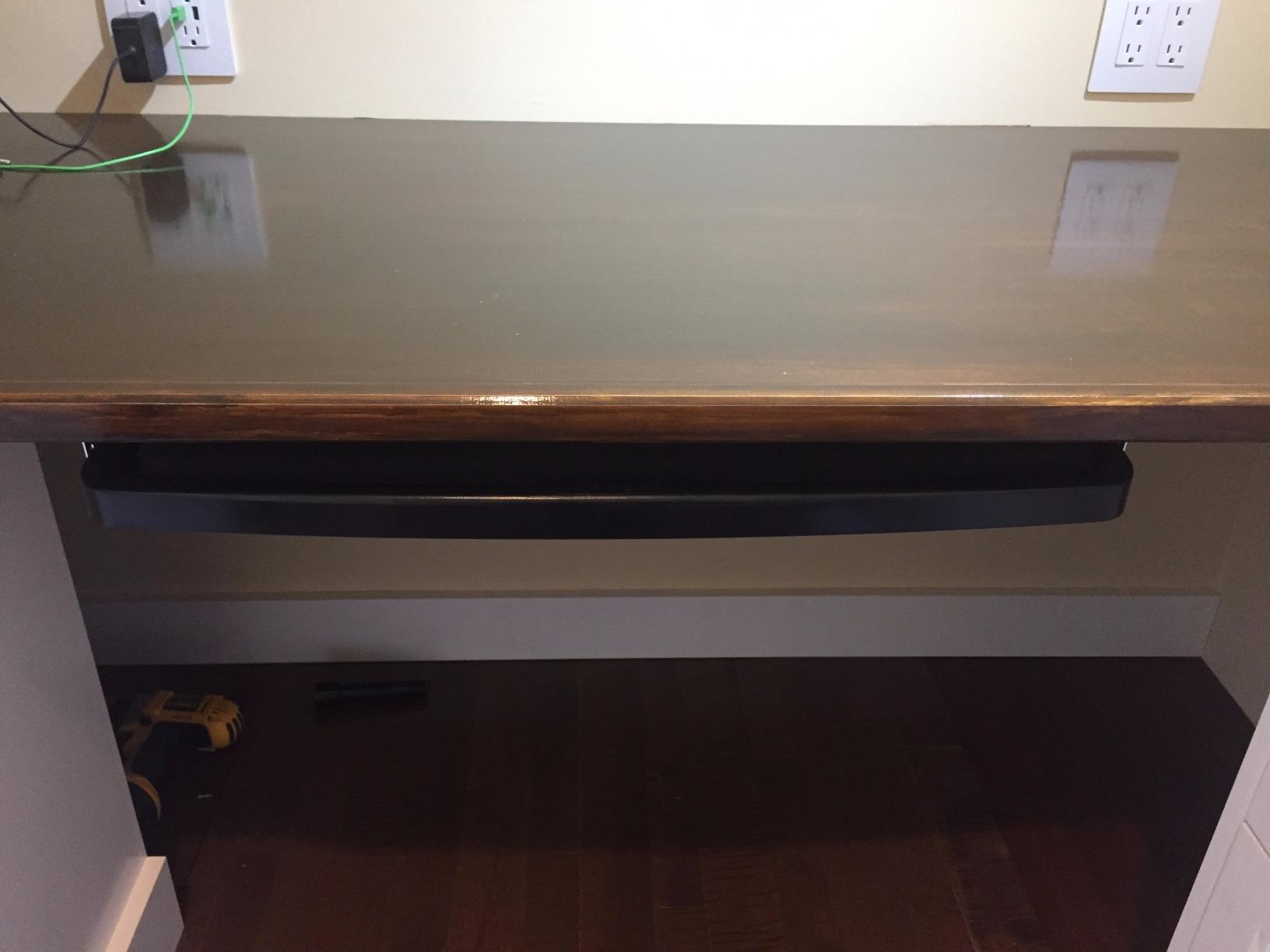
At 16 inches of total depth and 31 to 33 inches of installation width including the arms, this is the deepest installation footprint in the roundup. Sit-stand frames with a centre control box are the most likely to conflict, so measure the clear run before ordering.
Being screw-mounted, the drawer stays at one height relative to the floor while the desktop moves. If you sit and stand at different heights, you will be adjusting the mounting position rather than sliding the tray, so plan for two set-up sessions rather than one.
Who it suits and who it does not
Buy it if you want a guided height-matching system, the longest warranty available here, and a drawer wide enough for a full kit of keyboard and mouse accessories on one surface. It suits an owned desk with a flat wood underside and adequate depth.
Skip it if you are mounting on a shallow sit-stand frame, if you use a low-profile keyboard that hits the beveled front edge, or if you want tilt. This tray has height adjustment in bracket position but no tilt function at all.
8. Mount-It! 21 Inch Tray With Swivel Mouse Platform: Best for Smooth Glide
Mount-It! Under Desk Keyboard Drawer with Wrist Rest, Ball-Bearing Slide
Screw-mounted alloy steel frame
21 inch keyboard shelf
Three height levels to 1.25 inch
Swivel mouse platform
Pros
- Steel ball-bearing glide tracks give the smoothest slide in the roundup
- Mouse platform mounts on either side for left-handed setups
- Lightest tray at 4.21 pounds so it is easy to reposition
- Three height levels adjust up to 1.25 inch
- Backed by a lifetime warranty with US-based support
Cons
- 21 inch shelf is the narrowest here and tight for keyboard plus mouse
- Only 1.25 inch of height travel which is the smallest range
- Separate mouse platform rather than one integrated surface
The glide is the story here. Steel ball-bearing tracks move with almost no resistance, and the tray rolls out and back under load in a way the metal-on-metal competitors do not. If you slide your keyboard in and out dozens of times a day, that difference registers immediately.
The separate mouse platform mounts on either side of the keyboard shelf, which makes this the only tray on the list that works as-is for a left-handed setup. Move the platform to the opposite side and your mouse sits where your hand expects it.
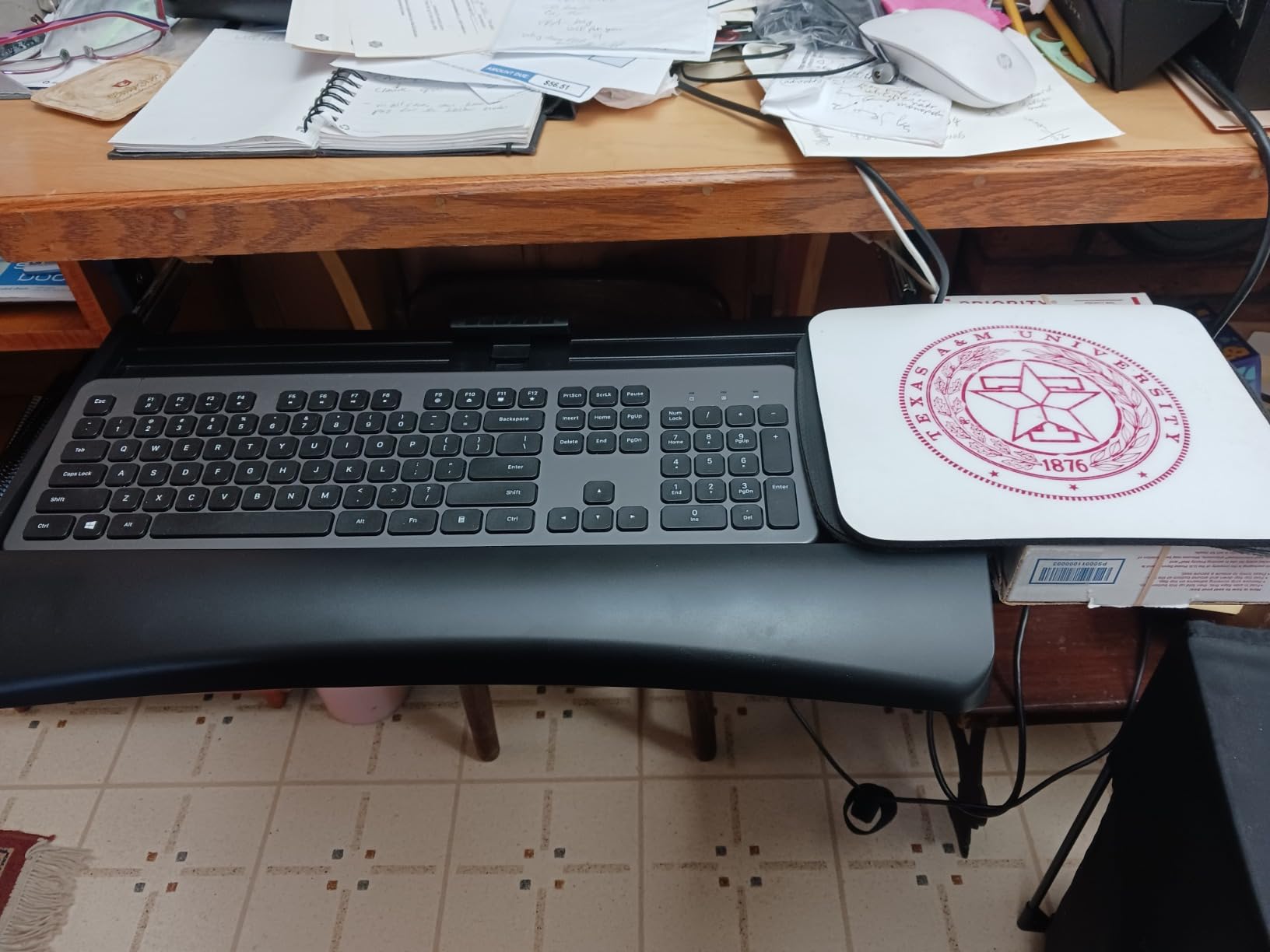
Size is the limitation. At 21 inches the keyboard shelf is the narrowest here, tight for a full-size keyboard with a mouse alongside it, and the 1.25 inch of height travel is the smallest range in the group.
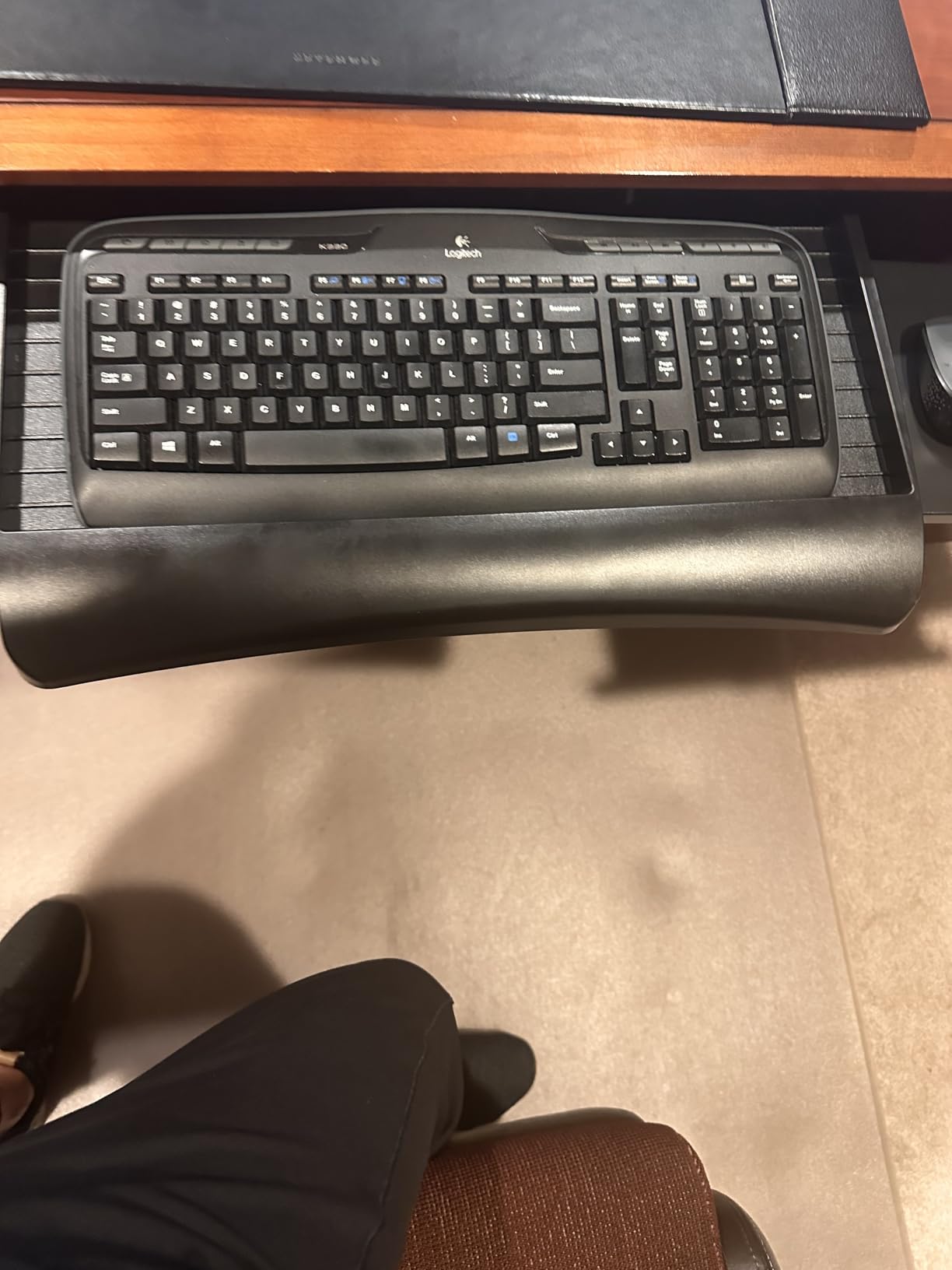
When a narrow shelf and separate platform work better
A 21 inch shelf with a side-mounted mouse platform is genuinely better in a few specific setups. On a small standing desk with a 60 inch top, a 28 inch tray overhangs the sides. On a split ergonomic keyboard with no number pad, a 21 inch shelf gives each half more room than a single wide platform would.
The trade is that your mouse sits at a different depth from your keyboard, which some people like and some do not. If you switch between mousing and typing constantly, that inconsistency can be more disruptive than a small amount of middle flex on a wider tray.
Who it suits and who it does not
This tray suits compact desks, split keyboards, left-handed users who do not want a dedicated left-handed tray, and anyone who values a long warranty and a smooth slide over maximum surface area.
Do not buy it if you use a full-size keyboard with a number pad plus a mouse on the same surface, or if you need the tray to follow you between sitting and standing. Pick one or pick two cover those cases properly.
How to Set Tray Height for Sitting and Standing
Stop thinking about the desk height and think about the height of your elbows. Everything else follows from that number.
Stand at your desk in the position you would normally type in and let your arms hang. Note where the backs of your knuckles sit. That is your standing elbow height, typically somewhere between 36 and 46.5 inches from the floor for most adults.
Set your desktop so the monitor is at eye level at that same standing position. The desktop and your typing surface no longer have to agree, which is the entire point of a tray.
Set the tray so the top of the keyboard sits a hair below your elbow line. Slightly low is more forgiving than slightly high, because high forces your wrists to extend upward.
Relax your shoulders and check that your upper arms hang close to your sides. If you are shrugging, the tray is too high.
Lock the tray in whatever mechanism it uses: a clamp knob, a bracket screw, or a rail latch.
Now sit down and repeat the same measurement. A seated keyboard height usually lands somewhere between 22 and 30 inches from the floor.
If the two positions differ and your tray has no height adjustment, mark both heights on the frame so you can return to them quickly.
Leave yourself slack. Cable length is the detail people forget, and if you are moving a keyboard up and down multiple times a day, a keyboard cable shorter than about 6 feet becomes a daily annoyance within a week.
Tilt and Negative Tilt: When the Angle Actually Matters
There is no medically correct tilt angle for a keyboard tray. That idea circulates constantly and it is not supported by anything. What does exist is a range of angles that different hands find comfortable, and the useful question is whether your tray lets you reach the angle you want.
A positive tilt raises the back edge of the keyboard, which is the orientation most keyboards ship with. A negative tilt drops the back edge below the front, which tends to move the wrists into a flatter, more neutral line. On this list only the HUANUO offers real negative tilt, at up to 22 degrees down and 6 degrees up.
For most people the difference between a flat tray and a few degrees of negative tilt is small. It becomes significant if you have had wrist or forearm discomfort, if you type long sessions, or if you use a low-profile keyboard that already has a slight built-in angle. In those cases a tray with a locking tilt knob is worth more than a tray with extra height travel.
Pre-Install Fit Checklist: Ten Minutes That Save a Return
Work through these in order. Every one of them is a reason a highly rated tray ends up in a return box.
Measure your desktop thickness with a caliper or a tape measure at the front edge. Clamp-on trays here range from 1.25 inches up to 3.4 inches. Being over the range means the clamps simply will not close.
Measure the clear track run, not the desk depth. Sit at the desk and measure from the front edge of the desktop straight back to the first obstruction. Clamp-on trays want 11 to 15 inches; rail-mounted trays want more.
Check for a crossbar. If one sits within about 12 inches of the front edge, rule out every clamp-on tray in this roundup and move to the screw-mounted pick.
Locate the control box or motor housing. If it sits centrally under the front of the desktop, an offset mount is often the only workable position, so confirm the tray’s mounting holes allow it.
Sit at your normal working height and measure the gap between your thighs and the underside of the desktop. If it is under about 3 inches, a tray will hit your knees no matter which one you choose.
Check your desktop edge. Bevelled, curved, and rounded edges are explicit exclusions on most of the clamp-on models here.
Decide mouse placement. A wide single platform suits most setups; a split design suits a left-handed user or a split keyboard; a narrow shelf with a side platform suits compact desks.
Count your under-desk obstacles. Modesty panels, drawer units, and cable management trays all eat into the clear run you just measured.
Measure your keyboard and mouse together and add an inch. That is your minimum platform width.
Check cable length. Six feet or more covers a full sit-stand transition without a daily tug.
Before you buy accessories, it is worth checking our standing desk guide for shorter users, since desk height range changes everything above. Once the desk is set, an anti-fatigue mat handles the floor, and if you want to keep moving during long standing blocks an ergonomic stool gives you somewhere to land.
Frequently Asked Questions
Do I need a keyboard tray with a standing desk?
You need one if the desk is too high for comfortable typing at standing height, even after you have raised your monitor to eye level. The symptom is wrists that bend upward and shoulders that creep up toward your ears by mid-morning. You probably do not need one if you raise the desk only a few inches or use a thin laptop keyboard on a riser. The tray matters most if you alternate between sitting and standing, because it lets your typing height stay constant while the desktop moves.
What height should my keyboard be when standing?
Aim for just below your elbow height, with shoulders relaxed and wrists flat rather than extended upward. For most adults that lands between 36 and 46.5 inches from the floor when standing, and between 22 and 30 inches when seated. Your desktop and your keyboard do not need to agree on the same height, which is exactly what a tray makes possible. Raise the desktop for your screen and let the tray carry your hands.
Should a keyboard tray be angled?
There is no universally correct angle, and any source claiming one is overselling. A small positive tilt matches how most keyboards ship. Negative tilt, where the back edge drops below the front, tends to flatten the wrist line and is worth trying if you have had forearm discomfort. Of the eight trays reviewed here, only the HUANUO offers real negative tilt, up to 22 degrees down, with a locking knob to hold your chosen angle.
How do I stop a keyboard tray from hitting my knees?
Most knee conflicts come from the mounted height, not the mount type. Sit at your normal working height and measure the gap between your thighs and the underside of the desktop. A mounted tray consumes roughly 1.5 to 3 inches of that gap. If you have under 3 inches, look for a shallow tray and check whether the adjustment knob or bracket sits below the platform, since those add to the depth. Raising your chair a little often solves the rest.
Will a keyboard tray fit my Uplift or Vari standing desk?
It depends on two things: the clear run between the front edge of the desktop and the crossbar, and the desktop thickness. If a crossbar sits within about 12 inches of the front edge, clamp-on trays will not work and you need a rail screwed to the underside with forward-shifted mounting holes. If the box or control box is centre-mounted, offset the tray toward the unused side of the frame. Clamp-on designs need a flat underside at least 1.5 inches behind the desk edge.
The Bottom Line
The best keyboard trays for standing desks are the ones that survive contact with your actual frame. Start by measuring desktop thickness, clear run, crossbar position, and knee clearance, and half of the shortlist eliminates itself before you spend an evening on installation.
For most people the VIVO 27 inch clamp-on tray is the right buy, because it is proven, wide enough for a full keyboard and mouse, and needs no drilling. Pick the HUANUO if you genuinely alternate between sitting and standing and need the typing surface to travel with you. Pick the EUREKA ERGONOMIC if a crossbar or centre control box makes clamping impossible.
Whichever you order, set the height from your elbows rather than from the desk, and expect to reposition it every time you change position. If you are still settling the desk itself, start with our walking pad picks to keep moving while you work.