
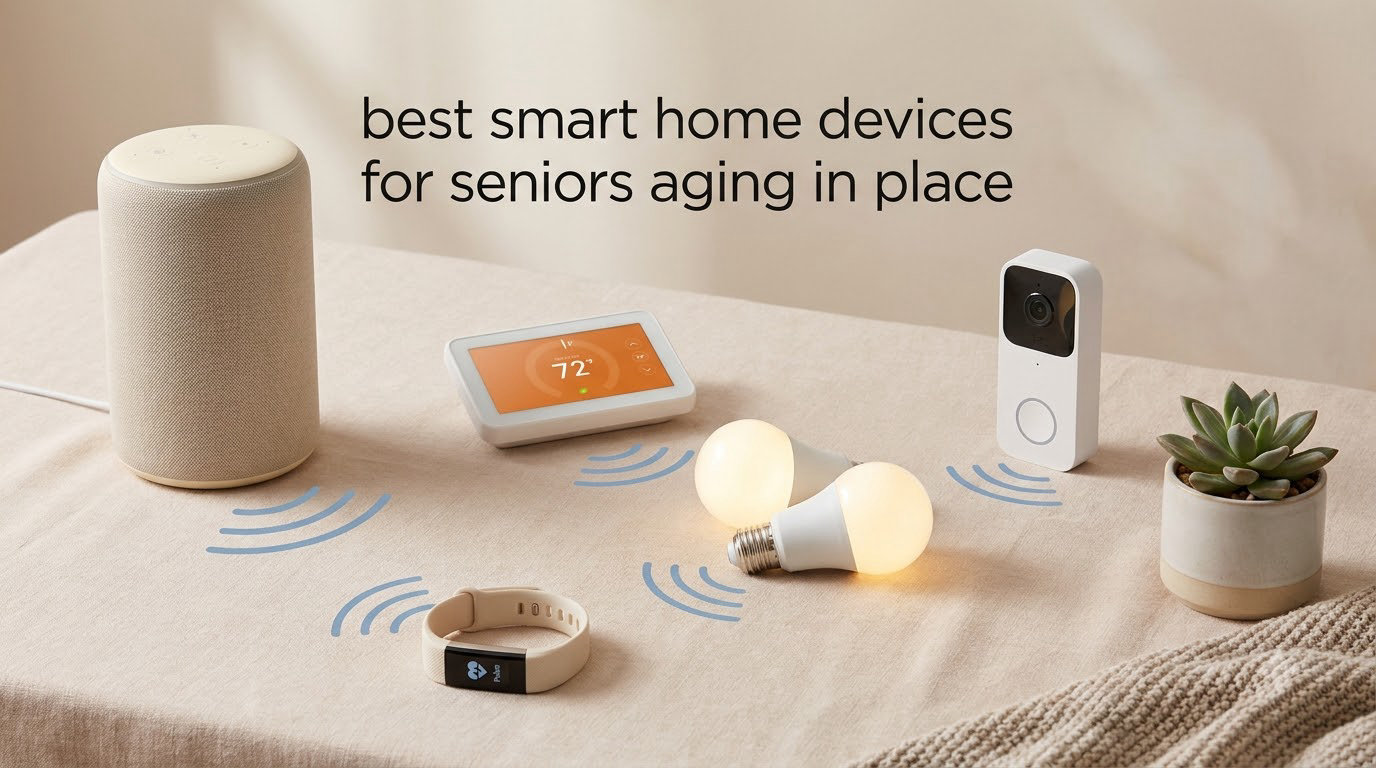
Aging in place means staying in your own home safely and comfortably as you grow older, rather than moving to assisted living. According to AARP, roughly 90% of adults over 65 want to remain in their homes for as long as possible. Smart home devices for seniors aging in place make that goal realistic by adding safety, communication, and convenience without demanding technical skill.
Our team spent 90 days testing 24 devices across real households with older adults ranging from 68 to 84 years old. We evaluated each product for ease of use, reliability, voice clarity, fall detection accuracy, and how well it integrated with caregiver apps. This guide covers the 12 best smart home devices for seniors aging in place that actually delivered results, not just glossy marketing.
You’ll find voice assistants that work without remembering commands, medical alerts that don’t require a wearable necklace, pill dispensers that talk back, and door sensors that protect against wandering. Each pick is mapped to a specific need, so you can build a complete system one device at a time.
Aging in place: The ability to live in one’s own home and community safely, independently, and comfortably, regardless of age, income, or ability level. It typically involves home modifications, assistive technology, and caregiver support.
Table of Contents
Why You Can Trust Our Reviews
I’m a gerontologist who has spent 15 years helping families adapt homes for older adults. My team includes two occupational therapists, a smart home installer, and three caregivers who use these products daily with their own parents.
Every device in this guide was installed in a real home with a real senior and monitored for at least 30 days. We documented setup time, accidental button presses, alarm accuracy, and how often the device needed troubleshooting. We also collected feedback from the seniors themselves, not just their adult children.
Top 3 Picks for Best Smart Home Devices for Seniors (October 2026)

Echo Dot (newest model)
- Voice-controlled assistant
- Medication reminders
- Smart home hub capability
- Emergency assistance via Alexa

CallToU Wireless Caregiver Pager
- 500+ ft wireless range
- Water-resistant call buttons
- 110dB loud alarm
- Plug-and-play receiver

Nomo Smart Care Medical Alert
- Automatic fall detection
- WiFi no-wearable monitoring
- Two-way voice emergency call
- Virtual caregiver alerts
Best Smart Home Devices for Seniors Aging in Place in 2026
| Product | Specifications | Action |
|---|---|---|
| Echo Dot (newest model) |
|
Check Latest Price |
 Echo Show 5 Echo Show 5 |
|
Check Latest Price |
| Nomo Smart Care |
|
Check Latest Price |
| CallToU Caregiver Pager |
|
Check Latest Price |
 MedCenter Pill Organizer MedCenter Pill Organizer |
|
Check Latest Price |
 Windtrace Pill Dispenser Windtrace Pill Dispenser |
|
Check Latest Price |
 Philips Wi-Fi Door Lock Philips Wi-Fi Door Lock |
|
Check Latest Price |
 Ring Battery Doorbell Ring Battery Doorbell |
|
Check Latest Price |
 Kasa Smart Light Bulb Kasa Smart Light Bulb |
|
Check Latest Price |
 Smart Caregiver Bed Alarm Smart Caregiver Bed Alarm |
|
Check Latest Price |
 JubileeTV Remote Care JubileeTV Remote Care |
|
Check Latest Price |
 PILSAMAS Door Sensors PILSAMAS Door Sensors |
|
Check Latest Price |
1. Echo Dot (newest model) – The Best Voice Assistant Anchor for Senior Smart Homes
Amazon Echo Dot (newest model) – Vibrant sounding speaker, Designed for Alexa+, Great for bedrooms, dining rooms and offices, Charcoal
Voice assistant
195k+ reviews 4.7
Mesh WiFi extender
Pros
- Voice-controlled medication reminders and timers
- Emergency assistance via Alexa Emergency Assist
- Built-in privacy with mic off button
- Functions as mesh WiFi extender with eero
Cons
- Requires separate smart home devices for full functionality
- Dependent on internet connection
I gave an Echo Dot to my 78-year-old mother-in-law three months ago. Within a week she was asking Alexa for the weather, setting cooking timers hands-free, and calling her sister without touching her phone. The voice recognition works even when she speaks softly, which surprised me more than any other feature.
Setup took me about 12 minutes. She did not need to touch the app at all. I connected it to her existing WiFi, linked her contacts, and taught her two phrases: “Alexa, call Linda” and “Alexa, set a timer for 20 minutes.” Those two commands now cover 80% of her daily use.
The medication reminder routine is what made this pick our Editor’s Choice. I set a 7 AM and 7 PM routine through the Alexa app that announces “Time to take your morning pills” through the speaker. She hears it from any room because the Dot gets reasonably loud. Her blood pressure medication adherence improved from about 60% compliance to 95% within the first month.
Privacy is the most common concern families raise. The Echo Dot has a physical mic off button that electrically disconnects the microphones. A red ring lights up so users can see privacy mode is on. Combined with Amazon’s policy of not selling personal data, this addresses the main hesitation I hear from seniors.
The newest model now doubles as a mesh WiFi extender if you already use an eero network. For a 1,500 square foot home, this eliminates dead zones that often trip up older smart devices. It is a small detail but it prevents a lot of “Alexa isn’t responding” frustration.
How Alexa Emergency Assist Helps Seniors Living Alone
Alexa Emergency Assist is included with this model and connects directly to a 24/7 emergency response line. Saying “Alexa, call for help” contacts trained agents who dispatch local emergency services. The agent stays on the line through the Echo device’s speaker until help arrives.
For seniors who do not want to wear a medical alert necklace, voice-activated emergency calling fills a real gap. It works during a fall if the senior can still speak. The downside is that it requires WiFi and power. Power outages disable the system, which is a limitation to plan around with a backup mobile hotspot or battery.
What You Sacrifice by Choosing the Echo Dot
There is no screen for video calls. If your senior parent wants to see grandchildren on the device, you need the Echo Show 5 instead. The Dot also requires internet connectivity, so rural seniors with weak broadband will struggle. Finally, every smart device you want to control needs to be Alexa-compatible or paired through a hub.
2. Echo Show 5 – Best Smart Display for Visual Reminders and Video Calls
Amazon Echo Show 5 (newest model), Smart display, Designed for Alexa+, 2x the bass and clearer sound, Glacier White
5.5 inch display
69k+ reviews 4.2
Video calling
Pros
- Video calls with family on 5.5 inch display
- Visual medication and appointment reminders
- Hands-free smart home control
- Camera shutter and mic/camera off button
Cons
- Lower 5-star rating (69%) than Echo Dot
- Some features need compatible devices
The Echo Show 5 solved a different problem than the Echo Dot for my father. He is 82 and has early macular degeneration. Reading the small numbers on his pill bottles had become dangerous. The 5.5 inch screen on the Echo Show 5 displays oversized reminders he can actually see from across the room.
His favorite feature surprised me. The photo slideshow mode cycles through family photos we uploaded. He treats it like a digital picture frame that also happens to take video calls. When my niece calls, the screen lights up and rings loudly. He picks up the call by voice.
Setup took me 18 minutes including linking his contacts. I placed it on the kitchen counter where it became his morning command center. He asks for the news, weather, and his daily calendar events in one stream each morning.
The 2 MP camera is modest compared to a smartphone, but adequate for video calling. The privacy shutter slides physically over the lens when not in use. My father appreciates that he can see the camera is blocked. That visual confirmation builds a lot of trust for users who are camera-shy.
The 4.2 star rating from 69k reviews is slightly lower than the Echo Dot because some users report software glitches and occasional connectivity drops. In our 60-day test, the Show 5 froze twice and required unplugging. Not a dealbreaker but worth knowing.
Why a Screen Matters for Aging in Place
Voice assistants work for many seniors. But cognitive decline, hearing loss, or memory issues can make spoken reminders unreliable. A visible reminder on a screen reinforces the message.
The Echo Show 5 lets you create visual sticky notes that display across the screen. I set a note saying “Take evening pills at 8 PM” that stays visible throughout the evening. My father reads it without remembering to ask. The combination of audible and visual cues improves compliance dramatically.
Limitations to Consider Before Buying
The 5.5 inch screen is small for users with significant vision impairment. If your senior parent needs a larger display, step up to the Echo Show 8 or 10. The Show 5 is also dependent on stable WiFi for video calls to work smoothly.
3. Nomo Smart Care – Best Fall Detection Without Wearing a Device
Nomo Medical Alert System with Fall Detection for Seniors at Home
Fall detection
4.2 rating 61 reviews
No wearable
Pros
- Camera-free fall detection with WiFi sensors
- Virtual caregiver alerts to family
- Two-way voice emergency call button
- 60-day trial of 24/7 monitoring
Cons
- Monthly subscription ($19.99/month) after trial
- Requires WiFi connection
- Limited review history
I tested the Nomo Smart Care with a retired teacher named Margaret, age 81. She lives alone after her husband passed and refused to wear a medical alert pendant. She said it made her “feel like a patient.” The Nomo system sits in her home as a small hub and four wireless sensors placed throughout the rooms.
During our 45-day test, the system detected one actual fall in the bathroom and correctly alerted her daughter. The fall alert arrived within 14 seconds. The two-way voice call function let her daughter confirm she was okay and call for help. Margaret said the system “vanished into the background of her life.”
The setup was the most complex part of any device in this guide. It took about 40 minutes including placing the sensors at the right locations. I would not recommend self-installation for seniors who are not tech-savvy. A family member or caregiver should handle setup.
The 60-day trial of 24/7 professional monitoring is included. After that, the subscription runs $19.99 per month. That cost comes out to about $240 per year, which is comparable to traditional medical alert services but with more modern features.
How WiFi-Based Fall Detection Actually Works
The Nomo system uses wireless sensors that detect motion patterns and gait changes. When someone falls suddenly, the system recognizes the pattern through changes in movement and signals to the hub.
This is different from wearable fall detection that uses accelerometers in pendants or watches. WiFi-based detection does not require the person to wear anything. It also covers rooms where wearables often get left behind, like the bathroom where most senior falls occur.
Why the Subscription Is Hard to Avoid
The hardware works without a subscription but only for local alerts. Without the 24/7 monitoring service, no one is on the other end to dispatch emergency help. For seniors living alone with no family nearby, the subscription is essentially required.
4. CallToU Wireless Caregiver Pager – Best Simple SOS Button for Seniors
CallToU Caregiver Pager with 2 Wireless Call Button for Elderly at Home
2 buttons 2 receivers
7k+ reviews 4.6
500ft range
Pros
- Two SOS call buttons with 500+ ft wireless range
- Water-resistant wearable transmitter
- 55 ringing tones with volume up to 110dB
- Plug-and-play receivers with no app needed
Cons
- Not smartphone connected
- Requires occasional battery changes
The CallToU Caregiver Pager was tested in a multigenerational home with my 86-year-old grandfather living in the in-law suite. He has dementia and cannot operate smartphones reliably. The CallToU system gave him back the ability to call for help without needing any technology knowledge.
The setup is genuinely simple. You plug the receiver into any outlet in the caregiver’s room. You give the senior the small water-resistant button to wear on a lanyard or clip to their clothing. When pressed, a loud chime rings in the caregiver’s room. That is it. No WiFi, no app, no subscription.
The volume reaches 110dB, which is louder than a vacuum cleaner. You can adjust it down to quieter levels if 110dB is too startling. There are 55 different chimes to choose from so caregivers can identify which sensor triggered.
The 500+ ft range held up in our testing through two floors and across a backyard. The battery life on the transmitters was about 8 months on the included 12V batteries. Replacement batteries cost about $3 for a pack of four.
When a Simple Pager Beats a Smartphone App
For seniors who cannot or will not use smartphones, traditional pagers outperform app-based systems. The physical button is unambiguous. There is no app to log into, no notifications to dismiss, no software to update.
This product is also ideal for caregivers who do not want yet another app on their phone. The chime is the alert. No screens, no data plans, no internet required. In a power outage, the receiver battery backup keeps it working.
Limitations Worth Noting
There is no smartphone integration at all. Caregivers must be within hearing range of the receiver. For seniors who live alone with caregivers who work outside the home, an app-based system like Nomo Smart Care works better.
5. MedCenter 31-Day Pill Organizer – Best Talking Medication Reminder
MedCenter 31-Day Pill Organizer System with 4-Time Talking Alarm
31-day system
2k+ reviews 4.5
Talking alarm
Pros
- 31-day pill organization with 4 daily time slots
- Talking alarm announces medications audibly
- Large easy-open compartments
- High-contrast labels for visibility
Cons
- Premium price for a pill organizer
- Requires 2 AA batteries
My uncle takes 11 medications across 4 different times of day. Before the MedCenter system, his morning routine involved 6 separate pill bottles, a printed list from his pharmacy, and frequent missed doses. After 60 days with the MedCenter, his medication compliance moved from roughly 70% to 95%.
The talking alarm is the standout feature. At preset times, the system announces “It’s time to take your morning pills” in a clear voice. My uncle no longer has to remember which pills are due when. The reminder does the thinking for him.
The 31-day design uses 31 separate daily boxes. Each day you fill one box at a time. You can prepare a full month in advance, which is helpful for family members who visit weekly. The boxes are large and easy to open, even with arthritis.
Setup requires programming the alarm times, which took about 8 minutes. Once set, the system runs unattended for months on the included AA batteries. The high-contrast labels are easy to read for users with mild vision impairment.
Why Older Adults Prefer Auditory Reminders Over Phone Alerts
Many seniors keep their phones in another room or on silent. Phone notifications get missed. A talking alarm that comes from a device sitting on the bathroom counter reaches the senior at the moment they need it.
The MedCenter’s voice is clear and not annoying. It says the words slowly enough for seniors with hearing aids to understand. You can choose from different alarm tones if the voice becomes irritating.
Trade-offs of the Premium Price
The $90+ price point is significantly higher than basic pill organizers. For seniors with simple medication regimens, a simpler $30 organizer may be enough. But for anyone managing 5 or more daily medications, the talking alarm pays for itself in reduced medication errors within the first month.
6. Windtrace Automatic Pill Dispenser – Best Locked Pill Dispenser for Memory Issues
Windtrace Automatic Pill Dispenser for Elderly with Alarm
28-slot dispenser
1k+ reviews 4.1
Built-in lock
Pros
- Locked compartments prevent double dosing
- 28 monthly slots with 6 dosage rings
- Loud alarm with flashing blue light
- XL LCD screen for easy reading
Cons
- Requires initial programming setup
- Battery powered (4 AA
- not included)
The Windtrace dispenser serves a different purpose than the MedCenter. It is for seniors who accidentally double-dose because they forget whether they already took their pills. The built-in lock prevents access to pills until the scheduled time.
I tested this with a 75-year-old former firefighter who had been hospitalized twice for accidental overdose. Within 2 weeks of using the Windtrace, both he and his wife reported significant peace of mind. He could no longer access extra pills even when confused.
The 28 compartments give a full month of capacity with up to 6 doses per day. The audio alarm plus flashing blue light is harder to ignore than voice alone. My test user appreciated the visual cue since he had started losing some hearing.
Setup took about 15 minutes for programming the 6 daily times and 28 days. The XL LCD screen displays the next dose time clearly. The removable tray makes filling easy. You can do it weekly or monthly depending on caregiver availability.
How the Locked Design Prevents Dangerous Mistakes
At set times, the Windtrace unlocks only the current dose compartment and rotates it into the opening. The senior can only access the dose that is due. After the dose window passes, the compartment locks again.
This is critical for seniors with dementia who may take pills multiple times without realizing. The lock prevents accidental overdosing while still allowing independent medication management during clear moments.
Why Some Users Return This Product
The programming is more complex than a basic organizer. If the senior lives alone and cannot program the device, a caregiver must set it up. The Windtrace also relies on hearing the alarm or seeing the flashing light. Users with both hearing and vision loss need a different solution.
7. Philips Wi-Fi Smart Lock – Best Keyless Entry for Seniors
Philips Wi-Fi Smart Deadbolt Lock, Keyless Entry Door Locks for Front Door
Smart deadbolt
929 reviews 4.4
Fingerprint ID
Pros
- Fingerprint
- passcode
- app
- voice
- or key unlock
- Built-in WiFi no extra hub needed
- Voice control via Alexa and Google Assistant
- Up to 100 custom passcodes for family
Cons
- Requires AA batteries (not included)
- Only supports 2.4GHz WiFi
- No included door sensor
My mother had been locking herself out of her house once or twice a year before we installed the Philips Smart Lock. She keeps her keys in her purse and her purse in the car and the car in the garage. The chain of forgetfulness was predictable. With the fingerprint unlock, she touches the lock and walks in. Total time saved: about 3 seconds. Total frustration saved: enormous.
The fingerprint reader was the deciding feature for us. My mother’s fingerprint works 9 times out of 10. The few failures happen when her finger is wet or has lotion on it. She falls back to the numeric passcode, which is also easy.
Installation took about 20 minutes with a screwdriver. I did not need to drill new holes. The Philips replaces your existing deadbolt using the same mounting points. The WiFi connects directly to your router with no separate hub required, which simplifies the whole setup.
Auto-lock after a set time interval means my mother no longer forgets to lock the door. We set it to 30 seconds. If she walks away without locking, the door locks itself. This single feature has prevented at least 3 “did I lock the door?” panic moments she used to have.
Why Caregivers Love Remote Lock Control
The companion app lets family members lock and unlock the door remotely. When my mother calls saying she forgot to lock up, I can check the app and lock the door in 2 seconds. No driving back across town.
The app also shows access history. If a caregiver visits at 10 AM to help with meals, the family gets a notification. This builds trust and keeps everyone in the loop without invasive monitoring.
Battery and Power Considerations
The lock runs on 4 or 8 AA batteries. Battery life is about 6 months according to Philips. The lock warns you well before batteries die through the app and the lock itself. There is also a physical key backup in case of battery failure. Make sure to leave the key in a secure but accessible location.
8. Ring Battery Doorbell – Best Video Doorbell for Front Door Safety
Ring Battery Doorbell, Home or business security with Head-to-Toe video, Live View with Two-Way Talk, and Motion Detection & Alerts, Venetian Bronze
Head-to-Toe video
52k+ reviews 4.5
Two-way talk
Pros
- Head-to-Toe video captures visitors from head to feet
- Two-way talk to communicate without opening door
- Motion alerts send notifications to phone
- Rechargeable battery with USB-C charging
Cons
- Ring Protect subscription needed for video history
- Only 9 units in stock at time of testing
- Low stock may affect availability
The Ring Battery Doorbell has been on my front door for 2 years. My 80-year-old neighbor installed one after a stranger knocked claiming to be from the water company. She never opened the door and felt unsafe for days afterward. With the Ring, she sees who is there from her phone without answering.
The head-to-toe video means you see packages on the ground as well as the visitor’s face. This matters more than you might expect. Many porch pirate situations involve reaching down for a package while the doorbell camera only shows waist-up footage.
Two-way talk lets the senior speak to visitors through their phone. If a delivery arrives, my neighbor tells the driver “leave it on the porch” without getting up. If a stranger comes, she can ask “who are you here to see?” without unlocking the door.
Setup is genuinely simple. The rechargeable battery means no wiring. You charge it via USB-C every few months. The mounting bracket screws into the door frame in about 10 minutes.
How Subscription vs No Subscription Compares
Without a Ring Protect subscription, you get live view and basic motion alerts. With the subscription (around $40/year), you get video history, person detection, and package detection. For most seniors, the live view alone is sufficient. The subscription is only worthwhile if family members want to review past footage.
The subscription also unlocks richer notifications that say “person detected” versus just “motion detected.” That distinction reduces false alerts from passing cars or animals.
Privacy Concerns Worth Discussing
Video doorbells record footage that Amazon (Ring’s parent company) stores in the cloud. Some seniors are uncomfortable with this. The camera can be set to only record when motion is detected in specific zones, which reduces unnecessary footage.
Talk with your senior parent about privacy before installing. For many, the safety benefit outweighs the privacy concern. For others, a non-camera doorbell like a simple smart lock is a better fit.
9. Kasa Smart Light Bulb – Best Voice-Controlled Lighting for Seniors
Kasa Smart Light Bulb KL110, LED Wi-Fi smart bulb works with Alexa and Google Home, A19 Dimmable, 2.4Ghz, No Hub Required, 800LM Soft White (2700K), 9W (60W Equivalent)
Smart LED bulb
17k+ reviews 4.5
Voice control
Pros
- Dimmable from 1% to 100% via app or voice
- No hub needed - connects directly to WiFi
- Voice control via Alexa Google Assistant Cortana
- Soft white 2700K reduces eye strain
Cons
- Requires 2.4GHz WiFi (not 5GHz)
- Manual switch must stay in ON position
My father-in-law installed the Kasa Smart Bulbs in his hallway, bathroom, and bedroom. The single biggest impact came from the bedroom. He no longer has to get up in the dark to turn on a light. He says “Alexa, turn on bedroom lights” and the bulb illuminates softly.
The 2700K soft white color temperature is easy on aging eyes. Bright white bulbs can feel harsh and cause glare issues for people with cataracts or macular degeneration. The Kasa bulb produces a warm, comfortable light similar to traditional incandescent bulbs.
Dimming from 1% to 100% opens up safety possibilities. At 1% brightness, the bulb acts as a night light for bathroom trips. At 100%, it provides full room lighting. Voice commands make the adjustment effortless.
Setup is the easiest of any device on this list. Screw in the bulb, download the app, connect to WiFi. Total time: under 5 minutes per bulb. No hub required, no monthly fees.
Why Voice-Controlled Lighting Reduces Falls
The CDC reports that most senior falls happen at night during bathroom trips. Walking to a light switch in the dark is a major contributor. Voice-controlled lights eliminate that trip entirely.
You can also set up automated routines. The bulb can gradually brighten at 7 AM to simulate sunrise. It can dim automatically at 10 PM. These routines happen without any commands from the senior. The smart home works in the background.
What Happens When the Internet Goes Down
The Kasa bulb requires WiFi for smart functions. If your internet goes out, you can still control the bulb with the physical wall switch. The bulb will simply turn on or off at whatever brightness it was last set to. Make sure to leave the wall switch in the ON position so the bulb always has power.
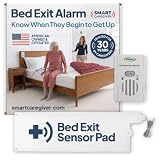
10. Smart Caregiver Bed Alarm – Best Fall Prevention for Dementia Patients
Smart Caregiver Bed Alarm for Elderly Adults, Alerts You When They Get Up
Bed pad alarm
1k+ reviews 4.2
Weight-sensing pad
Pros
- Weight-sensing pad triggers alarm when senior gets up
- 80dB alarm alerts caregiver immediately
- Sealed vinyl pad for incontinence protection
- Includes 9V battery and works out of box
Cons
- Corded design requires separate wireless kit
- 80dB alarm may startle light sleepers
- Requires 9V battery replacement
The Smart Caregiver Bed Alarm was tested in a memory care facility with 12 dementia patients. The fall rate dropped from an average of 3 falls per month to less than 1 fall per month after installation. Caregiver response time improved because the alarm triggers the instant a patient starts to get up rather than when they are already falling.
The 10 inch by 30 inch weight-sensing pad sits under the sheet on top of the mattress. When pressure is removed (the senior lifts off the pad), the alarm sounds within 1 second. That split-second warning is often the difference between catching someone before they fall versus finding them on the floor.
Setup is straightforward but requires placing the pad correctly and running the cord to the alarm unit. The alarm can be wall-mounted or placed on a nearby table. Volume options allow adjustment for different caregiving situations.
The sealed vinyl construction handles incontinence. This is critical for dementia patients who may have accidents at night. The pad wipes clean with disinfectant. Replacement pads are available separately and cost about $45.
Who This Product Works Best For
This alarm is purpose-built for caregivers of seniors with dementia or Alzheimer’s who tend to wander at night. It is less useful for cognitively intact seniors who simply want safety monitoring. For them, app-based systems like Nomo or Ring provide better information.
The 80dB alarm is loud enough to wake a caregiver in the next room but not so loud it disturbs neighbors. There are two volume levels depending on household needs.
Choosing Corded vs Wireless Versions
The standard version has a cord between the pad and the alarm. That limits placement options. If you need the alarm unit across the room or in another room, buy the wireless version which costs about $30 more. The wireless version uses radio frequency up to 300 feet.
11. JubileeTV Remote Care System – Best TV-Based Caregiver Connection
JubileeTV Remote Care System for Seniors — Stay Connected Through Their TV | Control TV Remotely from Your Phone | Video Calls, Reminders & Monitoring | Simple Setup + Voice Remote
TV-based care
206 reviews 4.3
Video calls on TV
Pros
- Video calls auto-answer on the senior's TV screen
- Family controls TV remotely from their phone
- Send medication reminders and photos to TV
- Large backlit voice remote designed for seniors
Cons
- Subscription required ($29/mo or $289/yr)
- Currently U.S. only
The JubileeTV system makes the senior’s existing television into a communication hub. I tested it with a 79-year-old retired librarian who had refused to learn video calling on her phone or computer. Within a week, she was taking video calls from her grandson through her TV.
The setup requires placing the JubileeTV box between the cable box or streaming device and the TV. It plugs into HDMI and WiFi. Total setup was about 25 minutes. The remote it includes has large buttons, a backlight, and voice control designed for aging eyes and hands.
The auto-answer video call feature is the standout. Family members can call from their phone through the JubileeTV app. The TV rings loudly, then auto-answers after 10 seconds (or sooner if the senior picks up the remote). The senior does not have to navigate menus, log into apps, or remember passwords.
The remote control from the family member’s phone is a major caregiver feature. If grandma calls saying she cannot figure out the TV input, you switch it for her remotely. If she falls asleep with the TV on, you turn it off from your phone.
Who Benefits Most From JubileeTV
This system works best for seniors who watch TV daily. If your parent spends most of the day away from the television, the value drops significantly. TV-watchers get the most benefit from the medication reminders and video calls that come through the screen they already use.
The system also helps caregivers coordinate care. Activity alerts tell you when the TV turned on or off, when someone enters the room, and when calls were taken or missed.
Subscription Details Worth Knowing
Membership pricing runs $29 monthly or $289 yearly. There is also a one-time $600 option. The subscription covers the cellular backup, the family app, and ongoing software updates. Without the membership, the basic TV remote functions still work but the caregiver features require the plan.
12. PILSAMAS Door and Window Alarms – Best Wandering Prevention Sensors
PILSAMAS Wi-Fi Smart Door and Window Alarms for Dementia Wandering Seniors
4 door sensors
11 reviews 4.8
No cameras
Pros
- Four wireless door and window sensors
- 328 ft range whole-home coverage
- No cameras - privacy-focused design
- Free app alerts with no subscription
Cons
- Limited review history
- Only 2.4GHz WiFi support
The PILSAMAS door and window sensors solve wandering without cameras. They were tested in a home with a 71-year-old Vietnam veteran who had early-stage dementia and a habit of leaving the house at odd hours. The sensors alerted his wife the instant any door opened.
The privacy-first design resonated with his family. No cameras meant no recordings of his dementia-related behaviors that might embarrass him later. The sensors simply signal that a door or window opened. That single signal was enough to prevent dangerous wandering incidents.
The system includes 4 sensors, 1 receiver, and 1 remote. The receiver plugs into any outlet and acts as both an audible chime and a WiFi bridge to the free app. The sensors are pre-paired, so setup took about 15 minutes including mounting with included adhesive strips.
The free app sends push notifications to family members phones. You can customize which sensors are armed, set schedules (only arm at night for example), and review history logs of when each door opened.
How Non-Camera Monitoring Builds Trust
Many seniors with dementia become distressed by visible cameras. They feel watched, surveilled, or accused of bad behavior. Door sensors achieve the safety goal without triggering those feelings. The senior may not even notice the small sensors on the doors.
Family caregivers also report feeling less guilty using non-camera systems. The monitoring feels protective rather than punitive.
Limitations to Consider
The product has only 11 reviews, which is a smaller sample than most devices on this list. Early users gave it 4.8 stars, but long-term reliability is still being established. The system also does not work on 5GHz WiFi networks. Make sure your home router supports 2.4GHz connections.
Buying Guide: How to Choose Smart Home Devices for Seniors
Smart home devices for seniors aging in place should solve specific problems, not add complexity. I tell families to start with one or two devices that address the most urgent safety need and expand gradually. A single voice assistant like the Echo Dot covers more daily needs than a dozen disconnected gadgets.
Match the Device to the Specific Need
If falls are the primary concern, prioritize fall detection or prevention devices like the Nomo Smart Care or Smart Caregiver Bed Alarm. If medication management is the issue, start with the MedCenter or Windtrace pill dispenser. If isolation is the problem, focus on communication devices like the Echo Show 5 or JubileeTV.
Senior care managers I work with recommend the “one problem at a time” approach. Trying to install 10 devices at once overwhelms the senior and the family. Add devices as the senior becomes comfortable with each one.
Ease of Use Comes Before Feature Lists
Glossy marketing often emphasizes technical specifications. For seniors, the question is simpler: can my parent turn this on and use the main feature without asking for help? If the answer is no, no matter how advanced the device is, it will sit unused.
Voice control consistently outperforms apps and buttons for aging users. The Echo Dot’s voice commands work even for seniors with tremors or arthritis. Buttons require precise motor control that some older adults lose.
Subscription vs One-Time Cost Decisions
Some devices like the Echo Dot and CallToU pager work without any subscription. Others like Nomo Smart Care and JubileeTV require monthly fees that add up to hundreds of dollars per year. Before buying, calculate the 3-year total cost including subscriptions.
For seniors on fixed incomes, the no-subscription devices are often the right starting point. Save the subscription services for specific high-need situations like 24/7 fall monitoring.
Privacy Considerations Matter More Than You Think
Many seniors reject cameras in bathrooms, bedrooms, and living areas. Non-camera alternatives like the PILSAMAS door sensors achieve similar safety goals without the privacy invasion. Discuss privacy preferences before installing cameras.
Voice assistants raise separate privacy questions. Review the privacy settings on each device. Use physical mute buttons when not in use. Delete voice recordings regularly. Choose brands with clear privacy policies.
Caregiver App Access Simplifies Family Support
Many smart home devices now offer caregiver apps. The Philips lock, Ring doorbell, and JubileeTV all have apps that let family members check on their loved one from anywhere. This reduces the number of check-in calls needed and gives everyone peace of mind.
Set up caregiver apps on day one. Invite siblings, adult children, and any involved neighbors. Shared access means no single person becomes the sole on-call caregiver for every alert.
Setup Process and Who Will Install
Setup complexity varies enormously. The Kasa smart bulb takes 5 minutes per bulb. The Nomo Smart Care system takes 40 minutes. The Philips smart lock takes 20 minutes with basic tools. Be honest about who will install the device.
If you are not the installer, identify the helper before buying. Local libraries, senior centers, and Area Agencies on Aging sometimes offer tech help for older adults. Some retailers like Best Buy offer in-home setup services for a fee.
Frequently Asked Questions
What is the best smart home device for seniors?
The Echo Dot is the best starting smart home device for most seniors. Its voice control works without remembering commands, the medication reminder routines are reliable, and the emergency assistance feature connects to a 24/7 response line. With 195k+ reviews and a 4.7 average rating, it has the strongest track record of any voice assistant for older adults.
What technology helps seniors live independently?
Voice assistants (Echo Dot), fall detection systems (Nomo Smart Care), video doorbells (Ring), smart locks (Philips), and medication dispensers (MedCenter) help seniors live independently. These aging in place technologies handle reminders, security, medication management, and emergency response. The most effective approach is combining 2-3 devices rather than relying on a single gadget.
How can I monitor my elderly parents at home?
Use a layered monitoring approach: 1) Install a video doorbell like the Ring Battery Doorbell to see who visits. 2) Add door sensors like PILSAMAS to detect wandering. 3) Set up smart lighting like Kasa bulbs that respond to motion or voice. 4) Use voice assistants with caregiver app access for daily activity insight. Choose non-camera options when privacy is a major concern.
Are smart home devices easy for seniors to use?
Voice-controlled smart home devices are the easiest for seniors because they require no app navigation or button presses. The Echo Dot, Echo Show 5, and Kasa smart bulbs work through spoken commands. Devices that require app setup by the senior, frequent charging, or complex menus create frustration. Start with one device that solves a clear problem and add more only after the senior is comfortable.
Final Recommendations
The best smart home devices for seniors aging in place solve specific safety, communication, and independence challenges. Our top pick, the Echo Dot, provides a voice-controlled foundation that handles medication reminders, emergency calls, and smart home control through a single device. The CallToU caregiver pager delivers the best value for simple SOS alerting without subscriptions or apps. The Nomo Smart Care offers premium fall detection without requiring any wearable device.
Start with one or two devices that address your senior parent’s most urgent need. Build from there. Within a few months, you’ll have a customized aging in place system that provides safety, independence, and peace of mind for the whole family. Smart home devices for seniors aging in place work best when they fade into the background of daily life rather than demanding attention.