
If you print assignments, lecture slides, or research papers more than once a month, the Epson EcoTank ET-2800 is the best wireless printer for college students overall, because its refillable ink tanks print roughly 4,500 black and white pages per fill and that running cost stays low across an entire degree. The catch is real, though: it prints single-sided only and has no document feeder.
That caveat is the reason this guide covers ten machines instead of naming one winner and moving on. A cheap cartridge printer can look like a bargain and cost more ink than the printer itself by the second semester. A tank printer can cost more upfront and pay for itself quietly. And a law or engineering student printing 300 pages a month needs something completely different from an art major printing one portfolio piece.
Before any of that, check what your school already gives you. Many universities hand new students a set of print credits or run free printing in the library, and if your semester volume fits inside that allowance, buying nothing is the cheapest decision available. Our pick below assumes your campus printing is limited, unreliable, or priced per page, which is the situation most students describe in forums like r/printers and r/GoodValue.
Once you decide to buy, match the machine to your hardware first. If you are still choosing a laptop, our Chromebook guide for students and laptop guide for medical students both cover models that print well over Wi-Fi without any extra driver hunting. A student tablet pairs with every pick below through AirPrint or Mopria, so phone and tablet printing is standard rather than a premium feature.
Table of Contents
Top 3 Picks for College Students in 2026

Epson EcoTank ET-2800
- Up to 4500 black pages per fill
- Cartridge-free ink tanks
- Print copy and scan
- Wi-Fi plus USB

Canon MegaTank G3270
- Up to 6000 black pages per fill
- Wireless print copy and scan
- 1.35 inch LCD
- Five years of spare parts

Brother HL-L2460DW
- 36 pages per minute monochrome
- Automatic duplex printing
- 250-sheet tray
- Dual-band Wi-Fi plus Ethernet
Best Wireless Printers for College Students in 2026: Quick Overview
| Product | Specifications | Action |
|---|---|---|
| Epson EcoTank ET-2800 |
|
Check Latest Price |
| Canon MegaTank G3270 |
|
Check Latest Price |
| Brother HL-L2460DW |
|
Check Latest Price |
 Canon PIXMA TS6520 Canon PIXMA TS6520 |
|
Check Latest Price |
 HP Smart Tank 5003 HP Smart Tank 5003 |
|
Check Latest Price |
 HP Envy 6155 HP Envy 6155 |
|
Check Latest Price |
 Canon PIXMA TS3720 Canon PIXMA TS3720 |
|
Check Latest Price |
 Epson EcoTank ET-2400 Epson EcoTank ET-2400 |
|
Check Latest Price |
 Brother Work Smart 1410 Brother Work Smart 1410 |
|
Check Latest Price |
 Brother INKvestment 1365 Brother INKvestment 1365 |
|
Check Latest Price |
Quick picks, if you want the answer before the details:
Best for lowest running cost: Epson EcoTank ET-2800. Features: cartridge-free tanks, up to 4,500 black pages per fill, flatbed scan and copy. Why it fits: four years of coursework without a cartridge purchase. Drawback: single-sided printing and no document feeder.
Best budget tank option: Canon MegaTank G3270. Features: up to 6,000 black or 7,700 color pages per set of inks, wireless print copy scan. Why it fits: the deepest ink supply per fill in this group. Drawback: single-sided only and a wide body.
Best for heavy course loads: Brother HL-L2460DW. Features: 36 pages per minute monochrome, automatic duplex, 250-sheet tray. Why it fits: a 200-page reading pack prints before a deadline hits. Drawback: no color output.
Best compact all-in-one with duplex: Canon PIXMA TS6520. Features: automatic two-sided printing, 14 ppm black, 1.42 inch OLED display. Why it fits: a small dorm desk and color coursework. Drawback: two-cartridge ink system.
Best on included ink: HP Smart Tank 5003. Features: up to three years of ink in the box, cartridge-free refills, print copy scan. Why it fits: nothing to buy after unboxing. Drawback: manual duplex and a flatbed-only scanner.
1. Epson EcoTank ET-2800 – Lowest Running Cost Per Page
Epson EcoTank ET-2800 Wireless Color All-in-One Supertank Printer – Black
Ink tank color all-in-one
Up to 4500 black pages per fill
10 ppm black and 5 ppm color
Wi-Fi and USB
11.4 pounds
Pros
- Up to two years of ink included in the box
- One bottle set equals roughly 90 cartridges
- Sharp 5760 dpi text and color
- Wireless print plus scan and copy
- Lightweight body you can move between dorm and home
Cons
- Single-sided printing only
- No document feeder
- 22.8 inch wide body needs desk space
Over roughly 18,000 reviews this is the most proven machine in the group, and the review pattern is consistent: people buy it once, refill twice a year, and stop thinking about it. The ink reservoirs sit in the body rather than in a cartridge, so there is nothing to snap out and nothing that dries out in a drawer.
Where the ET-2800 wins is arithmetic. A full set of bottled inks covers up to 4,500 black and white pages or 7,500 color pages, which on a typical semester of lecture notes and essays can mean a single fill lasting most of a year. Epson states each bottle set replaces roughly 90 individual cartridges, and that ratio is the whole reason we put this model first.
The physical design is better than the price suggests. At 11.4 pounds it is one of the lighter all-in-ones here, and it does print, copy, and scan over both Wi-Fi and USB. Output runs at 10 pages per minute black and 5 pages per minute color, with a first page in about 7 seconds.
Two limitations shape who should buy it. There is no automatic duplex, so a ten-page essay becomes twenty sheets and a manual flip, and there is no document feeder, so scanning a handwritten notebook page means lifting the lid one page at a time.
The 22.8-inch width is also the widest footprint here, which matters if your printer lives on a dorm shelf rather than a desk. Plan for a low cabinet or a dedicated corner of the floor.
Where the ET-2800 earns its money back
Students in the humanities, business, and social sciences print mostly text. A reading pack of 200 pages is four refills a year on this machine versus a stack of cartridges on a comparable cartridge printer, and that difference shows up every single semester.
If your program is print-light, the counterargument is real. Someone printing 40 pages a month may never fill a single set of tanks, and the upfront cost is higher than the budget models below.
Where the ET-2800 falls short
Art and design students should look past this machine. There is no borderless photo output listed in the specifications, and there is no way to scan a multi-page stack without lifting the flatbed each time.
Epson also recommends genuine ink, since third-party bottled ink can affect output quality and warranty coverage. Budget for the real bottles rather than assuming any refill will do.
2. Canon MegaTank G3270 – Best Value Ink Tank
Canon MegaTank G3270 All-in-One Wireless Color Printer
Ink tank color all-in-one
Up to 6000 black pages per fill
11 ppm black and 6 ppm color
Wi-Fi and USB
13.2 pounds
Pros
- Up to two years of ink included
- Highest black page yield per fill here
- Wireless print copy and scan in one unit
- 1.35 inch LCD for status checks
- Canon lists five years of spare part availability
Cons
- Single-sided printing only
- 16.4 inch wide body is bulky
- No document feeder
This is the model I point people toward when the EcoTank is out of reach but cartridge running costs still scare them. Canon states up to 6,000 black and white pages or 7,700 color pages from a single set of GI-21 bottles, the deepest black yield of anything we reviewed.
With more than 5,100 reviews averaging 4.1 stars, it is also the second most proven option here. Reviewers consistently single out the ink supply as the reason for the rating, and Canon backing the machine with a five-year spare part window is unusual and genuinely useful for a four-year degree.
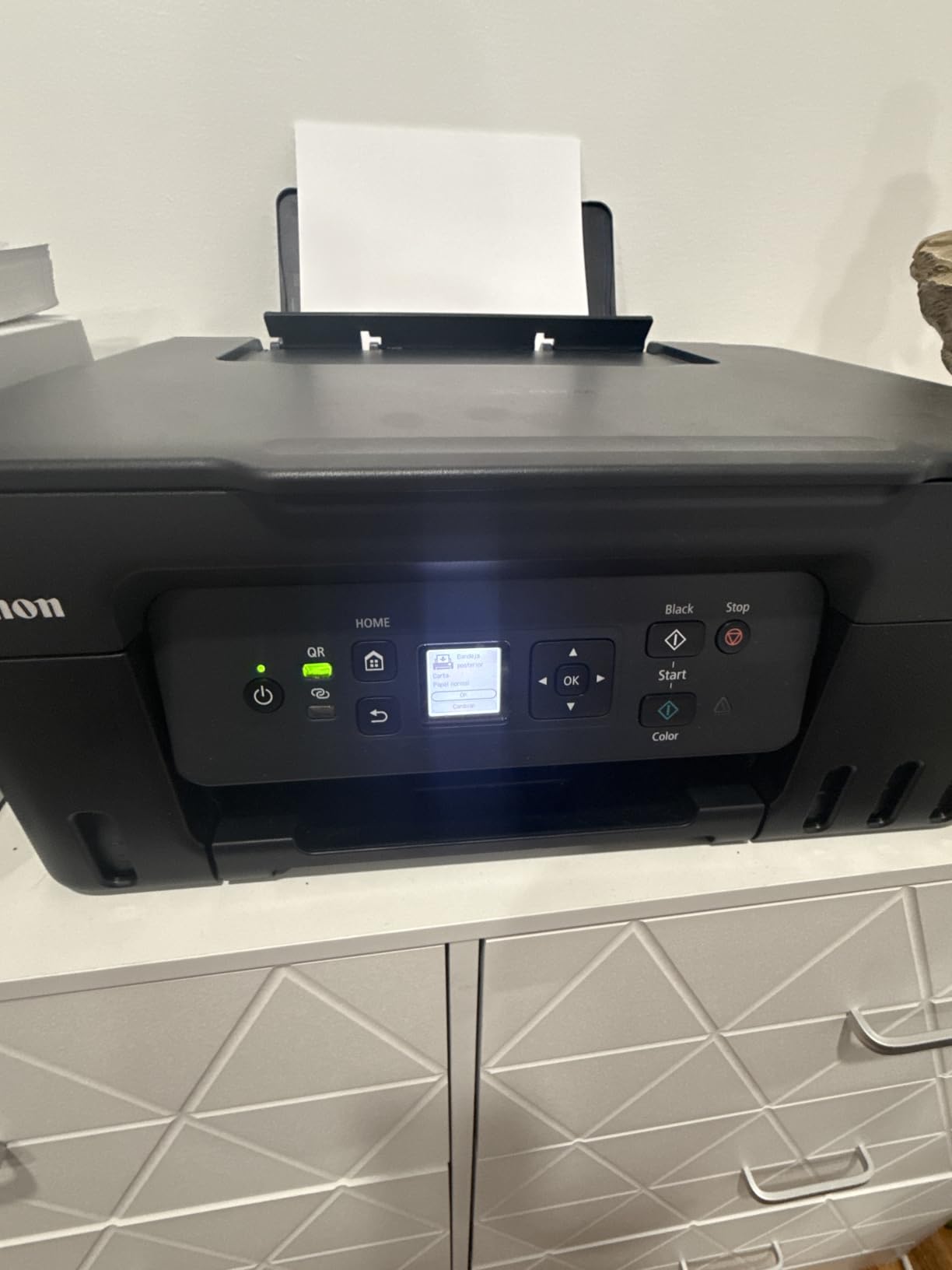
Setup is wireless through Canon’s app, and the machine handles print, copy, and scan with a flatbed scanner and a 1.35-inch square LCD for basic status checks. Speed sits at 11 pages per minute black and 6 pages per minute color with a 100-sheet tray.
The catch is duplex. Canon lists this printer as single-sided only, so double-sided work means flipping the stack yourself. For a student printing weekly reading packs, that is a real friction point worth weighing before you buy.
Why students pick the MegaTank
The economics work out to a few bottles across a whole degree for most programs. Students who print lecture notes every week will exhaust that supply slowly, which is exactly the behaviour a tank printer is designed for.
It is also a good fit for off-campus apartments where you have slightly more room than a dorm. The 13.2-pound body is easy to move between a bedroom and a living room desk.
Where the MegaTank is the wrong buy
If your coursework is double-sided heavy, the missing automatic duplex is a genuine gap. Two of the other picks here handle duplex automatically and cost a similar amount.
There is no document feeder either, and the 16.4-inch width means it needs a proper surface. A dorm shelf is a stretch for this one.
3. Brother HL-L2460DW – Fastest Monochrome Workhorse
Brother HL-L2460DW Wireless Compact Monochrome Laser Printer with Duplex, Mobile Printing, Black & White Output | Includes Refresh Subscription Trial(1), Works with Alexa
Monochrome laser
36 pages per minute
Automatic duplex
250-sheet tray
Wi-Fi Ethernet and USB
Pros
- Fastest output in this group at 36 ppm
- Automatic duplex on a compact body
- 250-sheet tray cuts refill stops
- Built-in dual-band wireless plus Ethernet and USB
- Sharp text at 1200 dpi
Cons
- Monochrome only
- No scanner or copier
- Button-based Wi-Fi setup is fiddly
For law, engineering, and medical students, this is the printer that matches the workload. It prints 36 pages per minute monochrome with a first page in about 8.5 seconds, which means a 300-page case brief or lab manual comes out in the time it takes to make coffee.
Brother is the brand that comes up most often in student recommendation threads for a reason: laser toner is cheaper per page than ink cartridges, and this machine adds a 250-sheet tray plus automatic duplex. It is a print-only device, so nothing here scans or copies.
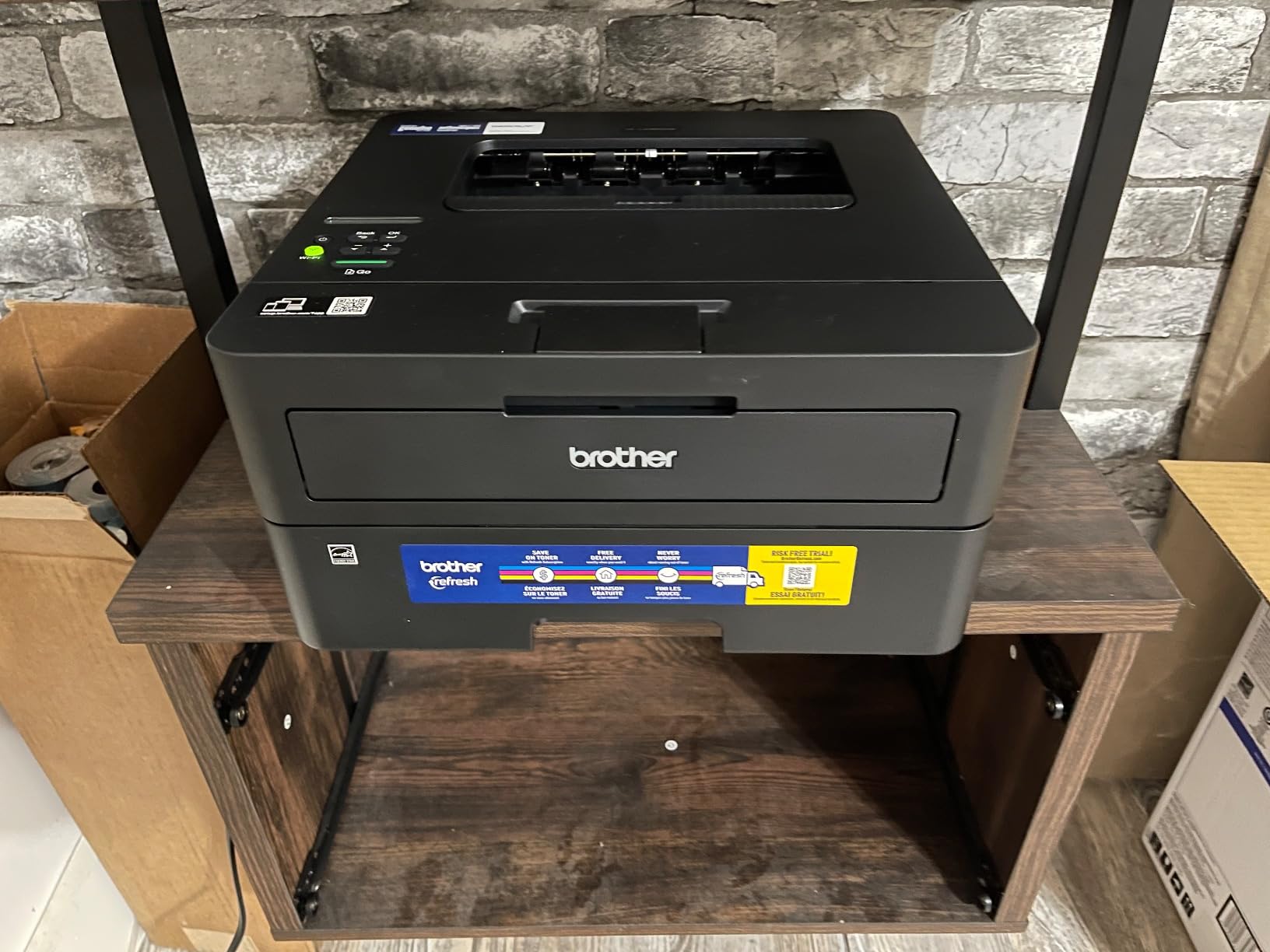
Connectivity is the strongest in this group. You get dual-band Wi-Fi, a wired Ethernet port, and USB, which matters because dorm networks are congested and a wired fallback simply works when a wireless queue stalls.
Brother TN830 and TN830XL toners feed it, and output resolution reaches 1200 x 1200 dpi for crisp text. The 1-year limited warranty is shorter than one competitor here offers.
Who this laser printer suits
If you print more than about 150 pages a month in black and white, a laser printer wins on running cost and speed, and this is the most capable one that still fits on a dorm desk at 14.2 by 14 inches.
It also suits anyone who has decided color is a nice-to-have. Students who told forums they were dropping the color requirement entirely usually end up happy with a Brother mono laser.
Who should skip it
Any art, design, or marketing student needs color, and this machine has none. There is no scanner either, so a single unit cannot handle digitizing handwritten notes for an online submission.
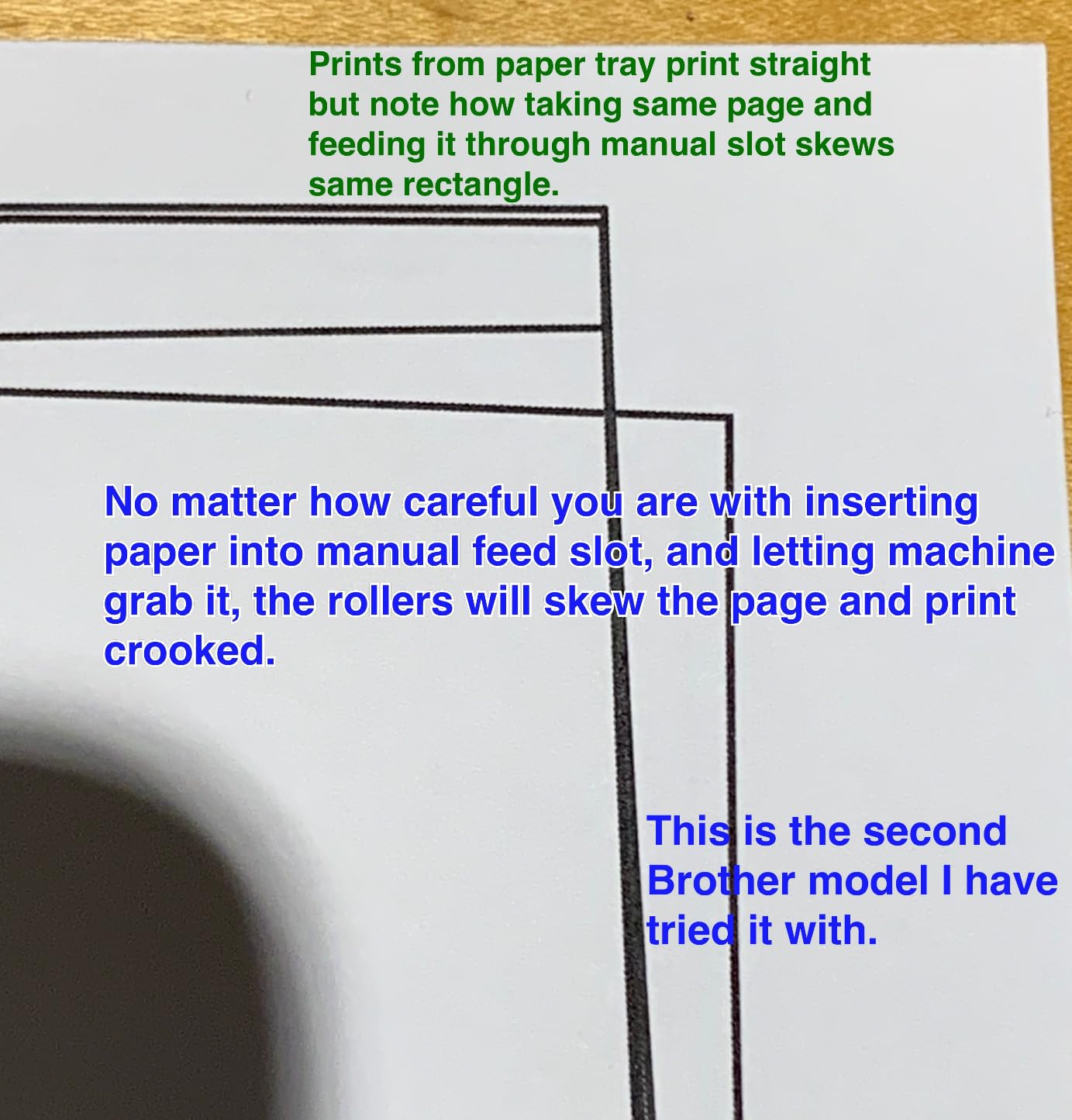
A minority of owners report a unit that stopped working after roughly a year, so keep your campus print fallback in mind no matter which printer you choose.
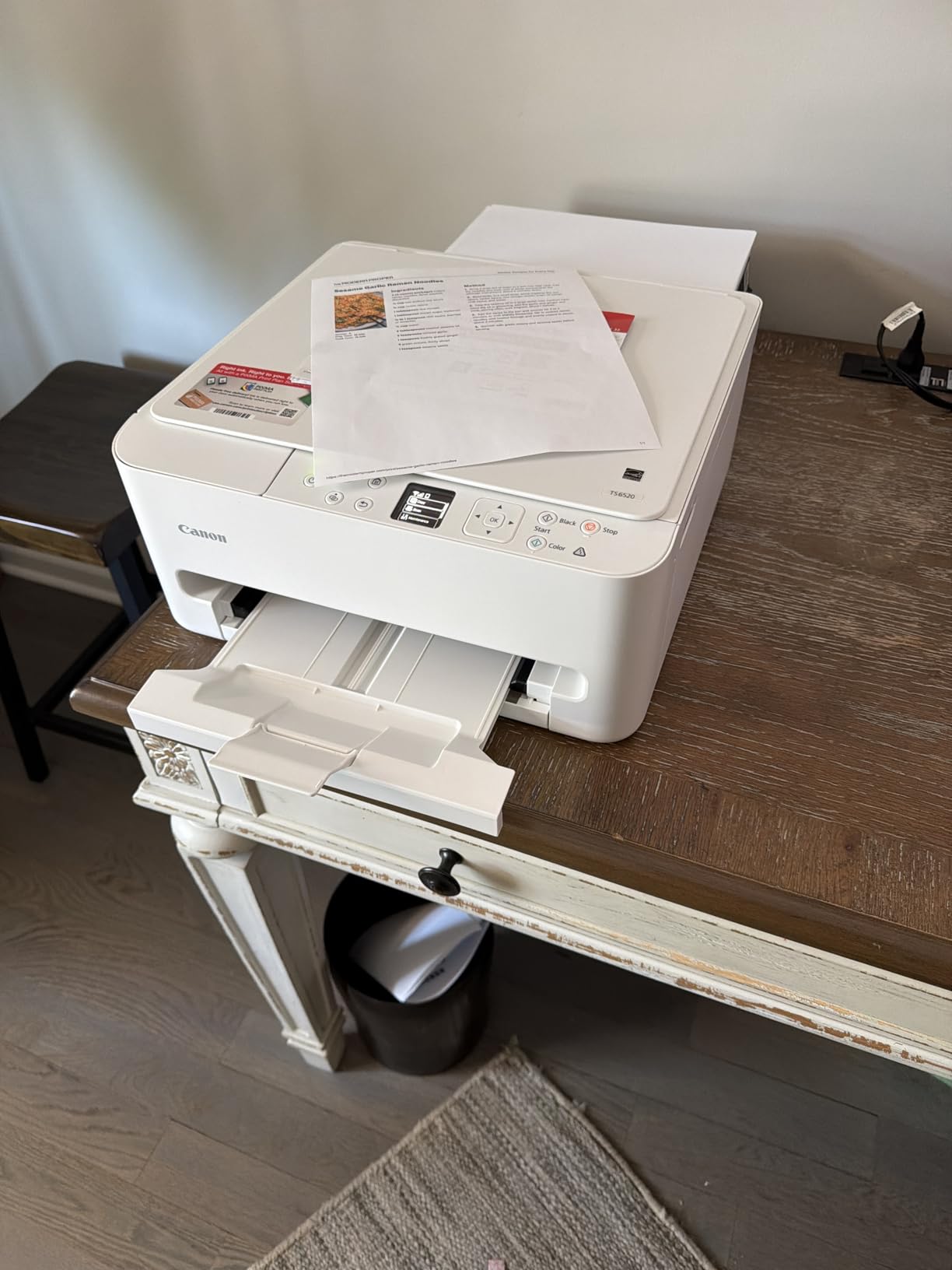
4. Canon PIXMA TS6520 – Compact Duplex All-in-One
Canon PIXMA TS6520 Wireless Color Inkjet Printer, Duplex Printing, Copier/Scanner, 1.42″ OLED Display, Compact, White
Color inkjet all-in-one
Automatic duplex
14 ppm black and 9 ppm color
1.42 inch OLED display
15.4 pounds
Pros
- Automatic two-sided printing at this size
- 14 ppm black is fast for an inkjet
- Stable dual-band Wi-Fi
- 1.42 inch OLED shows ink and status
- Compact 14.8 by 14 inch body
Cons
- Two-cartridge hybrid ink system
- Limited sheet capacity for specialty media
- 15.4 pounds is heavy to move
This is the pick when desk space is the deciding factor and you still want two-sided printing. The TS6520 measures 14.8 by 14 by 6.7 inches and adds automatic duplex plus a colour OLED display, which almost no other compact all-in-one on this list manages.
Owners rate it 4.2 stars across roughly 1,977 reviews, with the highest average in this group alongside the HP Envy. Praise focuses on sharp text, clean setup, and dependable dual-band wireless at both 2.4GHz and 5GHz.
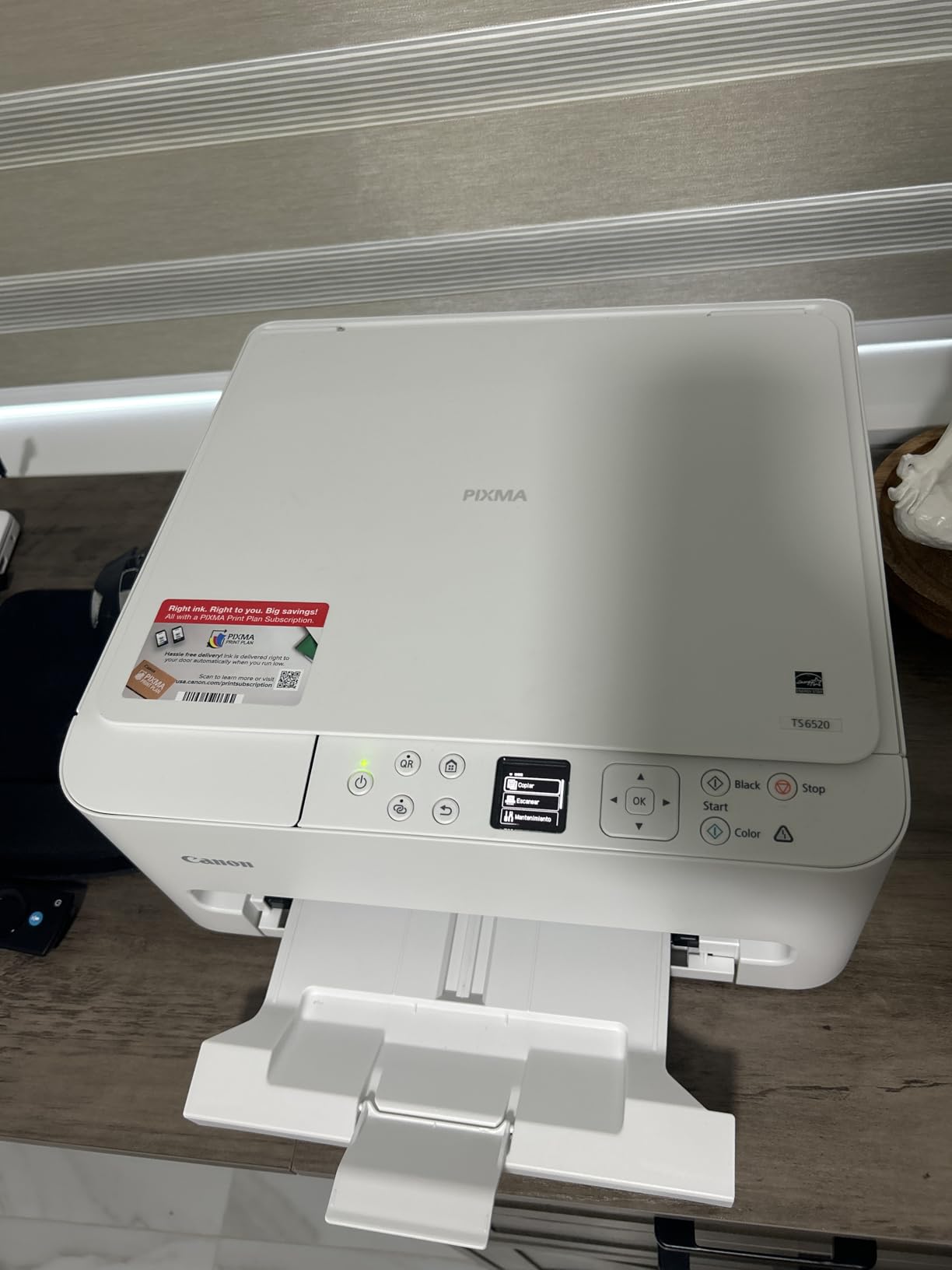
Print speed is genuinely quick for a colour inkjet: 14 pages per minute black and 9 pages per minute colour, with a first page in about 7.5 seconds. Mobile printing works through the Canon PRINT app, Apple AirPrint, and Mopria, so both iPhone and Android are covered without extra software.
The ink system is the compromise. It uses a PG-295 pigment black tank plus a CL-286 dye colour tank, which means a single colour tank runs dry even when you are printing black and white only. Sharp output, but not flexible spending.
Best reasons to buy this one
Automatic duplex at this footprint is the headline. It halves your paper use on every essay and reading pack, and on a shared dorm printer queue fewer pages means less waiting behind other people.
The OLED display also removes a real annoyance: you can see ink status before you commit a 20-page job, rather than discovering a dead cartridge halfway through.
Best reasons to look elsewhere
High-volume users should not buy this one. The two-tank colour system and a listed maximum sheet capacity of one for specialty media both point to a printer built for occasional jobs rather than daily coursework.
If your dorm room is very small, 15.4 pounds and a 6.7-inch height still need a real shelf, not a stacking shelf.
5. HP Smart Tank 5003 – Most Ink in the Box
HP Smart Tank 5003 Wireless All-in-One Ink Tank Printer, Scanner, Copier with up to 3 Years of Ink Included, Best-for-Home, Cartridge-Free Refillable, AI-Capable (9B2D3A)
Ink tank color all-in-one
Up to 6000 pages of ink included
10 ppm black and 5 ppm color
Wi-Fi USB AirPrint and Mopria
11.1 pounds
Pros
- Up to three years of ink included
- Mess-free bottle refills with no squeezing
- Print copy scan plus borderless output
- 11.1 pound body is easy to move
- AirPrint and Mopria supported
Cons
- Manual duplex only
- Flatbed scanner with no document feeder
- 5 ppm color is slow
The Smart Tank 5003 arrives with up to three years of ink included, which HP puts at roughly 6,000 pages out of the box. For a student starting a degree with no idea how much they will actually print, that is the most useful thing on the spec sheet.
It is also the lightest tank printer here at 11.1 pounds, and the refill system is genuinely mess-free: you plug a bottle into the cartridge-free tank and let it drain, with no squeezing and no sponge to squeeze out.
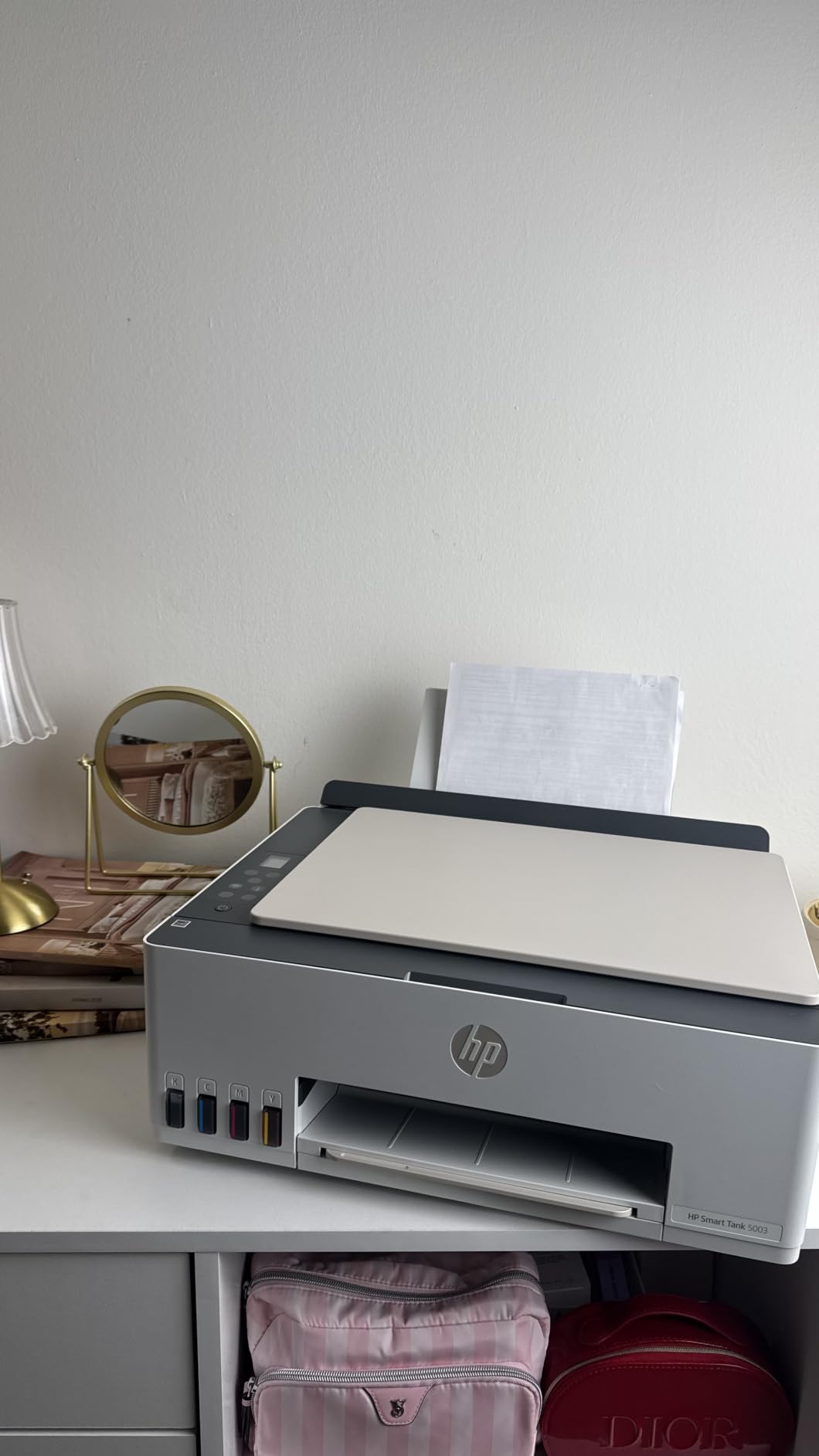
Connectivity covers Apple AirPrint, Mopria, USB, and Wi-Fi, plus Print Anywhere for sending a job from your phone while away from campus. Output runs at 10 pages per minute black and 5 pages per minute colour, with a 100-sheet tray and up to 99 copies per run.
Duplex is manual, with driver support only, so you flip the pages yourself. The scanner is flatbed with no document feeder, which again makes multi-page scanning slow.
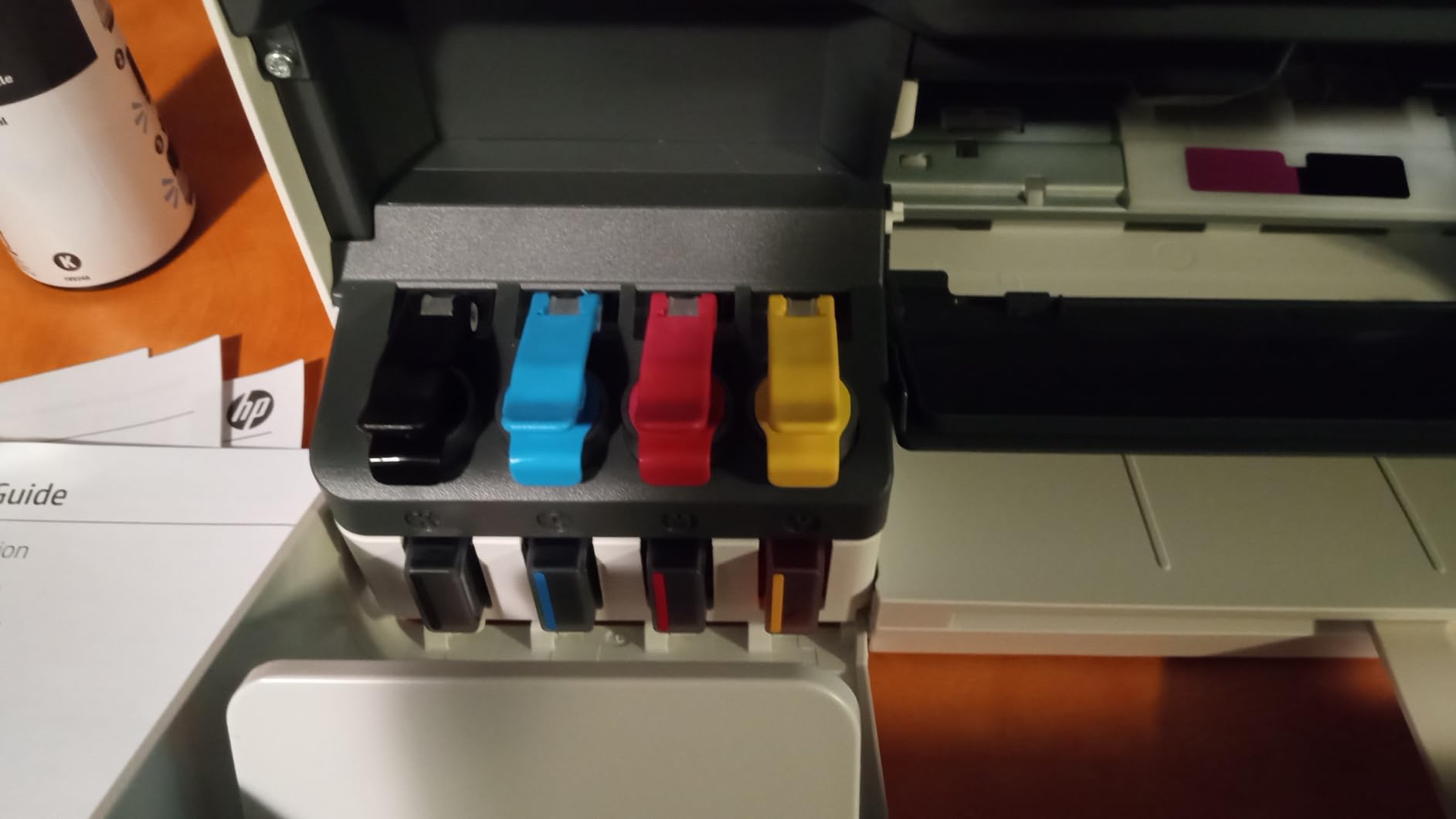
Why students pick the Smart Tank
The included ink alone covers most of a first year for a student printing under 300 pages a month. After that, HP 31 and HP 32XL bottles keep the running cost low without a subscription.
It is also the friendliest to Apple users: AirPrint and Mopria are both listed, so an iPhone or a Chromebook finds it without a downloaded driver.
Why it is not for everyone
The review base here is thinner than the other picks, at 226 reviews, so there is less long-term evidence about reliability across four years. If you want a machine with a deep history, look at the EcoTank models.
Anyone with double-sided reading packs will be disappointed, because driver-assisted manual duplex is not the same as a real duplexer.
6. HP Envy 6155 – Touchscreen All-in-One With Duplex
HP Envy 6155 Wireless All-in-One Color Inkjet Printer, Print, Scan, Copy, Duplex Printing Best-for-Home, 3 Month Trial of Instant Ink Included, AI-Capable (C2WR7A) Portobello
Color inkjet all-in-one
Automatic duplex
10 ppm black and 7 ppm color
2.4 inch touchscreen
100-sheet tray
Pros
- Automatic two-sided printing
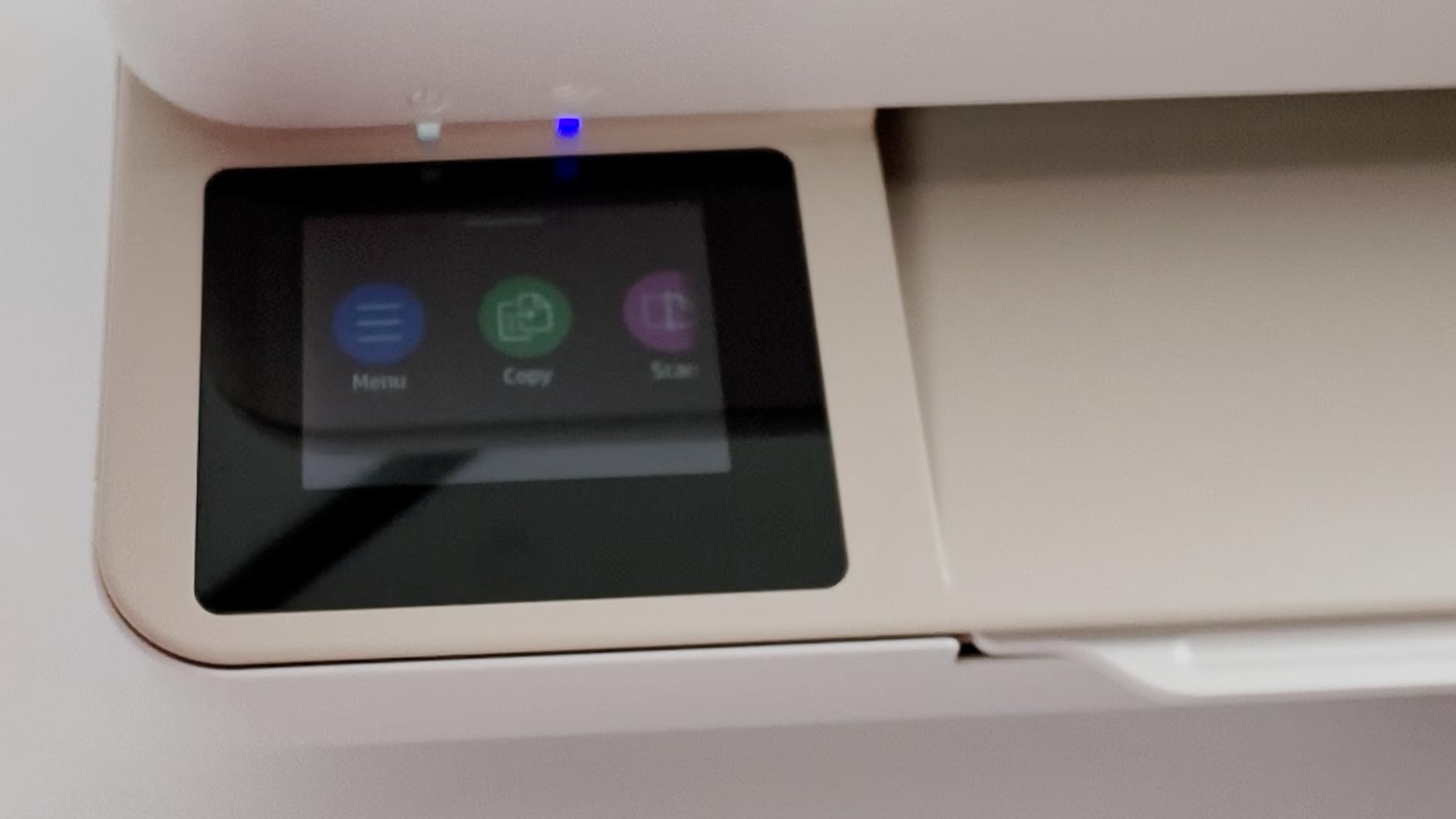
- 2.4 inch touchscreen for settings and ink
- HP AI strips web page junk before printing
- Dual-band Wi-Fi that self-corrects
- Made with at least 60 percent recycled plastic
Cons
- Works only with HP original chipped cartridges
- Instant Ink subscription applies after the trial unless cancelled
If your coursework is colour-heavy and you want a touchscreen to change settings without digging through menus, the Envy 6155 is the most conventional choice here. It prints, copies, and scans, adds automatic duplex, and runs at 10 pages per minute black and 7 pages per minute colour.
Reviewers rate it 4.2 stars from 415 reviews and single out the touchscreen, the duplex unit, and dual-band Wi-Fi that detects and resolves connection issues on its own. The HP AI formatting feature strips navigation bars and email headers from web pages so you stop printing junk.
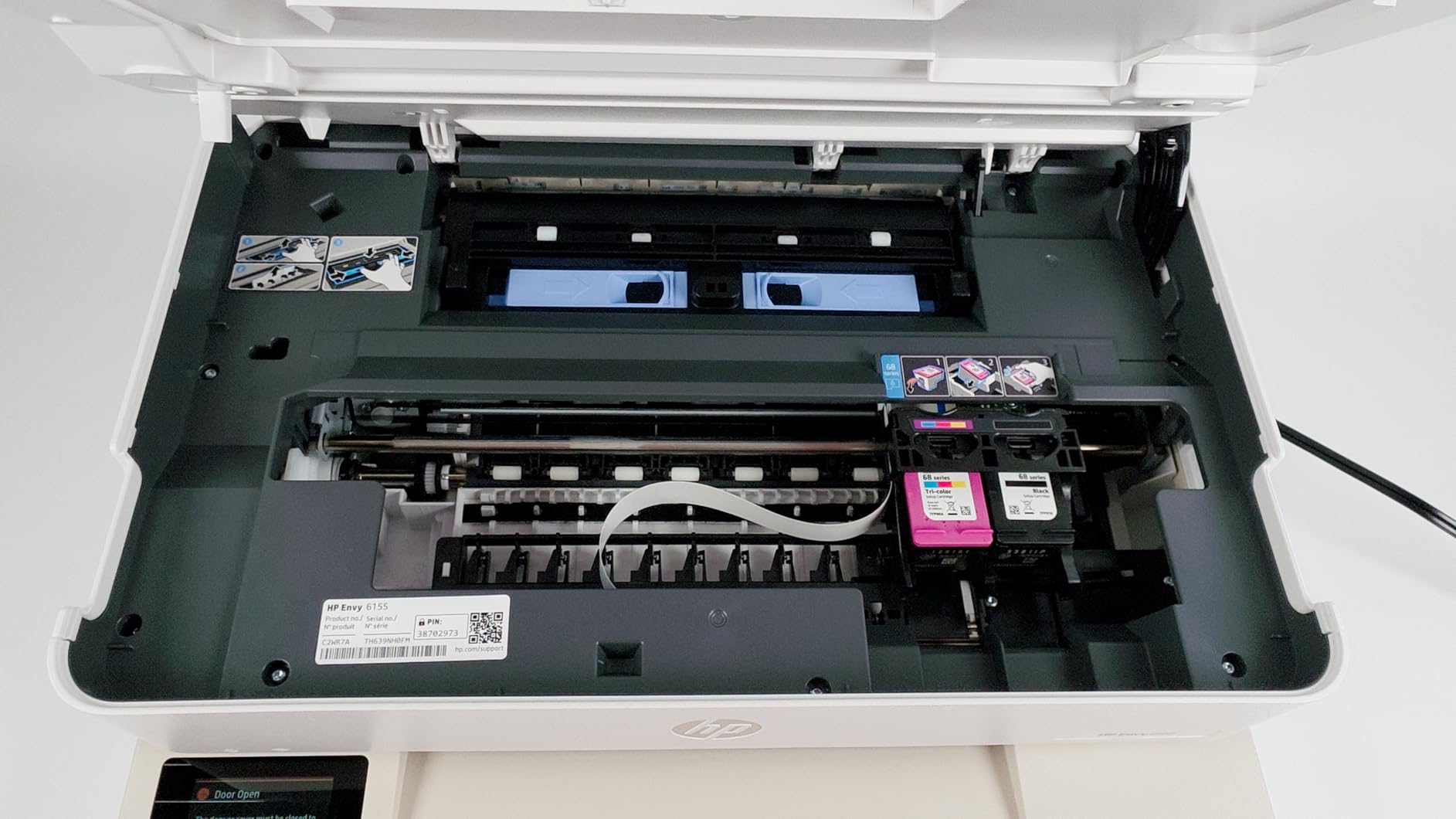
Two HP-specific points deserve attention before you buy. First, it works only with HP original chipped cartridges, and third-party cartridges are blocked, which locks you into HP pricing for the life of the printer. Second, the 3-month Instant Ink trial converts into a monthly plan unless you cancel it.
On the positive side, the body is made with at least 60 percent recycled plastic, and the 12.2-watt power draw is low for a colour all-in-one.
Where this HP all-in-one fits
This suits students who print colour charts, mind maps, and presentation slides often enough that duplex saves real paper, and who like a physical screen for checking ink levels and choosing settings.
It is also a reasonable pick if your campus is heavily HP, because the HP app and driver support is the most widely documented of the four brands here.
Where it will frustrate you
If you are sensitive to running cost, this is the wrong corner of the market. Cartridge-only ink plus cartridge locking plus a subscription push is exactly the combination students complain about most in printer forums.
Set a reminder to cancel Instant Ink the day you unbox it, or remove the trial entirely. Note that cancellation can hold cartridges and require returns, which is a process worth knowing before you need it.
7. Canon PIXMA TS3720 – Lightest Budget Pick
Canon PIXMA TS3720 Wireless All-in-One Printer for Basic Home Printing, White
Basic color inkjet all-in-one
7.7 ppm black and 4 ppm color
60-sheet tray
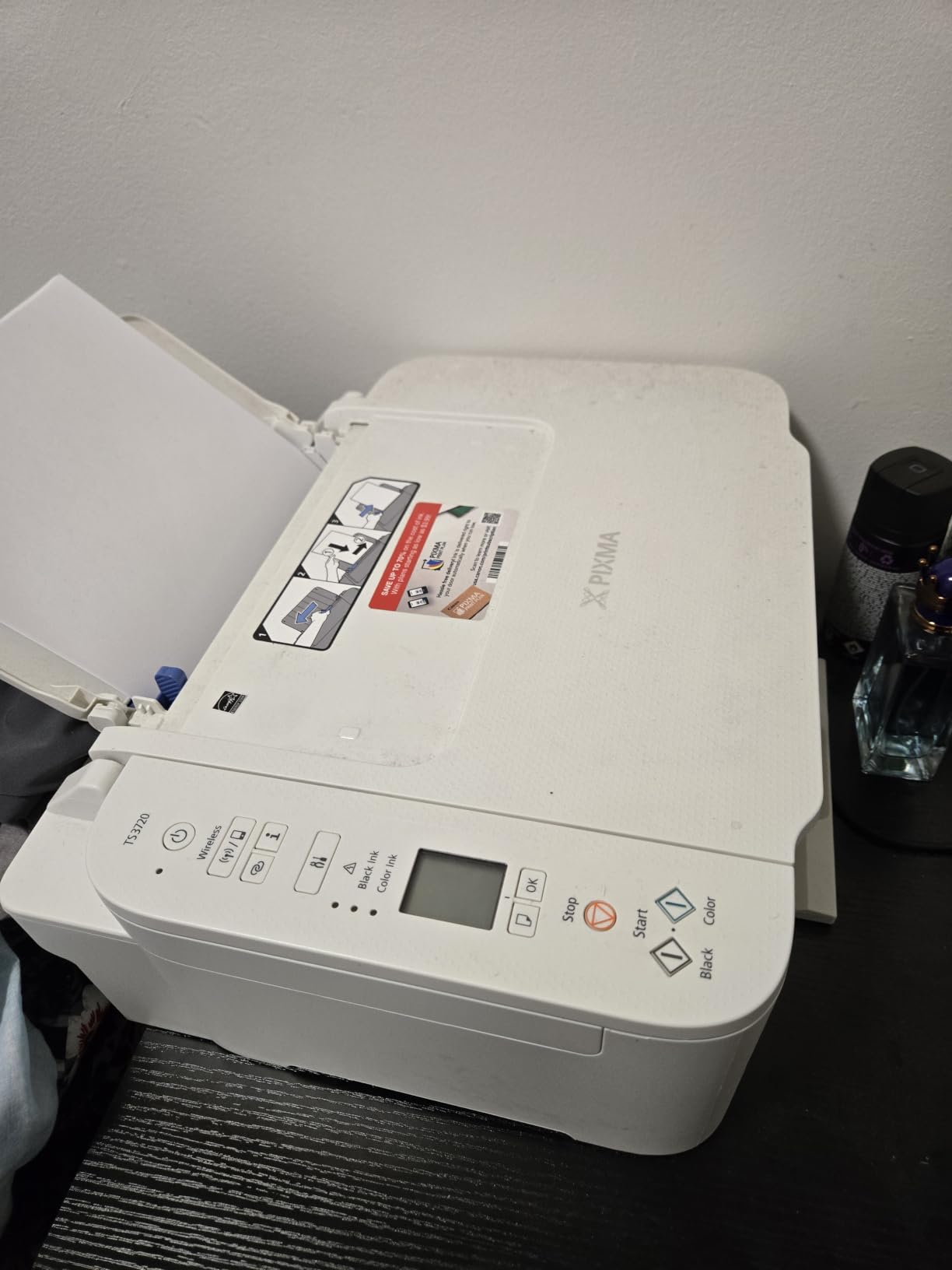
1.5 inch LCD
8.7 pounds
Pros
- Lightest printer here at 8.7 pounds
- Dual-band Wi-Fi for a stable connection
- Canon PRINT plus AirPrint and Mopria
- Setup runs in minutes without a computer
- Supports 5 inch square and borderless photos
Cons
- Single-sided printing only
- Slowest output in this group
- 60-sheet tray means frequent refills
- Only a 1.5 inch segment LCD
The TS3720 is the pick for the smallest possible footprint and the lowest total commitment. At 8.7 pounds and 17.2 by 12.9 by 5.8 inches, it is the only printer here you could genuinely set on a dorm shelf and move with one hand.
It has earned 4.0 stars across 3,484 reviews, and reviewers consistently describe the same experience: an inexpensive, uncomplicated printer with wireless setup that finishes in minutes without a computer, and solid Chromebook support through Canon PRINT, AirPrint, and Mopria.

It also handles more media than a bare-bones budget printer should, including envelopes, 5-inch square prints, and borderless photos up to 5 by 7 inches. Ink is two easy-to-replace, no-mess cartridges, the PG-275 black and CL-276 colour.
Speed is the trade-off: 7.7 pages per minute black and 4 pages per minute colour, the slowest here. The 60-sheet tray means refilling more often than the 150- and 250-sheet models.
Best fit for a light printing load
If you print maybe one assignment a week and the occasional 5-by-7 photo, this machine keeps costs down and saves space. A full year of light use barely touches a cartridge.
It is also a good first printer for a student who is undecided about whether they want one at all, because it is small and cheap enough to move or pass on.
Where it stops being enough
Weekly reading packs, group project booklets, or anything double-sided will expose the two weak points immediately: simplex-only printing and a 60-sheet tray that empties fast.
The 1.5-inch segment display gives you no ink warning before a job starts, which is where the TS6520 and Envy 6155 pull ahead for the same money.
8. Epson EcoTank ET-2400 – Tank Economics at 8.6 Pounds
Epson EcoTank ET-2400 Wireless Color All-in-One Supertank Printer
Ink tank color all-in-one
Up to 4500 black pages per fill
10 ppm black and 5 ppm color
Wi-Fi and USB
8.6 pounds
Pros
- Up to two years of ink in the box
- One bottle set equals about 80 cartridges
- Sharp 5760 by 1440 dpi output
- Lightest EcoTank body at 8.6 pounds
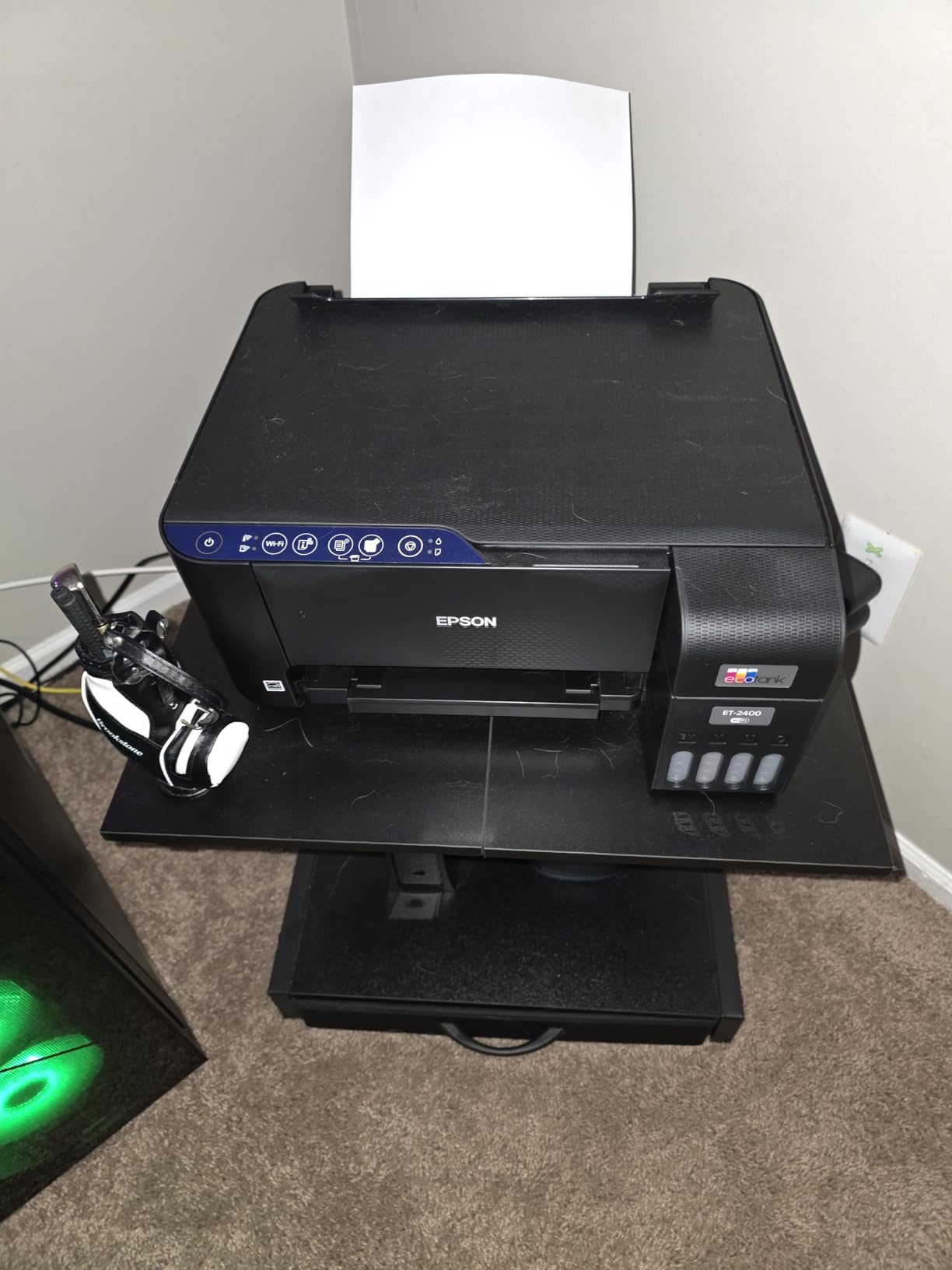
- Real physical buttons instead of a tiny screen
Cons
- Manual duplex only
- No display screen at all
- Reported paper jams are harder to clear
- 22.8 inch wide body
The ET-2400 is the tank-economics pick for anyone who cares about carry weight more than touchscreens. It weighs 8.6 pounds, the lightest printer in this roundup, and it still prints up to 4,500 black and white pages or 7,200 colour pages per fill with up to two years of ink in the box.
Its 4.0-star rating across 4,659 reviews is backed by repeated mentions of print and scan quality. Reviewers like that it has real physical buttons and no screen, which sounds old-fashioned until you are trying to change a setting at midnight without an app.

Speed is 10 pages per minute black and 5 pages per minute colour with a first page in about 7 seconds, and the tray holds 100 sheets. Output tray capacity is 30 sheets, which is fine for normal coursework but slow for big jobs.
The honest weakness is duplex, which is manual only. Paper also jams more often than on the Canon equivalent, and some owners report trouble pairing the printer with a dual-band router during setup.
Why students like the ET-2400
The maths is the appeal. Refillable EcoFit bottles mean a typical student buys ink once or twice a year, and the low weight means you can move it between a dorm, a library, and an off-campus apartment without planning around it.
The scanner produces sharp, vibrant scans, which matters for the students who digitize handwritten notes for an online submission rather than printing them.
Why it is not the first choice
With no display at all, you learn ink status from a handful of LEDs, and that is a real disadvantage if you want to check a job before sending 30 pages.
At 22.8 inches wide it also needs more surface than the Canon tank option, so pair it with the desk-space rule in the buying guide below rather than buying it blind.
9. Brother Work Smart 1410 – Most Features Per Printer
Brother Work Smart 1410 Wireless Color Inkjet All-in-One Printer with 2.7” Touchscreen and Automatic Duplex Printing | Includes Refresh Subscription Trial(1) (MFC-J1410DW)
Color inkjet all-in-one
2.7 inch touchscreen
16 ppm black and 9 ppm color
20-sheet ADF with automatic duplex
Pros
- Largest touchscreen in this group at 2.7 inches
- 20-sheet document feeder plus automatic duplex
- Fast at 16 ppm black and 9 ppm colour
- Print copy scan and fax in one unit
- Direct scan to Google Drive Dropbox Box and OneDrive
Cons
- Cartridge ink costs more per page than tank printers
- Brother recommends genuine LC501 cartridges only
- Refresh subscription trial is pushed hard during setup
When a student wants one machine to do everything, this is the most complete feature set here. The Work Smart 1410 has a 2.7-inch colour touchscreen, a 20-sheet document feeder, automatic duplex, and print, copy, scan, and fax in a single 16.8-pound unit.
It runs at 16 pages per minute black and 9 pages per minute colour with a first page in about 6.2 seconds black, and the 150-sheet tray means fewer refills than most inkjets in this roundup. Cloud printing and scanning to Google Drive, Dropbox, Box, and OneDrive work straight from the panel.
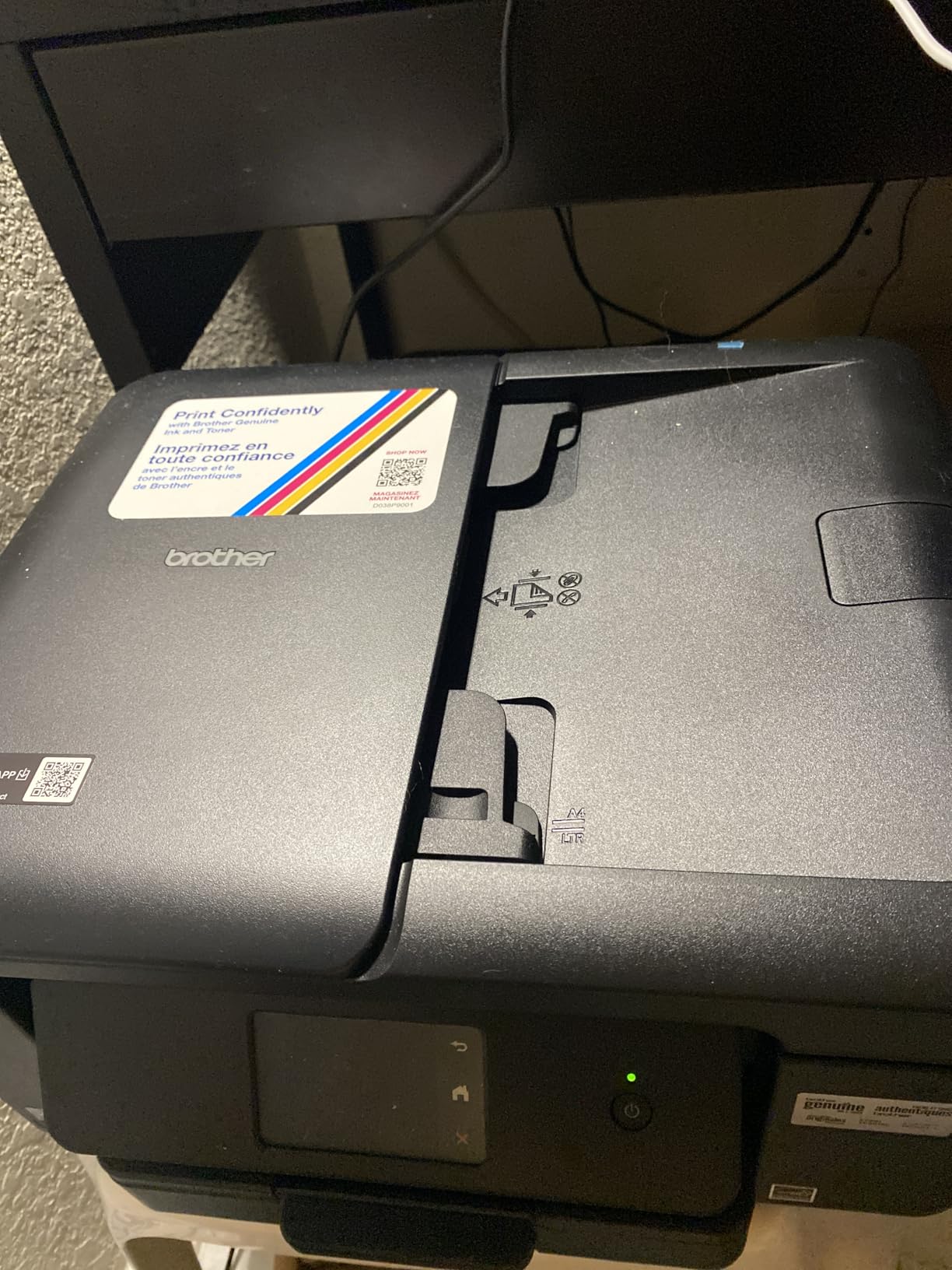
The document feeder is the underrated part. Scanning a 20-page stack of notes for an assignment submission takes seconds instead of twenty flatbed lifts, and that is a workflow no other pick below the HP Envy matches at this size.
Brother Mobile Connect handles remote menu navigation, printing, copying, and device management from a phone. The warranty is 1-year limited.
Best reasons to choose this Brother
Students juggling scanned submissions, group project booklets, and duplex prints will use all three headline features every week. The touchscreen also makes AirPrint-free printing from a library or lab computer painless.
If your major is business, communications, or any course that hands you paper forms, the feeder alone justifies the choice over a flatbed model.
Where the ink cost bites
This is a cartridge machine, so per-page ink cost is meaningfully higher than on any of the four tank options here. Over a degree, that difference is real money.
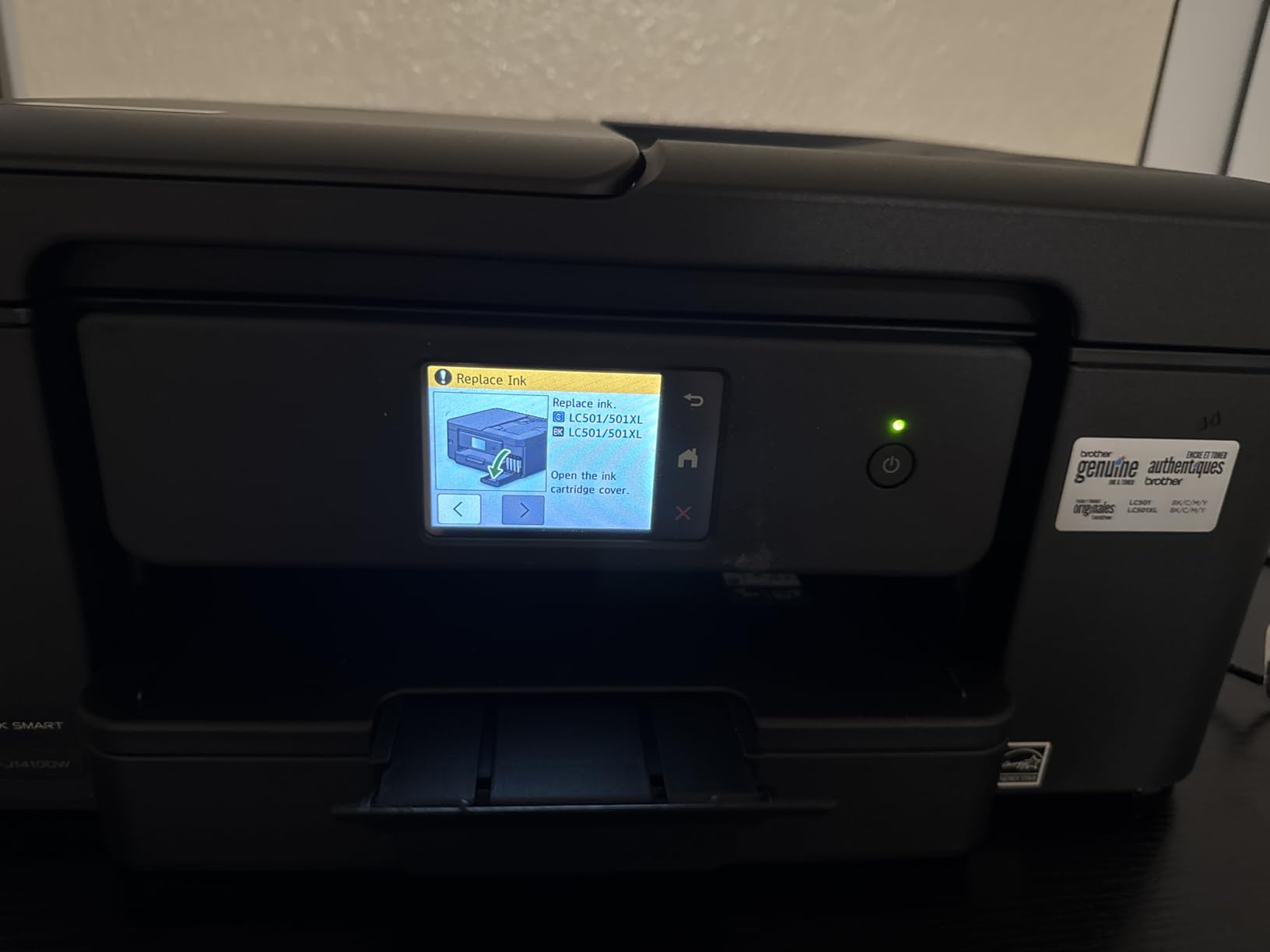
Brother recommends genuine LC501 cartridges, and a Refresh subscription trial is pushed during setup. Decline it if your printing is unpredictable.
10. Brother INKvestment 1365 – Cloud Scanning and a Two-Year Warranty
Brother INKvestment 1365 Wireless Color Inkjet All-in-One Printer with Automatic Duplex Printing and 1.8” Color Display | Includes Refresh Subscription Trial(1) (MFC-J1365DW)
Color inkjet all-in-one
20-page ADF with automatic duplex
16 ppm black and 9 ppm color
Wi-Fi Direct support
2-year warranty
Pros
- Automatic duplex plus a 20-page ADF
- Fast 16 ppm black with sharp output
- Front-loading cartridges are easy to change
- Wi-Fi Direct prints without a router
- Two-year limited warranty
- Maintained Linux support
Cons
- Cartridge ink costs more per page than tank models
- Brother online installer is described as clumsy
- Some units drop off the wireless network
- Color output is lighter than expected
This is the sibling alternative to the Work Smart 1410, and the differences are small enough that you should compare them directly. You get the same 20-page feeder, automatic duplex, 150-sheet tray, and 16 pages per minute black speed, with a 1.8-inch colour display instead of a 2.7-inch touchscreen.
At 3.9 stars from 274 reviews it has the lowest average in this group, and the reason is consistent: once it is configured, owners describe exceptional sharpness, quiet operation, and reliable duplex. The frustration is installation, with Brother’s online installer and driver package called clumsy and slow to respond.
One feature genuinely stands out for dorm life. Wi-Fi Direct lets the printer create its own private network, so you can print from a phone or laptop without going through the shared campus router at all.
Best reasons to buy the INKvestment 1365
The 2-year limited warranty is the longest in this roundup, which lines up neatly with a four-year degree if you plan to keep it. That is real value on a machine you expect to own for years.
Wi-Fi Direct plus maintained Linux support makes it a good fit for students on a campus Linux program or a shared dorm network that drops wireless clients.
Where it falls behind
Installation is the weak point. Budget time for it on day one, and have the USB cable close, because some units report dropping off the wireless network between jobs if the setup is not finished carefully.
Per-page ink cost is cartridge-level, and some reviewers note colour intensity is lighter than the resolution figures suggest. For heavy colour work, a tank model is the better buy.
Inkjet or Laser: The Rule That Decides It
Decide with volume first and everything else follows. Under roughly 150 pages a month, colour matters more and inkjet wins, because a laser printer that prints no colour leaves a graph-heavy assignment stranded. Above 300 pages a month, or in a major with heavy monochrome reading, laser toner per page beats any cartridge inkjet and most tank inkjets.
Between those two numbers, running cost decides. A tank printer’s cost per page keeps falling across thousands of pages, while a cartridge printer’s cost is flat from day one. Break-even on these ten models lands somewhere in the range of a few hundred printed pages.
Laser wins on speed and on paper handling: the Brother HL-L2460DW does 36 pages per minute with a 250-sheet tray and automatic duplex. Inkjet wins on colour depth, photo output, and the ability to scan and copy in the same box.
Dorm desk space breaks the tie more often than people expect. The tank printers are the widest bodies here, at 22.8 inches wide on both Epson models. If your printer lives on a shelf, that measurement matters more than any speed figure.
Ink Tank vs Cartridge vs Ink Subscription: What Ink Really Costs
Three ink models show up on this list, and the difference over four years is large. Cartridge machines use sealed chips that cost the most per page and are locked to the manufacturer. Ink tank machines refill from bottles, cutting cost per page dramatically. Subscription plans look cheap per page in the headline but only if your printing is steady, and student printing is rarely steady.
HP Instant Ink is the loudest complaint in student printer forums. The pattern users report is that a trial period appears at setup, a monthly fee starts automatically, and after cancellation cartridges can be held and returned in a prepaid reusable box. Check the trial status in your account rather than assuming a reminder email will come.
Brother runs a comparable arrangement called Refresh, and its trial is pushed during setup on both Brother all-in-ones here. Brother’s EZ Print and HP’s Instant Ink are optional, not required, but the default flow nudges you toward keeping them.
One more forum complaint deserves a mention because it is expensive: some HP printers reject genuine or third-party cartridges and demand replacements or a technician visit. Two users described totals in the hundreds of dollars. The HP Envy 6155 uses HP original chipped cartridges only, so factor that in if you already avoid HP.
Our practical rule: buy a tank printer if you will pass 500 pages a year, buy a laser if you will pass 10,000, and buy cartridges only when you will stay under 300 pages a year and want colour.
Dorm Wi-Fi, AirPrint, and Printing From Your Phone
Yes, you can print from your phone with every printer on this list. On an iPhone or iPad, open the print dialogue in any document and choose AirPrint; the printer appears by name with no app required. On Android, install the Mopria Print Service once and the same thing happens. Canon’s machines also support the Canon PRINT app directly.
On Windows, open Settings, go to Bluetooth and devices, choose Printers and scanners, and add your printer. On macOS, System Settings, then Printers and Scanners, then the plus button. Most models also offer a setup mode that walks you through joining the network from the printer panel itself.
Dorm Wi-Fi is congested, and this is where most student printing complaints come from. Two bands joined by a shared router is a crowded place for a print queue. These fixes help in order of reliability.
First, connect the printer to the 2.4GHz band rather than the 5GHz band, since the 2.4GHz band reaches further through walls and handles more simultaneous devices. Second, give the printer a static IP address in your dorm router settings so it does not change mid-job.
Third, and most importantly, keep a fallback. The Brother HL-L2460DW has an Ethernet port and USB, the Brother INKvestment 1365 supports Wi-Fi Direct so it can run its own network, and every other pick here accepts a USB cable. A stalled wireless job takes minutes; re-plugging USB takes seconds.
Last, secure the printer itself. A personal printer on an open dorm network can be visible to others. Use a print PIN in the printer settings so unknown devices cannot send jobs to your paper tray.
Buying Guide: Nine Specs That Matter in a Dorm Room
Footprint. Measure the shelf before you fall in love with a model. The Epson EcoTank ET-2800 and ET-2400 are 22.8 inches wide, the Canon MegaTank G3270 is 16.4 inches, and the Canon PIXMA TS3720 is the narrowest at 12.9 inches.
Weight. If you will move the printer between a dorm and an apartment, the Canon PIXMA TS3720 at 8.7 pounds and the Epson ET-2400 at 8.6 pounds are the practical choices. The Canon PIXMA TS6520 at 15.4 pounds is a two-hand lift.
Duplex. Automatic duplex cuts paper use in half and is non-negotiable for reading packs. Five picks have it: the Canon TS6520, the HP Envy 6155, both Brother all-in-ones, and the Brother laser. Manual duplex means flipping every stack by hand, which gets old in week three.
Document feeder. An ADF scans and copies a multi-page stack unattended. Without one, digitizing handwritten notes means lifting the flatbed repeatedly. Only the Brother Work Smart 1410 and Brother INKvestment 1365 have feeders here.
Paper tray. Capacity runs from 60 sheets on the Canon TS3720 to 250 on the Brother laser. If you print weekly reading packs, anything under 100 sheets means refilling constantly.
Speed. Pages per minute matters most for laser. The HL-L2460DW at 36 ppm will not break a deadline; the Canon TS3720 at 7.7 ppm might, if you need 30 pages at once.
Mobile standards. Look for AirPrint for Apple, Mopria Print Service for Android, and Wi-Fi Direct if the router is unreliable. The Canon TS6520, Canon TS3720, and HP Smart Tank 5003 cover all three well.
Display. A 2.7-inch touchscreen like the Brother Work Smart 1410 shows ink status and settings at a glance. A 1.5-inch segment display like the Canon TS3720 does not, and some Epson models have no screen at all.
Running cost, not purchase price. Compare yield per fill against what you will print. Ink tank yields here run 4,500 to 6,000 black pages per fill, which is the single biggest reason we rank the tank printers first.
Finally, check warranty length before you buy. Most models here carry 1-year limited coverage, the Brother HL-L2460DW has 1 year, the Canon MegaTank G3270 is backed by five years of spare part availability, and the Brother INKvestment 1365 carries 2 years.
Frequently Asked Questions
What is the best printer for a college student?
The Epson EcoTank ET-2800 is the best all-round choice because its refillable tanks print up to 4,500 black and white pages per fill, keeping running cost low across a full degree. It prints single-sided only and has no document feeder, so students who need duplex or multi-page scanning should look at the Canon PIXMA TS6520 or a Brother all-in-one instead.
What is the best affordable printer for college students?
On a tight budget, the Canon PIXMA TS3720 keeps the upfront cost and the footprint low while still printing, copying, and scanning over dual-band Wi-Fi. It is the lightest option here at 8.7 pounds and works with AirPrint and Mopria. The trade-off is slower output at 7.7 pages per minute, single-sided printing, and a 60-sheet tray.
Can I print from my phone?
Yes. On an iPhone or iPad, open any document, tap the share or print option, and pick your printer through AirPrint. On Android, install the Mopria Print Service once and the printer appears in the same menu. If your dorm Wi-Fi is unreliable, the Brother INKvestment 1365 supports Wi-Fi Direct, which lets the printer run its own network without a router.
Which printer is best for home use, laser or inkjet?
Inkjet is better under about 150 pages a month and whenever you need colour, graphics, or photo output, since laser text printers print no colour at all. Laser is better above roughly 300 pages a month, and in fields like law, engineering, and medicine, because toner costs less per page and prints far faster with automatic duplex.
Are laser printers being phased out?
No. Monochrome laser remains the standard for high-volume text because toner is cheaper per page than ink and prints faster. What has changed is colour, where ink tank printers now undercut colour laser on running cost. So laser is not going away; it is simply no longer the cheapest option for low-volume students.
Conclusion: Which Wireless Printer Should You Actually Buy?
Buy the Epson EcoTank ET-2800 if you want the lowest running cost over four years and you can live with single-sided printing and a wide body. Buy the Canon MegaTank G3270 if you want the deepest ink supply per fill and spare parts backed for five years. Buy the Brother HL-L2460DW if you print more than about 150 pages a month in black and white and speed matters. Buy the Canon PIXMA TS6520 if your dorm desk is small and automatic duplex is non-negotiable.
Whichever you choose, check your campus print credits first, decline the ink subscription trial at setup, and keep the USB cable in the drawer. Those three habits cost nothing and solve most of what students complain about in 2026.