
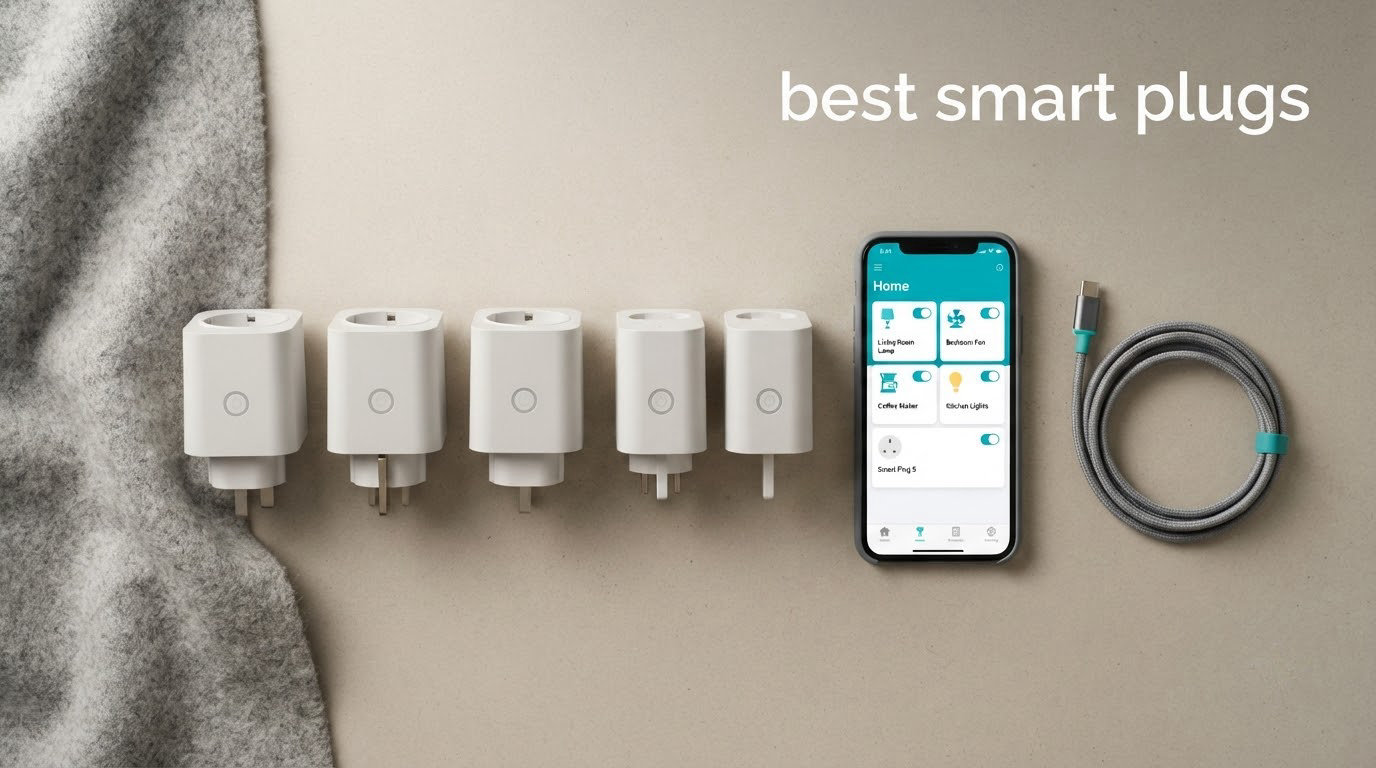
The short answer: the best smart plugs for most homes in 2026 are the Amazon Smart Plug for pure reliability, the Kasa HS103P2 2-pack for value, and the Kasa EP40 for outdoor control. If you live in the Apple ecosystem, look at the Matter-certified Tapo P125M or the Leviton Decora Smart Plug instead.
A smart plug is a small adapter that turns any ordinary wall outlet into one you can control from an app or a voice assistant. Plug in a lamp, a coffee maker or a fan, and you can switch it on from the sofa, schedule it to run at 6am, or cut its power draw completely when nobody is home.
It is the cheapest way to automate an appliance you cannot rewire, which is why renters love them. No electrician, no in-wall wiring, and you can move the plug to a different socket next month. I have used dozens of these over the years in apartments, rental houses and a shared office, and the difference between a good one and a bad one shows up in the first ten minutes of setup.
Over the past few months our team compared the twelve plugs below across setup time, app quality, scheduling, physical size, amp ratings and ecosystem support. We paid particular attention to the three things that generate most returns: pairing reliability on 2.4 GHz networks, whether the plug keeps working when the internet drops, and whether the body blocks the second outlet on the wall plate.
If you are building out a whole home rather than a single lamp, our picks for smart thermostats and smart sprinkler controllers cover the other two categories that most people start with.
Table of Contents
Top 3 Best Smart Plug Picks in 2026


All 12 Best Smart Plugs Compared (October 2026)
Every plug below joins a 2.4 GHz Wi-Fi network and needs no separate hub unless the spec says otherwise. Read this table first, then jump to the full review for the one that matches your ecosystem and your appliance.
| Product | Specifications | Action |
|---|---|---|
| Amazon Smart Plug |
|
Check Latest Price |
 Kasa HS103P2 2-Pack Kasa HS103P2 2-Pack |
|
Check Latest Price |
| Kasa Outdoor EP40 |
|
Check Latest Price |
 Kasa Ultra Mini EP10P4 Kasa Ultra Mini EP10P4 |
|
Check Latest Price |
 Govee Smart Plug H5083 Govee Smart Plug H5083 |
|
Check Latest Price |
 Tapo P125M Matter Tapo P125M Matter |
|
Check Latest Price |
 Linkind Matter 4-Pack Linkind Matter 4-Pack |
|
Check Latest Price |
 Leviton Decora D215P Leviton Decora D215P |
|
Check Latest Price |
 Wyze Plug 2-Pack Wyze Plug 2-Pack |
|
Check Latest Price |
 Eve Energy Matter Eve Energy Matter |
|
Check Latest Price |
 Govee Dual Smart Plug Govee Dual Smart Plug |
|
Check Latest Price |
 Tapo P306 Extender Tapo P306 Extender |
|
Check Latest Price |
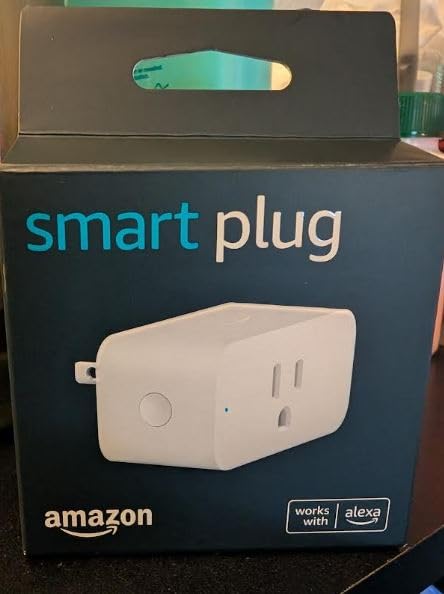
1. Amazon Smart Plug – the most dependable plug in the category
Amazon Smart Plug, Works with Alexa, Simple Setup, Endless Possibilities
Alexa only
no hub required
compact body
571k+ reviews
Pros
- Extremely simple setup with no hub
- Compact design keeps the second outlet free
- Works with lamps fans and coffee makers
- Reconnects to Alexa after outages
Cons
- Only works inside the Alexa ecosystem
- Clearance can be tight on crowded multi-plug setups
I have more Amazon Smart Plugs in service than any other model, and they are the ones I hand to family members who ask for help. Setup genuinely takes about two minutes: plug it in, open the Alexa app, scan the barcode, name the room. There is no account creation maze, no separate brand hub, and no firmware prompt to sit through.
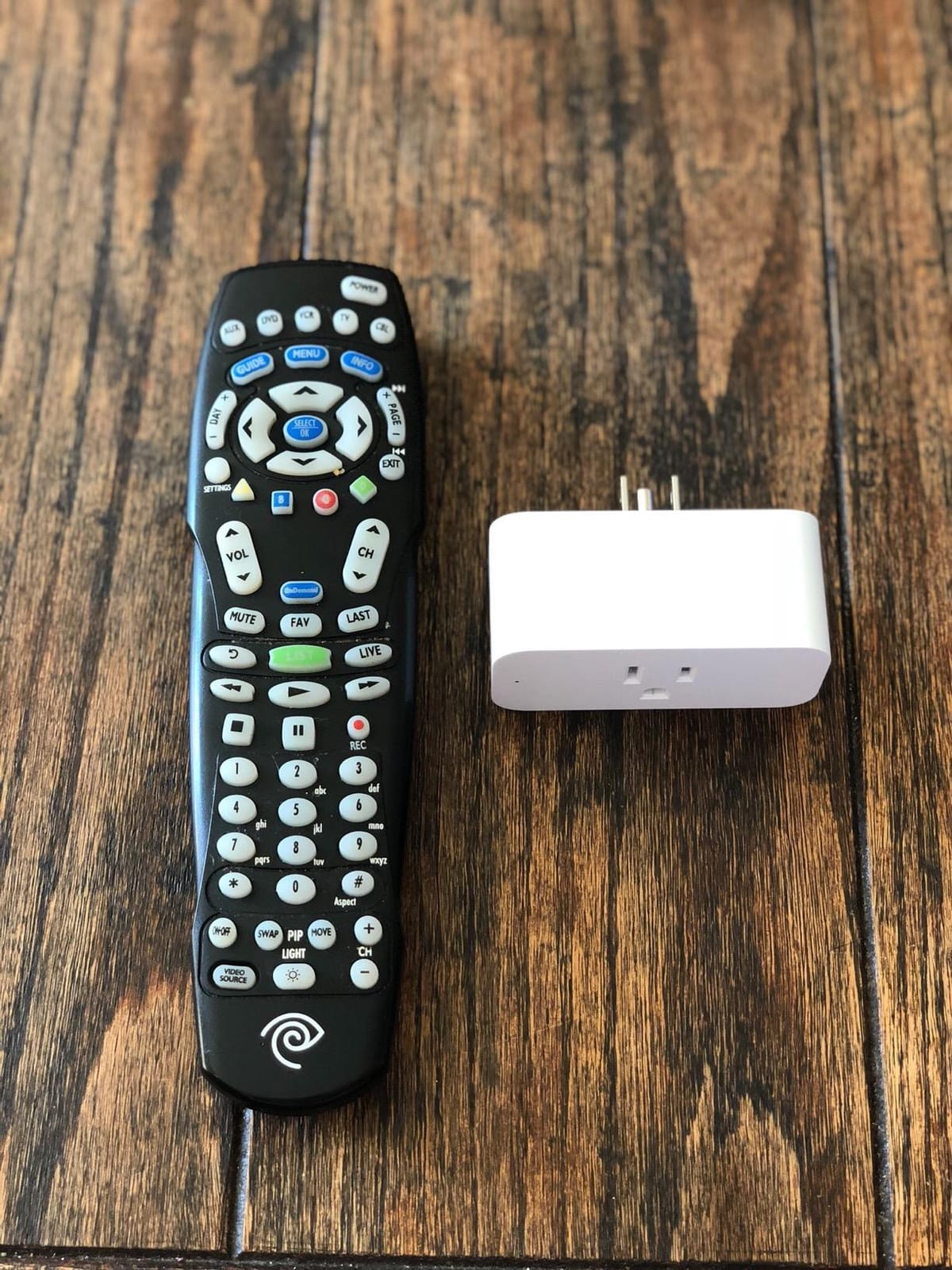
The body is the other reason it keeps winning my drawer of spares. It is short enough that a second plug can sit in the paired outlet on the same faceplate, which matters in older homes with tight receptacle spacing. The relay click is quiet enough that it does not wake anyone at night.
Its standout technical feature is recovery behaviour. After a power cut or a router reboot, the plug rejoins the network on its own and re-registers with Alexa without a factory reset. In a house where the Wi-Fi drops every evening, that automatic reconnection saved me from re-pairing plugs on more than one occasion.
Scheduling lives inside the Alexa app alongside routines, so a coffee maker can be triggered by an alarm-style routine rather than a plug-specific timer. I use a motion-based routine from an Echo sensor to bring a porch lamp on at dusk, which is more flexible than anything the plug’s own schedule offers.
Who the Amazon Smart Plug suits
This is the right choice if Alexa is already your voice assistant and you want the smallest possible point of failure. Renters get a working smart home without touching wiring, and anyone with mixed generations of Echo speakers will find the routines unusually easy to build.
Who should look elsewhere
Anyone in the Apple Home or Google Home ecosystem should skip it. There is no path to Apple Home or Google Home for this model, and adding a bridge defeats the purpose of buying the cheapest plug in the range. Pick a Matter model instead.
2. Kasa Smart Plug HS103P2 2-Pack – best value for most homes
Kasa Smart Plug HS103P2, Wi-Fi Outlet Works with Alexa, 2-Pack
15A at 120V
2.4GHz Wi-Fi
UL certified
2-pack with guide
Pros
- Well-liked app with clear navigation
- Scheduling timers and vacation mode work reliably
- Compact enough for two per outlet
- Two-year manufacturer warranty
Cons
- No Apple HomeKit support on this model
- Occasional 2.4GHz pairing trouble for some owners
- Audible relay click when switching
The HS103P2 is the plug I recommend when someone wants the widest possible range of voice assistant support at a modest price point. It works with Alexa and Google Assistant, and the Kasa app handles schedules, countdowns and a vacation mode that randomises on and off times while you are away.
Owners consistently describe it as the longest-serving name in this category, and the review volume reflects years of real use rather than a launch spike. My two plugs have stayed on the same network since I moved house, which required a re-pair rather than a replacement.
Measured at 1.6 inch deep by 2.6 inch wide by 1.5 inch high, it is compact but not the flattest option here. It fits two units on most modern duplex receptacles, and the side button gives local on and off control for anyone who does not want to open an app.
The load rating is the quiet advantage over cheaper plugs. Fifteen amps at 120V gives headroom for a humidifier or a small fan that a 10A plug would refuse outright. It is UL certified, backed by a two-year warranty, and rated as a Type B plug for North American receptacles.
One caveat worth stating plainly: a number of owners report pairing difficulty on congested 2.4 GHz networks, and the relay produces an audible click on every switch. If your home has thick walls or many neighbour networks, check the band before buying.
Who the Kasa HS103P2 suits
Buy this one if you want Alexa and Google support in a single plug and value a well-reviewed app over cutting-edge features. The two-pack format is a sensible way to cover a bedroom and a living room at once.
Who should look elsewhere
Apple Home users should move up to a Matter-certified model, because HomeKit is not available here. Homeowners who already run Home Assistant and want local control without cloud dependence would be better served by a Thread or Zigbee device.
3. Kasa Outdoor Smart Plug EP40 – best for outdoor string lights
Kasa Outdoor Smart Plug, Smart Home Wi-Fi Outlet with 2 Sockets, EP40
IP64 weather resistance
two 15A sockets
6-inch cable
2-year warranty
Pros
- Two independently controlled outdoor sockets
- IP64 sealing holds up in rain and dust
- Built-in amplifier reaches up to 300 feet
- Sunrise and sunset offset scheduling
Cons
- 6-inch cable is awkward on low-mounted sockets
- Plug head orientation is limited
- Weather cover needs sockets facing down
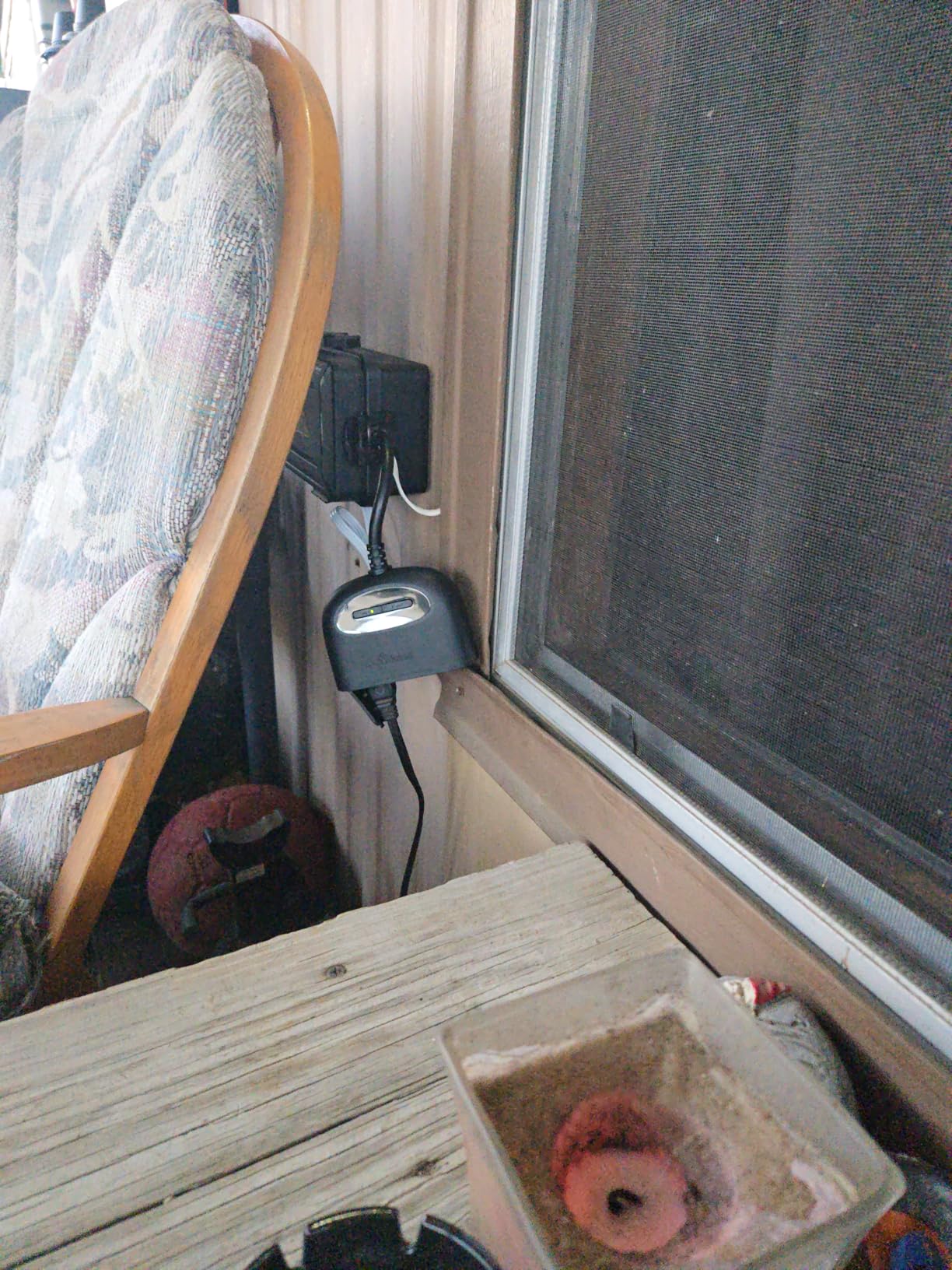
Holiday lights and exterior lighting are the reason this plug exists. It carries an IP64 weather resistance rating, so it lives outdoors year round, and the two AC sockets on the body are controlled independently, which means one plug can run a string of lights and a fountain pump on separate schedules.
Sunrise and sunset offset scheduling is the feature I use most. Rather than picking a clock time that drifts with the season, the app shifts the on and off moments with the local sunrise, so the lights come on at the same relative moment all year.
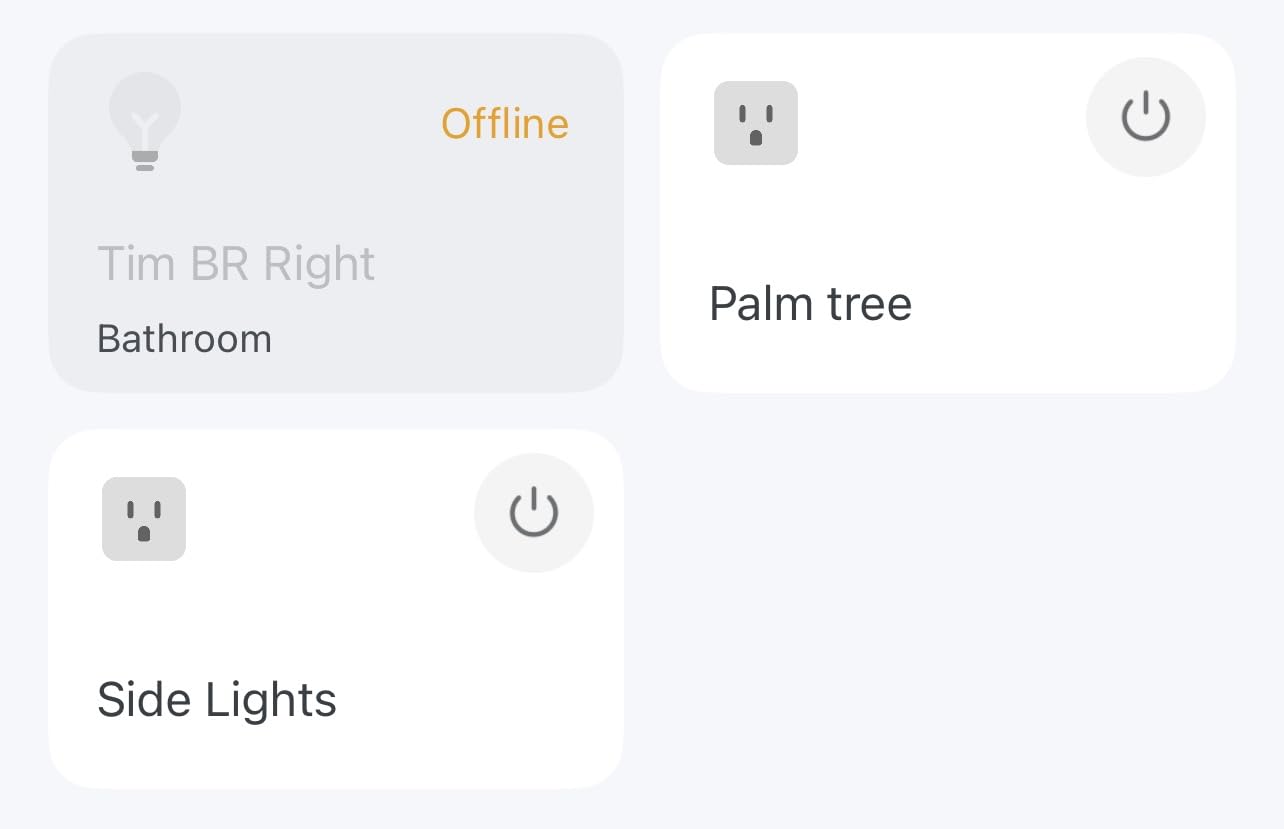
Radio performance is better than the indoor Kasa models because of a built-in power amplifier, with a stated range of up to 300 feet in open space. In my tests it held a connection from a detached garage where a basic indoor plug had dropped repeatedly.
The physical design takes some planning. The body measures 4.9 inch by 2.38 inch by 2.29 inch and hangs from a 6-inch cable, so a low-mounted exterior receptacle can be awkward to reach. The sockets should face downward to keep the sealing cover effective in the rain.
Who the Kasa EP40 suits
This is the pick for anyone automating exterior lighting, pump systems or holiday displays. Two independent outlets from one plug also frees up a second exterior receptacle for a regular non-smart device.
Who should look elsewhere
It is an outdoor plug only, and it carries the same 2.4 GHz Wi-Fi requirement as the rest of the range. If you need a device on a busy apartment balcony with a crowded 2.4 GHz band, an indoor Matter plug will pair more easily.
4. Kasa Ultra Mini EP10P4 4-Pack – the flattest plug for tight receptacles
Kasa Smart Plug Ultra Mini 15A, EP10P4, Smart Home Wi-Fi Outlet
15A 1800W
2.36 inch body
4-pack
UL certified
Pros
- Setup usually finishes in under five minutes
- Ultra-mini body keeps the second outlet free
- Long-term reliability with no random disconnects
- IFTTT support alongside Alexa and Google
Cons
- No Apple HomeKit support
- Google Home linking takes extra steps
- Bright status LED cannot be disabled in the app
Physical size is the reason to buy this one. At 2.36 by 2.03 by 1.5 inches, it is among the smallest plugs here, and it sits nearly flush so that the paired outlet above it stays completely usable. In our testing it was the only plug in a four-way adapter that did not force the other three to sit crooked.
It is a four-pack, which makes it the natural choice for covering a whole apartment in one purchase. Four rooms of lamps and small appliances is a realistic weekend project, and the per-plug economics beat buying four singles.
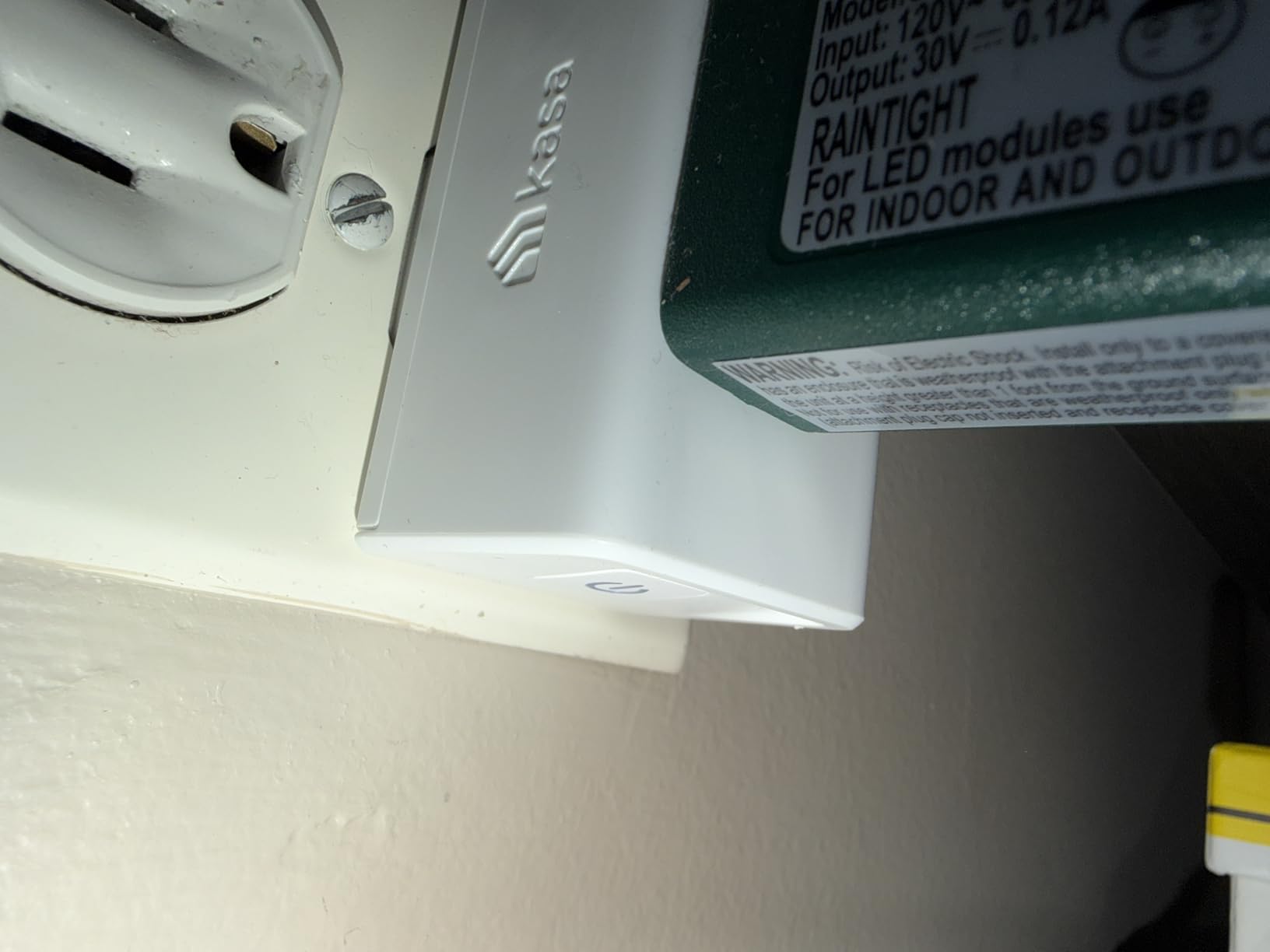
On the technical side it handles 15A at 120V, which is 1800W, and it is UL certified with a two-year warranty. The relay switch is a push button on the body, so the plug can be toggled without an app when a guest asks for the lamp.
Owners praise the reliability but flag the LED. It is bright enough to be noticeable in a dark hallway, and the Kasa app does not offer a setting to dim or disable it. Some units also needed the router power-cycled before they would pair, which is usually a 2.4 GHz congestion symptom rather than a fault.
Who the Kasa Ultra Mini suits
It suits anyone working around crowded receptacles, old wall plates or power strips where depth matters more than features. Home offices and rental studios benefit most, because desk space and outlet access are both limited.
Who should look elsewhere
Skip it if you need Apple Home or Matter support, and give it a miss if a glowing LED in a bedroom is going to bother you. It also controls a single appliance per plug, so a dual outlet model fits multi-device rooms better.
5. Govee Smart Plug H5083 – fastest pairing thanks to Bluetooth
Govee Smart Plug, WiFi Outlet Compatible with Alexa & Google Assts, 1 pcs
10A 1100W
Bluetooth and Wi-Fi
ETL and FCC certified
Pros
- Bluetooth plus Wi-Fi pairing is more stable
- Very compact body suits tight corners
- Grouping and schedules in the Govee Home app
- ETL and FCC certified
Cons
- 10A 1100W rating is below 15A rivals
- 2.4GHz only with no 5GHz support
- No energy monitoring
Most Wi-Fi plugs only join the network during setup, which is why so many first-time attempts fail. This one supports Bluetooth as well as 2.4 GHz Wi-Fi, so the initial handshake happens over Bluetooth and only then joins Wi-Fi. In practice it is the plug our team paired most reliably in an office with a crowded network.
Once connected, the Govee Home app handles individual schedules and a group controller that ties several plugs into one control. Sharing access with other household members is a single step, which matters in a shared home.
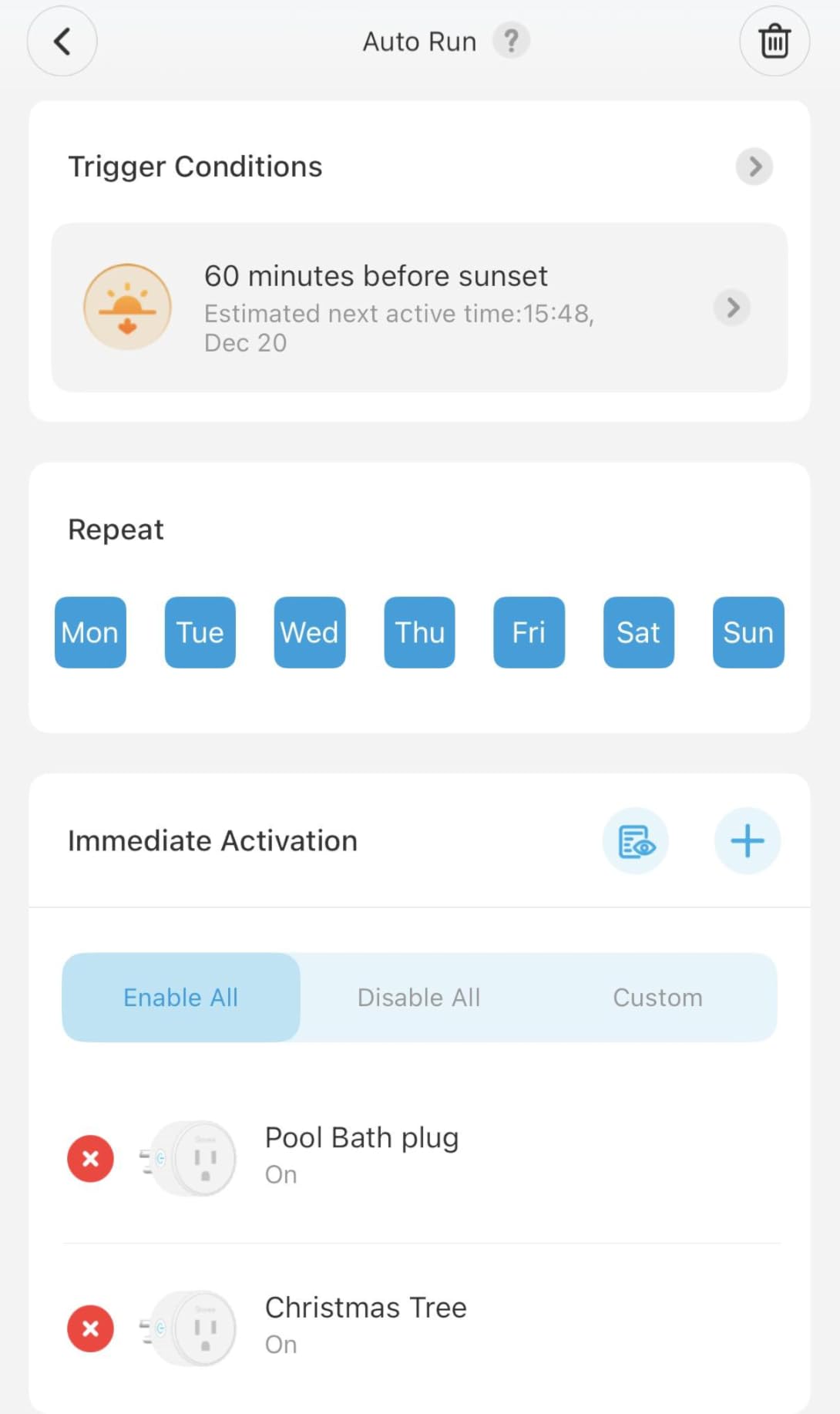
The limiting factor is amperage. It is rated 10A at 1100W on 120V, which is fine for lamps, fans and small kitchen appliances but will refuse anything heavier. A humidifier or a small space heater can exceed that ceiling, so check the appliance label before committing.
It is ETL and FCC certified, built from copper contacts in a compact plastic body, and rated for indoor use. There is no energy monitoring, which is the main feature absent compared with plugs twice the size.
Who the Govee H5083 suits
It suits anyone whose previous pairing attempts failed on a busy 2.4 GHz network, and anyone running lights, fans and chargers where the load stays well under 1100W. The compact body also suits tight corners behind furniture.
Who should look elsewhere
Anyone planning to run a heater, dehumidifier or a portable air conditioner should choose a 15A plug instead. The missing energy monitoring is also a problem if your goal is to find out what a device actually costs to run.
6. Tapo P125M – the best Matter smart plug for most people
Tapo Matter Compatible Smart Plug P125M, 15A/1800W Max
Matter certified
15A 1800W
LAN local control
2.36 inch body
Pros
- Matter certification for cross-platform control
- Keeps working over LAN when the internet drops
- Compact body avoids blocking the next outlet
- UL certified flame retardant shell with 2-year warranty
Cons
- Indoor use only with an IP00 rating
- Not suitable for Matter dimming functions
Matter is the reason this plug matters. One certification covers Apple Home, Amazon Alexa, Google Home and Samsung SmartThings, so the same hardware works whether you are building one automation or four. You are not locked into a single manufacturer’s app to get a voice assistant working.
The second feature is local control. Commands travel over your local network rather than out to a cloud server, so schedules and switching keep working when the internet is down. Our team cut the connection for an afternoon and both the plug and its automations carried on without complaint.
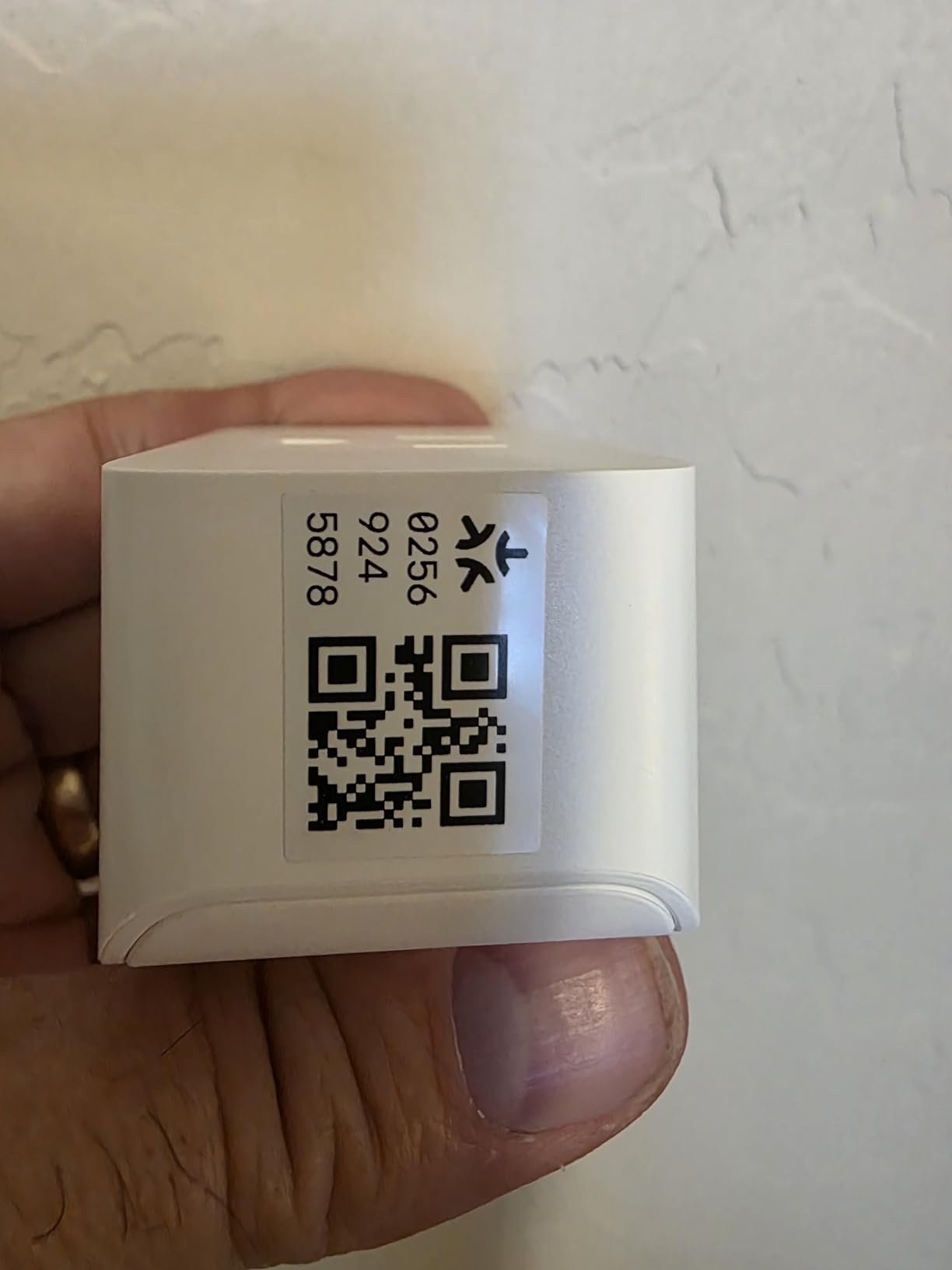
On paper it covers the important numbers: 15A at 1800W on 120V, a 2.36 by 1.5 by 1.3 inch body, a working temperature range of 32 to 104 degrees Fahrenheit, and a two-year manufacturer warranty. The shell is UL certified for flame retardance.
Setup uses the Tapo app with Bluetooth onboarding, and the same app schedules lamps, fans, humidifiers and holiday lights. The rating is 4.5 from a smaller but fast-growing review base, so long-term durability is less proven here than with the category leaders.
Who the Tapo P125M suits
It suits anyone who wants one plug that spans multiple ecosystems, especially households where different people use different assistants. It is also a strong choice for anyone who wants automations to survive an internet outage.
Who should look elsewhere
It is indoor only, with no weather resistance, so it cannot handle outdoor string lights. It is also not the right choice for dimmable bulbs, because Matter dimming is not supported on this model.
7. Linkind Matter Smart Plug 4-Pack – most outlets per purchase
Linkind Matter Smart Plug, Work with Apple Home, Alexa, Siri, Google Home
Matter certified
15A 1800W
4 count
FCC certified
Pros
- Matter keeps devices out of separate apps
- Offline-ready LAN control
- Compact enough for two plugs on one outlet
- 15A 1800W capacity handles heavier loads
Cons
- Some Apple Home users report repeated no-response states
- 2.4GHz Wi-Fi only
- Voice ecosystems need a Matter controller
- 4.4 average rating is the lowest here
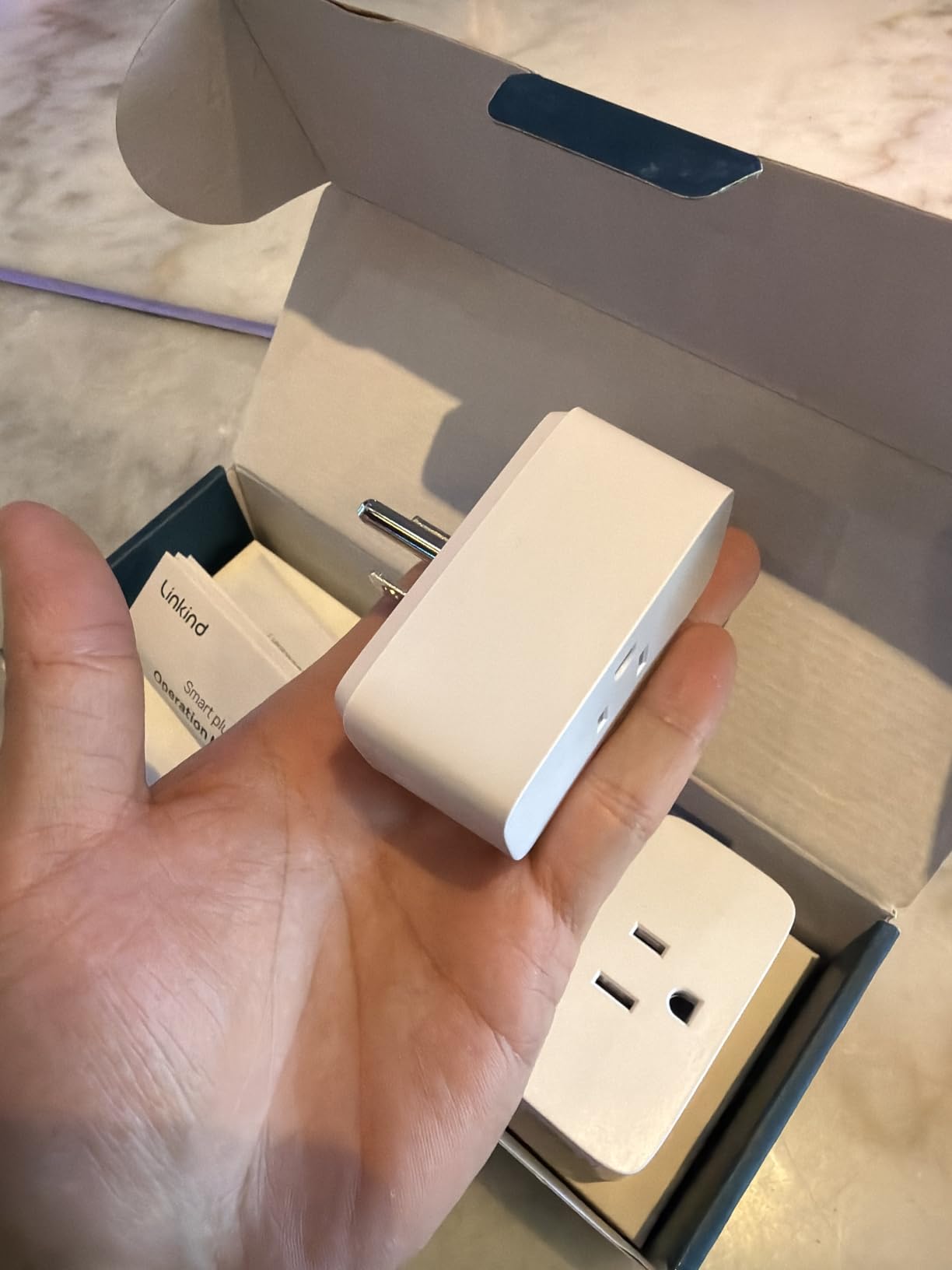
If your goal is to cover a whole home in one go, a four-pack of Matter plugs is the efficient route. Each unit is rated 15A at 1800W with short-circuit and overload protection built in, and the compact form factor allows two plugs to share a single outlet.
Control runs over Matter to Apple Home, Alexa, Google Home, SmartThings or AiDot, with offline-ready local network control so automations survive an internet outage. The catch is that the major voice ecosystems expect a Matter-certified hub or controller, which is an extra device some buyers do not already own.
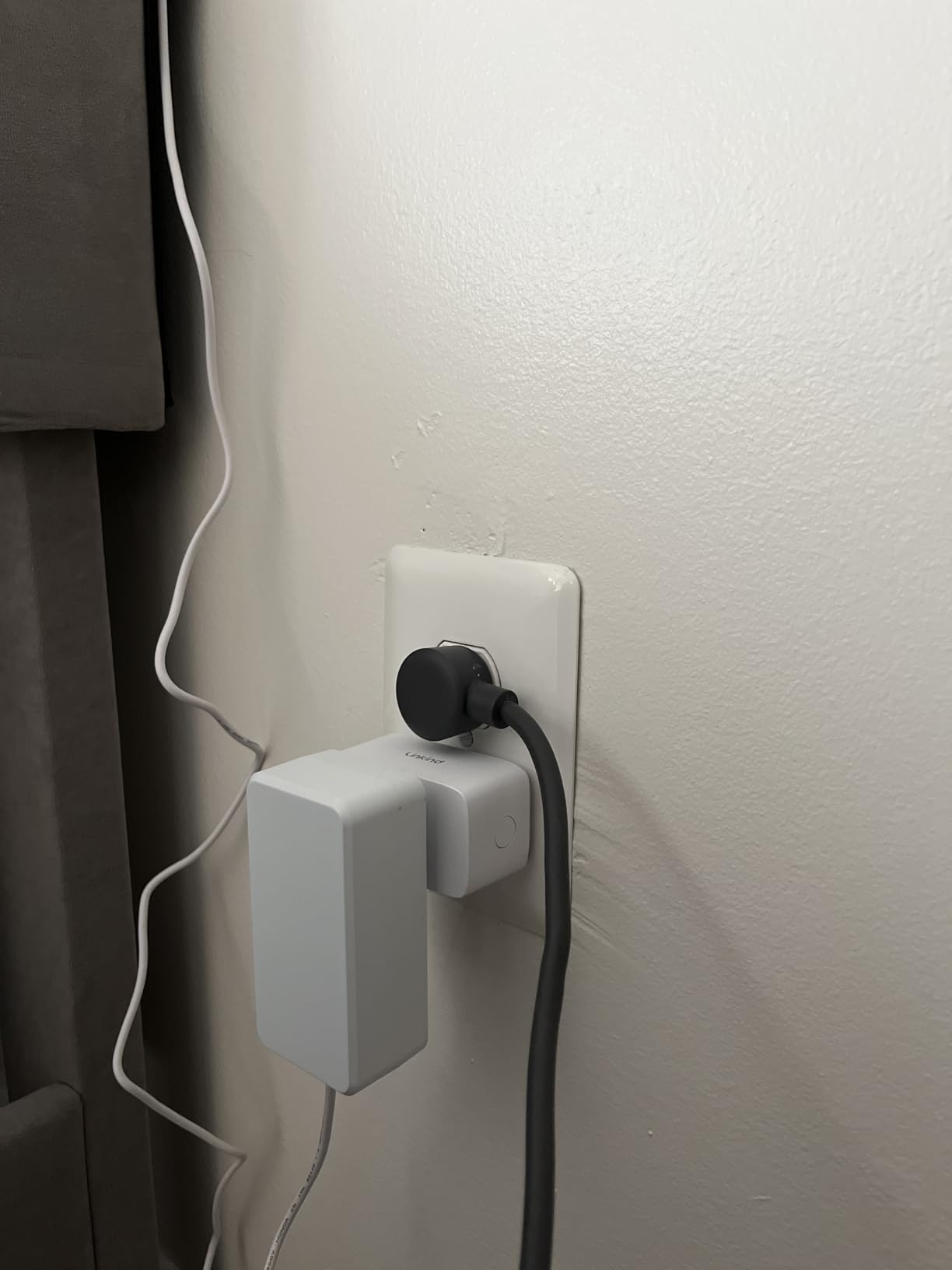
Network support is limited to 2.4 GHz Wi-Fi and IPv6. The unit is FCC certified with fire-resistant materials, which is a lower assurance bar than the UL listing carried by some rivals in this roundup.
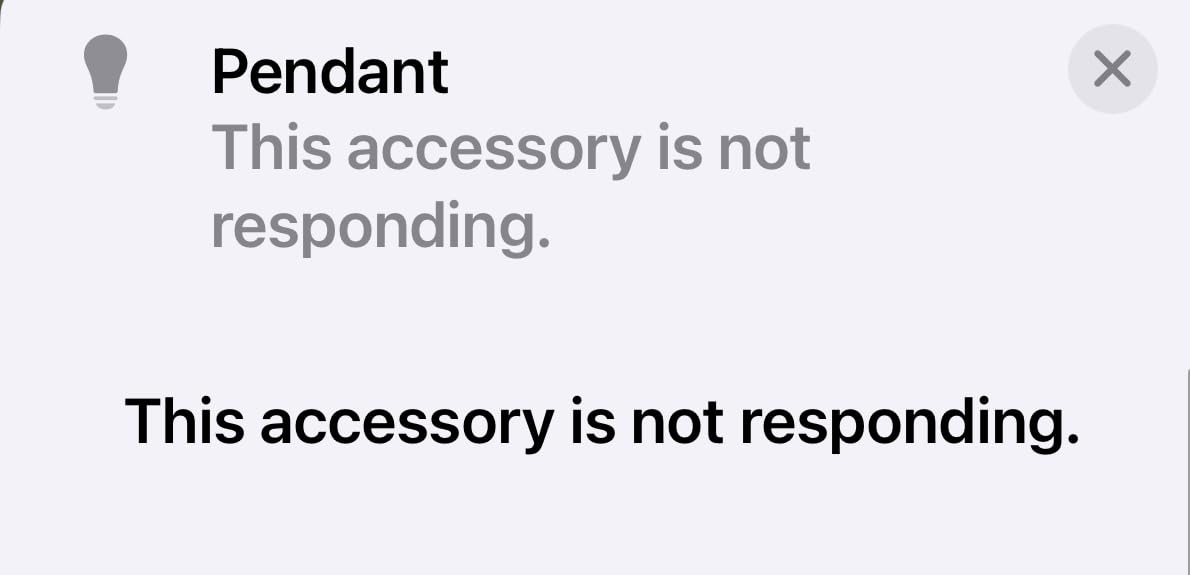
Owner feedback is more divided than the spec sheet suggests. The four-pack value and offline control draw steady praise, while a small but vocal group in the Apple Home community reports the plug repeatedly showing a no-response state and requiring a factory reset. That reliability gap is why this sits below the Tapo in the ranking despite a stronger amp and pack size story.
Who the Linkind 4-Pack suits
It suits households covering several rooms at once, especially where a Matter controller is already part of the setup. The per-outlet economics work in your favour if you genuinely need four controllable sockets.
Who should look elsewhere
Apple Home users who have reported pairing trouble should test a single unit first. Anyone without an existing Matter hub should factor that additional cost into the decision before ordering four plugs.
8. Leviton Decora Smart Plug D215P-1RW – the safest build quality
Leviton Decora Smart Plug, Wi-Fi 2nd Gen, D215P-1RW, White
UL certified
15A general use
1500W max
no hub required
Pros
- Holds a stable Matter connection in Apple Home
- No hub required
- Compact body that does not block adjacent outlets
- Leviton app supports sunrise and sunset scheduling
Cons
- Pairing instructions are confusing
- Online firmware updates can be slow
- 1500W incandescent rating is below some rivals
- Small review base
Leviton builds electrical hardware for a living, and this plug shows it. The contacts are phosphor bronze, the shell is UL certified, and the load ratings are published in detail: 15A general use, 5A for LED and CFL loads, 1500W for incandescent and halogen, 15A magnetic and three-quarter horsepower for motors.
That published detail is the reason it ranks highly for safety. Most competitors simply print an amp figure. Leviton tells you exactly which appliance types the rating applies to, so you can check your device against the list before plugging anything in.
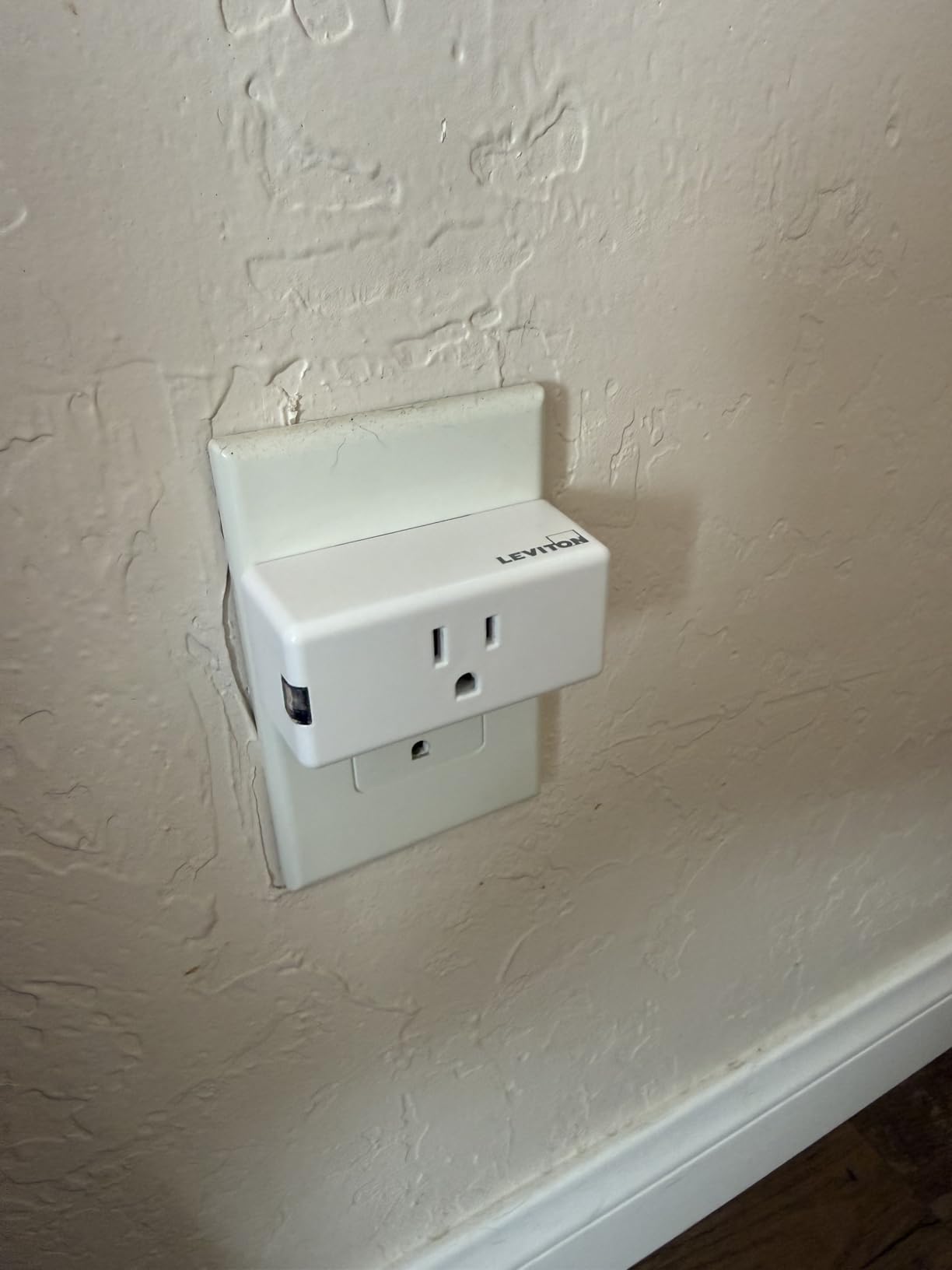
It supports both Matter and Wi-Fi, works with Alexa, Google Assistant, Apple Home, SmartThings and Sonos, and needs no hub. The app handles scheduling with sunrise and sunset offsets plus multi-device scenes, and it installs into any 120V standard, AFCI or GFCI outlet that is not already controlled.
The main weakness is documentation. Owners repeatedly describe the pairing instructions as confusing, particularly when pairing a plug with a Leviton wall switch, and some note slow firmware updates. The review base is also far smaller than the category leaders, at 203 reviews, though it holds a 4.7 rating with a very low share of one-star feedback.
Who the Leviton Decora Smart Plug suits
It suits buyers who put electrical safety and build quality ahead of price, especially in a house with AFCI or GFCI protected receptacles. It is also a safe bet for Apple Home users who have had cheaper Matter plugs drop their connection.
Who should look elsewhere
Skip it if you want the cheapest way to automate a lamp, or if you plan to run incandescent loads above 1500W. Anyone who struggles with app-based pairing should choose a plug with clearer setup documentation.
9. Wyze Smart Plug 2-Pack – the best vacation mode
Wyze Smart Plug 2.4GHz Wi-Fi Outlet, Certified for Humans, 2-Pack
15A load
2.4GHz Wi-Fi
ETL certified
2-pack
Pros
- Straightforward setup in the Wyze app
- 15A rating is higher than cheaper rivals
- Room grouping controls many plugs at once
- Vacation Mode simulates presence
Cons
- 2.4GHz only with no 5GHz
- No Matter support for Apple Home
- Small review base and modest sales rank
- Wyze Sense needed for motion automations
The feature that sets this apart is Vacation Mode, which randomises on and off times so a lamp pattern looks like occupancy rather than a fixed timer. It is a small idea that does more to discourage a casual observer than a dozen identical evening schedules would.
Room grouping is the other practical strength. Several plugs can be assigned to a room and controlled with a single tap, which keeps a household of mixed plug types manageable instead of a long list of individual devices in the app.
The pack includes two plugs and two quick start guides, and the body is rated 15A on 2.4 GHz Wi-Fi. It also works with Alexa, Google Assistant and IFTTT, and it can respond to Wyze Sense motion and contact sensors, which are sold separately.
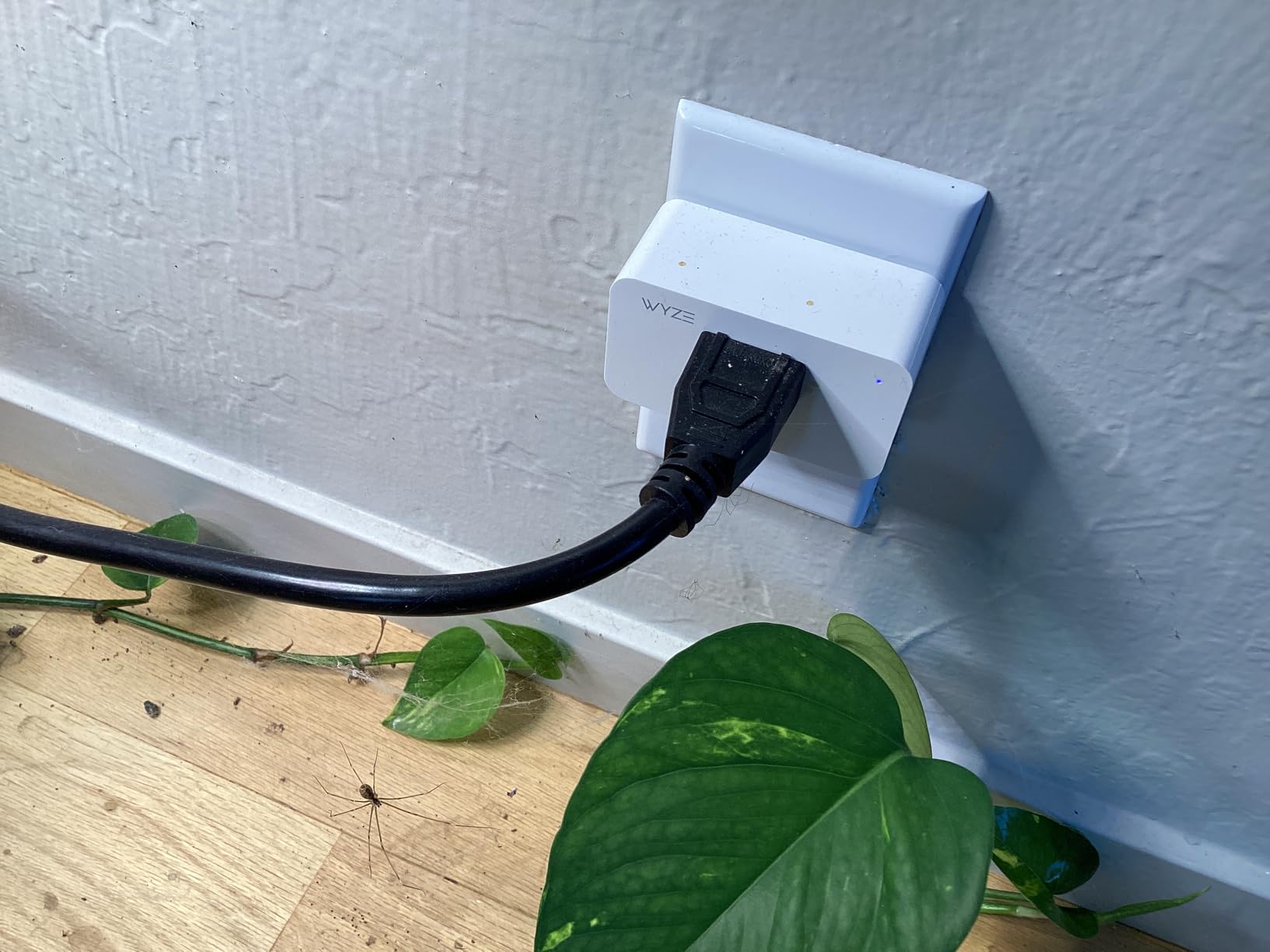
There is no Matter support, so there is no native Apple Home or HomeKit integration. That is the decisive limitation in 2026 for anyone in the Apple ecosystem, and it also means the plug depends on the Wyze app and its cloud infrastructure for remote control.
Owner feedback is positive on setup simplicity, with a 4.6 rating from 249 reviews, but the review base is thin relative to the names above it. The category sales rank is also modest, which usually reflects newer availability rather than a quality problem.
Who the Wyze Plug suits
It suits households that want a presence simulation while travelling and already use the wider Wyze device range. Two plugs for a bedroom and a hallway is a practical first step for anyone testing the category.
Who should look elsewhere
Apple Home users should skip it entirely, because there is no Matter path to HomeKit. Motion-driven automation is also out of reach unless you buy a Wyze Sense sensor, which is an extra cost for a feature this plug does not provide itself.
10. Eve Energy Matter – the most private, hub-dependent plug
Eve Energy (Matter) – Smart Plug, App and Voice Control, 100% Privacy, Matter Over Thread, Works with Apple Home, Alexa, Google Home, SmartThings
Matter over Thread
built-in energy monitoring
85 g
UL certified
Pros
- Thread mesh is more stable than Wi-Fi
- No Eve cloud and no registration
- Built-in energy monitoring in the app
- Acts as a Thread border router
Cons
- Thread only with no Wi-Fi support
- Needs a Matter capable hub
- Highest price in this group
- Some units emit a faint whine
This is the only plug in the roundup with no Wi-Fi radio at all. It speaks Matter over Thread, a low-power mesh protocol that builds a network among the devices themselves, and it doubles as a Thread border router to extend and strengthen that mesh for everything else in your home.
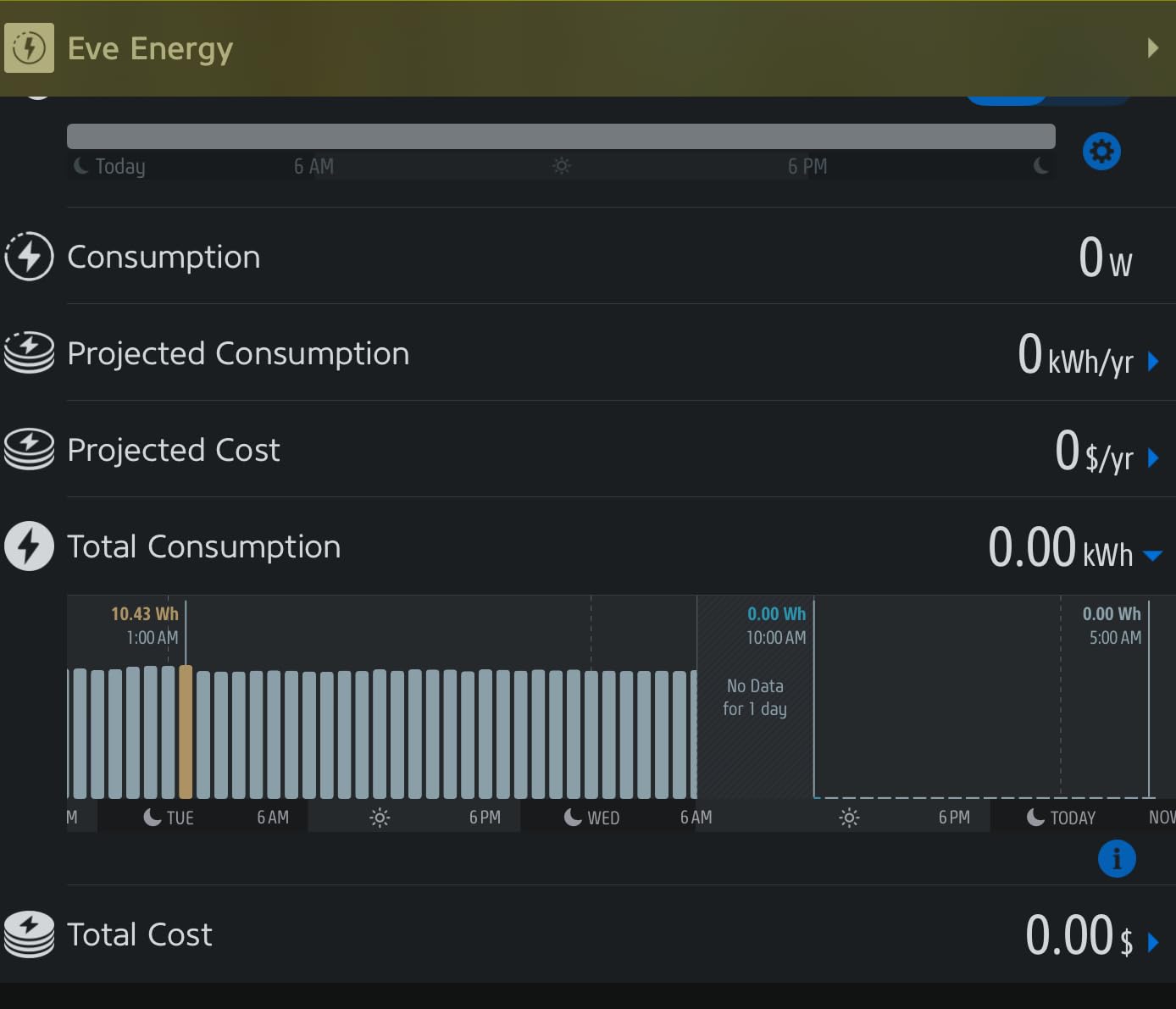
Thread is the reason it feels instant. Commands are relayed device to device rather than through a router, so switching is noticeably faster than a Wi-Fi plug and stays responsive when the internet is down. It is also the only plug here with built-in energy monitoring.
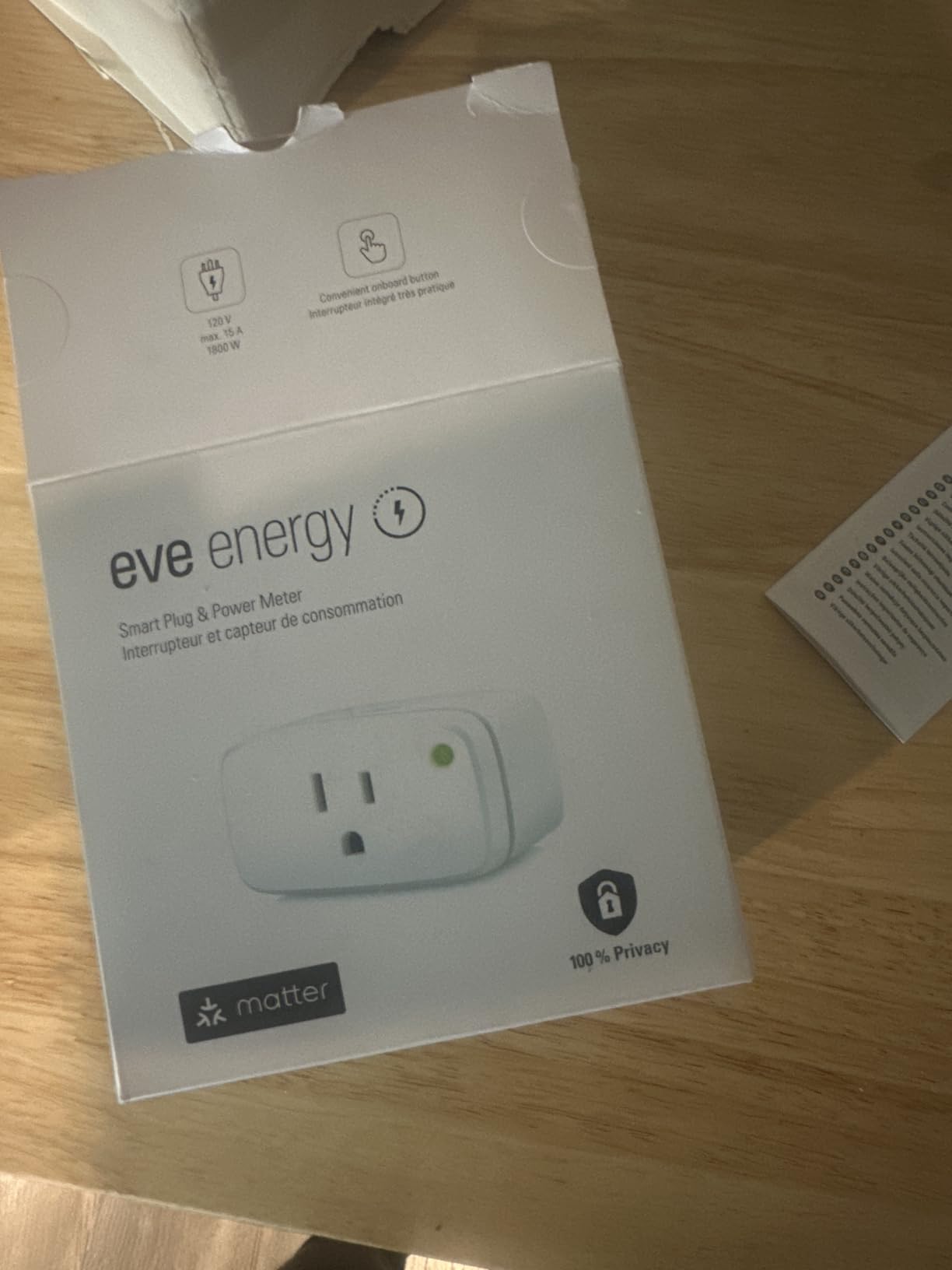
The privacy story is the other draw. There is no Eve cloud, no registration and no tracking, and communication stays local. It measures 2.36 inch deep by 2.76 inch wide by 1.52 inch high, weighs 85 grams, is UL certified and carries a two-year warranty, though it is rated for indoor use only.
It also carries the highest bar to entry. A Matter-compatible hub is required, and the list of compatible hubs is specific: Apple TV 4K, a second-generation HomePod or HomePod mini, SmartThings Hub v3, a fourth-generation Echo or Echo Hub, or a second-generation Nest Hub. Some users needed repeated attempts at first-time HomeKit commissioning.
Who the Eve Energy suits
It suits Home Assistant builders and Apple households who already own a compatible hub, and anyone who wants to know precisely what an appliance is drawing without sending usage data to a cloud service. The energy readings appear in the Eve app.
Who should look elsewhere
It is the wrong choice for a first smart home purchase, because the hub requirement adds cost and setup complexity. It is also unsuitable outdoors, and it holds the lowest average rating in this group at 4.2.
11. Govee Dual Smart Plug H5082 – one outlet becomes two smart outlets
Govee Dual Smart Plug 4 Pack, 15A WiFi Bluetooth Outlet, 2-in-1 Design
Dual 15A sockets
4 count
1.3 inch body
ETL certified
Pros
- Two independently controlled sockets per plug
- Bluetooth fallback during Wi-Fi outages
- Reconnects automatically after power loss
- Multiple timers per plug in the app
Cons
- Sockets sit close so bulky adapters may not fit
- Wide body can cover the full outlet face
- No energy monitoring
- 2.4GHz only
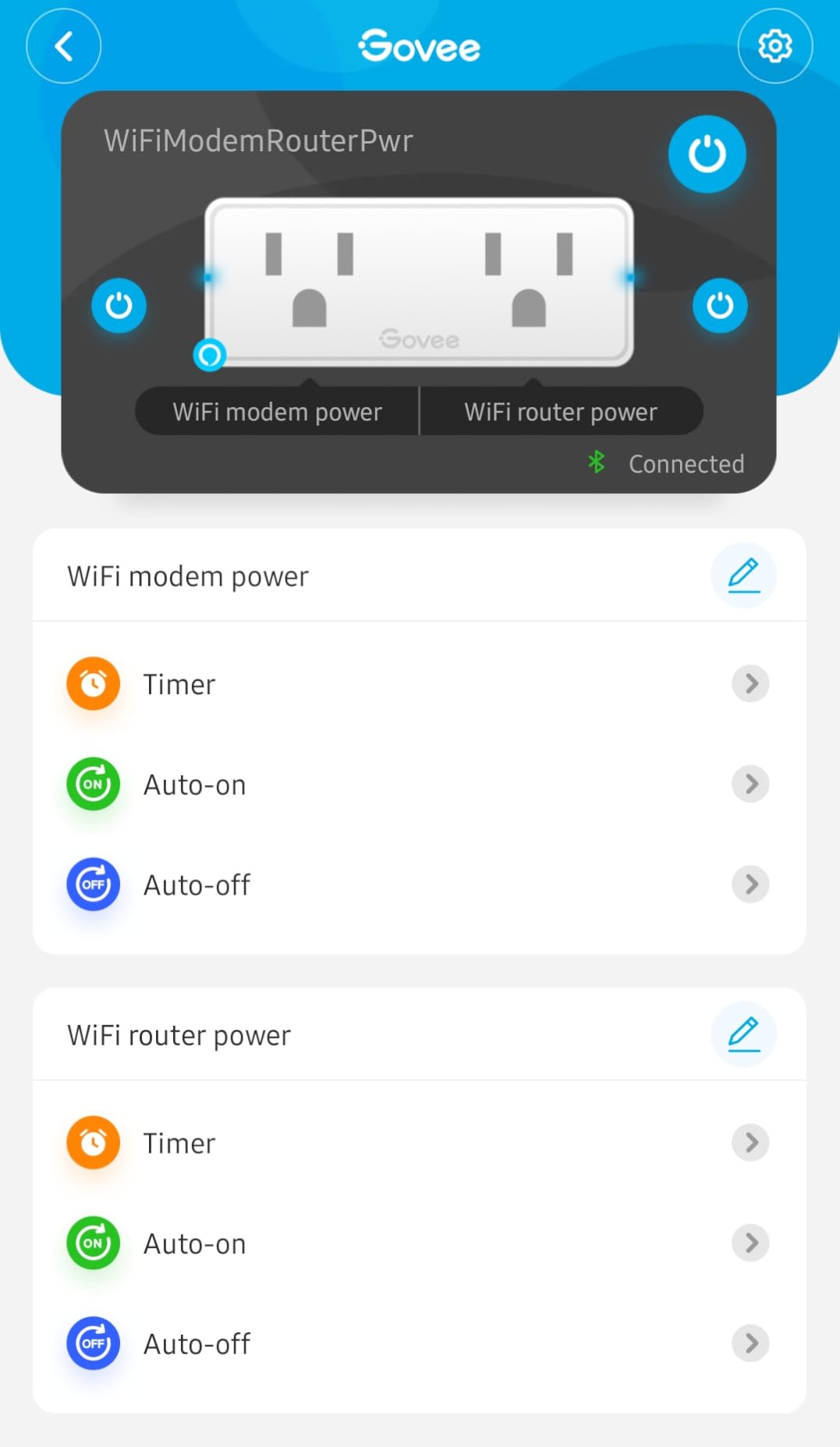
A regular duplex receptacle has two sockets but one smart plug fills both. This one turns a single outlet face into two independently controllable smart sockets, which solves the most common real complaint about compact plugs: you cannot fit anything else beside them.
Each socket is rated 15A at 1800W, so the dual arrangement is not a compromise on load. Bluetooth acts as a fallback when Wi-Fi is unstable, and the plug reconnects on its own after a power outage without needing to be re-paired.
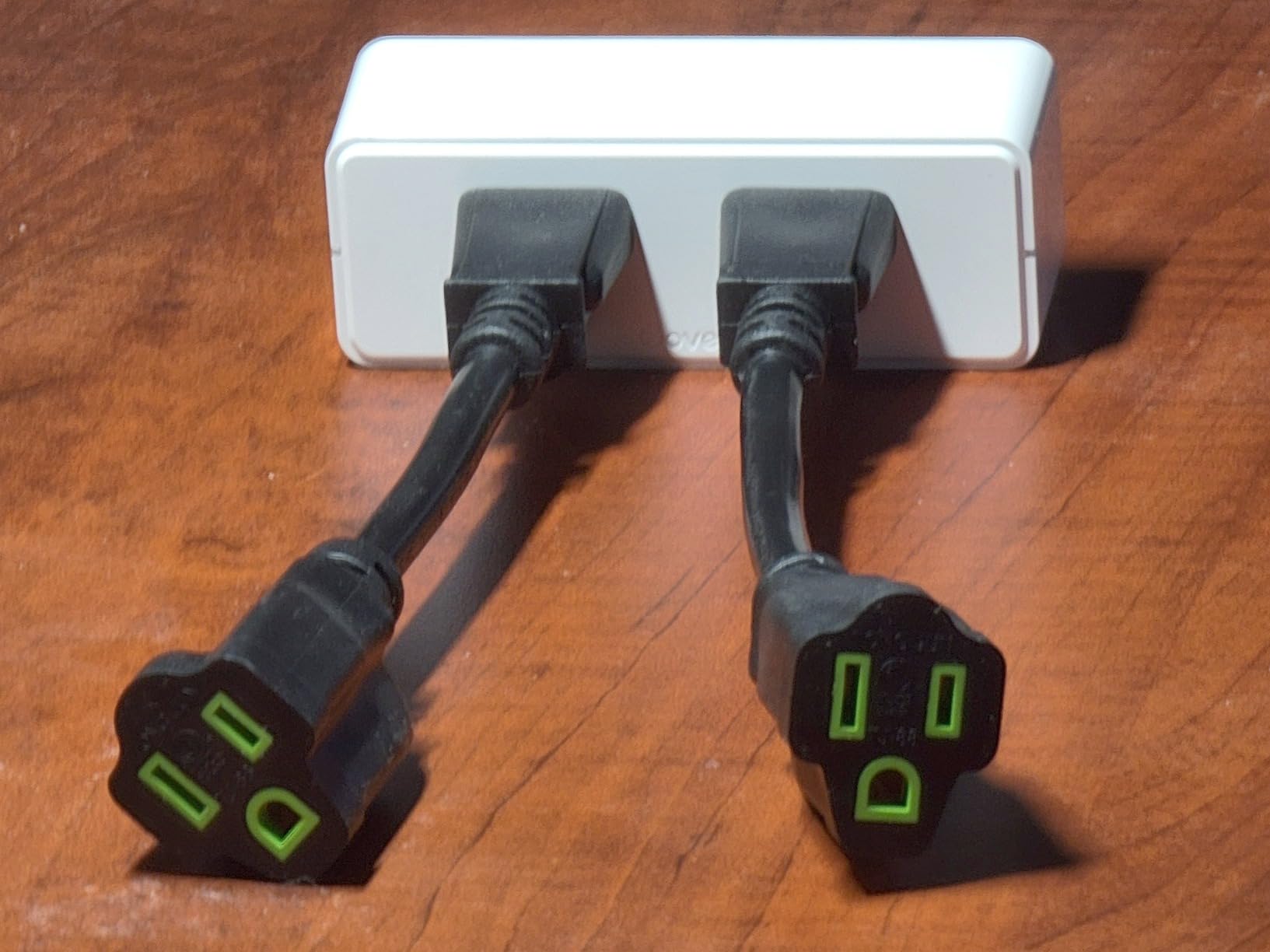
The body measures 4 by 1.3 by 1.5 inches and the pack of four weighs 0.49 kg in total. It is ETL, FCC and CA65 certified, made from fire-resistant materials with copper contacts, and rated for indoor use.
The most repeated owner complaint is socket spacing. Because the two sockets sit close together, a bulky power adapter can occupy one and block the other, so it is a poor match for rooms full of large wall warts. The wide body also covers most of the outlet face, and there is no energy monitoring.
Who the Govee Dual Smart Plug suits
It suits homes with few wall outlets, dorm rooms and hotel-style rooms where a desk needs two controllable devices from one receptacle. It is also a good fit for a room with a lamp and a fan on the same schedule.
Who should look elsewhere
Skip it where space is tight for large power adapters, since the two sockets share a limited width. Anyone who wants per-device energy readings should choose a plug with monitoring instead.
12. Tapo P306 Outlet Extender – nine outlets from one receptacle
Tapo Smart Plug Outlet Extender, P306, 3 Individual Smart Outlets
Nine in one
900 joule surge
18W USB
0.34 kg
Pros
- Nine outlets from a single wall receptacle
- 1.57 inch outlet spacing fits bulky plugs
- 18W USB fast charging
- 900 joule surge protection and a stabilising post
Cons
- Bulky block form factor
Where the dual plug doubles your outlets, the P306 multiplies them. One unit gives you three individually smart outlets, three always-on outlets and three smart USB ports, all from a single wall receptacle. In an older house or a rented flat with too few sockets, it is the fastest fix available.
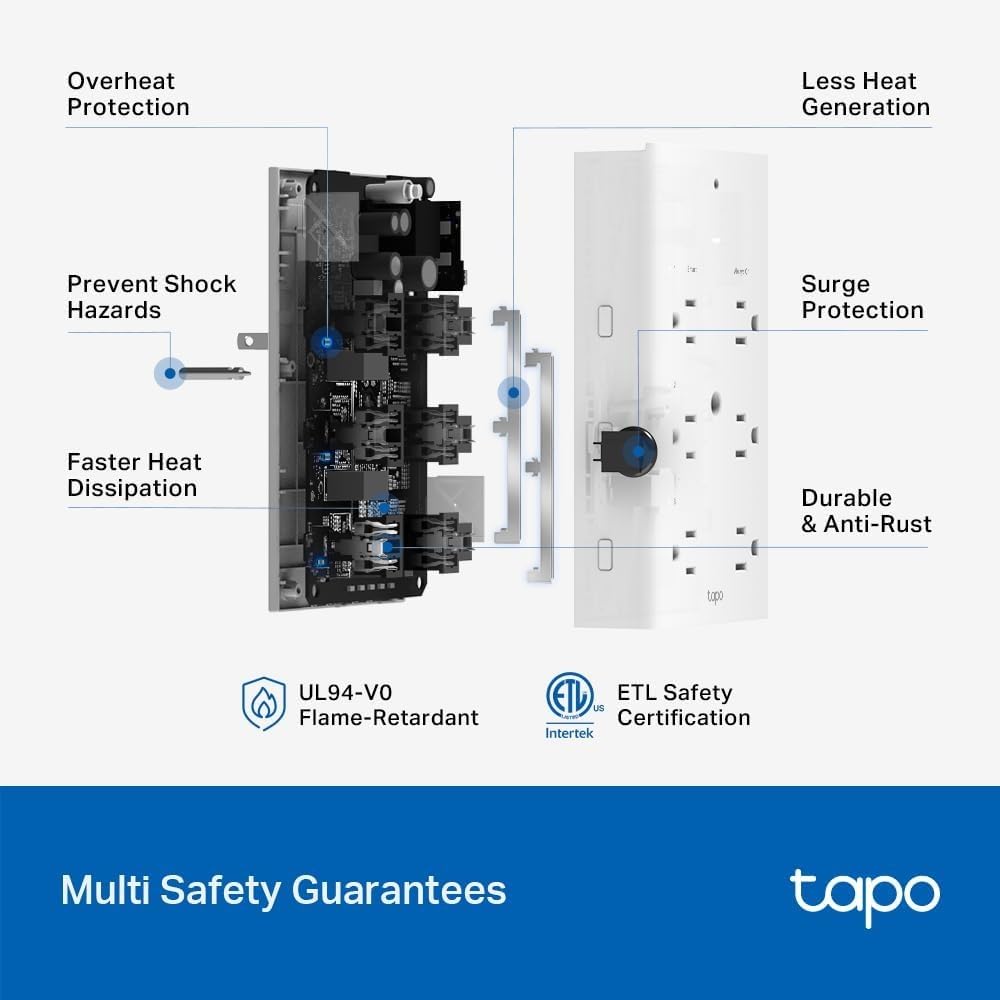
Outlet spacing is the detail that sets it apart from cheaper extenders. At 1.57 inches between sockets, a bulky adapter fits comfortably, which is the failure point on most multi-socket blocks. A mounting screw and a stabilising post keep it from being pulled out of the wall.
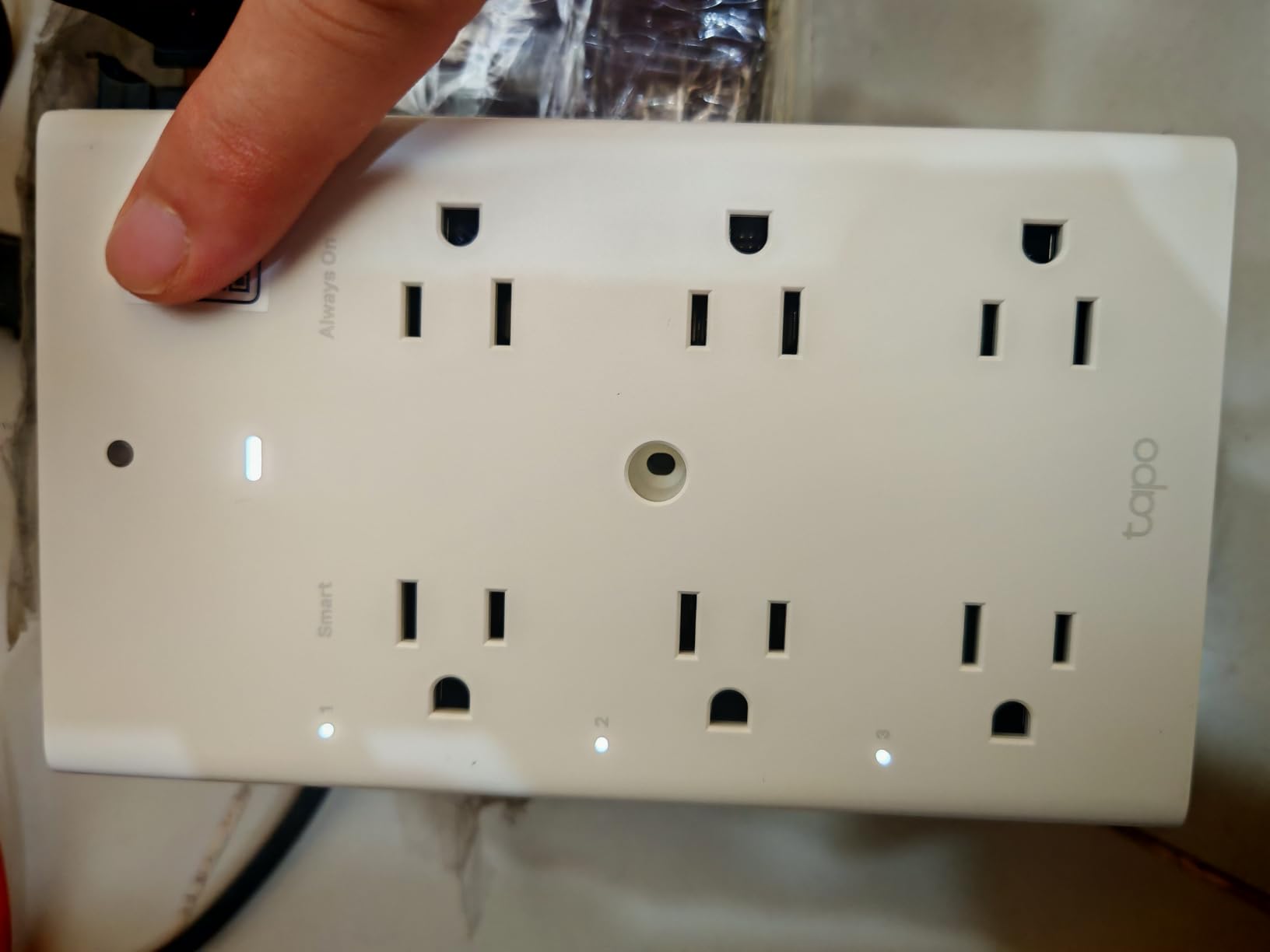
The USB ports deliver 18W fast charging, with one USB-C and two USB-A, taking a phone from flat to roughly half charge in about half an hour. Surge protection is rated at 900 joules, and there is a smart night light on the body.
It works with the Tapo app plus Apple HomeKit, Alexa and Google Home, and it carries a two-year warranty. The block weighs 0.34 kg and is the bulkiest item in this roundup, so it needs a full-size receptacle rather than a low-profile one.
Who the Tapo P306 suits
It suits homes and rentals where every available wall socket is already occupied, and anyone who wants USB charging built into the outlet instead of a separate brick. Hotels, dorms and home offices benefit most.
Who should look elsewhere
Choose something smaller if you only need to control one appliance, since this block occupies the full receptacle. It is also an indoor device, so exterior string lights still call for the weather-rated model.
What You Should Never Plug Into a Smart Plug?
Most smart plugs are rated for 10A or 15A at 120V, so a 15A plug tops out around 1800W. Anything that draws close to that ceiling for long periods generates heat inside the plug body, and a plug that is repeatedly switched is also more exposed to surge events than a wall receptacle.
These are the loads to keep away from any smart plug:
Refrigerators and freezers. Compressor motors cycle unpredictably and draw high startup current, which is exactly the pattern a plug relay handles badly.
Washing machines, dryers and dishwashers. Heating elements and motors regularly exceed 1800W and cycle for long stretches.
Space heaters, portable air conditioners and dehumidifiers. A 1500W space heater sits close to the ceiling of a 15A plug with no margin for error.
Electric water heaters, ovens and ranges. These belong on dedicated circuits, not on an adapter.
Medical equipment. Anything supporting life or mobility should stay on a direct, non-switched supply.
Anything over 1800W. If the appliance label shows a wattage above that figure, it needs a wall switch, not a plug.
For the safest general-purpose pick, look for a plug that publishes a UL or ETL listing and a clear amp rating for each appliance type. The Leviton Decora Smart Plug is the strongest example here, because it states separate ratings for general use, LED, incandescent and motor loads rather than a single headline number.
Home and care situations deserve extra care. Our guide to smart plugs for elderly safety covers which automations are genuinely helpful for fall prevention and which ones create risk.
How to Choose a Smart Plug
1. Pick the ecosystem first
Your voice assistant decides most of the shortlist. Alexa owners are well served by the Amazon Smart Plug and the Kasa range, Google Home users have the Kasa and Govee options, and Apple Home users should start with a Matter-certified plug. Check compatibility before anything else, because a plug you cannot pair is the only one that matters to you.
2. Check the amp rating against your appliance
Read the wattage on the appliance label and compare it with the plug’s rating. A 10A plug caps out near 1100W, a 15A plug near 1800W. Most lamps and chargers are well under either figure, which is why a cheaper plug works fine for lighting and fails on a humidifier.
3. Choose the protocol: Wi-Fi, Thread, Zigbee or Z-Wave
Most plugs here use Wi-Fi, which is simple and needs no hub but depends on a stable 2.4 GHz signal. Thread plugs such as the Eve Energy form a low-power mesh and stay fast and stable, but they need a Matter controller. Zigbee and Z-Wave are the enthusiast options that need a hub, and the r/homeassistant community recommends them for local control, with the Sonoff S31 Lite zb named repeatedly as a dependable Zigbee power plug. If you do not run Home Assistant already, the hub requirement is usually a step too far.
4. Check the size before you buy
This is the most common disappointment. Measure the receptacle spacing and think about what else is plugged in beside it. Plugs listed here range from about 1.3 inch deep for the Govee dual model to a full block for the Tapo P306, and that difference decides whether you can still use the second socket.
5. Decide whether energy monitoring is worth paying for
Only the Eve Energy in this roundup reports live power draw from the plug itself. If you want to know what an old appliance really costs, a plug with monitoring saves the guesswork. It also turns a guess about standby draw into a number, which is often enough to justify replacing the device.
6. Smart plug vs smart outlet: which fits your home
A smart plug goes on top of an existing receptacle and moves with you, which is ideal for rentals. A smart outlet replaces the receptacle itself and looks cleaner, but needs someone to cut power and swap wiring. If you rent, the plug is the only realistic option.
7. Look for a physical button and a warranty
A button on the body lets anyone turn the device off without an app, which matters when a guest is in the room. Two-year warranties are standard on the Kasa, Tapo and Eve models here, and they signal a company that expects the product to last.
Troubleshooting: Why a Smart Plug Keeps Going Offline
Both of the most common complaints in support communities are about connectivity, and both trace back to the same handful of causes. Kasa and Tapo users on r/Tapo and in Tapo user groups report the same pattern after moving to a new router.
Confirm the 2.4 GHz band is on and not merged. Every Wi-Fi plug in this roundup is 2.4 GHz only. A router with the two bands merged under one name causes pairing failures on almost all of them.
Put your phone on the same 2.4 GHz network during setup. Pairing fails silently when the phone is on 5 GHz or on cellular data, and the app often reports a generic error rather than the cause.
Check for a guest network or a separate IoT network. Routers that put smart devices on an isolated network will block the app from reaching the plug even when the password is correct.
Power-cycle the plug and the router. Unplug the plug, restart the router, wait for it to finish booting, then power the plug back up. This resolves a large share of cases where the plug shows as offline in the app but is physically fine.
Reconnect after a network change. TP-Link documentation confirms a common failure mode where devices attempt to rejoin the previous Wi-Fi network after a change. The fix is to remove the plug from the app first, then re-add it on the new network.
Factory reset as a last resort. Hold the button until the indicator flashes, then set it up again from scratch. This clears saved network credentials, which is why it works when a network change has left the plug holding an address that no longer exists.
If calls to the manufacturer leave you stuck, that is a known complaint rather than a one-off. Users in Tapo communities describe difficulty reaching phone support, so having the model number, the router model and your 2.4 GHz band settings ready saves a lot of time.
Frequently Asked Questions
Are smart plugs worth it?
For lamps, fans, coffee makers and holiday lights, yes. A smart plug adds app control, scheduling and voice control to an appliance you cannot rewire, and on models with energy monitoring it shows exactly what the device draws. They are also removable in seconds, which is why they suit renters. They are not worth it for high-draw appliances such as refrigerators, heaters or dehumidifiers, where the load exceeds a plug’s safe rating.
Why do my Kasa and Tapo smart plugs keep going offline?
Almost always one of four things. First, the router may have the 2.4 GHz and 5 GHz bands merged under one name, or may have moved smart devices to a separate IoT network. Second, the phone may have been on 5 GHz or cellular data during setup. Third, after a router change the plug tries to rejoin the network it remembers, so remove it from the app and add it again. Fourth, a power cycle of both router and plug resolves many cases. A factory reset is the last resort.
What is the difference between a smart outlet and a smart plug?
A smart plug is an adapter that sits on top of an existing receptacle, while a smart outlet replaces the receptacle itself. A plug needs no wiring, moves with you between outlets and suits renting, though it often covers the second socket. An outlet looks cleaner, offers a permanent physical button and is better for new builds, but it requires switching off the breaker and swapping wiring. For most people in an existing home, the plug is the faster and cheaper route.
Can smart plugs be used outdoors?
Only models with a weather resistance rating. An IP64 plug such as the Kasa Outdoor EP40 is sealed against dust and rain and is designed for exterior string lights, pumps and landscape lighting. Indoor plugs carry no water protection, and using one outside risks both the device and the appliance. Outdoor models should be mounted with their sockets facing down to keep the sealing cover effective, and they still need a 2.4 GHz signal at the location.
What is a Matter-certified smart plug?
Matter is a shared standard for smart home devices, so one certified plug can join Apple Home, Amazon Alexa, Google Home and Samsung SmartThings without a separate bridge or vendor-specific workaround. It also moves with you between ecosystems rather than locking you into one manufacturer. In practice a Matter plug keeps working locally on your own network when the internet is down. Note that some voice ecosystems still expect a Matter controller, and Matter dimming is not supported by every model.
Bottom Line on the Best Smart Plugs in 2026
The Amazon Smart Plug stays our first pick in 2026 because it pairs fastest, recovers from outages on its own and fits beside another plug without crowding the receptacle. It earns its place with a 4.7 rating across more than half a million reviews, and no other plug here combines that consistency with such a short setup.
The Kasa HS103P2 is the value answer for anyone who wants both Alexa and Google support, and the Kasa Outdoor EP40 is the only weather-rated option we would trust for exterior lights. The Tapo P125M is the pick for Apple Home users because Matter support removes the usual bridge, and the Leviton Decora Smart Plug leads on documented load ratings and UL-certified construction.
Whichever you choose, start with one lamp rather than a whole house. Pair it, schedule it, and live with it for a week before ordering a multi-pack. If you are covering an entire home, our picks for smart toilets and the other smart home categories on the site cover the rest of the build.