
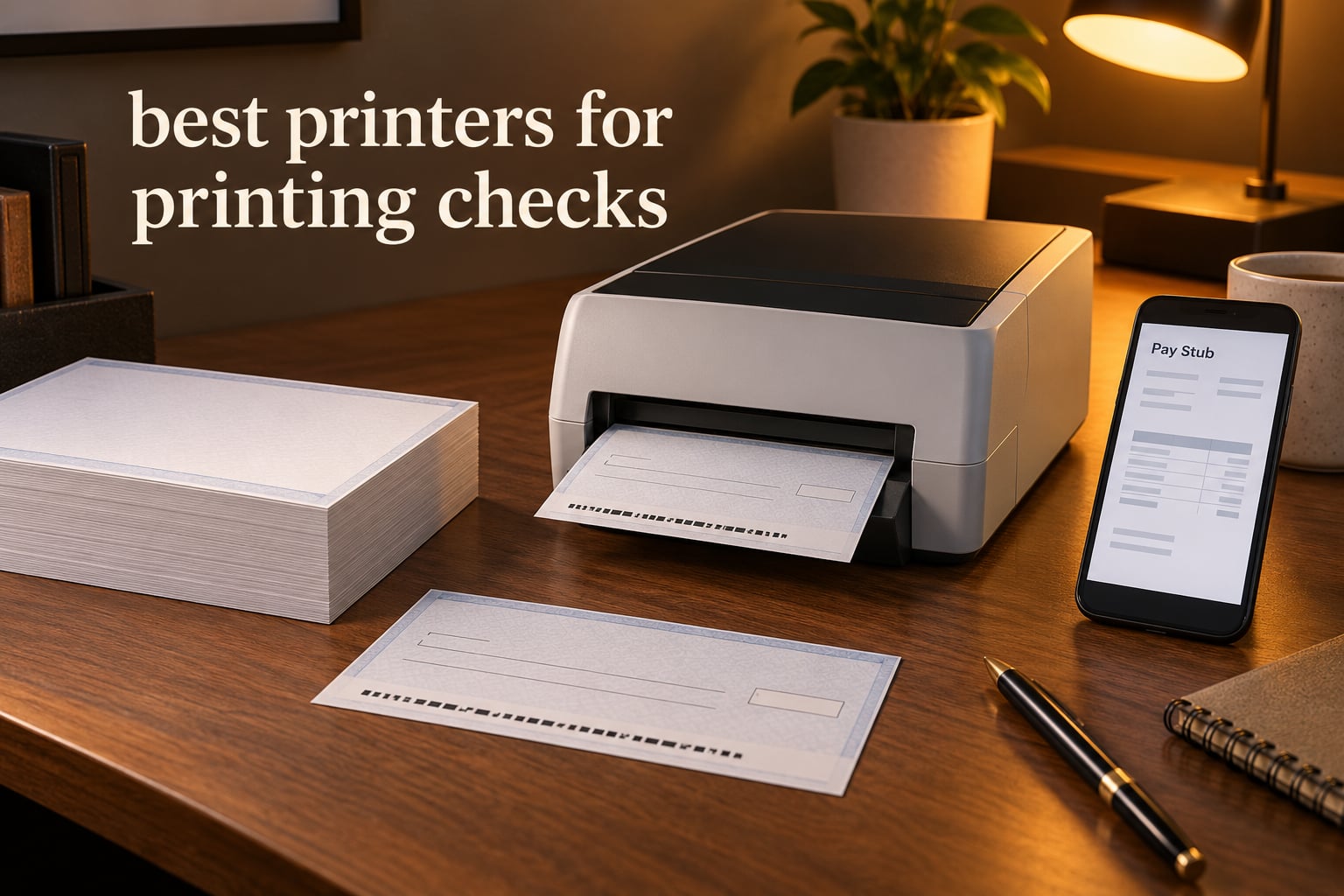
There is nothing more deflating than a check you printed yourself, mailed with confidence, and had returned by the bank with a note about the MICR line. The characters along the bottom of a check have to carry iron-oxide particles in a machine-readable font, at an exact position, in ink dense enough for a bank reader to scan. A normal cartridge will not do it. That single technical fact is what separates a usable check printer from a box that sits on a shelf collecting dust.
Two routes work in 2026. A MICR laser printer handles payroll runs, accounts payable and anything above a couple of hundred checks a month, with toner that costs less per check than ink. A MICR inkjet handles low volume and gives you color check designs in the same machine you already use for invoices and photos. Those are the only two valid answers, and everything else in this roundup is a variation on one of them.
We compared 8 of the best printers for printing checks, reading the specifications, the owner feedback and the failure patterns on each one. The lineup skews heavily toward bundled inkjet packages, which tells you something about where most small businesses start. We also include two dedicated TROY machines for the offices where check fraud is a live concern rather than a thought experiment.
New here? Our inkjet printer guide covers the hardware side in more depth, and the color laser roundup is worth a read if you want one machine for color marketing work and checks.
Table of Contents
Top 3 Picks for Printing Checks in 2026
Our editor’s choice is also the all-round pick for most small businesses. The value pick is the one to buy if your volume is real and your checks carry a payroll. The budget pick gets you into legitimate MICR printing for the least outlay.

VersaCheck HP DeskJet 3755 MX
- MICR black ink plus full color
- 8 ppm black output
- Print copy scan with Wi-Fi
- Bundled check software and paper

MTI MICR Laser Check System
- 26 ppm monochrome laser
- Automatic duplex
- 250-sheet cassette
- ANSI X9 compliant out of box

VersaCheck HP DeskJet 2755 MX
- Low-cost entry point
- Print copy scan
- Wireless printing
- Check software and paper included
All 8 Printers at a Glance
The table below is the fastest way to narrow the field. Read the MICR column first: every machine here prints a genuine MICR line, but the inkjet models pair it with color while the laser models do not. Then look at pages per minute against your own monthly volume, and check the tray size, because a 50-sheet tray will slow down a payroll run badly.
| Product | Specifications | Action |
|---|---|---|
| VersaCheck HP DeskJet 3755 MX |
|
Check Latest Price |
| MTI MICR Laser Check Printing System |
|
Check Latest Price |
| VersaCheck HP DeskJet 2755 MX |
|
Check Latest Price |
 VersaCheck M15 MXD MICR Laser VersaCheck M15 MXD MICR Laser |
|
Check Latest Price |
 VersaCheck 4155 MXQ All-in-One VersaCheck 4155 MXQ All-in-One |
|
Check Latest Price |
 TROY 4001N MICR Printer TROY 4001N MICR Printer |
|
Check Latest Price |
 TROY 200 Mobile MICR Printer TROY 200 Mobile MICR Printer |
|
Check Latest Price |
 VersaCheck HP DeskJet 4155 MXE VersaCheck HP DeskJet 4155 MXE |
|
Check Latest Price |
One column deserves a word of warning. The highest speeds belong to the monochrome lasers, which is fine if your checks are plain, but a business check with a logo or a color border needs an inkjet. Several of the inkjet listings here also print a flatbed scan, so they can double as a document copier for a home office.
Do You Need a Special Printer to Print Checks?
Yes, you need a printer with MICR capability. A MICR printer lays iron-oxide-based toner or ink into the check image so that the routing number, account number and check number can be read magnetically. Regular black toner produces a check that looks right but has no magnetic signal, and banks reject or return it.
The uncomfortable part is that MICR output depends on more than the cartridge. On machines with a separate drum unit, the drum has to be compatible with the magnetic powder, and mismatches give you a faint line that scans intermittently. That is the concern raised in an r/sysadmin thread about using cheaper machines for MICR work. Integrated-drum designs, where the imaging unit and toner are one sealed assembly, sidestep the problem, because you cannot fit the wrong drum to them.
The same thread asks whether a branded MICR printer is worth the premium over the equivalent mass-market machine, since much of the hardware underneath is the same. The honest answer is that the premium buys firmware tweaks, tray security, stronger toner adhesion and a support line that understands check workflows. Some of it is real engineering and some of it is brand. If your volume is low, a bundle with a MICR cartridge and software included is the sensible compromise, and it is what five of our picks do.
One more practical note. Several bundles here ship check-writing software and a starter pack of blank check paper, and two include a handheld scanner that verifies the MICR line and UV features before you hand a check to a courier. That verification step is worth the setup time on its own.
1. VersaCheck HP DeskJet 3755 MX – Best All-Rounder for Color Checks
VersaCheck HP DeskJet 3755 MX MICR Check Printer and VersaCheck Gold Check Printing Software Bundle, (3755MX)
MICR black ink plus full color
8 ppm black, 15 ppm color
60-sheet tray, up to 8.5 x 14 inch
Wi-Fi, USB, print copy scan
Pros
- Prints dense bank-scannable MICR ink alongside color
- Compact 5.1 pound all-in-one that prints copies and scans
- Built-in Wi-Fi for phones and tablets
- Check software and starter check paper included
- Largest review base in the group at 464 ratings
Cons
- Reliability complaints about cartridges arriving damaged or empty and repeated paper jams
- Large print margins can clip checks at the edges
- Bundled software activation is fiddly and the connection setup lacks a clear interface
This is the bundle most people end up with, and it makes sense. It prints dense, bank-scannable MICR ink in the same pass as full color, so your check design keeps its logo and your routing number stays readable. It weighs about 5.1 pounds, prints and copies and scans, and the Wi-Fi means a phone can reach it without a cable.
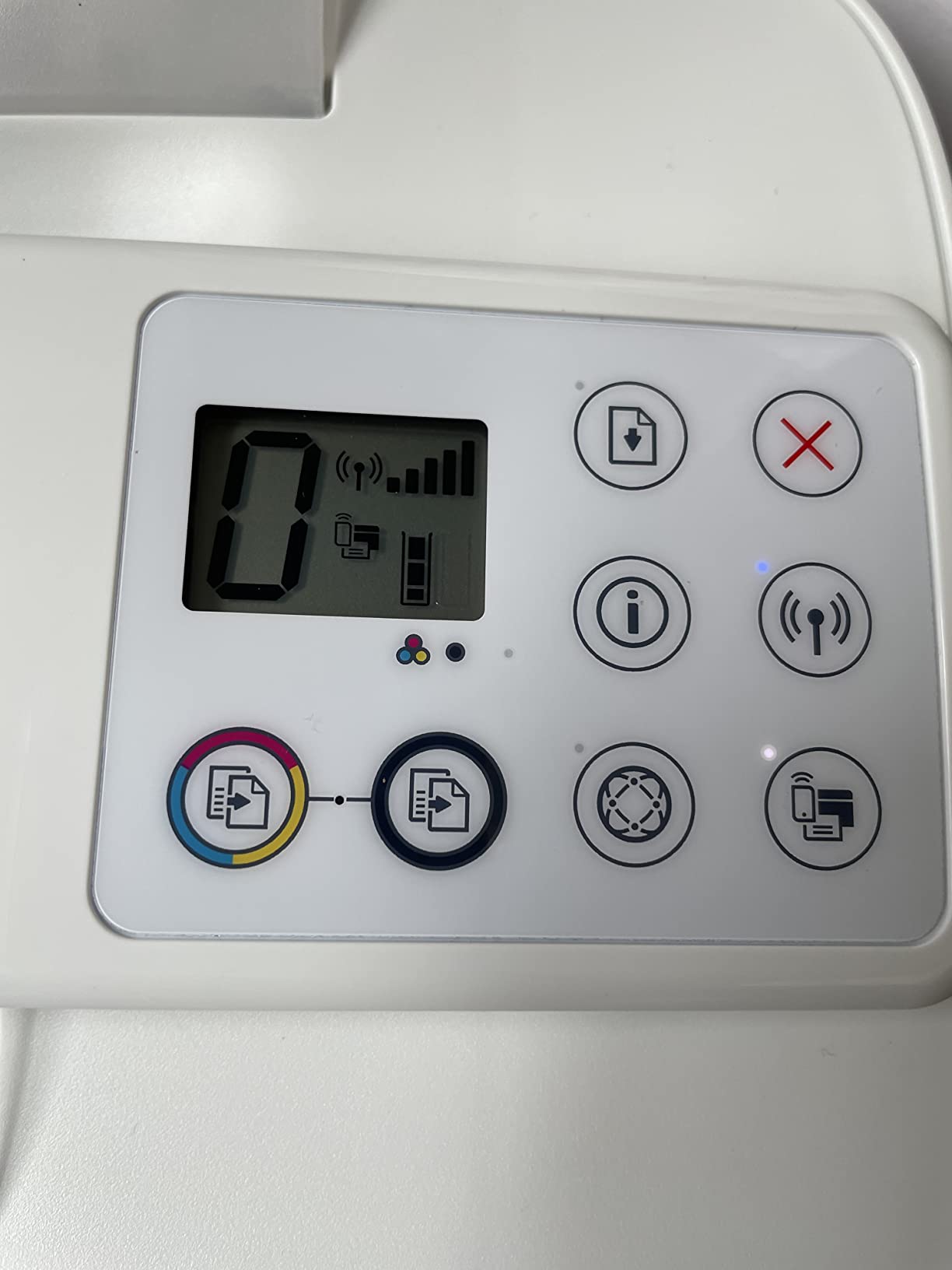
The 3.6 average across 464 ratings tells you it works for most people and fails badly for some. Roughly a quarter of the ratings are one star, and the complaints cluster on cartridges arriving damaged or empty and on repeated paper jams. Large print margins are a real issue here, because a check printed too close to the edge can be clipped at the corners.
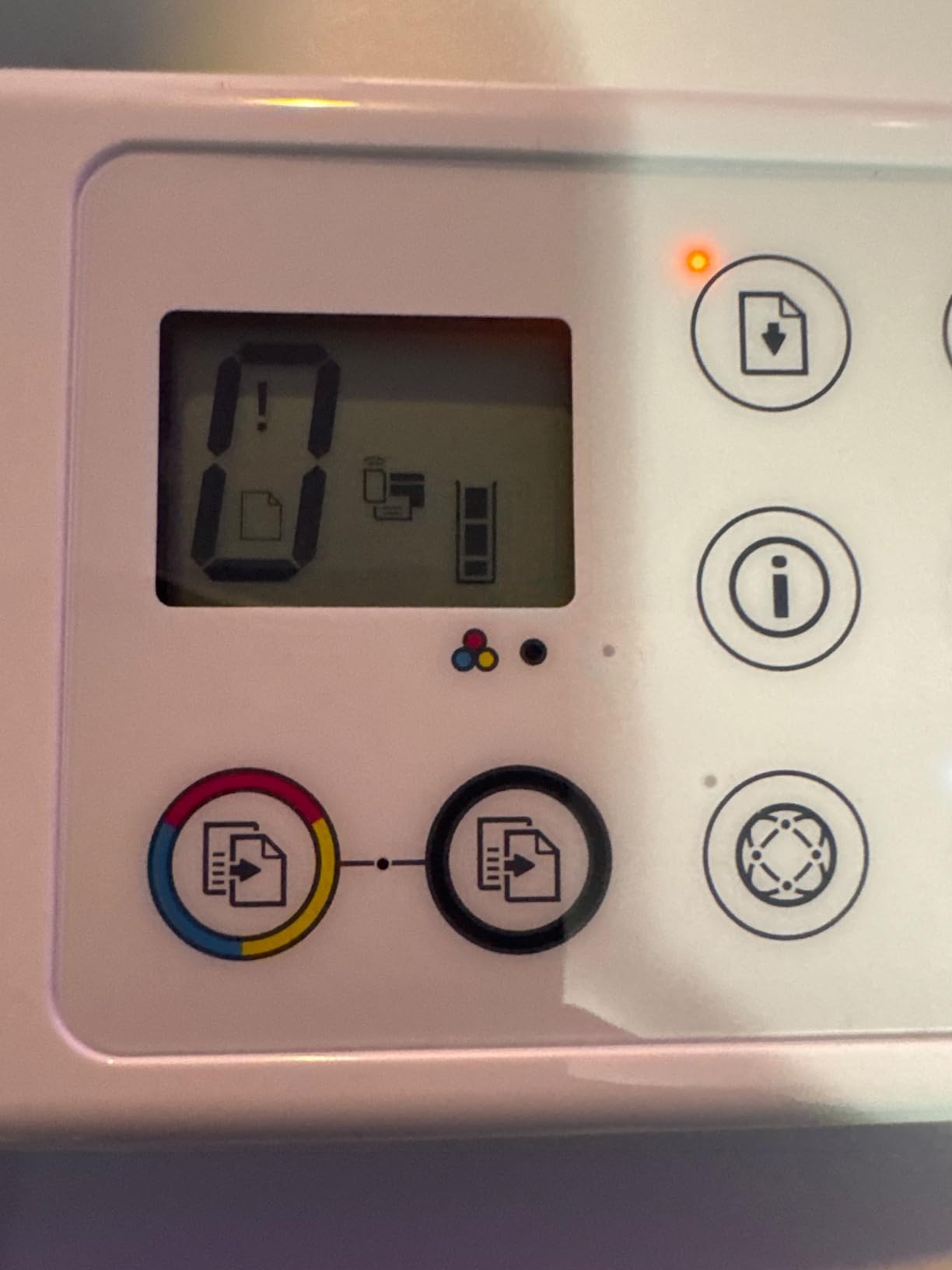
Setup is the other weak spot. Owners regularly describe the software activation and the Wi-Fi pairing as the hardest part of the whole process, and some could not reach the vendor site to activate it at the moment they needed to. Budget twenty minutes and a phone number for support before your first run.
The included accessories are genuinely useful: you get the printer, a black MICR cartridge, a color cartridge, the check software download and a USB cable. At 8 pages per minute in black it is not fast, but at a few hundred checks a month the speed is a non-issue and the color capability is something no laser in this roundup can offer.
What the 3755 MX does well for small businesses
If you want one machine for invoices, printed marketing, scanned receipts and checks, nothing else here matches it at this level of simplicity. Color plus MICR in a single compact body removes the argument for keeping two printers on a desk.
Where the 3755 MX will frustrate you
Anyone running a real payroll will outgrow 8 pages per minute and a 60-sheet tray quickly. The cartridge reliability complaints are concentrated enough that you should buy a spare MICR ink cartridge the day it arrives rather than the week it stops working.
2. Renewable Toner MTI MICR Laser Check Printing System – Best for Payroll Runs
Renewable Toner MTI MICR Check Printing System – Wireless imageCLASS LBP6230dw CRG-126 Laser Printer for Printing Payroll, Business and Personal Checks
Monochrome laser with MICR
26 ppm, first page in about 6 seconds
250-sheet cassette plus multipurpose tray
Automatic duplex, Wi-Fi and USB
Pros
- Arrives pre-configured for ANSI X9 and Federal Reserve compliance
- 26 pages per minute with automatic duplexing
- 250-sheet standard cassette
- MTI lifetime warranty on the MICR cartridge
- Wireless printing from mobile devices
Cons
- Picture-only setup documentation so one machine sat unused in the box
- Some printers arrived without the toner cartridge
- A few buyers received a partly used cartridge
This is the value answer for a business with actual volume. It arrives configured for bank-compliant MICR output to ANSI X9 and Federal Reserve standards, and the manufacturer puts a lifetime warranty on the MICR cartridge itself, which is unusual and reassuring if you are burning through toner.
Speed is where a laser earns its keep. It runs about 26 pages per minute with a first page in about six seconds and automatic duplexing, so it handles a payroll run without the coffee-break pauses an inkjet gives you. The 250-sheet cassette means fewer refills mid-batch, and the yield estimate works out to roughly 6,300 business checks at three per page.
The 4.0 rating rests on 31 ratings, which is a small sample, so treat it as encouraging rather than proven. Owners who get it running report fast, clear check output and good value.
What this laser handles best
It is built around plain black output and long batches. If your checks are text only, this prints them faster and cheaper per page than anything else in the roundup, and the duplex unit keeps two-sided documents off the same run.
Where it catches people out
The documentation is picture-only with almost no text, and at least one owner never got the machine running because of it. Some machines arrived without the toner cartridge in the box, and a few buyers received a cartridge that was already partly used. Check the box contents before you sign for it.
3. VersaCheck HP DeskJet 2755 MX – Low-Cost Entry Into MICR Printing
VersaCheck HP Deskjet 2755 MX MICR All-in-One Check Color Printer Gold Check Printing Software Bundle, White (2755MX)
Inkjet with black MICR and color
7.5 ppm black, 5.5 ppm color
Wireless plus USB, all-in-one
Handles paper up to 8.5 x 14 inch
Pros
- Prints copies and scans in one compact unit
- Handles specialty media such as transfer paper and transparency film
- Color output works well for general documents
- Built-in wireless for phones and tablets
- Check software and paper included in the box
Cons
- Recurring reports the included MICR cartridge is empty or dried out
- The bundled software activation code may be outdated and hard to validate
- Wi-Fi failures and reboots needed after power interruptions
This is the model people ask about most often, because it shows up in the same consumer aisle as a normal home printer. It prints, copies and scans, handles specialty media, and comes with the check software and a pack of check paper so you can print something on day one.
What the owner feedback does not support is the idea that the low-cost route is the smoothest. Around 40% of the 108 ratings are one star, and the most repeated complaint is that the included MICR cartridge arrived empty or dried out and would not feed check paper. Wi-Fi connection failures and printers needing a full reboot after a power interruption are also common threads.
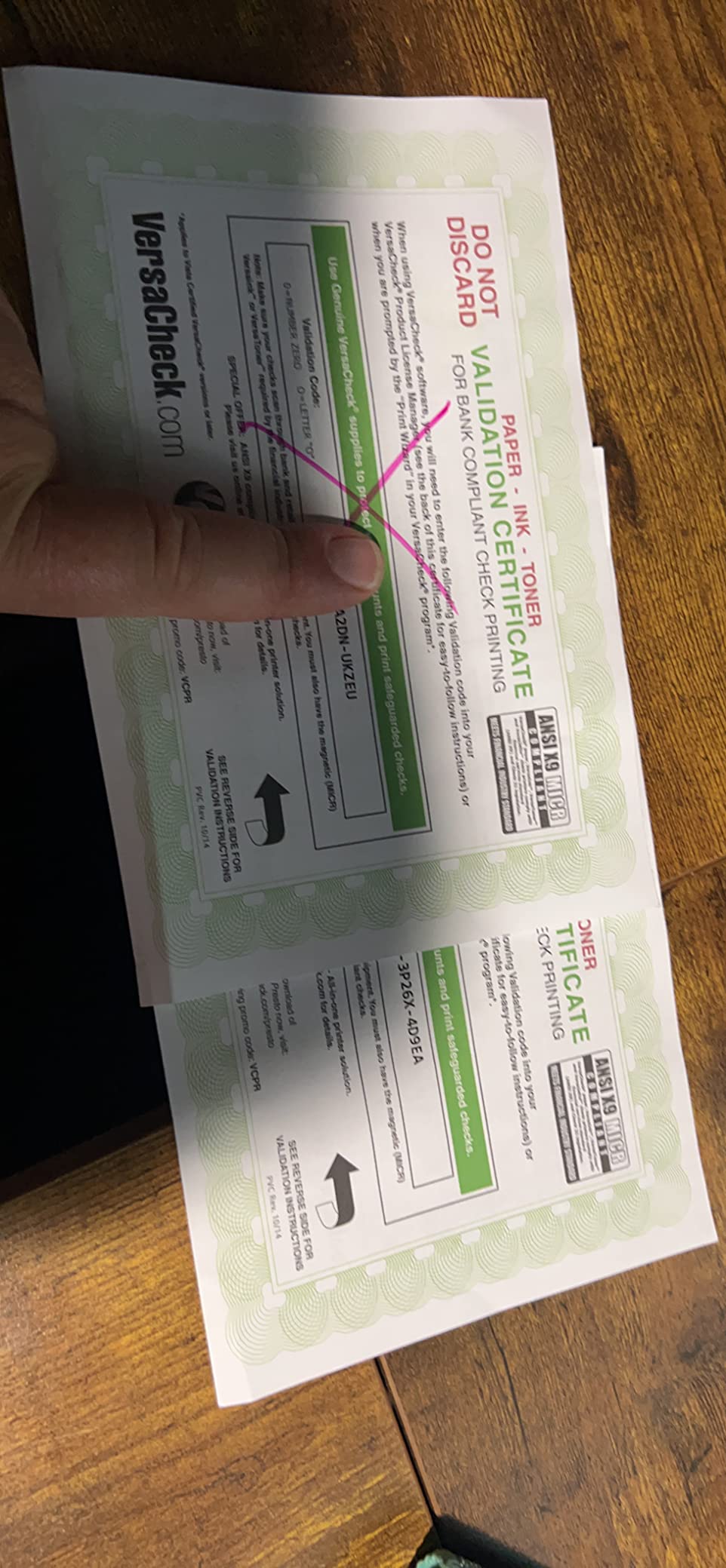
Color quality for ordinary documents is fine, and the 4800 dpi color resolution puts it ahead of the other inkjets here on paper output. Paper handling reaches up to 8.5 x 14 inch, though the listed maximum sheet capacity of 1 reflects a manual feed orientation rather than a paper tray you can load and forget.
What this printer is good for
A sole proprietor printing a handful of vendor checks a month, who wants color invoices from the same box. The wireless connection means it can live in a spare room rather than on the desk where you do accounts payable.
What to watch out for
Buy a replacement MICR ink cartridge alongside it rather than relying on the one in the box, and have the activation code validated before you need it. The tradeoff for the low entry cost is a review base that is thinner than most in this roundup.
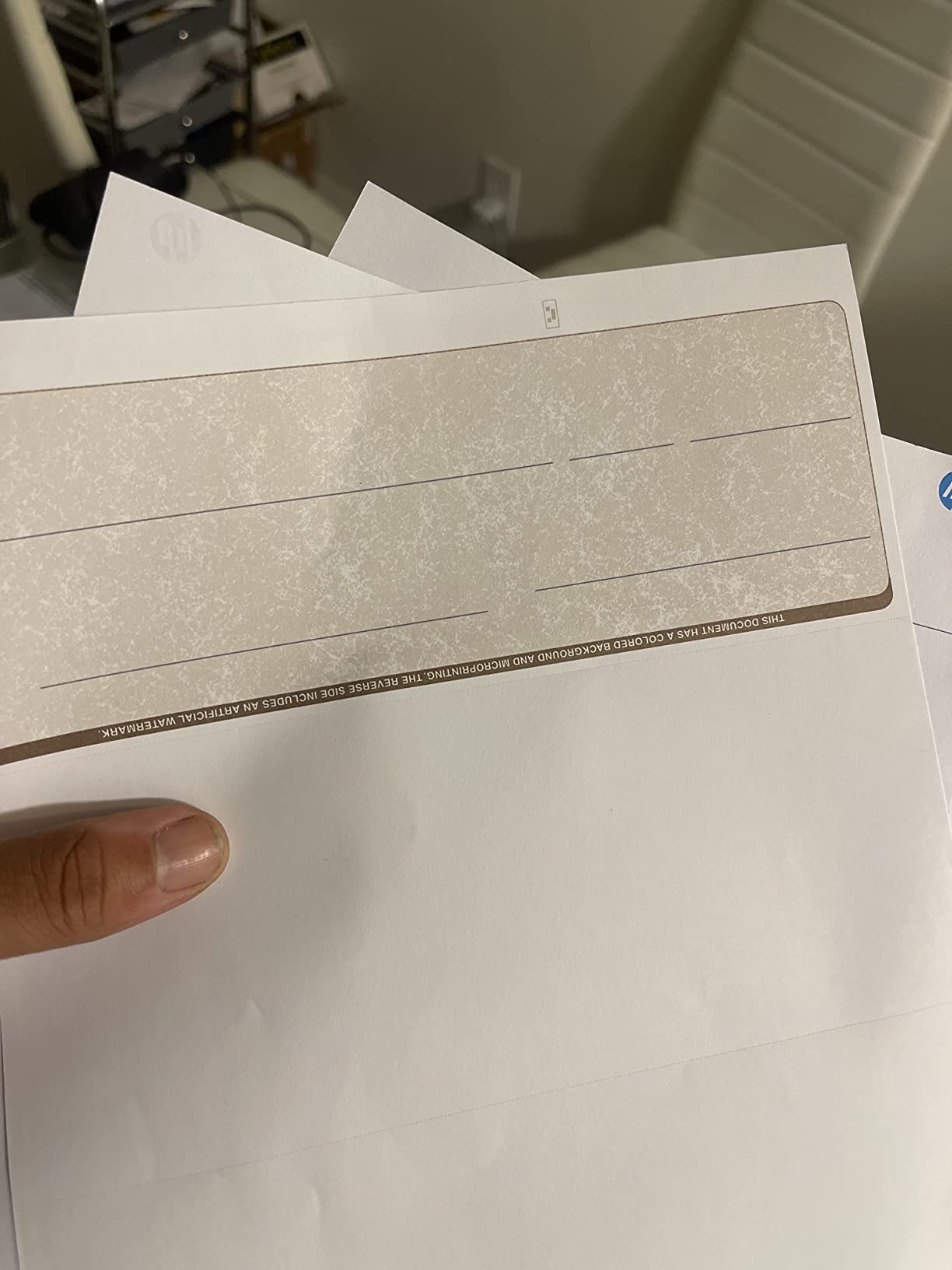
4. VersaCheck M15 MXD MICR Laser – Best Fit for a Mid-Size Team
VersaCheck M15 MXD MICR Check Printer and VersaCheck X1 Platinum Check Printing Software Bundle
Monochrome MICR laser
19 ppm black, 1200 dpi
150-sheet tray, up to 8.5 x 14 inch
USB and Wi-Fi, automatic duplex
Pros
- Up to 4800 checks per MICR cartridge at three per page
- 19 pages per minute black with automatic duplexing
- 150-sheet input tray takes legal-size paper
- Bundled check software
- paper and a MICR verification scanner
- USB cable included
Cons
- Monochrome only
- so no color check designs or graphics
- Software activation requires an internet connection
- Only 22 ratings to judge it by
This is a sensible middle step. It is a monochrome MICR laser at 19 pages per minute with automatic duplexing, and the check yield per cartridge is the number that matters here: about 4,800 checks at three to a page, which is a lot of payroll for one toner.
The 150-sheet tray accepts paper up to 8.5 x 14 inch, so legal-size check sheets are not a problem. USB and Wi-Fi are both there, which lets a small team share it on a network instead of passing a single machine around a desk.
Where this laser earns its place
For a business producing a few hundred checks a month, it is fast enough to finish a run in one sitting and cheap enough per check that toner stops being a line item you think about. The bundled verification scanner is a nice touch for catching a faint MICR line before you mail anything.
Where it falls short
No color means a plain black check, so if your business identity depends on a logo or a colored border, this is the wrong machine. Installation also needs an internet connection to activate the bundled software, which trips up some office networks.
5. VersaCheck 4155 MXQ – Best for Full-Color Check Designs
VersaCheck 4155 MXQ MICR All-in-One Color Check Printer and VersaCheck Gold Check Printing Software (Windows) Bundle
Inkjet all-in-one with color and MICR
8.5 ppm black, 5.5 ppm color
100-sheet capacity, up to 8.5 x 14 inch
Flatbed scan, copy, USB and Wi-Fi
Pros
- Full color printing combined with MICR check output in one machine
- Flatbed scanner plus print and copy
- Built-in wireless for network
- tablet and phone printing
- 100-sheet capacity with legal-size paper support
Cons
- Simplex only
- so there is no automatic two-sided printing
- Inkjet platform shares cartridge reliability concerns seen across this family
- Only 26 ratings to judge it by
If your check paper carries a full-color background, this is the printer built for it. The 4155 MXQ combines color output with MICR capability in a single all-in-one body, with a flatbed scanner on top and 1200 x 1200 dpi color resolution.
It reaches 8.5 pages per minute in black and 5.5 in color, with a 100-sheet capacity and paper support to 8.5 x 14 inch. The flatbed scanner means receipts and signed documents can be copied on the same machine, which keeps a small office down to one device.
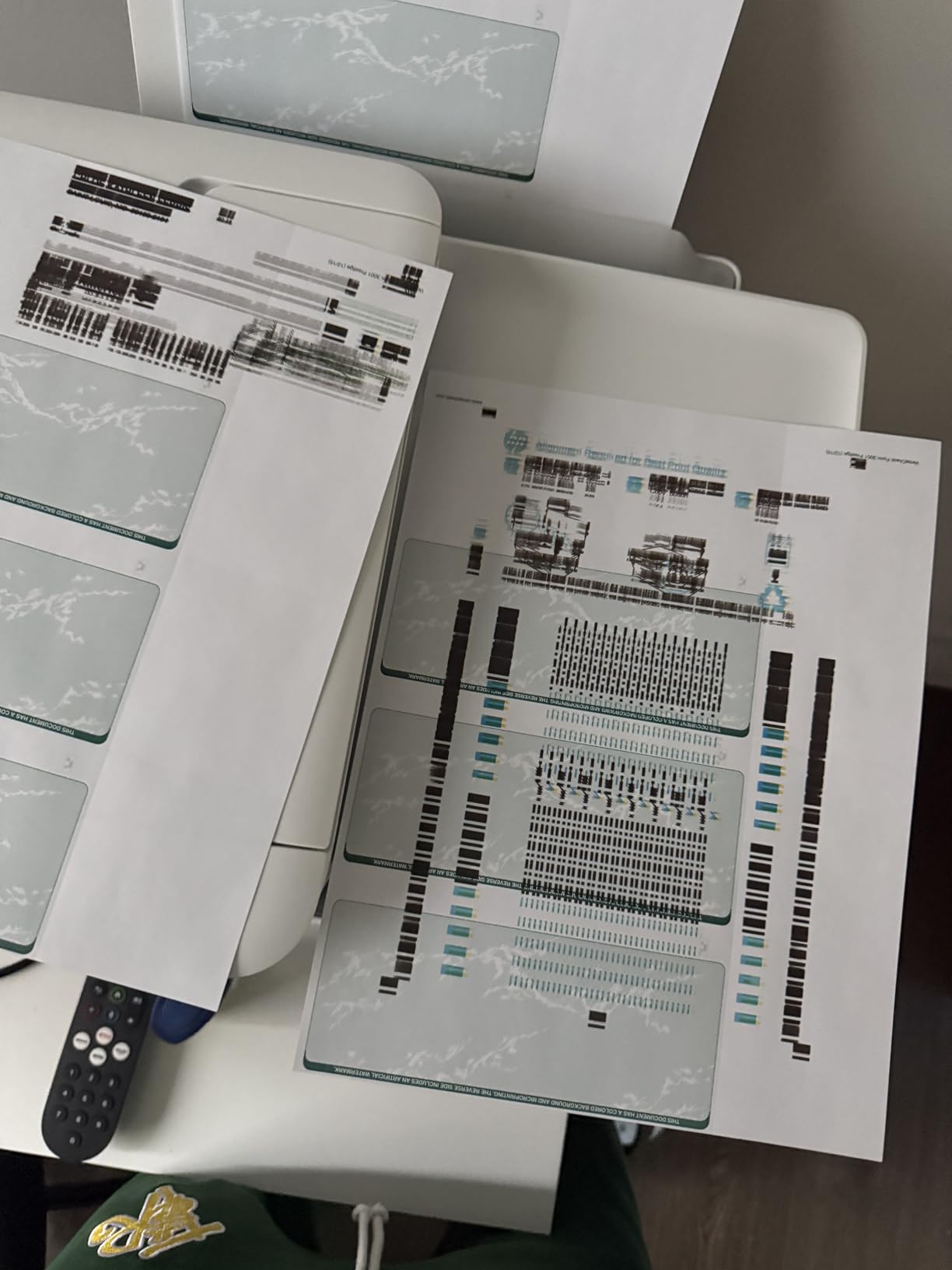
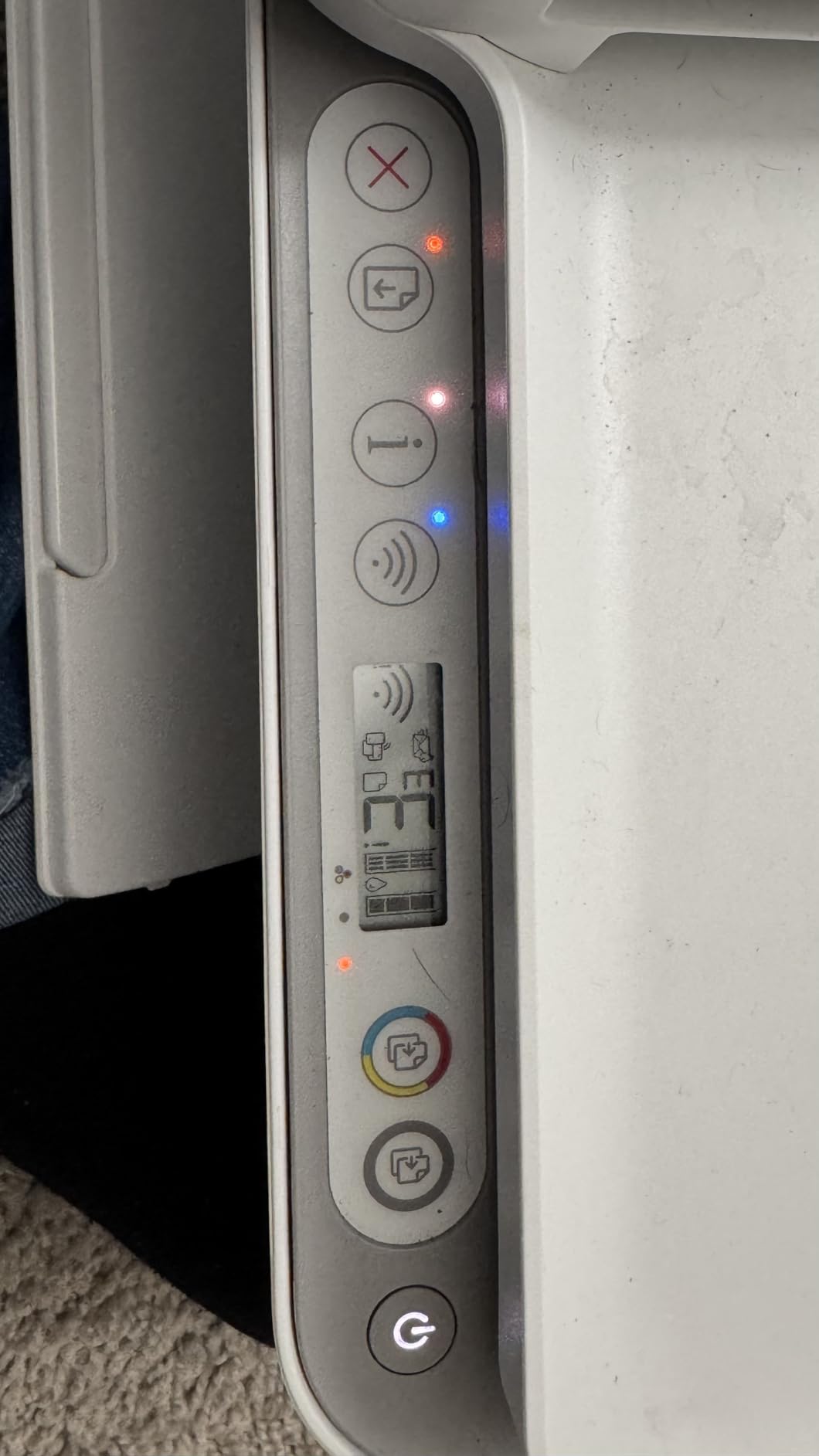
The 3.0 average across 26 ratings is the joint-lowest in the group, with 37% of reviews at one star. Printing is simplex only, so there is no automatic duplex, and as with the other inkjets here, cartridge reliability is the recurring theme.
One piece of context worth knowing: the listing ranks in the top 30 of Amazon’s Check Writers category, which suggests the bundle format itself is what people are shopping for rather than the printer.
Who should buy it
A business that previews its checks as part of the customer experience, or a home office that wants color output and checks without two devices. The all-in-one format is genuinely convenient at this size.
Who should look elsewhere
Anyone running more than a few hundred checks a month. At 5.5 pages per minute in color, a full check run turns into an afternoon, and the cartridge feedback across this product family is not reassuring enough to ignore.
6. TROY 4001N – Best for High-Security Office Printing
Troy 4001N MICR Printer, Check Printing, Built for Small and Medium Teams, 250 Sheet Capacity, 1 Tray, 3 Trays Maximum, Up to 42ppm
Monochrome MICR laser
42 ppm, the fastest in the group
250-sheet tray, expandable to 3 trays
Ethernet and USB, network ready
Pros
- Fastest print speed in the roundup at 42 pages per minute
- 250-sheet standard tray expandable to three trays
- TROY patented MICR toner tested for high adhesion
- Prints on blank check paper at the point of issue
- Ethernet and USB for shared office deployment
Cons
- Only 2 ratings
- so the 5.0 average reflects a very small sample
- Print-only device with no copy or scan functions
- Simplex printing only
This is the security-first choice. The defining feature is not speed, though 42 pages per minute is the fastest here, but the point-of-issue model: it prints checks on blank paper at the moment they are issued rather than in batches from pre-printed paper. Unissued blank paper is far less useful to a thief than a drawer full of signed checks.
The TROY patented toner is tested for adhesion, which matters because a MICR line that rubs off is a rejected payment. The 250-sheet tray expands to three trays for teams, and Ethernet plus USB makes it straightforward to share across an office.
Both available ratings are five stars, and that is the honest problem: a sample of two tells you very little about long-term reliability. Treat the score as a signal of quality control rather than a proven track record.
Why it earns a place
Point-of-issue printing is the single strongest check-fraud control you can buy at this level, and the toner adhesion testing backs up the marketing. It suits an accounts payable team that issues checks weekly and wants the paper to stay in the room until it goes out.
Why it is not for everyone
It is print-only with simplex output, so it will not scan or copy a single sheet, and there are no color capabilities. If checks are a small part of a mixed print workload, this is a specialist machine that duplicates nothing else.
7. TROY 200 Mobile – Best for Printing Checks on the Go
Troy 200 Mobile MICR Printer, Wireless Check Printing On the Go, Mobile and Lightweight, 50 Sheet Capacity, 1 Tray, Up to 20ppm
Portable monochrome MICR laser
20 ppm, first page in 5 to 10 seconds
50-sheet tray, up to 8.5 x 14 inch
About 7 pounds, Wi-Fi and USB
Pros
- Light enough for a briefcase or backpack
- Wireless check printing with a simple control panel and plug-and-play setup
- Prints on blank check paper at the point of issue
- Sized for insurance claim checks
- payroll and expense checks
- Works with smartphones
Cons
- Only 1 rating
- so the 5.0 average is not statistically meaningful
- The 50-sheet tray limits batch volume
- Print-only with no copy or scan functions
Almost nobody searches for this and then buys it, which is why it made our list. At about seven pounds with a 50-sheet tray and wireless connectivity, it prints the MICR line, payee and amount on blank paper wherever you are standing.
That use case is specific and real: an insurance agent issuing a claim check from a kitchen table, or field staff writing expense checks at a customer site. The single available owner review reports that after getting it set up correctly it printed checks without issue.
One rating is one rating, so the 5.0 average carries almost no statistical weight. What matters is the design intent, and the 20 pages per minute with a 5 to 10 second first page is perfectly usable for the handful of checks a mobile worker writes in a day.
Where it makes sense
Point-of-issue printing on blank paper is a genuine security win even on the move, since there is no stack of blank checks to lose in a vehicle. It suits a mobile worker who issues a handful of checks a week rather than a payroll.
Where it does not
A 50-sheet tray makes batch work impractical, and manual duplex with print-only functions rules it out for a shared office. If checks leave the building in one large run, this is the wrong shape of machine.
8. VersaCheck HP DeskJet 4155 MXE – Best Complete Starter Bundle
VersaCheck HP DeskJet 4155 MXE MICR All-in-One Printer Presto Printing Software Bundle White
Inkjet all-in-one with MICR black and color
8.5 ppm black, 5.5 ppm color
500-sheet capacity, up to 8.5 x 14 inch
Print, copy, scan with Wi-Fi
Pros
- Bundled software
- blank check paper and a GoTest MICR and UV scanner in the box
- All-in-one print
- copy and scan with built-in wireless
- Highest listed sheet capacity of the inkjets here at 500
- Includes a black MICR ink cartridge and a color cartridge
Cons
- The single available review calls the included ink poor quality
- Only 9 ratings
- so reliability is not well established
- Manual duplex only
What separates this bundle from the others is the GoTest handheld scanner in the box. It checks the MICR line and the UV security features on a finished check, which turns a bank rejection from a mystery into a five-second test.
Under the hood it is an all-in-one inkjet printing at 8.5 pages per minute in black and 5.5 in color, with print, copy and scan over built-in wireless. The listed sheet capacity of 500 is the highest among the inkjets here, and paper support runs to 8.5 x 14 inch.
The feedback is thin at 9 ratings, and the one owner review available says the printer performs well apart from the ink, calling the supplied cartridge poor quality. That points at the bundled consumable rather than the hardware, but it is still the cartridge you would rely on on day one.
Why this bundle appeals
Everything a first-time check printer needs arrives in one box: software compatible with current Windows versions, blank check paper, both cartridges and a verification tool. For a business starting from zero it removes four separate purchases.
Where to temper expectations
Nine ratings is not enough evidence to promise reliability, and manual duplex means no automatic two-sided output. Buy a spare MICR cartridge alongside it and you remove the main risk in the feedback.
Inkjet or Laser for Printing Checks?
Choose an inkjet below about 50 checks a month and a laser above it. That single threshold answers the question for most businesses, because the deciding factor is color and volume rather than anything about check security.
An inkjet prints color and black together in one pass, costs less to buy, and handles occasional use without the ink drying in the cartridge. A laser prints faster, costs less per page at volume, never dries out, and gives you sharper MICR adhesion. Its one real limitation is that every laser in this roundup is monochrome.
There is a middle band worth naming. Between roughly 50 and 300 checks a month, a compact monochrome laser like the MTI system or the M15 MXD usually pays for itself on toner savings alone, even without any color requirement. Below 50 checks a month, you will spend more time than the volume justifies on a machine you could have got for a consumer inkjet plus a MICR cartridge.
If your checks are all black text, laser wins on reliability alone. If they carry a logo, a colored border or a background tint, the inkjets in this roundup are the only route to keeping that design. If you also produce photo prints or transfer paper, our photo printer roundup and sublimation printer guide cover the high-resolution and heat-transfer ends of the inkjet market, and the same color-versus-volume logic applies.
What Kind of Ink Do You Need to Print Checks?
You need MICR ink or MICR toner, which is ordinary dye or toner with iron-oxide particles mixed in. Those particles are what a bank’s magnetic reader picks up along the routing number, account number and check number line at the bottom of the check.
The distinction is the vehicle. MICR ink is liquid and goes in an inkjet cartridge; MICR toner is powder and goes in a laser cartridge. Both can produce a scannable line, but toner adhesion is firmer, which is why the laser machines handle long runs and heavy handling better.
Two rules matter more than the type. First, the characters must be printed in E-13B or CMC-7 font at the correct position on the check sheet, which is what the check software does for you. Second, print density has to be high enough that the particles fuse properly, so do not run the printer in draft or economy mode for checks. A toner-sensing function that disables itself in low-density mode exists for exactly this reason.
Replacing cartridges is a cost you plan for rather than absorb. Check the yield figure expressed in checks per cartridge, since three checks fit on one sheet, and keep a spare on hand.
How to Choose by Monthly Check Volume
Start by counting your checks, not your pages. A business check holds three per sheet, so a 50-check month is under 20 sheets, which is well within what any printer here will handle comfortably.
Under 50 checks a month, an inkjet bundle is the right call. You want the lowest outlay, color capability and a machine that will still work six months after your last print. Between 50 and 300, a compact monochrome laser earns its place on running cost. Above 300, or across a payroll for several people, a workgroup laser with a 250-sheet or larger tray removes the mid-run refills.
Three specifications deserve a close look. Tray size decides how often you refill mid-run. Duplex printing matters if you also print two-sided documents on the same machine. Monthly duty cycle, usually listed in pages per month, tells you whether the machine is built for your volume or is being pushed past its design point.
Software is the fourth. QuickBooks and QuickBooks Desktop both print checks through a driver, and the bundles here include their own check-writing software such as VersaCheck Gold, X1 Platinum or Presto, with blank check paper. Our color laser roundup covers the mixed-workload angle if you want one printer for everything.
Two security features are worth paying for if checks leave your hands regularly. A lockable paper tray stops someone walking off with a stack of blanks. Anti-fraud toner that bleeds when chemically altered is a separate safeguard against washing, and it is specific to the dedicated MICR machines rather than the consumer bundles.
Why Banks Reject Printed Checks
The most common cause is a MICR line that prints too faintly to scan. Density settings set to draft or economy mode, a worn or partly used cartridge, or toner that has not properly fused will all produce a check that looks fine and reads as blank.
Run a verification scan before mailing anything. Two of the bundles here include a handheld MICR and UV scanner for precisely this step, and it converts a returned payment into a catch you fix on the desk.
Misalignment is the second cause. Check sheets have a defined MICR line position and check software relies on a specific paper orientation and matching guides in the tray. Load the paper the correct way, select the check-paper setting in the driver, and confirm the guides are square against the sheet edges.
Third, the wrong paper. Ordinary copy paper has no MICR line guide and will produce checks that drift out of position. Use blank check paper from a security printer, and keep it sealed and dry.
Fourth, toner sensing. Several machines disable jam recovery and refuse to print in low-density mode when they detect a non-MICR cartridge. If a check job simply will not run, check the cartridge model first before blaming the software.
Finally, confirm the account and routing numbers match what your bank has on file. A rejected check with a perfect MICR line is almost always a data entry problem, not a printer problem.
When Pre-Printed Checks Make More Sense
If you write fewer than a handful of checks a year, buying a check printer to avoid ordering pre-printed checks is the wrong economics. The printer, the cartridges and the software all exist to amortize across volume.
Pre-printed checks also carry a security advantage that surprises people. Checks printed before they are signed cannot be altered into a different amount the way a blank printed check can, and the security tints and microtext come from a specialist printer rather than a home office.
There is a crossover point where the decision flips. Once you are running monthly payroll or writing regular vendor checks, printing in-house wins on turnaround, on confidentiality and on the ability to change details without reordering.
Frequently Asked Questions
Do I need a special printer to print checks?
Yes. You need a printer with MICR capability, which uses ink or toner containing iron-oxide particles to encode the routing number, account number and check number along the bottom of the check in E-13B or CMC-7 font. Regular black toner produces a check that looks correct but carries no magnetic signal, and banks return or reject it.
What type of printer is best for printing checks?
A MICR laser printer is best above about 50 checks a month, because toner is faster, never dries out and costs less per page at volume. Below that, a MICR inkjet is the better choice, since it costs less, handles occasional use and prints your check design in color at the same time.
Can I print my own checks on my printer?
You can print your own checks if you use a MICR-capable ink or toner and blank check paper from a security printer. A consumer printer with a standard black cartridge will produce a check without a readable magnetic line, and your bank will return it. Check paper also has a defined MICR line position the software needs to target.
What kind of ink do I need to print checks?
You need MICR ink or MICR toner, which is ordinary dye or powder with iron-oxide particles mixed in. Ink is liquid and goes in an inkjet cartridge; toner is powder and goes in a laser cartridge. Both work, but toner adheres more firmly. Print in normal density, never draft or economy mode, so the magnetic particles fuse properly.
Are MICR printers only necessary for large businesses?
No. Any business or sole proprietor printing checks from blank check paper needs a MICR line, from someone writing a few vendor checks a month to a company running full payroll. The difference is the machine class, not the requirement. Low volume suits an inkjet bundle, while hundreds of checks a month suits a monochrome laser.
Do I need a TROY printer or will a standard HP with MICR toner work?
A standard printer fitted with a compatible MICR cartridge can work, provided the imaging drum is compatible with magnetic powder. Models with a separate drum need careful cartridge matching and can produce a faint line if mismatched. Integrated-drum designs avoid the issue entirely. A branded MICR machine adds tested toner adhesion, tray security and check-aware support.
Why was my MICR check rejected by the bank?
The usual causes are a faint MICR line, misaligned check paper, the wrong paper type or incorrect account and routing details. Faint lines come from draft or economy print settings, worn cartridges or toner that did not fuse. Verify the finished check with a handheld MICR scanner before mailing, and confirm the numbers against what your bank has on file.
Which Check Printer Should You Pick?
Under 50 checks a month, pick the VersaCheck HP DeskJet 3755 MX. It is our editor’s choice and the best printers for printing checks pick for most small businesses, because it prints color and dense MICR ink in one compact machine and it has by far the largest pool of owner feedback behind it.
From 50 to 300 checks a month, move to a monochrome laser. The MTI MICR system handles the upper end of that band with automatic duplexing, and the M15 MXD covers the middle with a verification scanner in the box. Above 300 checks a month, or where check fraud is a live concern, the TROY 4001N prints on blank paper at the point of issue.
Whichever you choose, buy a spare MICR cartridge on day one and verify your first check before you mail a batch. That single habit prevents almost every rejection we described above. All picks were re-checked against current owner feedback in 2026.