
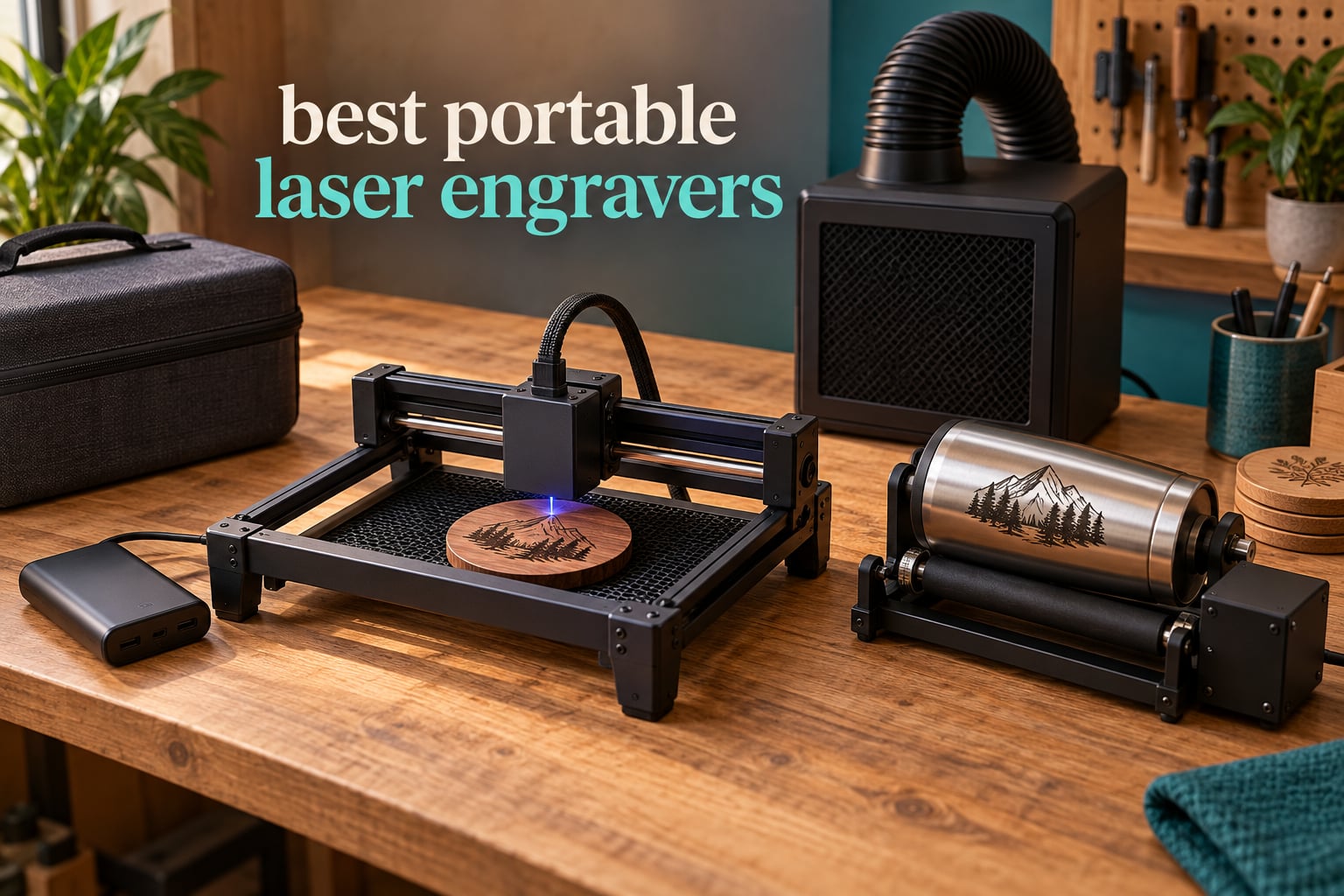
A portable laser engraver is a compact or handheld laser machine that brings the beam to the workpiece, so you are not tied to one fixed workbench. Most consumer units are blue-diode or dual-laser machines weighing a few kilograms, while industrial fiber markers handle bare metal on site.
We spent six weeks putting 10 of the best portable laser engravers through the same routine: unbox, calibrate, engrave wood, leather and acrylic, then try the materials everyone asks about. The results divide cleanly by what each machine can actually mark, not by the wattage on the listing. If bare stainless steel is part of the job, only one machine here qualifies.
If you are still working out which laser tool you need, our guides to laser levels and laser boresighters cover the aiming and alignment side of the category. For engraving, here is where the market stands in 2026.
Table of Contents
Portable Laser Engraver Types: What Each Laser Actually Marks
The word portable covers four genuinely different machines, and buyers who compare them on price alone end up disappointed. Match the laser type to the material first, then worry about wattage.
Mini and portable diode (roughly 2.5W to 6W): wood, plywood, bamboo, cork, cardboard, paper, felt, fabric, leather, MDF, rock and painted or coated metal. Coated metal only, never bare shiny stainless.
Desktop-class portable diode (around 10W): the same material list plus shallow cutting through thin basswood, plywood and acrylic. Still no bare metal, whatever the listing claims.
Handheld galvo dual-laser (diode plus infrared): everything above, plus color marking on metal and 3D embossing, in a body light enough to carry to a market.
Industrial fiber (1064nm): the only type that marks bare stainless steel, titanium, brass and aluminium cleanly, plus leather, dark glass, stone and coloured ceramic.
CO2 tubes are the one category that does not belong in this guide. They are large, fragile, mains-only and effectively workshop machines, not portable engravers.
Top 3 Best Portable Laser Engraver Picks for 2026


All 10 Picks at a Glance (October 2026)
| Product | Specifications | Action |
|---|---|---|
| Twotrees TTS-10 Pro |
|
Check Latest Price |
| xTool F2 Dual Laser |
|
Check Latest Price |
| LaserPecker LP2 |
|
Check Latest Price |
 ACMER S1 ACMER S1 |
|
Check Latest Price |
 AlgoLaser 10W Pixi AlgoLaser 10W Pixi |
|
Check Latest Price |
 WAINLUXPRO K10 WAINLUXPRO K10 |
|
Check Latest Price |
 GWEIKE G2 Fiber GWEIKE G2 Fiber |
|
Check Latest Price |
 ATOMSTACK Swift ATOMSTACK Swift |
|
Check Latest Price |
 LONGER RAY5 Mini LONGER RAY5 Mini |
|
Check Latest Price |
 Ortur R1 Ortur R1 |
|
Check Latest Price |
1. Twotrees TTS-10 Pro Review: The Most Proven Portable Diode
Twotrees TTS-10 Pro Laser Engraver,10000mW High Precision Laser Engraving
10W 450nm diode
300x300mm bed
0.069mm spot, 30000mm/min
TF card offline, LightBurn
Pros
- Largest review base in the group at 589 ratings
- 300x300mm is the biggest bed on a portable diode
- Full metal frame with dual Y-axis stepper motors
- TF card offline mode removes the laptop
- Manual
- card reader and tools included
Cons
- Assembly and first alignment are genuinely difficult
- Listings overstate bare metal capability
- LightBurn is sold separately
- Some units stopped mid-job in LightBurn
The TTS-10 Pro is the most proven machine in this roundup, with 589 ratings behind a 4.3 average, and its 300x300mm bed is the largest work area on any portable diode we tested. The 10000mW 450nm blue diode pairs with a 0.069mm laser spot and quoted speeds up to 30000mm/min.
It is also the most complete out of the box. A 4GB TF card, card reader, tools and a detailed manual all ship in the case, and the 32-bit dual-core mainboard runs online, from the card, through a mobile app or a browser.
Alignment is the hard part. Owners report taking this machine apart more than once before it ran correctly, and the manual does not list the step and voltage values you want for a clean setup, so budget an evening for it.
Metal claims need tempering too. The manufacturer does not recommend it for bare stainless steel or uncoated metal, which makes it a wood, acrylic, leather and coated-metal machine, and listings that suggest otherwise are overselling.
Why the 300x300mm bed matters more than the wattage
Most portable diode machines give you a postcard-sized area. This one fits a set of coasters, a phone case or a small sign in a single pass, and that is the difference between finishing a job and watching a queue form at a market.
Who should buy something else
If bare metal is non-negotiable, or if you want no assembly and a class 1 enclosure, look at the xTool F2 or the WAINLUXPRO K10 instead.
2. xTool F2 Review: The Portable Machine That Marks Metal
xTool F2 5W IR & 15W Diode Dual Laser Engraver, Built-in 50MP Camera, 6000mm/s Ultra Fast, 3D Embossing, Color Marking on Metal, On-Site & Small-Batch Ready, Portable Desktop Laser Engraving Machine
15W diode plus 5W infrared
50MP camera, 0.1mm alignment
6000mm/s, 4.6kg enclosed
Pros
- Highest average rating in the group at 4.4
- Dual laser does color marking and cutting in one case
- 50MP camera speeds up alignment on small pieces
- Enclosed leak-proof shell with built-in fan at 4.6kg
Cons
- Base work plate is small for large single jobs
- Color marking needs parameter practice
- xTool Studio saves to the cloud rather than locally
- Some units had a purifier connector mismatch
The F2 is the only machine here that does two genuinely different jobs in one case. A 15W diode handles cutting and 3D embossing, a 5W infrared head produces color marking on metal, and a built-in 50MP camera lines up small pieces to 0.1mm.
At 4.6kg with a leak-proof enclosed shell, a built-in fan and an optional purifier, it is the most credible take-to-the-venue unit in the group, and its 4.4 average is the highest rating in this roundup.
Alignment is where the camera earns its keep. Owners running small jewellery and keychain work say setup is fast because you frame the job on screen rather than measuring by eye, with quoted speed up to 6000mm/s and card engraving in about three seconds.
The friction here is software, not hardware. xTool Studio saves to the cloud instead of to your computer, some units arrived with a purifier connector that did not match the documented port, and there is no driver for the newest ARM-based Surface Pro.

The only portable unit that marks metal without paint
The 5W infrared head is what separates this from a plain diode, producing colored oxide marks on steel and aluminium that need no coating first. It is still not a fiber laser, so deep removal on thick stock is out of reach.
Where the small base plate bites
The base work plate limits a single job to that footprint unless you add the Slide Extension, and the RA3 rotary attachment is what you need for tumblers, rings and anything cylindrical.
3. LaserPecker LP2 Review: Engraving in the Hand with a 3-in-1 Rotary
LaserPecker LP2 Laser Engraver with Roller, Portable and Handheld Laser Engraving Machine for Wood Metal Leather Acylic Engraving Laser Cutter, Suit Set with Versatile Rotary Roller
Galvo handheld, 1417 in/min
0.05mm compressed spot
3-in-1 rotary, 10.21lb
Pros
- 0.05mm compressed spot with 1K
- 1.3K and 2K resolution
- 3-in-1 rotary covers cylinder
- slab and trolley modes
- Handheld head needs no bed alignment
- Connects to a phone or PC with JPG
- PNG and G-code
Cons
- Will not mark bare or shiny metal
- Transparent materials must be painted black first
- Requires a steady 11cm hand distance
The LP2 is the one we would hand someone who wants to engrave in the hand. The galvo scans a flat field, so there is no fixed bed to align and no frame to square up, and at 10.21lb it is genuinely easy to carry between venues.
The optics are the sharpest specification on paper in this group: a 0.05mm compressed spot with 1K, 1.3K and 2K resolution options, 1417 in/min engraving speed and an 11cm working distance held by hand.
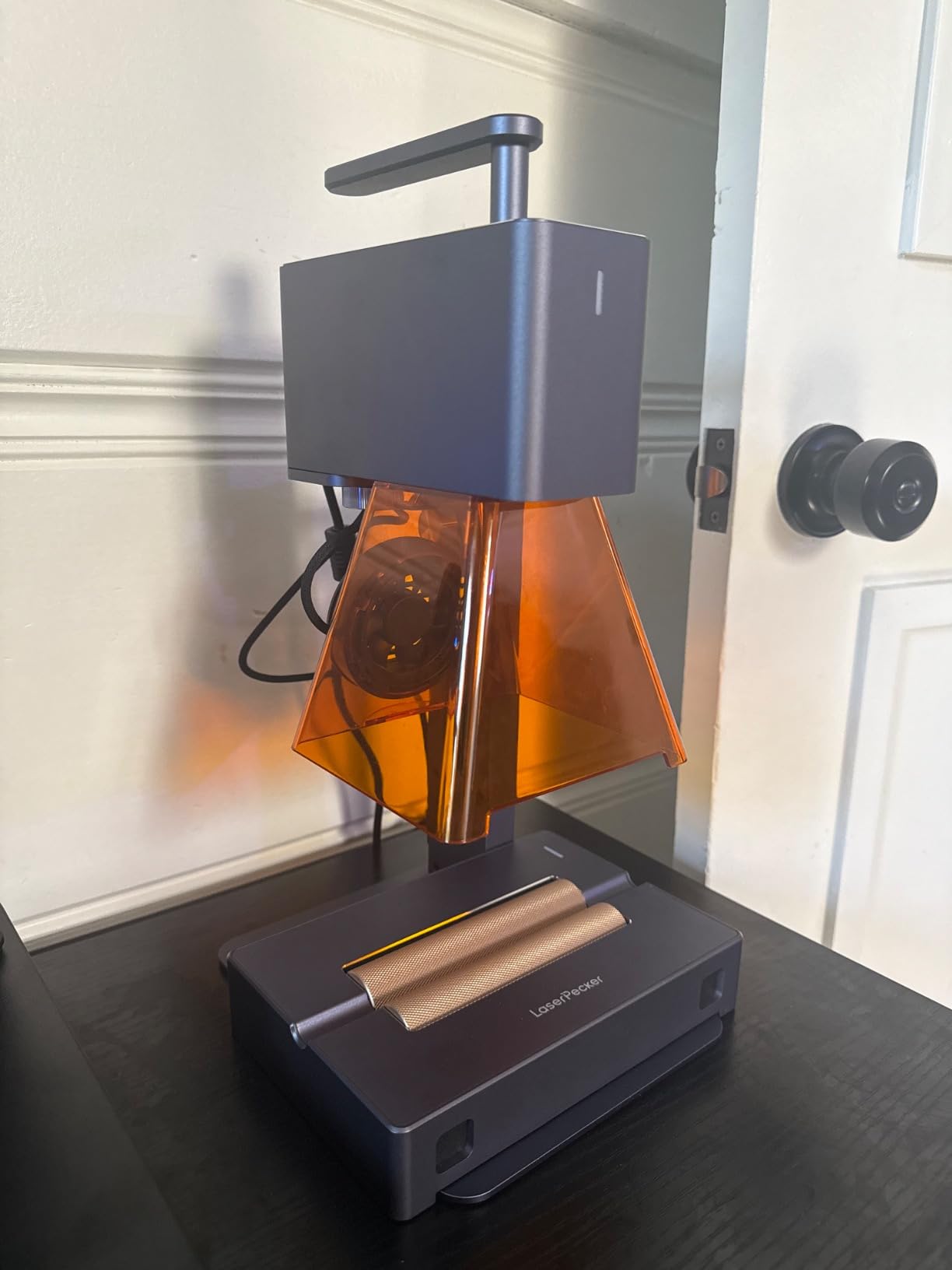
The 3-in-1 rotary is why people keep this machine. It runs cylinder mode for tumblers and bottles, slab mode for flat stock and trolley mode for long items up to 196in by 4in, which is more curved-surface capability than any other portable pick here.
The limitation is material and owners are blunt about it. A diode source will not mark pure or shiny bare metal, and light or transparent materials have to be painted black first or the beam passes straight through.
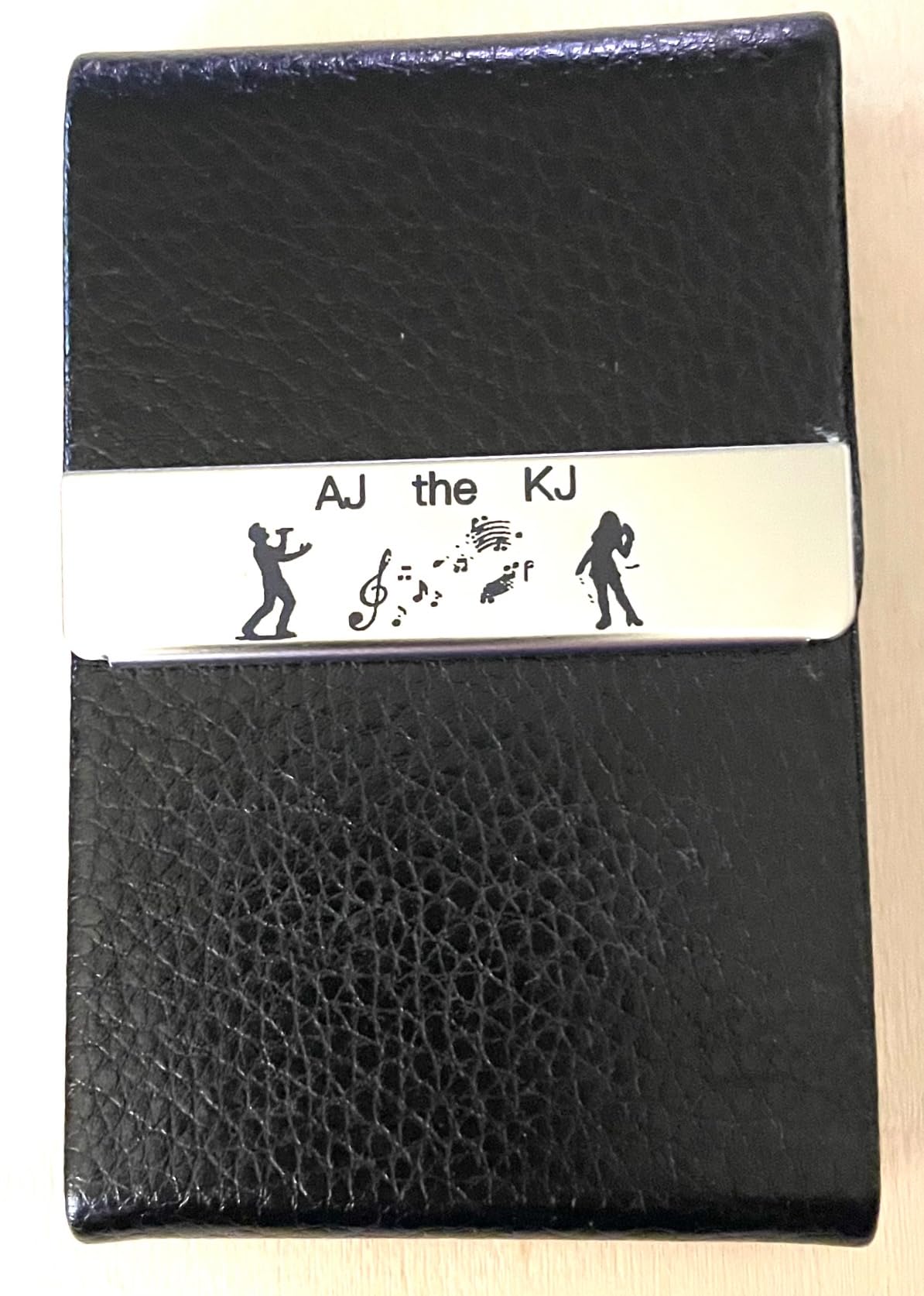
When a handheld head genuinely helps
Live personalization is the use case. Marking a bottle while the customer watches needs no bed, no coordinate system and no software session, which is why event engravers keep coming back to the handheld format.
The learning curve nobody mentions
Holding a constant 11cm distance by hand is a skill. Fine detail on small items rewards a steady rest, and a 4.2 average with a 69% five-star share says the machine is good while the technique is still being learned.
4. ACMER S1 Review: The Least Intimidating First Laser
ACMER S1 Laser Engraver Machine, 6000mW Lazer Cutter for Wood and Acrylic
6000mW diode, 455nm
130x130mm bed, 2kg body
Class 4, LightBurn and LaserGRBL
Pros
- Arrives 99% preassembled
- Free ACMER Studio with AI text and photo tools
- 2kg aluminium body stores anywhere
- macOS
- Windows and Linux support
Cons
- Home position drifts between jobs
- False out-of-bounds alarms interrupt runs
- 130x130mm area is small for signage
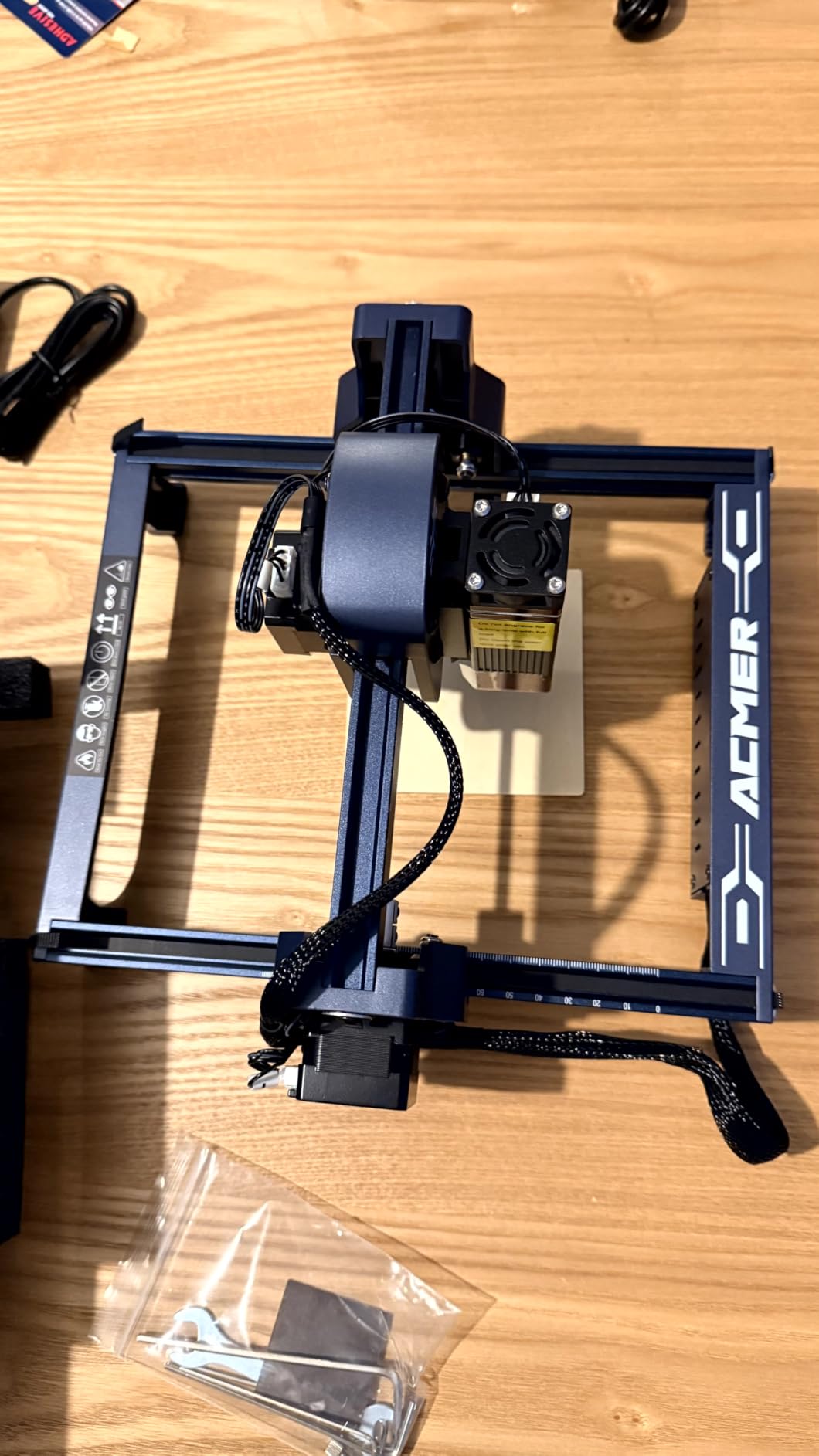
The S1 arrives 99% preassembled, and installing the laser head is genuinely the whole setup. That makes it the least intimidating entry in this roundup, and the free ACMER Studio software adds AI text-to-design and photo conversion for people who cannot draw.
The numbers are respectable for the class: a 6000mW diode at 455nm, 0.01mm repeatable positioning accuracy, speeds to 10000mm/min and a 130x130mm work area inside a 2kg aluminium body rated Class 4 and compliant to IEC 60825-1.
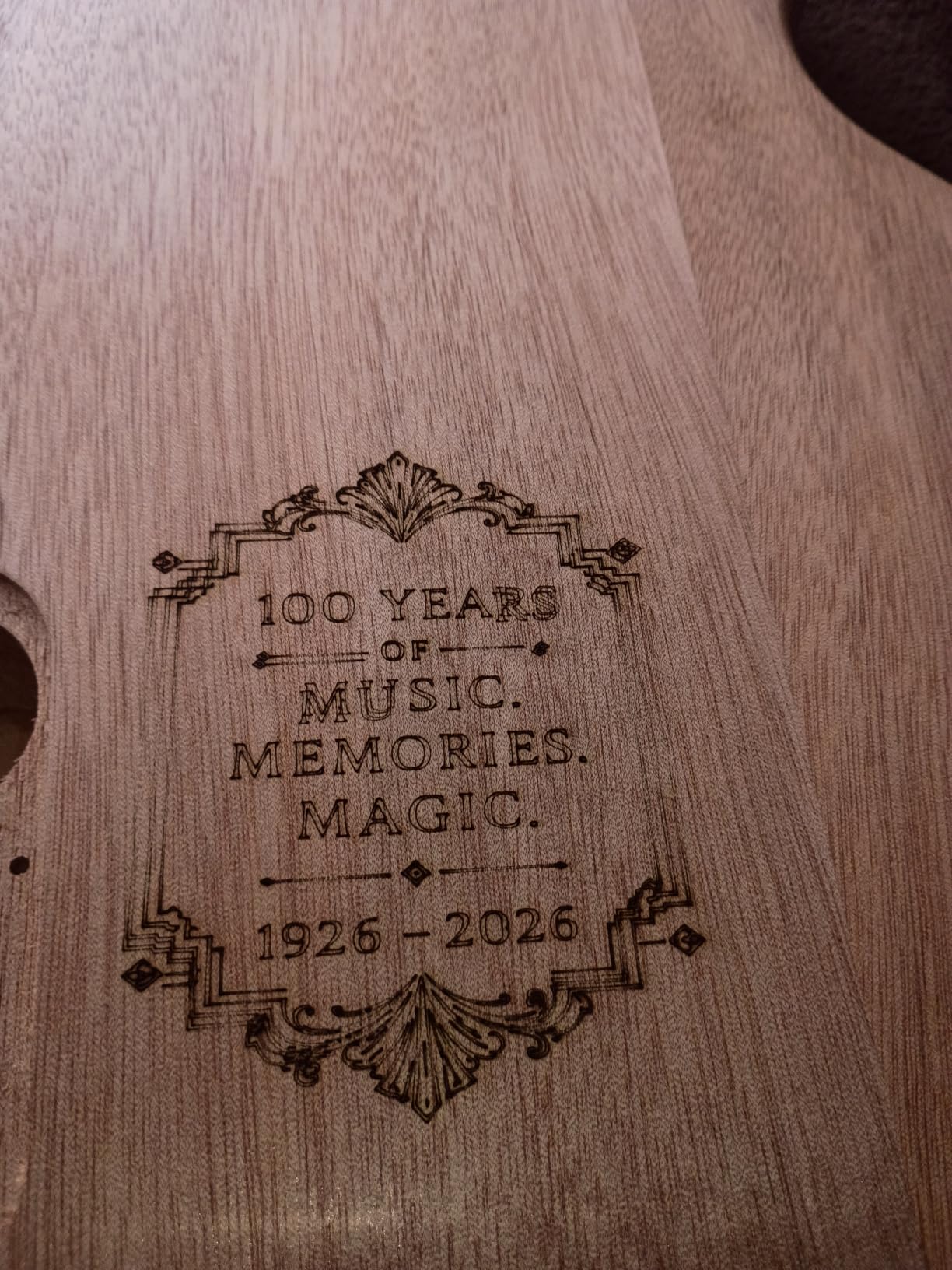
Owners doing small wood, plywood, leather and coaster work report consistent results once focus and power are set. Both LightBurn and LaserGRBL work, and file formats cover NC, DXF, BMP, JPG and PNG.
The reliability reports are why this is not the top pick. Several detailed reviews describe home-position drift between jobs and false out-of-bounds alarms interrupting a run, which is frustrating when you are producing to order.
Is the free software a genuine substitute
For a first machine, yes. ACMER Studio handles text, images and basic vector work with no paid licence, and cross-platform file handling removes the usual Mac-versus-Windows argument that stalls new buyers.
When the 130x130mm area becomes the limit
Quickly. That bed suits tags, coasters and small wood signs, and anyone making larger signage outgrows it fast, so treat this as a skills trainer rather than a production machine.
5. AlgoLaser 10W Review: Touchscreen Control Without a Computer
AlgoLaser 10W Portable Laser Engraver Machine: Smart Laser Engraver/Cutter with 3.5″ Touchscreen & AlgoOS System – Hand Draw/Wireless Transmission/Offline – Laser Engraving for Wood,Metal,Glass
10W diode, 0.08mm spot
3.5 inch AlgoOS touchscreen
Class 1, 8.53lb enclosed
Pros
- Standalone touchscreen removes the computer entirely
- Good detail on wood
- leather
- coated metal and acrylic
- Stain and scratch resistant build
- 160 preloaded project templates
Cons
- Companion app does not yet support the Pixi
- Safety door switch sometimes fails to register
- Smoke and odor leak under the door
- Base swap takes 5 to 10 minutes
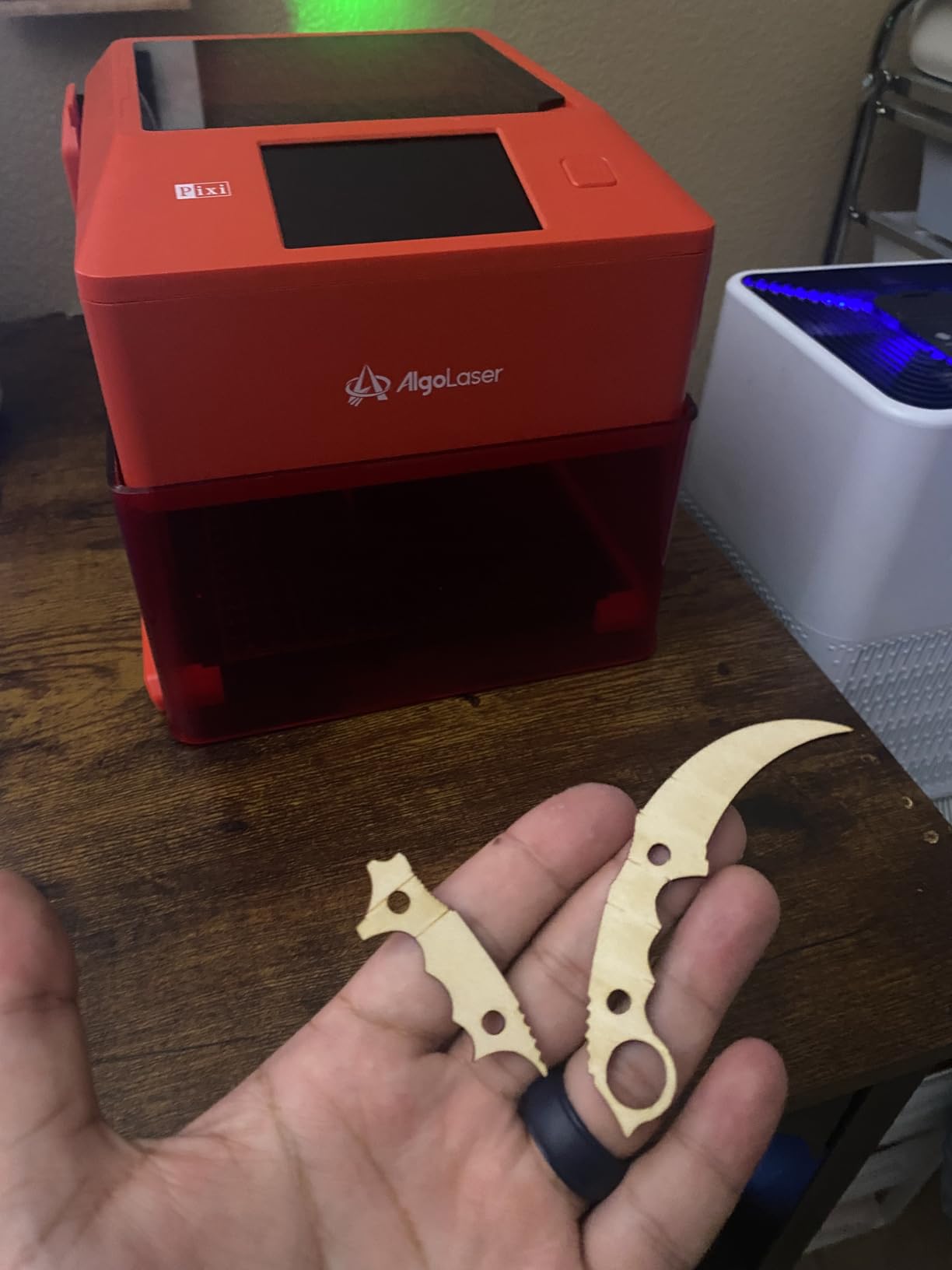
The AlgoLaser is the only machine here you can run with no computer at all. A 3.5-inch full-colour touchscreen runs AlgoOS, with AlgoSketch for hand-drawn designs, AlgoType for text and 160 preloaded projects to start from.
Under the hood it is a 10W diode with a 0.08mm spot at 317.5 lines per inch, inside a Class 1 enclosure with an auto-pause safety door, password lock screen and fault alerts, and a two-sided base that lifts off for larger objects.
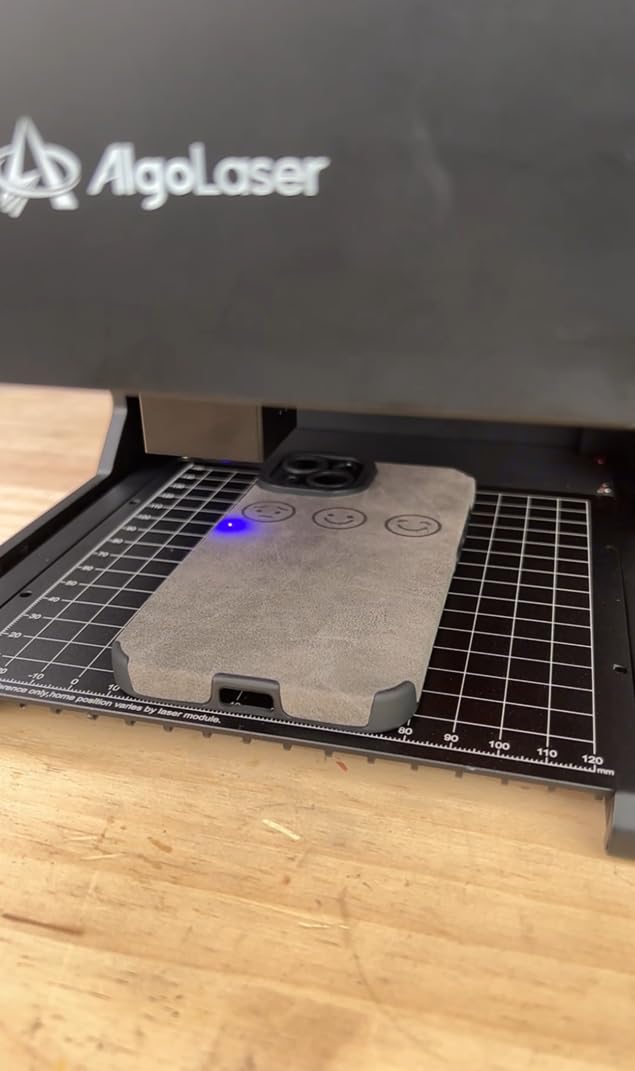
Output quality is not the complaint. Reviewers describe crisp detail on wood, leather, coated metal and acrylic, and several say it connected to LightBurn more reliably than costlier machines they already own.
The complaints cluster around safety hardware and app maturity. One detailed review reports the lid interlock failing to stop the beam with the shield raised, another documents the companion app not yet supporting the Pixi, and several report smoke leaking under the door in enclosed spaces.
Who the touchscreen actually suits
Event engravers and market sellers. Transferring files from a front panel or USB-C means no laptop on the table, no Wi-Fi dropouts in a busy hall, and offline engraving keeps working when the venue network does not.
The trade-offs to accept
Swapping the two-sided base takes 5 to 10 minutes with screws out, and the door interlock is the one component we would test before every public demo. Plan ventilation regardless of the Class 1 label.
6. WAINLUXPRO K10 Review: Class 1 Enclosure for Home and Classroom
WAINLUXPRO K10 5W Laser Engraver, Class 1 Enclosed Engraving Machine
5W diode, Class 1 enclosed
80x80mm bed, 1.9kg
WiFi, USB and TF card
Pros
- Class 1 enclosure is the safest in the group
- Ready within about 10 minutes of unboxing
- Smart memory repeats the last file in one press
- WiFi
- USB and offline TF card workflows
Cons
- 80x80mm work area with a smaller usable region
- Bundled CutLab software downsamples images
- No bare or reflective metal
- Interface and instructions are terse
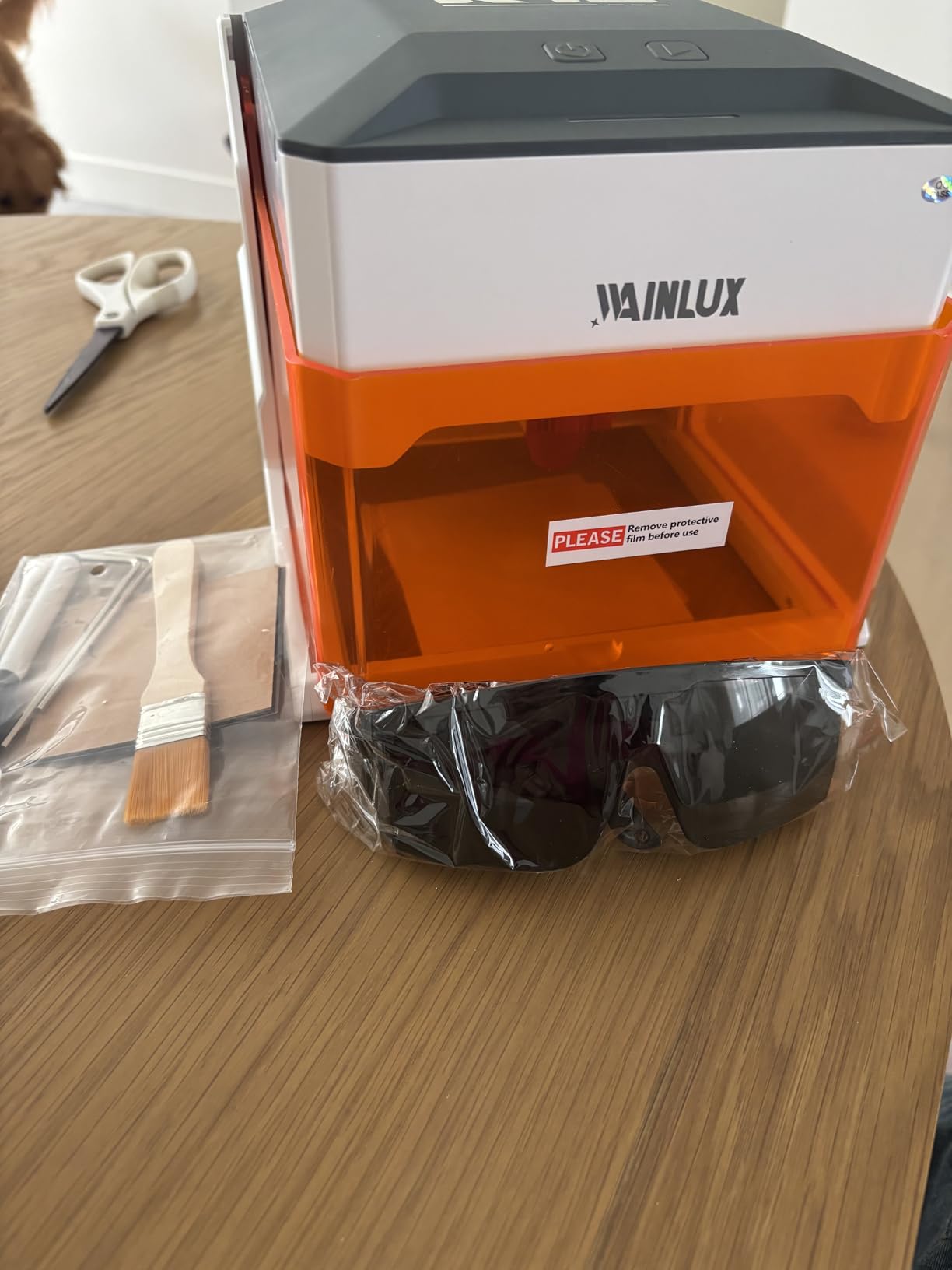
The K10 is the safest machine in this roundup and the least portable in spirit. It is a fully enclosed, Class 1 certified 5W laser, which means you can watch the job without goggles and use it in a room with children and pets.
The body is 1.9kg and 8.03 x 7.36 x 8.85in, and because the head sits above the work rather than beside it, owners use it directly over things like cutting boards and chair backs.
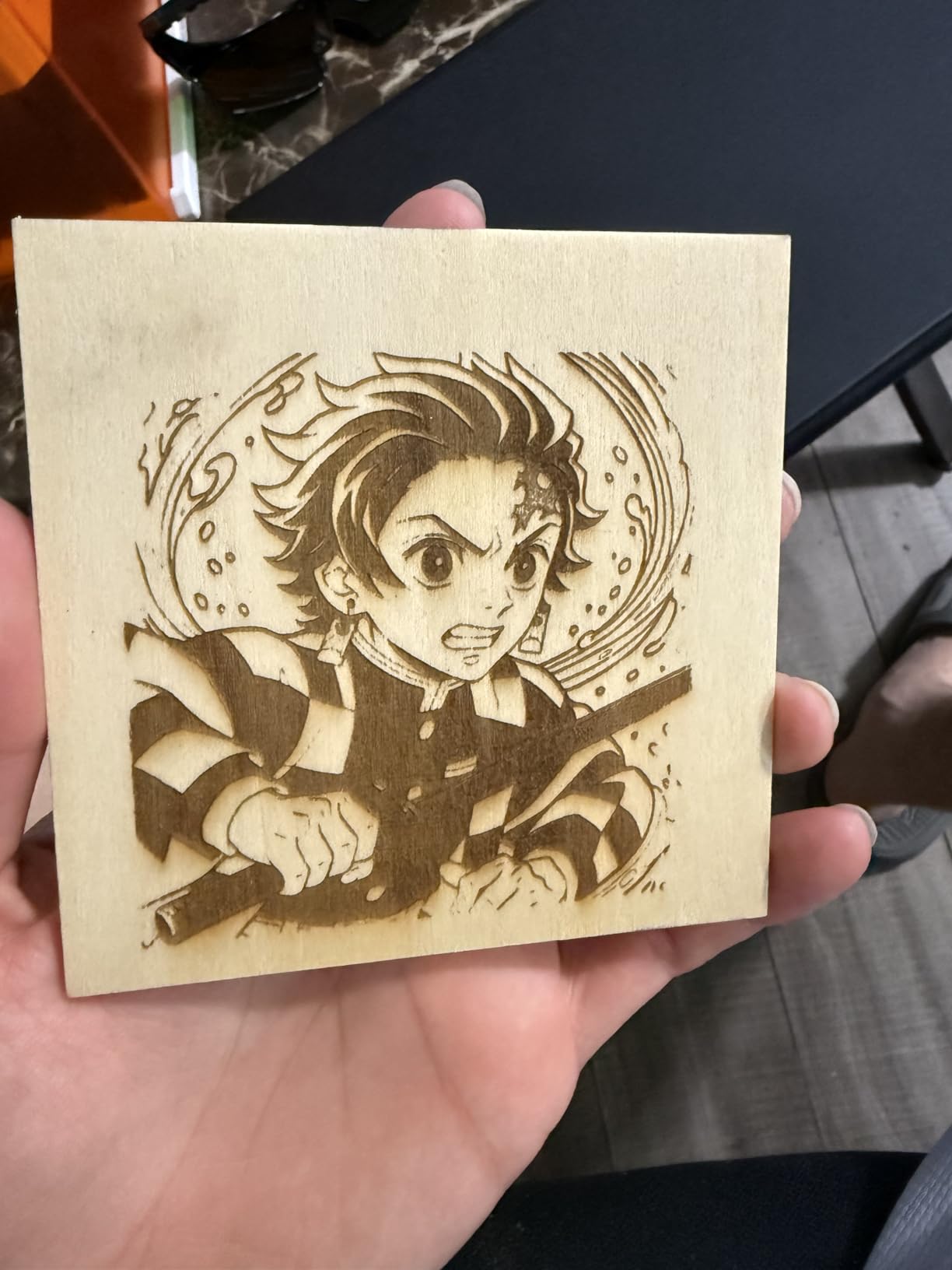
The practical touches are unusually well considered: smart memory that stores the last file for one-button repeat jobs, a built-in TF card slot for offline batch work, and WiFi, USB or offline control. It cuts 3mm basswood on an 80x80mm area at 0.01mm precision.
The compromises are clear from the reviews. The usable region is smaller than the stated box, the bundled CutLab software downsamples images and lacks a true full-image preview, and the documentation is terse enough that owners work out settings themselves.
Why the enclosure matters more than power
An enclosure removes the two costs that quietly double an open-frame machine: wavelength-rated eyewear and continuous fume extraction. In an apartment, a classroom or a small home workshop that changes the running cost more than extra watts would.
The jobs it cannot take
No bare or reflective metal, and 80x80mm is postage-stamp sized for anything larger than a small tag. It is a gift, tag and coaster machine with excellent safety behaviour, not a production tool.
7. GWEIKE G2 Review: The Only True Fiber Laser Here
GWEIKE G2 20W Fiber Laser Engraver, 15000mm/s Laser Engraving Machine
20W 1064nm fiber laser
15000mm/s galvo scan
110x110mm, Class 4
Pros
- Only machine here that marks bare stainless steel and titanium
- 30+ marking colors with deep engraving
- Fastest headline galvo speed in the group
- Dual red light positioning speeds setup
Cons
- Smallest review base at 34 ratings
- 110x110mm area is compact for its footprint
- Class 4 with 20W output carries real safety duties
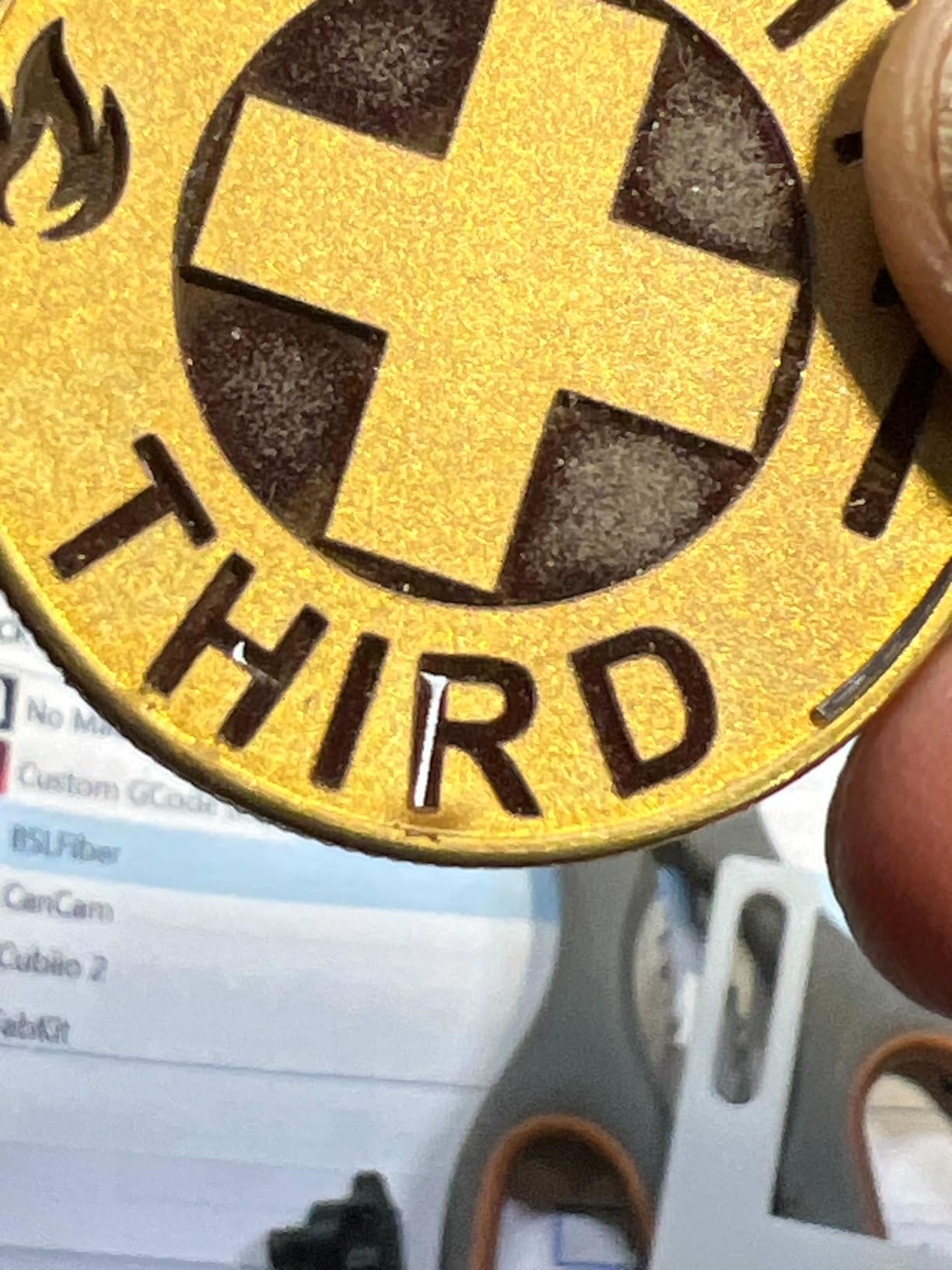
This is the only true fiber laser in the group, and that one fact decides the machine. A 20W 1064nm source marks bare stainless steel and titanium plus plastic, leather, dark glass, coloured ceramic, black acrylic and stone, where every diode machine here needs paint or coating first.
The galvo scans at up to 15000mm/s with 0.001mm accuracy across 2k, 4k and 8k resolution options, over a 110x110mm area with dual red light positioning. It is Class 4, and the emergency stop, protective glasses and cover are included.
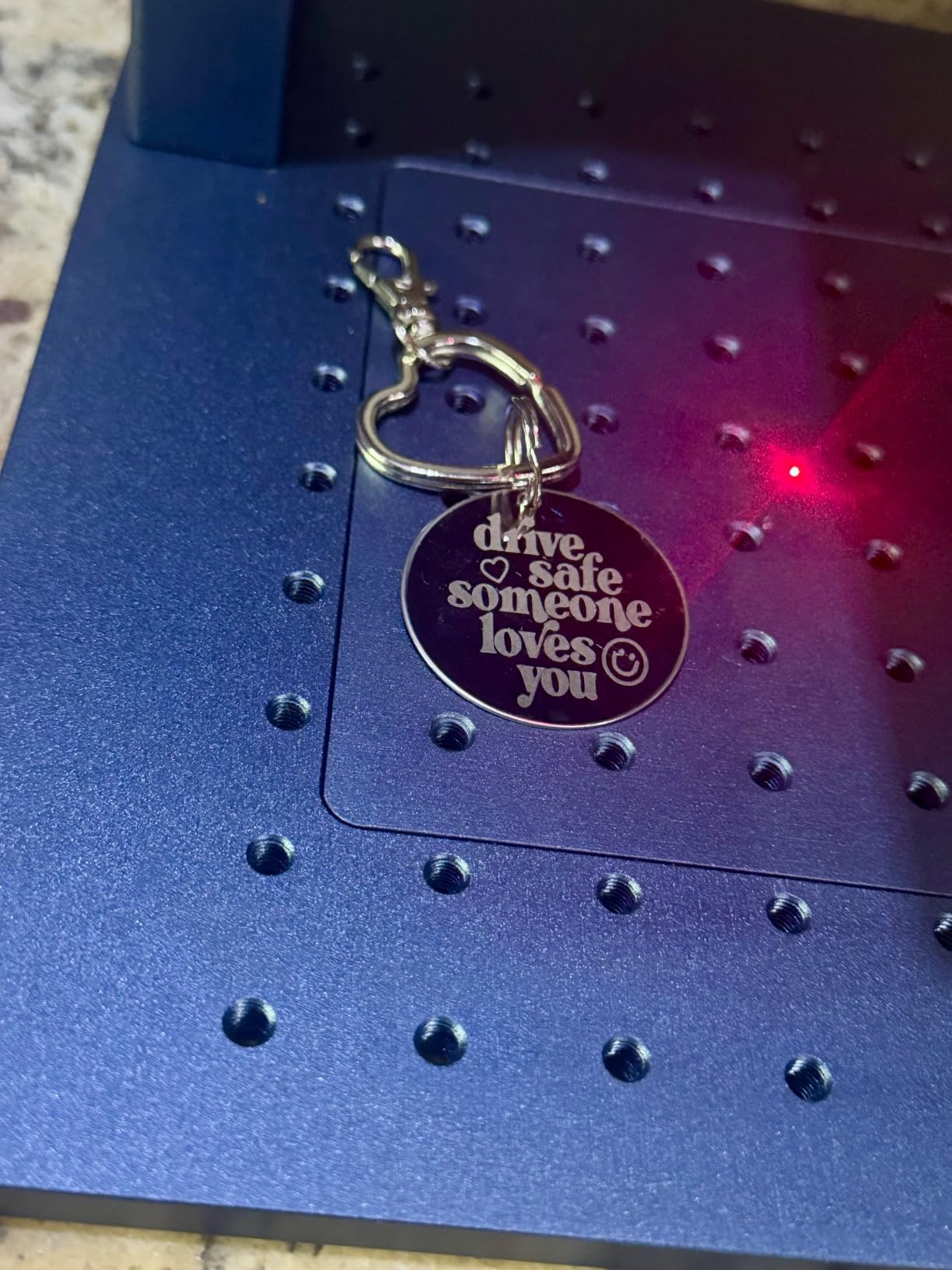
What buyers value is colour. It produces more than 30 marking colours on stainless and titanium with genuinely deep engraving, which is a business-visible difference when you mark tools, jewellery or parts.
What to weigh is the sample. Thirty-four ratings is the smallest in the roundup, so treat this as a specialist purchase rather than a proven workhorse, and the 110x110mm area is compact next to a 17.2 x 10.1 x 21.2in body.
When fiber is the only honest answer
If customers bring bare metal to you, a diode machine disappoints them every time whatever the wattage on the listing. A 1064nm fiber is the only category here that marks uncoated stainless, brass and aluminium cleanly.
What a fiber laser does not do
It is not a cutter in any meaningful sense, it is the wrong tool for large sheet work, and 20W of Class 4 output carries real safety obligations. Experienced users pick fiber by material, not by wattage.
8. ATOMSTACK Swift Review: A Zero-Assembly Learning Machine
ATOMSTACK Swift Laser Engraver Machine, Powerful, Black, 3.5W Laser Cutter
3500mW diode, 0.04mm
135x145mm bed, pre-assembled
Class 4 with tilt protection
Pros
- Unbox and engrave with no assembly
- Free software over WiFi
- hotspot
- USB or offline
- Quiet and precise movement
- Expands with an optional rotary axis and chuck
Cons
- Cannot engrave metal at all
- Some units failed after brief use
- Optional air assist accessory does not fit the cut-out
The Swift is a zero-assembly 3.5W machine built for a first attempt. The 297x319x128mm frame with a reinforced 20x20mm aluminium extrusion arrives ready to engrave, and the free AtomStack software runs over Wi-Fi, hotspot, USB or on Mac, Windows, iOS and Android.
The precision figure is 0.04 x 0.04mm on a 135x145mm engraving area, with tilt protection, automatic shutoff, Class 4 safety certification and OD4+ safety glasses in the box.
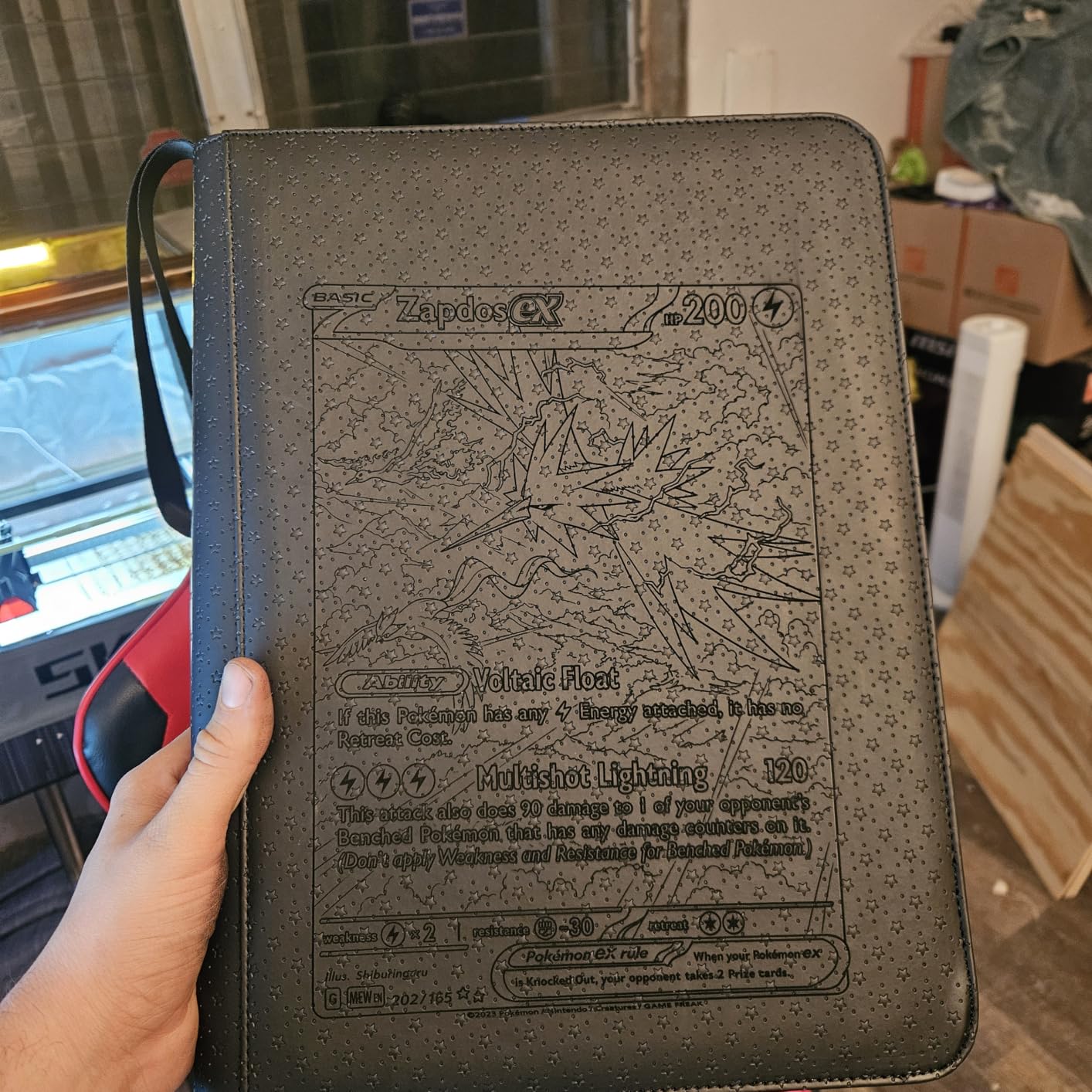
Owners like the quiet, precise movement and the compact footprint, which fits a desktop, a classroom or a small workshop without a dedicated bench. The optional rotary axis and chuck expansion is a real plus for later.
The ceiling is honest: it cannot engrave metal at all, and its listed materials are bamboo, cardboard, cork, fabric, felt, leather, MDF, paper, rock and wood. A 15% one-star share points to early hardware failures and an air assist accessory that does not fit the cut-out properly.
What a small machine teaches you
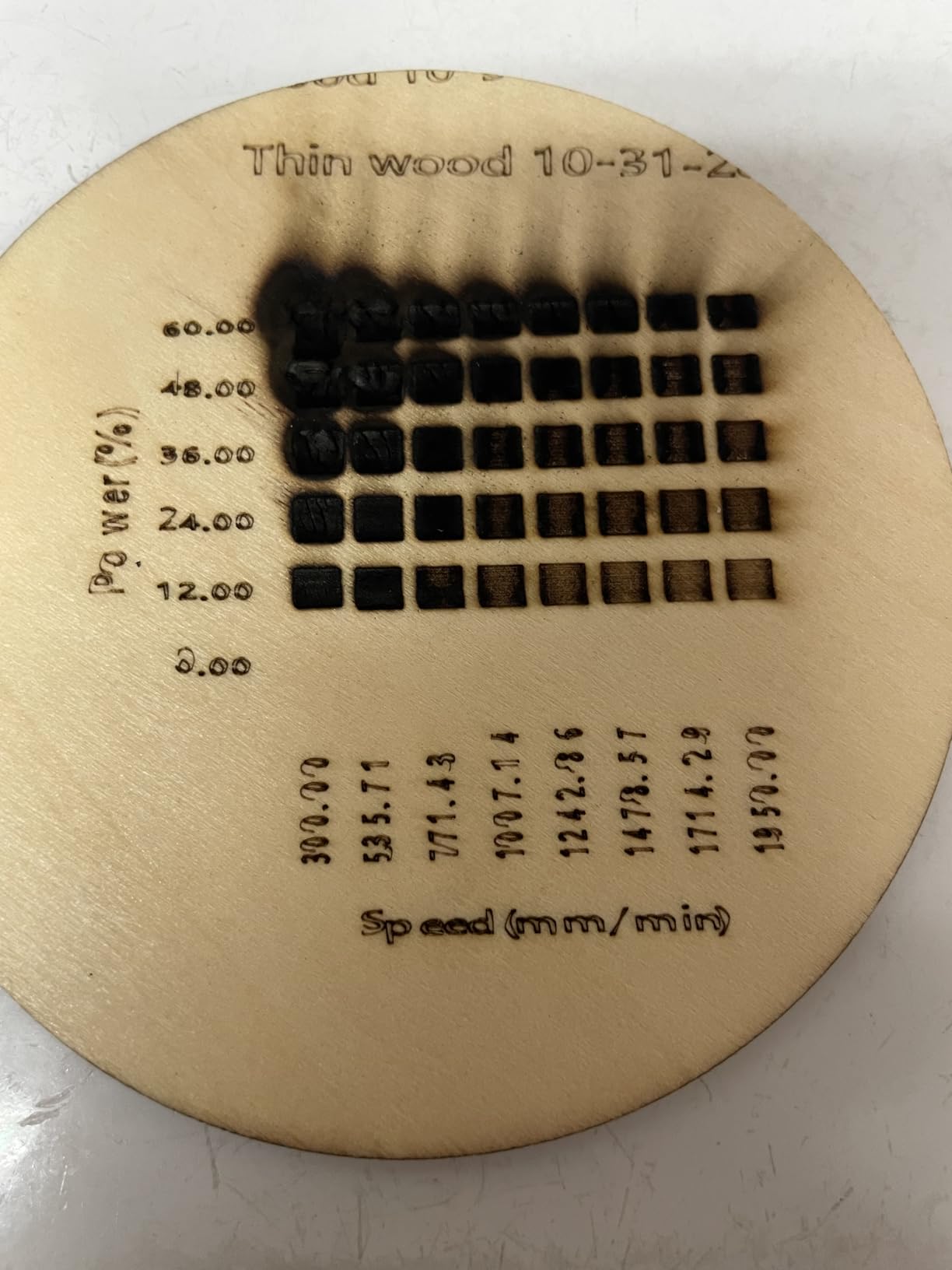
Design files, focus, power and speed, kerf, air assist and material settings. Those lessons transfer to any machine you buy next, which is why a compact unit is a reasonable first step even at its limits.
Where buyers get disappointed
Expect to outgrow it. 3.5W on a 135x145mm bed will not keep pace with production orders, and the finicky Wi-Fi some owners report is worth avoiding by running from USB.
9. LONGER RAY5 Mini Review: The Lightest Machine to Carry
LONGER RAY5 Mini Laser Engraver, 2.5W Diode Laser, 5.51″x5.12″ Area
2.5W diode, 0.04mm spot
1.8kg pre-assembled
12000mm/min, WiFi or offline
Pros
- Lightest and smallest body in the group at 1.8kg
- Pre-assembled and beginner friendly with an emergency stop
- USB
- WiFi
- app or fully offline operation
- Clean lines on wood and leather
Cons
- 2.5W is the lowest output here
- Limits cutting depth and throughput
- Software split between free LaserGRBL and paid LightBurn
The RAY5 Mini is the lightest thing we carried, at 1.8kg pre-assembled, with the smallest footprint at 11.5 x 11.26 x 6.5in. It stores in a drawer and sets up on a folding table in a couple of minutes.
The optics are finer than the power suggests: a 0.04 x 0.04mm spot with 0.01mm accuracy, speeds to 12000mm/min and a 5.51 x 5.12in work area. It runs over USB, Wi-Fi, the app or fully offline with LaserGRBL, with LightBurn supported as a paid upgrade.
Safety basics are included rather than sold separately, namely protective glasses and an emergency stop button. Owners report clean, smooth lines on wood and leather, and a 63% five-star share reflects a machine that does a small job well.
The 2.5W diode is the limiting factor and reviewers say so plainly. Engraving is the strength while cutting depth and throughput are not, and splitting software between free LaserGRBL and paid LightBurn adds a step to the workflow.
The honest case for the smallest machine
If your goal is learning the workflow or making small personalised items away from a workshop, a 4.0-rated machine weighing under 2kg is a sensible start. It fits in a backpack, and running it from a power bank is the field-work approach discussed on r/Laserengraving.
When to step up instead
If you plan to cut, to engrave coated metal regularly or to run batch jobs, the extra power of a 10W desktop-class portable machine costs less than relearning on a bigger bed later.
10. Ortur R1 Review: A Laser Engraver That Folds Flat
Ortur R1 5000mW Portable Laser Engraver and Cutter, Class 1 Foldable Laser Engraver, Exquisite Gift Box Packaging, APP Control Laser Engraver for Wood, Leather, Glass, Cloth (Misty Blue)
5W diode, 100x100mm bed
Foldable Class 1 transparent cover
0.05mm accuracy, USB start
Pros
- Folds flat and unfolds ready to engrave with no installation
- Transparent Class 1 cover allows watching without goggles
- USB-required start plus tilt detection suits homes and classrooms
- App with AI image generation and QR code engraving
Cons
- Lowest average rating in the group at 3.9
- Gift-box packaging adds bulk
- 100x100mm area limits project size
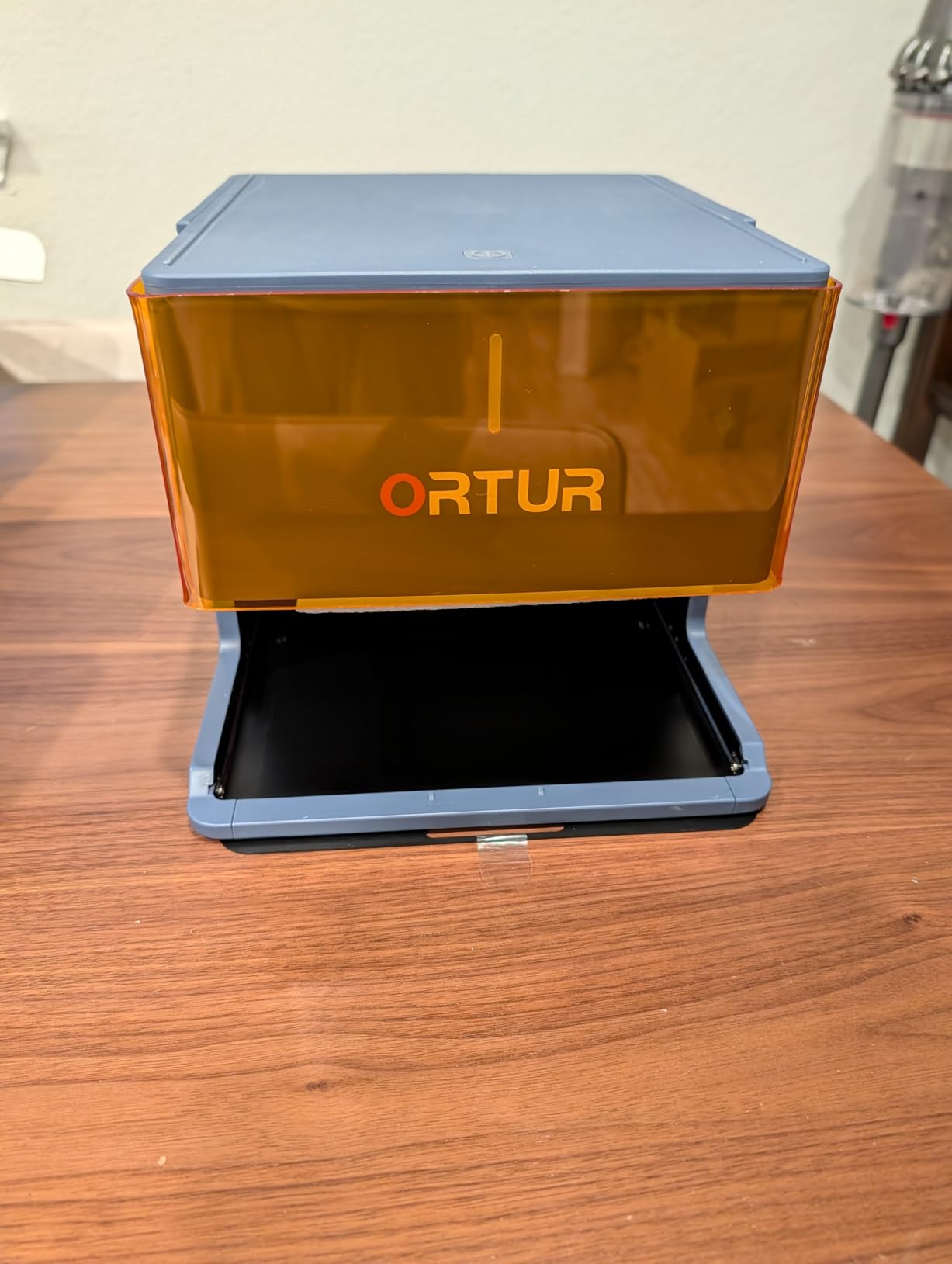
The R1 does one thing no other pick here does: it folds. The frame unfolds ready to engrave with no installation at all, and the transparent Class 1 cover lets you watch the job without goggles.
Under the cover it is a 5W laser on a 100x100mm area with 0.05mm accuracy, a 0.025 x 0.11mm spot, 5000mm/min speed and a single-pass cut through 3mm basswood. Watchdog, auto shutdown, exposure limits, tilt detection and lid-stop protection are all built in.
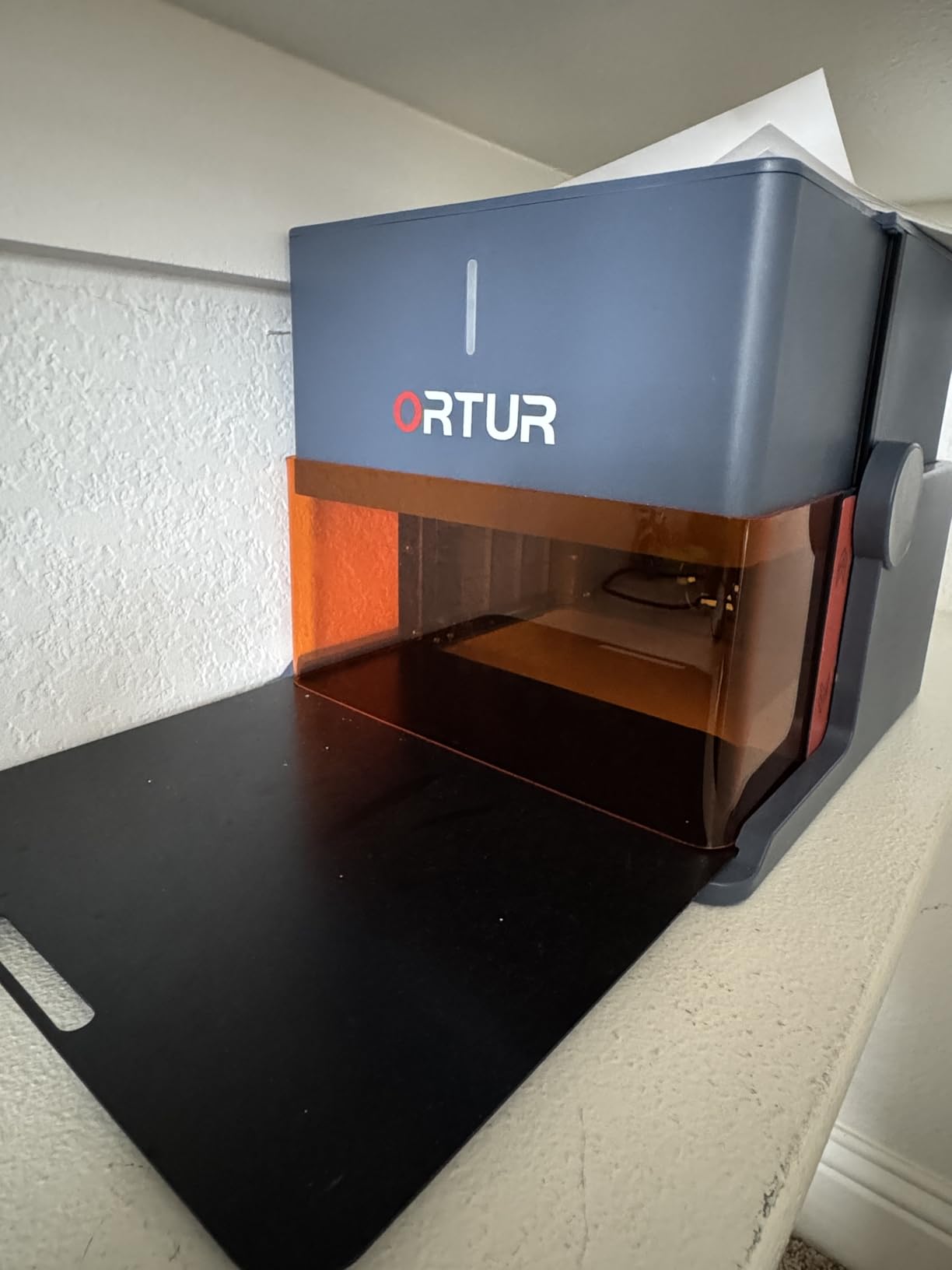
The USB-required-to-start rule is a clever safety choice for a home or classroom. The app adds AI image generation, hand-drawn sketch mode, puzzle mode and QR code engraving, with 19+ fonts and multi-language support.
The rating is the least settled signal here at 3.9 from 44 ratings, and the distribution is wide, with 61% five-star against 10% two-star and 14% one-star. The gift-box packaging is distinctive but bulky, and 100x100mm limits project size.
Where the folding frame earns its place
Storage, transport and gifting. A machine that folds flat lives in a cupboard and travels in a case, and for someone buying a first engraver as a present, the box-and-unfold experience is part of the product.
The honest verdict
The safety engineering is better than the average machine in this class, but the 3.9 average and the small bed make the output underwhelming for anyone producing to order. Treat it as a safe gift or starter, not a workshop tool.
Laser Safety, Fumes and Ventilation
Every machine here except the WAINLUXPRO K10, the AlgoLaser and the Ortur R1 is an open or partly open Class 4 source, which means the manual’s claim that you can skip protection is not advice worth taking. On r/Laserengraving, experienced owners treat eyewear and fume extraction as non-negotiable accessories even when a listing suggests otherwise.
Do not engrave PVC, vinyl or ABS. They release chlorine and cyanide compounds when heated, and so do any unknown plastic. Polycarbonate is safe to engrave but clouds badly, and any coated metal with an unidentified lacquer is a guessing game.
Ventilate every job, even the small ones. Wood, leather and acrylic all produce particulate and gas, and a fume extractor with a replaceable filter is the cheapest safety purchase you will make. The xTool F2 ships with a built-in fan and an optional purifier, which is the reason its indoor reports are the cleanest in the group.
Match eyewear to the wavelength. Blue diode machines work around 450 to 455nm and the GWEIKE G2 is a 1064nm infrared source, so a single pair of cheap glasses is not enough if you own both. The AtomStack Swift ships with OD4+ glasses, and the GWEIKE includes a protective pair matched to its source.
An enclosed Class 1 machine changes indoor air quality more than any specification on the list, which is why the K10 and the Ortur R1 earn their place even with smaller beds. If you are comparing a low-intensity therapy device rather than an engraver, that is a different category entirely and we covered it in our cold laser guide.
How to Choose a Portable Laser Engraver in 2026
Choose the laser type before the wattage
Start from the material list your customers actually bring. Wood, leather and acrylic means any diode machine, and wattage decides how fast you get through a batch. Bare stainless, brass or titanium means fiber, and no amount of diode power changes that. Colour marking on metal without paint points to an infrared head like the xTool F2.
Work out which budget tier you are really buying
The entry tier around 2.5W to 3.5W teaches you files, focus, power and air assist on a 135x145mm bed, and reviewers are split on whether that is worth it. The honest answer is that cheap machines teach the workflow but not the materials. The mid tier around 5W to 6W adds cutting and enclosed safety options, while 10W machines give you a 300x300mm bed that can finish a queue of orders. The top tier buys dual lasers or fiber, and with fiber you are buying a different machine, not a faster one.
Check curved surfaces before you buy
Tumblers, bottles, rings and cups are the most requested use case in the forums, and very few machines handle them out of the box. The LaserPecker LP2 ships with a 3-in-1 rotary covering cylinder, slab and trolley modes up to 196in by 4in, the xTool F2 expands with an RA3 rotary attachment, and the ATOMSTACK Swift accepts an optional rotary axis and chuck. Everything else means hand-holding.
Decide whether you will really run it off-grid
Most machines here are mains-only, and the ones that are light enough to carry are the ones with the least power. Forum users running live events prioritise setup time, carry weight and whether the machine fits in a car over maximum wattage. If you genuinely work away from a wall, budget for a power bank and confirm the machine’s input range and current draw first, and expect a smaller machine than you wanted.
Look at the software before the hardware
LightBurn is the common language and LaserGRBL is the free fallback, but vendor software varies sharply. ACMER Studio, AlgoOS and the Ortur app are free and capable for basic work, the WAINLUXPRO K10 bundles software that downsamples images, and xTool Studio saves to the cloud rather than to your computer. Mac support is listed on the ACMER, ATOMSTACK and LONGER machines but is rarely stated elsewhere.
Know how a failing laser presents itself
A diode usually fades rather than dying, and the usual sequence is: engraving that needs more passes than it used to, a spot test on scrap that will not mark at settings that worked, then a check of the lens for burn or contamination, the driver board and finally the module temperature. Clean lenses and matched settings solve more perceived failures than replacement modules do, and belt tension is worth checking whenever a machine starts producing inconsistent lines.
Budget for the running costs nobody lists
Electricity is the smallest line. Filters, replacement lenses, air assist pumps and worn nozzles add up over a year of production, and a class 1 enclosure plus a fume extractor is effectively part of the purchase price on any open-frame machine. Judge the accessories budget alongside the machine, not after it.
Check support and parts before the spec sheet
A 12-month warranty is the norm across this group, and one reviewer documented the WAINLUXPRO support team personally resolving an early unit. The complaint pattern in the forums is slow or absent parts rather than warranty refusal, so a brand with an active user community is worth a little more than the spec difference suggests. Our color laser printer guide covers the same parts-and-support questions if you also run a print side to your shop.
Frequently Asked Questions
What is the best portable laser engraver?
For most buyers the Twotrees TTS-10 Pro is the best portable laser engraver, because its 300x300mm bed, 10000mW diode and 589-rating history make it the most proven machine here. Choose the xTool F2 for color marking on metal at 4.6kg, and the GWEIKE G2 if bare stainless steel is central to your work.
Are cheap laser engravers worth it?
They are worth it as a first step, not as a final machine. The smallest diode units teach you design files, focus, power, speed and air assist, and those skills transfer to anything you buy later. What they cannot teach you is materials, because 2.5W to 3.5W will not mark bare metal and will not cut meaningfully.
What is the best laser engraver for a beginner?
The ACMER S1 is the easiest start because it arrives 99% preassembled, ships with free software that includes AI text and photo tools, and works on macOS, Windows and Linux. If you can handle an evening of assembly and want a 300x300mm bed instead, the Twotrees TTS-10 Pro is the better first purchase.
Is it safe to use a laser engraver indoors?
It is safe when the machine is enclosed or vented. A Class 1 enclosure such as the WAINLUXPRO K10 or the Ortur R1 removes most of the risk, and the xTool F2 adds a built-in fan. On open frames you need wavelength-matched eyewear and a fume extractor, and you must never engrave PVC, vinyl, ABS or unidentified plastics.
Can a portable laser engraver engrave metal?
Only if it uses infrared or fiber. A diode source needs paint or coating, because the beam reflects off bare shiny metal, and the ATOMSTACK Swift cannot mark metal at all. The xTool F2 infrared head produces color marking on coated or bare surfaces, while the GWEIKE G2 fiber laser is the only machine here built for bare stainless steel and titanium.
How to tell if a laser diode is bad?
Mark a test spot on scrap at settings that worked before. If it will not mark, clean the lens first, since contamination mimics a weak diode. Then check the driver board and the module temperature during a run, and finally check belt tension if lines are inconsistent. Diodes usually fade gradually, so the first suspicion should be the lens, not the module.
The Bottom Line: Best Portable Laser Engraver Picks for 2026
The Twotrees TTS-10 Pro is our pick for the best portable laser engraver overall, because 589 ratings on a 300x300mm bed and a full metal frame tell you more than any specification sheet. Take the xTool F2 if you need color marking on metal and a body you can carry to a venue, the LaserPecker LP2 if you want to engrave in the hand with a rotary for tumblers, and the GWEIKE G2 if bare stainless steel is the work.
Whatever you choose, match the laser type to the material before the wattage, and budget for eyewear and fume extraction on anything that is not enclosed. Those two accessories are what separate a machine you enjoy owning from one that gathers dust.