
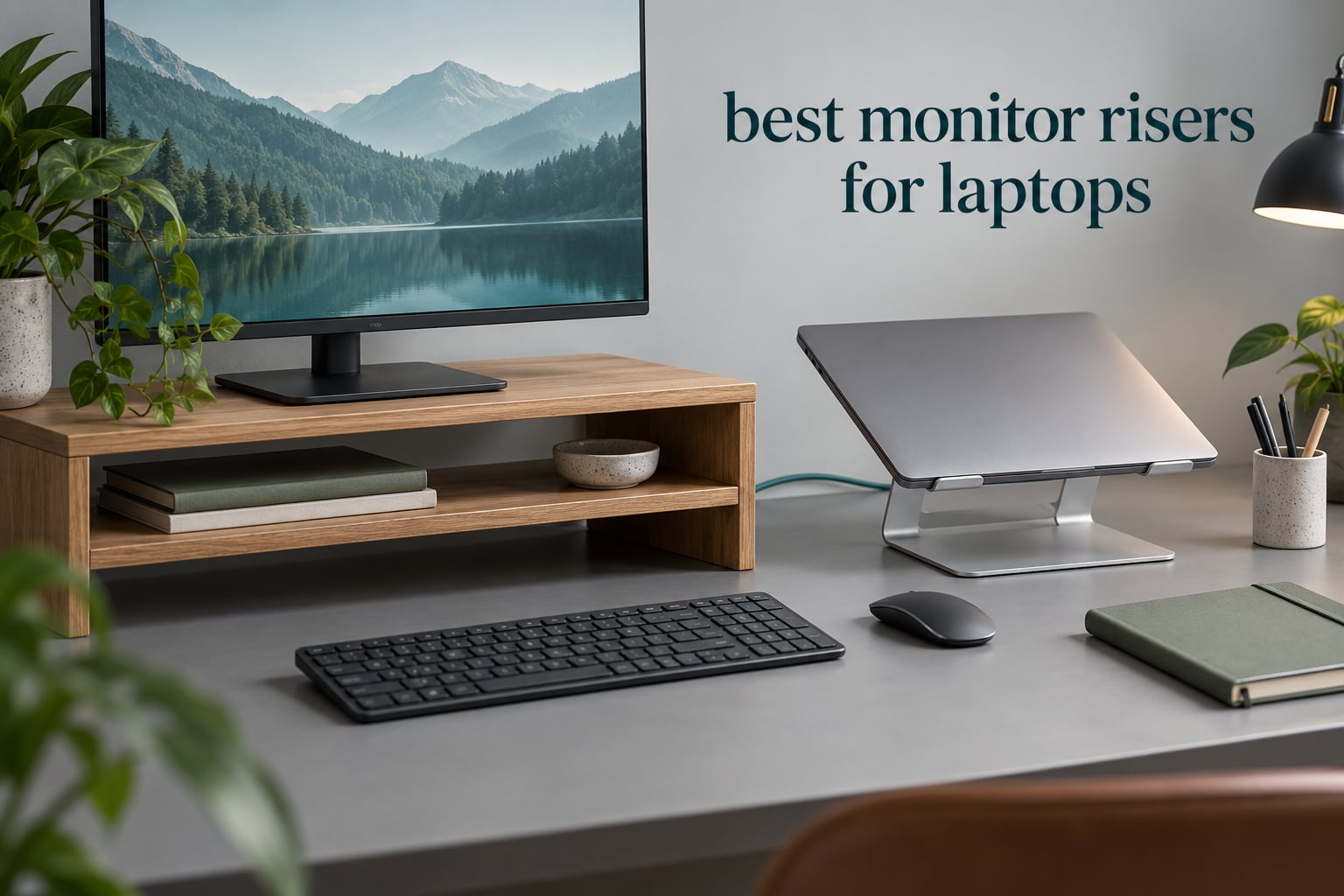
Yes, monitor risers are worth it — for most laptop users the fix is three to six inches of lift, and it costs you nothing but desk space. A laptop sitting flat on a desk puts its screen roughly 12 to 15 inches below your eyes, so you spend the whole day looking down. Raising the screen to near eye level flattens the neck angle, and that is where the difference between a comfortable afternoon and a stiff one comes from.
That is the whole idea behind this roundup. I compared 10 of the best monitor risers for laptops currently on the market, weighing the published height ranges, load ratings, top surface dimensions and materials against what buyers actually report after living with them. Some are built for a laptop on top, some for an external monitor, a couple try to do both. The differences that matter are lift height, whether the height is adjustable, how much weight the platform holds, and how much room you get back underneath.
One thing up front, because it decides whether any of this helps you: a riser only works if you also move to an external keyboard and mouse. Lift the screen and keep typing on the laptop’s own keyboard and you have simply traded neck pain for shoulder pain. Every recommendation below assumes that pairing.
If you want the wider picture of screen placement rather than laptop-specific height, our guide to monitor risers for desk ergonomics covers the external-monitor side in more detail.
Table of Contents
Top 3 Monitor Risers for Laptops (October 2026)
All 10 Monitor Risers for Laptops at a Glance
| Product | Specifications | Action |
|---|---|---|
 BONTEC Wooden Monitor Stand Riser 2-Tier BONTEC Wooden Monitor Stand Riser 2-Tier |
|
Check Latest Price |
 BESIGN LS03 Aluminum Laptop Stand BESIGN LS03 Aluminum Laptop Stand |
|
Check Latest Price |
 Nulaxy Ergonomic Adjustable Laptop Stand Nulaxy Ergonomic Adjustable Laptop Stand |
|
Check Latest Price |
 HUANUO Vented Steel Monitor Riser HUANUO Vented Steel Monitor Riser |
|
Check Latest Price |
 Lamicall Aluminum Laptop Stand Lamicall Aluminum Laptop Stand |
|
Check Latest Price |
 Amazon Basics Adjustable Monitor Riser Amazon Basics Adjustable Monitor Riser |
|
Check Latest Price |
 HUANUO 3-Height Vented Monitor Riser HUANUO 3-Height Vented Monitor Riser |
|
Check Latest Price |
 WALI Adjustable Monitor Riser WALI Adjustable Monitor Riser |
|
Check Latest Price |
 Hemudu 2-Pack Tempered Glass Riser Hemudu 2-Pack Tempered Glass Riser |
|
Check Latest Price |
 Tonmom Folding Laptop Stand Tonmom Folding Laptop Stand |
|
Check Latest Price |
How Much Lift Do You Actually Need?
Most people buy the wrong height on the first try because they guess. Measuring takes about two minutes and removes the guesswork entirely.
Sit down in your normal working position, shoulders relaxed, and look straight ahead. Have someone measure, or use a phone camera, from the top of your head down to the top edge of your laptop screen while you are sitting upright. That gap is your required lift. For most adults it lands between three and six inches, and it is the single number that should drive your choice.
The target is not eye level exactly. Ergonomic guidance puts the top third of the screen at or slightly below eye level at a viewing distance of 20 to 30 inches. Aiming the very top of the screen at your eyes makes you tilt your head back, which trades one problem for another.
There is a threshold worth knowing about. If you measure your gap and it comes out at four inches or more, a fixed-height riser will handle it. If it comes out much higher — six inches or beyond on a tall desk — a riser will not be enough and you need a monitor arm instead, and our monitor arm roundup for ergonomic setups covers that case.
Useful lift is not the same as nominal lift. Product pages quote the tallest position the legs can reach, but the platform tilts and the screen may sit low within that platform. Treat the quoted figure as an upper bound and check that the platform is flat and wide enough for your device.
Viewing distance is the other half of the rule. A comfortable setup puts the screen 20 to 30 inches from your eyes, measured from the bridge of your nose to the centre of the display. Every inch of depth a riser adds pushes that number further out, which is why a deep riser on a shallow desk can leave you squinting and leaning.
If you work across two screens, work out the target height for the pair rather than each one separately. Sit square to the main display, note where its top third lands, then match the second screen to that same band. Two risers you can adjust independently beat one riser and one fixed stand.
Desk depth is the trade-off nobody warns you about. A riser pushes the screen backwards by its own depth, and on a shallow desk that can move your viewing distance past 30 inches, at which point you are leaning forward to read. Measure your desk depth first, and if it is under about 24 inches, favour a shallow riser or one that slides under rather than one that sits well forward of the desk edge.
1. BONTEC Wooden Monitor Stand Riser – Best Overall
BONTEC Wooden Monitor Stand Riser for Desk, 2-Tier Computer Monitor Stand
Engineered wood
66 lb load capacity
5.6 inch lift
16.54 x 9.25 x 5.59 inches
Pros
- Genuinely useful 5.6 inch lift
- MDF wood that does not bow under heavy loads
- Two tiers keep keyboard and mouse in reach
- Phone slot and cable routing built in
- Assembles in about 15 minutes
Cons
- 16.5 inch width will not take a full-size keyboard
- Phone slot can crowd a laptop sitting on top
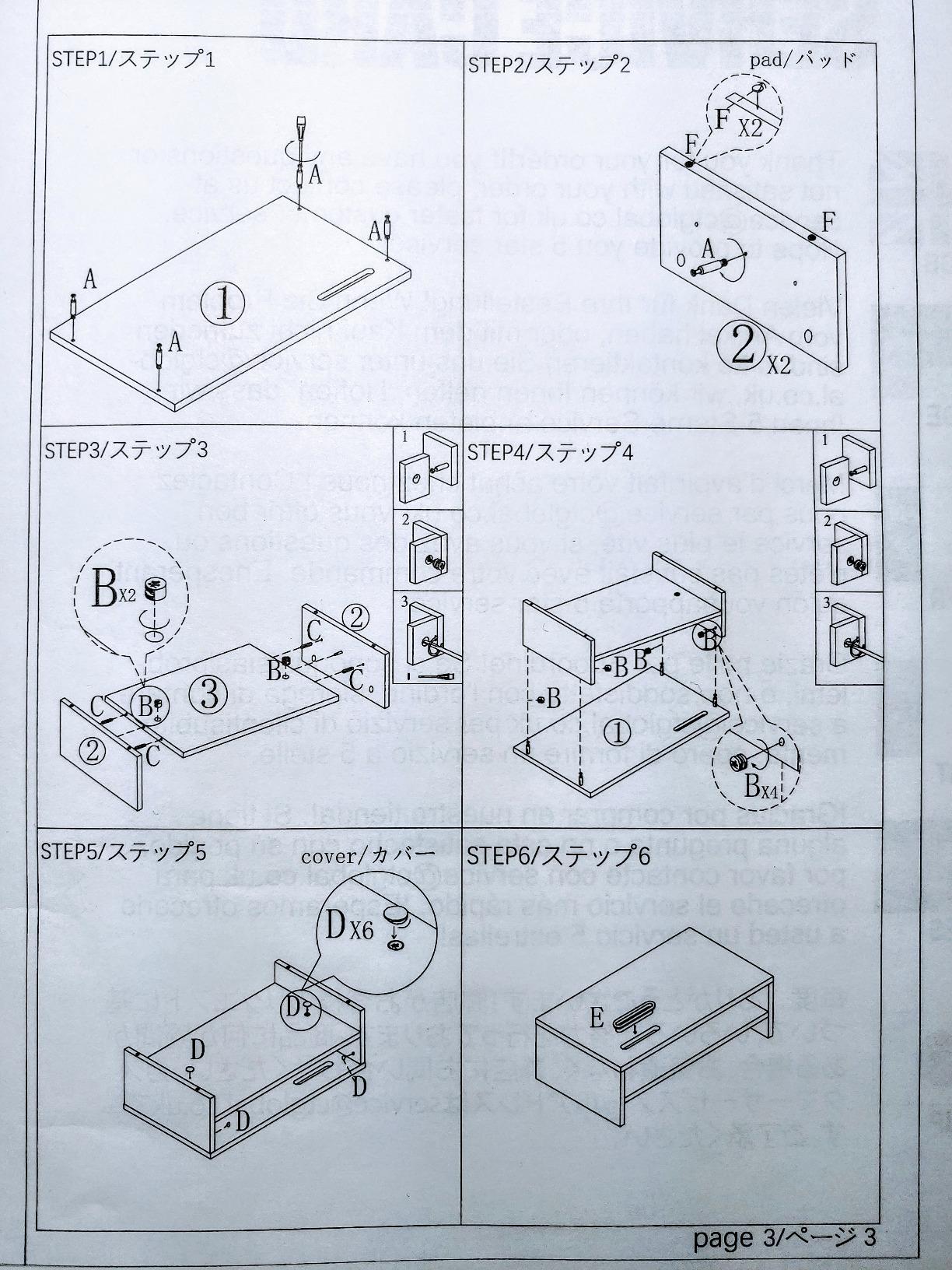
- Cam-lock fitting is cramped
That is the riser I keep coming back to for people who want one platform to do two jobs. The upper shelf takes a monitor, a laptop or a small printer, and the lower tier leaves enough vertical space for a keyboard and a mouse rather than just a stack of papers.
It sits at the top of its category for review volume, with more than 30,000 ratings behind it, and that matters on a product made from engineered wood. A widely reviewed panel is a panel whose long-term behaviour is known rather than guessed at, which is exactly what you want from something carrying your monitor.
The build is the reason it leads the list. Buyers put a 66 lb load rating on it and report that the MDF does not bow, which is not something you can say for the hollow engineered-wood units people complain about in forum threads. It weighs 2.3 kg, and that mass is doing real work in keeping it from walking across the desk when you type.
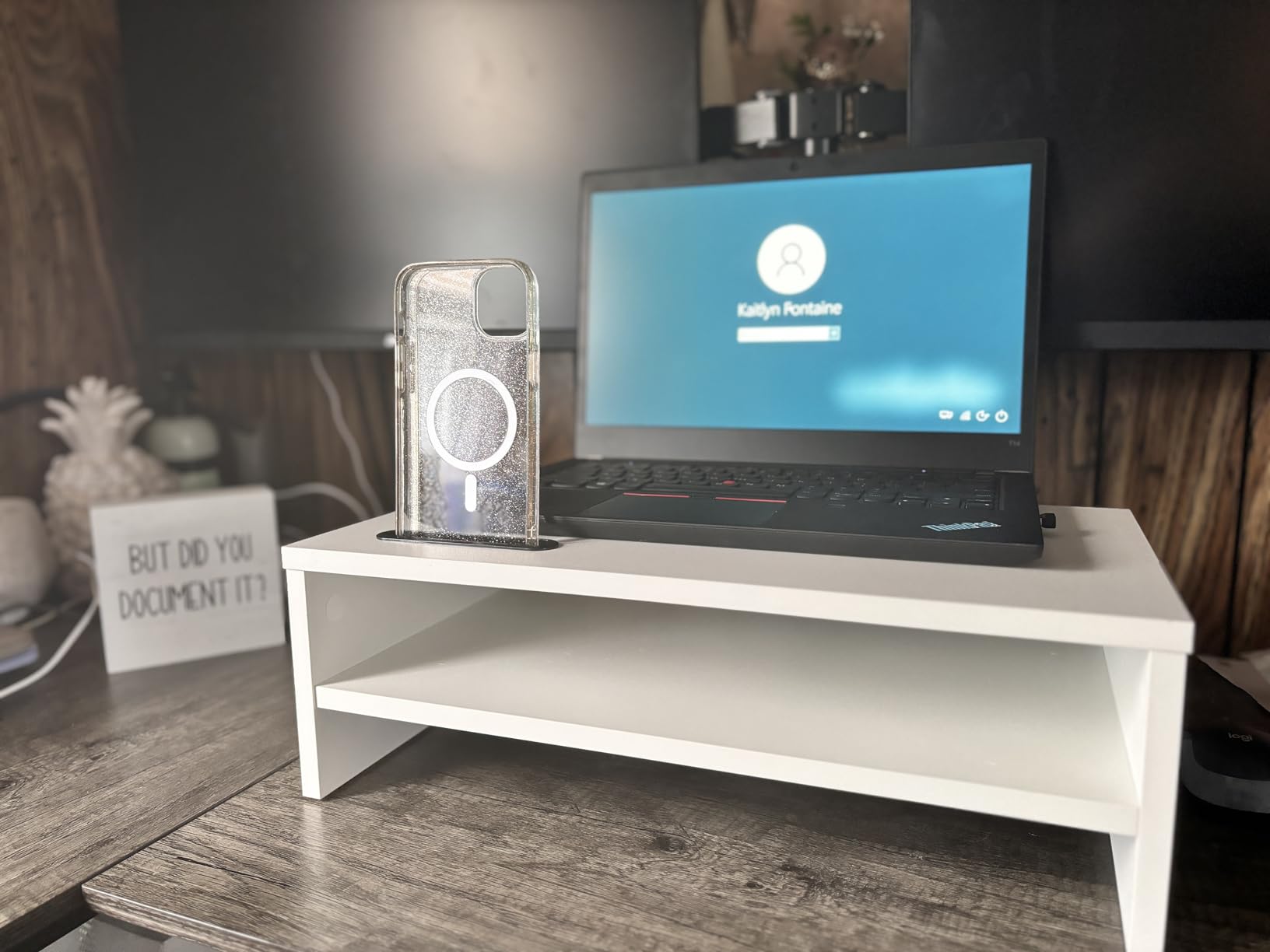
The 5.6 inch lift is the number that matters, and it is measured from the desktop, not from some theoretical maximum. For someone sitting at a standard desk it lands the top third of a 27-inch screen in the right band without any head tilt.
Two details worth planning around. The 16.54 inch width is fine for a monitor but tight for a full-size keyboard underneath, so keyboard users may want to check their board width first. And the built-in phone slot sits at the front edge, where it can crowd a laptop placed on top of the riser.
Will it fit your laptop and your desk?
The top surface is 16.54 x 9.25 inches, which takes any laptop up to about 16 inches wide with room either side. Depth is the number to watch if you use a laptop with a large hinge or a docking cable — 9.25 inches leaves a little overhang on the deepest machines.
Underneath, the lower tier is open on three sides, so a keyboard, mouse and notebook all stay within reach. That is the difference between a riser that adds height and one that also recovers desk area.
When to skip it
If your desk is shallow and you need a full-size keyboard permanently parked underneath, the width will not cooperate. The cam-lock style fitting is also reported as cramped between the tiers, so budget a few extra minutes and steady hands for assembly.
Owners also report occasional missing anti-slip pads, so it is worth checking the box contents before you start.
2. BESIGN LS03 Aluminum Laptop Stand – Best Premium Laptop Riser
BESIGN LS03 Aluminum Laptop Stand, Ergonomic Detachable Computer Stand, Notebook Riser, Laptop Mount Compatible with Air, Pro, Dell, HP, Lenovo More 10-15.6″ Laptops, Silver
Aluminum
8.8 lb load capacity
6 inch lift
Fits 10-15.6 inch laptops
Pros
- Solid aluminum with no wobble while typing
- 6 inch lift reaches near eye level
- Open design keeps intake vents clear
- Three detachable pieces fold flat for travel
- Rubber pads grip without scratching
Cons
- Fixed height with no adjustment
- Typing on the raised laptop keyboard is awkward
- 8.8 lb limit is low for a monitor
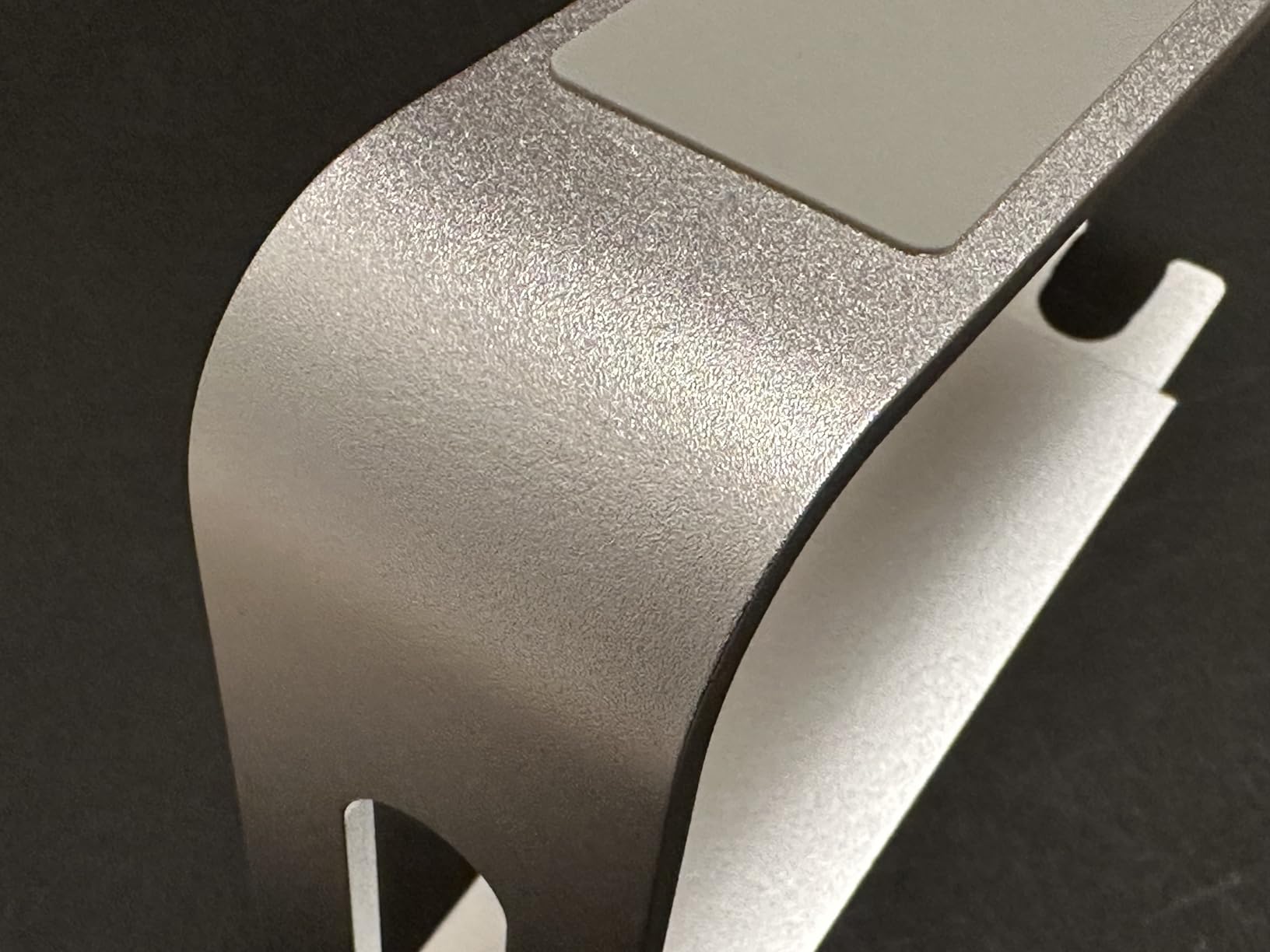
The LS03 is built for the laptop on top rather than a monitor, and it does that job with real precision. At 4.8 stars across more than 24,000 reviews it is the highest-rated product in this roundup, and the reason is consistent: it does not move when you type.
That matters more than it sounds. Most folding laptop stands are a single hinge plus a lip, and the whole thing oscillates under keystrokes. The aluminum body here weighs 700 g and the raised position is rigid, which is the difference between a stand you stop noticing and one you push out of the way.
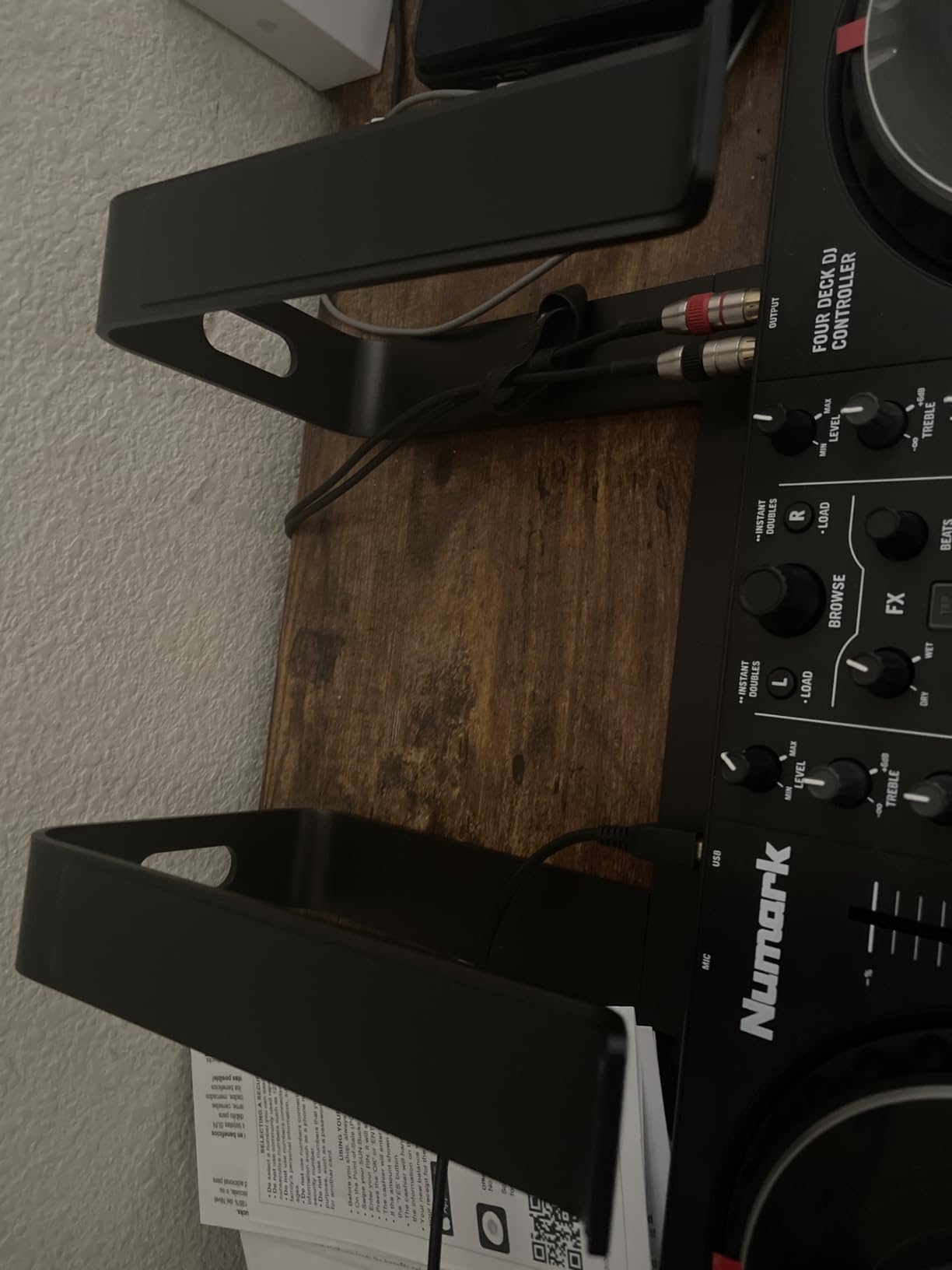
The 6 inch lift is the largest fixed height among the laptop stands here, and it is what makes this one work for taller users without an arm. The open aluminum frame also leaves the intake path clear, so this is one of the better options if heat is a concern — though it is designed to hold a laptop, not a monitor.
It arrives as three detachable pieces that assemble in seconds and fold flat, which makes it easy to move between a home desk and a hot-desking spot. Rubber pads on the holder contact the laptop body so it does not slide or scratch.
Should you type on it or add a keyboard?
Add a keyboard. Typing directly on a laptop held 6 inches up puts your wrists in extension and your shoulders forward, which undoes much of what the lift achieved. Reviewers make the same point — a stand is meant to be paired with an external keyboard.
It fits 10 to 15.6 inch machines, covering MacBook Air and Pro 13 and 15, Dell, HP, ASUS and Lenovo. A 16 inch gaming laptop is outside the range.
When to skip it
The 8.8 lb load rating means this is a laptop stand only. Put a monitor on it and you are outside the rating and outside the design intent. The height is also fixed at roughly 6 inches, so if you need to fine-tune the angle for a very specific seated eye height, you will want an adjustable model instead.
3. Nulaxy Dual-Rod Adjustable Laptop Stand – Best All-Round
Nulaxy Ergonomic Adjustable Laptop Stand for Desk, Dual Foldable Computer Riser with Advanced Heat-Vent, Heavy-Duty Portable Notebook Holder for Posture Correction, Compatible with Mac 10-16″ Laptops
Aluminum composite panel
22 lb load capacity
Adjustable height
Fits 10-16 inch laptops
Pros
- Dual-rod support stays wobble-free while typing
- Height adjusts to match your eye level
- Geometric vent panel improves airflow
- Folds flat in seconds for a backpack
- Silicone pads grip 10-16 inch laptops
Cons
- Bulkier than slim folding stands when collapsed
- Some MacBook owners still add silicone pads
- Heavier than plastic alternatives
If you want one laptop stand that adjusts rather than forcing a fixed height on you, the Nulaxy C1 is the one to look at. The adjustable height is the whole point: you set it to your seated eye level and move on, instead of guessing at a fixed lift and living with it.
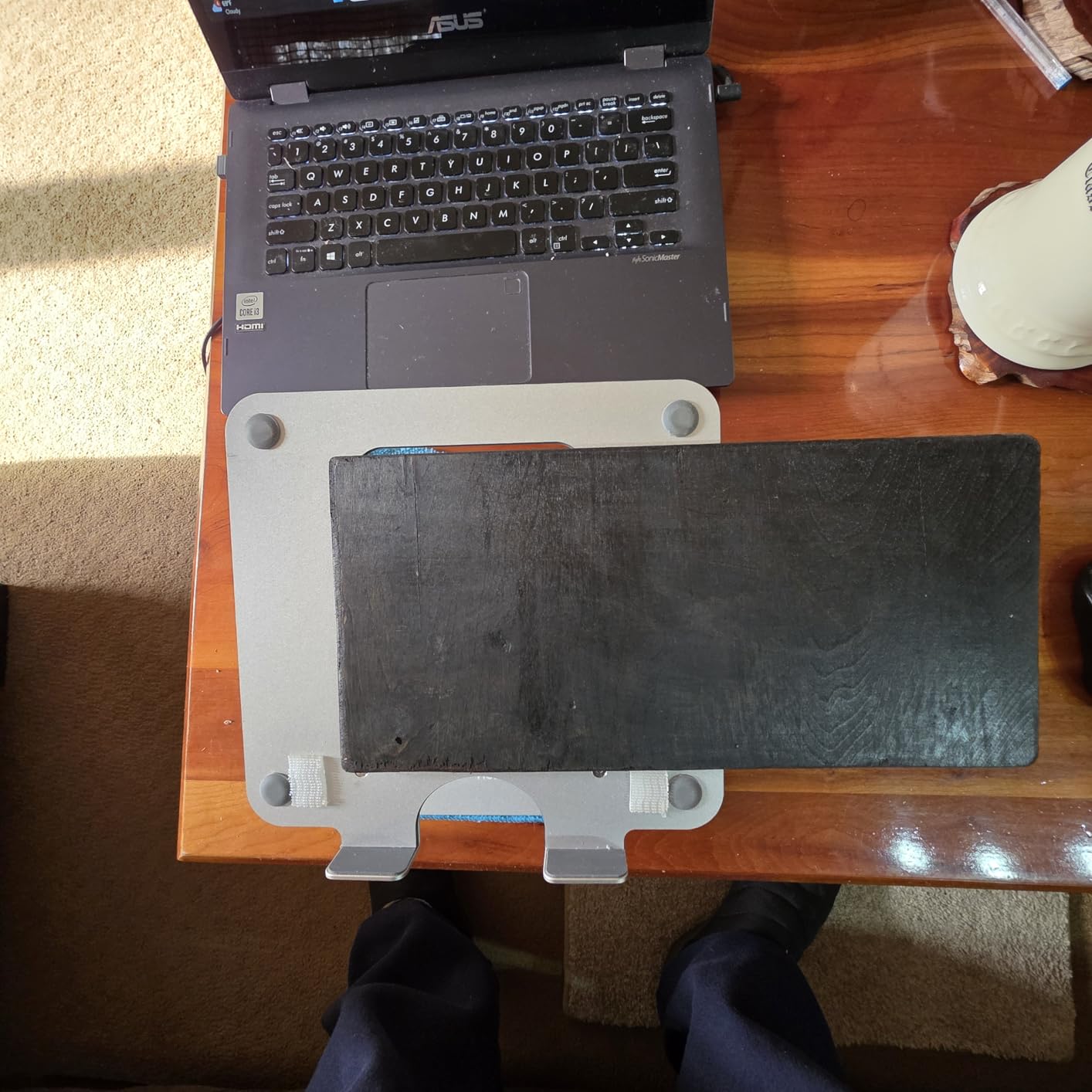
The dual-rod mechanism is what separates it from cheaper single-hinge stands. Two support rods spread the load across the full width, which is why reviewers report no wobble even while typing and no sliding of the device. The frame holds 22 lb, far more than any laptop needs.

It fits 10 to 16 inch laptops, the widest range of the aluminum stands in this roundup, and several reviews confirm it handles large gaming machines. The geometric vent pattern on the upper surface gives the underside more clearance than a solid plate would.
It folds flat in seconds and comes with silicone pads that grip the device and protect the chassis from scratches. That combination of adjustability and portability is unusual at this level of build.
How does the adjustment actually work?
You set the height by repositioning the arms along the frame, then the laptop sits in a stable triangle. Because the height is a setting rather than a fixed dimension, it doubles as a second monitor riser when you need a slightly different angle for a different seat or chair.
For most people this is the difference between a one-time purchase and the buy-it-again cycle described in setup forums, where people replace a riser because the height was wrong from the start.
When to skip it
It is bulkier than slim folding stands once collapsed, so it is not the pick for a minimal travel kit. A few MacBook owners also report still adding their own silicone pads to stop sliding on the smooth chassis.
4. HUANUO Vented Steel Monitor Riser – Best Metal Build
HUANUO Monitor Riser for Desk, Laptop Stand with Vented Steel Shelf, Black
Powder-coated steel
44 lb load capacity
3.94 inch lift
14.57 x 9.25 inches
Pros
- Rigid steel platform rated to 44 lb
- Perforated plate gives real airflow
- 3.94 inch lift cuts neck and back strain
- Full-size keyboard fits underneath
- Two-minute tool-free assembly
Cons
- Fixed single height with no adjustment
- Steel plate can flex slightly under heavy loads
- Legs can sit a few degrees out of square
Most of the complaints about cheap risers are material complaints — MDF that sags, plastic legs that snap, hollow panels that delaminate. The HUANUO HNLL2-CA sidesteps all of that with a powder-coated steel platform and a 44 lb load rating.
The perforations are not decorative. A grid of holes across the entire platform means a laptop sitting on top gets genuine airflow rather than sitting on a sealed slab, which is the honest answer to the question buyers keep asking about heat.
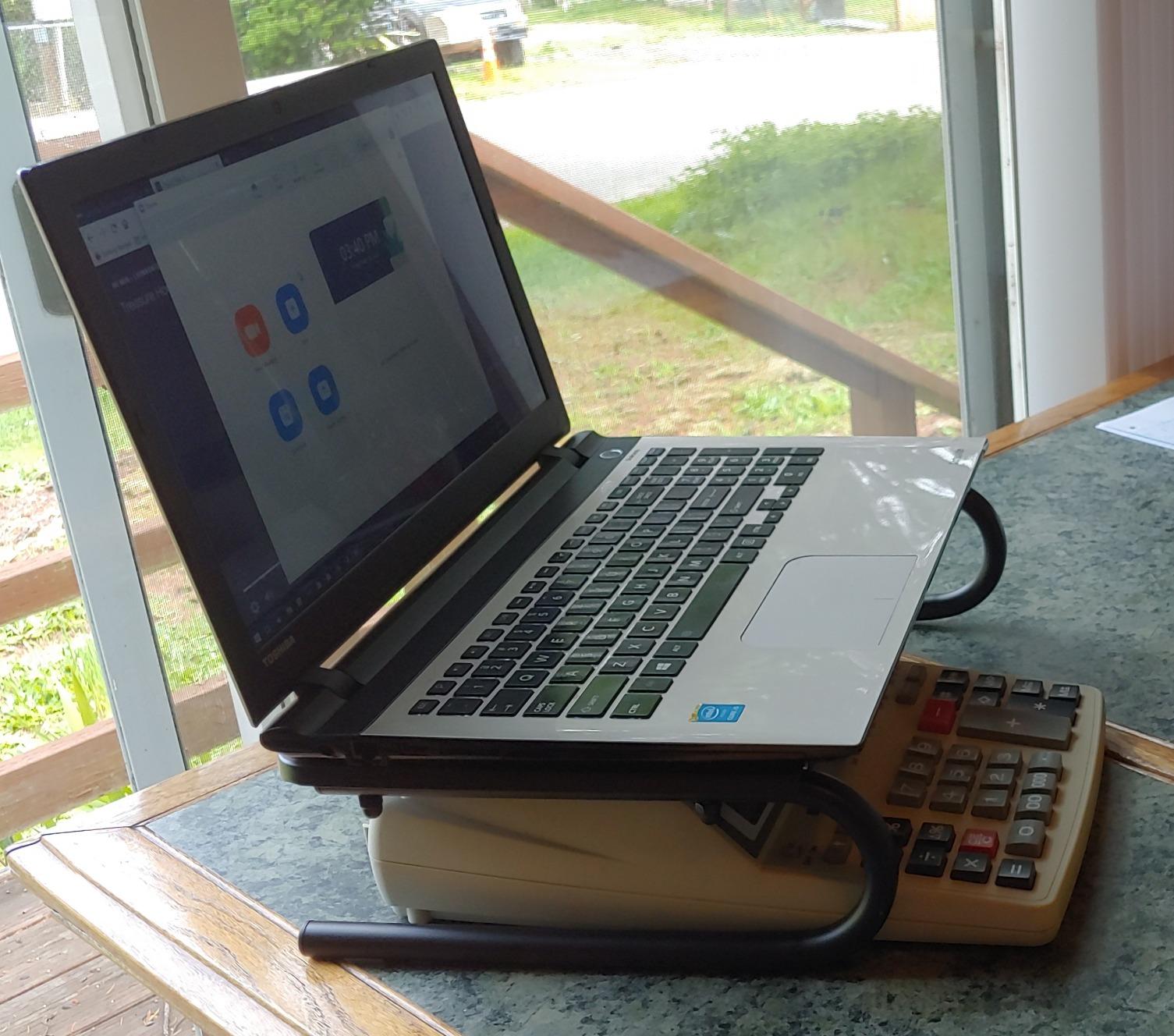
At 3.94 inches of lift it is one of the lower options here, and that is a deliberate trade: lower lift means less screen pushback, which matters on a shallow desk. The 14.57 x 9.25 inch platform takes a monitor, a laptop or a printer, and the clearance underneath fits a full-size keyboard.
Assembly is two legs and a platform, about two minutes with no tools. At 1.4 pounds it is light enough to move between desks without thinking about it.
Is it stable enough for a bigger monitor?
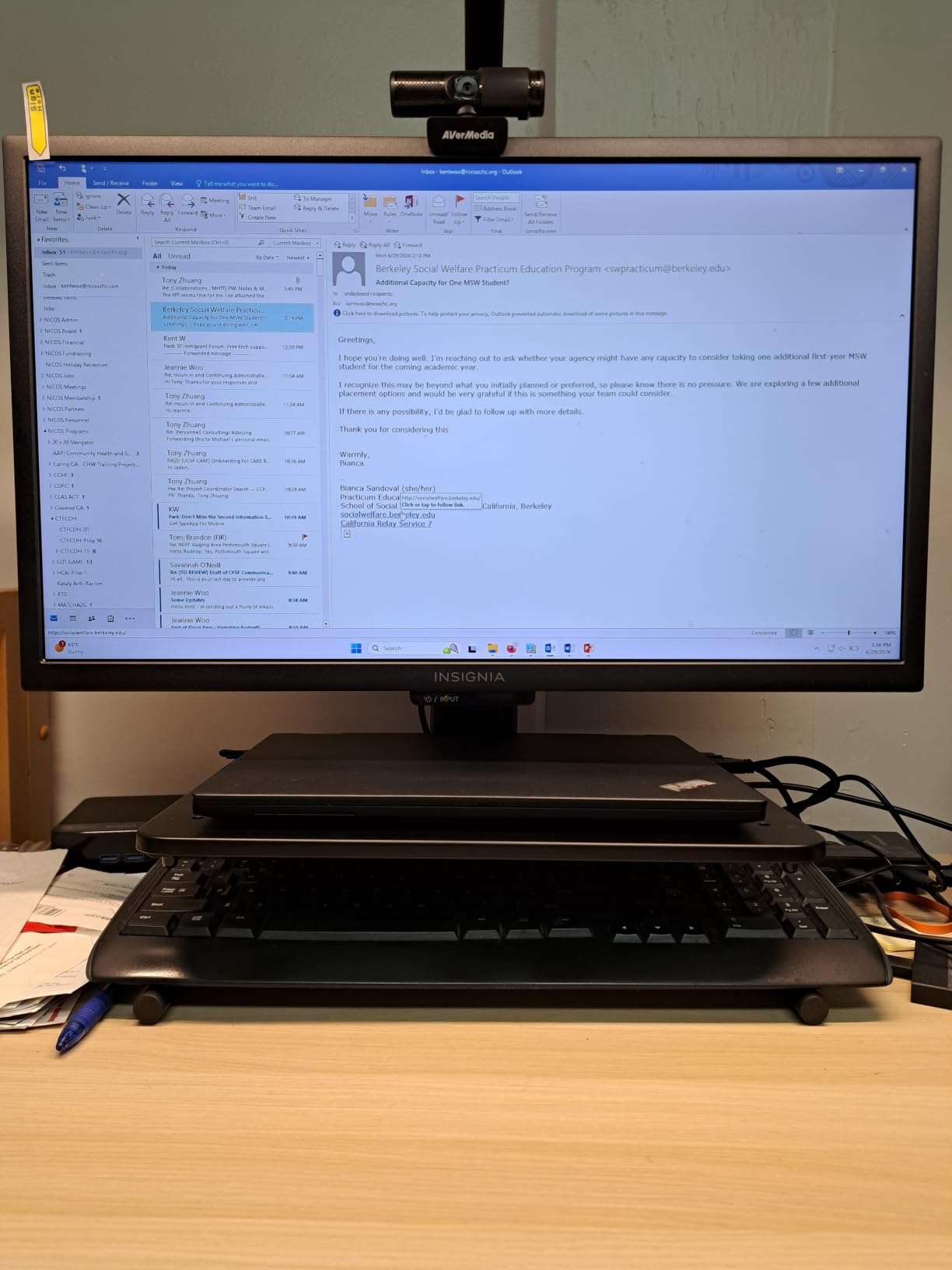
For a single 27-inch display or a laptop, yes — 44 lb is well above what either weighs. For two displays side by side, the platform width becomes the limiting factor rather than the load rating, and reviewers do note slight flex in the steel under heavy loads.
That rigidity is the reason to pay a little more for it here: if you plan to keep the riser on a sit-stand desk that moves all day, a frame that does not flex is worth the step up.
When to skip it
If you need adjustable height, this is a fixed single position and you will need to stack or add something — and stacking is the mistake we would steer you away from. Reviewers also report the legs occasionally fastening a few degrees out of square to the platform.
5. Lamicall Aluminum Laptop Stand – Best for Large Laptops
Lamicall Aluminum Laptop Stand for Desk for MacBook Air Pro Neo 10-17.3”
Aluminum
Adjustable height and angle
Fits 10-17.3 inch laptops
Pros
- Adjustable height and angle for any seat
- Large heavy base resists shaking and sliding
- Ventilation holes across the platform
- Silicone pads and smooth edges protect the device
- Folds flat for travel
Cons
- Higher price than comparable aluminum stands
- Bulkier than slim folding stands when packed
The Lamicall LN09 covers the widest device range in this roundup at 10 to 17.3 inches, so it handles the larger 16 and 17 inch machines that most laptop stands leave out. Reviews confirm it fits current MacBook Air and Pro sizes.
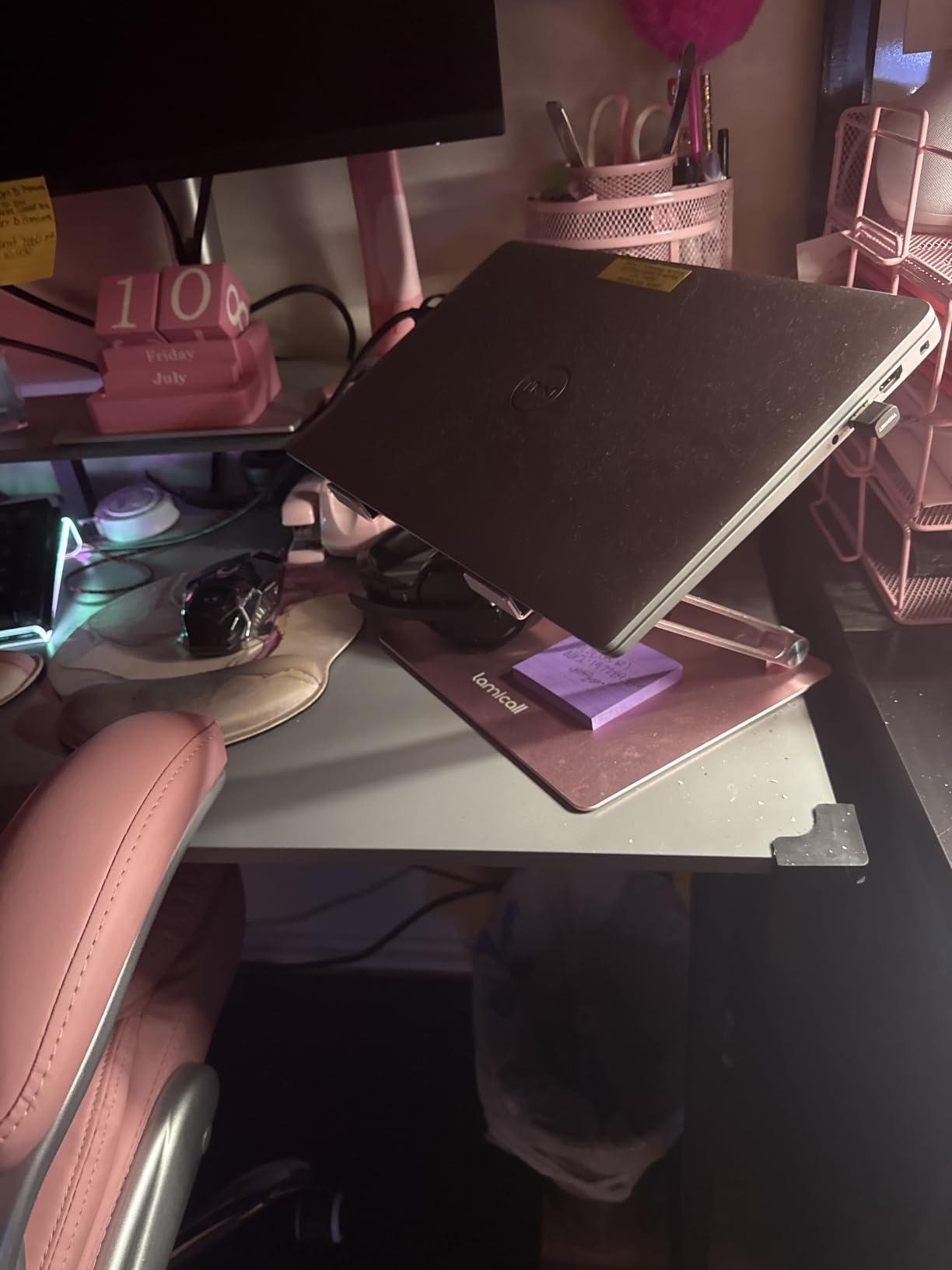
What makes it feel different from cheaper aluminum stands is the base. It is deliberately larger and heavier, and that mass is what stops the stand rocking when you type at a raised angle. Several reviewers specifically call out the absence of shaking and sliding as the reason they kept it.
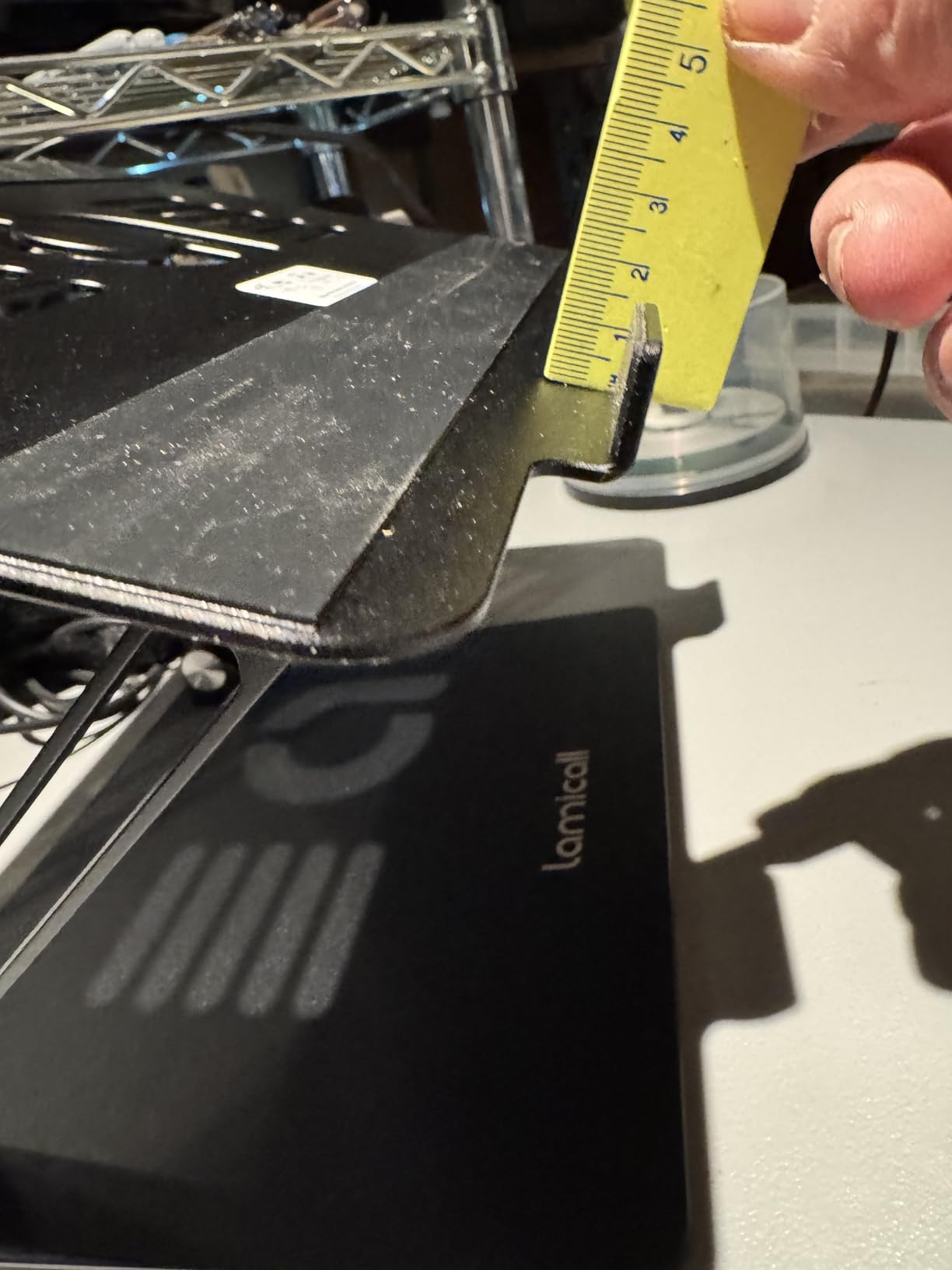
Height and angle both adjust, so you can dial in a near eye-level position rather than accepting whatever the frame gives you. Multiple ventilation holes run through the platform, and silicone pads plus smooth edges keep the laptop chassis from picking up scratches.
It folds up for travel and fits in a laptop bag, which is the trade you accept for the heavier base.
When is the extra size actually justified?
It earns its footprint if you own a 16 or 17 inch laptop, or if you alternate between machines and want one stand that covers both. It also makes sense if you type on the raised keyboard as well as using an external one, since the wide base handles the movement better than a narrow frame.
For a 13-inch MacBook on a desk with plenty of room, a lighter stand will do the same job.
When to skip it
It costs more than comparable aluminum stands and it is bulkier when folded, so it is a poor fit for a minimal travel kit. If your priority is a laptop riser under 10 inches with almost no desk footprint, look at the folding option further down instead.
6. Amazon Basics Adjustable Monitor Riser – Best Value
Amazon Basics Height Adjustable Monitor Stand Riser with Storage Organizer, 3-Level Stackable Design, Durable ABS Plastic, Supports up to 22lbs, for Monitors & Laptops, Black
ABS plastic
22 lb load capacity
3 height levels
16.1 x 4.88 x 11 inches
Pros
- Three selectable heights at 2.87
- 4.25 and 4.9 inches
- 22 lb ABS plastic build with non-skid feet
- Under-stand cavity doubles as storage
- Arrives mostly assembled
- Two-leg design does not overhang the desk
Cons
- Plastic leg tabs can snap during assembly
- Tallest setting still low for very tall users
- No larger size for heavier items
This is the riser to buy if you want three height settings and a useful storage cavity without spending much. The three levels — 2.87, 4.25 and 4.9 inches — come from stackable legs rather than a single fixed position, which is more flexibility than most risers in this bracket offer.
It arrives nearly assembled, so you are fitting the extra riser legs rather than building the whole thing from panels. At 2.6 lb with non-skid feet it stays put, and the two-leg layout deliberately does not overhang the back of the desk.
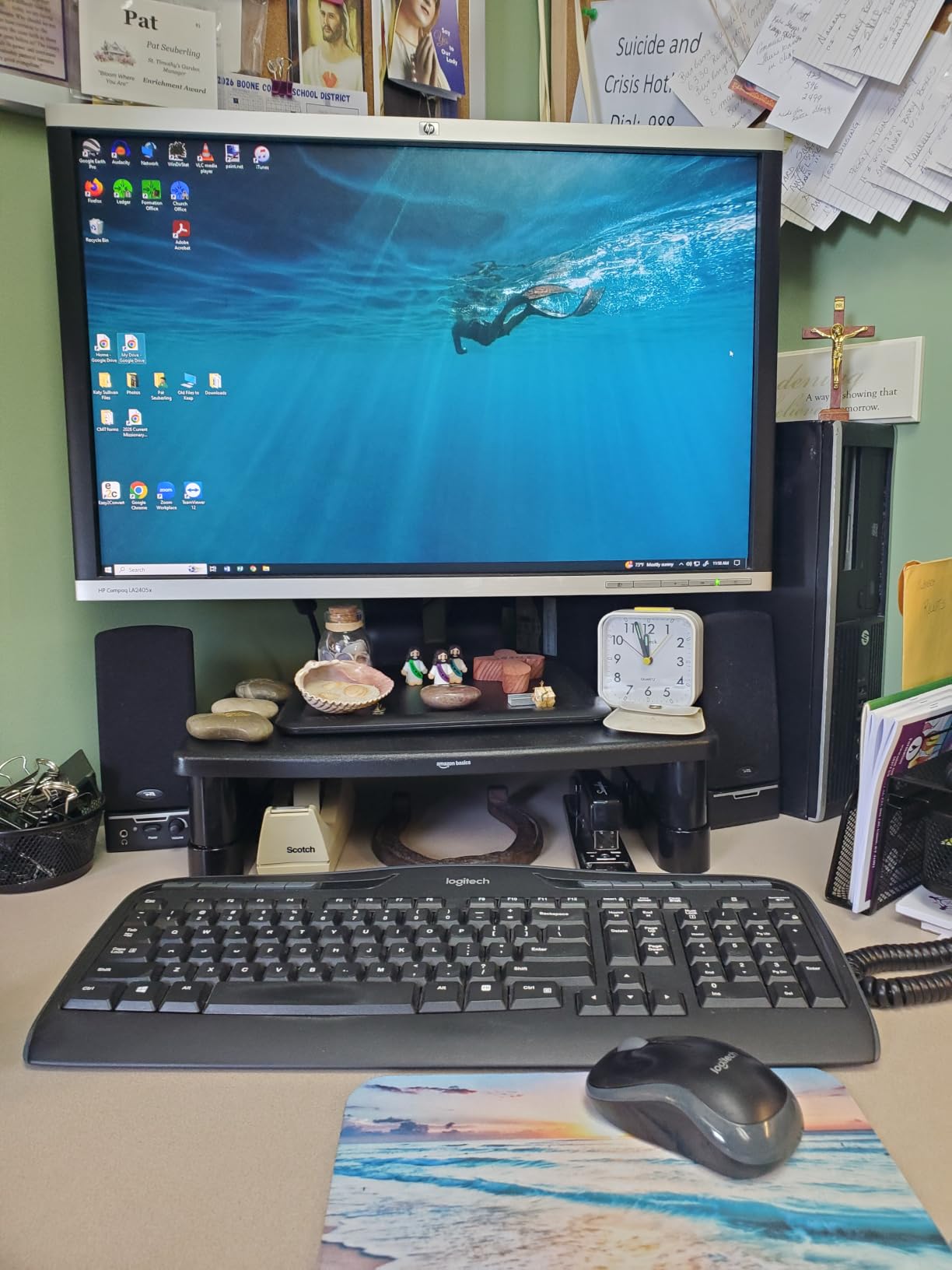
The space underneath measures 11.6 x 11 x 4 inches, and owners use it for office supplies, cables and small kit. Combined with the 4.9 inch top setting that is a genuinely useful amount of recovered desk area, not just a lip you cannot fit anything under.
Ratings hold at 4.6 across more than 25,000 reviews, and a common buyer behaviour is buying a second one for a second monitor once the first works.

Is 4.9 inches enough lift for you?
For most people at a standard desk, yes — the middle setting at 4.25 inches is the sweet spot for a monitor, and the top setting is better for a laptop. For a tall user on a high desk, buyers report the top setting is still not enough, and at that point you need an adjustable arm rather than another riser.
The 16.1 inch width also means a full-size keyboard is a tight fit underneath, so plan the layout before you commit.
When to skip it
Assembly is the weak point: the plastic leg tabs can snap if the base is pulled off the top while fitting. Take it slowly. There is also no larger size, so a printer or anything else heavy is out of scope despite the platform looking roomy.
7. HUANUO 3-Height Vented Riser – Best Adjustable Under-Shelf Riser
HUANUO Monitor Stand, Monitor Stand Riser 3 Height Adjustable, Monitor Riser with Airflow Vents, Laptop Stand for Desk, Laptop Riser, Desk Organizer for Monitor, Laptop, PC, Printer
Polycarbonate and rubber
44 lb load capacity
3.94 to 5.51 inch lift
15.4 x 9.8 x 1.3 inches
Pros
- Three heights at 3.94
- 4.72 and 5.51 inches
- 44 lb rating covers monitors and consoles
- Vented platform improves heat dissipation
- 12.40 x 7.09 inch storage space underneath
- Tool-free assembly in a few minutes
- Easy to carry between workspaces
Cons
- Plain styling that is not minimalist
- Lighter build than solid metal stands
- Limited colour choice
This is the riser for someone who cannot decide on a height. The three settings at 3.94, 4.72 and 5.51 inches are changed with a button press on the legs, so you can move between a seated monitor position and a raised laptop position without tools or disassembly.
At 44 lb it holds considerably more than a laptop or a monitor. Reviewers also use it for printers and consoles, which is why the ventilated platform matters — a gaming console or a printer on a sealed shelf runs hotter.
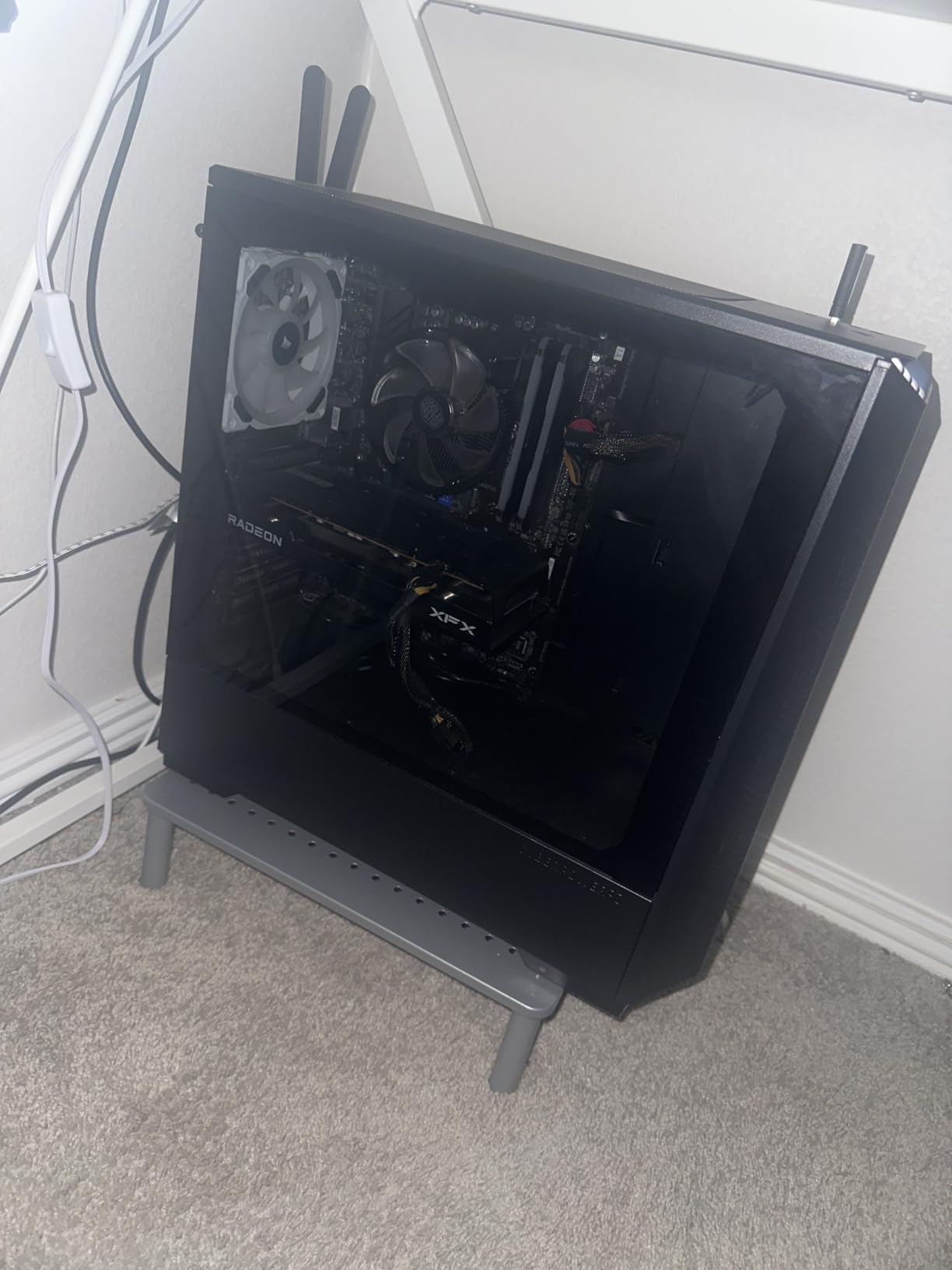
The 12.40 x 7.09 inch storage space underneath is the largest in this roundup, and at 1.8 lb the whole thing is easy to lift between a home desk and a shared workspace when you are hot-desking.
Owners frequently note that it fixed neck strain from a low monitor, and the three options suit different users in the same household. Assembly is four legs onto preassembled bolts, no tools.
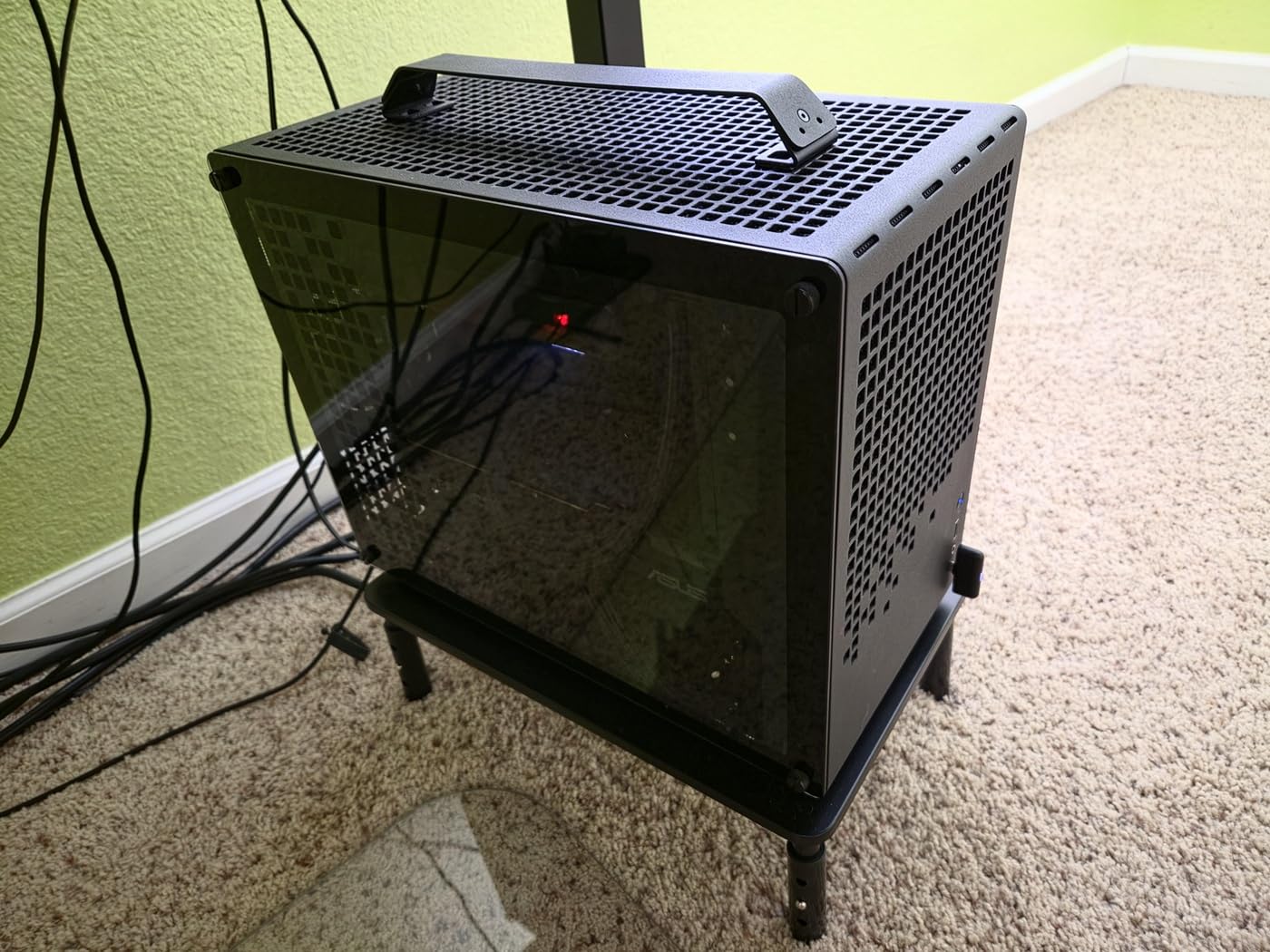
How does it compare with a solid-platform riser?
Against an all-metal shelf it is lighter in feel, and some buyers describe the build as less premium. What it gains is portability and a wider height spread in a smaller step-up, which matters if you move the setup regularly or share one riser between two different desks.
The 15.4 x 9.8 inch footprint is wide enough for a monitor with a stand, though a laptop has plenty of room.
When to skip it
If aesthetics matter to your setup the styling is plain and the colour range is limited. And on a desk where you want a warm wood or metal look rather than a functional black frame, the BONTEC or the steel HUANUO are better fits.
8. WALI Adjustable Monitor Riser – Best for Travel
WALI Computer Monitor Stand for Desk, Adjustable Laptop Riser, up to 44 lbs
Plastic
44 lb load capacity
4.5 to 6.1 inch lift
14.6 x 9.3 inch shelf
Pros
- Three heights at 4.5
- 5.3 and 6.1 inches
- 44 lb rating with a stable feel under a monitor
- Rubber feet grip a sit-stand desk that moves
- Vented platform helps keep laptops cool
- Tool-free assembly in 5-10 minutes
Cons
- Limited height range for an adjustable model
- Surface shows fingerprints
- Instructions vague on the side brackets
The WALI PTT001-B has the highest top setting of the adjustable plastic risers here at 6.1 inches, and at 4.7 stars from more than 17,000 reviews it holds up well for the money. It is the one I point people to when they want a monitor riser without spending much and need a meaningful amount of lift.
Adjustment is a pop-a-pin-and-slide operation on the legs, giving 4.5, 5.3 and 6.1 inches. That range is a little narrow, and buyers who want fine-grained control notice it, but for most desks one of the three stops will be right.
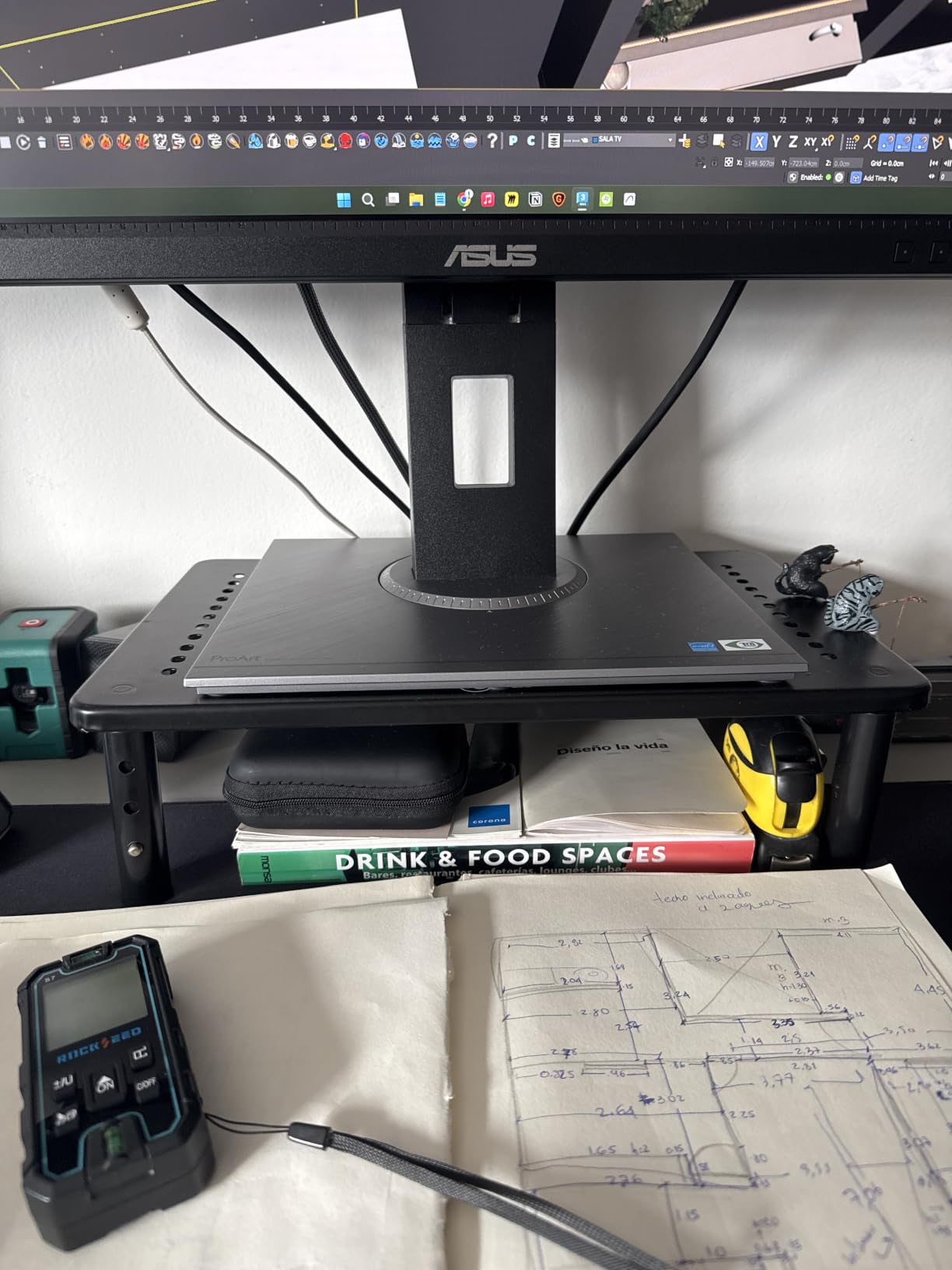
The grippy rubber feet are the sleeper feature. If you are on a sit-stand desk that moves several times a day, a riser that slides is a daily annoyance, and this one stays where you put it. Owners on moving desks call that out specifically.
The 14.6 x 9.3 inch vented shelf takes flat screens, laptops and printers up to 44 lb, and assembly takes five to ten minutes with no tools.
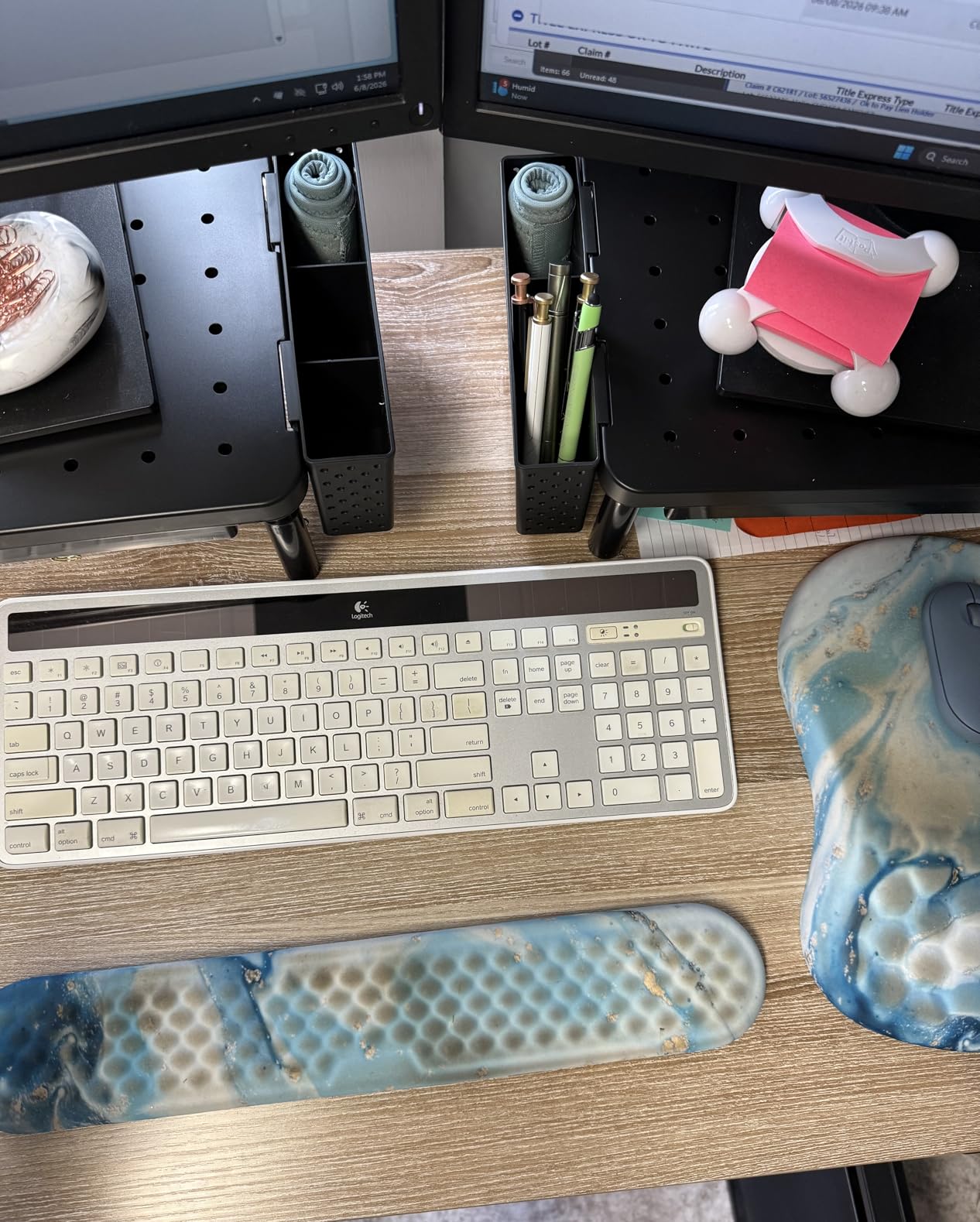
Is the height range a problem?
Only if your target height falls between the three stops. Because the legs slide, the stops are fixed positions rather than a continuous range, so someone with a very specific eye-level target may find themselves choosing the nearest option rather than the right one. Measure first.
The 14.6 inch shelf width is narrower than the BONTEC, so a full-size keyboard underneath is a squeeze.
When to skip it
The surface shows fingerprints, which matters on a light-coloured desk. The instruction sheet is also vague on the side brackets, so budget a little extra time. If you need a 17 inch laptop or a printer, this shelf is not sized for it.
9. Hemudu 2-Pack Tempered Glass Riser – Best for Two Screens
Hemudu 2 Pack Computer Monitor Riser with Height Adjustable Multi Media Desktop Stand for Flat Screen LCD LED TV, Laptop/Notebook/Xbox One
Stainless steel and tempered glass
88 lb load capacity
3.4 to 4.9 inch lift
14.6 x 9.1 x 4.9 inches
Pros
- Two risers in one pack for a dual-screen desk
- 88 lb tempered glass rating
- Height adjusts 3.4 to 4.9 inches with forward tilt 0-15 degrees
- Independent feet level it on an uneven desk
- Easy to wipe clean and doubles as a printer or console stand
Cons
- Legs have a plastic core with a metal sleeve
- Foot threads can be loose at full extension
- Flat feet prevent a firm incline
- Glass looks busy on a glass desk
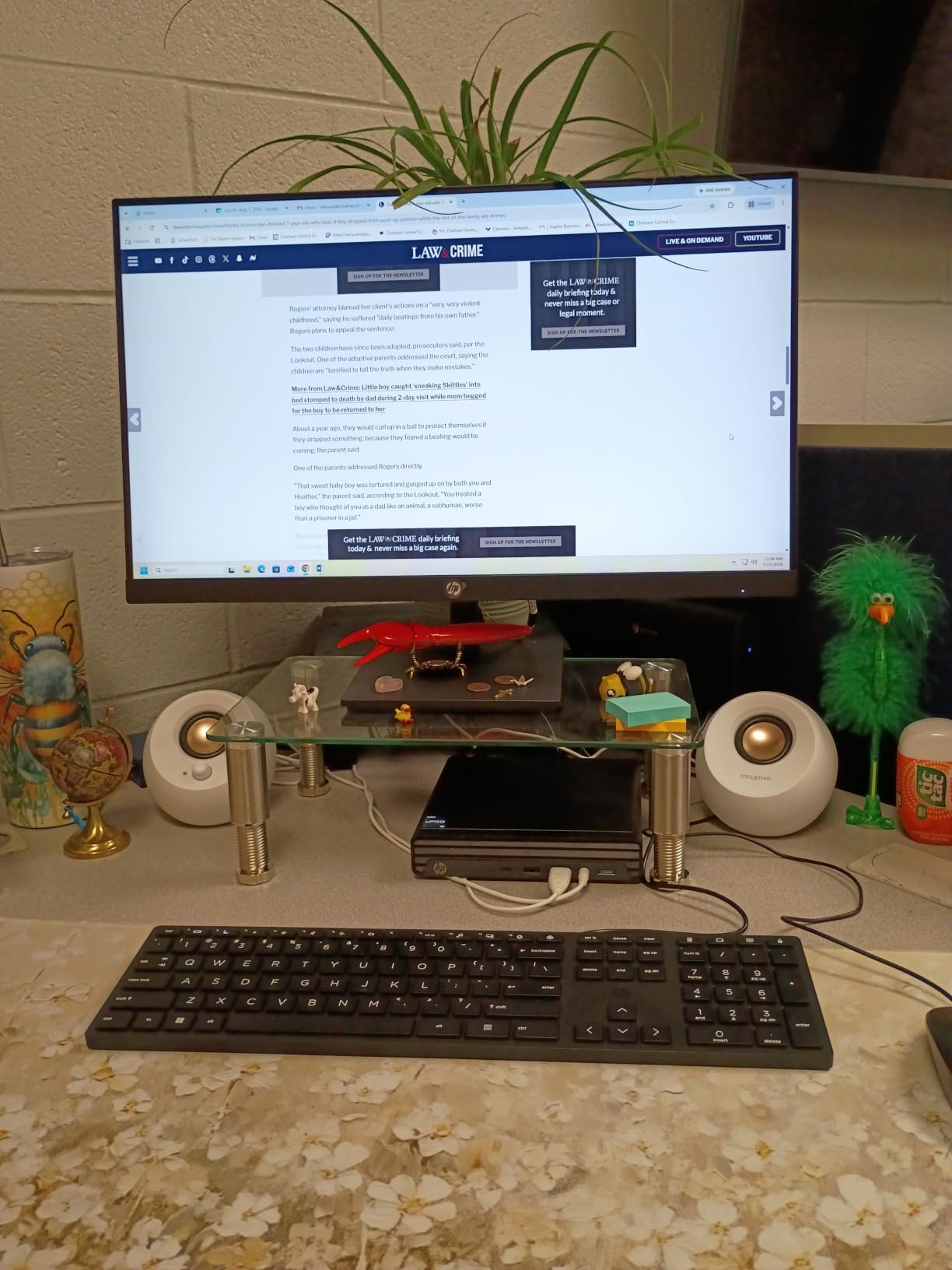
The Hemudu in a pack of two is the practical answer to the most repeated complaint in laptop desk forums — that a laptop and a monitor end up at different heights side by side. Having two identical risers solves it in a way one riser plus a separate laptop stand never will.
Two risers in one pack also means you can put a monitor on one and a laptop on the other, then tune the forward tilt on each independently. The tilt adjusts 0 to 15 degrees and the height runs 3.4 to 4.9 inches, which is enough range to line up two different screen sizes. The elegant tempered-glass top is also the easiest surface in this roundup to keep clean.
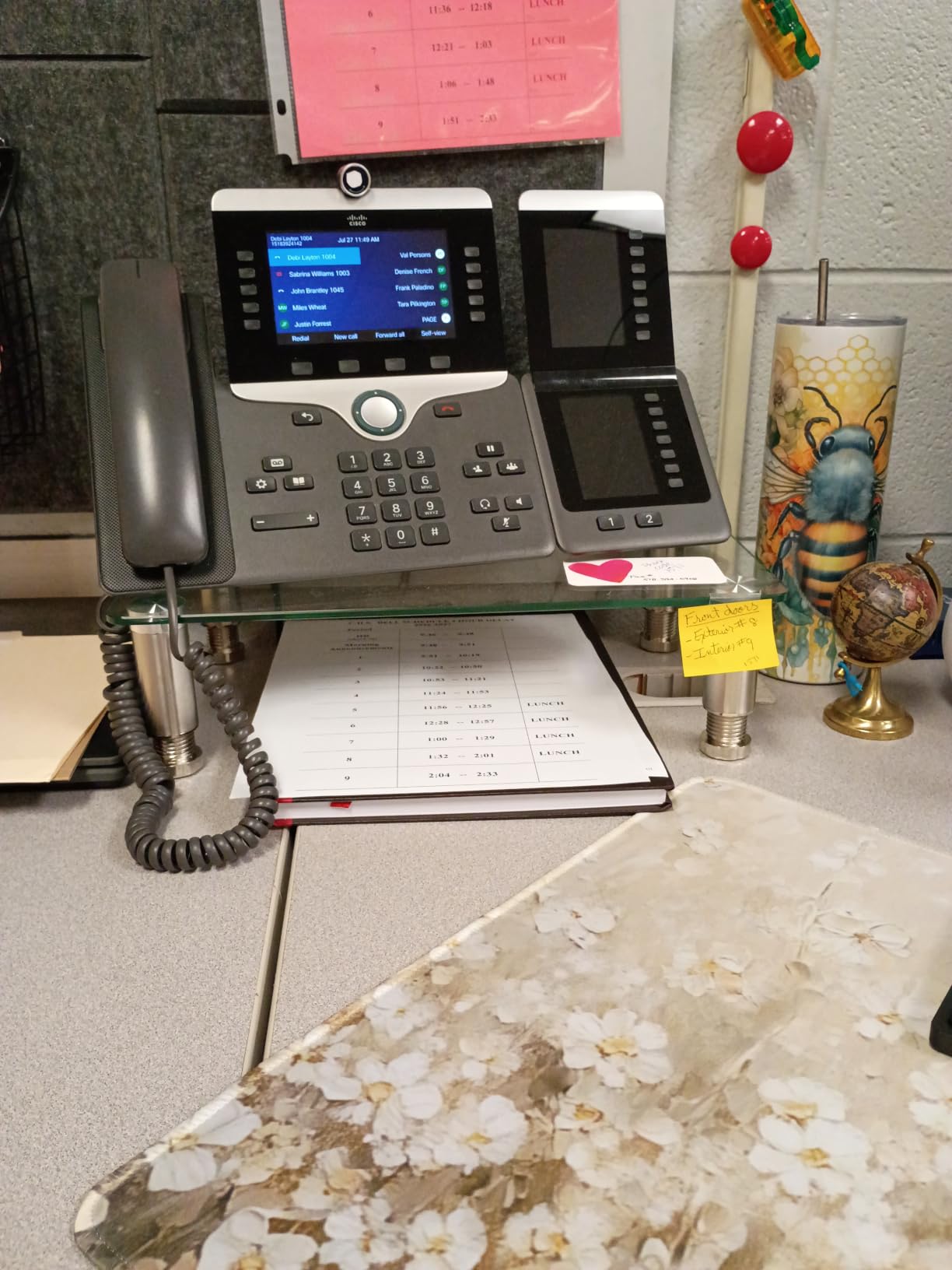
The independent feet are genuinely useful and not just a spec-sheet line. On a desk that is not quite level, each foot adjusts separately so the glass sits flat instead of rocking — which matters more than it sounds with a rigid glass top.
At 88 lb the load rating is the highest here, and the quarter-inch tempered safety glass is easy to wipe clean. Many buyers repurpose the second unit as a printer stand, TV riser or console shelf, and a wrench for the nuts is included.
Can it carry two 27-inch monitors?
One riser per monitor, yes. The 14.6 x 9.1 inch platform is sized for a single display, and the glass plus steel frame handles the weight comfortably. What it will not do is bridge two 27-inch panels on one platform — that is a different category of riser entirely, and the posts about wobble under dual ultrawide loads are the reason we list it this way.
The height and tilt adjustment is what makes it the practical choice for laptop-plus-monitor matching.
When to skip it
Two caveats come up repeatedly. The legs look like solid metal but have a plastic core with a sleeve, and the foot threads can be loose at full extension. Also, because the foot bottoms are flat you cannot hold a strong incline — the tilt is limited to a shallow forward angle.
10. Tonmom Folding Laptop Stand – Budget Pick
Tonmom Laptop Stand for Desk, Adjustable Laptop Riser, Black
ABS plastic
0.53 lb weight
2.78 to 6.5 inch lift
Fits 10-15.6 inch laptops
Pros
- Seven height levels from 2.78 to 6.5 inches
- Folds to 10.5 x 1.96 x 0.68 inches and weighs 0.53 lb
- Triangle support with a large silicone grip pad
- Forward-tilt open design improves airflow
- Also works for tablets and drawing tablets
Cons
- Support arms set independently and can fall out of sync
- Deep 16 inch laptops can ride up and slip off
- Needs the silicone grip stickers applied
- Lowest rated pick in this roundup
Nothing else here disappears into a laptop bag. At 0.53 lb and folded down to 10.5 x 1.96 x 0.68 inches, the Tonmom is the pick if you work from a different space every day, travel with your laptop, or want one stand for the office and the kitchen table.
Seven height levels from 2.78 to 6.5 inches give it the widest range of any laptop stand in the roundup, and the forward-tilt open design lets air move under the device rather than sealing it against a plate.
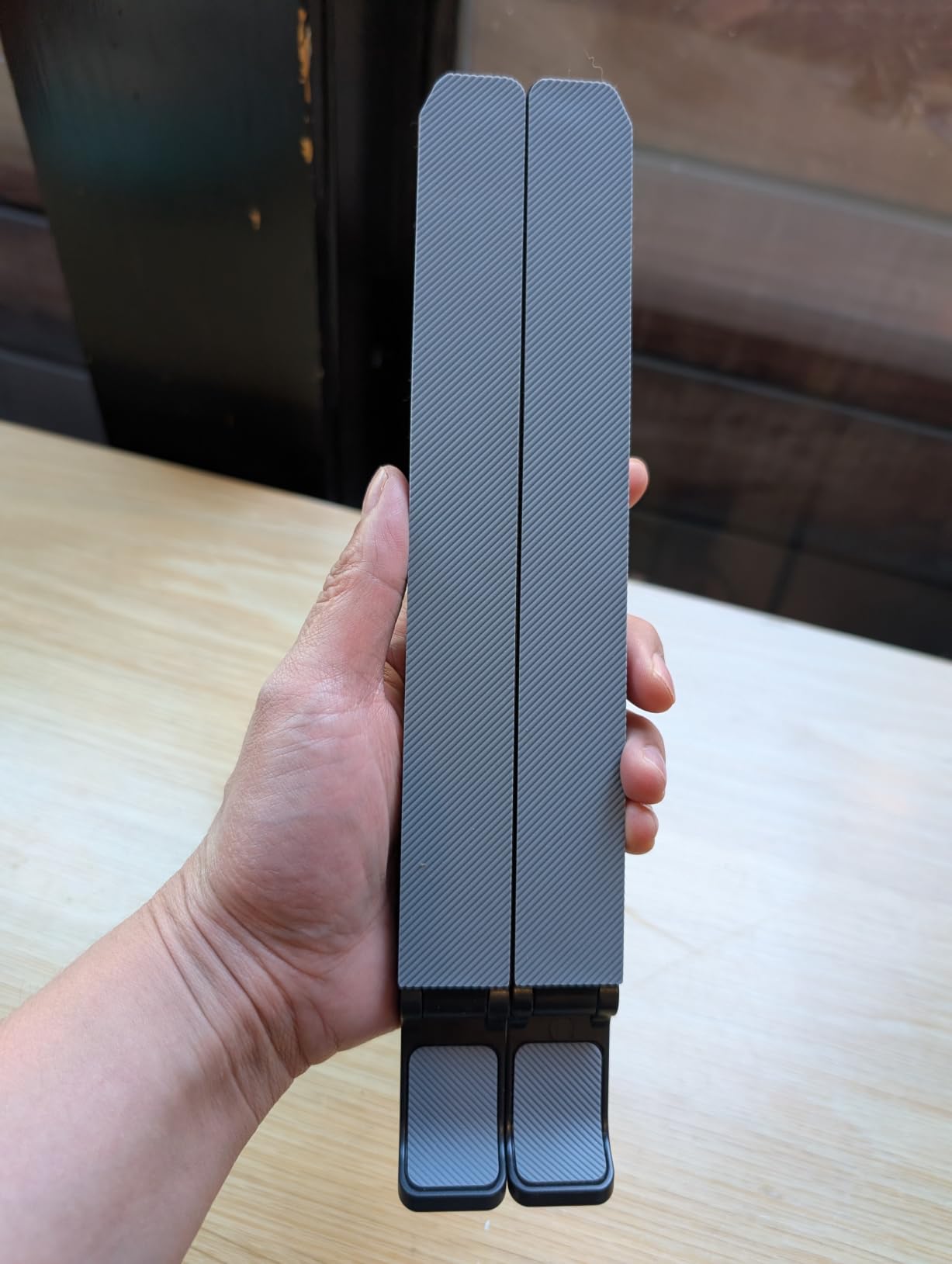
It works for more than laptops. Reviewers use it with Chromebooks, tablets and drawing tablets, and the triangle support with a large anti-slip silicone pad keeps lighter devices secure at any of the seven stops.
At 4.5 stars it is the lowest-rated product here, and the reason is consistent enough to name: the two support arms are not linked, so they are set into their notches individually and can fall out of sync.

Is it stable with a heavy laptop?
With a standard 13 or 14 inch laptop, yes. With a deep or heavy 16 inch gaming machine, owners report it can ride up and slip off the hooks, and that it sits balanced on only one or two of the seven steps. The silicone grip stickers need to be applied or the device slides.
That makes it a good travel companion and a poor permanent desk stand for a large machine.
When to skip it
Skip it if you type directly on the raised laptop and need a rigid surface, or if you own a 16 inch laptop and plan to leave it elevated all day. For a stable permanent setup, the BESIGN or the Nulaxy both hold their position far better.
Riser, Monitor Arm, or Laptop Stand: Which One Do You Need?
These three get confused constantly, and buying the wrong one is the most common reason a riser ends up unused on a desk somewhere.
A monitor riser is a fixed or stepped platform. It adds height without moving the screen position, needs no wall or clamp, and costs the least. It is the right choice when the gap between your screen top and your eyes is three to four inches.
A monitor arm is a clamp-and-post system that puts the screen exactly where you want it — height, distance and angle all become adjustable. It is the right answer when the gap is larger than a riser can close, when you share a desk with someone much taller or shorter, or when you want the desk surface completely clear. Gas-spring arms from brands like Ergotron are the version experienced builders in setup forums tend to end up on. Our monitor arms for ergonomic setups guide covers the decision in more depth, and if your desk doubles as a gaming station, our monitor arms for gaming setups roundup covers the arms built to hold heavier, faster panels.
A laptop stand is a smaller, lighter frame designed to hold a laptop at an angle rather than a monitor. It is right when the laptop is your only screen. It is the wrong tool for a desktop monitor, and it is why you should not solve a monitor height problem with one.
Two extra cases come up often enough to name. A clamp-on riser works well on a shallow desk where a freestanding platform would overhang, but check the desktop material first — a clamp can mark thick glass or a bevelled sit-stand edge, and it can fail to grip a very thin top. A sit-stand desk changes the equation again: the riser is most useful on the lower position, where it adds reach and storage that a riser on the upper position would not need.
And if you already own a monitor arm, a riser becomes redundant. Arms cover every use case a riser covers, plus more, and they free up the whole desk surface. Add a riser on top of an arm only if you have a specific reason, such as a second screen that the arm cannot reach.
It is also worth choosing the laptop first. A riser only sets the height; the machine sets the footprint. If you are still deciding between laptop sizes, our best laptops for CAD guide covers the larger, heavier designs that need a wider platform than most risers offer.
The crossover point is simple: measure the gap. Under four inches, buy a riser. Over four inches, or if you want the surface back for writing, buy an arm. Clamp-on risers are worth a look on shallow desks, but check your desktop material first — a clamp can mark thick glass or a bevelled sit-stand top.
Does a Riser Cook Your Laptop? Ventilation and Heat
No, not if the platform lets air through. A laptop on a sealed wooden or solid plastic shelf has less clearance around its vents than one sitting directly on a desk, and that is the entire risk. Vented platforms remove it.
Three of the picks here have deliberately open or perforated surfaces. The HUANUO steel riser has a full grid of perforations across the platform, so air moves through the surface itself. The BESIGN and the Tonmom use open frames where the laptop is held on edge rather than flat, leaving the intake path completely clear. The Nulaxy adds a geometric vent pattern to its upper surface, and the Lamicall has multiple holes through the platform.
Two habits do more for laptop temperature than the stand itself. Leave the rear edge of the riser clear rather than pushing it against a wall, and keep the machine’s intake vents uncovered — which is another argument against a solid wood shelf like the BONTEC if you run sustained heavy loads on it.
Materials change the picture too. Aluminum and steel conduct heat away from the chassis edge rather than trapping it, while engineered wood and ABS plastic are thermal insulators. Insulating a laptop that is already throttling is not ideal, which is why the vented designs are the safer default for a machine under sustained load.
Position matters as much as surface. A laptop held at a steep angle on a folding stand draws air from below and vents upward, which is the best available arrangement when the machine is working hard. A laptop lying nearly flat on a solid shelf pushes exhaust air straight into the surface.
You will know quickly if there is a problem. Sustained fan noise that was not there before, a chassis too hot to rest a wrist on, or throttling in a long compile all point at blocked airflow rather than a need for a laptop stand for heat dissipation in the passive sense.
The short answer: a vented or open-frame riser is as good for cooling as the bare desk, and a solid shelf is mildly worse. If you are running long compiles, renders or games, pick a perforated or open design.
Screen glare and eye comfort are a separate issue that a riser does not address on its own. Our roundup of monitor light bars for eye comfort covers that side of a desk setup.
How to Raise the Height of Your Laptop Screen in 3 Steps
Step 1 — measure your seated eye height. Sit in your normal working position and measure from the desk surface to the top of your head. Do this seated, not standing, because the number changes all day with a sit-stand desk.
Step 2 — measure the current screen top. Measure from the same desk surface to the top edge of your laptop screen as it sits now. Subtract that from Step 1 and you have your required lift in inches.
Step 3 — match the lift to a riser. Pick a riser whose adjustable range brackets that number rather than one whose maximum exactly equals it. Leave a little headroom, because the target is the top third of the screen at or slightly below eye level, not the very top edge at eye level.
While you are measuring, check two more things. Your desk depth, because the riser will push the screen back by its own depth, and your keyboard width, because you want to know now whether a full-size board still fits underneath.
Do the measurement in the position you will actually work in. A sit-stand desk, a low coffee table and a proper desk produce three different answers, and a riser sized for the coffee table will be wrong for everything else.
Write the number down. When the riser arrives you can set it in minutes, and if the height is close but not right you will know whether a shim or a different level solves it. That one minute of note-taking prevents most of the disappointment we read about.
Eight Mistakes That Ruin a Laptop Riser Setup
1. Typing on the raised laptop keyboard. This is the big one. Lifting the screen and keeping your hands on the laptop keyboard trades neck flexion for shoulder and wrist extension. A riser only works alongside an external keyboard and mouse.
2. Stacking two risers to gain height. It is common and it is advised against. The combined centre of gravity rises, the load rating of the lower unit is exceeded, and the stack becomes unstable — and this is the first thing anyone suggests when a fixed height falls short. Get an adjustable riser or an arm instead.
3. Ignoring desk depth. A deep riser on a shallow desk pushes the screen beyond a comfortable viewing distance, and you end up leaning forward. Measure depth before you buy, not after.
4. Overloading one side. Load ratings assume the weight is spread across the platform. A heavy monitor pushed to the back edge loads the rear legs unevenly, and that is the mechanism behind most wobble complaints in forums. Keep the load centred.
5. Buying by looks. Decorative acrylic risers scratch, show fingerprints, and flex. If you care about how the desk looks, choose a material you can live with long term — wood or powder-coated steel — rather than a clear panel that will mark up in a month.
6. Buying before measuring. Most fixed-height risers cannot be returned once assembled, and the height is the one thing you cannot adjust. Ten minutes with a tape measure prevents the buy-it-again cycle.
7. Forgetting the foot support. A riser fixes your head position and does nothing for your legs. If your feet do not reach the floor when you are seated at the new screen height, add a foot rest — otherwise you trade a neck problem for a hip and lower-back one.
8. Treating a riser as a monitor stand. A laptop stand rated at 8.8 lb is not a monitor stand, whatever the shape suggests. Check the load rating against the device you are actually putting on top, and treat a mismatch as a reason to pick a different product rather than a risk to take.
How We Picked These Monitor Risers
Every pick here was measured against the same five criteria, and any product that failed one of the first two was dropped regardless of how good it looked otherwise.
1. Useful lift at a realistic height. Not the maximum number on the box, but a height that lands the top third of the screen at or below eye level for an average seated adult, measured in multiple inches rather than a single figure.
2. Enough load rating for the device it is sold to hold. A laptop stand rated under 10 lb is a laptop stand, and a monitor riser needs to clear the weight of a 27-inch panel and its stand with margin.
3. Stability after a full working day. Load rating alone is not stability. We weighted rigid frames, wide bases and non-slip feet, because a riser that moves when you type gets abandoned within a week.
4. Desk depth and keyboard space. How far the screen is pushed back, and whether a full-size keyboard still fits underneath. Too many risers fail on the second criterion only after delivery.
5. Materials and build honesty. Solid wood, powder-coated steel and aluminum beat hollow MDF and snap-prone plastic tabs, and we noted where a load rating outruns the material underneath it.
Ratings and review counts came directly from the product listings, and the customer feedback reflected in each pros and cons line is what buyers report rather than what the product page claims.
Two things I deliberately did not do. I did not rank on price, because prices move and a list ordered by cost tells you nothing about fit. And I did not include clamp-on risers in the main ten — they solve a real shallow-desk problem but risk marking thick glass and bevelled sit-stand tops, and that trade-off needs a desk-specific conversation rather than a ranking.
Frequently Asked Questions
Are monitor risers worth it?
Yes, for most laptop users they are. A laptop on a desk sits roughly 12 to 15 inches below eye level, which forces sustained downward neck flexion. A riser adds three to six inches so the top third of the screen sits at or slightly below eye level, which measurably reduces neck and upper-back load. They only help if you also switch to an external keyboard and mouse, and if the underlying problem is genuinely low screen height rather than chair or desk depth.
How much weight can a monitor riser hold?
It depends almost entirely on the material. Powder-coated steel and metal risers in this roundup are rated from 44 to 88 lb, bamboo and engineered wood risers sit around 66 lb, and plastic risers run from 22 to 44 lb. Aluminum laptop stands are the exception, rated at 8.8 lb because they are built for a laptop rather than a monitor. Check that the rating covers your device and its stand, and keep the load centred on the platform.
How to raise the height of a laptop screen?
Three steps. First, sit in your normal working position and measure from the desk surface to the top of your head. Second, measure from the desk surface to the top edge of your laptop screen as it sits now, and subtract to get your required lift. Third, choose a riser whose adjustable range brackets that number, and pair it with an external keyboard and mouse. Leave headroom rather than matching the maximum exactly, since the target is the top third of the screen at or slightly below eye level.
Does a laptop riser help with cooling?
A vented or open-frame riser does, because air moves through the surface or around the device instead of being blocked. A perforated steel platform or an open aluminum frame leaves the intake vents clear and performs as well as the bare desk. A solid wooden or plastic shelf is mildly worse, because the laptop loses clearance around its exhaust. Keep the rear edge of the riser away from a wall and avoid covering the intake vents, and heat is a non-issue.
Should I buy a monitor riser or a monitor arm?
Measure the gap between your screen top and your eyes while seated. If it is about four inches or less, a riser is the cheaper and simpler answer. If it is more than that, or if you want the desk surface back for writing, buy a monitor arm, which makes height, distance and angle all adjustable. Arms also suit shared desks where two people of very different heights use the same workspace.
Can you stack monitor risers?
It works physically but it is not advised. Stacking raises the centre of gravity, exceeds the load rating of the lower unit, and makes the whole assembly unstable, which is a real tipping risk with a heavy monitor on top. If a fixed height is not enough, use a riser with a wider adjustment range or a monitor arm instead of a second riser.
Do I need an external keyboard with a laptop riser?
Yes. Raising the screen while typing on the laptop keyboard moves the problem rather than solving it, because your wrists end up in extension and your shoulders round forward. A riser is only ergonomic when the screen is up and the hands are down, on a separate keyboard and mouse at desk level. A foot rest completes the setup.
Conclusion
Pick the BONTEC wooden riser if you want one platform that raises a screen and gives back usable desk space at the same time. Pick the BESIGN LS03 or the Nulaxy if your laptop is the only screen and you want it near eye level. Pick the HUANUO steel riser if your concern is a vented surface that will not sag, and the Hemudu 2-pack if you need a laptop and a monitor at matching heights.
Whichever of the best monitor risers for laptops you choose, measure your seated eye height and your desk depth before you order, and pair it with an external keyboard, mouse and foot rest. That combination is what turns a shelf into an ergonomic setup — and it is why the riser works in 2026 far more setups than it used to, now that laptops have replaced most desktop monitors on home desks.