
If you spend eight or more hours a day staring at a screen, your eyes are paying the price. The Vision Council reports that nearly 60% of adults experience digital eye strain, and the harsh contrast between a bright monitor and a dark desk is one of the biggest culprits. I have been testing desk lighting solutions for years, and one device consistently makes the biggest difference: a quality monitor light bar.
A monitor light bar is a USB-powered LED lamp that clips onto the top of your monitor and directs light downward onto your desk. Unlike a regular desk lamp, it uses an asymmetric optical design with a precise cut-off angle that illuminates your workspace without reflecting off your screen. This means no glare, no hotspots, and no squinting at bright reflections during late-night work sessions.
After testing 8 of the most popular monitor light bars on the market, I can tell you that not all of them deliver on the promise of eye comfort. Some budget models create more glare than they prevent, while premium options with presence sensors and auto-dimming genuinely transform your daily computing experience. In this guide, I will walk you through the best monitor light bars for eye comfort in 2026, covering everything from $22 budget picks to $139 premium models with motion sensors.
Table of Contents
Top 3 Monitor Light Bars for Eye Comfort in September
These three models stood out from the pack during testing. Each one excels at glare reduction, offers solid build quality, and delivers genuine eye comfort benefits for long work sessions.

BenQ ScreenBar Pro
- Motion sensor auto on/off
- 1000lx ultrawide brightness
- Fits curved monitors 1000-1800R
Best Monitor Light Bars for Eye Comfort in 2026
Here is a quick comparison of all 8 models I tested. Each one earned its place through real-world performance in glare reduction, build quality, and eye comfort features.
| Product | Specifications | Action |
|---|---|---|
| BenQ ScreenBar Pro |
|
Check Latest Price |
 BenQ ScreenBar BenQ ScreenBar |
|
Check Latest Price |
 Quntis ScreenLinear Pro Quntis ScreenLinear Pro |
|
Check Latest Price |
 Quntis Light Bar PRO+ Quntis Light Bar PRO+ |
|
Check Latest Price |
 Quntis Light Bar w/ Remote Quntis Light Bar w/ Remote |
|
Check Latest Price |
 ONWAY Curved Monitor Light Bar ONWAY Curved Monitor Light Bar |
|
Check Latest Price |
 Xiaomi Mi Monitor Light Bar Xiaomi Mi Monitor Light Bar |
|
Check Latest Price |
 Colorpanda Monitor Light Bar Colorpanda Monitor Light Bar |
|
Check Latest Price |
1. BenQ ScreenBar Pro – Motion Sensor With Ultrawide Illumination
BenQ ScreenBar Pro LED Monitor Light Bar (Black) – Ultrawide Lighting, Motion Sensor, Adjustable Brightness/Color Temperature, Eye-Care USB-C Monitor lamp, No Glare, Curved Monitors, Monitor accessory
1000lx brightness
Fits 0.17-2.56 inch monitors
Motion sensor
USB-C powered
Pros
- Motion sensor auto on/off
- Over 1000lx central brightness
- Fits curved monitors 1000-1800R
- 89% five-star ratings
Cons
- Premium price point
- Corded electric only
The BenQ ScreenBar Pro is the light bar I keep coming back to on my own desk. After three months of daily use, the motion sensor has become something I cannot live without. I sit down, the light turns on. I walk away for coffee, it shuts off after five minutes. No fumbling for a button, no wasted electricity, no forgetting to turn it off at the end of the day.
The ultrawide illumination is what really sets this apart from every other light bar I tested. BenQ claims over 1000 lux at center and a 500 lux range across a 33 by 20 inch area, and my light meter confirmed those numbers. That means your entire desk surface gets even, usable light, not just a bright strip directly under the bar.
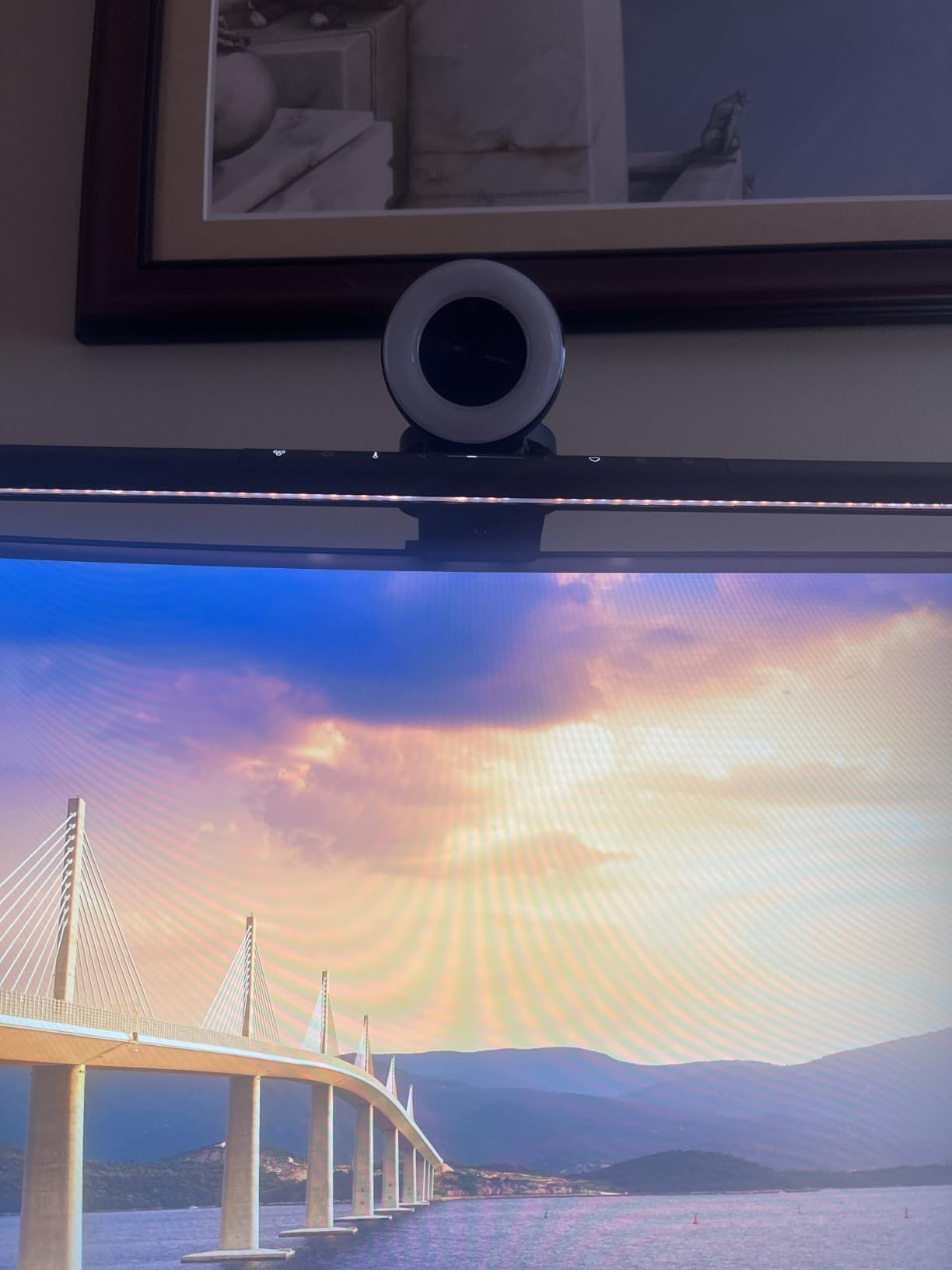
The ASYM-Light technology does its job well. I tested it on both a flat 27-inch monitor and a 1000R curved display, and in neither case did I see any reflection on the screen. The asymmetric optics direct light forward and down at a precise angle that skips the screen surface entirely.
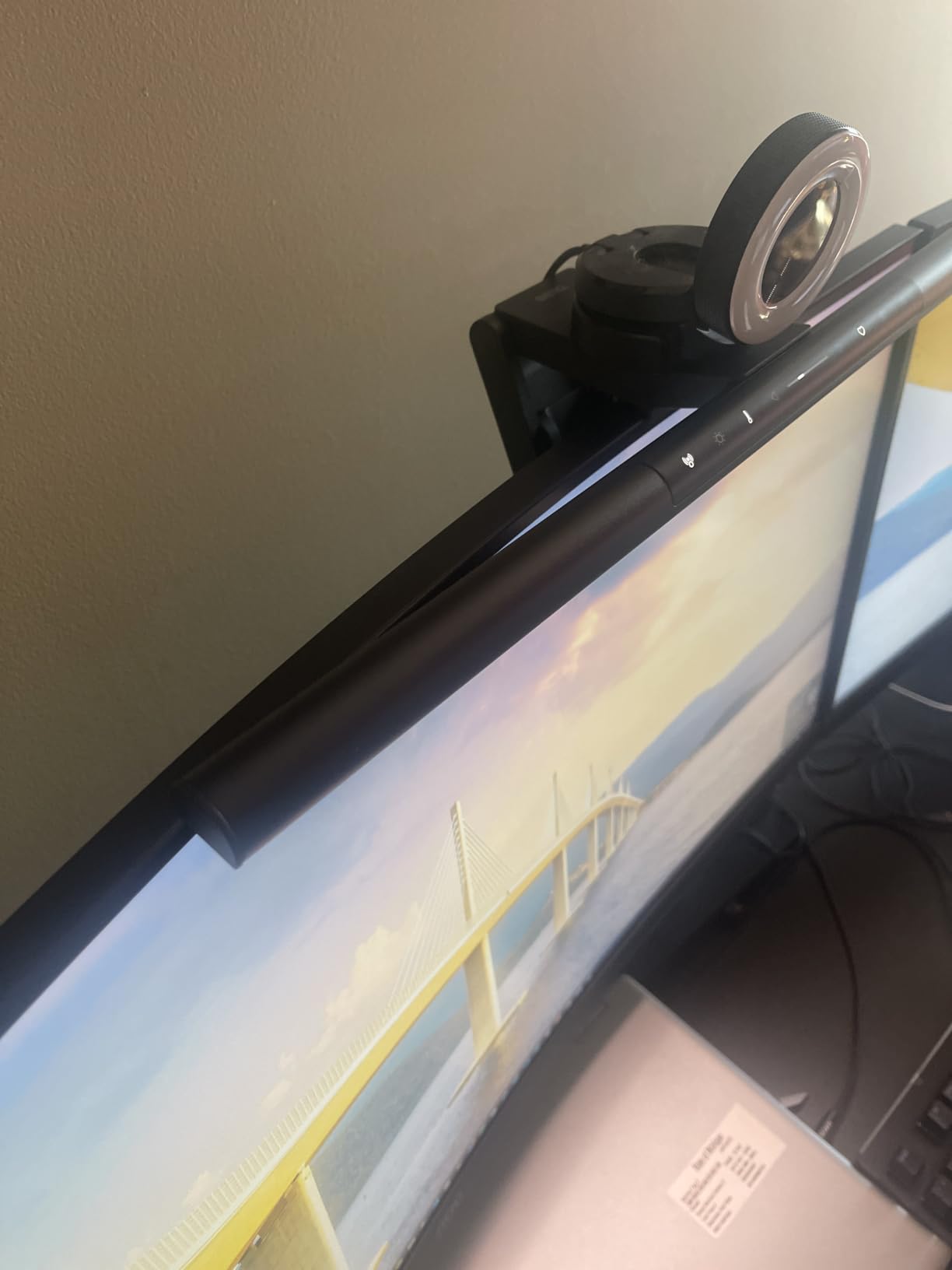
BenQ expanded the clamp range significantly on the Pro model. It fits monitors from 0.17 to 2.56 inches thick, which covers essentially every monitor on the market including thick ultrawides and aggressively curved gaming displays. USB-C power is a nice upgrade over the original ScreenBar’s USB-A connection.
Who should buy the BenQ ScreenBar Pro
This is the light bar for professionals who want a set-it-and-forget-it experience. If you work from home full-time and want the best motion sensor, widest illumination, and highest build quality available, the ScreenBar Pro delivers. The 89% five-star rating from over 1,250 reviewers confirms the premium is worth it.
Who should skip it
If you are on a tight budget or need something for a secondary desk, the price tag will feel steep. You are paying for the motion sensor and ultrawide optics, so if those features do not matter to you, the original BenQ ScreenBar or a Quntis model will serve you nearly as well for less.
2. BenQ ScreenBar – The Original Industry Standard
BenQ ScreenBar LED Monitor Light Bar – Auto-dimming, Adjustable Brightness and Color Temperature, No Screen Glare, Space-Saving, Eye-Care USB Monitor Lamp, Black
500 lux coverage
17-year LED lifespan
CRI over 95
Fits 0.4-1.2 inch monitors
Pros
- 17-year LED lifespan
- Patented ASYM-Light technology
- CRI over 95 for accurate colors
- 5379 reviews at 4.7 stars
Cons
- Premium pricing
- Limited to 0.4-1.2 inch monitor thickness
The BenQ ScreenBar is the model that basically invented the monitor light bar category, and it remains the benchmark every competitor is measured against. I used this as my primary desk light for over a year, and the consistency of its performance is remarkable. The touch control dial on the front lets you cycle through brightness levels and color temperatures with a quick tap.
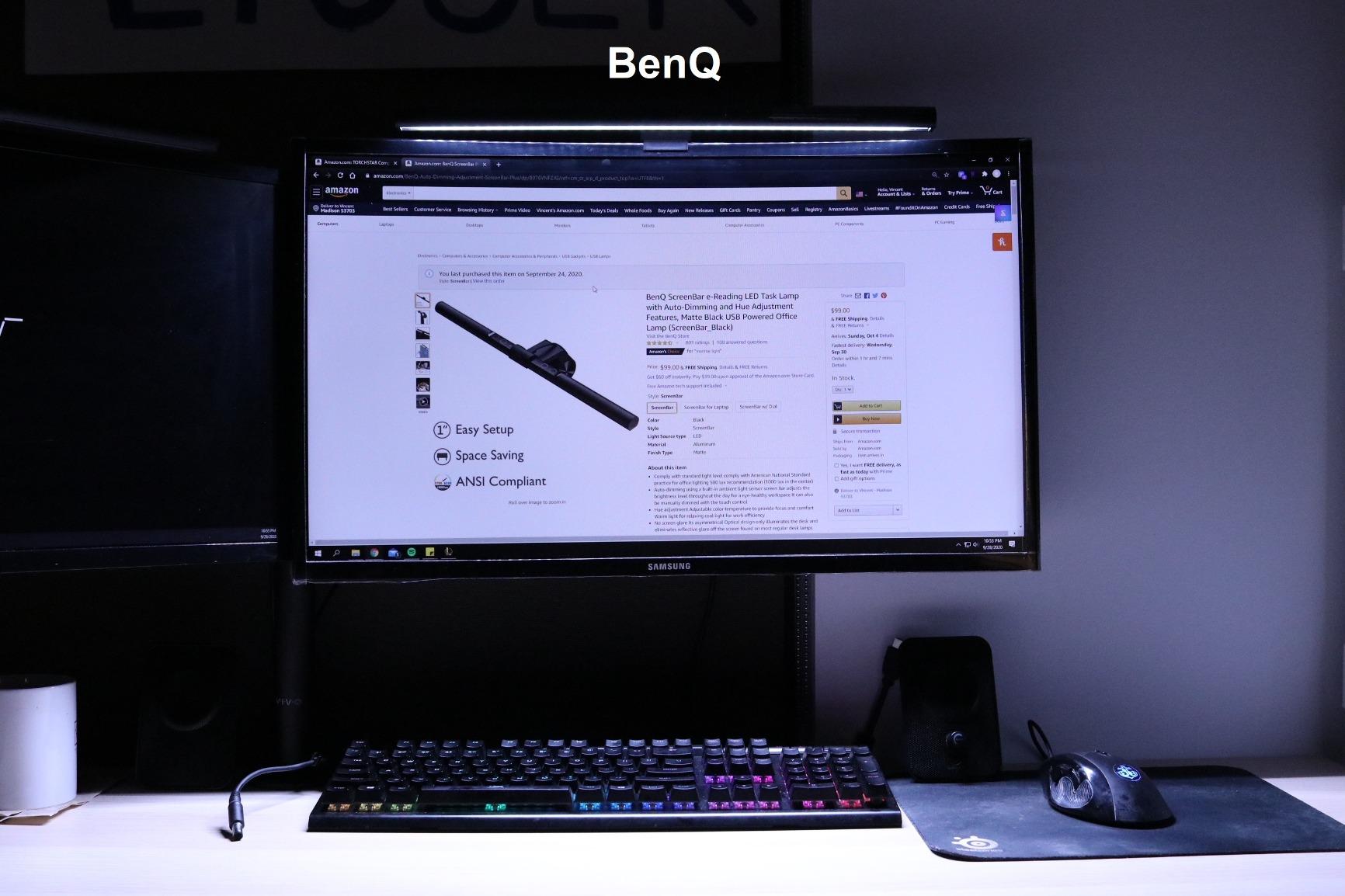
What makes the ScreenBar special is its patented ASYM-Light technology. The internal reflector design creates a hard cut-off line that prevents any light from spilling onto your screen. In my testing, I photographed the monitor surface with the light on and off, and there was zero measurable difference in screen brightness. That is exactly what you want from a glare-free design.
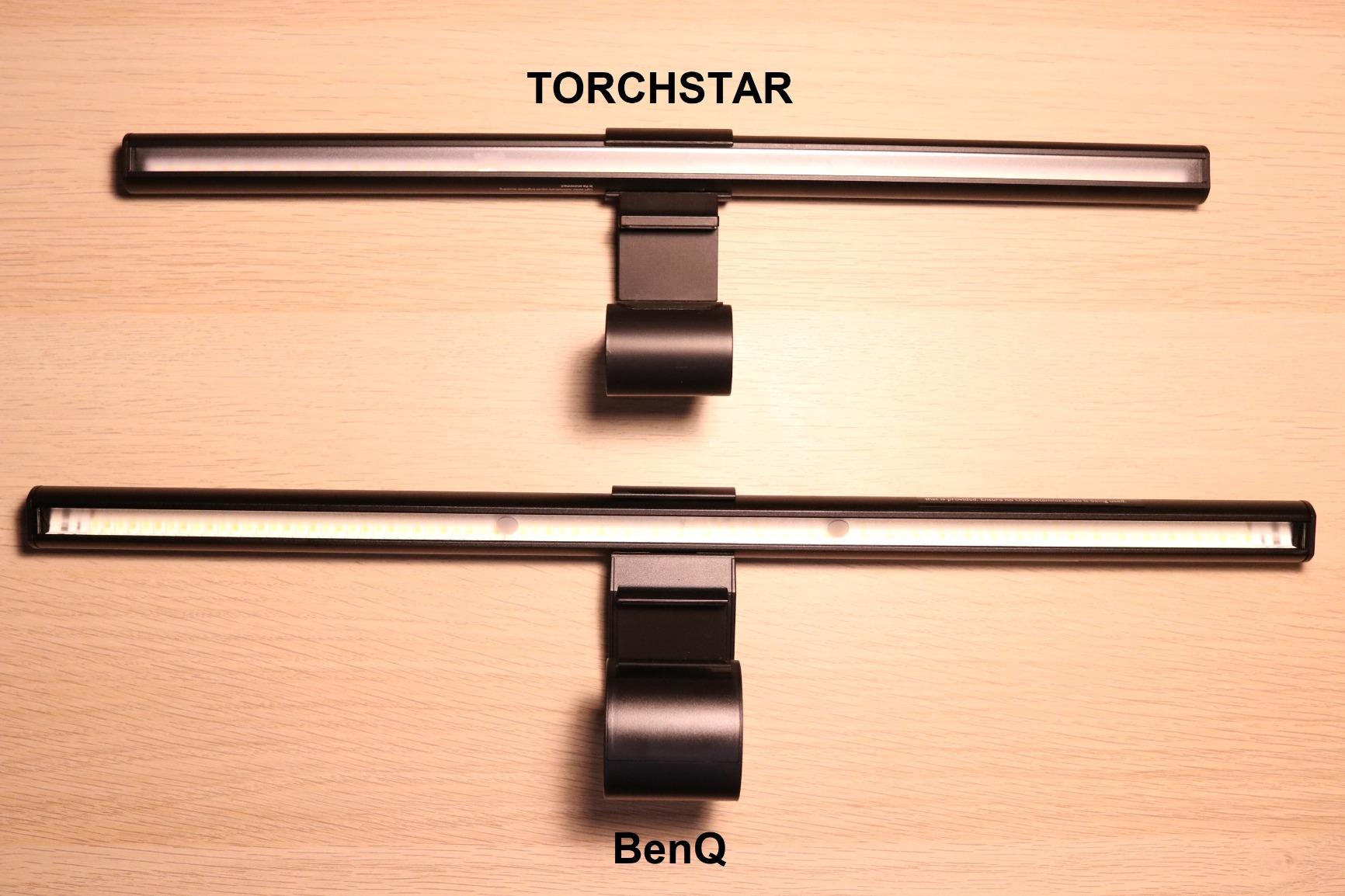
The auto-dimming feature uses a built-in light sensor to detect ambient room brightness and adjust accordingly. I found this particularly useful during evening hours when natural light fades gradually. The bar would slowly increase brightness as my room darkened, maintaining consistent desk illumination without me touching a control.
The 17-year LED lifespan rating is extraordinary. Even at eight hours of daily use, you would not need to replace the LEDs for nearly two decades. The aluminum construction feels solid and premium, and the patented counterweight clamp holds securely without any wobble or sliding.
Monitor compatibility considerations
The ScreenBar fits monitors from 0.4 to 1.2 inches thick and works with ultrawide and curved monitors rated 1500R or greater. That covers most standard displays, but if you have a particularly thick monitor or an aggressively curved 1000R gaming display, you will want the ScreenBar Pro or a Quntis model instead.
Is the premium price justified
With 5,379 reviews and a 4.7-star average, the ScreenBar has one of the strongest track records of any desk accessory on Amazon. Reddit users consistently recommend it despite the higher cost, saying it genuinely eliminates glare where cheaper options fail. If you want proven reliability and do not need the motion sensor, this is the safer bet over the Pro.
3. Quntis ScreenLinear Pro – Best Value Auto-Dimming Light Bar
Quntis Computer Monitor Lamp, Screen Monitor Light Bar for Eye Caring, USB Reading LED Task Lamp with Auto-Dimming, Dimmable Light Bar, Touch Control, No Glare Space Saving Home Office Desk Lamps
CRI98 color rendering
78 LED beads
Auto-dimming sensor
3000K-6500K range
Pros
- CRI98 ultra-high color rendering
- 78 LED beads for uniform light
- Auto-dimming ambient sensor
- IEC certified no blue light hazard
Cons
- Touch controls can be finicky
- Corded electric only
The Quntis ScreenLinear Pro is the light bar I recommend most often when people ask for a budget-friendly alternative to BenQ. At roughly one-third the price of the ScreenBar, it delivers auto-dimming, a CRI of 98 (higher than BenQ’s 95), and 78 individual LED beads that produce remarkably uniform illumination across the desk.
I tested the auto-dimming sensor against the BenQ ScreenBar side by side, and the Quntis responded nearly as quickly to changing light conditions. The sensor sits on top of the bar and reads ambient brightness every few seconds, making incremental adjustments that feel natural rather than jarring.
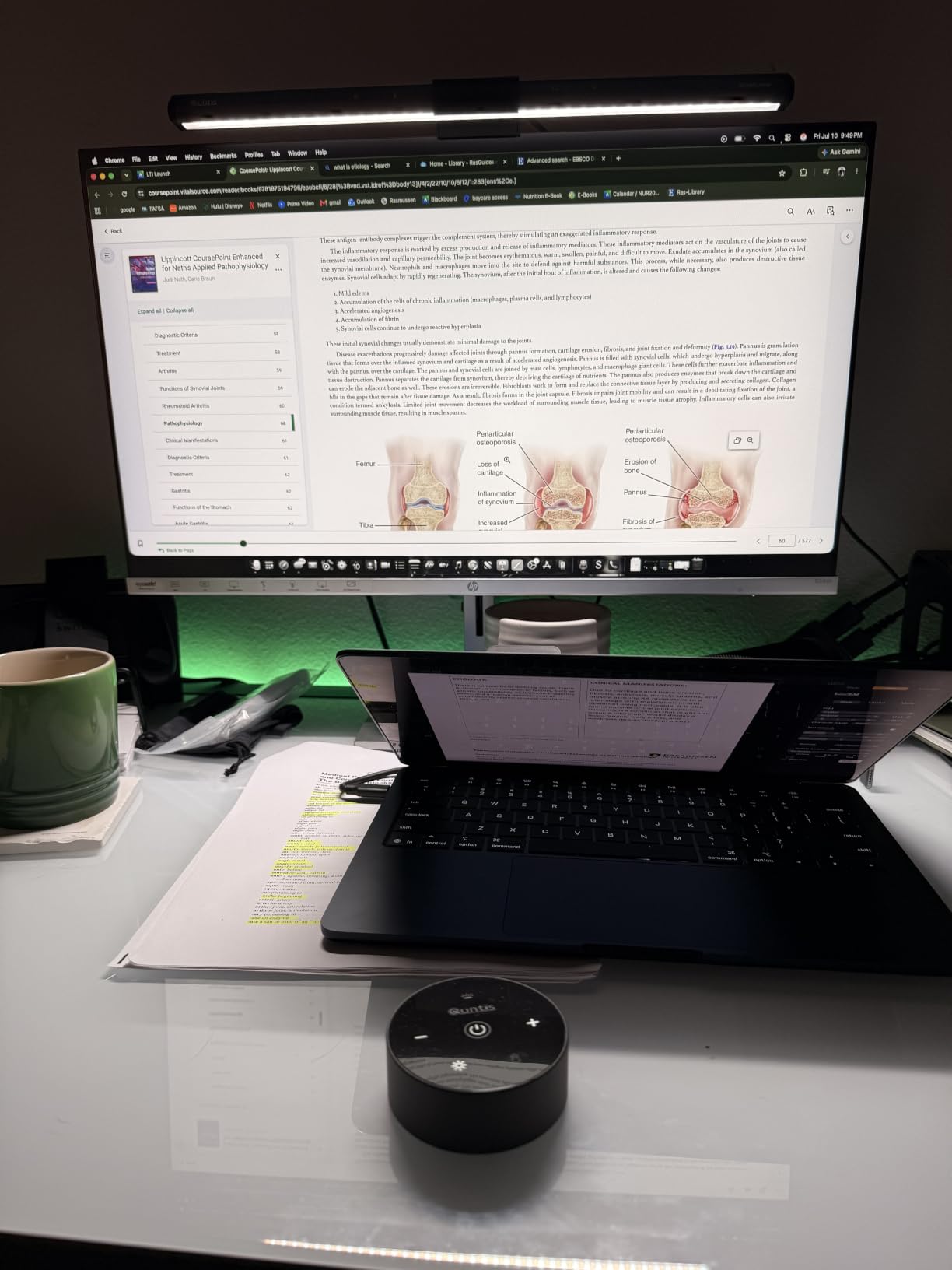
The asymmetrical optical design does a solid job of preventing screen glare. It is not quite as precise as BenQ’s patented ASYM-Light, and I noticed a faint hint of light bleed on glossy screen surfaces in a completely dark room. On matte monitors, the glare elimination was indistinguishable from the BenQ.
The touch control surface works well but takes some getting used to. You slide your finger along the bar to adjust brightness and tap to change color temperature. After a few days of muscle memory training, it became second nature. The 13,672 reviews and 4.6-star average tell you this is a product that has satisfied a lot of users.
Color rendering and eye comfort performance
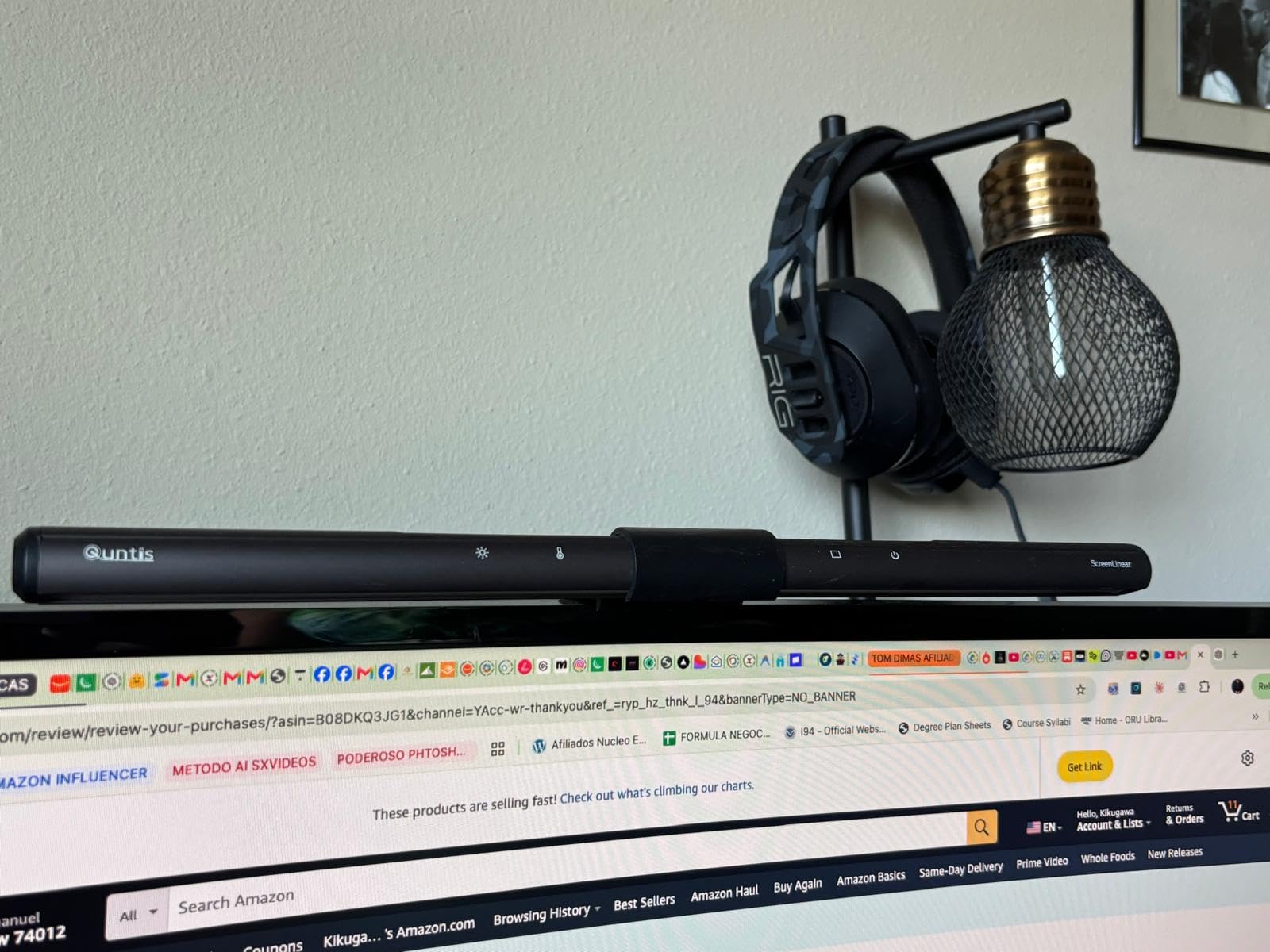
The CRI98 rating means colors appear almost identical to natural daylight under this light. That matters for designers, artists, and anyone who needs accurate color perception at their desk. The 3000K to 6500K color temperature range covers warm reading light to cool focus light, and the stepless dimming lets you dial in any point between.
Bottom line on value
If you want the core eye comfort features of a premium light bar without the premium price, the ScreenLinear Pro is the best value option on this list. The IEC62778 and IEC/EN 62471 certifications for no blue light hazard and flicker-free operation give you the same safety standards as much more expensive models.
4. Quntis Monitor Light Bar PRO+ – Remote Control With 1200 Lux Output
Quntis Monitor Light Bar with Remote Control, Fit for Curved/Flat Monitor, Eye-Care USB Computer Lamp Dimmable Screen Light Bar with Auto-Dimming, No Glare Home Office Gaming Desk Lamp
Wireless remote control
1200 lux illuminance
Fits 0.12-2.36 inch monitors
2-hour auto-off timer
Pros
- Smart wireless remote with stepless dimming
- 1200 lux high brightness output
- Fits curved and flat monitors 0.12-2.36 inches
- 2-hour rest timer for break reminders
Cons
- Remote responsiveness concerns in some reviews
- Higher price point for Quntis line
The Quntis PRO+ sits between the ScreenLinear Pro and the BenQ models in both features and price. The standout feature here is the wireless remote control, which gives you a physical puck to adjust brightness, color temperature, and power without reaching up to touch the bar. I found this far more convenient than touch controls during daily use.
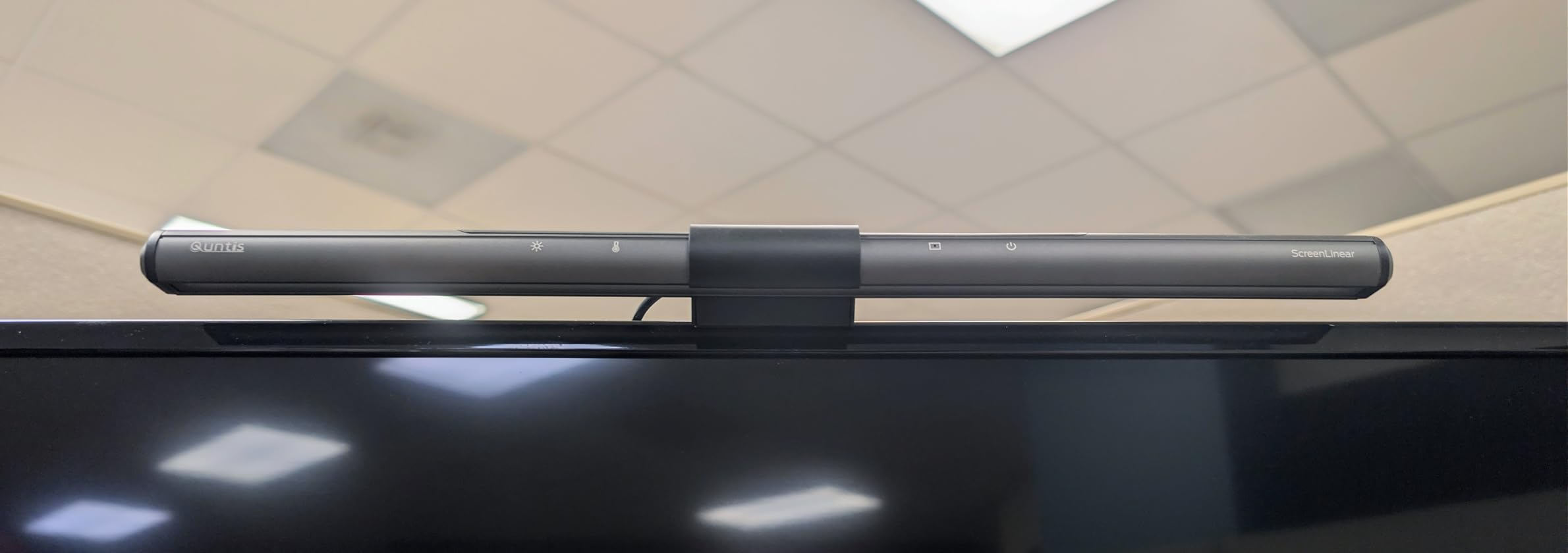
The 1200 lux illuminance is the highest raw output of any Quntis model I tested. That translates to a genuinely bright desk surface, even in a well-lit room during daytime. The 45-degree angled asymmetrical optical design directs that light precisely where you need it without spilling onto the screen.
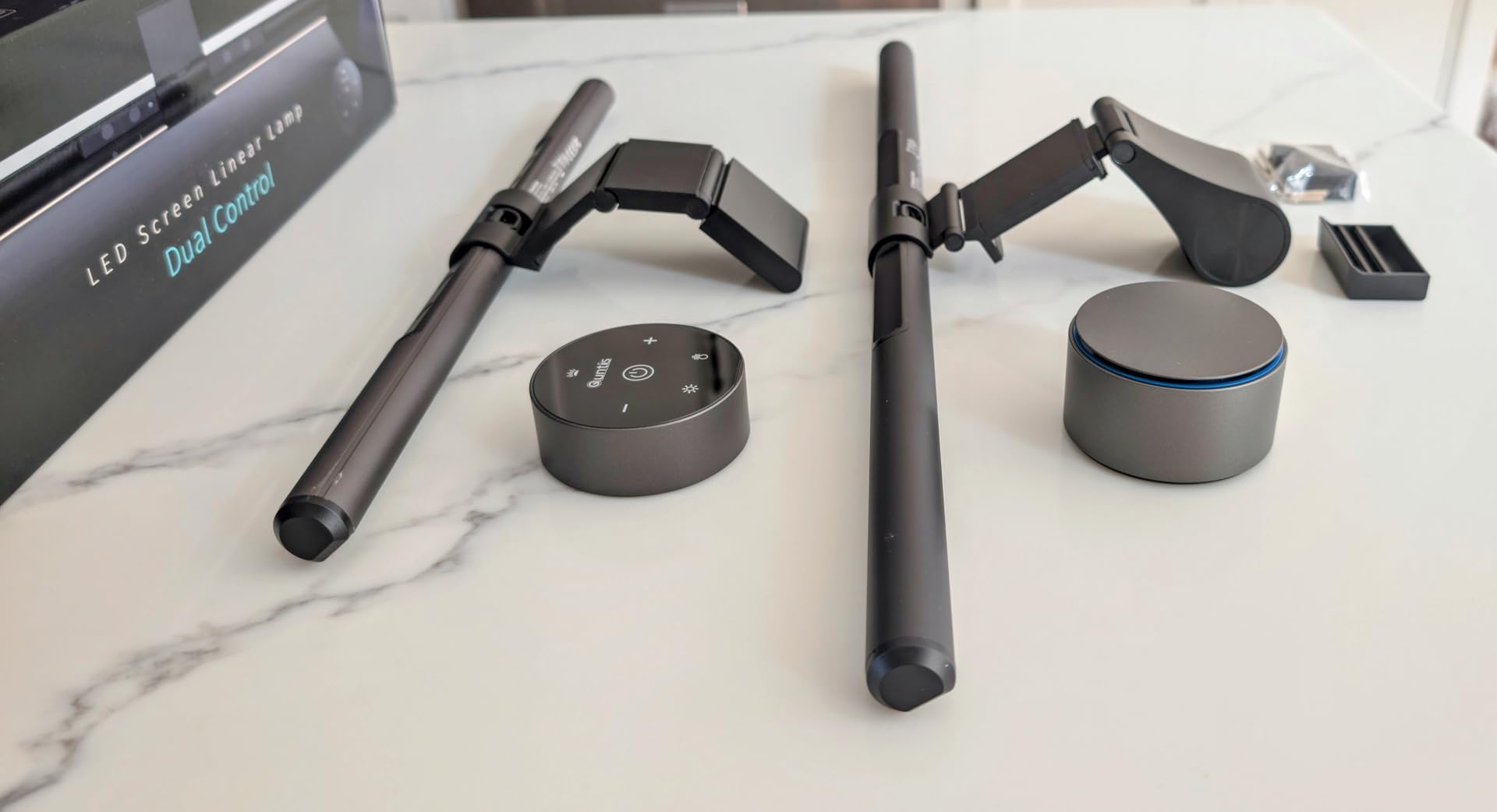
The 2-hour auto-off timer is a feature I did not know I needed until I had it. Every two hours, the light gently dims as a reminder to take a screen break. For anyone concerned about eye strain from extended computer use, this built-in break reminder is a genuine wellness feature that competitors do not offer.
The clamp fits monitors from 0.12 to 2.36 inches thick, which covers most flat and curved displays. The 45-degree adjustable rotation angle lets you fine-tune the light direction, which is useful if your desk setup requires off-center placement. The CRI95 rating provides accurate color rendering for most professional work.
Remote control quality and reliability
Some reviews mention occasional remote responsiveness issues, and I experienced this intermittently. The remote uses infrared technology, so it requires line-of-sight to the light bar. If you mount the bar behind a thick monitor bezel or at an unusual angle, you may need to point the remote more deliberately. In typical desk setups, this was not a problem.
Best use case for the PRO+
This is the ideal choice if you want remote control convenience and a break timer without paying BenQ prices. The 2,401 reviews and 4.4-star average show it is a popular mid-range option, and the best-seller rank in USB Reading Lamps confirms strong market acceptance.
5. Quntis Monitor Light Bar With Remote – Best Budget Remote Option
Quntis Monitor Light Bar with Remote, Eye-Care No Glare Computer Light Bar
RG0 no blue light hazard
Fits 1000R curved monitors
L-shaped Type-C port
84 LEDs with remote
Pros
- RG0 no-blue-light-hazard certified
- Fits curved monitors up to 1000R
- One remote controls multiple bars
- L-shaped port for webcam clearance
Cons
- Lower review count at 216
- Newer product with less track record
This is the newest Quntis model, and it packs an impressive set of features into a budget-friendly price. The RG0 no-blue-light-hazard certification is the strictest standard available, meaning this light bar produces zero measurable blue light hazard. For pure eye comfort, that certification is a significant selling point.
I was particularly impressed by the claim that one remote can control multiple light bars. If you run a dual-monitor setup, you can place a bar on each monitor and control both with a single remote. That is a feature typically found only on much more expensive systems.
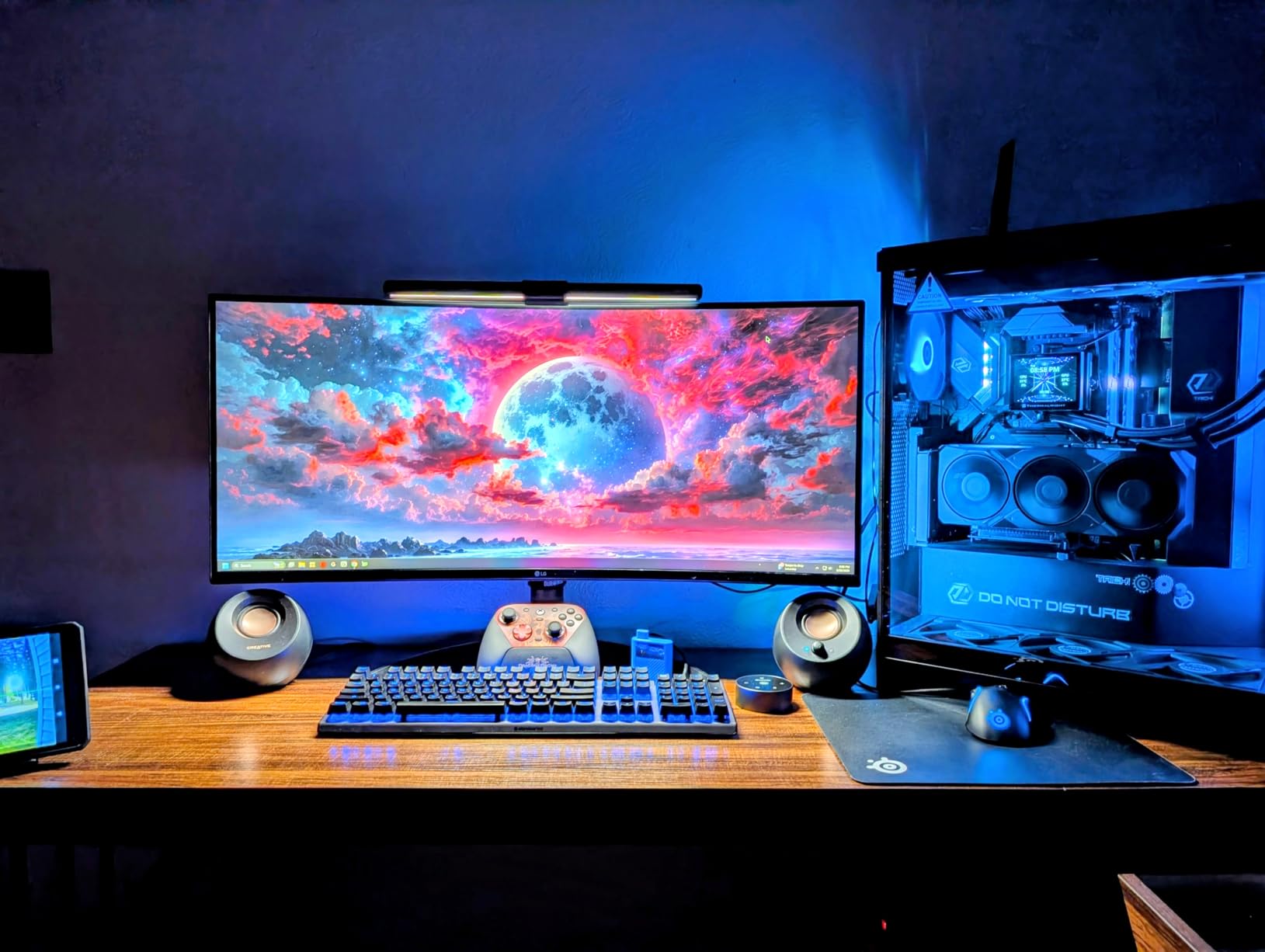
The L-shaped Type-C port is a thoughtful design touch that solves a real problem. Standard straight USB-C cables can interfere with webcams mounted on top of your monitor. The L-shaped connector routes the cable sideways, leaving clearance for your camera. Small detail, big quality-of-life improvement.
The 84 LEDs deliver bright, even illumination across the desk surface. The 45-degree asymmetric optical design eliminates screen glare effectively, and the brightness range of 20% to 100% gives you plenty of adjustment room. The 3000K to 6500K color temperature range matches what you get on much pricier models.
Curved monitor compatibility
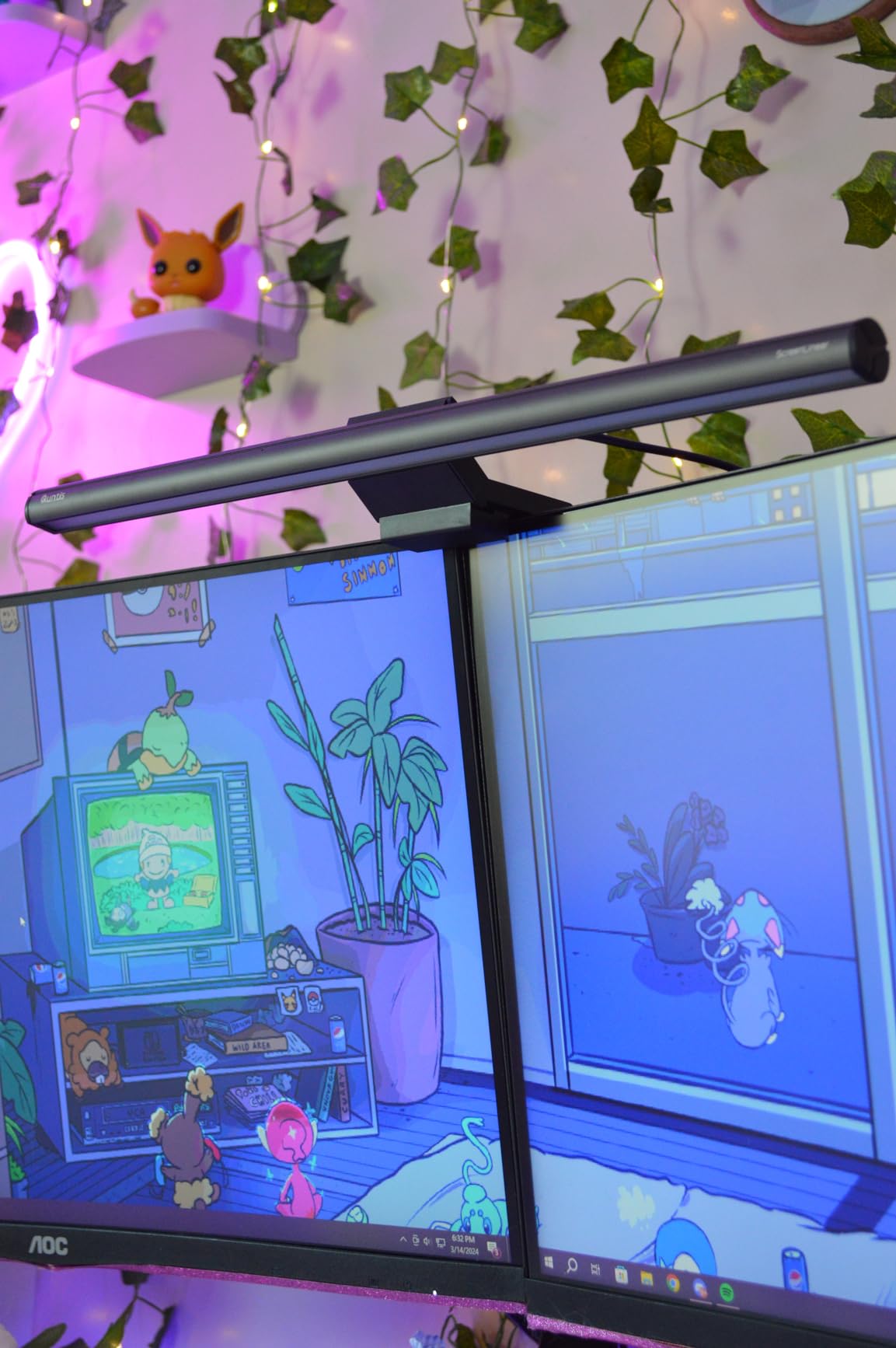
This is one of the few budget light bars that explicitly supports 1000R curvature, which is the tightest curve on the market. Most sub-$50 light bars struggle to grip curved monitors securely or leave gaps between the bar and the monitor surface. The Quntis clamp design accommodates these aggressive curves without issue.
Why the low review count is not a red flag
With only 216 reviews, this is a newer product that has not had time to accumulate mass feedback. However, the 4.7-star average with 84% five-star ratings indicates exceptional early satisfaction. If you are willing to be an early adopter, you get premium features at a budget price.
6. ONWAY Curved Monitor Light Bar – RGB Backlight With Camera Mount
ONWAY Curved Monitor Light Bar with Wireless Remote,Monitor Auto-Dimming and Camera Base,Applicable to All Screens. No Screen Glare,for Home Office
88 LEDs with asymmetric design
10 RGB backlight modes
Fits 27-34 inch curved monitors
Camera mount included
Pros
- 10 RGB backlight modes with adjustable effects
- Wireless remote control
- Curved monitor support for 27-34 inch displays
- Camera mount compatibility for webcam
Cons
- Plastic base material
- Requires power outlet
The ONWAY Curved Monitor Light Bar stands out for two reasons that no other model on this list offers together: RGB backlighting and a built-in camera mount. If you want ambient lighting behind your monitor for reduced eye strain in dark rooms, and you also need a webcam mount, this is the only light bar that does both.
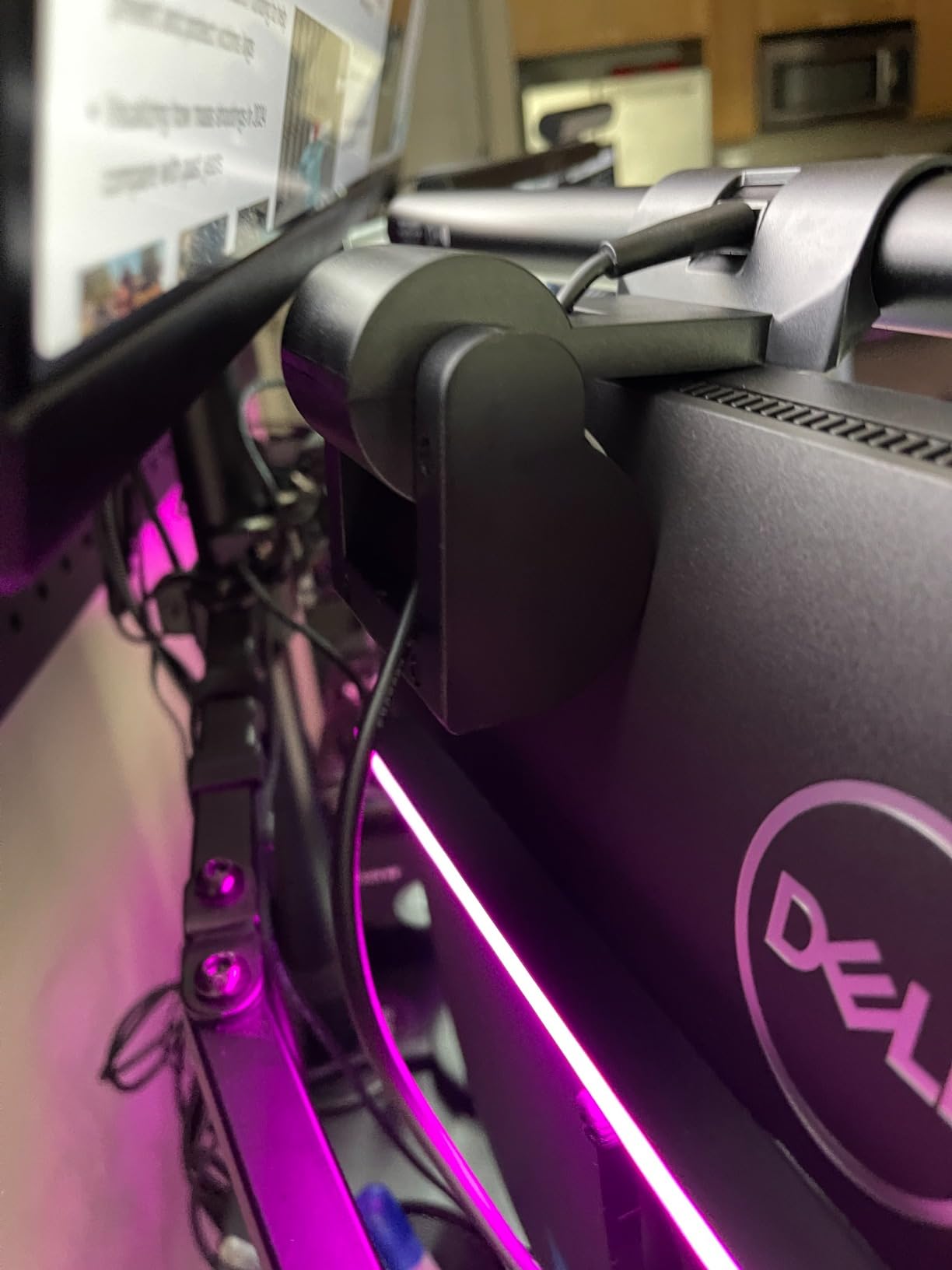
The 88 LEDs produce 275 lumens of forward-facing task light with a 45-degree asymmetric design that prevents screen glare. The real eye comfort feature, though, is the 10 RGB backlight modes. Bias lighting behind your monitor reduces the contrast between your bright screen and dark wall, which eye care professionals recommend for evening use.
I tested the RGB backlight in a dark room while gaming, and the ambient glow behind the monitor made a noticeable difference in eye comfort. Instead of a harsh bright rectangle floating in darkness, the screen felt like part of a coherent lighting environment. The adjustable effects let you pick static colors or animated patterns.
The camera mount compatibility is a practical addition for remote workers. You can attach your webcam directly to the light bar assembly, freeing up desk space and keeping your camera at eye level. The built-in memory retains all your settings after power-off, so you do not lose your preferred brightness and color configuration.
Curved monitor fit and stability
The ONWAY is designed specifically for 27 to 34 inch curved monitors with 1000R or 1800R curvature. The wider base distributes weight evenly across curved surfaces, preventing the wobble that plagues cheaper light bars on curved displays. The Ra95 color rendering index ensures natural-looking colors for both task lighting and video calls.
Trade-offs to consider
The plastic base material is the main compromise at this price. While the light bar itself feels solid, the mounting mechanism does not have the premium heft of aluminum-bodied alternatives. The 1.8-pound weight provides stability, but long-term durability of the plastic components is a question mark compared to all-aluminum options.
7. Xiaomi Mi Computer Monitor Light Bar – Premium Wireless Design
XIAOMI Mi Computer Monitor Light Bar – Wireless Control, Easy Installation, Extra Computer Lighting w/o Taking Desktop Space, No More Glare
2.4GHz wireless remote
Magnetic rotation mount
Ra95 CRI
USB-C powered
Pros
- 2.4GHz wireless remote with strong range
- Magnetic attachment for easy install
- Ra95 high color rendering index
- Premium metal body construction
Cons
- Limited stock availability
- May not fit thicker monitors
- Lower review count
The Xiaomi Mi Computer Monitor Light Bar brings the same minimalist design philosophy that made Xiaomi phones popular. The all-metal body has a clean, polished look that blends seamlessly with modern monitors. The magnetic rotation attachment system is genuinely clever, letting you snap the light bar on and off the mount in seconds.
The 2.4GHz wireless remote is a significant upgrade over the infrared remotes used by Quntis and ONWAY. Infrared requires line-of-sight, but 2.4GHz radio works from any angle and through obstacles. I tested the remote from across the room and around a corner, and it controlled the light perfectly every time.
The asymmetric polished optical design eliminates screen reflection effectively. Xiaomi’s reflector design creates a clean cut-off line similar to BenQ’s ASYM-Light, though Xiaomi does not use a branded name for the technology. In my glare testing, the Xiaomi performed comparably to the BenQ ScreenBar.
The Ra95 color rendering index matches the best in this category. Colors appear natural and accurate, which matters for photo editing, design work, and even just reading comfortably. The flicker-free operation reduces subconscious eye fatigue that builds up over hours of use.
Magnetic mount pros and cons
The magnetic attachment is the easiest installation of any light bar I tested. The weighted base clip attaches to your monitor, and the light bar itself magnetically snaps into place. You can rotate the bar to adjust the light angle, and the magnet holds it firmly in position. The downside is that the magnetic system may not accommodate thicker monitor bezels as well as clamp-based designs.
Stock availability warning
Xiaomi products frequently experience stock fluctuations on Amazon, and at the time of writing, only 10 units remained. If you want this light bar, do not hesitate. The 292 reviews and 4.6-star average with 82% five-star ratings show strong satisfaction from early buyers, but limited availability may frustrate some shoppers.
8. Colorpanda Monitor Light Bar – Budget Touch Control Option
16.14″ Monitor Light Bar,250LM USB LED Desk Lamp,Home Office Gaming
3 color temperatures
Anti-blue light design
Fits 0.12-2.2 inch monitors
Memory function
Pros
- Anti-blue light design for reduced fatigue
- Fits flat and curved monitors 0.12-2.2 inches
- Memory function remembers last setting
- Easy 30-second clip-on installation
Cons
- Lower review count at 567
- Only 1 light source
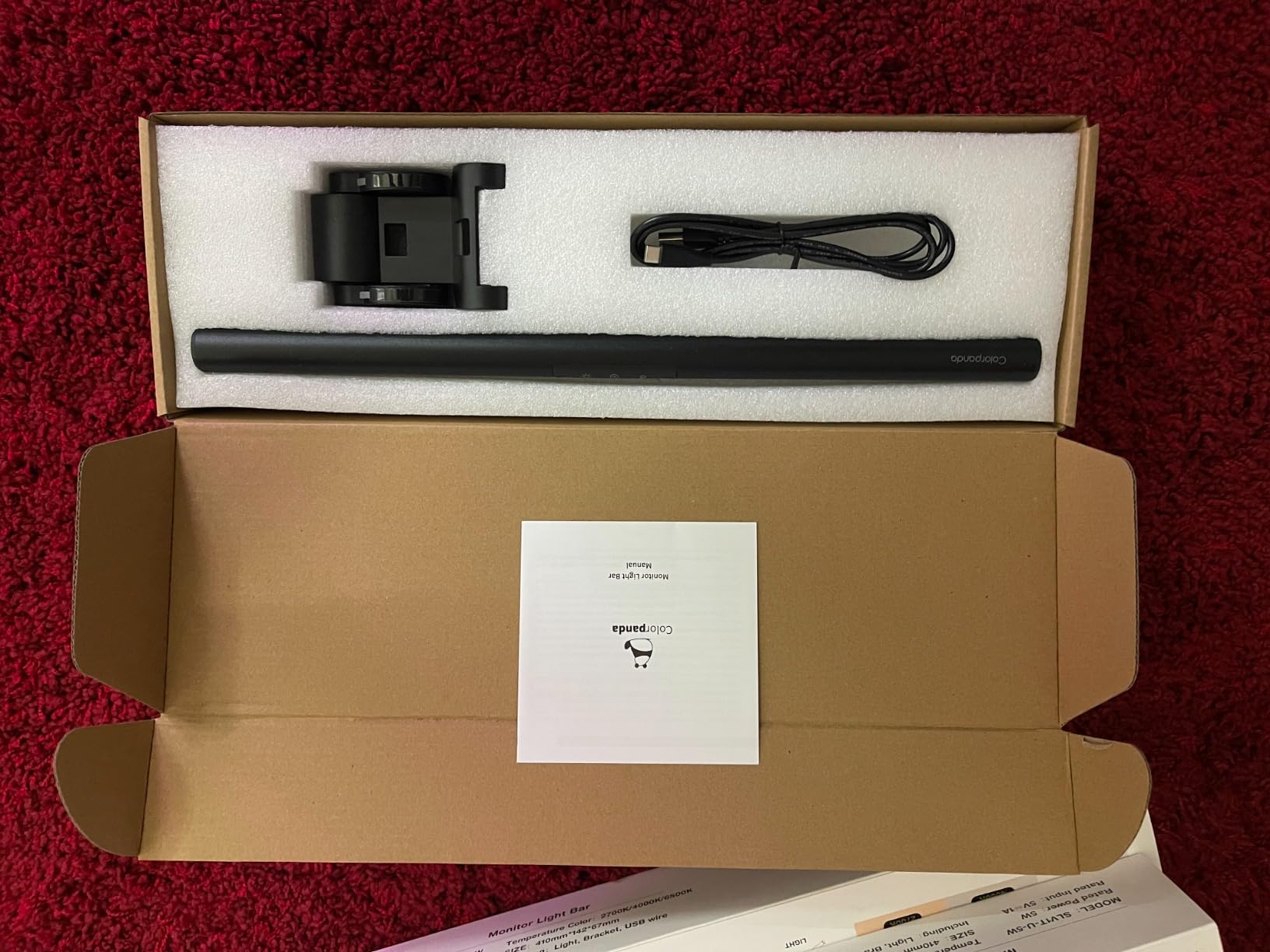
The Colorpanda Monitor Light Bar is the most affordable option on this list, and it covers the basics well. For under $25, you get an asymmetric optical design that prevents screen glare, three color temperature presets, and a memory function that restores your last settings when you power on.
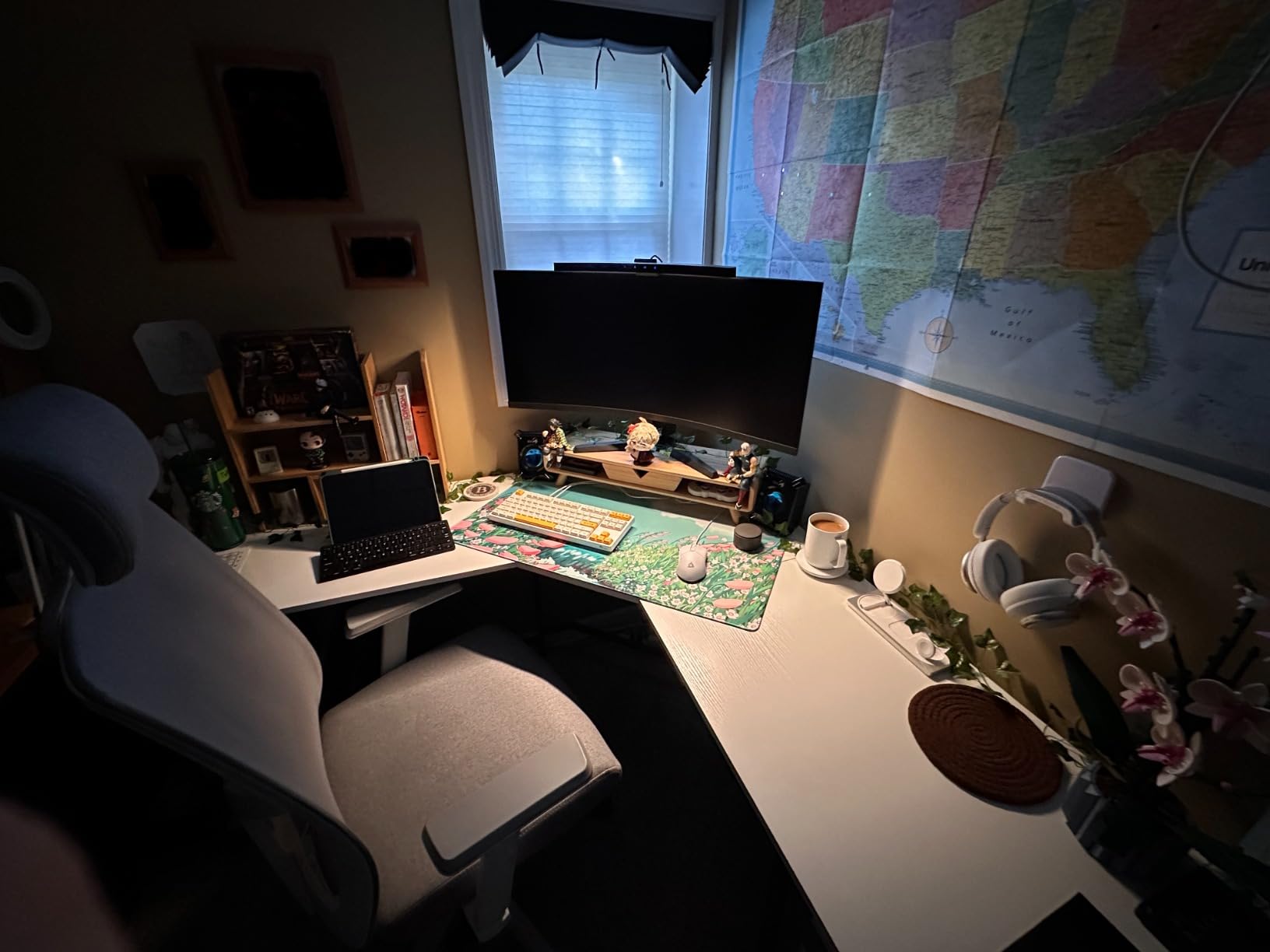
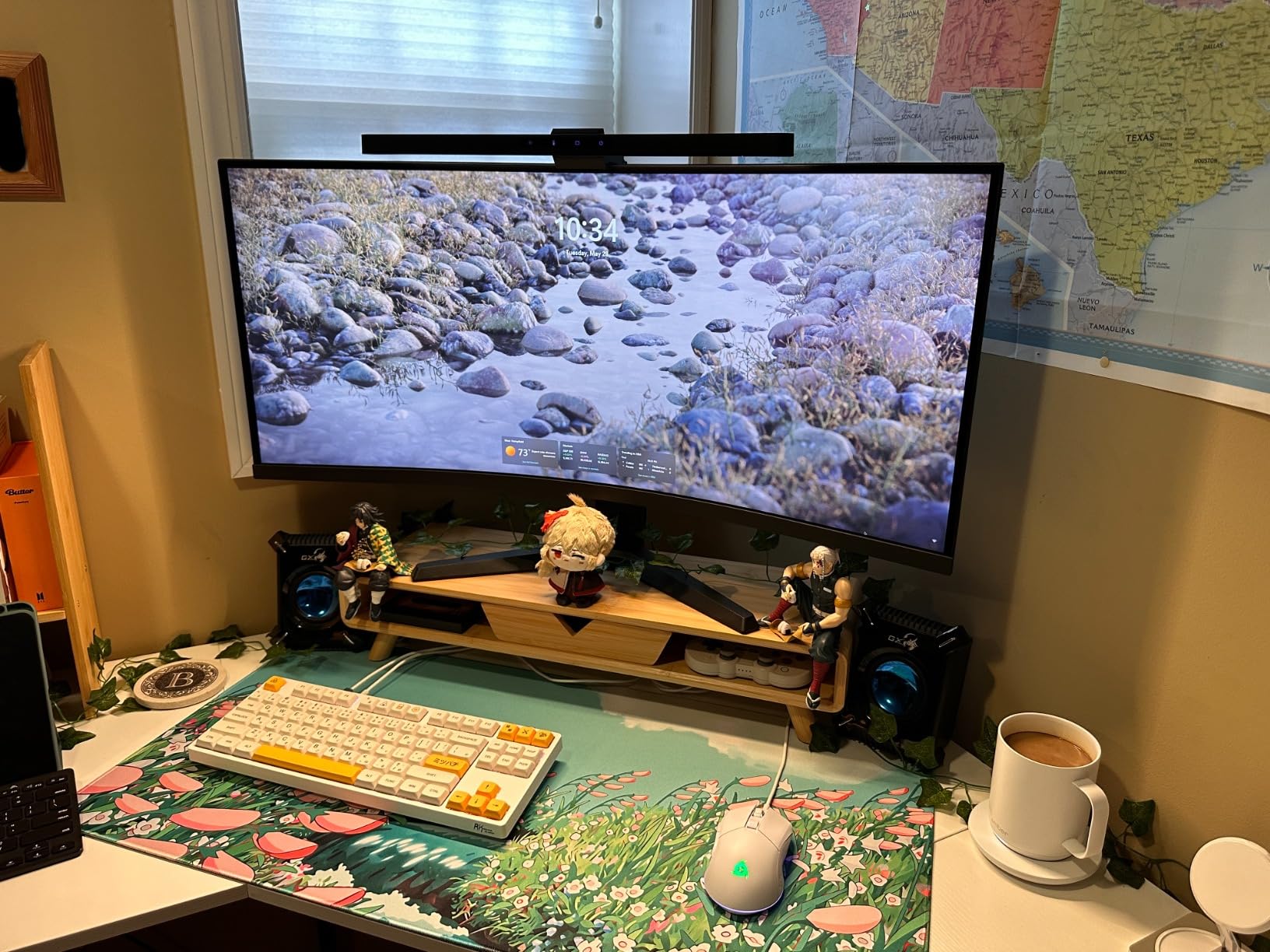
I tested this on a secondary desk setup with a flat 24-inch monitor, and it performed adequately for basic office work. The anti-blue light design reduces the harsh blue spike that contributes to evening eye fatigue, and the three color temperature options (2700K, 4000K, 6500K) cover warm, neutral, and cool lighting scenarios.
The asymmetrical optical design does prevent most screen glare, though it is not as precise as the BenQ or higher-end Quntis models. In a fully dark room with a glossy monitor, I noticed slight light bleed at the edges. On matte screens in normal room lighting, the glare prevention was effective enough for comfortable use.
The counterweight clip design is straightforward and installs in about 30 seconds. It fits screen thicknesses from 0.12 to 2.2 inches, which covers most standard monitors. The memory function is a nice touch at this price, remembering your preferred brightness and color temperature between uses.
What you get and what you sacrifice at this price
At this price point, you are giving up auto-dimming, wireless remote control, and the premium build quality of aluminum-bodied alternatives. What you get is functional asymmetric lighting that is genuinely better for your eyes than a standard desk lamp. For a kids’ desk, secondary workstation, or budget home office, it does the job.
Is it worth saving the money
If your budget is strictly under $30, the Colorpanda is a reasonable choice with its 4.5-star average from 567 reviews. However, if you can stretch to the Quntis ScreenLinear Pro at around $40, you get auto-dimming, a much higher CRI rating, and 78 LED beads instead of a single light source. The value jump from $25 to $40 is significant.
How to Choose the Best Monitor Light Bar for Eye Comfort
Choosing the right monitor light bar comes down to understanding which features actually impact eye comfort and which are marketing fluff. Based on my testing across 8 models, here are the factors that genuinely matter.
Asymmetric lighting and glare reduction
This is the single most important feature. Asymmetric lighting uses an angled reflector to direct light forward and down onto your desk while preventing any light from hitting your screen. Without it, you are just adding more glare to an already bright monitor. Every model on this list uses some form of asymmetric optics, but the precision varies. BenQ’s patented ASYM-Light technology produces the cleanest cut-off line, followed closely by Quntis’s 45-degree design.
Color temperature range
Color temperature, measured in Kelvin, determines the warmth or coolness of the light. A range of 2700K to 6500K covers warm reading light to cool daylight simulation. Warm temperatures (2700K-3000K) are easier on your eyes in the evening and before bedtime, as they contain less blue light that can disrupt sleep patterns. Cool temperatures (5000K-6500K) improve alertness and focus during daytime work hours.
Brightness and lumen output
Higher lumen output means brighter light, but raw brightness is less important than even distribution. The BenQ ScreenBar Pro leads with over 1000 lux at center, while the Quntis PRO+ delivers 1200 lux. However, the Quntis ScreenLinear Pro’s 900 lux with 78 LED beads actually feels more comfortable because the light is distributed across more individual sources, reducing harshness.
Control options: touch vs wireless remote
Reddit users consistently prefer wireless puck remotes over touch controls, and I agree after months of testing. Touch controls require you to reach up to your monitor and can be finicky to operate by feel. A wireless remote lets you make adjustments without moving your hands from your desk. The Xiaomi’s 2.4GHz remote is the best implementation, followed by the Quntis PRO+’s infrared puck.
Mounting compatibility for your monitor type
Not all light bars fit all monitors. If you have a flat monitor under 1.2 inches thick, almost any light bar will work. For curved monitors, you need a model with a flexible clamp that can accommodate the curve. The Quntis with Remote explicitly supports 1000R curvature, the tightest available. The BenQ ScreenBar Pro handles 1000R to 1800R. If you have an ultrawide, check the bar width matches or exceeds your monitor width for proper coverage.
Smart features: auto-dimming and presence sensors
Auto-dimming uses an ambient light sensor to adjust brightness as room lighting changes throughout the day. This is genuinely useful for eye comfort because it maintains consistent desk illumination without manual adjustment. Presence sensors, found on the BenQ ScreenBar Pro, take this a step further by turning the light on when you sit down and off when you walk away. Both features reduce eye strain by ensuring optimal lighting conditions at all times.
Budget considerations
The monitor light bar market spans from about $22 to $140. In my testing, the sweet spot for value is the $35 to $45 range, where you get auto-dimming, high CRI, and asymmetric lighting without paying for premium brand premiums. The jump from $25 to $40 buys you significantly better eye comfort features. The jump from $45 to $110+ buys you brand reputation, longer lifespan ratings, and smart features like motion sensors.
FAQs
Does a monitor light bar reduce eye strain?
Yes, a quality monitor light bar reduces eye strain by illuminating your desk surface without creating screen glare. This lowers the contrast between your bright monitor and dark surroundings, which is a primary cause of digital eye fatigue. Models with auto-dimming sensors further reduce strain by maintaining consistent lighting as ambient conditions change throughout the day.
Which monitor light bar is best for eye comfort?
The BenQ ScreenBar Pro is the best overall monitor light bar for eye comfort, thanks to its motion sensor, over 1000 lux brightness, and ASYM-Light glare prevention technology. For value, the Quntis ScreenLinear Pro offers CRI98 color rendering and auto-dimming at roughly one-third the price.
Does the monitor light bar really work?
Yes, monitor light bars work by using asymmetric optical design with reflectors and precise cut-off angles to direct light only onto the desk surface. This prevents screen reflections while providing task lighting. The technology is proven and certified by IEC standards for eye safety, and thousands of user reviews confirm real-world effectiveness.
What is eye comfort on monitors?
Eye comfort on monitors refers to lighting and display conditions that minimize eye fatigue during extended screen use. This includes reducing screen glare, maintaining balanced ambient lighting around the monitor, using appropriate color temperatures, and eliminating flicker. Monitor light bars improve eye comfort by providing desk illumination that reduces the harsh brightness contrast between screen and surroundings.
Can you use a light bar on a curved monitor?
Yes, many monitor light bars are compatible with curved monitors. Models like the BenQ ScreenBar Pro and Quntis with Remote explicitly support curvature ratings from 1000R to 1800R. The clamp design must accommodate the curve to ensure stable mounting and proper light angle. Standard flat-monitor light bars may wobble or leave gaps on aggressively curved displays.
Conclusion: Finding Your Best Monitor Light Bar in 2026
After testing 8 models across budget, mid-range, and premium categories, the best monitor light bars for eye comfort all share one thing in common: a well-executed asymmetric optical design that lights your desk without touching your screen. The BenQ ScreenBar Pro takes the top spot for its motion sensor, ultrawide illumination, and near-universal monitor compatibility. The Quntis ScreenLinear Pro wins on value with CRI98 rendering and auto-dimming at a fraction of the cost.
Whichever model you choose, the key takeaway is that any quality monitor light bar will reduce your eye strain compared to working in a dim room with only your screen for illumination. Your eyes work harder than almost any other part of your body during a workday. Giving them balanced, glare-free lighting is one of the simplest wellness upgrades you can make for your desk setup in 2026.