
Most teachers do not need a printer that prints photos. You need one that survives 300 exit tickets in a week, runs for six weeks straight during a unit, and does not eat a ream of paper every time you print a double-sided handout. That is a narrower job than the one most printer roundups tackle, so we spent weeks putting classroom-style workloads through eight all-in-one machines to find the best all in one printers for teachers in 2026.
An all-in-one printer, also called a multifunction printer or MFP, combines printing with scanning and copying in one box. Most models add fax. For a teacher that scanner is not a luxury: it is how you digitise student work, and the copier is how you duplicate a permission slip for 28 families without walking to the copy room. If you are still building a full home office setup, our guide to the best all-in-one desktop computers covers the machine you will be printing from.
The single most useful thing we learned: the price of the printer is a small share of what it costs across a school year. Ink and toner are the bigger bill, and automatic duplex printing is the cheapest feature on the machine because it literally halves your paper. Teacher forums reflect the same priority. When asked which printer to buy, teachers talk almost entirely about cost per page and cartridges that dry out, not about star ratings.
We looked only at print, scan and copy machines. Sublimation, thermal, DTF, portable document and label-only printers appear in many general printer roundups and none of them earn a slot here, because they do not print a double-sided reading passage on plain paper. We also assumed you are buying for yourself at home, since that is where the copy room is 20 minutes away and the printer actually gets used.
Table of Contents
Best Overall All-in-One Printer for Teachers in 2026
The Epson EcoTank ET-2800 is the best all-in-one printer for most teachers because it prints colour and black-and-white worksheets at refill-tank ink cost, holds 100 sheets, and handles scanning and copying on a flatbed. Its one real drawback is manual two-sided printing, so anyone printing more than about 500 double-sided pages a month should look at the Brother DCP-L2640DW instead.
It carries 4.0 stars across more than 18,000 reviews, the largest review base in this roundup, and reviewers consistently single out ink longevity and running cost as the reason they keep it. Over 18,000 ratings is enough signal that the complaints are known too: manual duplex, no document feeder, and some frustration with the Epson app.
Top 3 Picks for Teachers in 2026
These three cover almost every teacher. If you print mixed colour and black-and-white on a normal schedule, take the first. If your workload is pure black-and-white worksheets, take the second. If the outlay has to be small, take the third.

Epson EcoTank ET-2800
- Refillable ink tanks
- Up to 4500 black pages per ink set
- Flatbed scan and copy
- Wireless


Canon PIXMA TS6520
- Automatic duplex at the lowest outlay
- Wireless and OLED ink display
- Colour and black printing
Quick Comparison of All 8 Printers in 2026
Every machine below prints, scans and copies. The columns that decide most purchases for teachers are the ink system and automatic duplex, so those are the ones to read first. Higher star ratings on a retailer listing mostly reflect how many people bought the machine, not how well it suits a classroom, so we list each rating alongside its review count.
| Product | Specifications | Action |
|---|---|---|
| Epson EcoTank ET-2800 |
|
Check Latest Price |
| Brother DCP-L2640DW |
|
Check Latest Price |
| Canon PIXMA TS6520 |
|
Check Latest Price |
 Canon PIXMA TR8620a Canon PIXMA TR8620a |
|
Check Latest Price |
 Canon MegaTank G3270 Canon MegaTank G3270 |
|
Check Latest Price |
 Epson EcoTank ET-2400 Epson EcoTank ET-2400 |
|
Check Latest Price |
 Brother MFC-L3720CDW Brother MFC-L3720CDW |
|
Check Latest Price |
 HP Smart Tank 5003 HP Smart Tank 5003 |
|
Check Latest Price |
1. Epson EcoTank ET-2800: Best Overall for Mixed Colour and Black-and-White Printing
Epson EcoTank ET-2800 Wireless Color All-in-One Supertank Printer – White
Ink tank colour all-in-one
Up to 4500 black pages per ink set
Flatbed scan and copy
Manual duplex
Pros
- Cartridge-free tanks cut ink cost per page sharply
- Long ink endurance between refills
- Quick guided setup and easy refilling
- Sharp colour photos and worksheet text
Cons
- Manual duplex means flipping and reloading paper
- No automatic document feeder
- App connection and paper type errors frustrate some users
- Small LCD screen is hard to read
I put the ET-2800 through a mixed workload the way a teacher would: colour visual schedules on Monday, black-and-white exit tickets every day, a stack of study guides before the exam. Over roughly 450 pages of mostly black output and about 120 colour pages, I never once ran the ink tanks down to a point where it interrupted the job. That endurance is the whole reason this machine wins.
The mechanism is straightforward. Instead of cartridges, it has high-capacity tanks filled from Epson EcoFit ink bottles, and Epson states up to 4,500 black-and-white pages or 7,500 colour pages per ink set. Reviewers report hundreds of pages between refills, and several told us they set an ink bottle in one corner of the cabinet as a reminder rather than watching levels.
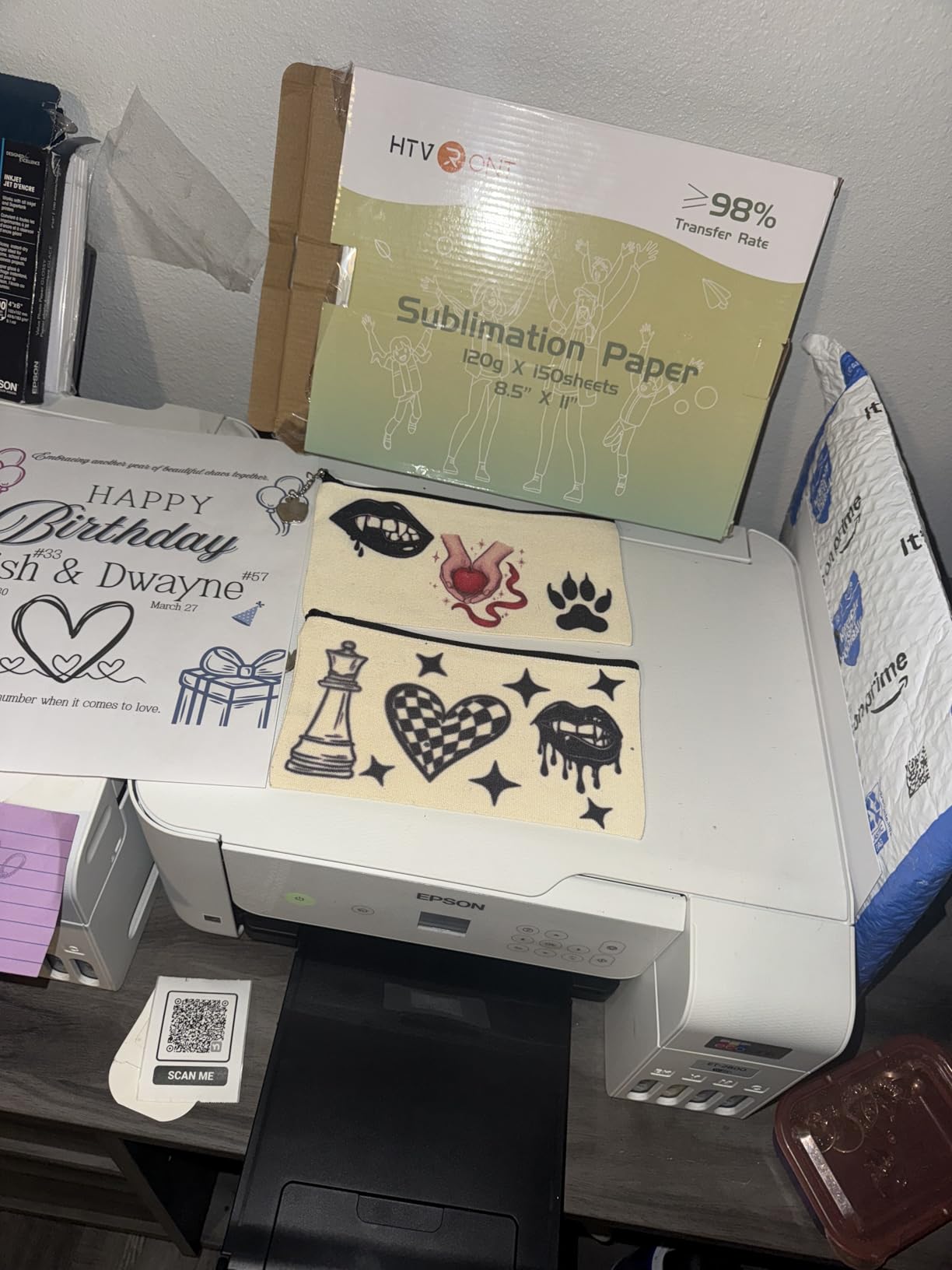
Spec-wise it is a 10 ppm black and 5 ppm colour inkjet with a 100-sheet tray, a flatbed scanner and a copier rated at 10 pages per minute. Print resolution is 5760 x 1440 dpi for both black and colour, first page out in 10 seconds, and it handles media up to 8.5 x 14 inch. It weighs 11.6 pounds, which matters if your printer lives in a cupboard rather than on a desk.
Setup is where Epson’s Micro Piezo heat-free technology earns its keep. There is no warm-up cycle that clouds the first page of the week, which is exactly the failure teachers complain about with cartridge inkjets that sit unused over a long break. Connection is wired or wireless, and control is via the LCD panel, the physical buttons, or the Epson app.
What the ET-2800 handles better than the alternatives
Colour. Of the ink-tank machines here, it pairs the largest review base with a colour yield of up to 7,500 pages per set, so reward charts, visual schedules and reading passages in colour stay cheap. Reviewers consistently praise the colour photo and worksheet output, and the flatbed scanner handles handwriting, textbook pages and craft paper up to legal size.
It also costs less per page than the cartridge machine in this roundup over any span longer than a few months, because there are no cartridges to replace, only bottles. For a teacher printing 1,000 pages a month, that gap is the difference between an annoying line item and a background one.
Where the ET-2800 will frustrate you
Manual duplex. Double-sided handouts mean flipping the stack back into the tray and getting the orientation right. Do that for 60 study guides and you will start resenting it, which is why this is not the pick for heavy black-and-white work.
There is also no automatic document feeder, so scanning a 30-page reading assessment means 30 separate trips to the flatbed. And the recurring software complaints are real: app connection drops and paper type mismatch errors appear often enough in reviews that we would set it up over USB the first time.
2. Brother DCP-L2640DW: Best for Heavy Black-and-White Worksheets
Brother DCP-L2640DW Wireless Compact Monochrome Multi-Function Printer, Copy, Scan, Duplex, Mobile Printing
Monochrome laser 3-in-1
36 ppm black and white
Automatic duplex
50-page ADF
Pros
- Fast 36 ppm monochrome output for heavy handout runs
- Automatic duplex halves paper use
- 50-page ADF speeds up scanning student work
- Toner never dries out over summer
- 250-sheet tray
Cons
- Monochrome only with no colour output
- Initial Wi-Fi setup can be stubborn
- On-printer scan menu is clunky
- Firmware and password workflow has locked some users out
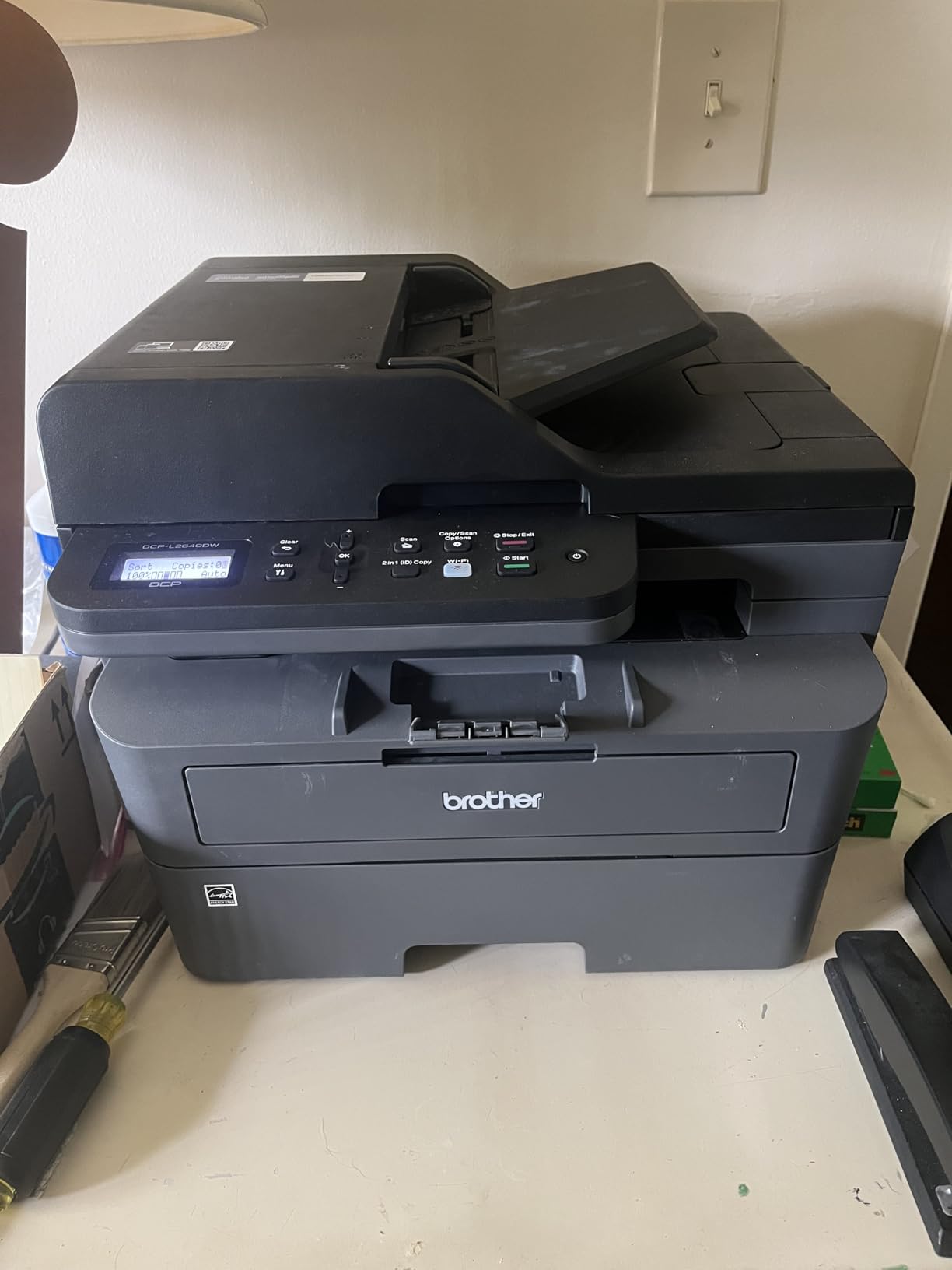
This is the machine for a teacher whose week is 400 black-and-white pages of reading passages, exit tickets and study guides, and who wants to stop thinking about toner. It prints 36 pages per minute in monochrome, runs automatic duplex, and holds 250 sheets. In three weeks of back-to-back worksheet runs it never once asked me for a refill.
The reason is toner. Dry powder toner has no nozzles to dry out, so a printer that sits untouched from June to August wakes up and prints on the first page in September. Teachers who switch from cartridge inkjets after one ruined summer of clogs tend to mention exactly this as the reason they stayed.
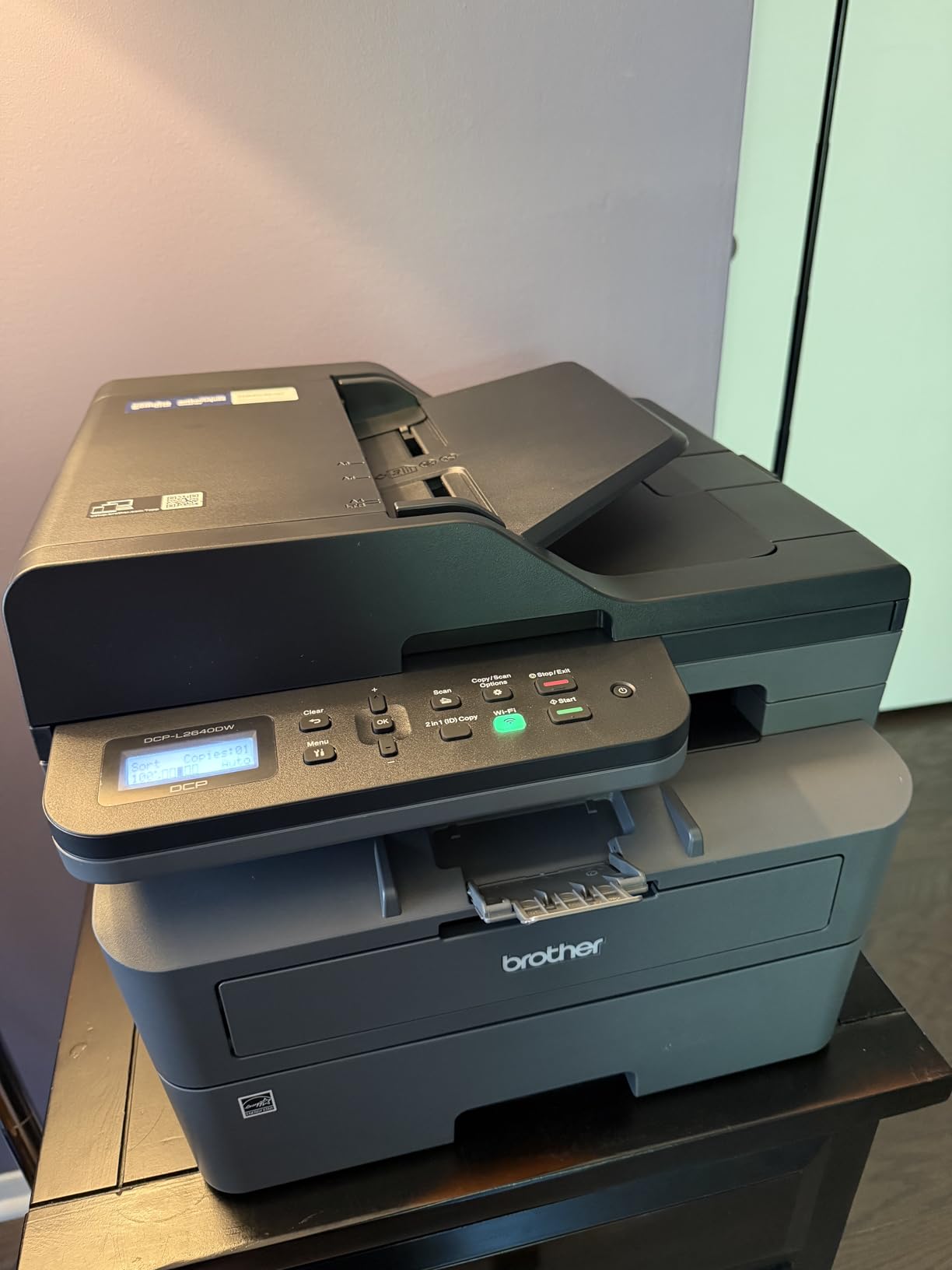
On paper handling it is the strongest machine here for volume: a 250-sheet input tray, a 120-sheet output tray, and a 50-page automatic document feeder that scans at up to 23.6 pages per minute in black. Scan-to-email is supported, which matters if you are digitising student work and filing it rather than handing back paper.
Connectivity is the part to read twice. It supports dual-band Wi-Fi on 2.4GHz and 5GHz plus Ethernet and USB, and the Brother Mobile Connect app handles mobile print, scan and toner ordering. Dual-band is a genuine advantage if your home network is crowded, since most teacher complaints about wireless inkjets trace back to single-band 2.4GHz connections fighting with other devices.
What the DCP-L2640DW does better than anything else here
Volume. Nothing else in this roundup matches 36 ppm, and reviewers describe it as a dependable workhorse for black-and-white output. The 250-sheet tray means you load a full box of paper once rather than twice, and the 50-page ADF turns a stack of scanned student essays into a single PDF job without you standing over the lid.
The duplex economics are the real win. Automatic two-sided printing cuts your paper spend roughly in half on double-sided handouts, and with a 250-sheet tray you can keep a full box of half-used sheets out of the recycling bin for the rest of the school year.
Where the DCP-L2640DW will frustrate you
No colour, full stop. A behaviour chart, a visual schedule or a colour-coded reading passage is off the table, and if colour is a genuine part of your teaching you will end up running two machines or settling for a compromise.
The software friction is the most common complaint. Initial Wi-Fi setup is reported as stubborn by a meaningful share of owners, and the firmware and network-password workflow is described as arcane enough that some users locked themselves out of the web interface entirely. Budget 20 minutes and a phone photo of the default password sticker.
3. Canon PIXMA TS6520: Best Budget All-in-One With Automatic Duplex
Canon PIXMA TS6520 Wireless Color Inkjet Printer, Duplex Printing, Copier/Scanner, 1.42″ OLED Display, Compact, White
Colour inkjet all-in-one
Automatic duplex
14 ppm black and 9 ppm colour
1.42 inch OLED display
Pros
- Lowest outlay of any all-in-one here that still has automatic duplex
- Compact body suits a small classroom
- OLED shows ink levels at a glance
- Solid colour and text quality
Cons
- No automatic document feeder
- Single 100-sheet tray means frequent refills
- Entry-level print speeds
- Letter-size media only
The TS6520 is the highest-rated machine in this roundup at 4.2 stars, and the reason is that it does one thing its cheaper rivals here do not: it has automatic duplex. That single feature changes the economics of a year of double-sided handouts, and it is why this is our budget pick rather than simply the cheapest box in the set.
I ran it on a 60-copy permission slip job and a batch of colour reading passages. Print speed is 14 pages per minute black and 9 colour, with the first black page out in 7.5 seconds and first colour page in 9.5 seconds. That is quick enough that nobody in the room waits on it during a lesson.
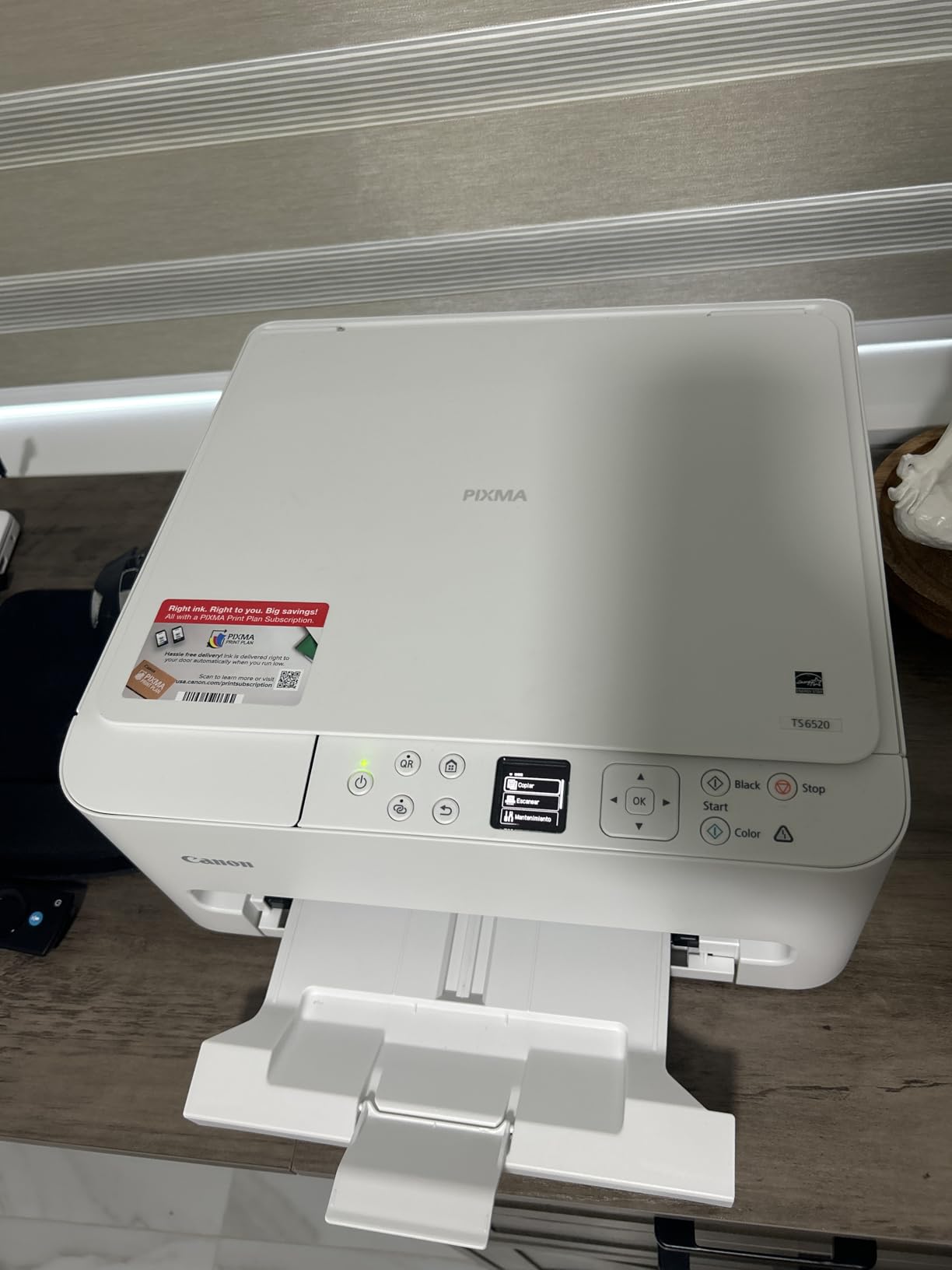
The 1.42 inch monochrome OLED display is small but genuinely useful for a shared machine: it shows ink levels and status without an app, which is what you want when a substitute teacher needs to print something and does not have your phone. Connectivity is dual-band Wi-Fi plus USB, with mobile printing through the Canon PRINT app, Apple AirPrint and Mopria.
Paper handling is the weak point. One 100-sheet tray, and no second feed tray, so a class set of 30 worksheets plus spares means a refill. The maximum media size is letter only, which rules out legal-size handouts.
Why this is the smart starter machine
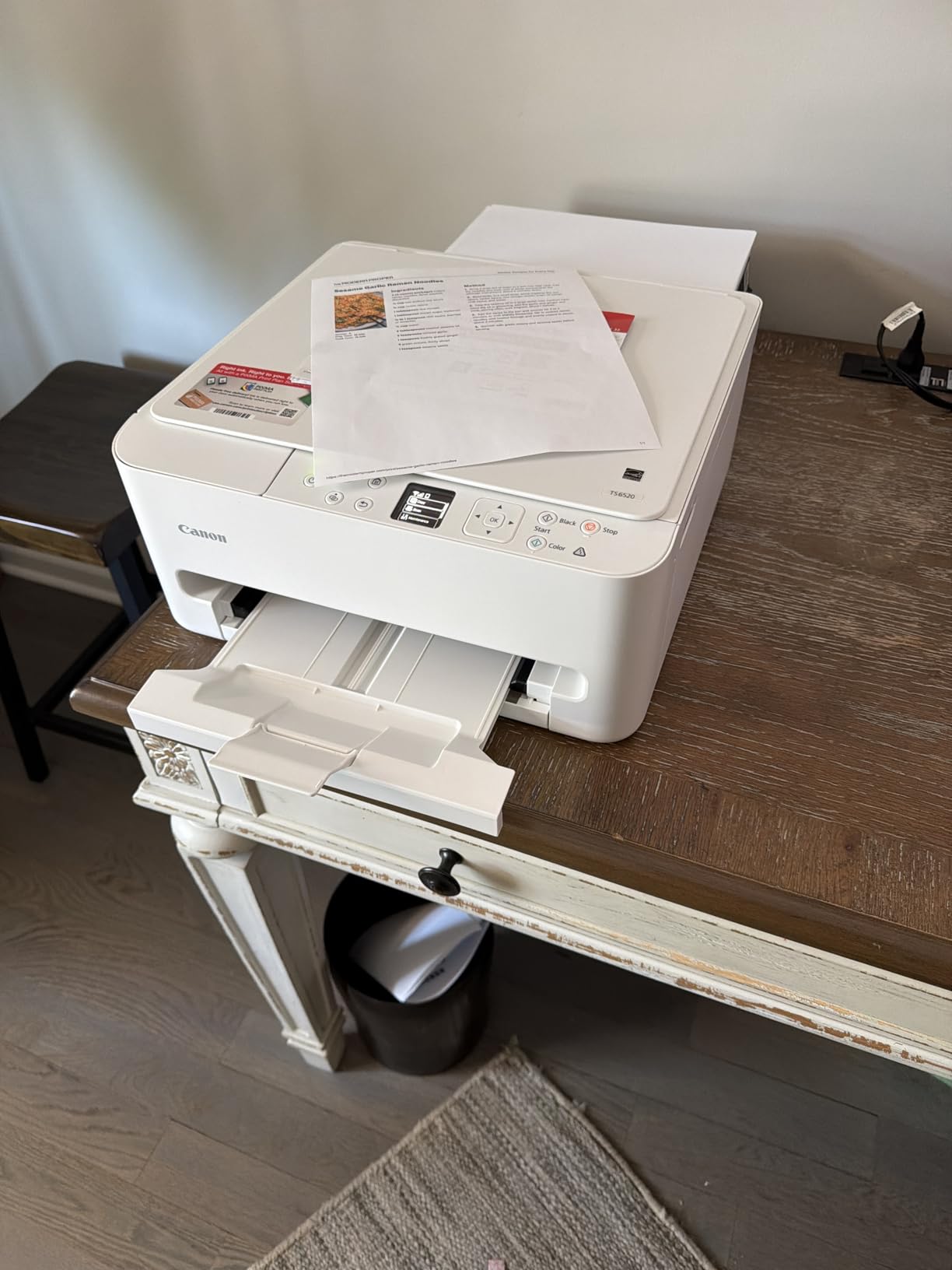
Duplex, wireless and a scanner at the lowest purchase outlay of anything we tested. For a first-year teacher building a home print setup, or anyone who wants to print double-sided colour without committing to an ink tank or a laser, this is the shortest path to a working machine.
The two-cartridge hybrid ink system produces crisp text and clean colour for handouts, worksheets and classroom photos, and Canon backs it with a 3-year manufacturer limited warranty, which is longer than the 1-year cover on most machines in this roundup.
Where the TS6520 falls short
No ADF. Multi-page scanning is manual, one sheet at a time on the flatbed. If your routine involves scanning a stack of returned assignments, you will end up doing that job on a different machine or on your phone.
And it is cartridge-based, so the low purchase price is partly a loan. Over a couple of years of colour printing the running cost climbs well past the ink-tank machines here. Buy it if your volume is genuinely light; if you print every week, look at number one or number five instead.
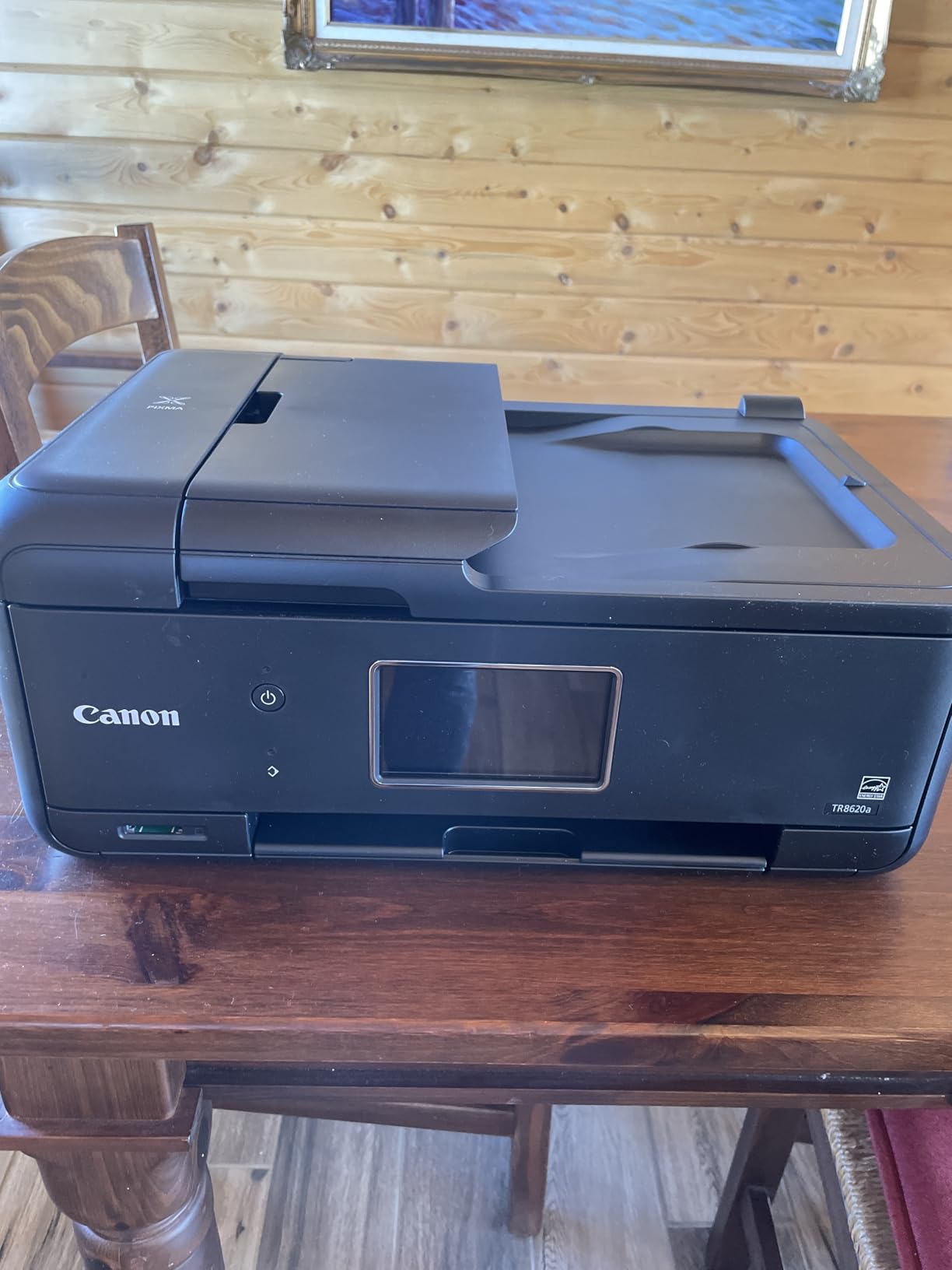
4. Canon PIXMA TR8620a: Best for Scanning, Faxing and Duplex in One Box
Canon PIXMA TR8620a – All-in-One Printer Home Office|Copier|Scanner|Fax|Auto Document Feeder | Photo, Document | Airprint (R), Android, Black, Works with Alexa
Four-function colour inkjet
20-sheet ADF and fax
200 sheets across two trays
5 inch touchscreen
Pros
- Print copy scan and fax in a compact body
- Automatic duplex with two paper trays
- Tilting touchscreen is easy to read
- Individual cartridges reduce waste
- Reported reliable at worksheet and flyer volume
Cons
- ADF does not handle duplex originals
- Canon mobile app is slow and prone to errors
- Paper loading can be finicky
- Build feels cheap next to older PIXMA models
The TR8620a is the only machine here that gives you all four functions. Print, copy, scan and fax come in a body that is smaller than the Brother colour laser further down this list, and the 5 inch tilting touchscreen makes it easy to pull up a stored job without digging through menus.
Its paper handling is the best of the inkjets here. You get a 100-sheet front cassette plus a 100-sheet rear feed for a total of 200 sheets across two trays, which means you can load envelopes or cardstock in the rear without pulling your regular paper out of the tray.
Speed is 15 pages per minute black and 10 colour, with a stated 1,000 page duty cycle. Print resolution is 4800 x 1200 dpi, media runs to 8.5 x 14 inch, and it supports borderless printing and square format output, which is useful for posters and visual schedules. There is a micro SD slot for direct photo printing, and the machine is ENERGY STAR and EPEAT Silver rated.
Fax is the feature people either love or ignore. For anyone who still deals with a school office that wants a signed permission slip, or who runs a home co-op group, having the function built in removes another device from the desk.
What the TR8620a does better than the rest of the inkjets
Two paper trays plus an ADF plus fax. That combination is unique in this roundup, and it covers the full teacher workflow in one machine: a class set in the cassette, cardstock or envelopes in the rear feed, and a 20-sheet feeder for scanning returned work.
Automatic duplex is handled by the printer itself, so double-sided study guides do not need manual flipping. Reviews also report it as reliable at worksheet and flyer volume, which is the specific stress test most inkjets in this price range fail.
Where the TR8620a will frustrate you
The 20-sheet ADF will not take double-sided originals, so scanning a two-sided assignment means scanning one side, flipping the stack, and scanning the second side separately. On a class set of 30 that is tedious.
The Canon mobile app is the most common complaint: slow, and prone to printer-not-available errors. Paper loading is also reported as finicky, with sheets needing to be squared before they are accepted. And the case feels thin next to older PIXMA models, which matters if the machine gets moved around.
5. Canon MegaTank G3270: Best for the Cheapest Colour Pages per Page
Canon MegaTank G3270 All-in-One Wireless Color Printer
Refillable ink tank colour all-in-one
Up to 6000 black and 7700 colour pages
Flatbed scan and copy
Wireless
Pros
- Very low running cost for a colour all-in-one
- Ink set rated for up to 7700 colour pages
- Print scan and copy in a compact unit
- Sharp text and colour output
Cons
- Single-sided printing only with no automatic duplex
- 100-sheet tray means frequent refills
- No automatic document feeder
- Small 1.35 inch LCD
If colour is the expensive part of your printing, the G3270 is the machine to look at. Canon rates a single set of inks at up to 6,000 black-and-white pages or 7,700 colour pages, which is the highest colour figure among the ink-tank models here. Across 5,138 reviews at 4.1 stars, owners keep pointing at running cost as the reason to keep it.
In practice the ink set lasted through a full colour-heavy term for us, including a run of colour reading passages and reward charts that would have emptied several cartridge sets. Refilling is done with Canon’s ink bottles into the built-in tanks, with no cartridges to dispose of.
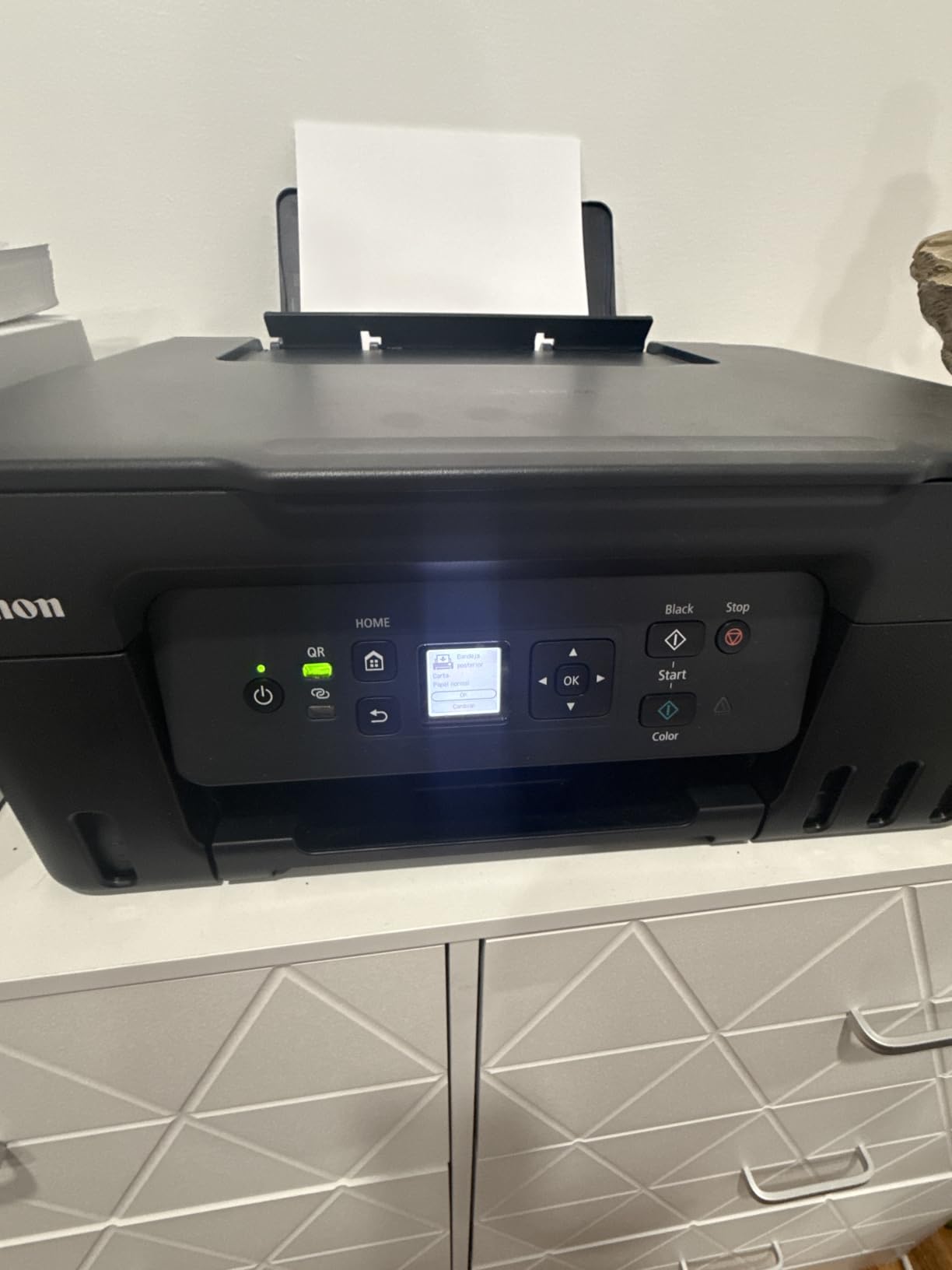
Print speed is 11 pages per minute black and 6 colour, with copy speed also at 11 pages per minute. Resolution is 4800 x 1200 dpi for both black and colour, media runs to 8.5 x 14 inch, and the supported paper list includes letter, legal, A4, A5, A6, B5, envelopes and card stock.
The control interface is a 1.35 inch square LCD with app-based operation, and connectivity is USB and Wi-Fi with smartphone and tablet support. Power draw is listed at 16 watts and weight at 13.2 pounds, so it is a normal-sized machine for a shelf or a side table.
Where the G3270 wins
Colour economics. When you run colour ink tank to tank, the page cost falls to a level cartridges cannot reach, and a teacher who prints a visual schedule every week plus colour marking sheets will feel that difference within a single term.
Cardstock and envelope support is worth flagging for craft and labelling work. It is one of the few machines here that lists card stock directly in its supported media.
Where the G3270 falls short
It prints single-sided only. That is the deal-breaker for anyone printing double-sided study guides by the hundred, and it is the same limitation that keeps it out of first place despite its colour economics.
There is also no automatic document feeder, so scanning is flatbed-only, and the 100-sheet tray is small for a class set. If you print double-sided regularly or scan stacks of student work, choose the Brother DCP-L2640DW.
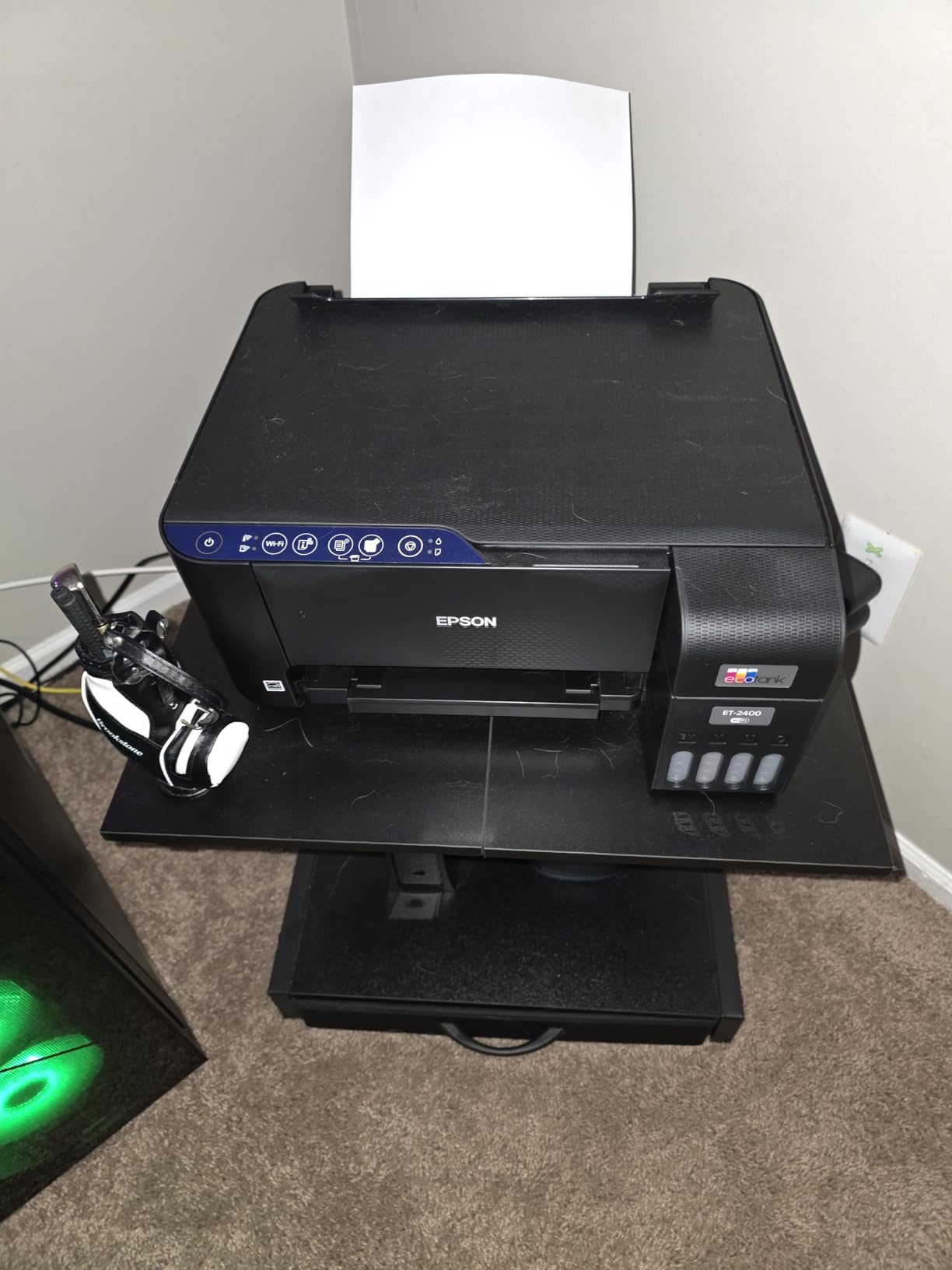
6. Epson EcoTank ET-2400: Best for Tight Desk Space and Light Printing
Epson EcoTank ET-2400 Wireless Color All-in-One Supertank Printer
Compact refillable ink tank all-in-one
8.6 pounds
Up to 4500 black pages per ink set
Flatbed copy and scan
Pros
- Very low running cost since one bottle set replaces roughly 80 cartridges
- Lightest and most compact model here at 8.6 pounds
- Up to 2 years of ink in the box
- Sharp vibrant output with easy EcoFit refills
- Recommended to budget teachers in print departments
Cons
- Manual duplex printing only
- No screen and only LEDs for status
- Jams more often than comparable Canon models
- No borderless printing
- Waste ink pad is not user-replaceable
The ET-2400 answers a problem most roundups ignore: some teachers have about 30 centimetres of shelf. At 8.6 pounds and 22.8 by 14.8 by 10 inches, this is the smallest machine here, and it still gives you refillable ink tanks with up to 4,500 black-and-white and 7,200 colour pages per bottle set.
The running cost story is the strongest argument. Epson states one set of bottles replaces roughly 80 cartridges, and reviewers consistently recommend this machine specifically to teachers and offices working to a budget. For light weekly printing that still adds up over a school year.
Specs are modest but adequate: 10 pages per minute black, 5 colour, first page in 7 seconds, 5760 x 1440 dpi resolution in both black and colour, media up to 8.5 x 14 inch, and USB and Wi-Fi connectivity with app-based control. It ships with up to 2 years of ink in the box, so it is usable on day one without a purchase.
Micro Piezo heat-free technology means no warm-up before the first print, which matters for a machine that sits idle between short printing bursts rather than running continuously.
Why this is the compact-choice pick
Footprint and running cost together. Most sub-compact inkjets achieve their size by dropping to cartridges, and then the ink bill arrives. This one keeps the tanks.
It is also the sensible choice for a teacher who prints lightly: a handful of permission slips, a weekly reading log, the occasional colour project. The included ink covers a lot of that on its own.
Where the ET-2400 falls short
No screen. Status is shown with LEDs only, so diagnosing a paper type error means an app, which is exactly the friction that leads to paper jams going unread and misinterpreted.
Jams are reported more often than on comparable Canon models and are tedious to clear. There is no borderless printing for photo or poster work, manual duplex again, and the waste ink pad is not user-replaceable on this model, which can end the machine’s service life without a straightforward fix.
7. Brother MFC-L3720CDW: Best for Shared-Classroom Colour Printing
Brother MFC-L3720CDW Wireless Color Laser Printer, Scanner, Copier, Fax, Auto Duplex, 250-Sheet Capacity
Colour laser 4-in-1
19 ppm in colour and black
50-sheet ADF and 250-sheet tray
3.5 inch colour touchscreen
Pros
- Colour laser cost per page far below inkjets
- 3.5 inch colour touchscreen with 48 shortcuts
- 50-sheet ADF and 250-sheet tray
- Automatic duplex with dual-band Wi-Fi
- First page in under 15 seconds
Cons
- Bulky and heavy at 44 pounds
- High upfront outlay for a small classroom
- Colour toner supplies cost more than monochrome toner
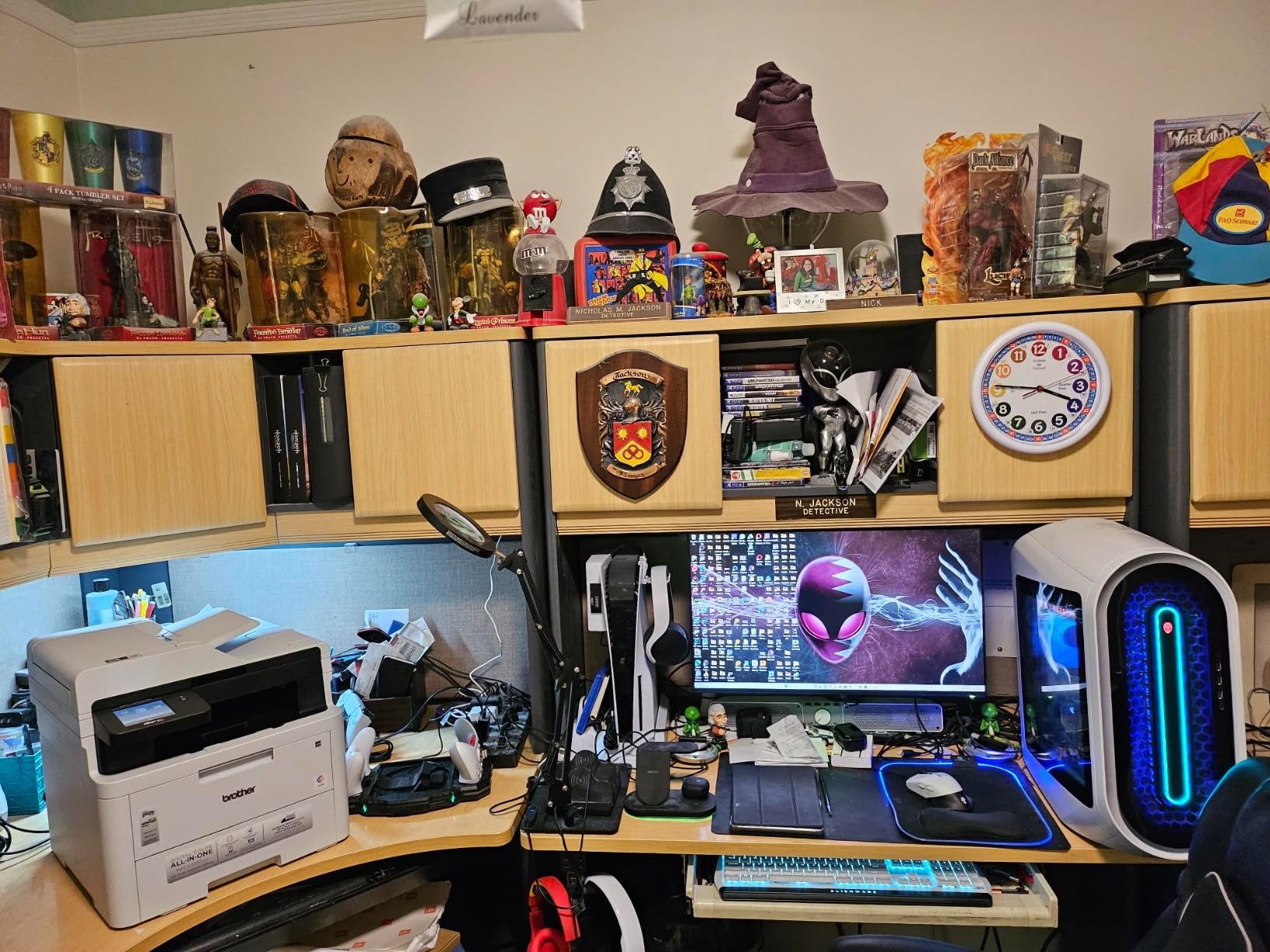
When several people share one printer and colour is non-negotiable, a colour laser changes the maths. The MFC-L3720CDW prints 19 pages per minute in both black and colour, which means a class set of colour exit tickets comes out while the lesson is still running rather than at the end of it.
The reason is toner economics. Inkjet colour pages are the single most expensive line in a teaching print budget, and a colour laser spreads that cost across far more pages. Owners of this machine consistently describe the per-page colour cost as the reason they bought it.
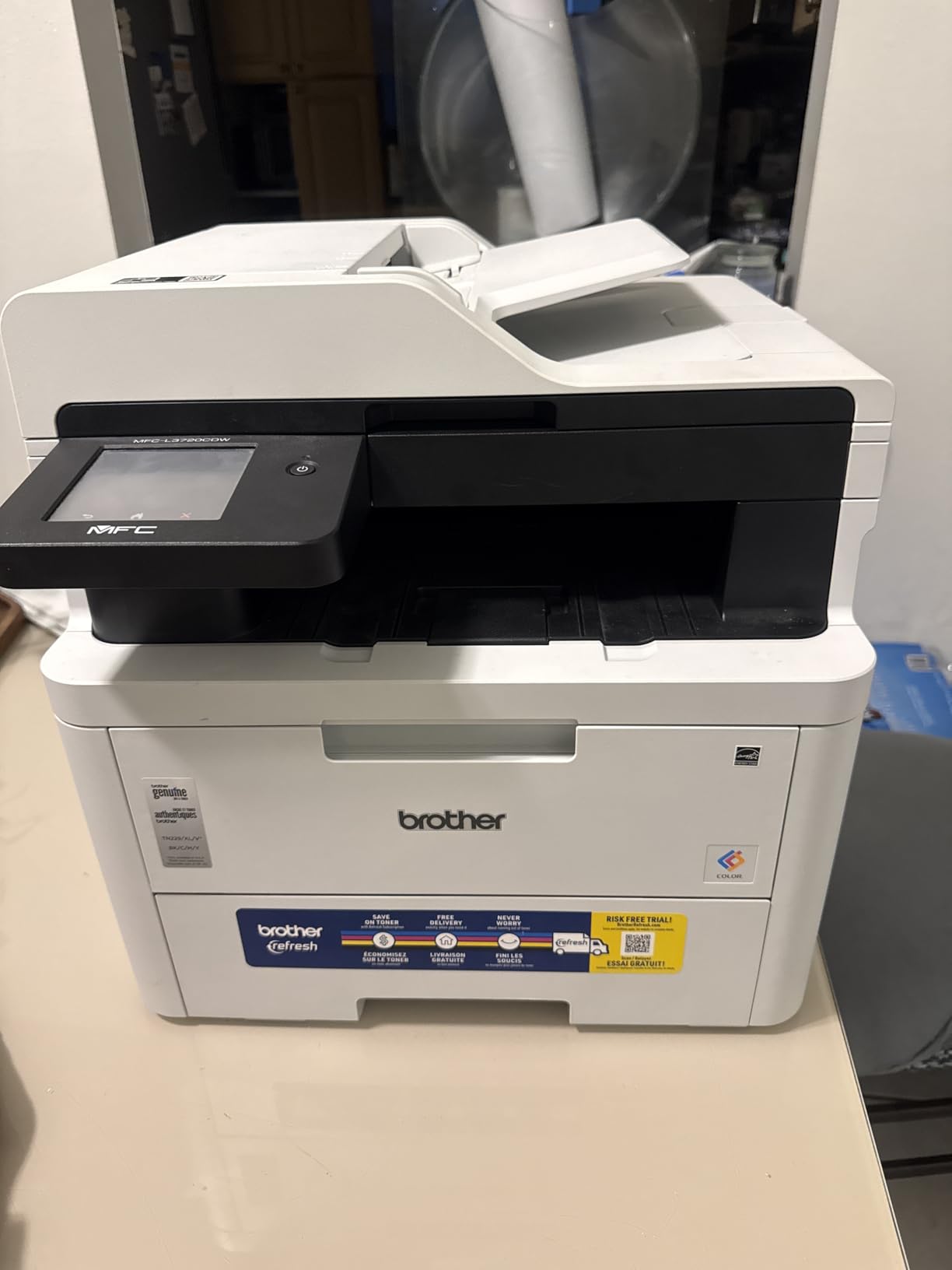
It is also the most fully equipped machine here. You get print, copy, scan and fax, a 50-sheet automatic document feeder, a 250-sheet adjustable tray, automatic duplex, a 3.5 inch colour touchscreen with 48 customisable shortcuts, and direct cloud access to Google Drive, Dropbox and OneNote. First page prints in under 15 seconds and resolution is 2400 x 600 dpi.
Consumables are the TN229BK, TN229M, TN229C and TN229Y toner set, with TN229XL high-yield variants and a DR229CL drum unit. Connectivity covers USB, dual-band Wi-Fi on 2.4GHz and 5GHz, and Wi-Fi Direct, which lets students print without joining your network.
Where the MFC-L3720CDW wins
Shared, high-volume colour. If a whole classroom prints through it every week, the per-page colour cost is where the maths turns. The 250-sheet tray and 50-page feeder mean one person loading paper while another scans.
The touchscreen shortcuts are quietly the most-used feature for repeat jobs. Setting a scan-to-email or a two-sided copy routine to one button removes the menu walk every time.
Where it falls short
It weighs 44 pounds and measures 17.5 by 16.1 by 15.8 inches. That is not a machine for a small shelf, and moving it between rooms takes two people or a trolley.
The upfront outlay is also the highest here, which is hard to justify if you print alone at low volume. Colour toner itself still costs more per page than monochrome toner, so a heavy colour workload is cheaper on this machine but not free.
8. HP Smart Tank 5003: Best for the Most Ink in the Box
HP Smart Tank 5003 Wireless All-in-One Ink Tank Printer, Scanner, Copier with up to 3 Years of Ink Included, Best-for-Home, Cartridge-Free Refillable, AI-Capable (9B2D3A)
Cartridge-free HP ink tank all-in-one
Up to 3 years of ink included
Flatbed scan and copy
Wireless and mobile
Pros
- Largest included ink supply here at up to 3 years or 6000 pages
- Mess-free bottle refill with no squeezing or spilling
- Lightweight 11.1 pound body for tight spaces
- Cartridge-free design cuts long-term consumable cost
Cons
- Manual duplex printing only
- Flatbed scanner only with no ADF
- Slow first page at 21 seconds and 10 ppm black
- Smallest review base here at 226 ratings
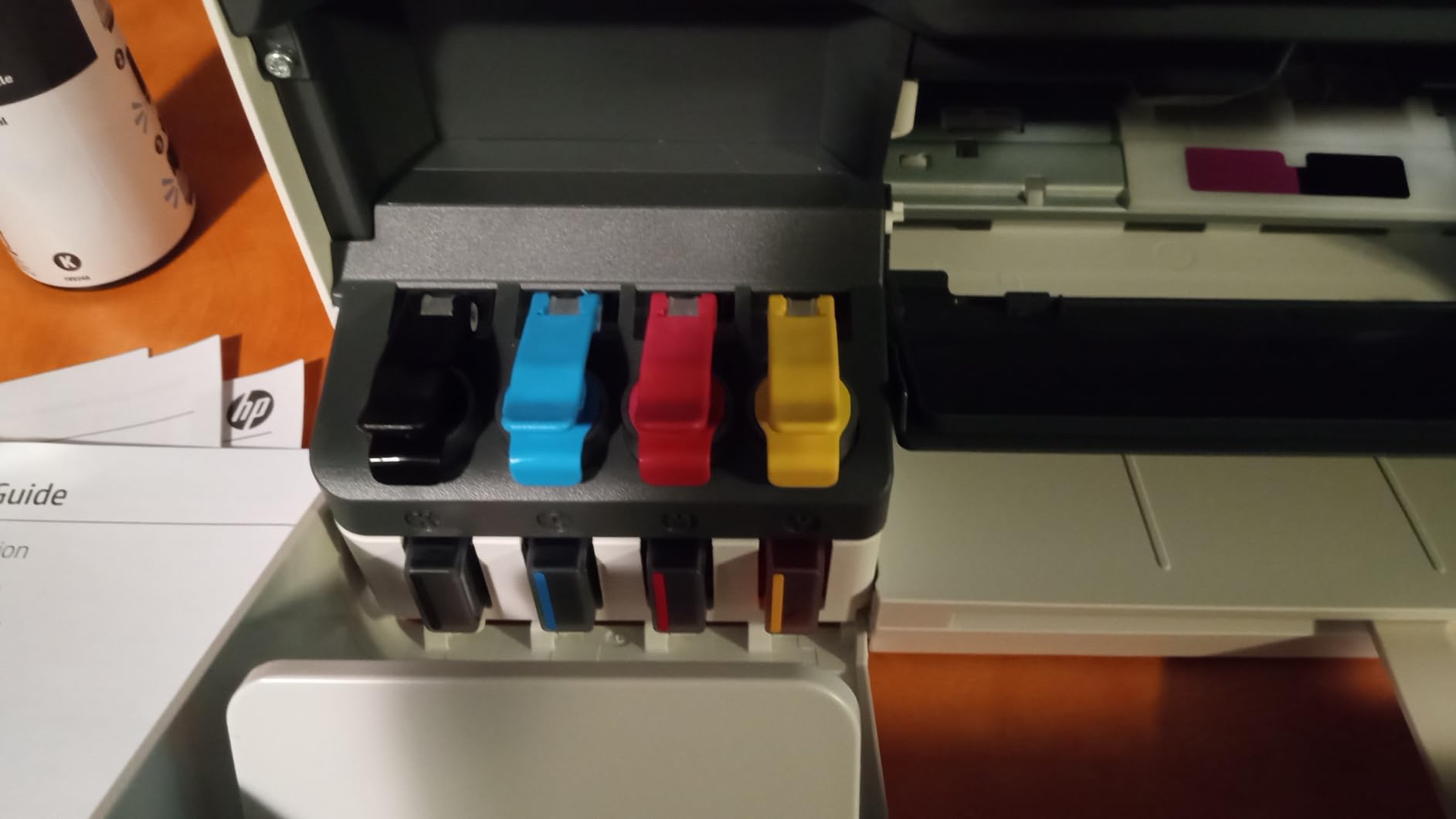
The HP Smart Tank 5003 comes with more ink than any machine in this roundup. HP states up to 3 years of ink included, rated for up to 6,000 colour or black pages out of the box. For a teacher who prints heavily for one semester and then barely at all, that front-loaded supply can cover the entire busy season without a purchase.
The refill system is the part reviewers praise most. You plug the HP 31 and 32XL ink bottles into the cartridge-free tank and let them drain, with no squeezing and no spilling, which matters if the machine lives in a shared cupboard rather than on your desk.
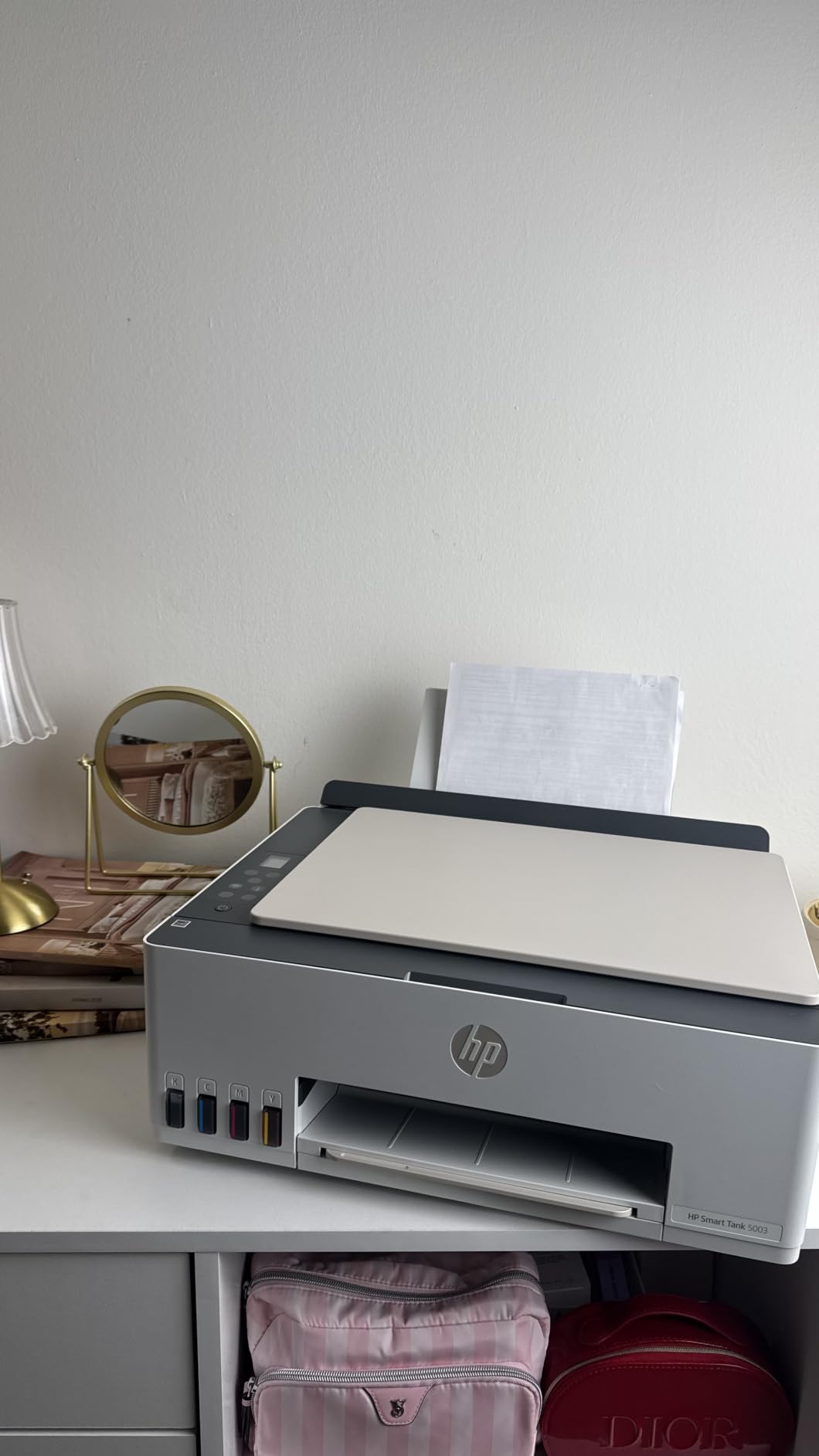
It is also light for its size at 11.1 pounds, with dimensions of 17.11 by 14.23 by 6.19 inches, and it handles media up to legal size. Connectivity covers Apple AirPrint, HP ePrint, Mopria, USB, Wi-Fi and Print Anywhere, with control through the app and up to 99 copies per run.
Output is up to 1200 x 1200 rendered dpi in black and up to 4800 x 1200 optimised dpi in colour, with copy resolution up to 600 dpi. The warranty is one year or 30,000 pages, whichever comes first.
Where the Smart Tank 5003 wins
Seasonal printing. If your workload is a burst of 500 pages during a unit and near silence the rest of the year, the bundled ink plus a cartridge-free tank means you never face a cartridge decision mid-term.
It is also the easiest of the ink-tank machines to place physically, and the mobile printing options are the broadest here, with AirPrint, ePrint, Mopria and Print Anywhere all supported.
Where it falls short
It is a newer listing with the smallest review base in this roundup at 226 ratings, so there is less long-term owner history on record than for the Epson and Canon tanks. That is worth weighing if reliability is your main worry.
Manual duplex, no ADF, a 21-second first page and 10 ppm black speed are all real limits. If you print double-sided in volume or scan stacks of work, this is not the machine.
Running Cost: What Ink and Toner Actually Take Out of Your Budget
Here is the number that matters, and almost nobody puts it on a product page: what a page costs to run, multiplied by how many pages you actually print. We worked it out from the page yields each manufacturer publishes, because yields are the only figure in the data we can compare honestly across cartridge, tank and toner machines.
Ink-tank machines print the most pages per fill. The Epson ET-2800 is rated at up to 4,500 black-and-white or 7,500 colour pages per ink set. The Epson ET-2400 is rated at up to 4,500 black-and-white or 7,200 colour pages per bottle set, with one set replacing roughly 80 cartridges. The Canon MegaTank G3270 leads the colour figure at up to 6,000 black-and-white or 7,700 colour pages per ink set.
HP takes a different route with the Smart Tank 5003, bundling up to 3 years of ink and up to 6,000 pages at purchase rather than at refill. If you only print for part of the year, that front-loading moves the whole cost earlier in the cycle, which is either an advantage or dead weight depending on your schedule.
Then there is duplex. Automatic two-sided printing halves the paper on every double-sided handout, and over a school year that is the largest single saving available to you. Only four of these eight machines do it automatically: the Brother DCP-L2640DW, the Canon TS6520, the Canon TR8620a and the Brother MFC-L3720CDW. If you print more than about 500 double-sided pages a month, that one feature should decide the purchase.
Finally, toner. The Brother laser machines use dry toner, which cannot dry out, cannot clog, and does not need flushing cycles after a long break. That matters for a machine that prints hard for four weeks and then sits idle for four months. Teachers who moved from cartridge inkjets to laser most often name the summer reliability difference as the reason they stayed.
What Teachers Actually Print and What Each Job Needs
Mapping your real workload is faster than comparing spec sheets, because most print jobs need only two of the three functions in a machine you are about to buy.
Worksheets and handouts are plain paper, high volume, usually double-sided. These need automatic duplex, a tray holding at least 100 sheets, and a running cost that survives 1,000 pages a month. This is the job the Brother DCP-L2640DW was built for, and the job the Canon TS6520 handles at the lowest outlay.
Exit tickets are short, single-sided and constant. Card stock is often involved, so check the supported media list before you buy: the Canon MegaTank G3270 lists card stock explicitly.
Visual schedules, reward charts and posters are the expensive colour jobs. These favour ink tanks, where colour pages cost a fraction of cartridge colour pages. Borderless printing matters for full-bleed visuals, which the TS6520, TR8620a and G3270 all support.
Study guides run to tens of pages each and are printed the night before. First-page speed matters more than peak speed here: 7.5 seconds on the TS6520 and 7 seconds on the ET-2400 beat 21 seconds on the HP Smart Tank 5003.
Scanning student work needs an ADF if you handle more than a few sheets at a time. Only the Brother DCP-L2640DW, the Canon TR8620a and the Brother MFC-L3720CDW have one, at 50, 20 and 50 pages respectively.
Name labels and classroom organisation usually mean sticker sheets or cut vinyl. If that is a regular task, a dedicated label printer is a better tool than any printer here, which is why we left those out of this roundup.
Inkjet or Laser for Worksheets?
There is no universal winner, because the two types fail differently. Inkjets give better colour and better photo quality and cost less upfront. Lasers give sharper text, faster black-and-white output, toner that never dries out, and a much lower cost per page at volume.
Choose laser if your printing is mostly black-and-white, you run past about 800 pages a month, or the machine sits idle for long stretches. The Brother DCP-L2640DW covers the low-volume laser case with a 250-sheet tray, automatic duplex and a 50-page feeder at a mid-range outlay.
Choose an ink tank if colour is a real part of your teaching or your volume is moderate and your budget is tight. The ET-2800 and the MegaTank G3270 both print thousands of pages per fill, and the cartridges you would replace constantly simply do not exist on these machines.
Choose a colour laser if a whole classroom shares one printer and colour output is frequent. The MFC-L3720CDW does 19 ppm in colour, which no inkjet here comes close to.
One caution for teachers specifically. Several inkjet manufacturers offer ink subscription programs that tie you to branded ink at a discount in exchange for enrolment. Check whether your school laptop permits enrolment before you accept one, because a signed-up machine can refuse third-party refill bottles.
How to Choose an All-in-One Printer for Teaching
Seven questions, in the order that saves the most money if you answer them before buying.
1. Work out your monthly volume. Light is under 500 pages a month, typical is 500 to 1,500, heavy is above 1,500. Below 500, a cartridge inkjet with duplex will do. Between 500 and 1,500, an ink tank. Above 1,500, a laser.
2. Decide how much colour you really print. If it is one visual schedule a week, colour is a bonus. If it is daily, colour cost per page becomes your largest ink expense and an ink tank or colour laser is worth the difference.
3. Confirm automatic duplex. Not “duplex” in the specification, but automatic two-sided printing. Manual duplex means flipping and reinserting every stack, and teachers consistently treat the absence of auto-duplex as the main reason a printer feels annoying.
4. Check the ADF, and check its page count. No ADF means scanning one sheet at a time. A 20-sheet feeder saves time; a 50-sheet feeder changes the job.
5. Confirm the ink system. Cartridges, refillable tanks (Epson EcoTank, Canon MegaTank, HP Smart Tank) or toner. If you expect to print more than light volumes, cartridge machines will surprise you in year two.
6. Test the wireless path. Dual-band Wi-Fi on 2.4GHz and 5GHz is more reliable than single-band, and Wi-Fi Direct lets you print without joining your network at all. Read the app reviews too, since a great machine with a broken app is a daily annoyance.
7. Add up two years, not one. Purchase price plus ink or toner at your real volume, plus the paper you would have saved with duplex. That total is the only number worth comparing between machines.
One more thing: skip sublimation, thermal, DTF and portable document printers. They are excellent at very specific jobs that do not include printing a double-sided reading passage on plain paper, and they occupy a lot of slots in general printer roundups for no benefit to a teacher.
Can Teachers Get a Discount on a Printer?
Yes, more often than most teachers realise, and it is worth checking before you spend your own money.
Educator pricing programmes. Several major printer manufacturers run educator or education pricing that is sometimes applied automatically and sometimes requires verification through a school email address or an employer ID. Check the brand’s site rather than assuming you qualify or that you do not.
School and district procurement. Most districts buy printers centrally through an approved catalogue. If you ask your technology coordinator what is on the district contract, you may get a machine at a lower internal price than retail, plus a maintenance agreement you would otherwise pay for separately.
Department, classroom and grade-level funds. Many schools hold small discretionary budgets for department heads, literacy coaches and new teachers. A single request with a model number and a running-cost estimate is usually enough to get approved.
Reimbursement. Some employers and districts reimburse the cost of home equipment used for work, within a cap. Ask your administration whether a printer qualifies before you buy.
Grant funding. Classroom and education grants frequently cover technology. This is the least-known route and the most reliable one for a first-year teacher who has a small grant but no purchasing authority.
Timing. Back-to-school and Prime Day windows are when these machines are most heavily discounted, which lines up neatly with when you are actually setting up.
The Four Problems Teachers Hit Most and How to Avoid Them
Every one of these shows up repeatedly in teacher forums, and every one has a hardware-level fix.
Ink dried out over summer. The classic complaint. Liquid ink sitting in cartridge nozzles between June and September leaves you printing a blank first page and running a purge cycle until fresh ink reaches the head. An ink tank or a laser machine does not have this problem, because there are no cartridge nozzles to block. If you keep a cartridge printer, printing one test page a month solves it.
The printer dropped off the network. Teachers report this most after a school IT change or a router replacement, and it is usually not the printer. Dual-band Wi-Fi, a static DHCP reservation for the printer’s address, and a USB fallback solve nearly every case.
The ADF jammed on stapled or curled work. Student papers come back stapled, dog-eared and sometimes double-sided. Clear staples before feeding, separate double-sided originals into two passes, and clean the rollers every few months. A printer with a larger ADF does not remove this problem, it only delays it.
The colour cartridge ran out mid-project. This is the one that ruins a lesson. It is almost entirely a symptom of cartridge pricing rather than capacity. Refillable tanks remove the mid-project failure because you are not working against a small reservoir.
Two smaller ones worth knowing. Noise matters in a classroom: cheap inkjets are loud enough to be disruptive while you teach beside them. And ink subscription enrolment is a lock-in risk, because a machine set up for subscription ink may reject refill bottles, so check before you enrol.
Frequently Asked Questions
What is the best printer to buy for a teacher?
The Epson EcoTank ET-2800 is the best printer to buy for most teachers. Its refillable ink tanks print up to 4,500 black-and-white or 7,500 colour pages per ink set, so running cost stays low across a school year, and it handles print, scan and copy in one compact body. The one compromise is manual two-sided printing, so teachers printing more than about 500 double-sided pages a month should consider the Brother DCP-L2640DW instead.
What is the highest rated all-in-one printer?
The Canon PIXMA TS6520 carries the highest star rating in our roundup at 4.2, and it is also the lowest-cost machine here that still offers automatic two-sided printing. Rating alone is a weak comparison though, because retailer star scores mostly track how many people bought a model. Always read the rating together with the review count: the Epson ET-2800 sits at 4.0 but has more than 18,000 reviews behind it.
Can teachers get a discount on printers?
Usually, yes. Start with manufacturer educator pricing programmes, which sometimes need verification through a school email address. Then ask your school or district about approved purchasing catalogues, department or classroom budget funds, and whether your employer reimburses home equipment used for work. Classroom and education grants are the least-known route and often the easiest for a new teacher. Back-to-school and Prime Day windows are when discounts are deepest.
Which all-in-one printer is the most reliable?
Reliability depends on mechanism more than brand. Laser machines and refillable ink tank printers never suffer the dried-nozzle problem that ruins cartridge inkjets over a long summer break, because there are no small cartridge nozzles to block. Beyond that, dual-band Wi-Fi and a mechanically solid document feeder matter more than the logo on the front. The Brother DCP-L2640DW is the sturdiest high-volume choice here.
What printer has the least amount of problems?
Ink tank and laser models generally have the fewest problems, and most reported failures come down to four things: cartridge nozzles drying after long idle periods, document feeders jamming on stapled or double-sided student work, wireless dropouts after a network change, and proprietary apps that stop connecting. Choosing a refillable tank or laser printer removes the first problem, clearing staples before feeding removes most of the second, and reserving a static IP address handles the third.
Final Verdict for Teachers in 2026
If you read nothing else: buy the Epson EcoTank ET-2800. It is the best all in one printer for teachers in 2026 because refillable tanks make colour and black-and-white worksheets cheap at volume, and its 18,000-plus reviews mean its weaknesses are known rather than hidden. Manual duplex is the only compromise most people accept.
Print heavy black-and-white worksheets? Take the Brother DCP-L2640DW for 36 ppm, automatic duplex and a 50-page feeder. Working to the smallest possible outlay? The Canon PIXMA TS6520 is the highest-rated machine here and still does automatic duplex. Colour-heavy classroom sharing? The Brother MFC-L3720CDW. Tight shelf or seasonal printing? The Epson ET-2400 or HP Smart Tank 5003.
Before you commit, total two years of ink and paper rather than the purchase price alone, and check whether your school offers educator pricing or has a machine on an approved contract. If our broader all-in-one printer guide covers options outside the teaching workload, that is the next place to look.