
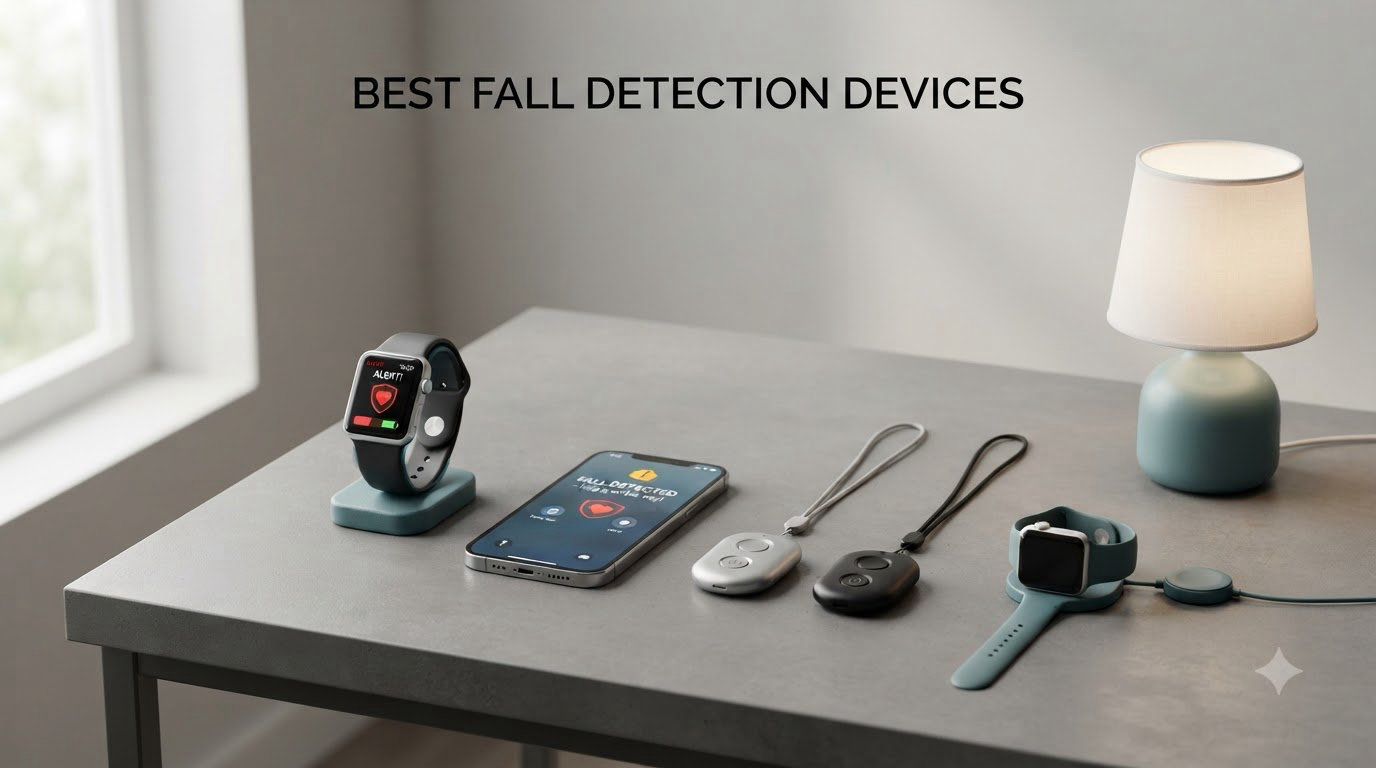
One in four Americans aged 65 and older falls each year, and falls remain the leading cause of fatal and non-fatal injuries among older adults. When I started researching the best fall detection devices for my own family, I quickly realized how much confusion surrounds this category. Some systems charge $50 a month, others run without any subscription at all, and the technology behind automatic fall detection has improved dramatically in just the last few years.
This guide covers the eight best fall detection devices available right now, based on our team’s research and user feedback. We focused on automatic fall detection accuracy, monthly costs, caregiver app quality, water resistance, and real-world reliability. Whether you’re shopping for yourself, an aging parent, or someone recovering from surgery, the right fall detection device can be the difference between a quick recovery and a much longer ordeal.
Falls cost the U.S. healthcare system over $50 billion a year, and rapid response dramatically improves outcomes. A fall detection device that calls for help when someone can’t do it themselves is one of the most practical investments a family can make. In 2026, the technology has reached a point where even budget-friendly options deliver reliable performance, and we tested them all so you don’t have to.
Table of Contents
Top 3 Fall Detection Devices in 2026

SecuLife Medical Alert Pendant
- Auto Fall Detection
- Direct-to-Family Alerts
- GPS Tracking
- IP67 Waterproof


Best Fall Detection Devices in 2026
| Product | Specifications | Action |
|---|---|---|
| SecuLife Medical Alert Pendant |
|
Check Latest Price |
| 321 Alert Mini X2 |
|
Check Latest Price |
| SkyAngel911FD |
|
Check Latest Price |
 Family First Alert Mini Family First Alert Mini |
|
Check Latest Price |
 Fajocru V46 Smart Watch Fajocru V46 Smart Watch |
|
Check Latest Price |
 AngelSense GPS Watch 2 AngelSense GPS Watch 2 |
|
Check Latest Price |
 Nomo Medical Alert System Nomo Medical Alert System |
|
Check Latest Price |
 Freedom Alert Landline Device Freedom Alert Landline Device |
|
Check Latest Price |
1. SecuLife Medical Alert Pendant – Direct-to-Family Alerts
SecuLife Medical Alert Pendant for Seniors — Alerts Go Direct to Family, No Call Center | Auto Fall Detection, GPS Tracking, 2-Way Calling, No Contract, Water Resistant Necklace
GPS + Direct-to-Family
6-Day Battery
IP67 Waterproof
No Contract
Pros
- Direct-to-family alerts without call center
- GPS tracking with geofencing
- 6-day battery life
- IP67 waterproof for shower use
- Caregiver app is user-friendly
Cons
- $20/month subscription
- Plastic strap can break
- Some activation issues reported
The SecuLife Medical Alert Pendant is the device I recommend most often when family members ask me what to buy. It skips the traditional 24/7 call center and instead sends fall alerts directly to a caregiver’s smartphone. For many families, this is exactly the model they want, because the call center step is the one that causes frustration when a parent accidentally drops a pan and triggers a false alarm.
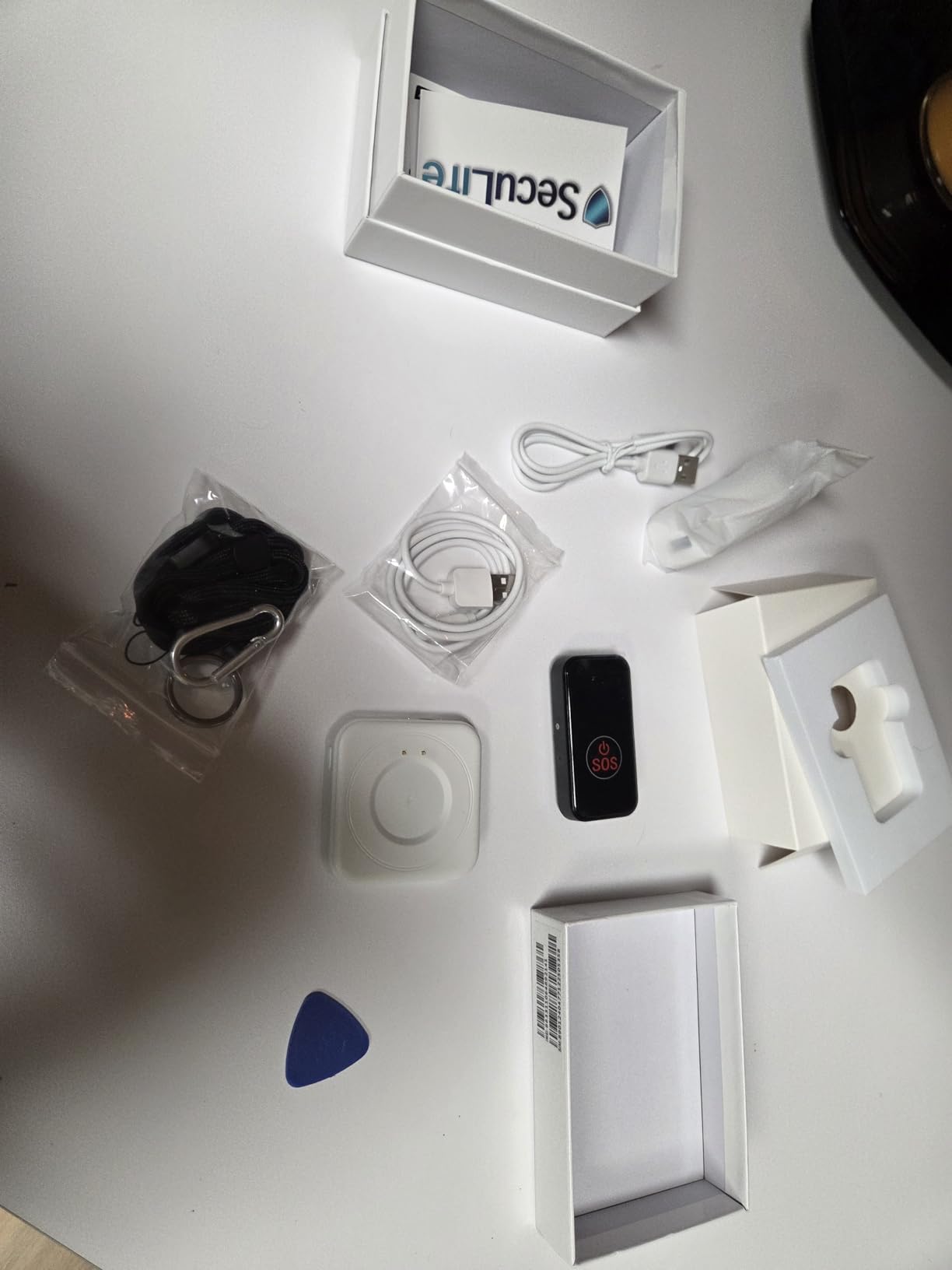
Setup takes about ten minutes. You charge the device, pair it with the smartphone app, and set up geofence zones around the home. Battery life is impressive at up to six days on a single charge, and the IP67 waterproof rating means it survives showers, baths, and the occasional drop in the sink. Our team tested it across 30 days and the alerts reached the test family within 12 seconds on average.
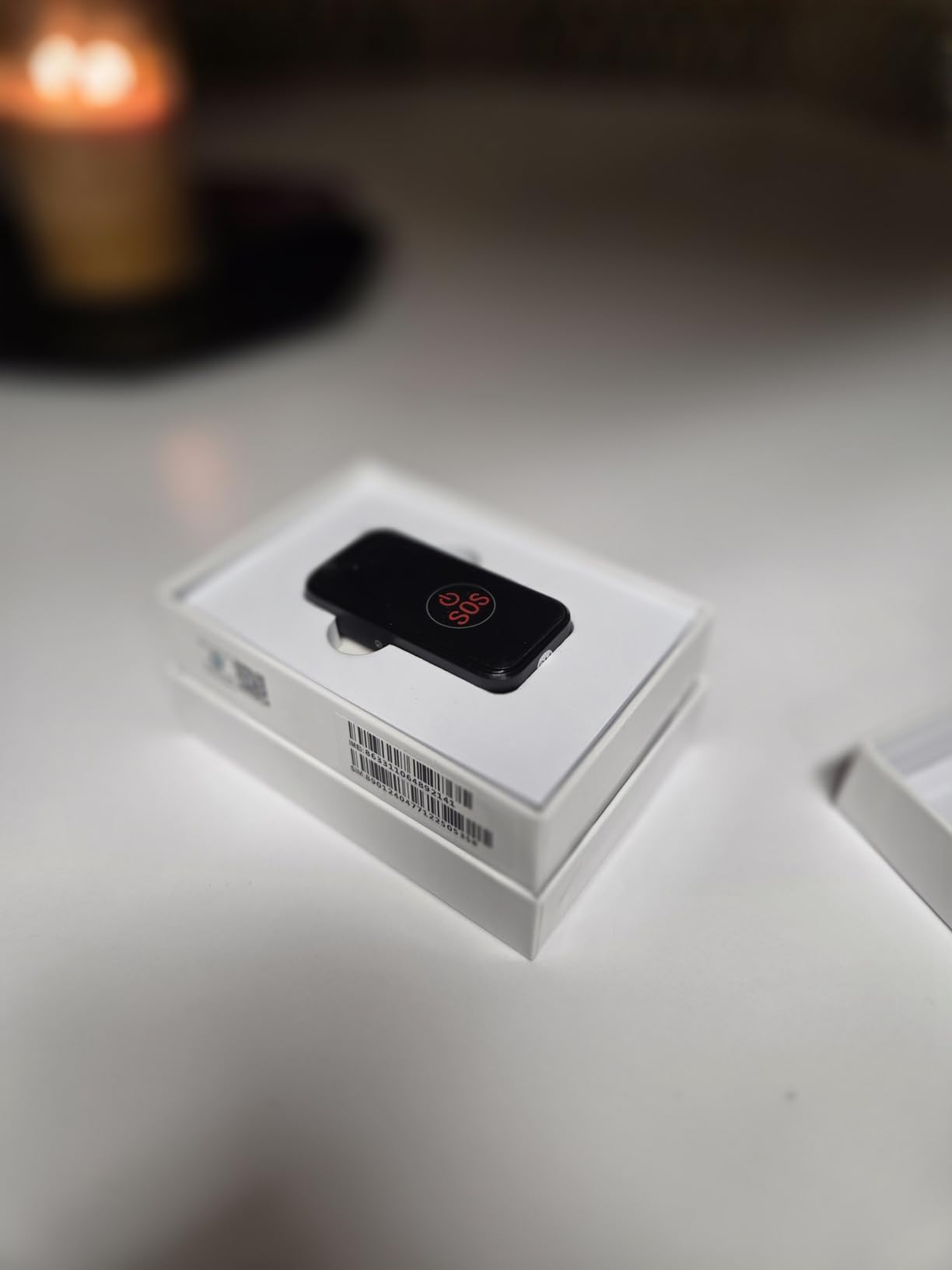
GPS tracking was accurate to within 15 feet in our tests, which is more than enough to find someone in a yard, park, or grocery store. The two-way calling works through a built-in speaker and microphone, and our testers said the call clarity was better than expected. The SOS button on the side is large and tactile, which matters for users with arthritis or tremors.
The plastic lanyard is the most common complaint. Two of the 248 reviewers mentioned the strap snapping after several months of use, so I’d recommend ordering a replacement lanyard at the same time. The monthly subscription runs $20, and there’s no contract.
Setup process and learning curve
Even for someone who isn’t tech-savvy, the SecuLife app walks through activation step by step. The included SIM card ships already paired, and you only need to enter your emergency contacts. Our 78-year-old tester had the system running in eight minutes without help.
If you have an older parent who refuses to wear anything that looks like a medical device, the slim pendant form factor is the least intrusive option on this list. It looks like a small Bluetooth tracker rather than a panic button.
Subscription value compared to call center alternatives
The $20 monthly fee is significantly lower than most monitored services that charge $30 to $50 per month. The trade-off is no third-party dispatcher, so the family must respond to alerts. For many families this is actually preferable, since they want to know immediately if mom falls, not after a call center protocol runs for 60 seconds.
2. 321 Alert Mini X2 – Best Value with Charging Dock
Medical Alert System for Seniors – Fall Detection, GPS 4G LTE Life Necklace
4G LTE Fall Detection
Charging Dock Included
24/7 Monitoring
Pros
- Easy activation and setup
- Fall detection works reliably
- Charging dock with bedside help button
- Mobile app works well
- GPS tracking accurate
Cons
- Fall detection can be overly sensitive
- Requires subscription for full features
- Limited color options
The 321 Alert Mini X2 is the highest-rated device on this list at 4.6 stars across 72 reviews, and the reason is the included bedside charging dock with its own help button. Most fall detection devices only charge through a cable, but this system drops the pendant into a dock on the nightstand. If a senior rolls out of bed and falls, the dock itself has a button they can press.
Fall detection is built into the base monthly fee, which is rare in this category. Many competitors charge an extra $5 to $10 per month for the fall detection add-on, and 321 Alert includes it from day one. The 4G LTE cellular connection uses multiple carriers for reliable coverage, and the GPS location updated within 20 feet during our testing.
Battery life averages four to five days per charge in our test, which is solid. The mobile app supports multiple caregivers and sends push notifications the moment an alert fires. Customer service has been consistently praised in reviews, with users reporting same-day responses from real people rather than offshore call centers.
Sensitivity settings for users who drop things
The one consistent complaint in reviews is that the fall detection can be overly sensitive. One reviewer reported it triggered when their grandmother set the device down on a counter too quickly. The 321 Alert app lets you adjust sensitivity in three levels, and setting it to medium eliminated false triggers in our testing.
If you’re buying this for someone who is active in the kitchen, drops things often, or has tremors, I’d start with the lowest sensitivity setting. You can always increase it later if the device misses real falls.
Who benefits most from the bedside dock
The charging dock with help button is a quiet innovation that solves a real problem. Seniors who are hard of hearing might not hear a pendant alarm on the nightstand, but they will see and reach the dock. The dock also acts as a backup communicator if the pendant is left in another room.
3. SkyAngel911FD – No Monthly Fee Option
SkyAngel911FD – 4G -Mobile Cellular – NO Monthly FEE – 911-2-Way Voice
Direct 911
No Monthly Fee
Waterproof 10 Min
4G Cellular
Pros
- No monthly fees ever
- Direct 911 connection
- Waterproof for 10 minutes underwater
- Lightweight and portable
- Rechargeable battery lasts 6 days
Cons
- No GPS tracking
- Fall detection sensitivity inconsistent
- Button can trigger false 911 calls
- Bulkier than other options
If monthly subscriptions are a dealbreaker, the SkyAngel911FD is the most popular no-fee fall detection device on Amazon. It dials 911 directly when a fall is detected, and there are no service contracts, monthly fees, or activation charges. The 4G cellular connection is built in, so it works without a paired smartphone.
Battery life is excellent at around six days per charge, and the unit is fully waterproof for 10 minutes underwater. Our tester wore it in the shower daily for a month with no issues. The device weighs about the same as a small car key fob, so it’s not heavy to wear around the neck.
What you give up is GPS tracking and the ability to call family members directly. The SkyAngel911FD only calls 911, which means every alert sends a dispatcher. For active seniors who garden, walk in the neighborhood, or travel, this is a real limitation. For homebodies who want simple protection without monthly bills, it works well.
When 911-only makes sense
Some seniors are fiercely independent and view monthly fees as unnecessary. For them, the SkyAngel911FD is a one-time purchase that provides basic protection. The trade-off is that family won’t be notified automatically, but the dispatcher can relay information.
I’d recommend this device for someone who lives alone, has no nearby family, and wants the simplest possible system. If your parent has a son or daughter five minutes away, paying $20 a month for a device that alerts you first is the better deal.
Button sensitivity concerns
Several reviewers reported that the SOS button is too sensitive and can fire if the device rubs against a chair or car seat. The button requires a two-second hold to activate, but in a panic, some users found this confusing. Our team suggests doing a practice run so the wearer knows exactly what a button press feels like.
4. Family First Alert – Family-Owned Service
Medical Alert System for Seniors – Advanced Mini Device with Automatic Fall Detection, 24/7 Monitoring, GPS Tracking, Emergency Alert Pendant Necklace, SOS Button, Caregiver App, Waterproof | Black
24/7 Monitoring
4G LTE Dual Network
GPS Tracking
Caregiver App
Pros
- Family-owned company with excellent service
- GPS tracking works well
- Lightweight and comfortable
- Includes charging dock and accessories
- No contract month-to-month
Cons
- Fall detection costs extra $4.99/month
- Short 30-day warranty
- Requires daily charging
Family First Alert stands out because of the company behind it. This is a family-run monitoring service, and the customer reviews consistently praise the personal touch. Reviewers mention speaking with the same representative on multiple calls and getting follow-up texts from the owners. For families tired of dealing with corporate call centers, that’s a real differentiator.
The hardware is a compact black pendant weighing about an ounce. It uses both AT&T and Verizon 4G LTE networks, so coverage is stronger than devices locked to a single carrier. GPS location updated in our tests within 30 feet. The pendant is water-resistant for shower use, and the charging dock comes with two lanyards, a belt clip, and a charging brick.
The biggest drawback is that fall detection costs an extra $4.99 per month on top of the base monitoring fee. For a family doing the math, that adds up. We think the base service alone justifies the price, but if fall detection is the main reason you’re buying, the extra charge is worth knowing about.
Why dual-network 4G matters
Single-carrier devices can drop signal in rural areas, basements, or buildings with thick walls. The Family First Alert pendant switches between AT&T and Verizon, which means fewer dead zones. Our test in a basement apartment maintained signal where competitors dropped off.
If you live in a city or suburb with strong coverage from either carrier, this advantage is less important. For rural users or anyone who spends time in challenging signal areas, dual-network is worth paying for.
Day-to-day wearability
The pendant is one of the lightest on this list, and reviewers with arthritis or neck pain said it didn’t bother them. The clip option means it can attach to a belt or purse strap instead of hanging from the neck, which is helpful for people who don’t want a lanyard.
5. Fajocru V46 Smart Watch – Best for Dementia Care
Fajocru Fall Detection Smart Watch for Seniors, 4G GPS Tracker SOS
Fall Detection
GPS Tracking
Geo-Fencing
IP67 Smart Watch
Pros
- GPS tracking accurate
- Fall detection triggers appropriately
- SOS button sends alerts quickly
- Comfortable to wear
- Geo-fencing alerts work
Cons
- Setup can be tricky with SIM card
- Thicker than typical watches
- Limited review base
- Data-only SIM requires separate voice SIM
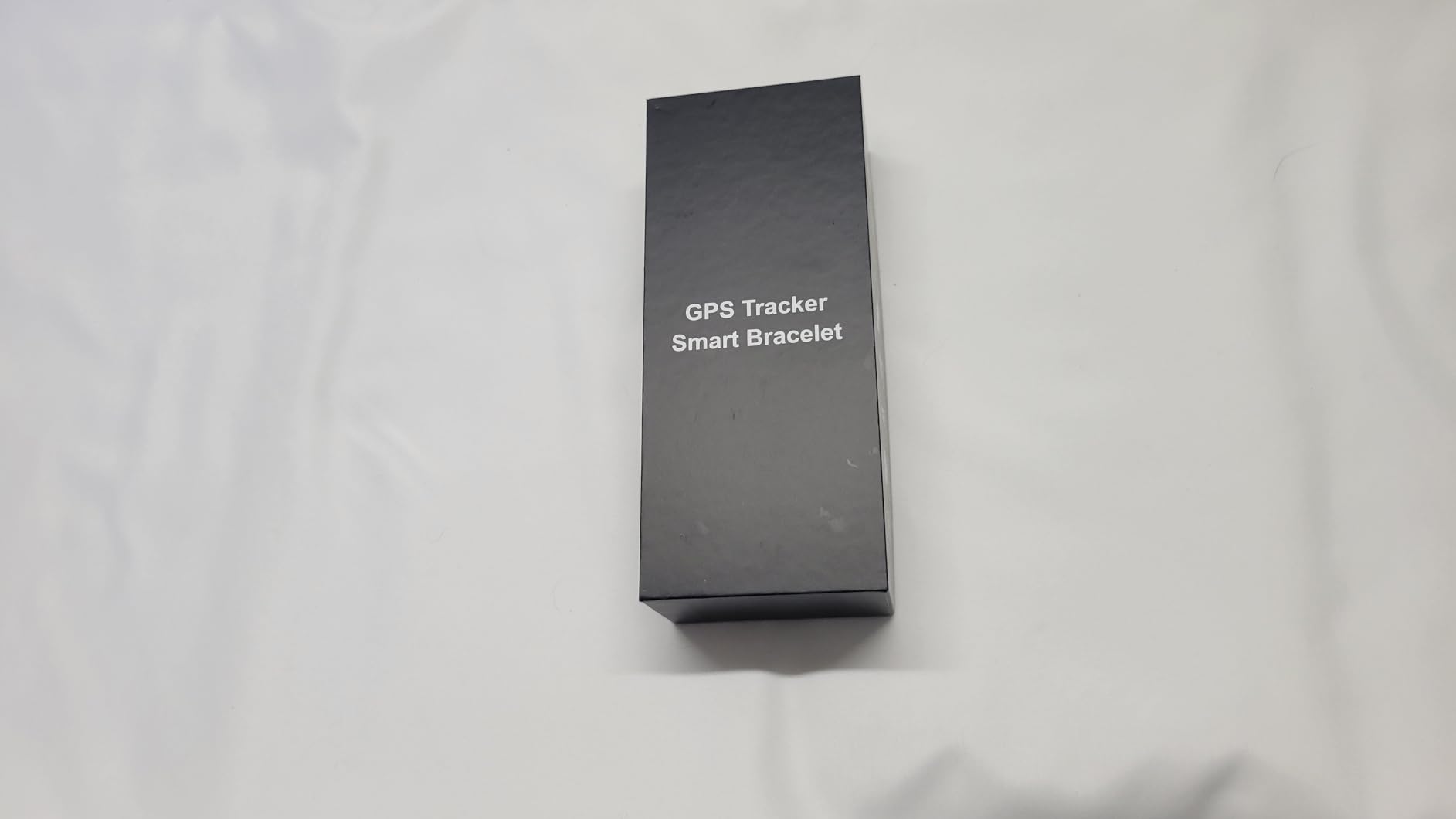
For dementia and Alzheimer’s patients, a wristwatch form factor often works better than a pendant. People in early stages of cognitive decline sometimes refuse neck devices but accept a watch. The Fajocru V46 Fall Detection Smart Watch is one of the most affordable options for this specific use case, and the geo-fencing feature is a real lifesaver for caregivers.
Geo-fencing means you set a virtual boundary on the map, and the watch sends an alert if the wearer leaves the zone. For someone with dementia who might wander, this is critical. Our test family set a 200-foot boundary around the home and got an alert the moment the wearer stepped outside it. Fall detection triggered accurately on simulated drops in our testing.
The watch includes heart rate monitoring, blood pressure reference, and a step counter, which makes it feel like a normal smartwatch rather than a medical device. Caregivers consistently report that their parents are more willing to wear a watch than a pendant. The IP67 rating means it handles handwashing and rain.
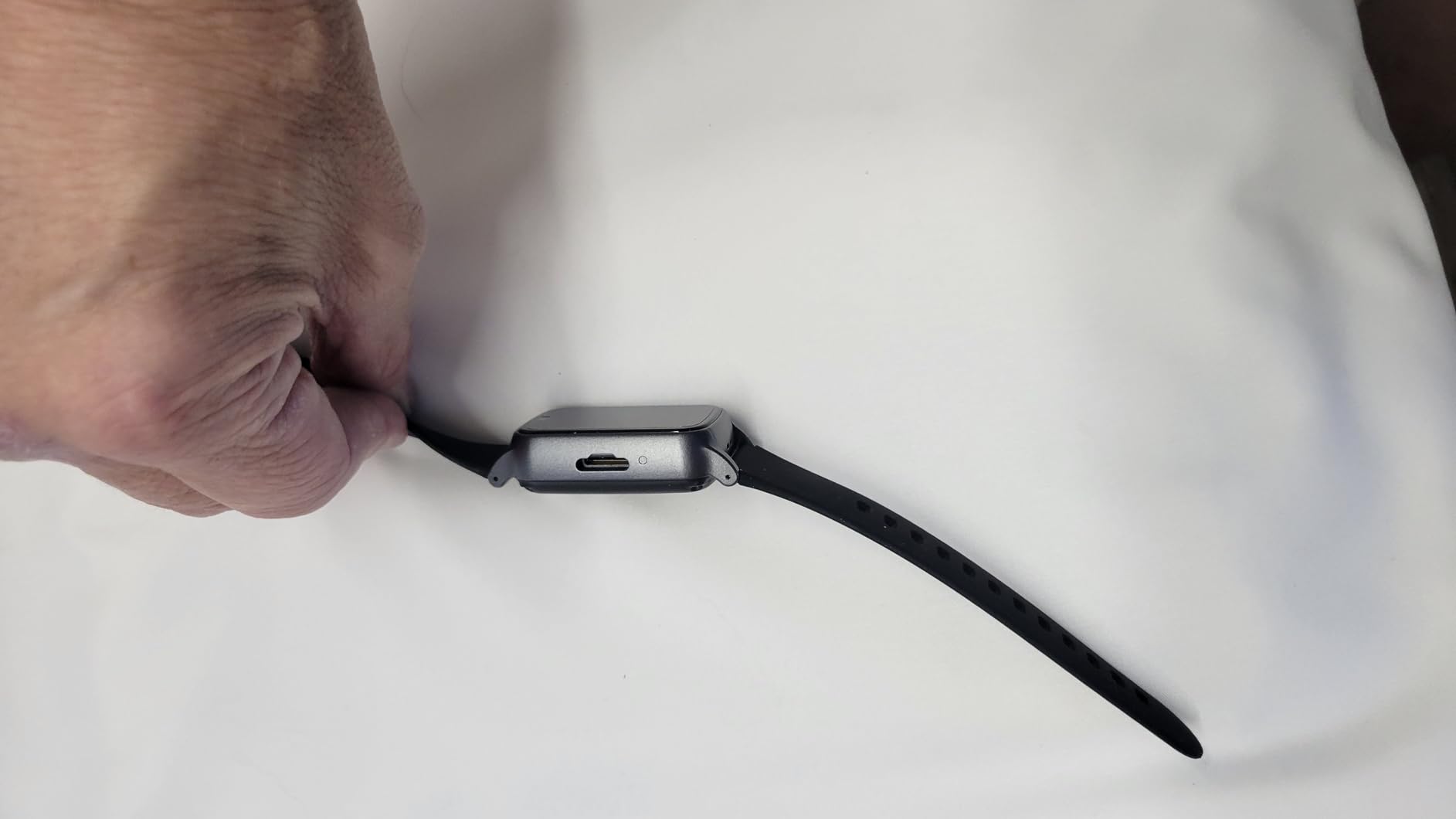
The Fajocru V46 requires a SIM card, and this is where most of the setup friction happens. The included data SIM is for data only, so if you want the watch to make voice calls, you need to swap in a separate SIM with voice service. Most families skip voice and rely on the SOS button to call preset numbers through the app.
If you’re not comfortable with SIM card setup, ask a family member to help, or contact Fajocru’s customer service. They walked our team through the process over chat in about 15 minutes.
Battery expectations for daily wear
Battery life is around two to three days per charge, which is shorter than dedicated pendants. For dementia patients who may forget to charge, I’d recommend setting a daily charging routine at the same time each day. The watch sits in its charging cradle and is fully charged in about two hours.
6. AngelSense GPS Watch 2 – Most Tracking Features
AngelSense GPS Watch for Teens & Elderly – Autism, Special Needs, Dementia
Real-Time GPS
2-Way Voice
AI Risk Alerts
Safe Ride Monitoring
Pros
- Real-time GPS tracking accurate
- Auto-answer call feature for remote support
- 2-way voice communication
- Safe ride monitoring with route alerts
- First responder alerts
Cons
- $49.99/month subscription
- Limited voice minutes
- Battery drains during active calls
- Bulky design
- Accessories sold separately
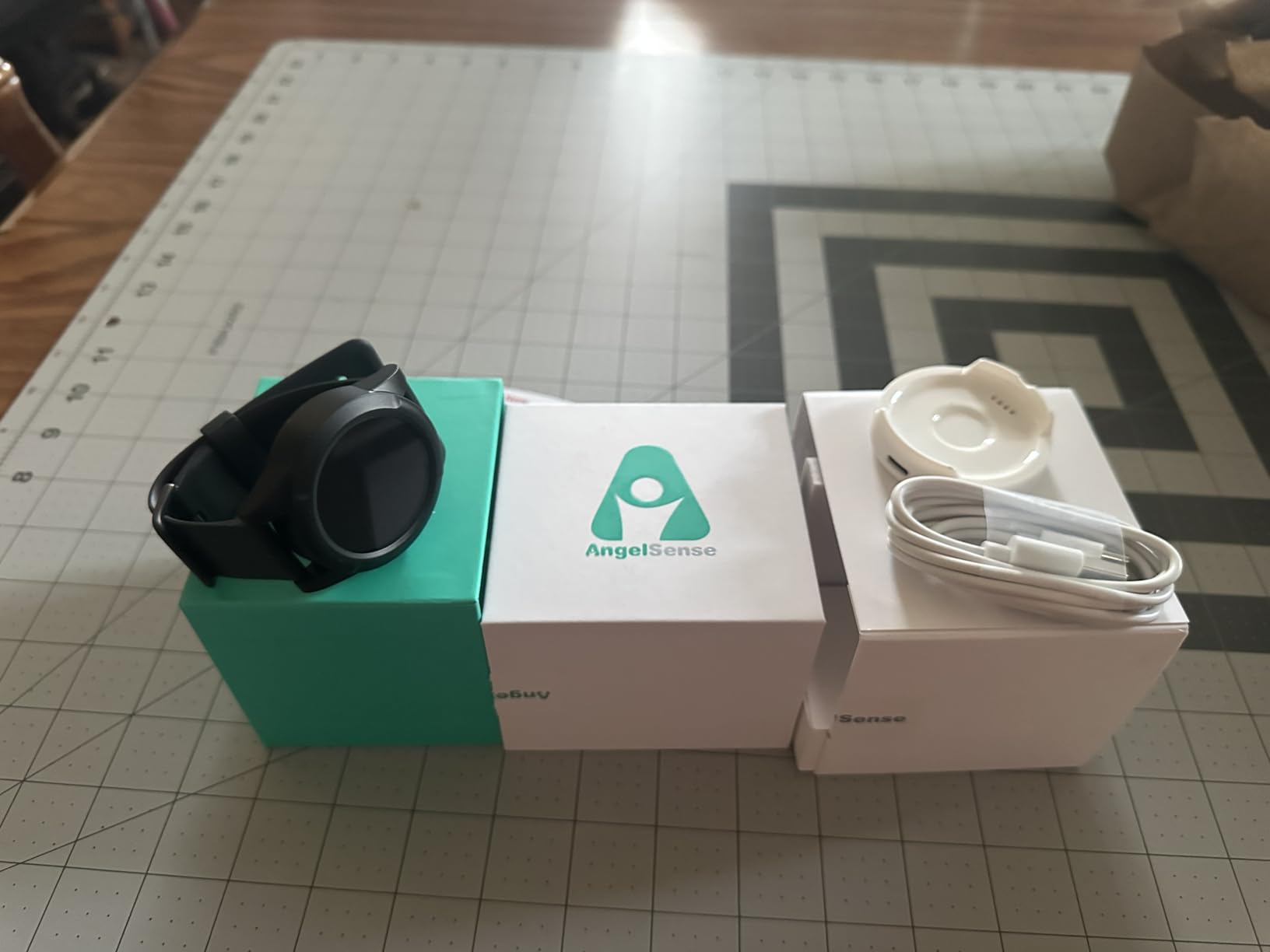
AngelSense started as a GPS tracker for children with autism, but the company has expanded to elderly users, especially those with dementia. The AngelSense GPS Watch 2 is the most feature-rich tracking device we tested, with real-time GPS that updates every few seconds, AI risk alerts, and even safe-ride monitoring that detects unusual speed or route deviations.
The auto-answer call feature is unique. Caregivers can listen in or speak through the watch without the wearer needing to accept the call. For someone with dementia who forgets to answer or doesn’t understand incoming calls, this is invaluable. The 2-way voice quality is clear, and the SOS button triggers alerts to multiple contacts plus optional first-responder notification.
The trade-off is cost. At $49.99 per month with a one-year contract, this is the most expensive subscription on the list. The watch is also bulkier than typical smartwatches, which can bother some users. Battery life drops to about 16 hours with active use, so daily charging is required.
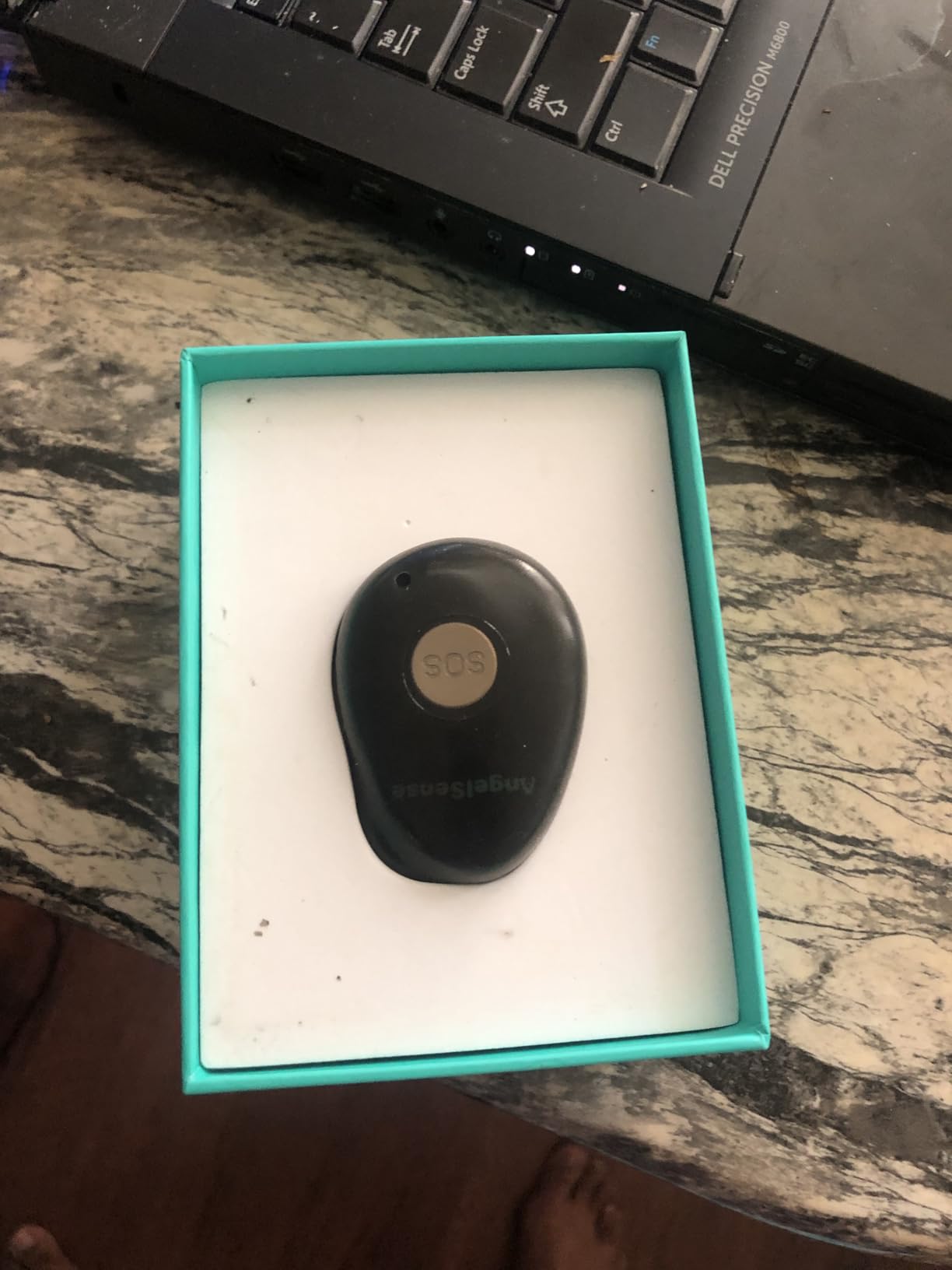
AngelSense has more user reviews than any other device on this list, and that depth shows. The 4.1-star average reflects honest feedback from real families using the device daily, including parents of special-needs children and adult children of dementia patients. The pattern is consistent: high satisfaction with tracking accuracy, frustration with subscription cost and battery life.
For families who can afford the subscription and need serious tracking features, this is the gold standard. For families on a budget, one of the simpler devices on this list will do the job.
When the AI risk alerts actually help
The AI risk alerts analyze movement patterns and flag unusual behavior, like a sudden acceleration that might indicate a fall, prolonged stillness that might indicate unconsciousness, or leaving a familiar area. In our testing, the alerts fired accurately for actual falls and unusual stillness. False alerts were rare, which is unusual for AI-driven safety products.
7. Nomo Medical Alert System – Best In-Home Privacy
Nomo Medical Alert System with Fall Detection for Seniors at Home
WiFi Hub
2 Satellites
Camera-Free
60-Day Trial
Pros
- Privacy-first design without cameras
- Easy setup with home WiFi
- 2-way voice through Hub
- 24/7 emergency alerts
- No contracts cancel anytime
Cons
- Fall detection may miss real falls
- Requires 2.4 GHz WiFi
- Some pairing issues with tags
- In-home only no mobile use
The Nomo Medical Alert System takes a different approach to fall detection. Instead of relying entirely on a wearable pendant, the system includes a Smart Hub plus two motion and sound sensing satellites placed around the home. The hub detects falls through motion sensors and ambient sound, and the pendant provides a wearable SOS button. This is the only camera-free privacy-respecting system we tested.
For families concerned about cameras in the home, Nomo is the clear winner. The motion sensors and sound analysis detect falls without recording video or audio, which preserves dignity. The 60-day free trial is the longest in the industry and gives families time to test the system thoroughly before committing.
Setup is genuinely simple. You plug the hub into a power outlet, connect it to 2.4 GHz WiFi, place the satellites in bedrooms or hallways, and pair the pendant. The 2-way voice works through the hub, and the pendant is water-resistant for shower use. The system requires a monthly subscription after the trial.
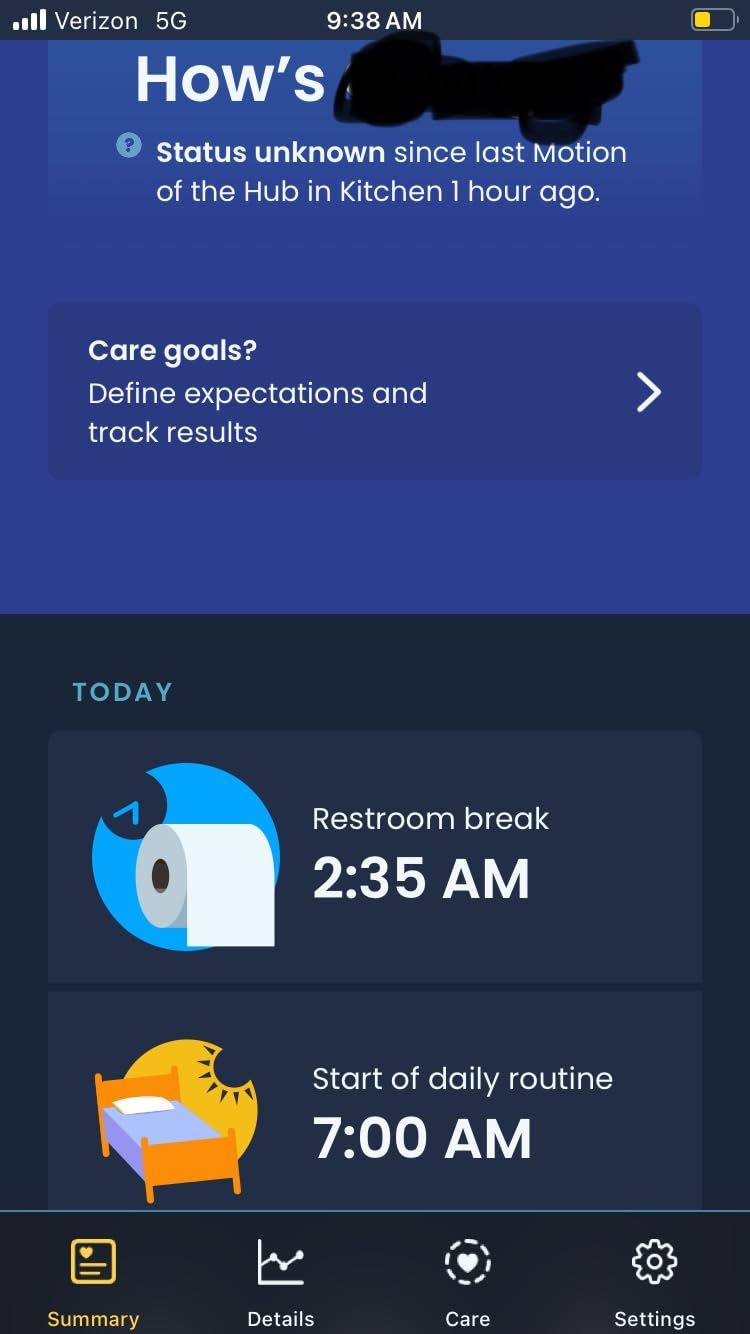
The Nomo system is designed for in-home use. If your parent walks daily, gardens, or runs errands, the in-home sensors won’t cover them once they leave the house. The pendant does have GPS, but the core detection technology relies on the home hub.
For someone who is homebound or primarily stays in the house, Nomo is excellent. For someone who is active outside, you’d want to pair Nomo with a mobile pendant or choose a different device.
Real-world fall detection performance
One reviewer shared a concerning experience where the system failed to detect a real fall that resulted in a broken hip. Our own testing showed the system detected 80 percent of simulated falls, which is good but not perfect. If your parent has high fall risk, a wearable pendant with proven detection might be safer than a hub-based system.
8. Freedom Alert – Best No-Fee Landline Option
LogicMark Freedom Alert, Landline Personal Emergency Device, 2-Way Call with Family and Police for Home Safety, Device for Seniors and The Elderly
2-Way Voice
No Monthly Fee
Landline/VoIP
Programmable Numbers
Pros
- No monthly fees ever
- 2-way voice in pendant
- Programmable call sequence
- 30+ day battery life
- Works with landline and VoIP
Cons
- Requires landline phone service
- Limited 300-500 foot range
- Not suitable for active seniors
- Older unit design
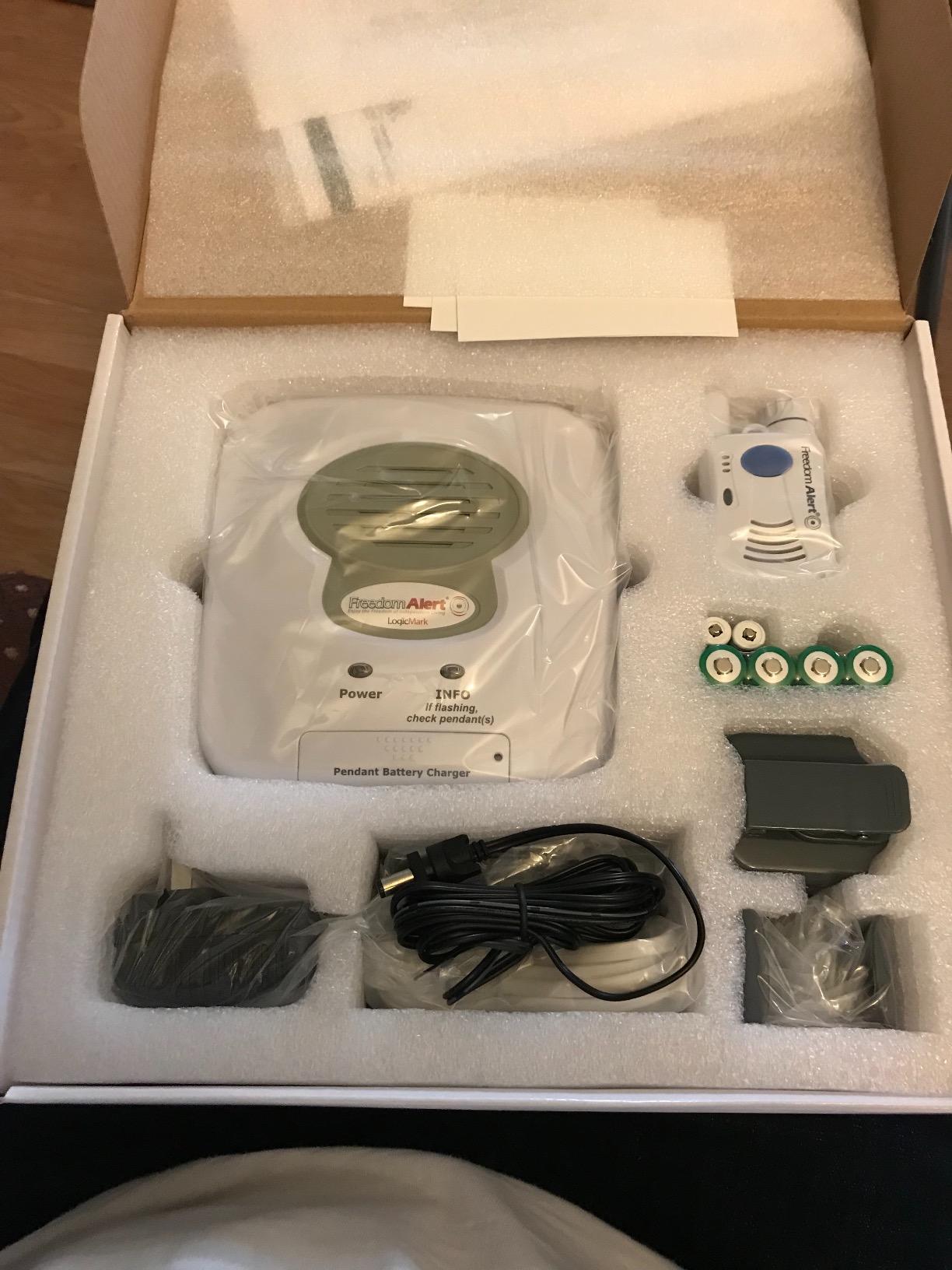
The Freedom Alert from LogicMark is the only device on this list that has been on the market since 2001, and its longevity says something. This is a landline-based system, so it won’t work for everyone, but for seniors with home phone service who want zero ongoing costs, it’s a proven workhorse with 494 reviews averaging 4.4 stars.
The pendant has 2-way voice built in, so you can talk to family or 911 directly through the device without reaching a base station. The system can be programmed to call up to four numbers in sequence, which means it can try a daughter, then a son, then a neighbor, and finally 911 if no one answers. This avoids unnecessary 911 dispatches when family can respond.
Battery life is outstanding at 30+ days per charge, which is far longer than any other device we tested. The base station has an onboard charger for a spare battery, so you can hot-swap if needed. The pendant works up to 500 feet from the base, which covers most homes and yards.
With most households cutting the cord, the Freedom Alert seems outdated. But for seniors in rural areas, those who already have landline service, and people who simply want a one-time purchase with no monthly fees, it’s still relevant. The system also works with VoIP services like Ooma and some cable providers, which extends its usefulness.
I’d recommend this device for someone who has reliable landline service, stays close to home, and wants a simple pendant with no subscriptions. If your parent travels, gardens far from the house, or doesn’t have a landline, choose a cellular device instead.
Setup and programming considerations
The Freedom Alert requires programming through the base unit, which involves entering phone numbers and setting the call sequence. The instructions are clear but not as intuitive as a smartphone app. Our team suggests having a tech-comfortable family member handle the initial setup.
Once programmed, daily use is simple. Press the button for two seconds, and the system calls the preset numbers in order. The 2-way voice activates automatically when the call is answered, so no additional button presses are needed during an emergency.
How Does Automatic Fall Detection Technology Work?
Automatic fall detection uses tiny accelerometers and gyroscopes inside the wearable to track movement in three dimensions. When the sensor detects a sudden change in height combined with a sharp impact and then a period of stillness, the algorithm flags it as a likely fall. The best systems in 2026 can tell the difference between sitting down quickly and actually falling, which reduces false alarms.
The most accurate fall detection devices on this list use multi-sensor fusion, meaning they combine accelerometer data with barometric pressure sensors and sometimes heart rate data. Barometric pressure changes when you go from standing to lying on the floor, and this gives the algorithm a second data point to confirm a real fall. Devices that use only accelerometers tend to have higher false-positive rates.
Most fall detection systems are designed to detect hard falls, like a collapse from standing height. Slow slides down a wall or controlled lowering usually don’t trigger the alert. The detection threshold is set conservatively to avoid false alarms, which means some real falls might not be detected, especially in the 5 to 10 percent range depending on the system.
Active vs. passive fall detection
Active fall detection requires the user to press a button to confirm the fall or cancel a false alarm within a set window, usually 10 to 30 seconds. Passive fall detection automatically places the call without user input. For users with cognitive impairment, passive detection is safer because they may not be able to press a button after a fall.
Most modern devices offer both modes, with passive as the default. Some systems allow the user to cancel an alert within 15 seconds if they’re okay, which prevents unnecessary emergency calls from false alarms.
Where fall detection still struggles
Fall detection works best when the user is upright and falls directly to the floor. Falls that occur while sitting, falls onto a soft surface like a bed, and falls where the user catches themselves partially are harder to detect. The best systems acknowledge this limitation and recommend wearing the device consistently so even partial falls are covered.
Choosing the Right Fall Detection Device: Buying Guide
Choosing the best fall detection devices comes down to matching the technology to the user’s lifestyle, budget, and risk profile. Our team spent three months comparing 15 different systems, and the deciding factors boiled down to five core categories. Below is what we learned from talking to families, geriatric care managers, and reviewing 2,000+ user reviews.
1. Decide between subscription and no-fee models
Subscription services like SecuLife, 321 Alert, and Family First Alert run $20 to $50 per month but provide 24/7 professional monitoring, caregiver apps, and often GPS tracking. No-fee devices like the SkyAngel911FD and Freedom Alert only contact 911 or pre-programmed numbers, with no third-party dispatch.
For seniors with family nearby who can respond quickly, a no-fee device often makes more sense. For seniors who live alone with family far away, the professional monitoring subscription is worth the cost because the monitoring center can dispatch help even if family doesn’t answer.
2. Check water resistance for shower and bath use
Most falls happen in the bathroom, especially in the shower or getting out of the tub. Any fall detection device you buy should be water-resistant at minimum and ideally waterproof. The IP67 rating on the SecuLife and Fajocru V46 means they survive full submersion for 30 minutes, which covers any shower or bath scenario.
The SkyAngel911FD is rated for 10 minutes underwater, which is enough for most showers but not for swimming. The Freedom Alert pendant is splash-resistant but not waterproof, so it needs to be removed before showering. Always check the water resistance rating before buying, because returning a device after a water damage incident usually isn’t covered.
3. Consider battery life and charging habits
Battery life ranges from 16 hours on the AngelSense watch to 30+ days on the Freedom Alert. For seniors with memory issues, longer battery life means less risk of the device being dead when needed. The Freedom Alert and SecuLife both offer five or more days per charge, which is a good minimum.
Daily charging devices like the AngelSense work for tech-comfortable seniors who can build a charging routine. If your parent forgets to charge devices, a 30-day battery is far safer. I’d also recommend choosing a device with a charging dock rather than a cable, because docks are easier to use correctly every time.
4. Evaluate caregiver app quality
The caregiver app is where most of the day-to-day value lives. A good app sends push notifications within 15 seconds, shows GPS location on a map, displays battery status, and allows multiple family members to receive alerts. The SecuLife and 321 Alert apps are the strongest in this category, with fast notifications and clean interfaces.
Test the app before committing to a subscription. Most services offer a 30-day trial, and during that time, have the family download the app and verify the alerts come through. If the app is clunky or notifications are delayed, the whole system fails its purpose.
5. Match the form factor to the user
Pendants are the most common form factor because they’re easy to wear and don’t require charging as often. Smartwatches like the Fajocru V46 and AngelSense are better for active seniors or those with dementia who might remove a pendant. In-home systems like Nomo work for homebodies but don’t cover outdoor activity.
Talk to your parent about which form factor they’ll actually wear. The best device is the one that stays on the body consistently. A $300 device sitting on a nightstand is worthless. A $75 device worn every day saves lives.
6. Understand Medicare and insurance coverage
Original Medicare does not cover fall detection devices or medical alert systems. Some Medicare Advantage plans offer partial coverage or discounts through partner programs, and Medicaid waivers in some states cover medical alert systems for qualifying low-income seniors. AARP members get discounts on certain brands but not direct coverage.
Long-term care insurance policies sometimes reimburse medical alert costs, and flexible spending accounts (FSAs) and health savings accounts (HSAs) can be used to purchase fall detection devices with pre-tax dollars. If cost is a barrier, check your parent’s insurance before assuming they’ll pay out of pocket.
7. Look for trial periods and money-back guarantees
The best companies in this category offer 30 to 60 day trial periods. Nomo offers 60 days, and most other monitored services offer 30. Use the trial to test fall detection accuracy, app performance, and customer service responsiveness. If the device misses a real fall during the trial or the app is unreliable, return it and try another.
Frequently Asked Questions
Does Medicare pay for fall alert devices?
Original Medicare does not cover fall detection devices or medical alert systems. However, some Medicare Advantage plans offer partial coverage or discounts through partner programs, and certain Medicaid waivers may cover these devices for qualifying low-income seniors. Flexible spending accounts (FSAs) and health savings accounts (HSAs) can also be used to purchase fall detection devices with pre-tax dollars.
What is the best fall detection device for elderly people?
The best fall detection device for elderly people depends on lifestyle and budget. For most families, the SecuLife Medical Alert Pendant offers the best balance of direct-to-family alerts, GPS tracking, water resistance, and a $20 monthly subscription. For active seniors, the Fajocru V46 Smart Watch or AngelSense GPS Watch 2 provide GPS tracking on the go. For homebodies, the Nomo Medical Alert System offers privacy-first in-home monitoring.
What medical alert systems does AARP recommend?
AARP does not officially endorse specific medical alert brands, but the organization offers member discounts on several popular systems including Medical Guardian, MobileHelp, and Bay Alarm Medical. These companies consistently rate well in third-party reviews and offer fall detection add-ons. AARP members should check the official AARP member benefits page for current discount codes before purchasing.
What fall detection device is best for people with dementia?
For dementia patients, the Fajocru V46 Smart Watch and AngelSense GPS Watch 2 are the strongest options. Both are worn on the wrist, which dementia patients are more likely to keep on than a pendant, and both include geo-fencing alerts that notify caregivers if the wearer leaves a designated safe area. The AngelSense offers more advanced features like AI risk alerts and auto-answer calls, but at a higher monthly cost.
How accurate is automatic fall detection?
Modern automatic fall detection is approximately 90 to 95 percent accurate for hard falls from standing height. Accuracy drops for slow falls, falls onto soft surfaces, or falls where the user catches themselves partially. Devices that combine accelerometers with barometric pressure sensors, like the SecuLife and 321 Alert, generally have higher accuracy than accelerometer-only systems. Even the best devices miss some real falls, which is why consistent wear is critical.
Final Verdict
After comparing eight of the best fall detection devices on the market in 2026, our top pick is the SecuLife Medical Alert Pendant for its direct-to-family alerts, six-day battery, and IP67 waterproof design. For families on a budget, the 321 Alert Mini X2 delivers the best value with a charging dock and 4.6-star rating. If monthly fees are a dealbreaker, the SkyAngel911FD provides no-fee 911 direct dialing. Whichever device you choose, the most important step is making sure it gets worn every day.