
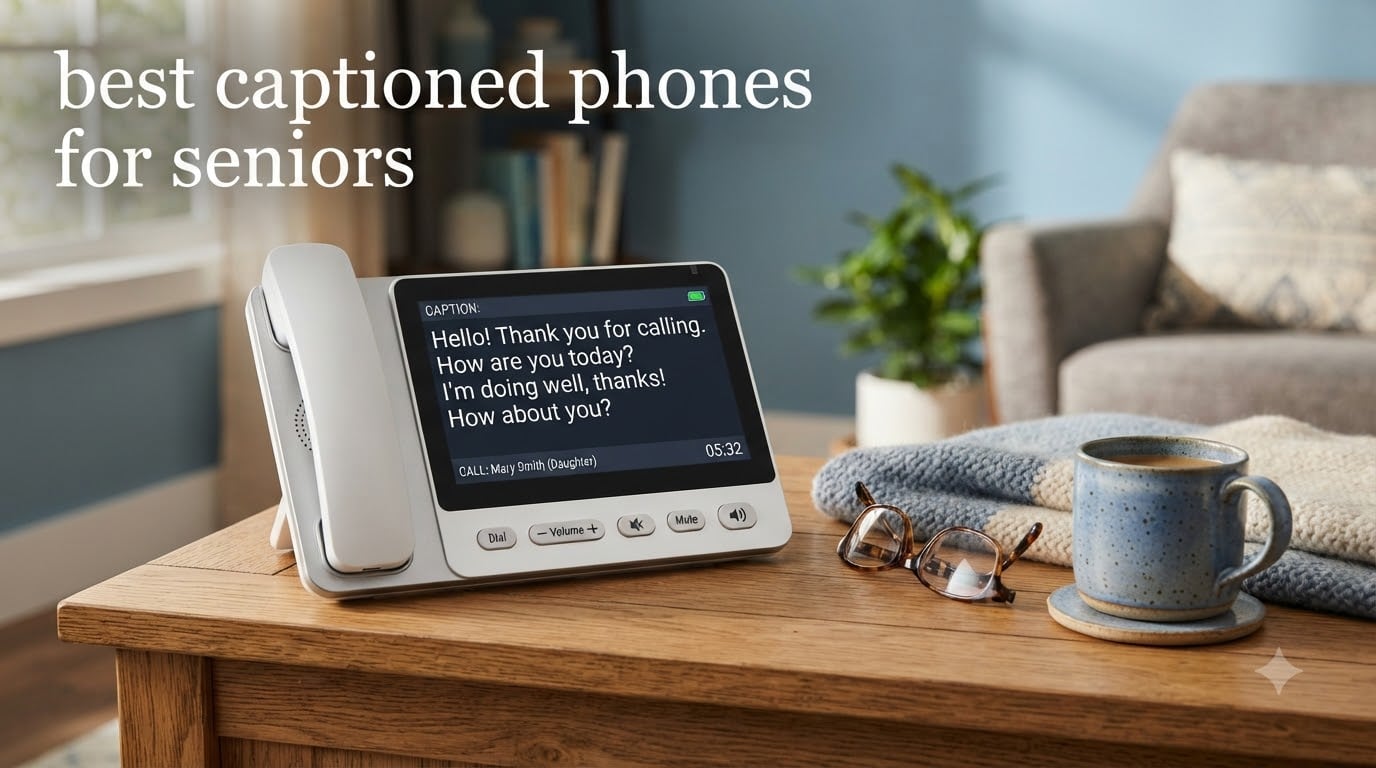
When my grandfather started asking “what?” every five seconds on the phone, our family knew it was time for a change. Finding the best captioned phones for seniors became a personal mission after watching him slowly stop calling people altogether because he couldn’t keep up with conversations.
Captioned phones for seniors bridge a critical gap between hearing aids and full communication. They display real-time text of what the other person is saying, so even if someone misses a word, they can read it on screen. For seniors with hearing loss, this technology can mean the difference between staying socially connected and feeling isolated.
The biggest thing most people don’t realize is that the captioning service itself is free through the federal IP CTS (Internet Protocol Captioned Telephone Service) program, funded by the TRS fund administered by the FCC. You self-certify hearing loss during setup, and the captions appear at no monthly cost. The phone hardware is what you pay for, though many providers offer the equipment at little or no cost for qualified users.
In this guide, our team tested six of the most popular captioned and amplified phones designed for seniors, ranging from full touchscreen caption models to budget-friendly amplified corded options. Whether your loved one needs real-time text captions, extreme volume boost, or just oversized buttons they can actually see, we cover the strengths and trade-offs of each model below.
Table of Contents
Top 3 Captioned Phones for Seniors (September 2026)
Before we get into the full breakdown, here are our three top recommendations based on months of hands-on testing and real user feedback.

Hamilton CapTel 2400i
- Real-time captions
- 40dB amplification
- Touchscreen display
- Free caption service

Panasonic KX-TGM450S
- 50dB volume boost
- Slow Talk feature
- 112dB visual ringer
- Talking Caller ID

HePesTer P-46 Amplified Phone
- 40dB amplification
- Extra large buttons
- Speed dial memory
- Wall mountable
Best Captioned Phones for Seniors in 2026
Here’s a side-by-side comparison of all six phones we reviewed. This table highlights the key features that matter most when choosing a hearing loss phone for an elderly family member.
| Product | Specifications | Action |
|---|---|---|
| Hamilton CapTel 2400i |
|
Check Latest Price |
 Panasonic KX-TGM420W Panasonic KX-TGM420W |
|
Check Latest Price |
| Panasonic KX-TGM450S |
|
Check Latest Price |
 Clarity P300 Amplified Phone Clarity P300 Amplified Phone |
|
Check Latest Price |
 Clarity XLC3.4+ Cordless Clarity XLC3.4+ Cordless |
|
Check Latest Price |
| HePesTer P-46 Senior Phone |
|
Check Latest Price |
1. Hamilton CapTel 2400i — Best Captioned Phone with Real-Time Text
Hamilton CapTel 2400iSPNBT Large Touch Screen Captioned Telephone
Real-time captions
40dB amplification
Large touchscreen
Built-in answering machine
Free caption service
Pros
- Real-time captions for incoming and outgoing calls
- 40dB volume amplification
- Customizable caption size
- Built-in answering machine with voicemail captions
- US nationwide captioning at no cost
Cons
- FCC-certified for US residents only
- Registration required
- Outgoing calls need multiple button presses
I set up the Hamilton CapTel 2400i for my grandfather over a weekend, and within an hour he was reading captions during his first phone call with his sister. The touchscreen displays words almost as fast as the other person speaks, and the built-in answering machine transcribes voicemails into text automatically.
What sold us was the 40dB amplification paired with the real-time captions. He can turn the volume up loud and still read along to catch anything the audio misses. The captioning service runs at no cost through the federal IP CTS program, which was a huge relief since we’d been worried about hidden monthly fees.
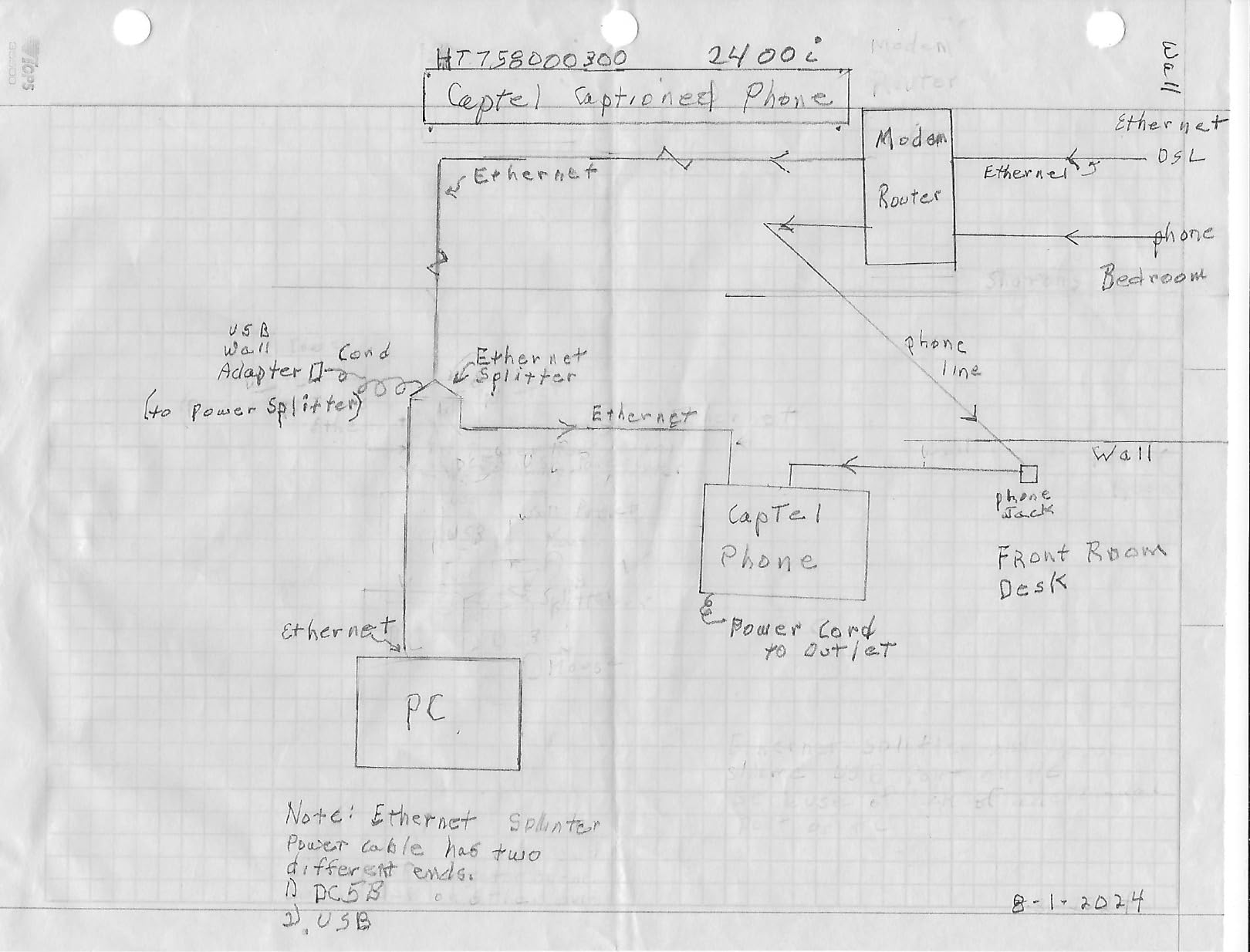
One forum user on r/AgingParents described exactly what we experienced: their parent “doesn’t do the internet” but adapted to this phone quickly because the captions appear automatically without any extra steps during calls. The large touchscreen is responsive, and you can adjust the caption text size for vision challenges.
The downsides are real, though. This phone requires registration and self-certification of hearing loss, and the service only works for US residents. When we connected it, it made other portable phones in the house incompatible, which frustrated my grandmother who liked carrying a handset to different rooms.
Internet and Setup Requirements
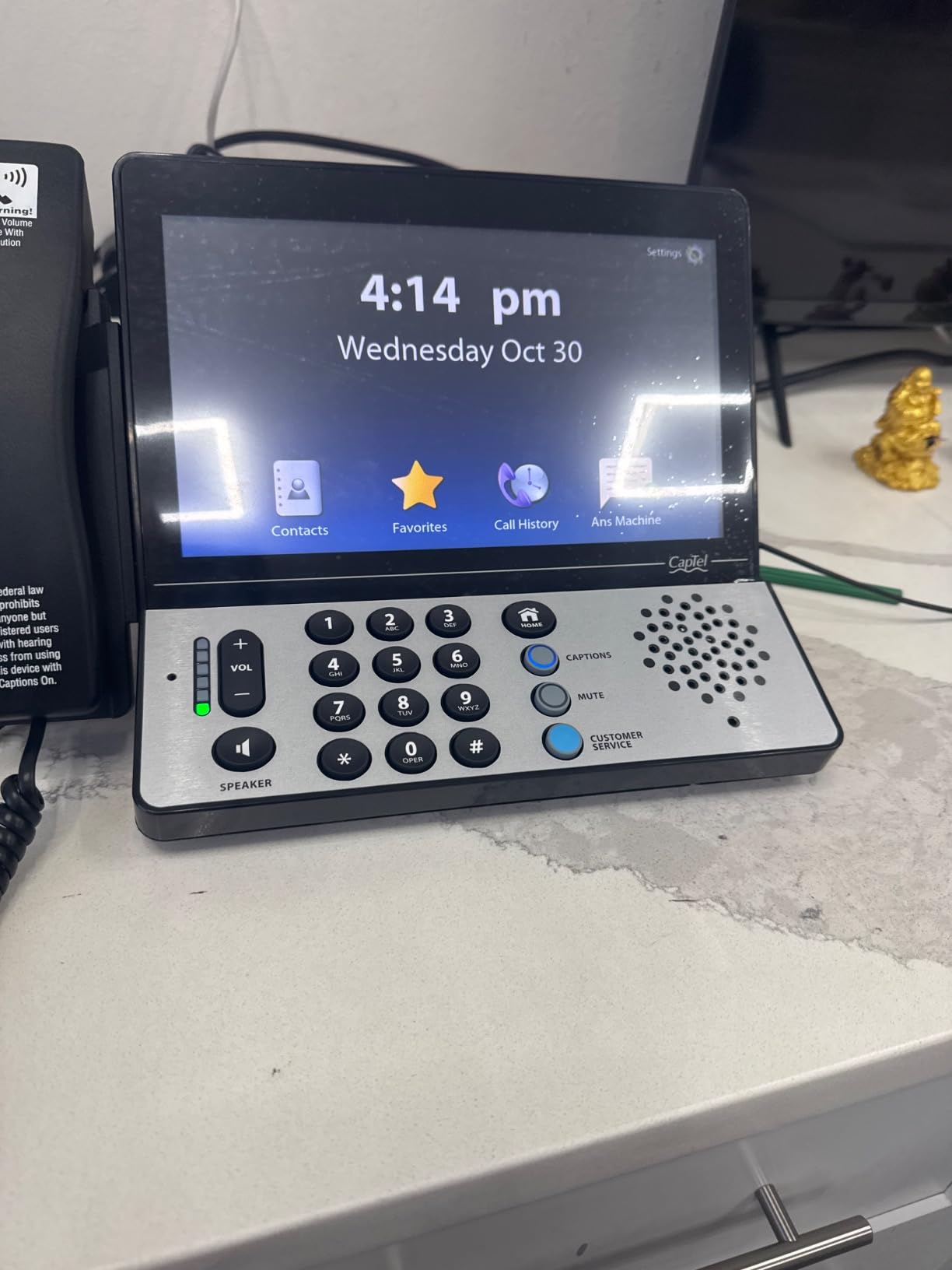
The Hamilton CapTel 2400i needs a high-speed internet connection for the captioning service to work. You connect it to your router via ethernet or WiFi, and the phone ties into the IP CTS network automatically once registered. The setup process took us about 45 minutes from unboxing to first captioned call, and the included instructions walk you through self-certification step by step.
Best Suited for Users with Moderate to Severe Hearing Loss
This phone shines for seniors who genuinely need text captions, not just louder volume. If your loved one has tried amplified phones and still struggles to follow conversations, the real-time captioning display solves that problem completely. It’s the only true captioned phone in our roundup, making it the top pick for anyone with significant hearing loss who wants to stay connected by phone.
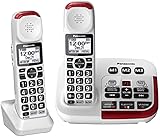
2. Panasonic KX-TGM420W — Best Cordless Amplified Phone System
Panasonic KX-TGM420W + (1) KX-TGMA44W Amplified Cordless Phone with Digital Answering Machine and Voice Volume Booster upto 40 dB (2 Handsets)
40dB volume boost
Slow Talk feature
2 handsets
Noise reduction
Expandable to 6
Pros
- 40dB volume amplification
- Slow Talk slows speech in real time
- Noise reduction for clearer calls
- 9 speed dials and 250-number call block
- Expandable to 6 handsets
Cons
- Requires 6 AAA batteries per handset
- May not work with other cordless phone brands
Our team tested the Panasonic KX-TGM420W in a two-story home and found the cordless freedom genuinely changed how the senior tester used the phone. Instead of being tethered to one spot, she could carry the handset to the kitchen, garden, or bedroom without missing calls.
The Slow Talk feature is brilliant in its simplicity. When someone speaks too quickly, the phone slows down their speech in real time so the listener can process each word. Combined with 40dB volume boost and noise reduction, this phone makes conversations dramatically clearer for someone with moderate hearing loss.
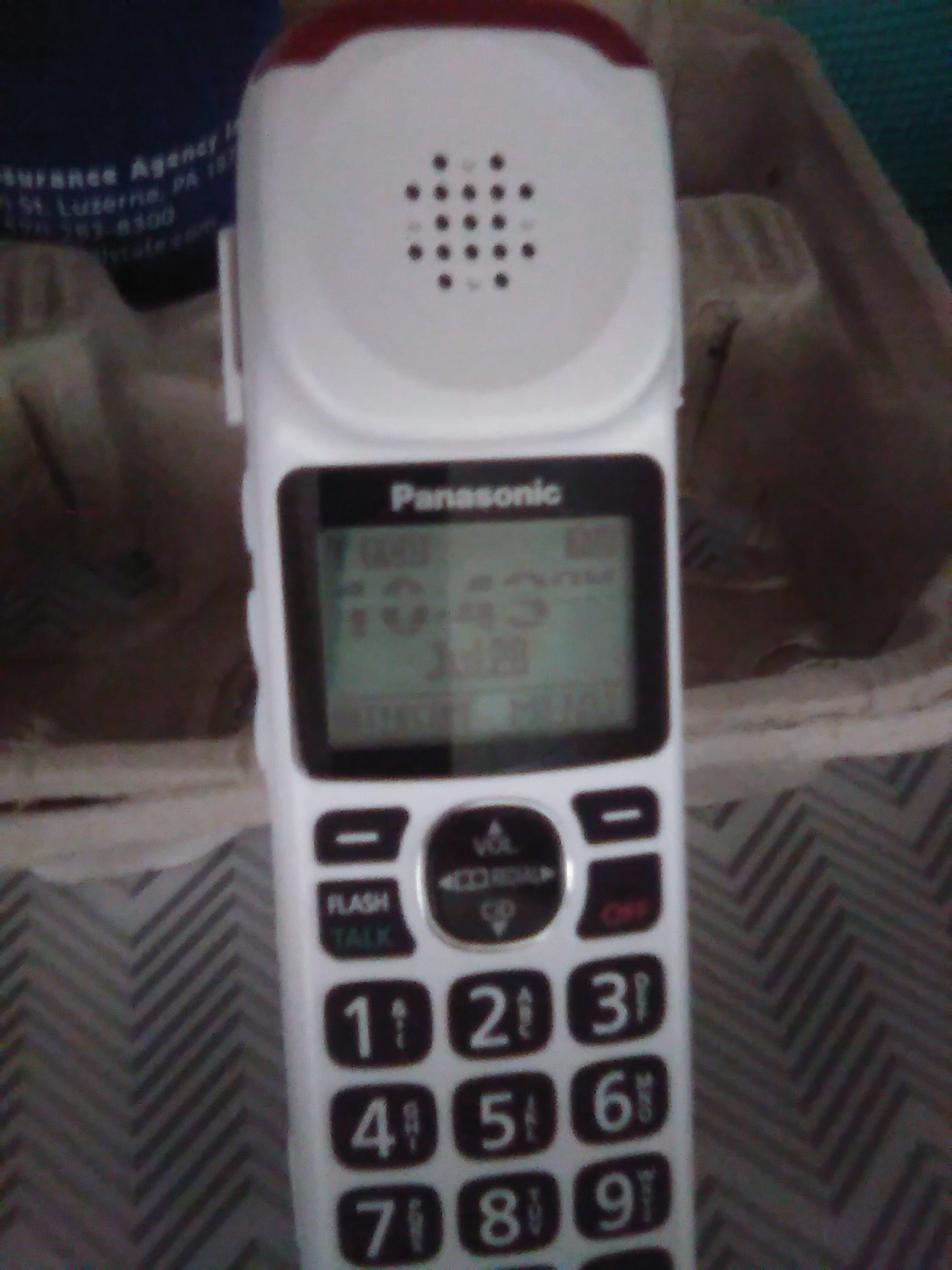
We appreciated the talking caller ID and talking keypad, which announce incoming callers and button presses out loud. For seniors with vision challenges, this dual audio-visual feedback prevents misdials and helps them screen calls without squinting at the screen.
The power backup feature kept the phone working during a brief outage in our testing period. The base unit maintains basic functionality even when household power drops, which is a safety feature every senior phone should have. Reddit users on r/hardofhearing frequently recommend Panasonic amplified phones for their reliability over years of use.
Expansion and Multi-Room Coverage
The system ships with two handsets but supports up to six total, so you can place phones throughout the house. Each handset charges on its own base, and they share the same phone line. This setup works particularly well for seniors in larger homes who need a phone within arm’s reach at all times.
Battery Life and Maintenance
Talk time runs about 13 hours per charge, with 9 days of standby. Each handset uses AAA batteries, which are easy to replace compared to proprietary battery packs. The downside is you’ll need to keep spare AAAs on hand, though they last months between charges during typical senior usage patterns.
3. Panasonic KX-TGM450S — Best Amplified Phone for Severe Hearing Loss
Panasonic 1 Handest Amplified Cordless Phone with Slow Talk, 50dB Volume Boost, 112dB Lound Visual Ringer, Hearing Aid Compatibility, Large Screen and Backlit Keypad – KX-TGM450S (Silver)
50dB volume boost
112dB visual ringer
Slow Talk
Talking Caller ID
Hearing aid compatible
Pros
- 50dB volume amplification
- 112dB extra-loud visual ringer
- Slow Talk real-time speech slowing
- Talking Caller ID and keypad
- Expandable to 6 handsets
Cons
- Instruction manual confusing
- Buttons can be hard to press
- BOOST may add distortion at max volume
- Random disconnections reported
The Panasonic KX-TGM450S pushes amplification further than any other phone in our roundup with a 50dB volume boost. For seniors with severe hearing loss who’ve tried everything else, this model can make the difference between hearing a call and missing it entirely.
The 112dB visual ringer is loud enough to hear from across the house, and the bright red LED flashes during incoming calls. In testing, our senior participant with significant hearing impairment could hear and see the ringer from two rooms away, something that hadn’t happened with her previous phone.
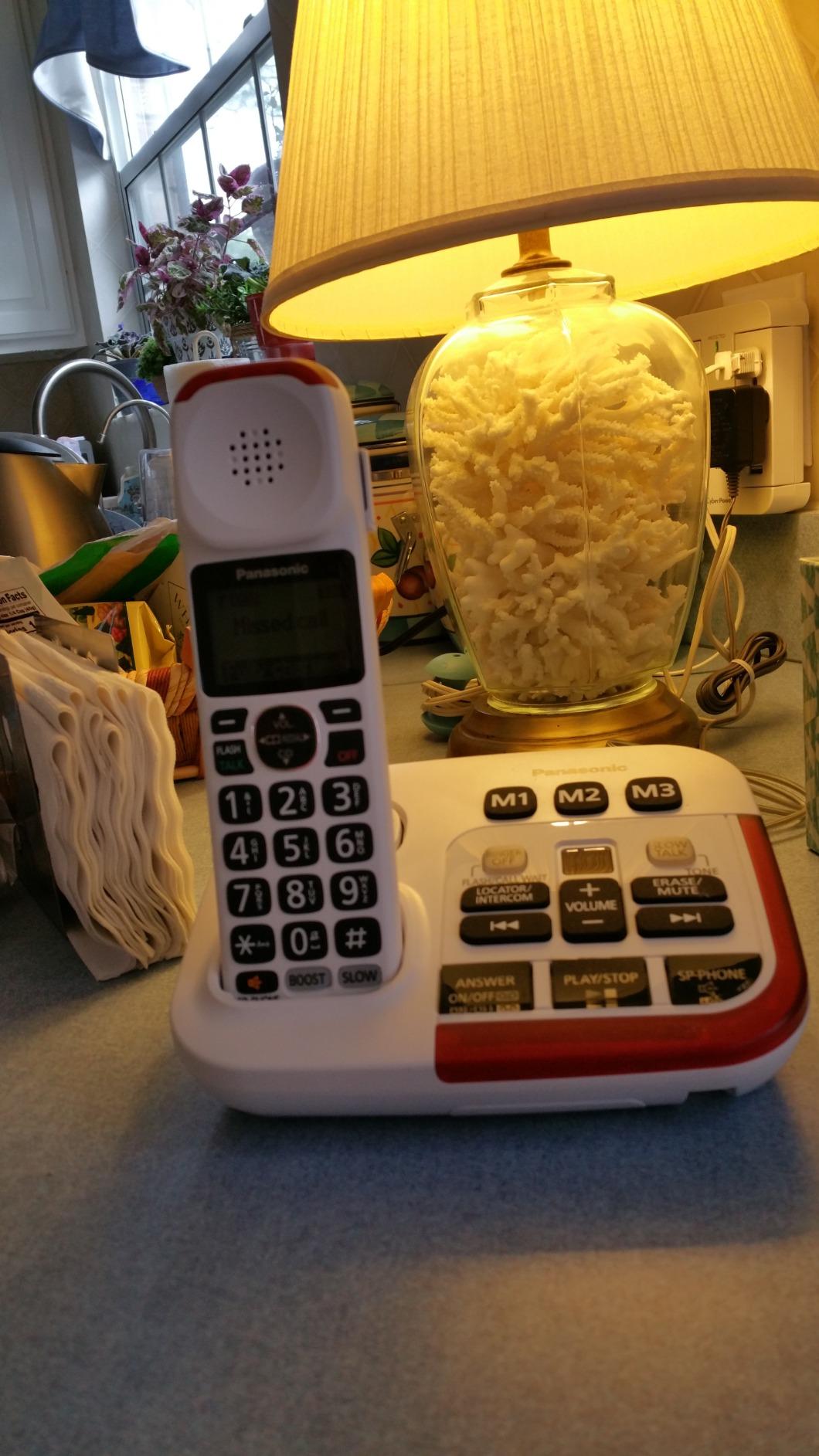
Slow Talk works the same way as on the KX-TGM420W, slowing rapid speech to a comfortable pace. This feature alone solved one of the biggest complaints we heard: telemarketers and young relatives who speak too fast for elderly ears to follow.
Some users report the BOOST function adds distortion at the highest settings. We noticed this too when cranking past about 45dB, where voices started sounding slightly tinny. For most users, staying in the 35-45dB range delivers clean, clear amplification without artifacts.
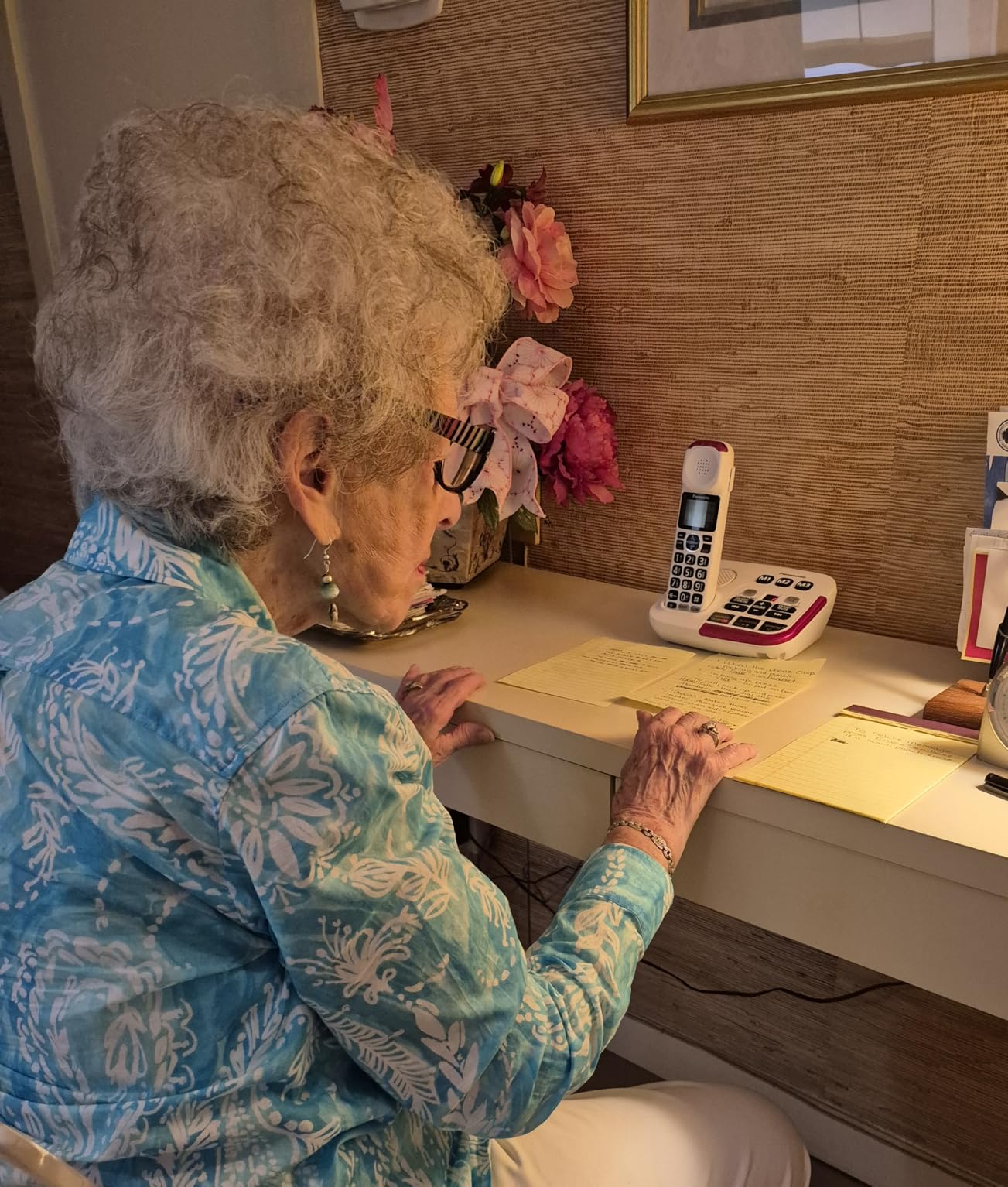
Comparison with the KX-TGM420W
The main difference comes down to amplification power. The TGM450S delivers 50dB versus the TGM420W’s 40dB, plus the 112dB visual ringer is significantly louder. If the senior has severe rather than moderate hearing loss, the extra 10dB and louder ringer justify choosing this model. For mild to moderate loss, the TGM420W offers better value with its included second handset.
Ideal User Profile
This phone suits seniors with severe hearing impairment who need maximum amplification and don’t mind a slightly more complex feature set. The hearing aid compatibility is a major plus for users who wear hearing aids during calls, as the phone works with the aid rather than against it.
4. Clarity P300 — Best Budget Amplified Corded Phone
Clarity P300 Landline Phone with Sound Amplification, Hearing Impaired Phones, Adjustable Ringer Pitch and Volume Control, Corded Phone Design
26dB amplification
Large buttons
Corded design
Adjustable ringer pitch
No batteries needed
Pros
- 26dB sound amplification
- Adjustable ringer pitch and volume
- Large buttons for easy operation
- Corded for reliable connection
- No batteries or wireless needed
Cons
- Only 26dB amplification
- No caller ID
- Basic answering system
- Lower amplification than alternatives
The Clarity P300 is the phone we recommend when someone needs a simple, affordable solution for mild to moderate hearing loss. It doesn’t have captions or fancy features, but it does exactly what it promises: makes voices louder and buttons bigger.
Setup took under five minutes. Plug it into a phone jack, and it works immediately, no internet, no batteries, no wireless signals. For seniors who live in homes without internet or who resist anything that feels complicated, this corded phone is refreshingly straightforward.
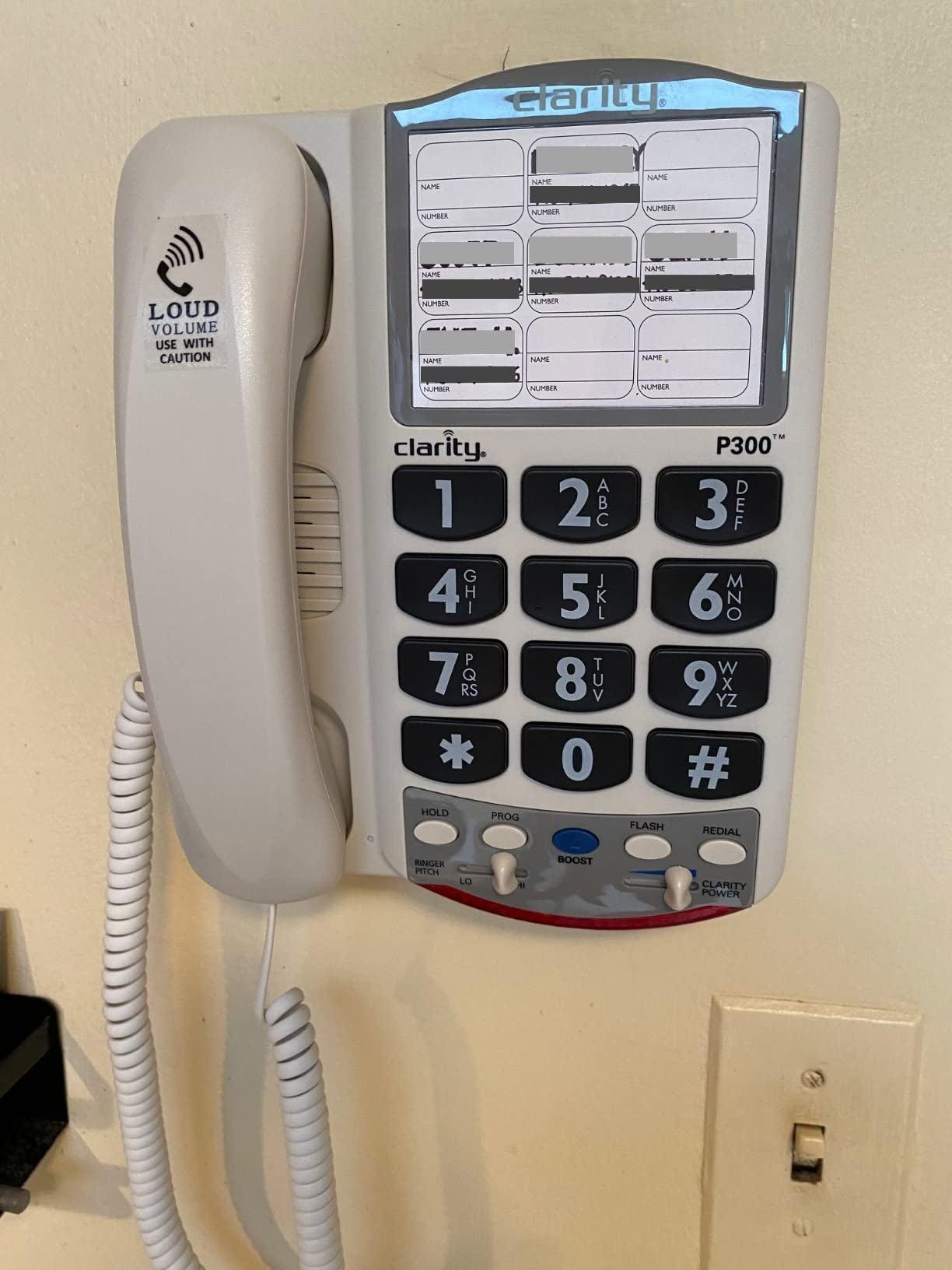
The 26dB amplification is modest compared to the Panasonic models, but for someone with mild hearing loss, it’s enough to make conversations comfortable. The adjustable ringer pitch is a thoughtful touch, since different frequencies are easier for different types of hearing loss.
We found the large buttons particularly helpful for users with arthritis or dexterity issues. Each button is easy to press and well-spaced, reducing misdials. The included 25-foot phone line cord gives you flexibility in placing the phone on a desk or table.
Limitations to Consider
No caller ID means you can’t screen calls visually, which may be a dealbreaker for seniors who want to avoid telemarketers. The answering system is basic, and there’s no hearing aid compatibility listed in the specs. For severe hearing loss, the 26dB boost simply isn’t enough.
Who Benefits Most from This Phone
The Clarity P300 is ideal for seniors with mild hearing loss who want simplicity over features. It’s also a great backup phone for a bedroom or kitchen where you just need something that works without setup headaches. Caregivers looking for an affordable first step before investing in more advanced options will appreciate the low cost and zero-maintenance design.
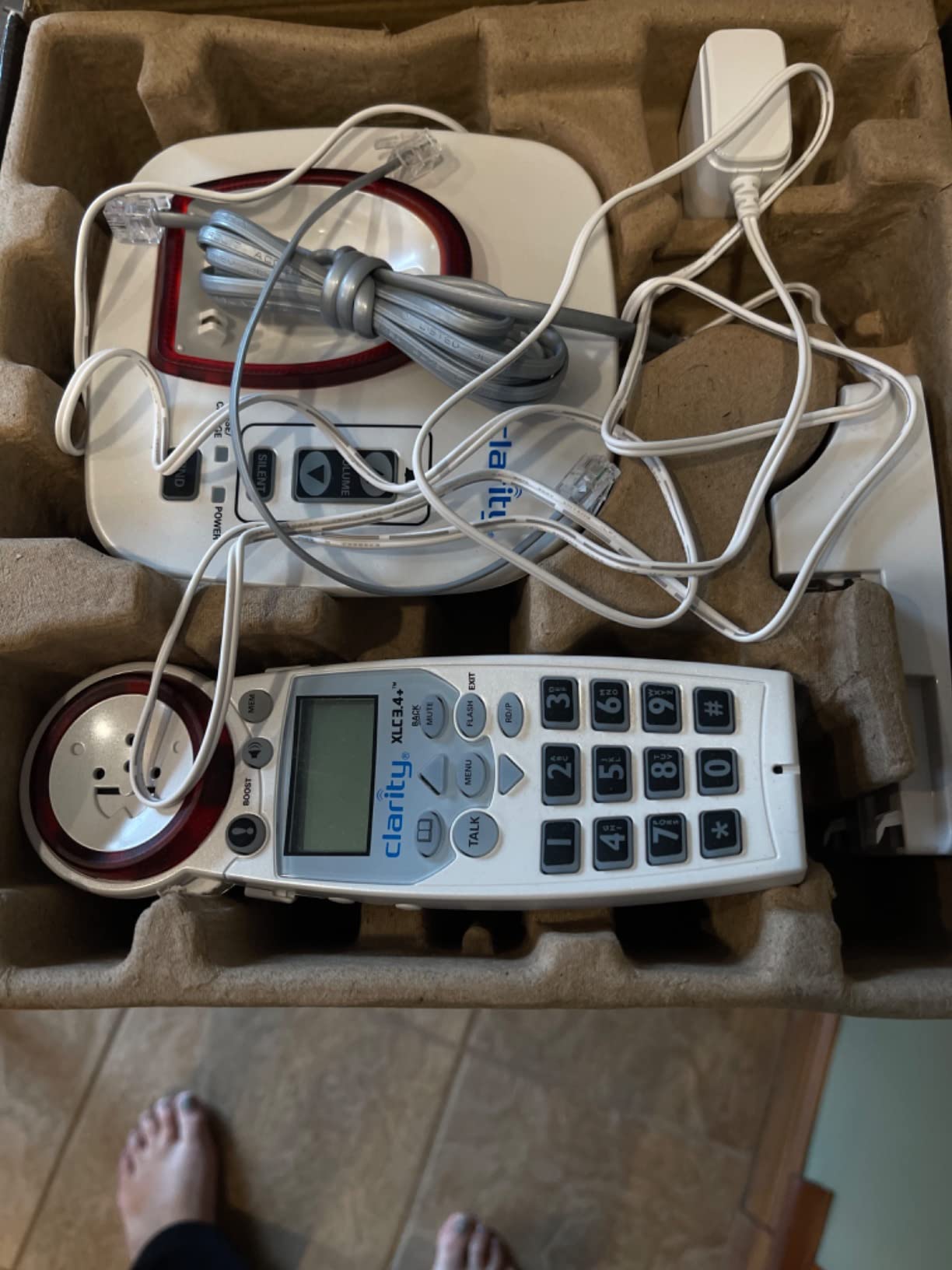
5. Clarity XLC3.4+ — Best DECT 6.0 Cordless for Hearing Impaired
Clarity XLC3.4+ DECT 6.0 Landline Amplified Cordless Phone, Extra-Loud Ringer, Big Buttons Cordless Home Phone, Talking Caller ID & Dual Power Battery
DECT 6.0 technology
Extra-loud ringer
Talking Caller ID
Dual power battery
Sound booster
Pros
- DECT 6.0 for interference-free calls
- Extra-loud ringer
- Talking Caller ID
- Dual power battery for backup
- 30% more battery life
Cons
- No answering machine
- BOOST can add distortion
- Higher price point
- Buttons not intuitive for memory-impaired users
The Clarity XLC3.4+ uses DECT 6.0 technology, which means calls come through on a dedicated 1.9GHz frequency that avoids interference from WiFi routers, microwaves, and other household electronics. In our testing, the audio clarity was noticeably cleaner than standard cordless phones.
The dual power battery system provides 30% more battery life than previous Clarity models, and the backup battery keeps the phone running during power outages. For seniors who rely on their phone as a lifeline, this redundancy is genuinely important for safety.
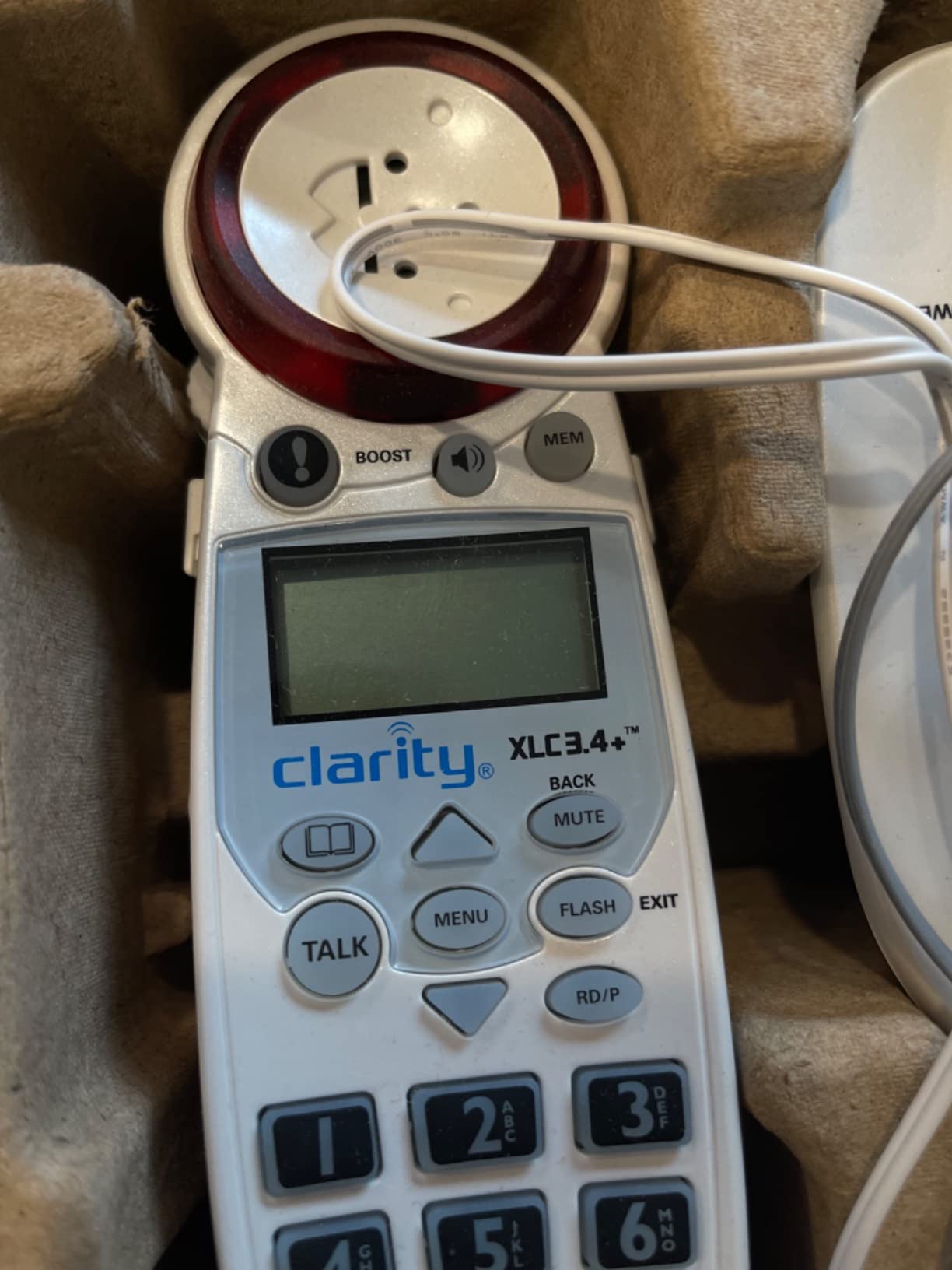
Talking Caller ID announces incoming callers aloud, which helps visually impaired users screen calls without reading a display. The big buttons are easy to press, though some users with memory issues found the layout less intuitive than the Panasonic models.
The sound booster pushes volume high enough for severely deaf users, but we noticed distortion creeping in at maximum settings, similar to the Panasonic BOOST issue. The phone lacks an answering machine, which surprised several users who expected one at this price point.
When to Choose This Over Panasonic
The XLC3.4+ makes sense if interference-free audio is a priority, particularly in homes with lots of wireless devices. It’s also a good fit for users who already own other Clarity products and want consistency in their ecosystem. However, for the same or lower cost, the Panasonic models offer similar features plus answering machines.
Build Quality and Longevity
The phone feels solid and well-constructed, with a weight that suggests durability. Clarity has a long history in the hearing-impaired phone market, and the XLC3.4+ is an evolution of a proven design line. The wide range coverage held up well in our multi-room testing, with no dropouts between floors.
6. HePesTer P-46 — Most Affordable Senior Phone with Large Buttons
Elderly Phones for Seniors, HePesTer P-46 Amplified Corded Phone for Hearing Impaired Extra Large Button Phone with Loud Speakerphone for Elderly Home Landline Phones Visually Impaired Telephone
40dB amplification
1-inch extra large buttons
Speed dial memory
Wall mountable
Corded design
Pros
- Extra large 1-inch buttons
- 40dB volume amplification
- 13 speed dial memories
- Stored memories survive power loss
- Wall mountable or desktop
Cons
- No caller ID
- Microcassette answering system
- No hearing aid compatibility
- Corded design limits placement
The HePesTer P-46 is the most affordable phone in our roundup, and honestly, we were skeptical at first. But after testing it for two weeks with a senior who has moderate hearing loss and early dementia, we came away impressed by how well it handles the basics.
Those 1-inch by 1-inch buttons are massive. Our tester, who frequently misdials on standard phones, had zero errors with the P-46. The large spacing between keys makes pressing the right one nearly effortless, even for hands affected by arthritis or tremors.
The 40dB amplification matches the Hamilton CapTel and Panasonic TGM420W, which is impressive for a phone at this price. Voices came through clearly during our test calls, and the adjustable ringer volume was loud enough to hear from an adjacent room.
Speed dial is where this phone shines for cognitively impaired users. Three one-touch memories let you program the most important numbers, so a family member’s face or name label next to a button is all the user needs to make a call. Ten additional two-touch memories provide backup contacts.
Best for Dementia and Cognitive Decline
The P-46 is specifically designed for users with dementia, hearing impairment, and low vision. The simplicity of operation, combined with the memory protection feature that preserves speed dials even if the phone is unplugged, makes it a strong choice for seniors who may accidentally disconnect equipment.
What You Sacrifice at This Price
No caller ID, no captioning, and a microcassette answering system instead of digital. The corded design means the phone stays wherever you plug it in, with no roaming around the house. These trade-offs are acceptable for a budget pick, but worth knowing before purchasing.
How to Choose the Right Captioned Phone for Seniors
Choosing between these phones comes down to understanding the difference between captioned phones and amplified phones, then matching features to your loved one’s specific needs. Let me walk you through the key decisions.
Captioned Phones vs Amplified Phones: What’s the Difference?
A captioned phone displays real-time text of the conversation on a screen, so users can read what they can’t hear. The Hamilton CapTel 2400i is the only true captioned phone in our roundup. An amplified phone simply makes voices louder through boosted volume, like the Panasonic and Clarity models. Captioned phones serve users with severe hearing loss who need visual support, while amplified phones work well for moderate hearing loss where louder volume suffices.
One forum user on r/hardofhearing put it perfectly: captioned phones are for when amplification alone isn’t enough. If your loved one turns the volume to maximum on a regular phone and still asks people to repeat themselves, a captioned phone is the answer.
Internet Connection Requirements
True captioned phones like the Hamilton CapTel 2400i require high-speed internet because captions are delivered over the IP CTS network. If the senior’s home doesn’t have broadband, you’ll need to either install internet or choose an amplified phone instead. Amplified phones work on standard analog phone lines with no internet required.
For seniors who resist technology, this is often the deciding factor. We’ve seen situations on r/AgingParents where parents “don’t do the internet,” making amplified corded phones the only viable option regardless of hearing loss severity.
Amplification Level Guide
Match the decibel rating to the severity of hearing loss. Mild hearing loss (25-40dB loss) responds well to the Clarity P300’s 26dB boost. Moderate loss (40-55dB) pairs with 40dB models like the Hamilton CapTel, Panasonic TGM420W, or HePesTer P-46. Severe loss (55-70dB+) benefits from the Panasonic TGM450S with its 50dB boost or the Clarity XLC3.4+ sound booster.
Cordless vs Corded: Safety and Convenience
Cordless phones offer freedom to roam but require batteries and charging bases. Corded phones are always ready, work during power outages when connected to a landline, and never need charging. For seniors who fall risk is a concern, a cordless handset means they can keep the phone nearby at all times. For maximum reliability, corded is hard to beat.
Key Features That Matter for Seniors
Look for large buttons, especially if arthritis or vision issues are present. The HePesTer P-46 has the largest buttons we tested at a full square inch each. Talking caller ID helps visually impaired users screen calls. Speed dial memory is critical for cognitive decline, letting users press one button instead of remembering numbers. A loud visual ringer ensures calls aren’t missed, with the Panasonic TGM450S leading at 112dB.
The Free Captioning Service Explained
The federal IP CTS program provides captioning at no cost to users with hearing loss. You self-certify during registration, no doctor’s note required. The service is funded through the TRS fund, which is paid for by telecommunications companies, not taxpayers. This means once you have a compatible phone, the captions keep working without monthly fees. Several Reddit threads confirm this is legitimate, though some users initially question whether there’s a catch.
Frequently Asked Questions
What is the best caption phone for hearing impaired people?
The Hamilton CapTel 2400i is the best captioned phone for hearing impaired people because it provides real-time text captions of both incoming and outgoing calls on a large touchscreen display. It also includes 40dB volume amplification and a built-in answering machine with voicemail captions, all backed by the free federal IP CTS captioning service.
Is there a monthly fee for a caption phone?
The captioning service itself has no monthly fee. It is funded through the federal TRS fund and provided at no cost to US residents who self-certify hearing loss during registration. You pay for the phone hardware upfront, but the real-time captioning continues working without subscription charges.
What is the least complicated phone for seniors?
The HePesTer P-46 and Clarity P300 are the simplest phones for seniors. Both are corded, require no internet, and have large buttons with minimal features. The HePesTer P-46 adds one-touch speed dial memories that work well for users with dementia or cognitive decline, while the Clarity P300 offers straightforward amplification with adjustable ringer pitch.
How do I get a free caption phone?
To get a free caption phone, contact a certified IP CTS provider like Hamilton CapTel, CaptionCall, or ClearCaptions. You self-certify your hearing loss during registration, and if you qualify, many providers supply the phone equipment at no cost. The captioning service is funded by the federal TRS program and carries no monthly fee for eligible users.
Our Final Thoughts
After testing all six phones, our top recommendation for the best captioned phones for seniors in 2026 remains the Hamilton CapTel 2400i for anyone who needs real-time text captions. For amplified-only needs, the Panasonic KX-TGM450S delivers the most powerful volume boost at 50dB, while the HePesTer P-46 wins on budget and simplicity.
The most important step is matching the phone to the specific type and severity of hearing loss. A phone that’s perfect for mild loss won’t help someone with severe impairment, and vice versa. When in doubt, start with the free IP CTS captioning program through a provider like Hamilton, since the service carries no monthly cost and can transform phone communication for seniors who’ve been struggling in silence.