
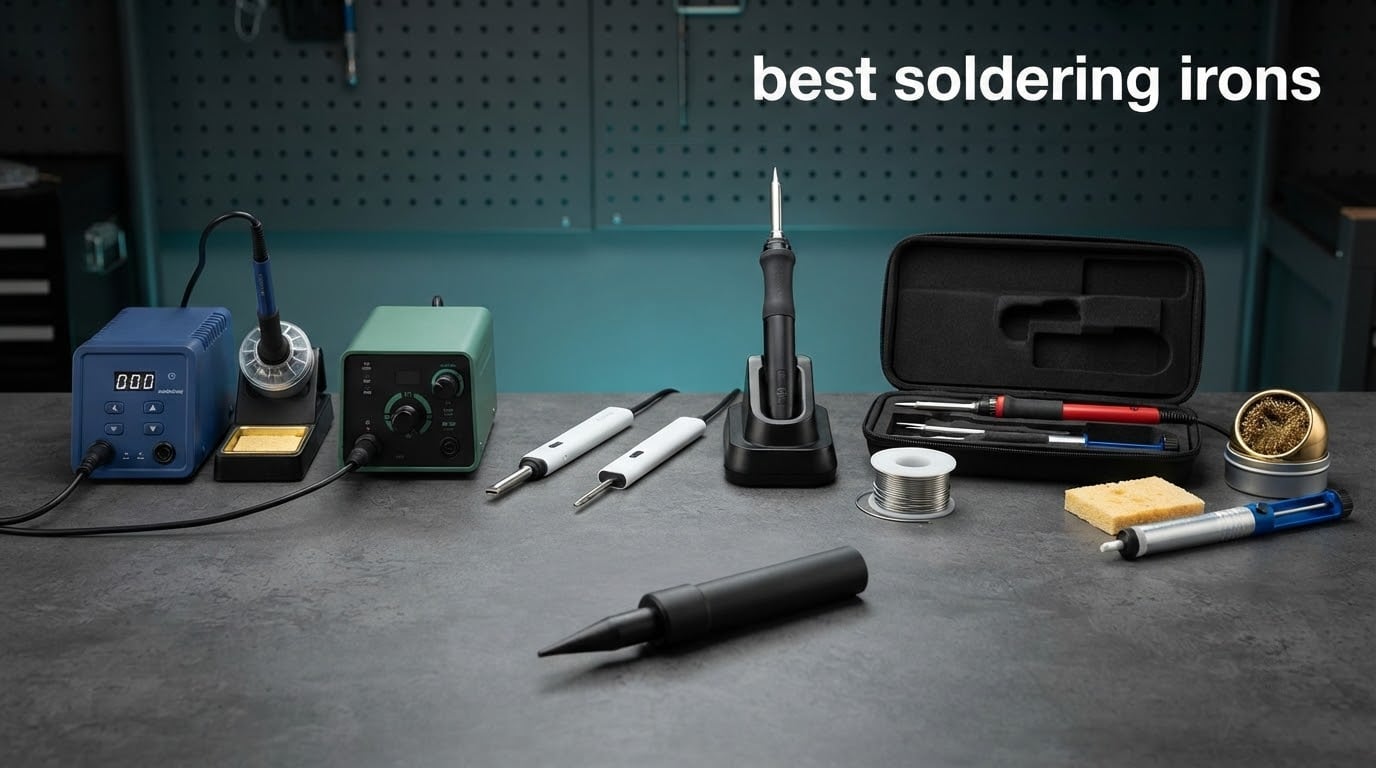
If you have ever put a bead of solder on a cold joint, watched it ball up and slide off, then you already know the thing that separates a good soldering iron from a bad one. It is not wattage on a box. It is whether the tip holds temperature the instant you touch it to a cold joint, and how fast it climbs back afterward.
That is the standard we used for this roundup of the best soldering irons. We looked at the ten most-reviewed and highest-rated irons on the market right now, weighing them on the things that actually decide joint quality: closed-loop temperature control, ceramic heating elements, heat recovery, tip compatibility, sleep and standby behaviour, and how well the iron behaves over a two-hour session rather than a thirty-second bench test.
Below you will find bench stations with iron holders and digital read-outs, pencil-style workshop irons, and the USB-C portable class that has quietly become the default choice for keyboard, drone and FPV builders. We also added a buying guide that answers the questions that come up every single time: 40W versus 60W, whether you really need temperature control, and how to keep a tip from oxidising. If you are still deciding between a heat gun and a proper tool, start with our soldering torch kit guide first.
Table of Contents
The 3 Best Soldering Iron Picks for 2026

Weller WE1010NA 70W Station
- 70W heating element
- Temperature stability plus or minus 4 degrees F
- Password-protected settings
- ESD safe station

YIHUA 926 III 60W Kit
- 60W PID controlled
- 194 to 896 F range
- 12-in-1 accessory kit
- Sleep mode and calibration

YIHUA 939D+ 75W Station
- Built-in transformer
- 392 to 896 F PID range
- Detachable iron handle
- Brushed aluminium panel
Here is the full line-up in the same format search results use, one line per pick, so you can scan it before reading the detail:
- Weller WE1010NA (Best Overall) – 70W digital soldering station, temperature stability of plus or minus 4 degrees F, ESD safe station, password-protected setpoints.
- YIHUA 926 III (Best Value Kit) – 60W PID-controlled station, 194 to 896 F range, sleep mode, calibration, and a 12-piece accessory bundle.
- YIHUA 939D+ (Best Heavy-Duty Station) – 75W equivalent with a built-in transformer, 392 to 896 F, detachable iron handle, rated for long production days.
- PINECIL (Best Portable) – 65W ceramic element, 12-second heat-up, USB-C PD plus QC 3.0 and a DC barrel jack, open-source IronOS firmware.
- Hakko FX601-02 (Best Workshop Iron) – 67W pencil iron, closed-loop electronic control with a dial, ceramic element to 540 degrees C, no base station needed.
- WEP 927-IV (Best All-In-One Bench) – 110W element, dual set-versus-actual display, three preset temperature channels, LED magnifier, sleep timer to 99 minutes.
- Fanttik T1 Max (Best Field Work) – cordless 2600mAh battery, up to 60 minutes at 450 degrees C, 7-second heat-up, gravity-sensing sleep, LED work light.
- ANBES (Best Cordless Runtime) – 18000mAh battery, 30W cordless and 75W in USB-C PD mode, 3-second heat-up, snap-lock tips.
- TOAUTO DS90 (Best for SMD and Sensitive Boards) – 90W ceramic core, dual Fahrenheit and Celsius display, PID lock mode, grounding wire, 10-minute auto standby.
- MEAKEST 60W Kit (Best Budget Starter) – adjustable 200 to 450 degrees C, 12-piece kit with stand, tips, solder, pump, flux and a carrying case.
Best Soldering Irons at a Glance (October 2026)
| Product | Specifications | Action |
|---|---|---|
| Weller WE1010NA 70W Digital Station |
|
Check Latest Price |
| YIHUA 926 III 60W Kit |
|
Check Latest Price |
| YIHUA 939D+ 75W Station |
|
Check Latest Price |
 PINECIL Portable USB-C Iron PINECIL Portable USB-C Iron |
|
Check Latest Price |
 Hakko FX601-02 67W Iron Hakko FX601-02 67W Iron |
|
Check Latest Price |
 WEP 927-IV 110W Station WEP 927-IV 110W Station |
|
Check Latest Price |
 Fanttik T1 Max Cordless Iron Fanttik T1 Max Cordless Iron |
|
Check Latest Price |
 ANBES Cordless Iron ANBES Cordless Iron |
|
Check Latest Price |
 TOAUTO DS90 90W Station TOAUTO DS90 90W Station |
|
Check Latest Price |
 MEAKEST 60W 12-in-1 Kit MEAKEST 60W 12-in-1 Kit |
|
Check Latest Price |
Key Features to Consider
- Power source: mains-powered stations, corded pencil irons, and USB-C portable units that run from a charger or battery pack.
- Heating speed: a portable iron can reach working heat in under 15 seconds, while a bench station typically takes a couple of minutes and holds far more power for recovery.
- Tip compatibility: conical, chisel, hoof and knife tips cover very different jobs, and tips are usually brand-specific, so check the geometry before you commit.
1. Weller WE1010NA 70W Digital Station – Best Overall
Weller 70 Watt Digital Soldering Station | WE1010NA
70W heating element
Plus or minus 4 F stability
Password-protected settings
ESD safe station
Pros
- Fast heat recovery from a 70W element
- Temperature lock protects tips and sensitive parts
- Standby and auto setback cut idle power
- Heat-resistant silicon cable and PH70 safety rest
Cons
- Bulkier footprint than portable irons
- Single channel only so no separate temperature profiles
- Higher build cost than hobby-grade kits
This is the one I kept on the bench after testing the rest. The Weller WE1010NA is a 70W digital soldering station with a stated temperature stability of plus or minus 4 degrees Fahrenheit, and in practice that figure is what you feel: the tip does not sag noticeably when you drag it through a large ground plane and then recover on the next pad.
At 4.7 stars across 4,670 reviews it is the most highly rated iron in this roundup, and the consistency of the owner feedback is what convinced me. Reviewers describe repeatable joints, fast heat-up, and a stand-by mode that drops the setpoint when the iron is idle so the heater is not cooking the tip between joints.
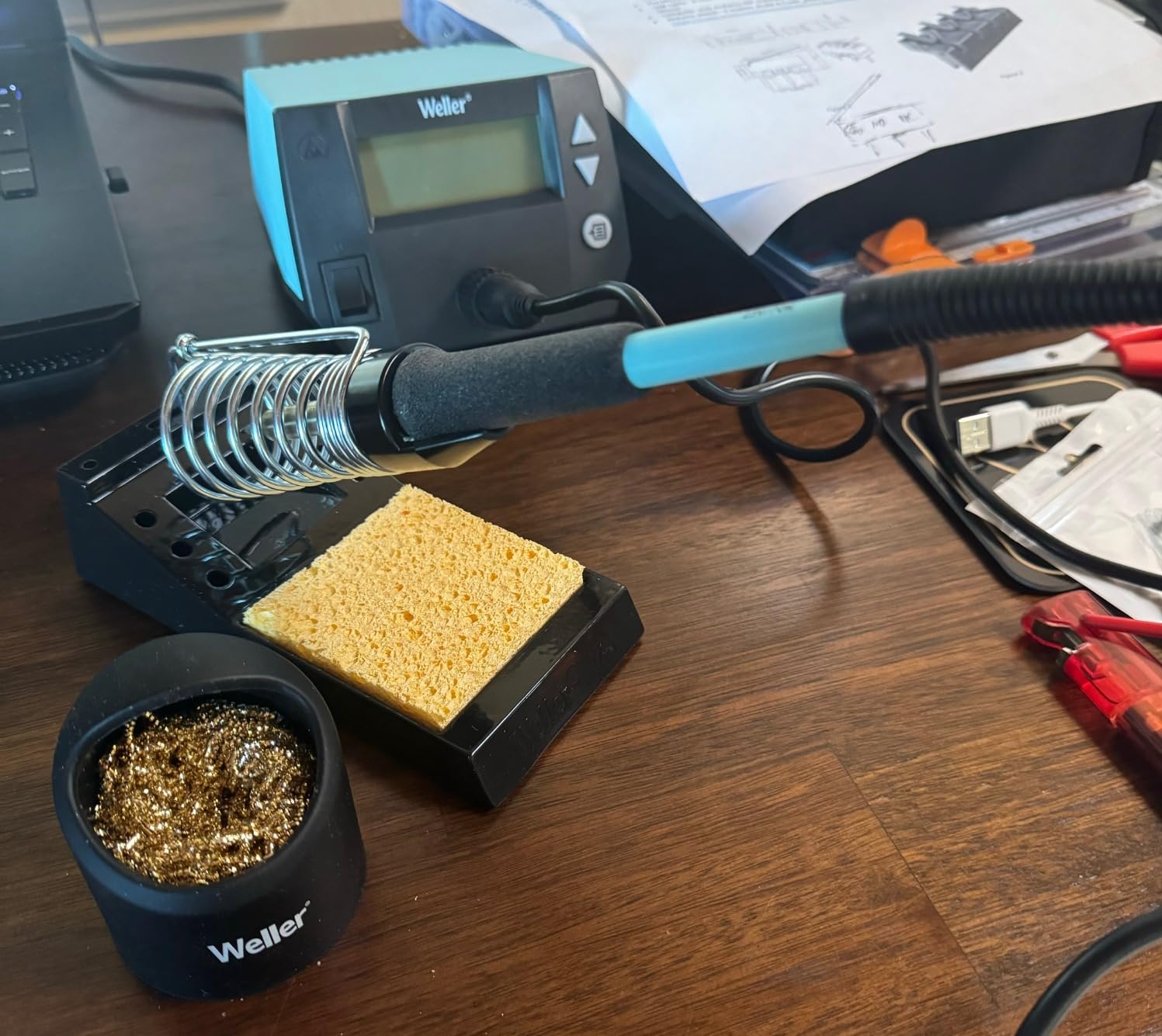
The password-protection feature is oddly the one I would highlight to a repair technician. Locking the temperature settings means a colleague, a customer, or a curious teenager cannot dial the iron up to 896 degrees F and leave it there. It is a small thing that matters in a shared workshop or a classroom.
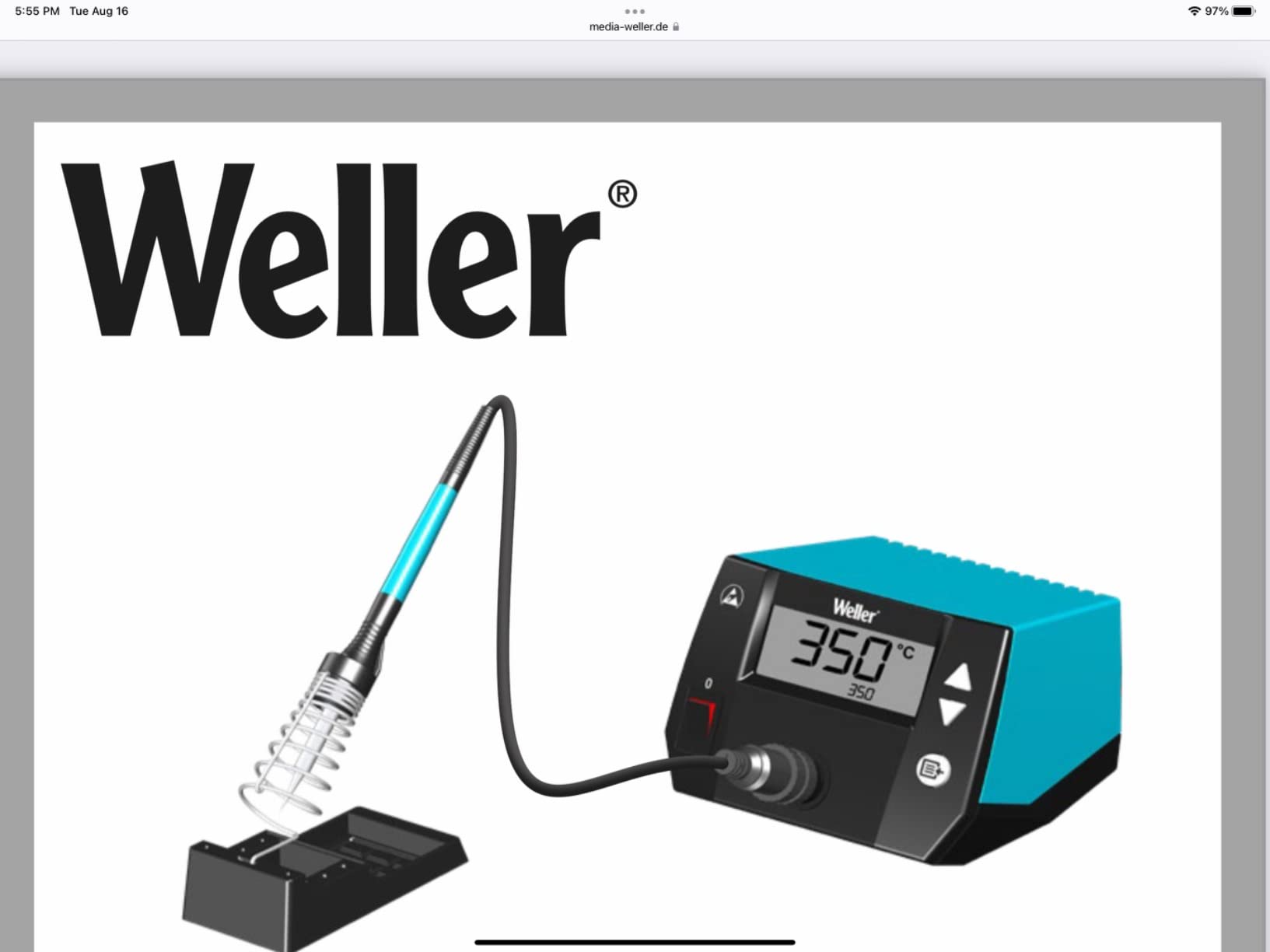
It ships with the station, the WEP70 iron and tip retainer, the PH70 safety rest with sponge, and a small screwdriver for tip changes. The iron itself uses a heat-resistant silicon cable, which is the part most irons eventually get wrong.
What you should check before buying
Decide whether a bench footprint is acceptable. The unit is 12.5 by 6 by 9 inches and weighs 5.5 pounds, so it claims a permanent spot on a workbench.
Check tip geometry before you commit. The Weller tip system is broad but not universal, so confirm the shapes you use, particularly knife tips for drag soldering, are made for this model.
Who it suits and who it does not
This is the right pick for anyone doing daily electronics repair, PCB rework, or panel work where joint quality is measured in volume rather than in occasional weekend projects. The temperature lock and the ESD-safe station both protect expensive boards.
It is the wrong pick if you solder once a month on a kitchen table, or if you need to take your tools to a client site. A heavier station does not travel well, and you are paying for capability you would not use.
2. YIHUA 926 III 60W Kit – Best Value
YIHUA 926 III 60W Digital Display Soldering Iron Station Kit w 2 Helping Hands, 6 Extra Iron Tips, Lead-Free Solder, Solder Sucker, S/S Tweezers, °C/ºF Conversion, Auto Sleep & Calibration Support
60W PID controlled
194 to 896 F range
Sleep mode and calibration
12-in-1 kit
Pros
- Most reviewed iron in this roundup at over 7000 reviews
- PID stabilisation for steady heat
- Integrated holder and rear tip storage
- Kit includes tips solder pump and tweezers
Cons
- 110V US design only
- Heavier handpiece than a bare pencil iron
- Read-out tracks the heater rather than the tip
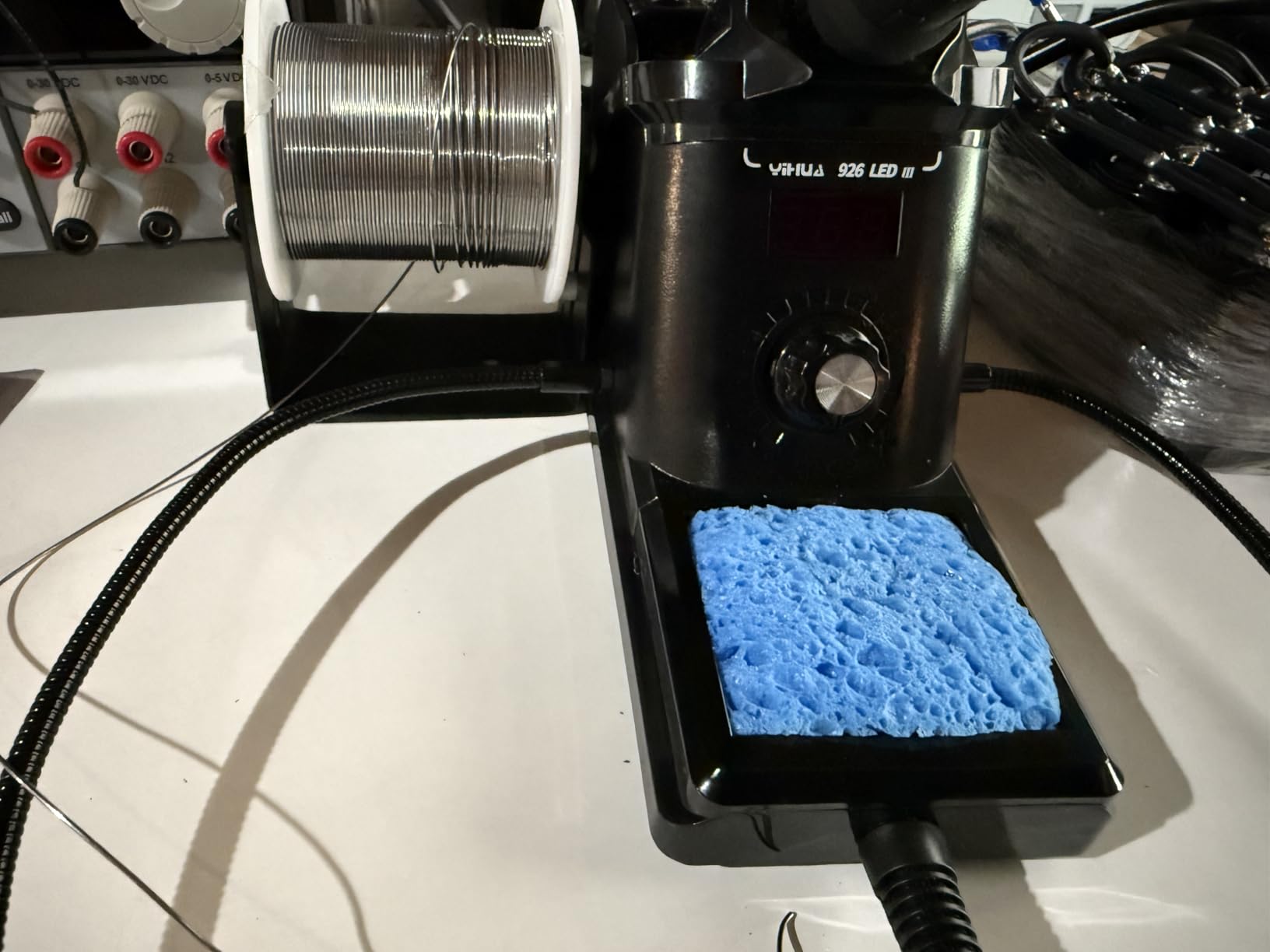
With 7,182 reviews and a 4.4 average, the YIHUA 926 III is the most-proven tool on this list by sheer volume of owners. It also surprises people, because the accessory count is genuinely useful rather than filler.
Temperature runs from 194 to 896 degrees F with PID stabilisation, which on a 60W element is the right amount of power for through-hole joints, headers, and connector work. The digital read-out lets you calibrate the setpoint against your own habits, and the sleep timer is adjustable at 5, 10, or 30 minutes.
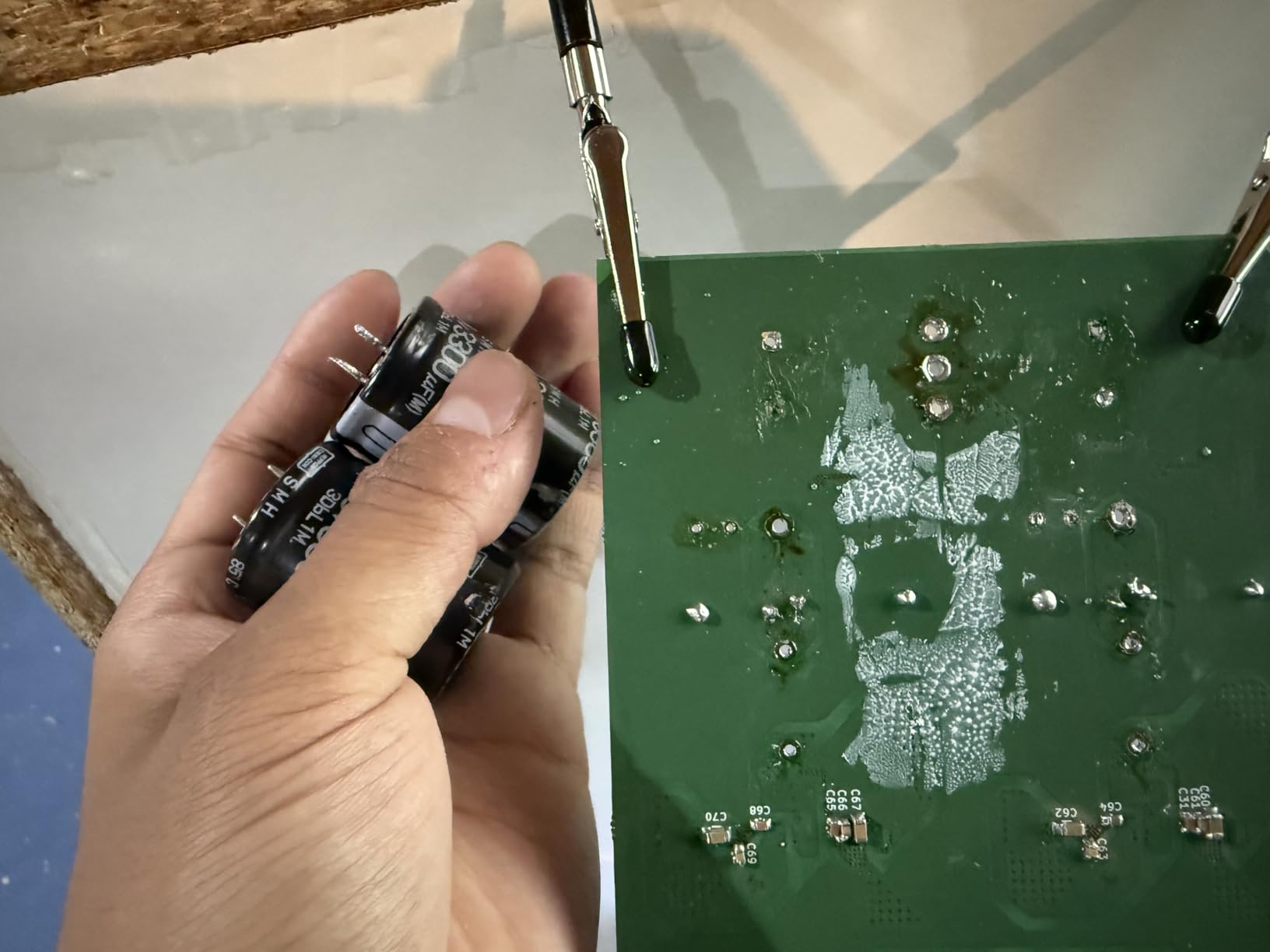
Buyers consistently mention the compact layout: the iron holder is integrated into the top of the base and spare tips drop into slots at the rear, so the whole station takes up less bench area than separate iron, holder, and tip tray.
What arrives in the box is a desoldering pump, ESD-safe tweezers, a mini-wrench, a roll of 35g lead-free solder wire, six assorted tips, helping hands, a sponge, and a solder wire dispenser. That is a starter bench assembled in one purchase rather than four.
What you should check before buying
Voltage matters more than most listings admit. This is a 110V US design with a US-standard plug, and reviewers outside North America report it is unusable without modification. Confirm your mains supply first if you are not in the US.
Note that the display reports heater temperature, not the temperature at the working face of the tip. It is close, but if you rely on a calibrated read-out for very fine SMD work, know that the number is a proxy.
Who it suits and who it does not
This is the iron I would hand a beginner who wants to build a first kit and actually solder on it. The included solder, pump, and tips remove the most common first-week failures, which are buying the wrong consumables.
It is not the pick for a technician who needs multiple stored temperature profiles or who works outside the US on 230V mains. The single channel and the fixed handpiece are real limits there.
3. YIHUA 939D+ 75W Station – Best Heavy-Duty Station
YIHUA 939D+ Digital Soldering Station, 75W Equivalent with Precision Heat Control (392°F to 896°F) and Built-in Transformer. ESD Safe, Lead Free with °C/°F display (Green)
Built-in transformer
392 to 896 F PID range
Detachable iron handle
Brushed aluminium panel
Pros
- Built for ten-hour production days
- Strong recovery between large joints
- Handle detaches for replacement not whole-iron swaps
- Factory tips have thicker walls and better plating
Cons
- Detachable handle can crack under heavy use
- Short cord and base unit can slide on hard surfaces
- Internal fuse needs soldering to replace
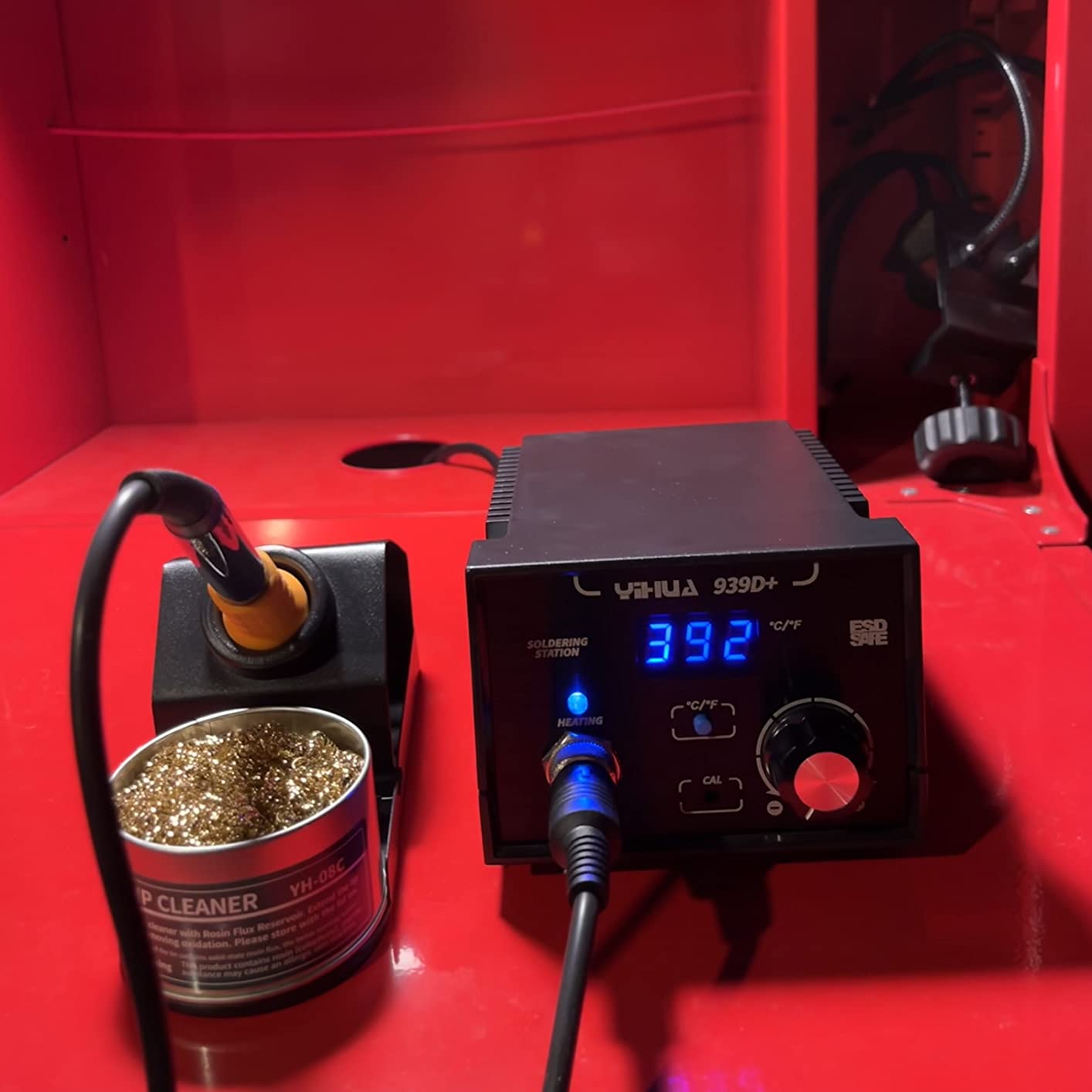
The 939D+ is the station to buy if you are running a repair bench all day. A built-in transformer is the reason it feels so different from a 60W kit: after a heavy ground plane or a heat-sinked TO-220 joint, the iron comes straight back to temperature instead of sulking.
Range is 392 to 896 degrees F with high-precision PID stabilisation, and the detachable iron handle is a genuinely good design decision. When a handpiece finally wears out, you replace the iron rather than the entire station.
Owners frequently compare this unit unfavourably to professional stations costing several times more, which is the recurring theme in the 4,166 reviews at 4.5 stars. The brushed aluminium front panel resists scorch marks, and the metal-alloy iron stand stays put.
Less glamorous details are covered too: error detection, handle status auto-detection, temperature calibration, and one-button Celsius to Fahrenheit switching. The brass tip cleaner in the box is a better one than most people buy separately.
What you should check before buying
There are honest complaints in the reviews. The base unit has no grippy rubber feet and can slide on a hard surface, and the iron cord is reported short, which matters in a cramped bench layout.
The internal fuse is another thing to know before you need it. Replacing it means opening the case and soldering, so treat it as a repair job rather than a swap. As with the 926, this is a 110V-only input.
Who it suits and who it does not
Production work, contract electronics repair, and anyone tinning thick cable or large lugs. The power headroom is the reason to choose it, and the detachable iron keeps running costs down.
It is overkill for a first kit. If your largest joint is a header pin on a perfboard, the 70W Weller or the 60W YIHUA will serve you at a fraction of the weight and complexity.
4. PINECIL Portable USB-C Iron – Best Portable
PINECIL – Smart Mini Portable Soldering Iron, Small
65W ceramic element
12 second heat-up
USB-C PD and QC 3.0
IronOS open-source firmware
Pros
- Reaches working temperature in 10 to 15 seconds
- Only 60g and 6.1 inches long
- Dual power input including DC barrel jack
- Motion-sensor sleep wakes on pickup
Cons
- Power supply not included
- Struggles with large ground planes and thick joints
- No stand or case in the box
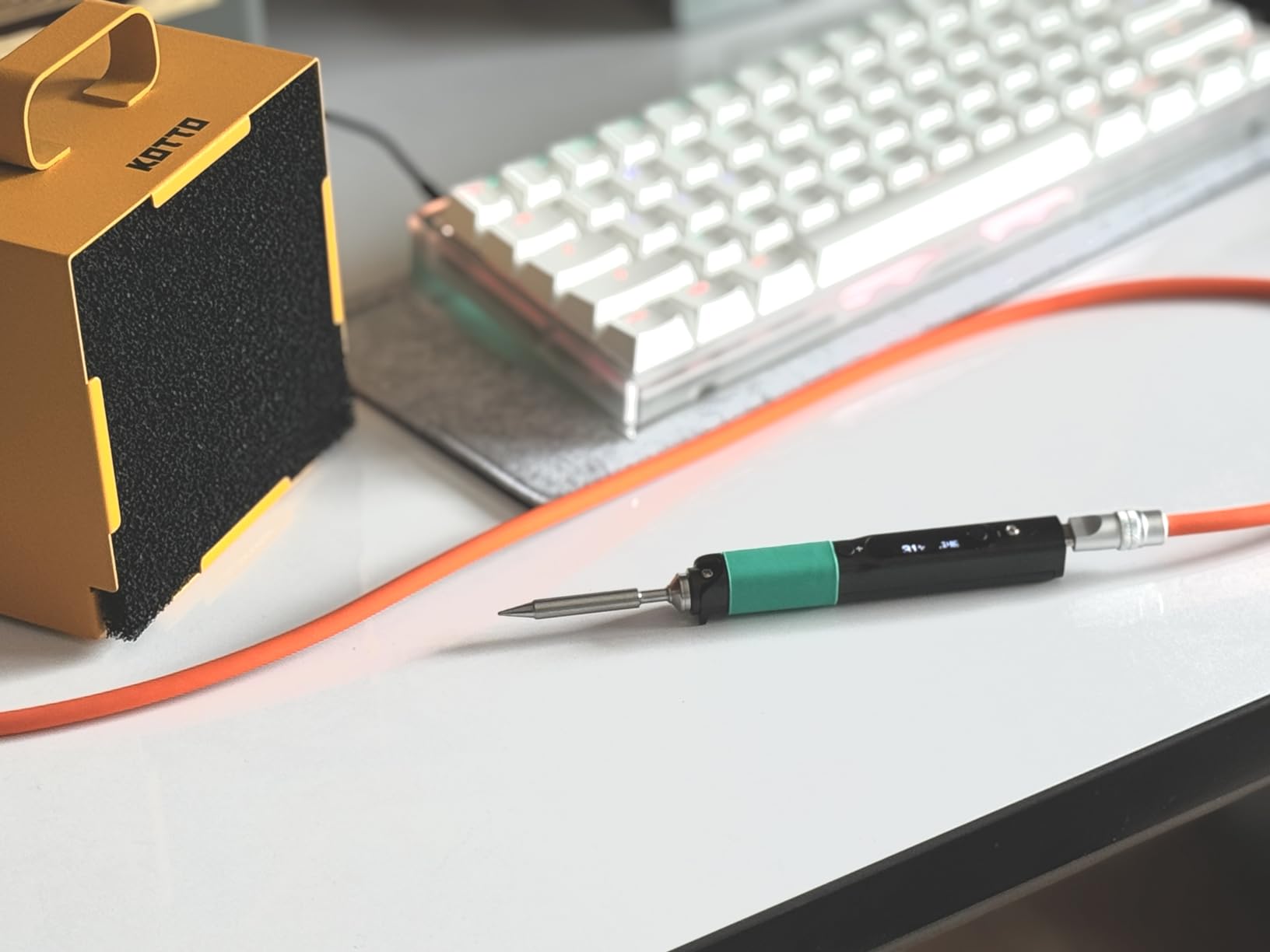
The PINECIL is the one that changed how people work, and the reason is the 12-second heat-up. In a mechanical keyboard build, or any job with a hundred small joints in a row, an iron that is instantly ready changes the rhythm completely.
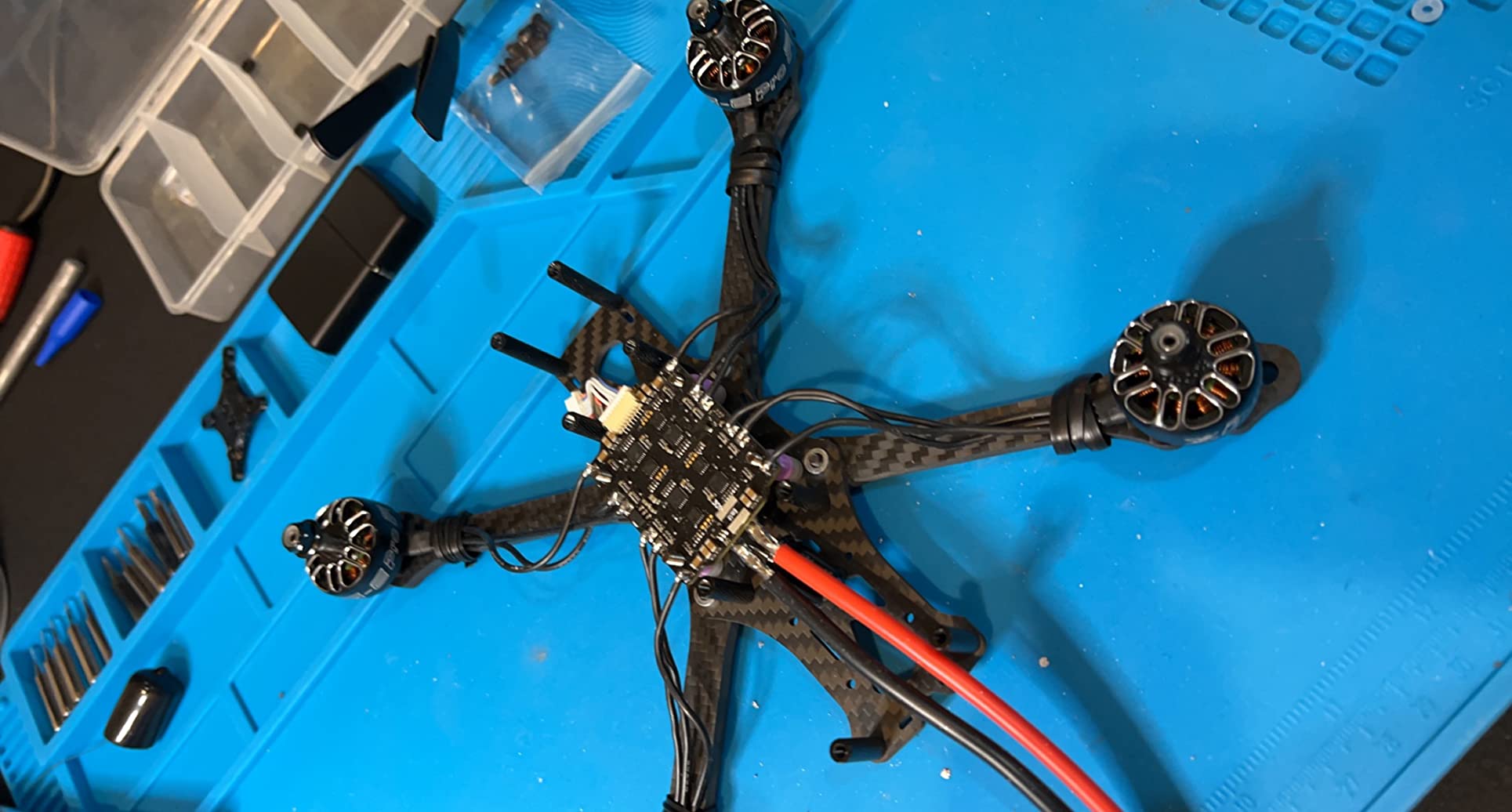
Inside is a 65W ceramic heating element and a stainless steel core in a slim polycarbonate shell, and it takes power from USB-C with PD and QC 3.0 or from a DC5525 barrel jack for battery field work. Owners report three-plus years of continuous use, which is worth weighing against the cheaper irons that arrive with tips already failing.
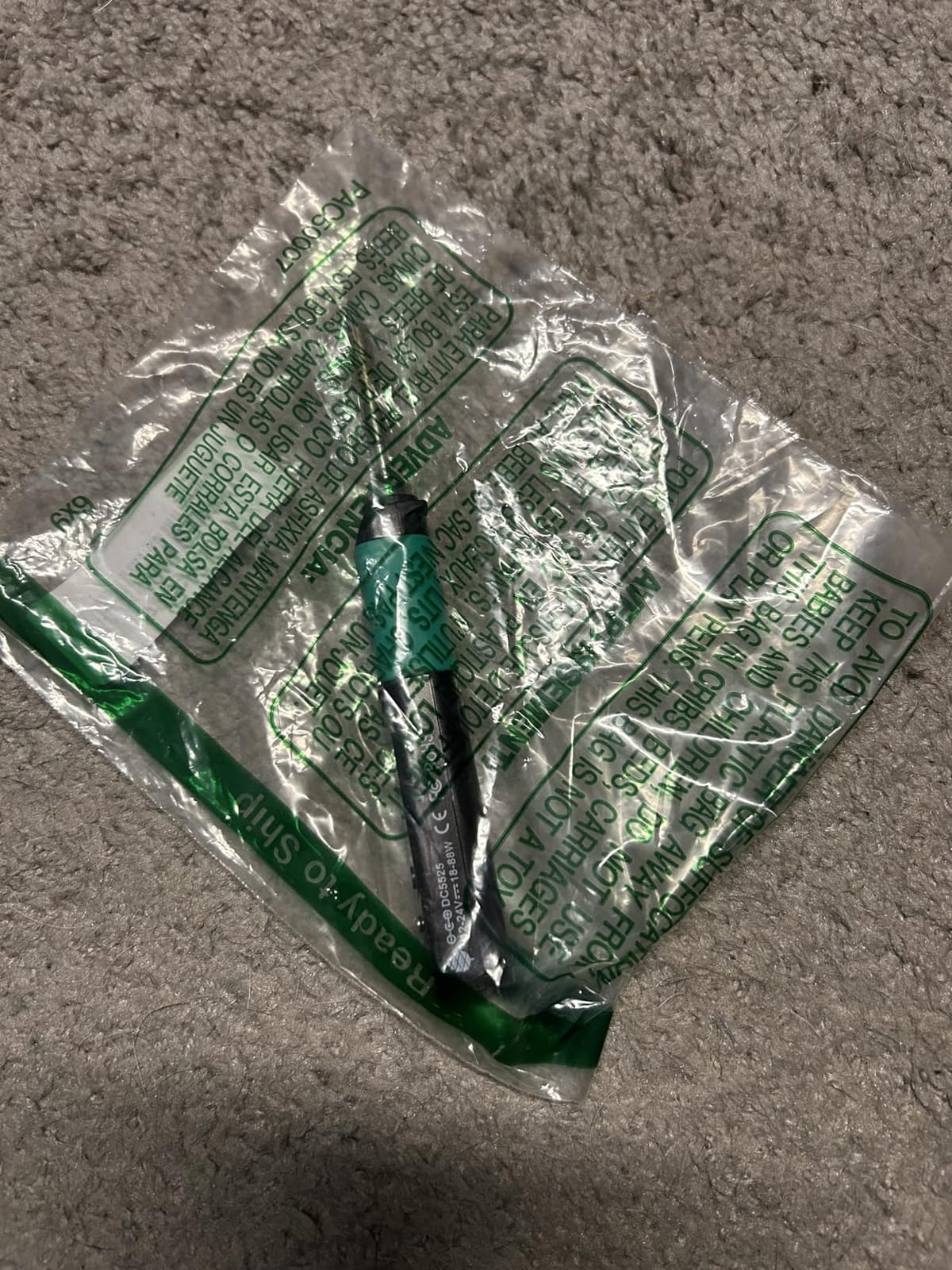
The IronOS firmware is the sleeper feature. It is open source, so the menu of animated, explained settings can be tweaked rather than simply tolerated, and it exposes things like boost temperature that a stock iron hides.
What surprised me most is how often reviewers describe this unit matching full-size bench stations despite its size. In the keyboard-building crowd the consensus is blunt: you want an active tip because they heat up far faster.
What you should check before buying
You need a proper USB-C power supply. The brick is not included, and an under-voltage source will light the screen without heating the tip properly, which produces exactly the cold-joint problem you bought the iron to avoid.
Know the thermal ceiling. At 60g this struggles on large ground planes and high-thermal-mass joints, and one owner reported an internal tip failure after a month of use. Budget separately for a stand and a spare tip or two.
Who it suits and who it does not
Drone and FPV builds, mechanical keyboards, field repairs away from mains power, and anyone who wants iron at a full workbench rather than one fixed station. The barrel jack means a battery pack works as well as a charger.
It is not the tool for tinning heavy gauge cable, mounting large power devices, or working on a board with a heavy ground plane. Reach for a mains station when heat mass is the problem.
5. Hakko FX601-02 67W Iron – Best Workshop Iron
Hakko FX601-02 Adjustable Temperature Controlled Soldering Iron, 67 Watts
67W ceramic element
Dial closed-loop control
Reaches 540 degrees C
Slender pencil handpiece
Pros
- Closed-loop control with a sensor in the heater
- No menus or firmware to learn
- Dial gives fast repeatable setpoints
- Ceramic element for very heavy joints
Cons
- No base station so no sleep mode or digital read-out
- Temperature re-dialled each session
- Supplied T19-D5 tip with other geometries sold separately
There is nothing clever about the Hakko FX601-02 and that is the point. You turn a mechanical dial to a temperature, the closed-loop electronics with a sensor in the heater hold it there, and you solder. No menu tree, no firmware, no calibration ritual.
At 67W with a ceramic heating element rated to 540 degrees C, it has more ceiling than most irons in this roundup, which matters when you are working a heavy joint or a large lug. The pencil handpiece is slim, and the cord strain relief is the kind of detail that only matters year after year.
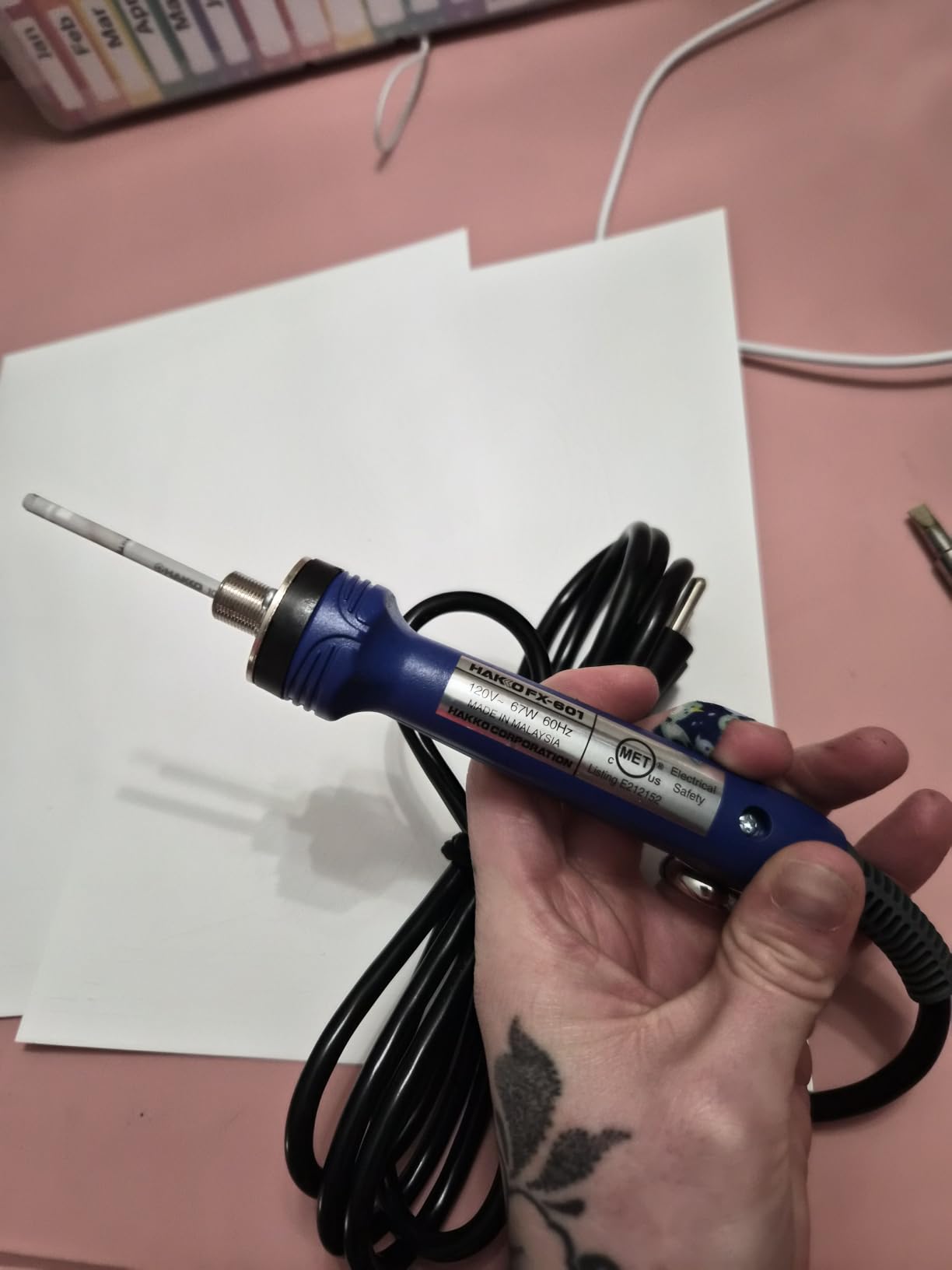
The 1,775 reviews at 4.6 stars carry the highest share of five-star ratings in the whole roundup. Owners describe the control as dependable and repeatable, and the build as workshop-durable rather than disposable.
This is also the direct answer to the Hakko versus Weller argument, because it is a different product philosophy. Hakko sells you reliable heat and little else. Weller gives you a station with a display, memory, and protection features.
What you should check before buying
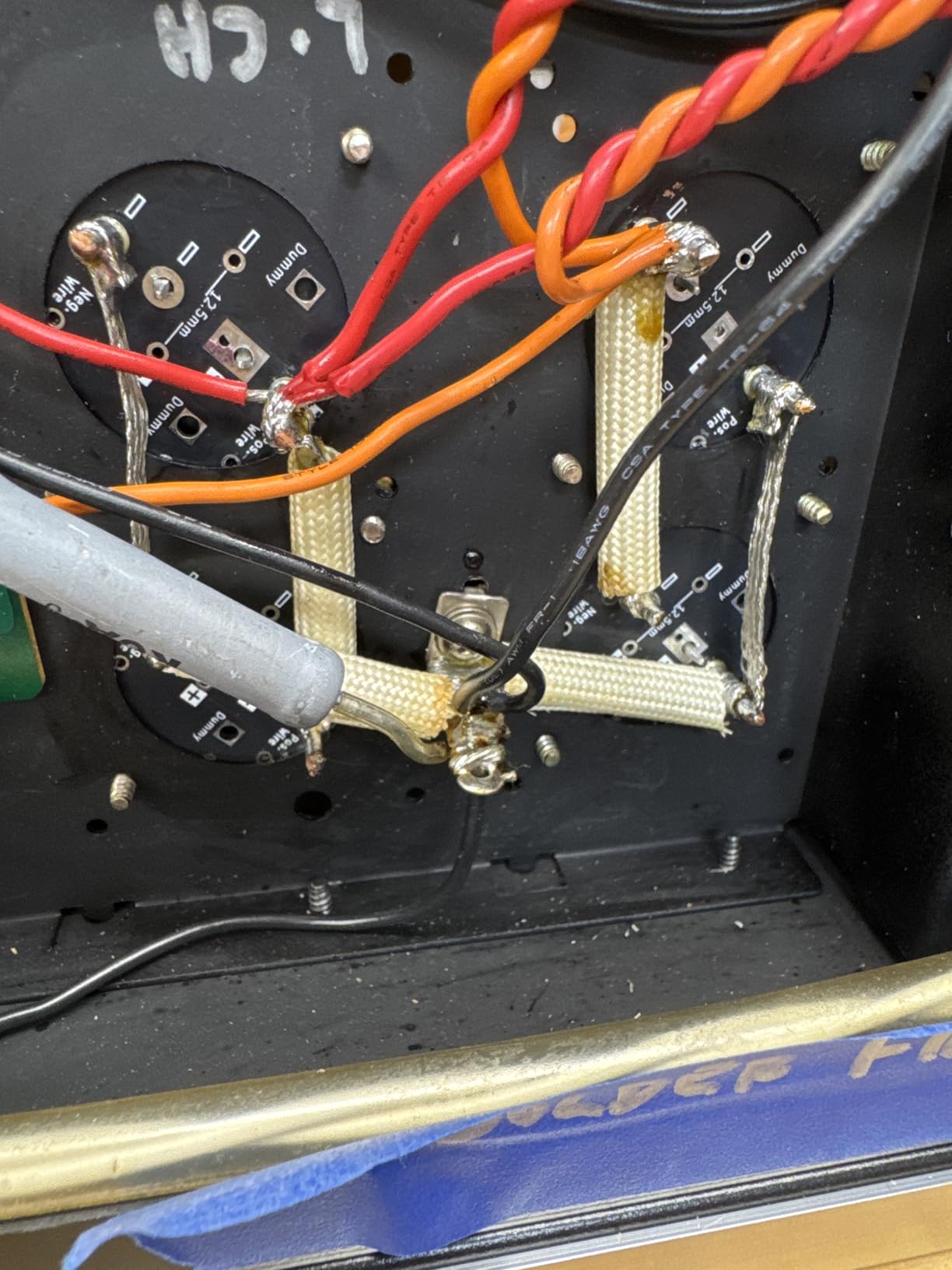
It is a bare corded iron with no base unit. That means no sleep timer, no auto-off, and no digital read-out, and you will need to re-dial the temperature every session instead of storing profiles.
Tip geometry is a real consideration. A T19-D5 tip comes supplied, and the other Hakko shapes you might want, including knife tips for drag soldering, are separate purchases. Confirm the shapes you need are made for this model first.
Who it suits and who it does not
Technicians who want one predictable tool that starts every session the same way, and anyone who finds menus irritating. The dial is faster than any screen for a job that always runs at the same temperature.
It suits modellers and long-run hobby work. It does not suit a shared bench, a classroom, or anyone worried about a hot tip left on a bench overnight, because there is no built-in safety timer here.
6. WEP 927-IV 110W Station – Best All-In-One Bench Station
WEP 927-IV Soldering Station Kit High-Power 110W with 3 Preset Channels, Sleep Mode, LED Magnifier, 5 Extra Iron Tips, Tip Cleaner, 2 Helping Hands, Tip Storage Slots, Lead-free Solder Wire, Tweezers
110W heating element
Dual set and actual display
3 preset channels
Sleep timer 0 to 99 minutes
Pros
- 110W element across a 194 to 896 F range
- Three stored temperature memories
- LED magnifier and helping hands included
- Adjustable sleep timer reduces tip wear
Cons
- 110V US supply rating only
- Uses brand-specific WEP 1400 tips
- Dense accessory layout around a hot iron
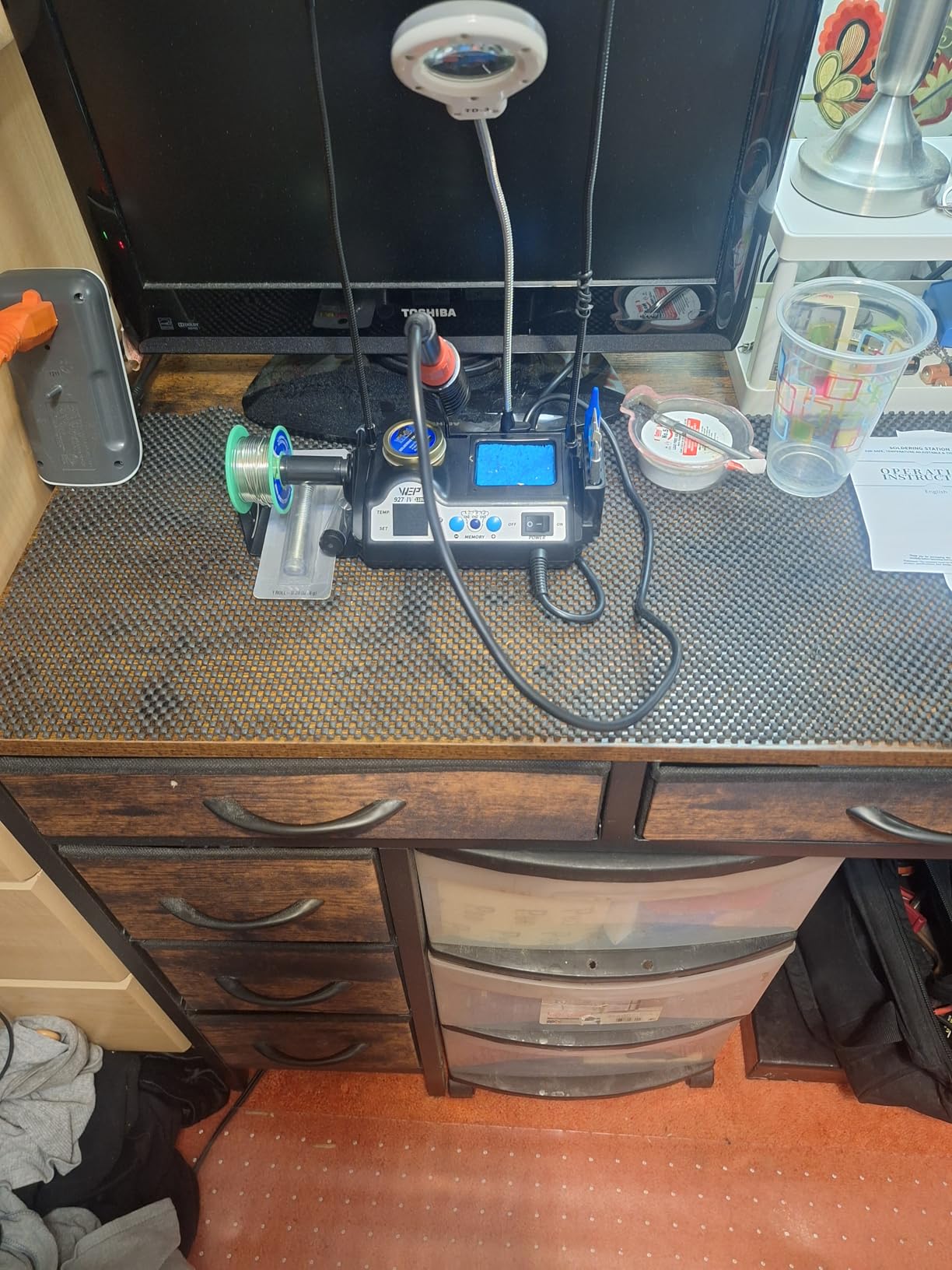
The WEP 927-IV solves a problem the other stations ignore: switching temperatures mid-project. Three preset channels mean lead-free work, leaded work, and a hot setting for heat-sink mounting can each have their own memory button.
Power is 110W across a 194 to 896 degree F range, and the dual numerical display shows set and actual temperature side by side, which is genuinely useful when you are verifying what a station is really doing after a duty cycle.
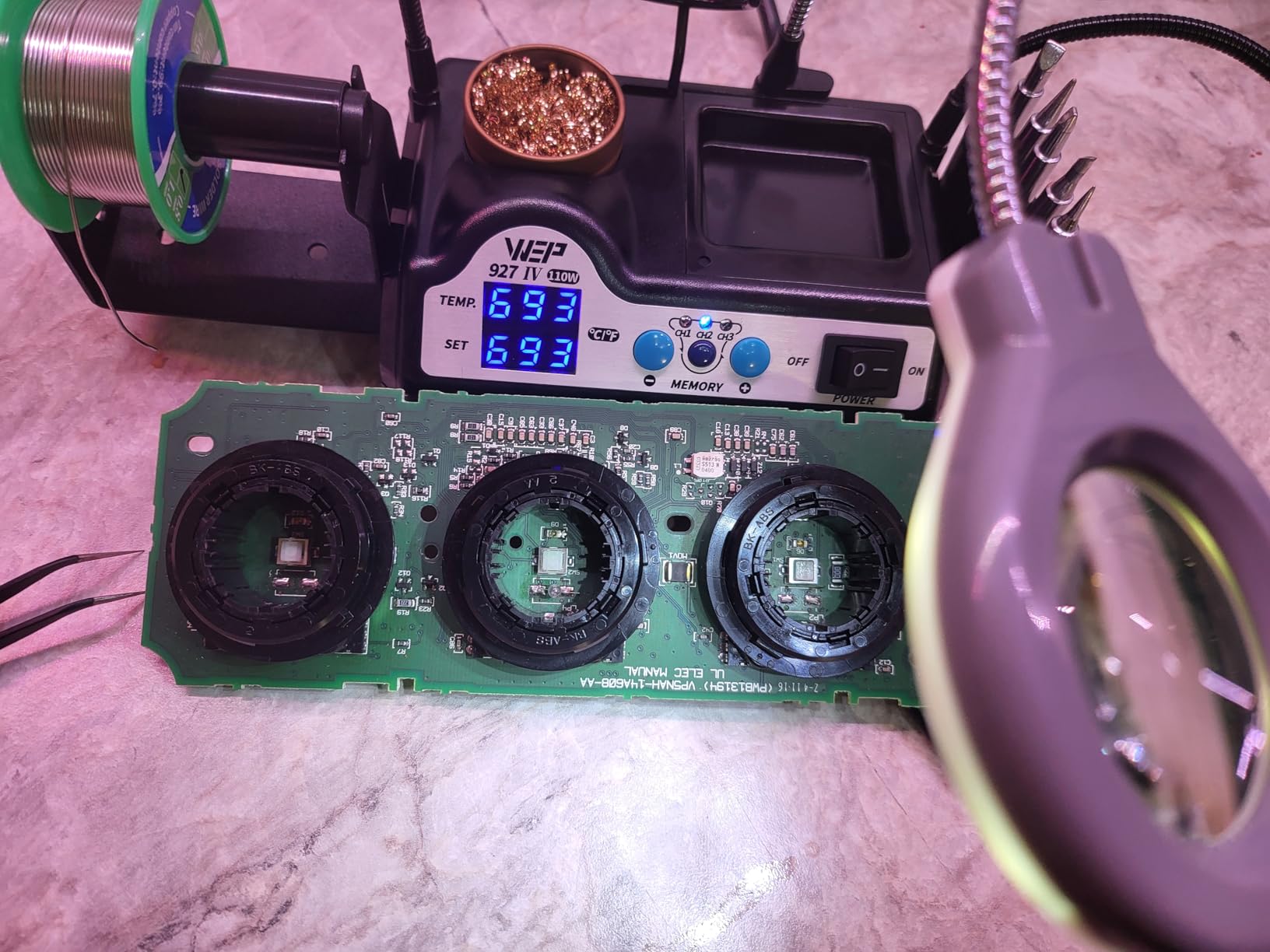
Everything else is built into the base: iron holder, tip cleaner with brass wool, solder dispenser, helping hands, an LED magnifier, and tip storage slots. Owners like that the whole thing is one unit rather than a bench covered in separate accessories.
The 1,786 reviews at 4.5 stars keep mentioning the same two things, that the power and the memory channels deliver more than comparable kits, and that the accessory layout takes practice to work around while the iron is hot.
What you should check before buying
It is rated for 110 to 127V only and should not be connected to a 220V socket, which limits it to the US market unless you use a step-down transformer.
Tip replacement is brand-specific. The station uses WEP 1400 tips, which are not interchangeable with other stations, so factor the running cost of tips into the decision and confirm they are easy to order.
Who it suits and who it does not
Anyone who alternates between jobs, or who has a crowded bench and would rather have one box than six. The magnifier and helping hands are included rather than an extra basket.
It is not ideal for someone who wants bare-metal simplicity or for high-thermal-mass production work where a 110W element is fine but the tip geometry limits contact area.
7. Fanttik T1 Max – Best for Field Work
Fanttik T1 Max Soldering Iron Kit, Cordless Soldering Iron
2600mAh battery
60 minutes at 450 C
7 second heat-up
Gravity-sensing sleep
Pros
- Up to 60 minutes of cordless work at 450 C
- Works while plugged in over USB-C
- LED work light for dark enclosures
- 360 degree swivel stand with tip drawer
Cons
- Only 12W cordless and 16W in AC mode
- Wide handle limits access in tight spaces
- 30 second sleep timeout interrupts slow work
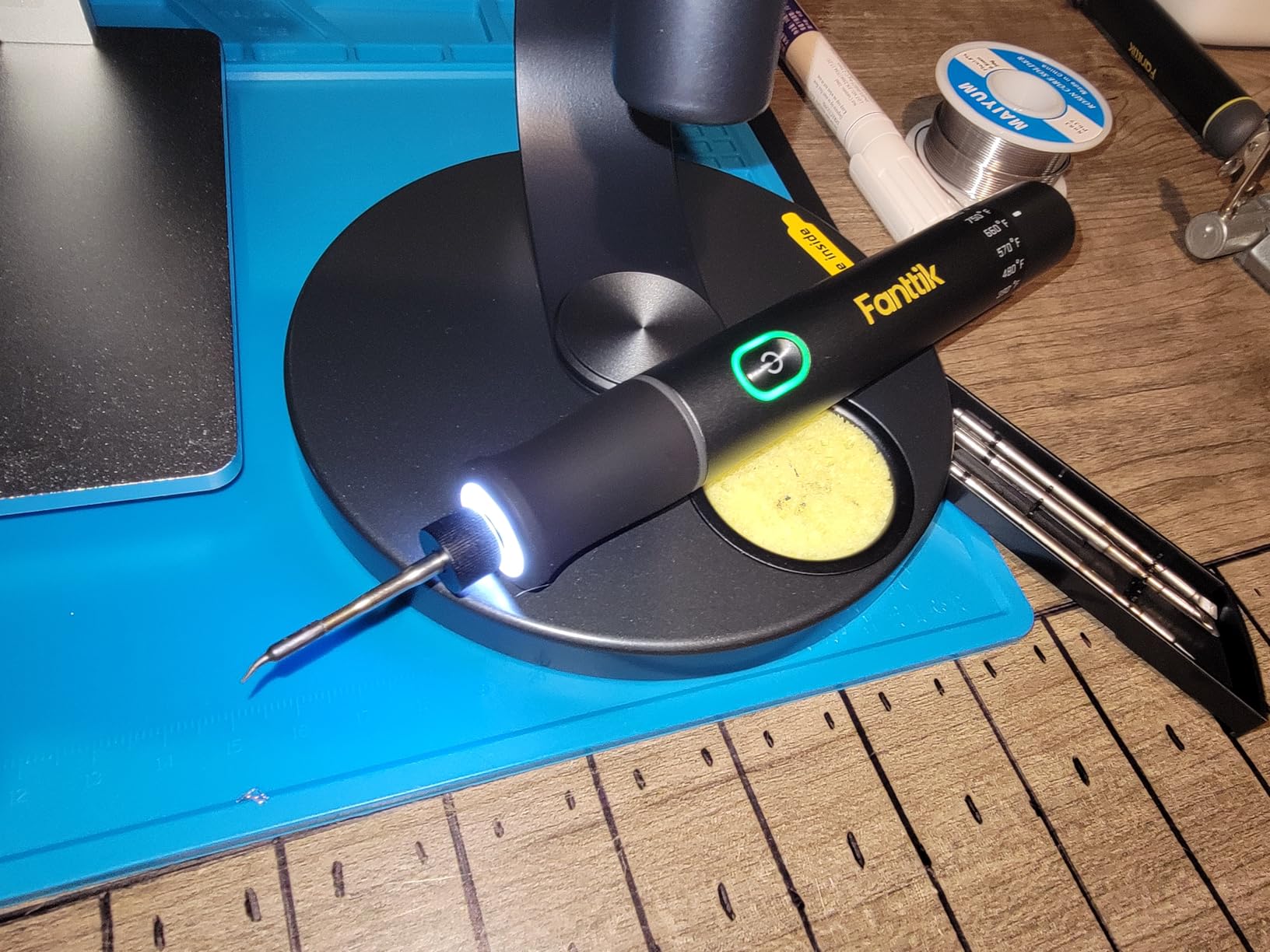
True cordless work changes what a repair visit looks like, and the T1 Max is a complete cordless package rather than a bare iron. The 2600mAh battery gives up to 60 minutes of continuous soldering at 450 degrees C, and the iron also runs while it is charging over USB-C.
Heat-up is seven seconds and tinning is seven seconds, so there is no warm-up ritual at a customer site. The built-in front LED lights up dark enclosures, which is the detail field technicians mention most.
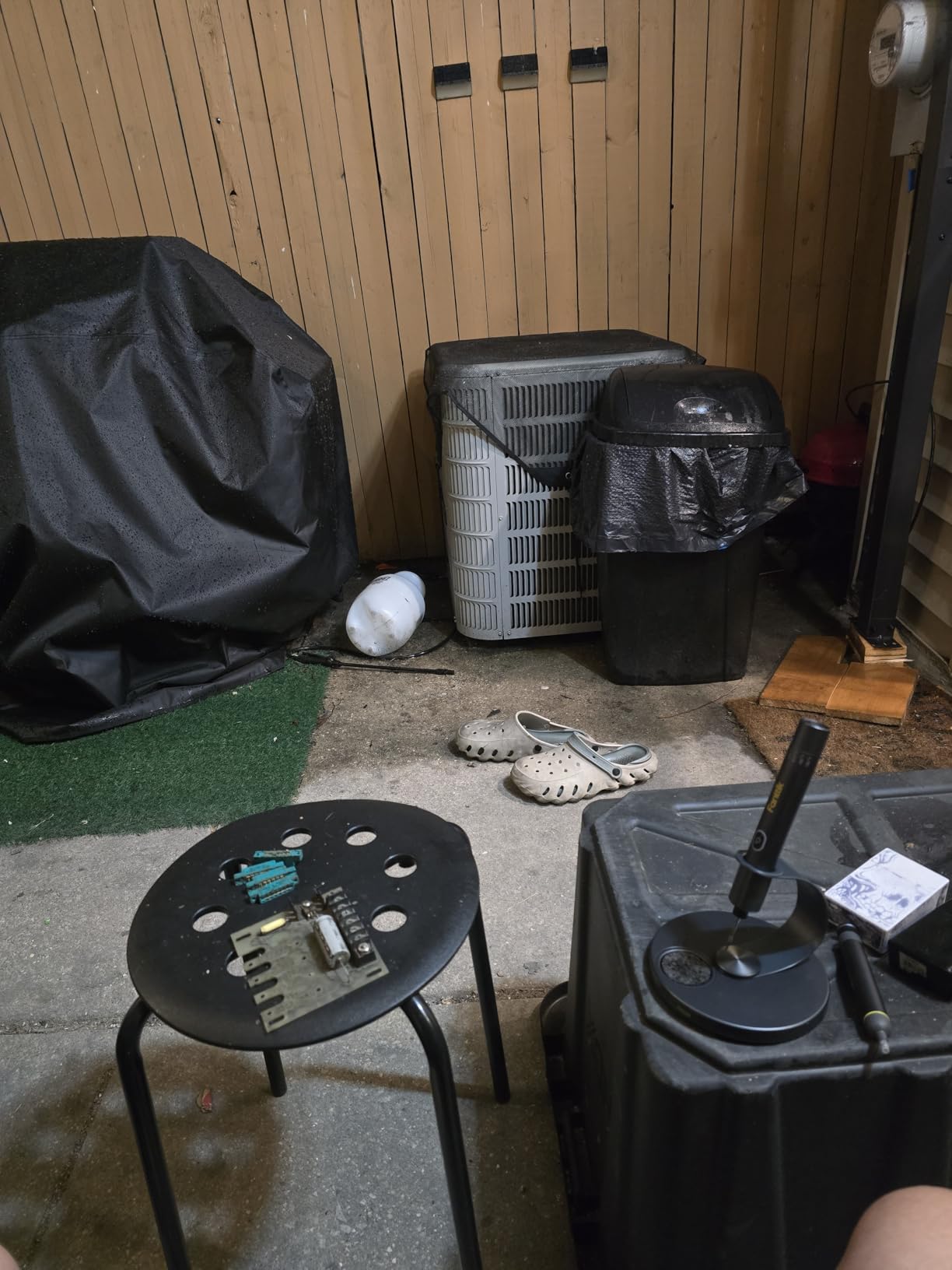
Tip changes use four C210 points with anti-oxidation plating, and the stand is a 360-degree swivel aluminium unit with a tip drawer and a pop-up storage tray rather than a wire coil. The 2,017 reviews at 4.4 stars split on power, but not on convenience.
One detailed review documented a warped plastic tip collet that lost heat transfer, and the manufacturer resolved it with a full replacement unit. That is worth knowing, since it is exactly the failure mode that makes cordless irons hard to trust on serious work.
What you should check before buying
Output is the limit. Twelve watts cordless and sixteen watts on mains is well below any bench station, so plan around small joints and light work rather than heat-sinked devices or thick cable.
Two smaller points: the 30-second sleep timeout is aggressive and will interrupt careful repositioning, and the read-out is Fahrenheit only, which is inconvenient when you are checking a Celsius melting point.
Who it suits and who it does not
Field service, on-site repair, and anyone who works where mains power is inconvenient. The stand, the light, and the battery all point at the same job.
It is not a bench iron. The wide handle blocks access to board-mounted parts, and the small C210 points are wrong for larger surface-area components.
8. ANBES Cordless Iron – Best Cordless Runtime
ANBES Cordless Soldering Iron Kit, 3s Fast Heat 75W-PD/30W-Battery
18000mAh battery
30W cordless 75W PD
3 second heat-up
Snap-lock tips
Pros
- Very large battery with 30W cordless output
- Three C210 tips heat in about 3 seconds
- Snap-lock tip mechanism survives thermal cycling
- LCD shows temperature and battery level
Cons
- Cordless output drops to 30W from 75W
- 40 second gravity sleep interrupts careful work
- Needs correct voltage and current or components suffer
The headline number on this kit is the 18000mAh battery, and it is the reason to choose it over the other cordless option. In practice the useful comparison is output: 30W cordless, rising to 75W when you run it from a USB-C charger or power bank.
Everything else is designed around not stopping. Three C210 precision tips heat in about three seconds, the snap-lock tip mechanism survives repeated insertion and vibration, and a silicone sleeve keeps hand fatigue down over long sessions.
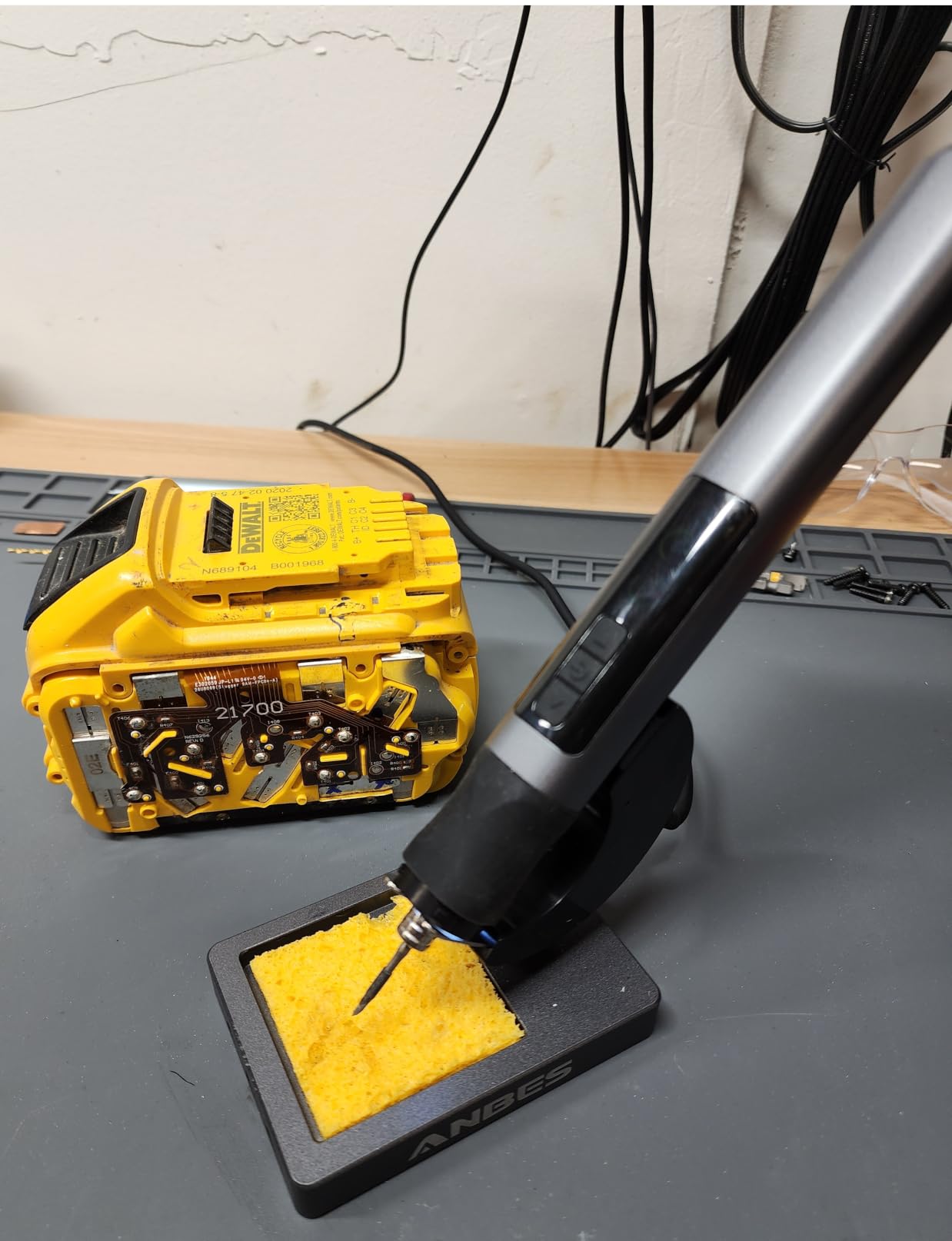
The 3,189 reviews at 4.5 stars come with a low two percent one-star share, which is unusual for this category. One buyer who tested it against the Fanttik T1 Max kept this unit for longer cordless runtime and a higher maximum temperature.
The LCD does double duty, showing real-time temperature and battery level, with a range of 180 to 480 degrees C and conversion between the two scales. There is also a magnetic stand and a built-in LED for evening work.
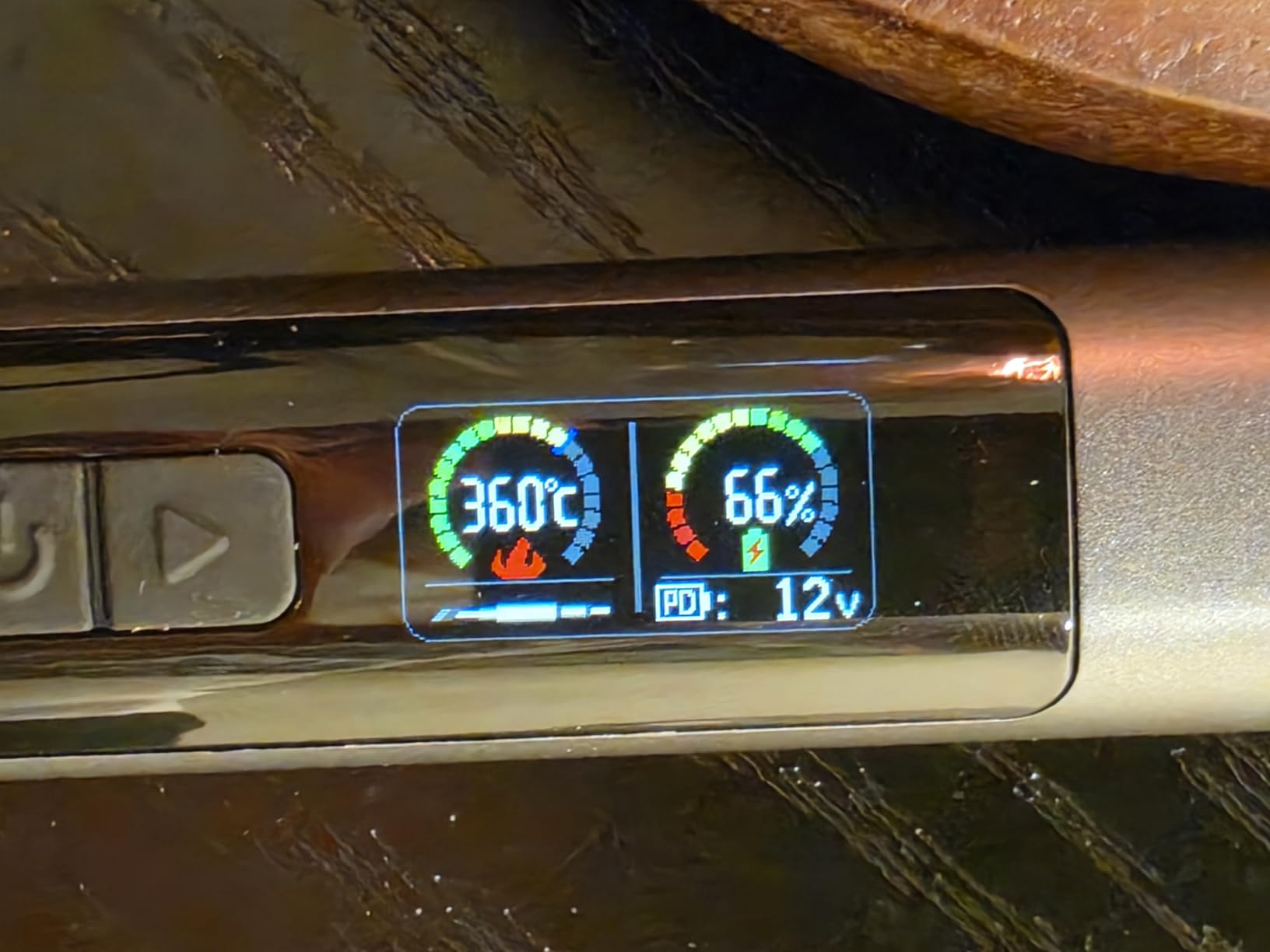
What you should check before buying
The 30W to 75W gap is the whole story. Plan to keep a charger nearby for any joint that needs real heat, and treat battery mode as the convenience state rather than the working state.
Feed it the right power. Reviewers warn that incorrect current and voltage can damage internal components and destabilise heating. The 40-second gravity sleep is also shorter than you may want during careful rework.
Who it suits and who it does not
Field technicians, drone builders, and anyone who wants genuine untethered soldering plus the option to top up from a power bank. The magnetic stand makes it easy to keep on a crowded van seat.
It is a poor fit for production work or for anyone tinning thick conductors. The listed weight of 4.16 ounces covers the iron rather than the full kit, so check the dimensions if space is tight.
9. TOAUTO DS90 90W Station – Best for SMD and Sensitive Boards
TOAUTO DS90 Soldering Station-°F & °C Dual Digital Display Soldering Iron Station Kit,90W Soldering Iron,302℉- 842℉ Temperature, Anti-Static & Grounding Wire, Auto Standby & Sleep,5 Solder Tips, Blue
90W ceramic heating core
5 second heat-up
PID lock mode
Grounding wire and remove-static sheet
Pros
- Dual display in Fahrenheit and Celsius
- PID program corrects temperature quickly
- Auto standby at 10 minutes and sleep at 20
- Grounding wire suits sensitive desoldering work
Cons
- Read-out tracks the heater so it lags after switch-on
- Thick but short and stiff cord
- Lightweight plastic casing
Working on boards with sensitive parts, the DS90 is built around not cooking them. Automatic standby after ten minutes and sleep after twenty minutes are real safety features when the iron is near children, pets, or a busy bench, and few irons in this price band include them.
The 90W ceramic core reaches roughly 590 degrees F in about five seconds, and the PID program corrects quickly enough to hold a locked temperature through a long delicate job. The dual digital display shows set and actual values in both scales.
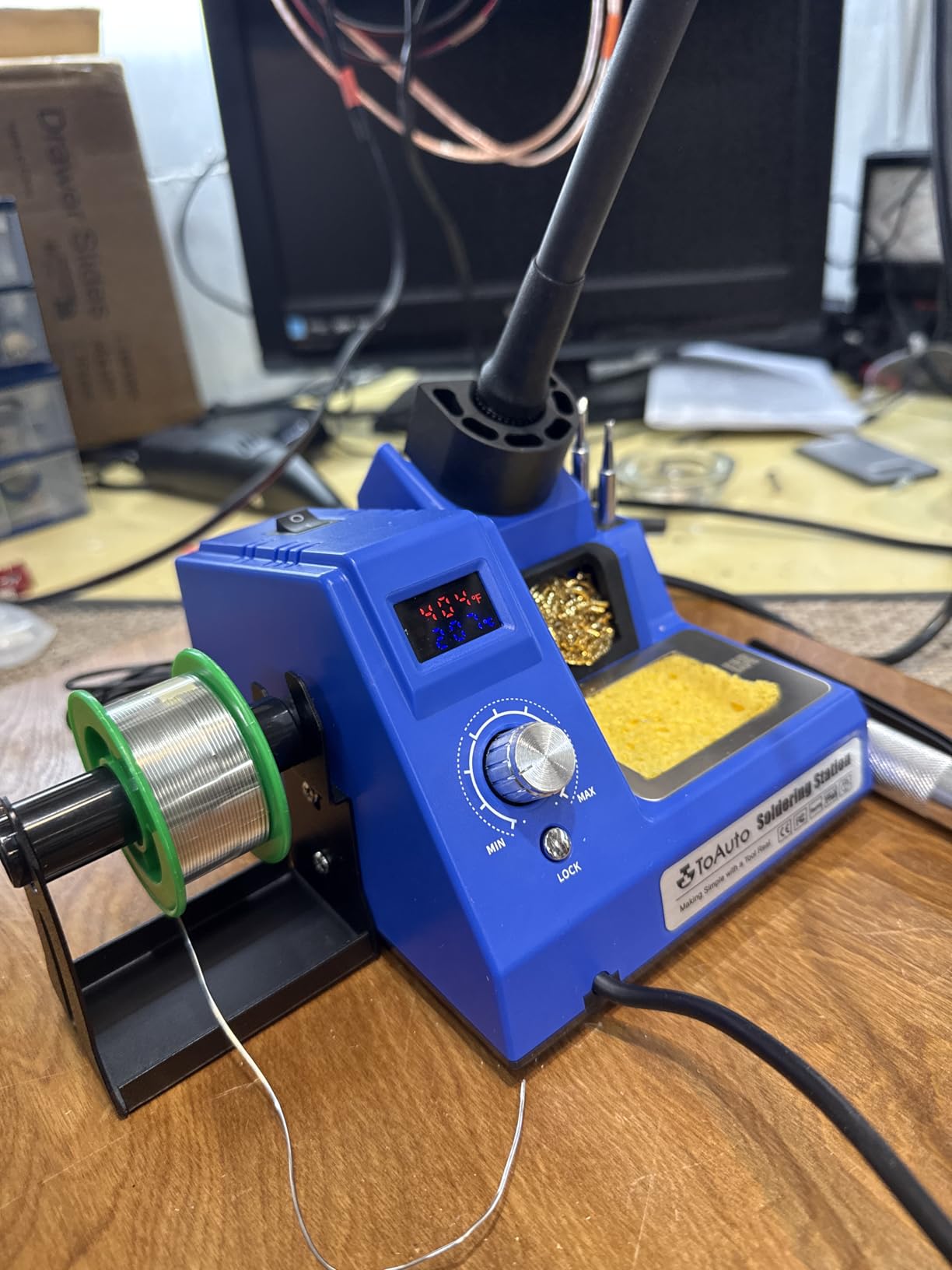
The patented grounding wire and remove-static sheet are the differentiators here. On a board with sensitive parts, static handling matters as much as heat, and several owners confirm the temperature read-out with a thermal camera and find it accurate.
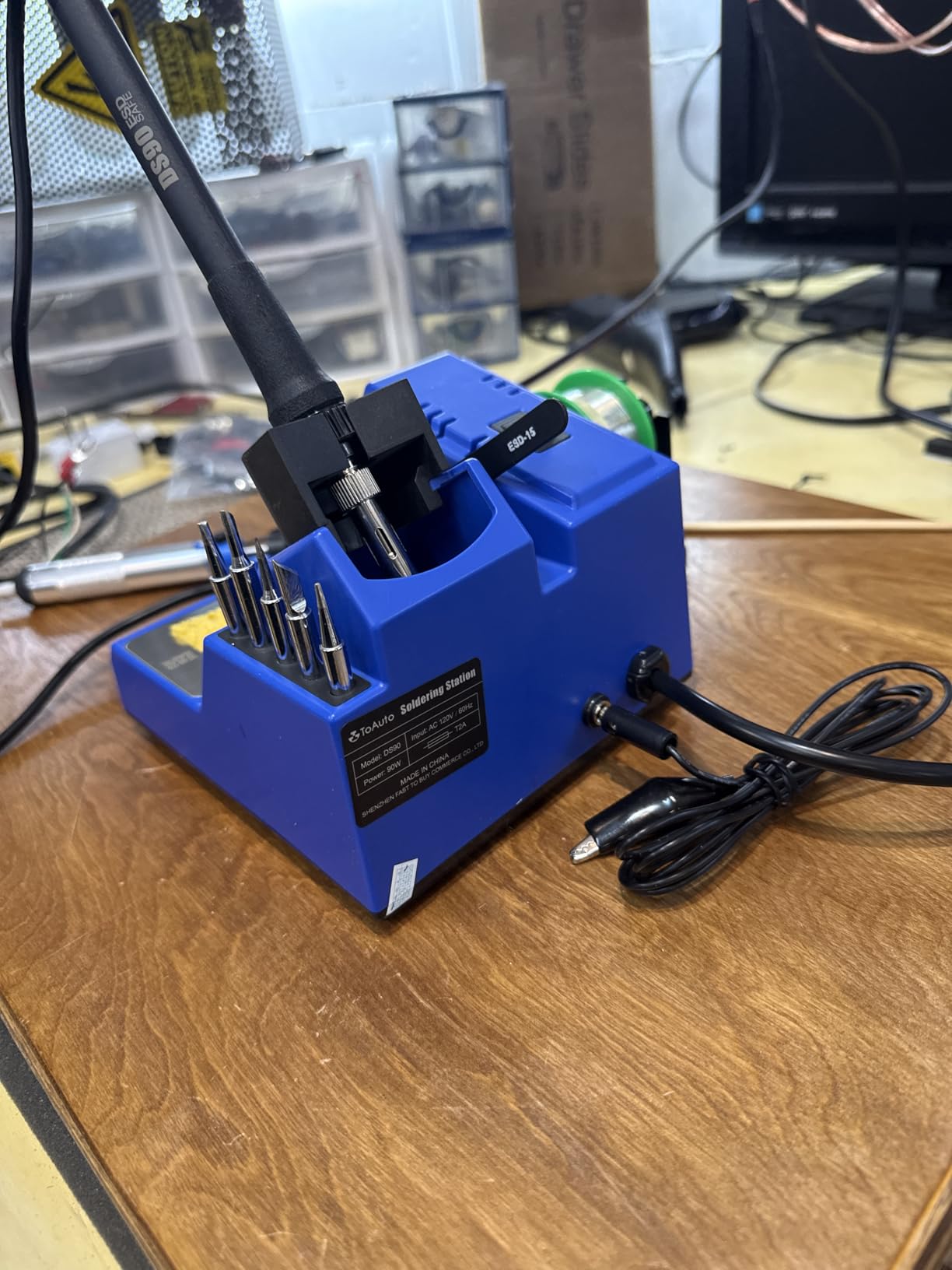
The 2,666 reviews at 4.5 stars pair that with a 13-piece kit: five extra tips, solder wire, solder sucker, tweezers, brass cleaner, sponge, and a side bracket. It is ESD, CE, FCC, and RoHS certified.
What you should check before buying
The read-out measures the heater, not the tip, so it lags after switch-on and should be treated as a reference rather than a guarantee. The cord is also reported as thick and short, and one of the supplied tips will not fit the storage holes.
A note on the included brass wool. Some buyers report it is actually brass-coated steel, which is harder on tip plating than real brass wool, and it suits general cleaning rather than gentle tip maintenance.
Who it suits and who it does not
SMD rework, delicate board repair, and anyone working near components that dislike excess heat or static. The lock mode is the reason to choose it for a precision job.
It is not aimed for full-time professional daily use, and the light plastic casing tells you that. For long production runs the heavier Weller and YIHUA stations are a better fit.
10. MEAKEST 60W 12-in-1 Kit – Best Budget Starter
Soldering Iron Premium Kit, 60W Soldering Gun with Ceramic Heater, 12-in-1 Soldering Tool, Adjustable Temperature 200 to 450°C, Includes Soldering Iron Tip, Solder Wire, Pump and Paste
60W ceramic heater
200 to 450 C adjustable
12-piece kit
Carrying case included
Pros
- Complete kit with tips solder paste pump and stand
- Adjustable range covers most hobby work
- Six air vents help extend element life
- Case is genuinely useful for mobile repair
Cons
- Bundled solder paste is conductive rather than no-clean
- Supplied stand is poor and the sponge is thin
- Grip gets hot during long continuous use
This is the kit to buy if you want a bench assembled for the least money, and for wire connections, household repairs, and a first electronics project the 60W ceramic heater is enough. The range is adjustable from 200 to 450 degrees C.
Included are multiple tip shapes for guitar work, watches, wires, mobile devices, computer hardware, and capacitors, plus solder wire, paste, a desoldering pump, tweezers, a stand, and a carrying case. The 3,178 reviews at 4.4 stars keep calling it capable for the money.
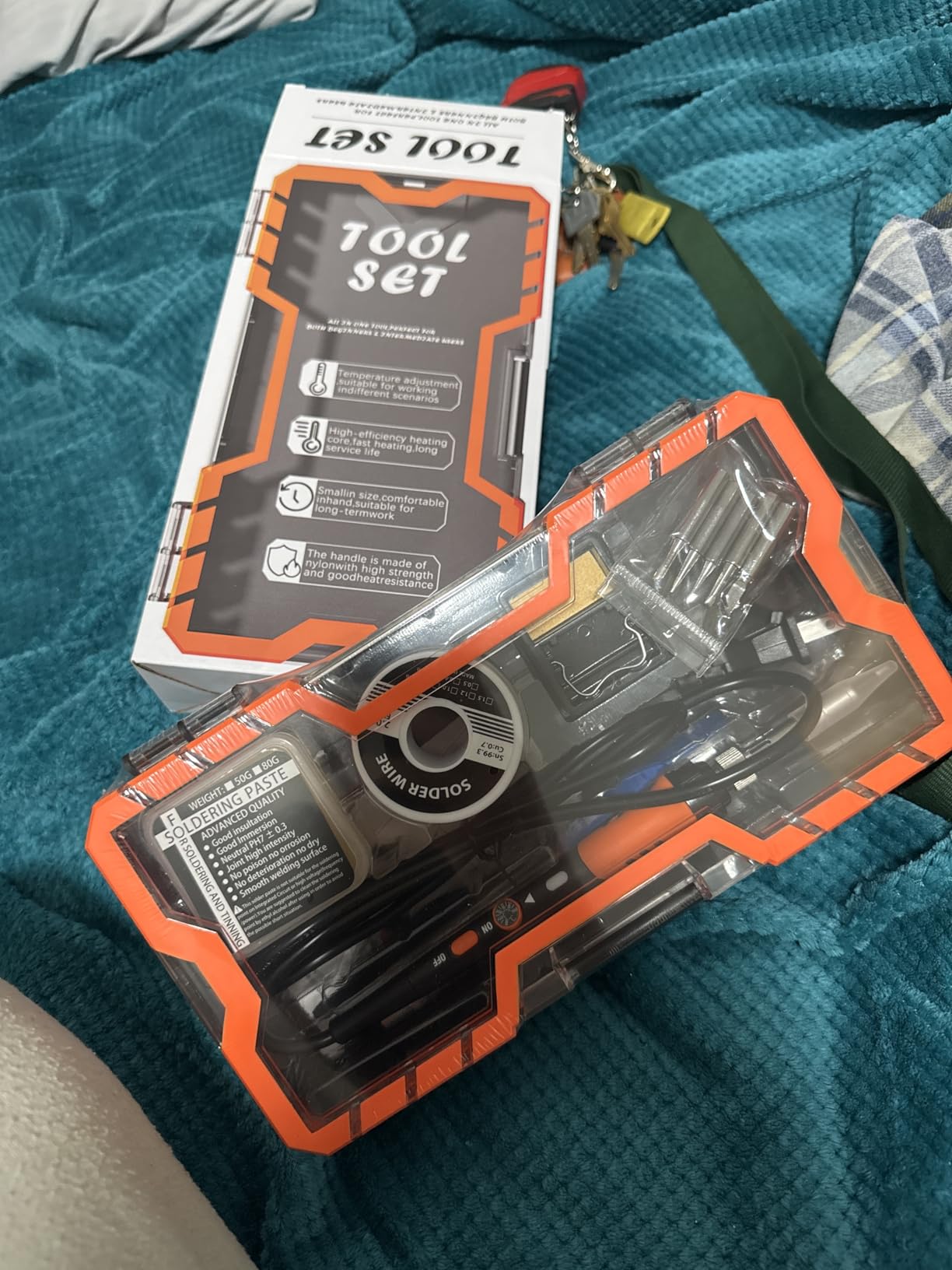
There is one documented issue worth reading carefully before you use it on a board. The bundled solder paste is conductive rather than no-clean, it is not flagged on the packaging, and one review reports it burning out a PCB.
Other reported weaknesses are a stand of poor quality, a sponge nearly paper-thin, a short cord, and a grip that becomes uncomfortably hot during extended continuous use. A small number of buyers also found that alternate tips would not heat.
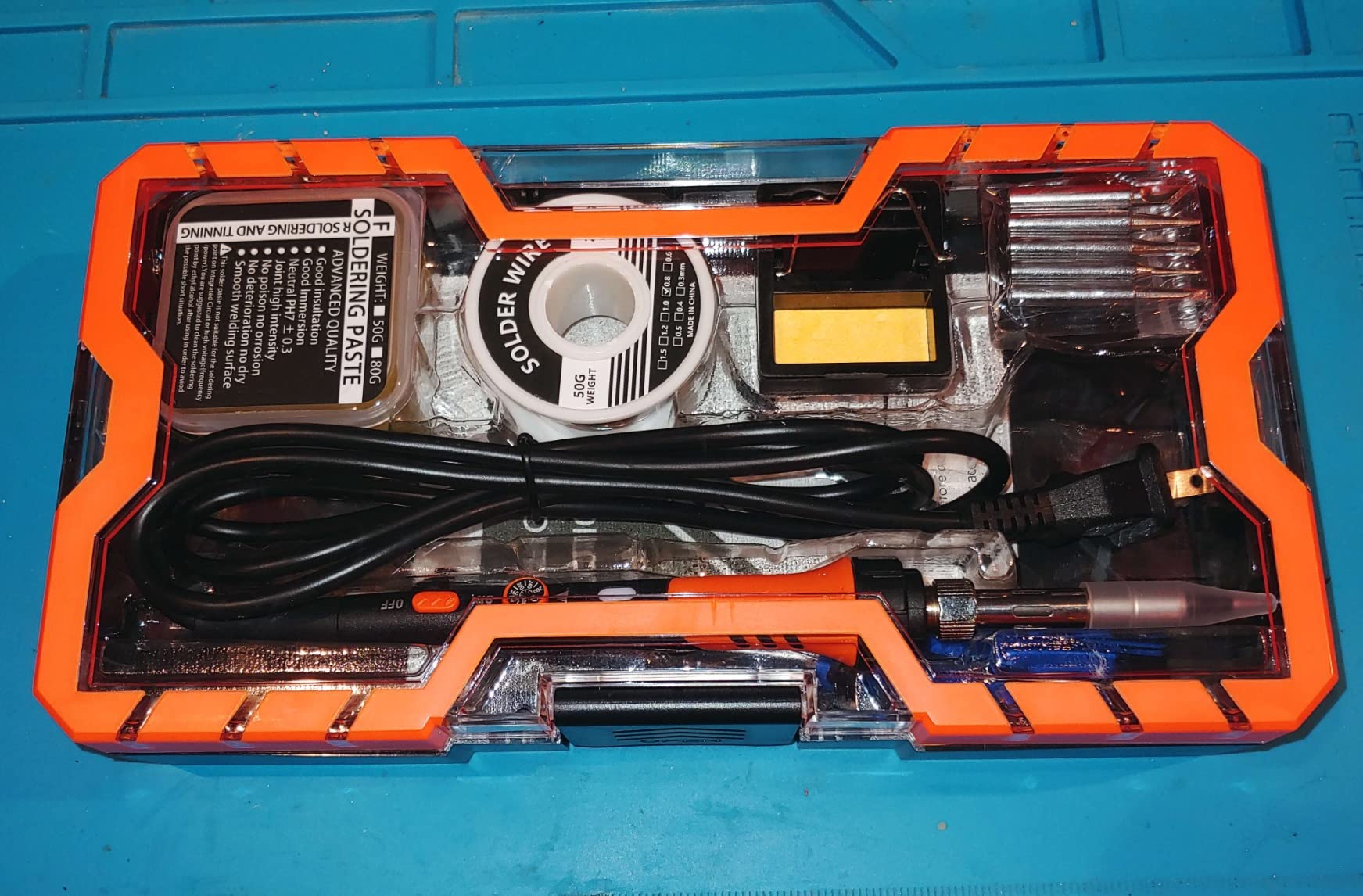
What you should check before buying
Replace the solder paste before the first board, and use no-clean paste or rosin flux instead. That single swap removes the most serious failure mode in an otherwise useful kit.
Check what the job needs. The 450 degree C ceiling is low for thick copper conductors, so buy an iron with headroom if you are tinning cable rather than joining small terminals.
Who it suits and who it does not
Absolute beginners, students, and anyone doing occasional household electronics who wants tips, solder, and a pump in the same box. The carrying case makes it a genuinely portable kit.
It suits one-off work, not daily soldering. Grip heat, a thin stand, and thin walls in the element make it the wrong tool for an eight-hour day.
How to Choose a Soldering Iron in 2026
Every forum thread about this purchase comes down to the same four questions: how much power, does it need temperature control, which tips will fit, and is a station better than a portable iron. Here are the answers, and if you are still working out the basics, our heat tool care basics cover the same principles of heat and temperature control in a different context, much as our steam iron guide covers heat-up time and steady control on a different kind of tool.
Power and Wattage: Match the Wattage to the Joint
Wattage is a proxy for heat mass, not a measure of quality. A 70W iron will not beat a 25W iron on delicate SMD work, it will simply heat the joint faster and recover sooner. The recurring 40W versus 60W question comes down to the largest joint you intend to make.
- Under 40W: light hookup wire and delicate repair. Fine on a small joint, slow on anything with copper mass.
- 40W to 75W: the sweet spot for electronics, through-hole joints, headers, connectors, and general PCB work.
- 90W to 110W: heat-sinked devices, larger connectors, thicker ground planes, and faster recovery between joints.
- 120W and above: tinning heavy cable and large lugs, and sustained production work where recovery time adds up across a shift.
If a forum poster tells you they wanted more than 60W, they are almost certainly tinning wire or lugs, not soldering surface-mount parts. Match the number to the job rather than to a brand.
Temperature Control: Why PID Matters
Yes, you need temperature control if you work on anything you cannot afford to replace. A fixed-temperature iron is either too cool for a big joint or too hot for a small one, and there is no way to win.
PID control, which stands for proportional-integral-derivative, is the mechanism that matters. A thermocouple or sensor in the heater reports the real temperature, and the electronics adjust power continuously to hold the setpoint, rather than a simple on-off element that swings hot and cold. Solder melts at roughly 180 to 230 degrees C, and a working tip sits well above that, usually in the 260 to 350 degree C band, so stability is what lets you hold a joint at the right heat for a few seconds.
Look for a calibration function too. It lets you correct the read-out if the station’s sensor drifts from your own measurement, which is common after years of use.
Tip Shapes and Tip Compatibility
Tips are not universal, and this is where a lot of first-time buyers go wrong. Each brand family uses its own geometry, and within a family the sizes differ too.
- Conical: narrow point for very small joints, heat-sensitive parts, and rework. Easy to overheat, so use it briefly.
- Chisel: flat and wide, the general-purpose default for through-hole work and drag soldering.
- Hoof or minispoon: a hollowed end that holds a pool of molten solder, ideal for fine SMD, terminal work, and repetitive identical joints.
- Knife: long and narrow for drag soldering SMD pins and for pulling connectors without loading one pad.
For a beginner, buy the chisel and the hoof in the size that matches your work, and skip the rest. Check the tip compatibility list for your chosen iron before you plan any project, because the shapes you want may not be made for that brand.
Soldering Station vs Portable USB-C Iron
A station is a base unit, an iron, and a holder. A pencil iron is corded with no base. A portable USB-C iron runs from a charger, a power bank, or a battery. The choice comes down to where the work happens.
If you solder at one bench with mains power, a station wins on power, tip availability, safety timers, and heat recovery. If your work is spread across a bench, a keyboard build, a drone bench, or a client site, the speed and freedom of a portable iron can outweigh the raw wattage you give up.
The honest middle ground is to own a station for heavy joints and a portable iron for everything small, which is a very common setup among people who build boards regularly.
Hakko vs Weller: Which Brand Should You Buy?
Both are respected workshop names, and the argument in forum threads is mostly about what you are optimising for. Hakko is trusted for consistent tip temperature and fast recovery, and is widely treated as the go-to for modellers and anyone who wants one predictable tool.
Weller stations tend to add station-level convenience: digital displays, memory channels, temperature lock, standby and auto setback, and password protection. The FX601-02 is the exception on this list, a bare Hakko pencil iron with a dial and no base unit, which is closer in spirit to a simple tool than to a smart station.
For a first electronics iron, either brand will serve you well. Buy on the features you will actually use, and on whether the replacement tips for that model are easy to source in your region.
How to Keep Your Tip From Oxidizing
Oxidised tips are the single most reported complaint in every soldering forum, and it is largely preventable. The good news is that almost none of it requires a better iron.
- Tin the tip before first use and after every session. Melt a small amount of solder onto the working face, then wipe it on a damp sponge. A tip that has been tinned stays bright and does not oxidise in storage.
- Never leave a hot tip resting on an unplugged or unused iron. Long idling burns flux out of the tip and leaves scale behind. Use a stand that keeps the tip in open air.
- Keep the tip away from flux-corroded surfaces. Rosin flux residue combined with a hot tip encourages corrosion, so wipe the barrel, not just the face.
- Use brass wool, not a scouring pad. Steel wool and copper wool strip plating and leave metal in the tip surface. Brass wool cleans without damaging it.
- Turn it off when you step away. Sleep mode helps, but an iron shut down for a lunch break will not be at temperature when you return.
- Keep spare solder on hand. Most tips that appear burnt were actually allowed to sit dry. A working tip is always coated in a film of solder.
Soldering Supplies You Need Alongside Your Iron
An iron is half a kit. The items below cover most of what people buy separately and regret not having, and several of them are included in the YIHUA and WEP kits reviewed above.
- Solder wire: thin gauges around 0.25 to 0.3mm suit SMD and fine wire, while 3 to 4mm is right for tinning cable and power connections. Lead-free solder melts at a higher temperature, so if you are new to it, expect a longer dwell on each joint.
- Rosin flux: the single biggest quality upgrade you can make. Flux lets solder flow where it should instead of balling on a cold pad, and it is the difference between a joint that conducts and one that does not.
- Desoldering pump: essential for removing through-hole parts and for rescuing a joint you rushed. It is in the YIHUA 926, WEP, Fanttik, and MEAKEST kits.
- Brass wool and a sponge: brass wool strips flux and light oxide; a damp sponge shapes the bead and cools it quickly. Both are cheap and both get used daily.
- A proper stand: a weighted iron holder matters more than most accessories. Rolling a hot iron off a bench edge is the fastest way to a damaged board or a burn.
- Fume extraction: solder fumes are a real concern, particularly with lead-free alloys and rosin flux. A small fume extractor or a fan pulling air away from your face makes a measurable difference over a long session.
Work somewhere with ventilation, wash your hands after handling solder, and if you use leaded solder on an old board, treat the tip and the bench surface as contaminated until you have cleaned them.
Frequently Asked Questions
Which soldering iron is considered the best quality?
The Weller WE1010NA is the best-quality option in this roundup, with 4.7 stars from 4,670 reviews, a 70W element and stated temperature stability of plus or minus 4 degrees F. If you want quality without a base unit, the Hakko FX601-02 offers workshop-grade closed-loop control in a simpler package.
Which is better, Hakko or Weller?
Hakko is trusted for consistent tip temperature and fast recovery, and the FX601-02 is a simple dial-controlled pencil iron. Weller stations add digital displays, temperature lock, standby and auto setback. Choose Hakko for one predictable tool, and Weller for station features that protect a shared bench.
Are Harbor Freight soldering irons good?
Budget irons from any retailer can do simple wire work, but the ones that cause trouble share the same weaknesses: a fixed temperature with no control, thin-walled elements, and tips that oxidise quickly. The better entry route is an iron with a PID-controlled range, a sleep timer, and a sleep mode, such as the YIHUA 926 III.
Are expensive soldering irons worth it?
Expensive irons earn their cost through temperature stability, heat recovery, safety timers, and widely available replacement tips, not through wattage. For occasional wire work, a mid-range station is more than enough. For daily production or SMD rework, the higher build quality and detachable parts pay for themselves over time.
What is the most common mistake in soldering?
Heating the solder instead of the joint is the most common mistake. Solder does not stick to a cold or heated pad; it bonds to a joint heated by the iron. Touch the iron to the pad and the lead together, hold for a second or two, then feed solder into the joint rather than onto the tip.
What is a good wattage for a soldering iron?
Between 40W and 75W is the useful range for electronics: fast enough for through-hole joints and headers, controllable enough for SMD work. Move to 90W to 110W for heat-sinked devices and larger ground planes, and above 120W for tinning thick cable and production work.
Do I need a temperature-controlled soldering iron?
Yes, if you work on anything you would be unhappy to replace. A fixed-temperature iron is too hot for small parts or too cool for large joints, and there is no good setting between. A PID-controlled iron with a calibration function lets you dial in the temperature a specific job needs.
Which is better, 40W or 60W soldering iron?
A 60W iron recovers faster and is the safer choice for general electronics, because 40W models are slow on joints with copper mass. The 40W category is still adequate for hookup wire and small repairs. Match the wattage to your largest joint, then upgrade if you are waiting on the iron to recover.
Which Soldering Iron Should You Buy in 2026?
There is no single best soldering iron, but there is a clear best choice for most people reading this. If you want one tool that handles daily electronics repair and protects the boards in front of it, buy the Weller WE1010NA and its temperature lock. If you want a complete bench in one box and are in North America, the YIHUA 926 III gives you the iron, solder, pump, tips, and tweezers together.
Buy the PINECIL if your work is small, fast, and spread across more than one bench. Buy the Hakko FX601-02 if you want one dependable dial and nothing else to think about. Buy the YIHUA 939D+ when heat mass and long days are the problem, and pick the Fanttik T1 Max or the ANBES cordless kit when you need to solder with no mains nearby.
Whichever you choose, tin the tip before you put it down, keep brass wool on the bench, and match the wattage to the largest joint you expect to make. That habit alone prevents more bad joints than any specification on the box.