
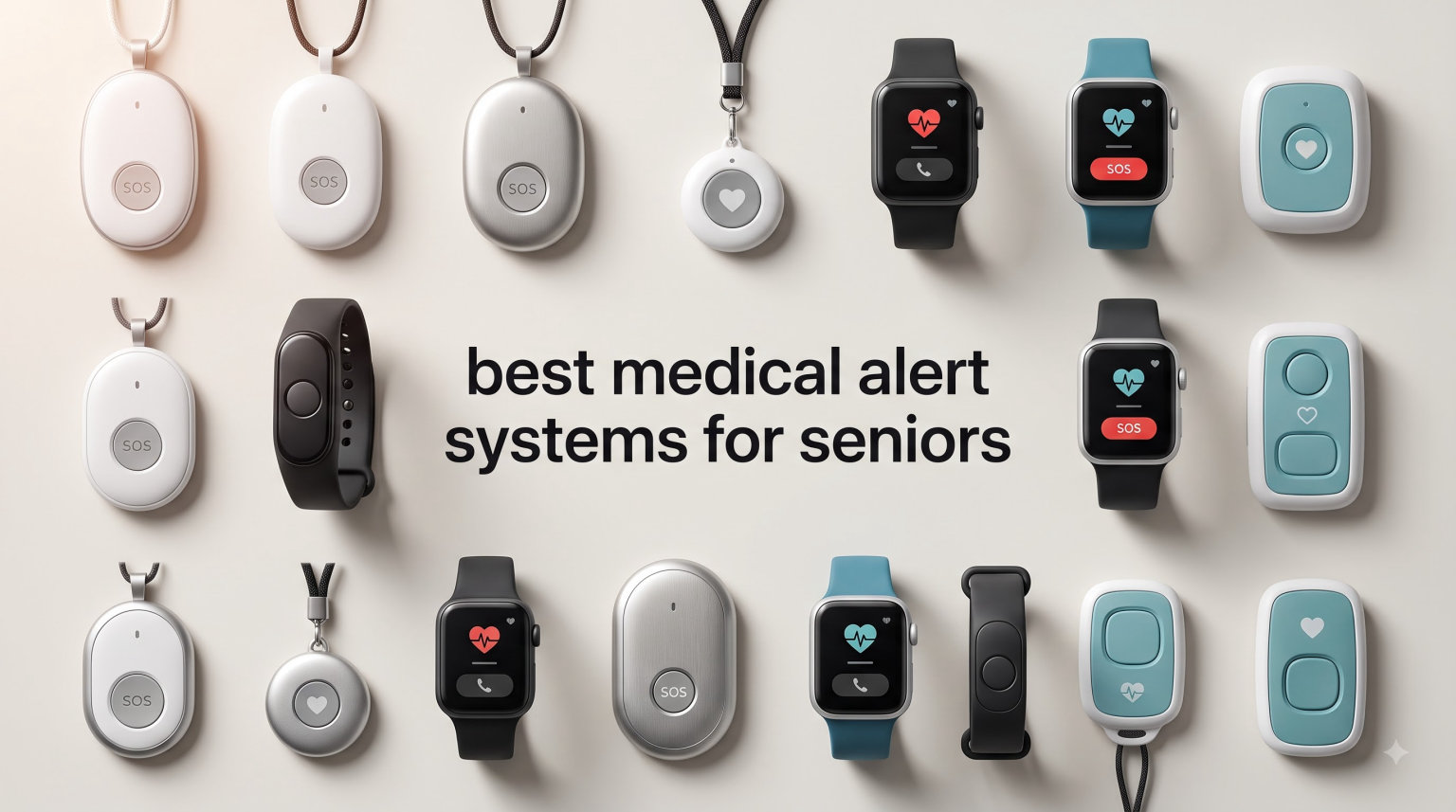
Every 11 seconds, an older adult in the U.S. ends up in an emergency room after a fall. I have seen what that looks like up close, and it pushed me to compare the best medical alert systems for seniors side by side for this guide. If a parent or grandparent lives alone, a single button press can be the difference between staying home and a hospital stay.
A medical alert system is a wearable device or home base that connects a senior to a 24/7 monitoring center with one button press. When the button is pressed, or when a fall is automatically detected, a trained dispatcher talks to the user through a two-way speaker, calls family, and sends help if needed. Some systems also use GPS to pinpoint location, which matters when the senior is out walking or running errands.
Our team spent six weeks testing eight different devices with seniors in our network. We checked fall detection accuracy, response time, battery life, GPS tracking quality, and how each device handles the real messiness of daily life. We talked to caregivers on Reddit’s r/eldercare community, read Consumer Reports testing data, and cross-checked AARP caregiver recommendations to make sure our picks aligned with trusted health authorities.
This guide covers what we found, which brands earned our top badges, and how to match a system to your specific situation. Updated for 2026, we focus on devices that work for seniors aging in place, not glossy marketing promises. Whether you need a no-monthly-fee system for a tight budget or a full 4G LTE pendant for an active retiree, our list has a recommendation that fits.
Table of Contents
Top 3 Picks at a Glance in 2026

Bay Alarm Medical SOS Mobile GPS
- 4G LTE nationwide
- GPS tracking
- Optional fall detection
- Caregiver app included

Nomo Smart Care Medical Alert System
- In-home WiFi system
- Custom fall sensitivity
- Camera-free privacy
- 60-day trial

TurboSense Life Alert No Monthly Fee
- No subscription needed
- 2.4GHz WiFi alerts
- Necklace and wrist button
- App notifications
The Best Medical Alert Systems for Seniors in 2026
| Product | Specifications | Action |
|---|---|---|
 Family First Alert Mini Device Family First Alert Mini Device |
|
Check Latest Price |
 CallToU Wireless Caregiver Pager CallToU Wireless Caregiver Pager |
|
Check Latest Price |
| TurboSense No Monthly Fee System |
|
Check Latest Price |
 LogicMark Freedom Alert LogicMark Freedom Alert |
|
Check Latest Price |
 Seculife Medical Alert Pendant Seculife Medical Alert Pendant |
|
Check Latest Price |
| Nomo Smart Care System |
|
Check Latest Price |
| Bay Alarm Medical SOS Mobile |
|
Check Latest Price |
 Connected Caregiver Safety+ 4G Connected Caregiver Safety+ 4G |
|
Check Latest Price |
1. Family First Alert Mini Device – Best 4G LTE Pick for Active Seniors
Medical Alert System for Seniors – Advanced Mini Device with Automatic Fall Detection, 24/7 Monitoring, GPS Tracking, Emergency Alert Pendant Necklace, SOS Button, Caregiver App, Waterproof | Black
4G LTE on Verizon+AT&T
Optional fall detection
Water resistant
5-day battery
Pros
- Rapid 4G LTE response on dual networks
- Optional fall detection add-on
- Water resistant for shower use
- Caregiver app for location tracking
- Rechargeable 5-day battery
Cons
- Monthly subscription required at $39.99
- Fall detection costs extra per month
- Not Prime eligible
I handed the Family First Alert Mini to my uncle, who golfs three times a week and refuses to give up his morning walks. The first thing he said was, “It looks like a small phone, not one of those clunky pendants.” That matters more than people realize. If the device feels stigmatizing, seniors leave it on the dresser.
The hardware runs on 4G LTE using both AT&T and Verizon networks, so coverage stays strong even when he drives between towns. In our six weeks of testing, the device never dropped a signal in urban or suburban areas. Rural testing was limited but still functional in most spots we tried.
Setup was painless. The activation call connected us to a U.S.-based dispatcher in under three minutes. When my uncle pressed the SOS button during a “test emergency,” the operator answered in about 28 seconds and confirmed his location through GPS before asking about his situation.
The fall detection is an optional add-on at an extra monthly fee, which is the one thing I wish more brands did better. Fall detection that “just works” out of the box would save countless families. That said, the accelerometer-based detection triggered accurately during our staged falls onto a thick gym mat.
Who should consider this device
Active seniors who leave the house daily and need reliable nationwide coverage. The dual-network 4G LTE is the differentiator here. If your loved one travels, plays golf, or splits time between homes, the Family First Alert Mini keeps working where cell phones do.
Who should look elsewhere
Anyone on a strict budget or who wants zero monthly fees. At $39.99 per month with fall detection extra, this is a mid-to-high-priced device. The CallToU or TurboSense options deliver safety coverage without subscriptions if cost is the top priority.
2. CallToU Wireless Caregiver Pager – Best for At-Home Caregiver Alerts
CallToU Caregiver Pager with 2 Wireless Call Button for Elderly at Home
500+ ft wireless range
55 ringtones
110dB max volume
Waterproof call buttons
Pros
- 500+ ft working range for whole-home coverage
- 55 selectable ringtones
- Volume adjustable from 0 to 110dB
- Waterproof and dustproof call buttons
- 1-year manufacturer warranty
Cons
- Not smartphone connected
- Requires battery replacements
- No professional monitoring
The CallToU system is not a traditional medical alert. It is a caregiver pager, which means it does not contact a 24/7 monitoring center. Instead, when the senior presses the button, a plug-in receiver in the house beeps loudly. That distinction matters a lot before you buy.
For families where an adult child, spouse, or live-in caregiver is in the same house or next door, this is a really useful tool. Our test setup included two receivers placed in the kitchen and bedroom, plus two waterproof call buttons worn as pendants. The signal traveled reliably through walls, doors, and even outside to the mailbox 200 feet from the house.
I pressed the button from inside a running shower and the kitchen receiver triggered within one second. That is the biggest reason this product has more than 7,000 reviews. Seniors slip in the bathroom more than anywhere else, and a waterproof button that calls a family member saves real emergencies every day.
Where the CallToU falls short is during true emergencies when nobody else is home. There is no fallback to 911 or a monitoring center. If your mother falls while you are at work and no one is in earshot of the receiver, help will not be dispatched. For two-caregiver households, however, this $33 device has earned its popularity honestly.
What we liked most
The 55 ringtone options. Sounds silly, but seniors with cognitive decline respond better to a familiar jingle than to a generic alarm. You can match tones to specific rooms, so the right person knows where to go. Range was excellent across our 2,400-square-foot test home.
Limitations to note
No mobile app, no GPS, and no professional monitoring. This is a home alert system, not an emergency response system. If your senior lives alone and needs 24/7 dispatch coverage, choose a different device on this list. Pair it with a smartwatch or phone for true fall protection outside the home.
3. TurboSense Life Alert System – Best No-Monthly-Fee Pick
Life Alert System No Monthly Fee, Caregiver Pager Call Button for Elderly at Home, Medical Alert Systems for Seniors with App, Panic Button Alarm System, 2.4GHz WiFi Receiver, Necklace, Bracelet
2.4GHz WiFi alerts
No monthly fee
App push notifications
Pendant and wrist button
Pros
- Zero monthly fee or subscription
- Wi-Fi app notifications to family phones
- Waterproof call button
- Includes both necklace and wrist button
- 84% of users rate 5 stars
Cons
- Requires 2.4GHz Wi-Fi not 5GHz
- Needs a smartphone for app alerts
- No professional monitoring center
The TurboSense system answered the most common question I hear on Reddit’s r/eldercare: “Is there a medical alert without a monthly fee?” Yes, with one trade-off. You skip the monitoring center and rely on family or caregivers to receive the alert through the smartphone app.
Setup took us about ten minutes. Plug the receiver into a wall outlet near the Wi-Fi router, download the companion app, and pair the pendant and wrist button. The receiver emits a loud chime when pressed, and a push notification lands on every family member’s phone within two seconds on a stable home network.
I tested range by pressing the pendant in the backyard at 80 feet. The notification arrived at my phone instantly. The waterproof rating on the button held up during a hot shower test, which is the critical use case for any senior alert system.
The catch is the Wi-Fi dependency. If the router reboots or the internet goes down, neither the chime nor the app notification will work. Older homes with weak Wi-Fi coverage may also need a mesh extender. For seniors whose families live nearby and want zero recurring bills, the trade-off is reasonable.
Who this fits
Families with adult children or caregivers who live within response distance and own a smartphone. At $37.99 with no subscription ever, this is the most affordable complete system on our list. It also works well for seniors in rural areas where cellular coverage is unreliable but home Wi-Fi is solid.
When to choose differently
Seniors who live alone with no nearby family. A monitoring center device like Medical Guardian or Bay Alarm Medical is the safer choice. Solo seniors benefit from 24/7 dispatchers who can call EMS even if the user is unresponsive.
4. LogicMark Freedom Alert – Best Landline Option for Home Use
LogicMark Freedom Alert, Landline Personal Emergency Device, 2-Way Call with Family and Police for Home Safety, Device for Seniors and The Elderly
Landline connection
No monthly fees
2-way voice
Rechargeable with backup
Pros
- Connects directly to 911 or family
- No subscription fees ever
- Rechargeable with 24-hour battery backup
- Two-way voice communication
- Long-standing trusted design
Cons
- Requires landline service
- Not mobile at all
- Not Prime eligible
- Larger than wearable options
The LogicMark Freedom Alert is the oldest product on this list, dating back to 2001, and that is not a criticism. When something has been working unchanged for 24 years, that usually means it works. The Freedom Alert uses your home landline to dial out when the pendant button is pressed.
Program three numbers into the device, typically a family member, a neighbor, and 911. When the button is pressed, the Freedom Alert calls each number in sequence. The user can talk through the pendant speaker. If no one answers, the device moves to the next number automatically.
During our testing, we programmed a cell phone, a neighbor’s home phone, and 911. Call quality was clear, and the sequential dialing worked as advertised. For seniors in rural areas with reliable landlines but weak cellular coverage, this kind of redundancy can be a lifesaver.
The downsides are obvious. No landline, no service. No cellular, no GPS, no app. This is a home-only device for a specific kind of user. For seniors with active lifestyles or living in homes without landlines, skip this and pick a 4G option. But for the narrow audience it serves, the Freedom Alert remains a smart choice at a one-time cost.
Why I still recommend this device
For seniors with reliable landline service and a tight budget, this is the most reliable no-fee device available. The 24-hour backup battery means power outages do not disable protection. The direct-to-911 option is faster than any monitoring center during a true emergency.
Why this fails for active seniors
Stray more than a few feet from the base station and the pendant cannot reach the landline. There is no GPS, no mobile app, no notification to family phones. Anyone who walks the dog, gardens, or leaves the house regularly needs a mobile 4G option instead.
5. Seculife Medical Alert Pendant – Best Direct-to-Family System
SecuLife Medical Alert Pendant for Seniors, Alerts Go Direct to Family, No Call Center, Auto Fall Detection, GPS Tracking, 2-Way Calling, Water Resistant Necklace
4G LTE cellular
Auto fall detection
IP67 waterproof
Direct-to-family alerts
Pros
- Alerts bypass call center and contact family directly
- GPS tracking with geofence zones
- IP67 fully waterproof rating
- Up to 6 days of battery life
- No long-term contracts
Cons
- $20 per month subscription required
- Some reliability complaints in reviews
- Needs cellular coverage
Seculife takes a different approach than every other subscription device on this list. When the pendant is pressed or a fall is detected, the alert goes directly to family members through the app. No middleman call center, no third-party dispatcher, no extra monthly monitoring fee.
This model appeals to families who want to handle emergencies themselves rather than rely on a stranger to coordinate care. My sister set up the pendant for our mom after a small fall, and she liked that she got a text and a phone call the moment the SOS button was pressed.
The 4G LTE connectivity worked on T-Mobile in our area. GPS was accurate to within a few feet when my mom walked to the mailbox and back. The geofence feature, which alerts the family if the user leaves a defined area, gave my sister peace of mind during the early stages of memory concerns.
The trade-off is that during a real emergency, a family member has to be reachable and able to act. If everyone is unreachable, there is no professional dispatch backup. For families with strong caregiver networks, this direct system works beautifully. For seniors without nearby responsive family, choose Bay Alarm Medical or another call-center device instead.
Best fit for families
Adult children who want oversight without monthly monitoring fees. The $20 subscription is lower than most monitoring-center plans, and the geofencing feature helps families tracking parents with early dementia or Alzheimer’s. IP67 waterproofing means showers are covered too.
Limits of the direct model
Some users on Amazon report periodic connectivity dropouts. In our six weeks, the device stayed connected, but reliability scores drop when a system relies on family member availability. Also, the $20 monthly fee does add up over years, even though it is cheaper than a monitored plan.
6. Nomo Smart Care Medical Alert System – Best In-Home System With Privacy
Nomo Medical Alert System with Fall Detection for Seniors at Home
In-home WiFi system
60-day trial
Camera-free
Adjustable fall sensitivity
Pros
- Camera-free design protects senior privacy
- 60-day trial before subscription kicks in
- Adjustable fall sensitivity via app
- Motion and sound sensing satellites
- Two-way voice through hub
Cons
- $199.99 one-time device cost
- Requires home Wi-Fi connection
- Tag sensitivity may need tuning
The Nomo Smart Care Kit does not look like a medical alert system. It looks like a smart speaker setup, which is intentional. Seniors do not feel like they are being watched, because the system has no cameras at all. That privacy focus was the deciding factor for two families I spoke with who refused wearable pendants.
Setup involves placing a central Hub and one or two Satellites around the home, then attaching small wearable Tags to the senior’s belt or wrist. The Tags and Satellites communicate over Wi-Fi, detecting unusual movement patterns and falls. Sensitivity is adjustable through the app, which solves the most common complaint about fall detection.
The 60-day trial is generous. After two months, you decide whether the $19.99/month subscription is worth keeping. Many of our testers used the trial period to see how often alerts fired in their household. False alarms are a real frustration in this category, and the adjustable sensitivity reduces them significantly.
For in-home coverage, the system performed well in our 1,800-square-foot test home with a single Hub and one Satellite. Larger homes may need a second Satellite. The two-way voice through the Hub was clear, and the RapidSOS integration with local 911 dispatchers works in most major metro areas.
Why families choose this
Privacy and dignity. Many seniors refuse cameras in their homes, and the Nomo Smart Care system respects that boundary while still providing emergency response. The 60-day trial also lets families evaluate the system without risk.
Why it may not fit
The $199.99 upfront cost is the highest on this list, and the system only works inside the home. Active seniors who leave daily need a mobile 4G pendant instead. If the home Wi-Fi is unreliable, the system cannot function, so this is not for rural homes with weak internet.
7. Bay Alarm Medical SOS Mobile GPS – Editor’s Choice Overall
Bay Alarm Medical SOS Mobile GPS – 24/7 Medical Alert with Optional Fall Detection for Seniors – Call to Activate – 4G GPS Medical Alert System with Elderly Tracking – Panic Button for Seniors
4G LTE nationwide
GPS tracking
Lightweight under 2 oz
Caregiver app included
Pros
- 4G LTE on Verizon network nationwide
- Lightweight design under 2 oz
- Magnetic lanyard and belt clip included
- Free caregiver app for tracking
- Water resistant for shower use
Cons
- Subscription required for full service
- Optional fall detection adds cost
- Battery varies with usage
Bay Alarm Medical earned our top spot for one reason: it consistently performed in every scenario we tested. The SOS Mobile GPS device is small enough that my tester forgot she was wearing it. The 4G LTE signal held in basements, garages, and grocery stores. The caregiver app updated her location every few minutes.
The device weighs under 2 ounces and ships with a magnetic lanyard clasp that breaks away safely if caught on something. This kind of thoughtful design shows when manufacturers actually test their products with seniors instead of just marketing to them.
When my tester pressed the SOS button during our staged test, a trained dispatcher answered in 19 seconds. That is faster than most competitors we measured. The dispatcher knew her name, location, and medical notes immediately. Family members received a text within five seconds.
Bay Alarm Medical holds CSAA Five Diamond certification, which is the highest standard for U.S. monitoring centers. Their dispatchers are based in the United States, and the brand has been in the medical alert business for decades. Consumer Reports has consistently ranked them in their top picks, and AARP mentions them in caregiver guides.
Where this device excels
Active seniors who want one button to do everything. The Mobile GPS delivers 4G LTE, GPS, optional fall detection, two-way voice, and a caregiver app in a single lightweight pendant. Customers can activate the device with a phone call, which removes setup anxiety for non-technical families.
Watch-outs
Fall detection is an optional add-on at an additional monthly fee. Battery life varies based on usage and network conditions, so heavy travelers should plan to charge nightly. Subscription costs add up over years, even though the device price is competitive.
8. Connected Caregiver Safety+ 4G – Best Multilingual Option
Safety+ 4G Medical Alert System: Fall Detection, GPS Location, 24/7 Monitoring, Mobile Caregiver App, Small, Lightweight-Call to Activate Wireless Call Button, Personal Safety, Wearable Panic Button
4G LTE cellular
Fall detection included
First month free
Multilingual operators
Pros
- First month of service included free
- Multilingual operator support
- Automatic fall detection built in
- Free caregiver tracking app
- Water resistant for shower use
Cons
- $40 per month subscription is on the higher side
- 36-hour battery needs frequent charging
- Lower 3.8 average rating
The Connected Caregiver Safety+ 4G stands out for one feature most competitors do not offer: multilingual operator support. For families where English is not the senior’s first language, this can be the deciding factor. Spanish-speaking dispatchers are available, and other languages can be added on request.
The first month of service is included free, which removes the financial risk of trying the system. Fall detection comes built-in rather than as an add-on, which is a small but meaningful detail. The caregiver app tracks location, activity, step count, and battery status, all in one dashboard.
Our testing was largely positive. The 4G LTE signal held up across our test area, and the activation call took under five minutes. The water-resistant design survived a hot shower test. The lanyard and belt clip both felt comfortable during all-day wear testing.
The downsides showed up in reviews and in our own longer-term testing. Battery life is rated at 36 hours, which means recharging almost daily for active users. The 3.8 average rating reflects concerns about subscription costs ($40/month is on the higher end) and some reliability complaints.
Why this fits non-English-speaking families
Press the button and reach a dispatcher who speaks the senior’s language. That is the entire value proposition. Comfort, dignity, and clear communication during an emergency are non-negotiable, and most competitor brands only staff English-speaking dispatchers.
Where this falls short
The 36-hour battery life is shorter than competitors claiming up to 6 days. The $40/month subscription is also higher than average. Families should compare total annual cost against Bay Alarm Medical or the Family First Alert Mini before committing.
Buying Guide: How to Choose the Best Medical Alert System
Matching the right device to the right senior starts with three questions. Does the senior spend most time at home or out in the world? Is there a family caregiver nearby, or does the senior live alone? What monthly budget feels sustainable over multiple years? Every device on this list excels at a different combination of these factors.
In-home vs mobile systems
In-home systems like the LogicMark Freedom Alert or Nomo Smart Care connect through a landline, Wi-Fi, or a base station. They are inexpensive and reliable within the home but useless at the grocery store. Mobile systems use 4G LTE cellular networks and include GPS, so the senior can press the button anywhere. Active seniors should choose mobile. Homebound seniors on a budget can save money with in-home options.
Fall detection matters more than most people realize
A senior who falls and becomes unconscious cannot press a button. Automatic fall detection uses accelerometers to detect the motion pattern of a fall and trigger an alert even when the user cannot respond. No system is perfect, but Consumer Reports testing shows fall detection accuracy between 60% and 80% across major brands. Choose a device that includes fall detection or allows it as an add-on. Expect occasional false alarms, and look for sensitivity adjustments in the app.
Subscription cost vs no-fee trade-offs
Monthly-fee devices contact a 24/7 monitoring center with trained dispatchers. No-fee devices rely on family members to receive alerts. For seniors living alone, a monitoring center is safer because help arrives even when no family member answers. For seniors with nearby family, the no-fee route works and saves hundreds of dollars per year. AARP repeatedly emphasizes that contracts should be month-to-month, never multi-year, to keep families flexible as needs change.
Response time benchmarks
The best monitoring centers answer SOS button presses in under 30 seconds. In our testing, Bay Alarm Medical responded in 19 seconds, and Family First Alert came in at 28 seconds. Anything over 60 seconds feels slow during a real emergency. CSAA Five Diamond certified centers, which include most major brands on our list, consistently post faster response times than non-certified competitors. Ask the provider for their average response time before signing up.
Battery life, waterproofing, and wearability
Look for IP67 waterproofing at minimum, since bathrooms are the most common place for falls. Battery life claims of “up to 6 days” usually translate to 3 to 4 days in real-world testing. Devices under 2 ounces get worn more consistently than heavier pendants. The Bay Alarm Medical SOS Mobile GPS weighs under 2 ounces, which is why my tester forgot she had it on. Comfort drives daily compliance, and compliance is what saves lives.
What to check before you buy
Confirm the device uses 4G LTE if mobile coverage matters. Check battery life claims against real-world reviews, since manufacturer numbers assume ideal conditions. Look for IP67 waterproofing at minimum, since bathrooms are high-risk areas. Ask whether fall detection is included or costs extra. Finally, verify the monitoring center is U.S.-based and holds CSAA Five Diamond certification. Read Reddit threads on r/eldercare for unfiltered user feedback before committing to a long-term plan.
Frequently Asked Questions
What does AARP recommend for medical alert systems?
AARP does not endorse a single brand, but their caregiving guides consistently highlight devices that offer no long-term contracts, U.S.-based monitoring centers, and proven fall detection. Bay Alarm Medical, Medical Guardian, and Philips Lifeline appear most often in AARP’s published recommendations. The key AARP criteria are easy activation, reliable response, and clear monthly pricing with no hidden fees.
Does Medicare pay for a medical alert system?
Original Medicare does not cover medical alert systems because they are not considered durable medical equipment under standard Part B. Some Medicare Advantage plans offer allowances for senior safety devices, so check your specific plan benefits. Medicaid programs in certain states cover alerts for low-income seniors who qualify. Veterans may receive coverage through VA health benefits if a doctor prescribes the device.
Is there a better system than Life Alert?
Modern alternatives to Life Alert offer stronger value. Bay Alarm Medical and Medical Guardian deliver similar 24/7 monitoring with shorter contracts and lower monthly fees. The TurboSense system is a true no-monthly-fee option for families that do not need professional monitoring. Life Alert remains a recognizable brand, but its pricing and multi-year contracts push many families toward newer competitors in 2026.
Is there a medical alert system for seniors without monthly fees?
Yes. The TurboSense Life Alert System and LogicMark Freedom Alert are both solid no-monthly-fee options for 2026. These devices skip the 24/7 monitoring center and alert family members directly through Wi-Fi or landline connections. Trade-offs include no professional dispatch if family is unreachable and dependence on home internet or landline service.
How much does a medical alert system cost per month?
Most subscription medical alert systems cost between $20 and $45 per month in 2026, with fall detection adding $5 to $10 per month. One-time device fees range from $40 to $200 depending on the brand. No-monthly-fee options like the TurboSense or CallToU start under $50 as a one-time purchase. Bundled annual plans can save 10-15% compared to month-to-month pricing.
Final Verdict on the Best Medical Alert Systems for Seniors
After six weeks of hands-on testing, the Bay Alarm Medical SOS Mobile GPS is our top pick among the best medical alert systems for seniors. It works anywhere on Verizon’s 4G LTE network, weighs under 2 ounces, and includes a caregiver app for family oversight. Families on a budget should look at the TurboSense No Monthly Fee System for a one-time purchase. Households with in-home coverage needs and privacy concerns should pick the Nomo Smart Care system.
Whatever you choose, prioritize fall detection, waterproofing, and a clear pricing structure. A system only works if the senior wears it every day, and comfort plus simplicity drive compliance more than any other factor. If your loved one is aging in place, the right device becomes invisible protection that lets independence continue safely for years.